Chapter 13: Comparative Assessment of Educational AI Tools |
1. Introduction and Chapter Roadmap |
This chapter examines the rapidly growing ecosystem of artificial intelligence tools designed for education. It continues the discussion from earlier chapters in Part II, which introduced the role of AI in teaching, learning, assessment, and administration. Here, the focus shifts from general capabilities to a comparative assessment of specific tools and categories of tools. The goal is not to crown a single winner, because no single educational AI tool excels at everything. Instead, the goal is to help educators, administrators, parents, and developers understand the strengths, weaknesses, and best-fit scenarios for different educational AI applications. |
The chapter begins with a short summary of the main findings. It then explores the primary advantage of AI in education, which is scalability. Next, it examines the primary limitation, which is the irreplaceable value of human connection. After that, the chapter provides a detailed comparative assessment across multiple categories of educational AI tools. These categories include personalized tutoring systems, language learning applications, writing assistants, STEM problem solvers, assessment and grading tools, classroom management and engagement platforms, accessibility tools, teacher professional development tools, and administrative AI systems. For each category, the chapter describes representative tools, their key features, their practical applications across different educational levels and subject areas, and their comparative strengths and weaknesses. The chapter also discusses cross-cutting issues such as data privacy, equity, teacher workload, and the risk of over-reliance on AI. It concludes with a detailed summary that synthesizes the comparisons and offers guidance for selecting and combining tools. |
A short summary of the main findings is as follows. AI in education offers unprecedented scalability. It can provide personalized practice, immediate feedback, and round-the-clock availability to thousands or even millions of learners. However, AI cannot replace the emotional, relational, and motivational aspects of human teaching. The most effective educational AI implementations are those that blend AI-driven efficiency with human-led instruction and mentorship. Comparative assessment shows that different tools excel in different domains. For example, AI tutoring systems are strong in adaptive practice and explanation, language learning apps are strong in pronunciation and vocabulary drilling, writing assistants are strong in grammar and structure feedback, and assessment tools are strong in consistency and speed. Yet all these tools share common limitations: they may lack deep understanding of context, they may perpetuate biases, they may reduce opportunities for creative struggle, and they may not fully support social-emotional learning. Therefore, the best approach is not to choose one tool over all others, but to build a balanced educational ecosystem where AI handles scalable, repetitive, and data-intensive tasks while humans handle relationship-building, ethical guidance, and higher-order thinking. |

|
2. The Primary Advantage of AI in Education: Scalability |
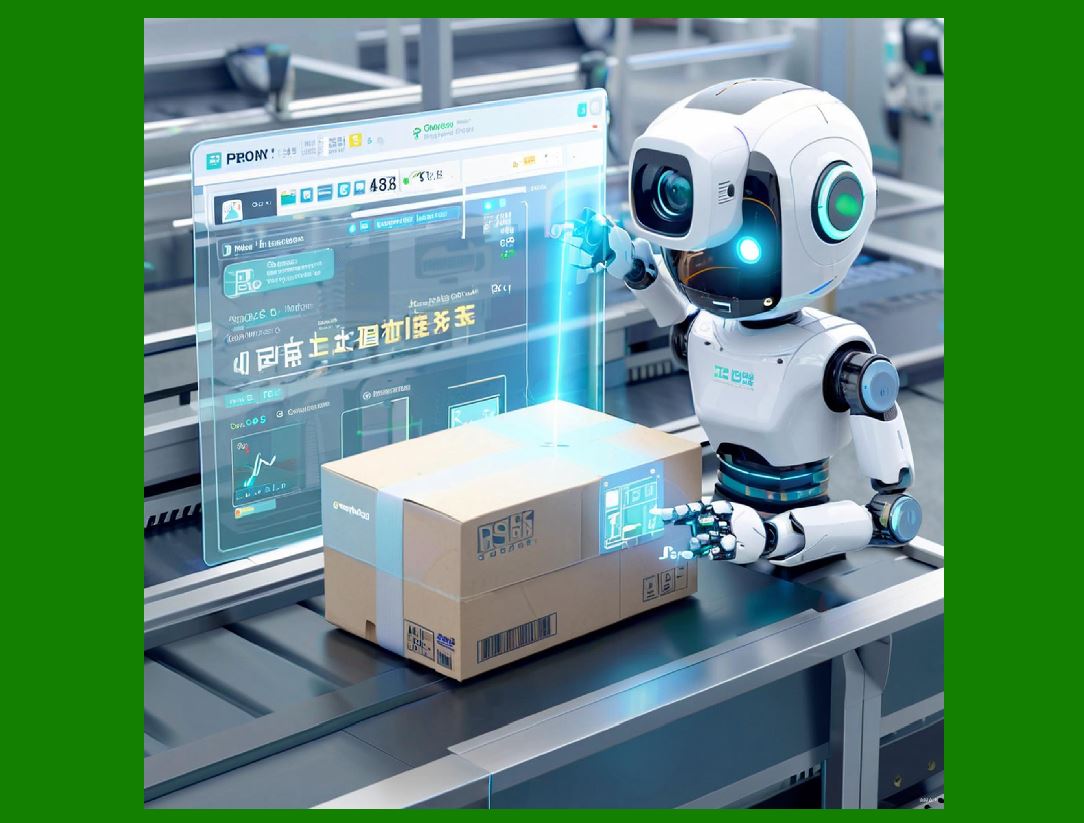
The primary advantage of AI in education is scalability. Scalability means the ability to serve a growing number of users without a proportional increase in cost or human resources. In traditional education, personalized support is expensive. A single teacher can only give undivided attention to one student at a time. A tutor can only work with a small number of students per day. A counselor can only support a limited caseload. As a result, personalized learning has historically been a luxury available to few. AI changes this equation. Once an AI system is developed and deployed, it can serve thousands, tens of thousands, or even millions of students simultaneously. Each student can receive adaptive practice, immediate feedback, and customized learning pathways. This does not mean the AI is as good as a human tutor in every way. But it does mean that AI can provide a level of personalized support that would otherwise require prohibitive human resources. |
To understand the scale of this advantage, consider a few examples. In a large introductory university course with one thousand students, a single professor cannot provide detailed written feedback on every assignment within a reasonable time. An AI writing assistant can give every student immediate feedback on grammar, structure, and clarity. The professor can then focus on higher-level feedback that requires human judgment. In a school district with limited funding for tutors, an AI math practice system can provide every student with unlimited practice problems, step-by-step hints, and instant corrections. In a rural area where qualified language teachers are scarce, an AI language learning app can offer daily conversation practice, pronunciation scoring, and vocabulary review. In each case, AI does not replace the teacher, but it multiplies the teacher's reach. |
Scalability also applies to consistency. Human teachers vary in their grading standards, their explanations, and their availability. AI systems can apply the same rubric to every student, every time. This consistency can be valuable in large-scale assessment, in standardized test preparation, and in courses where many part-time instructors teach the same material. AI can also scale access to specialized knowledge. For example, a student interested in astronomy may not have an astronomy teacher at their school. An AI tutor can answer questions, explain concepts, and suggest projects. A student learning a rare language may not find a local teacher. An AI language tool can provide basic instruction and practice. In these ways, AI democratizes access to learning opportunities that were once limited by geography, budget, or local expertise. |
However, scalability is not automatically beneficial. If the AI is poorly designed, it can scale bad pedagogy just as easily as good pedagogy. If the AI is biased, it can scale discrimination. If the AI is used to replace teachers rather than to support them, it can scale isolation and reduce the quality of education. Therefore, scalability must be paired with quality control, teacher involvement, and ethical oversight. The comparative assessment later in this chapter will show that the best tools are those that scale useful functions while leaving room for human judgment and connection. |
|
3. The Primary Limitation of AI in Education: The Irreplaceable Value of Human Connection |
The primary limitation of AI in education is the irreplaceable value of human connection. Learning is not merely a cognitive process of information transfer. It is also a social, emotional, and motivational process. Students learn best when they feel seen, heard, valued, and challenged by someone who cares about them. A human teacher can notice when a student is distracted, anxious, hungry, or upset. A human teacher can offer a word of encouragement, a moment of patience, or a difficult question that pushes a student to think more deeply. A human teacher can model curiosity, empathy, and resilience. These are not soft extras. They are central to learning. |
AI can simulate some aspects of human interaction. Chatbots can say encouraging words. Avatars can express emotions. Adaptive systems can adjust difficulty. But AI does not truly understand a student's life, fears, hopes, or identity. It does not have genuine empathy. It does not have a stake in the student's future. It cannot celebrate a student's success with real joy or comfort a student's failure with real compassion. As Google's education team notes, 'AI is a powerful tool for learning, but the magic happens when we balance new digital tools with the irreplaceable human connection between teacher and student.' This quote captures the central tension of educational AI. The technology is powerful, but it is not magic. The magic comes from the relationship between teacher and student, and from the community of learners that surrounds them. |
Human connection also matters for motivation. Many students work harder for a teacher they respect than for a machine. They persist through difficulty because someone believes in them. They take intellectual risks because they feel safe. They develop a sense of belonging because they are part of a group. AI can provide extrinsic rewards such as points, badges, and streaks. But intrinsic motivation often comes from relationships, purpose, and meaning. A teacher can connect a lesson to a student's passion. A teacher can tell a story that inspires. A teacher can create a classroom culture where curiosity is valued. AI can support these human efforts, but it cannot replace them. |
Human connection is also essential for ethical and social development. Students learn how to collaborate, negotiate, resolve conflicts, and respect differences by interacting with other humans. They learn how to think critically about information by discussing it with others. They learn how to be citizens by participating in a community. AI can provide information and simulate dialogue, but it cannot provide the full experience of human social life. Therefore, any comparative assessment of educational AI tools must recognize that the highest goal is not to maximize AI use, but to use AI in ways that free up time and energy for human connection. The best tools are those that handle routine tasks so that teachers can spend more time with students, not less. |
|
4. Comparative Assessment Framework |
To compare educational AI tools fairly, this chapter uses a simple framework with six dimensions. Each dimension is described below. The framework is not a formula or a table. It is a set of questions that educators can ask when evaluating any tool. |
The first dimension is learning effectiveness. Does the tool actually help students learnDoes it improve understanding, retention, and transferIs there evidence from research or from classroom useDoes it support deep learning or only surface-level memorization |
The second dimension is personalization. Does the tool adapt to each student's level, pace, and needsDoes it diagnose misconceptionsDoes it provide targeted practiceDoes it adjust over time based on student performance |
The third dimension is feedback quality. Does the tool give timely, specific, and actionable feedbackDoes it explain why an answer is wrongDoes it guide students toward improvementDoes it encourage reflection and revision |
The fourth dimension is engagement and motivation. Does the tool make learning interesting and enjoyableDoes it sustain student attentionDoes it promote curiosity and persistenceDoes it avoid excessive distractions or gamification that undermines learning |
The fifth dimension is teacher support. Does the tool save teachers timeDoes it provide useful data and insightsDoes it integrate with existing workflowsDoes it respect teacher professional judgmentDoes it reduce or increase workload |
The sixth dimension is equity, ethics, and safety. Is the tool accessible to all students, including those with disabilities and those without reliable internet or devicesIs it free from biasDoes it protect student privacyDoes it comply with laws and regulationsDoes it avoid manipulation and excessive data collection |
These six dimensions provide a balanced view. A tool may be strong in one dimension and weak in another. The goal is not to find a perfect tool, but to understand trade-offs and to combine tools wisely. |
|
5. Personalized Tutoring Systems |
Personalized tutoring systems are among the most ambitious educational AI tools. They attempt to mimic the behavior of a human tutor by diagnosing what a student knows, identifying gaps, and providing tailored instruction. These systems often use knowledge tracing, which means tracking a student's mastery of specific skills over time. They may use adaptive sequencing, which means choosing the next problem or lesson based on the student's current state. They may use natural language processing to understand student responses and generate explanations. |
A well-known example is an AI math tutor that presents problems, checks answers, and offers hints. If a student struggles with fractions, the system may review prerequisite skills such as equivalent fractions or common denominators. If a student succeeds, the system may move to more advanced topics. Another example is an AI reading tutor that listens to a student read aloud, identifies mispronounced words, and provides practice. Another example is an AI science tutor that asks questions, evaluates explanations, and suggests experiments or simulations. |
The strengths of personalized tutoring systems are clear. They provide unlimited patience. They are available at any time. They can focus on exactly what a student needs. They can collect detailed data on student progress. They can reduce the burden on teachers by handling repetitive practice and basic explanation. In large classes, they can give every student the kind of individualized practice that a teacher cannot provide alone. |
However, personalized tutoring systems also have limitations. They may not understand the deeper reasons behind a student's mistake. They may overemphasize procedural fluency at the expense of conceptual understanding. They may not recognize when a student is bored, frustrated, or disengaged. They may not connect learning to real-world contexts or to the student's interests. They may not encourage creative problem solving or open-ended inquiry. They may also be expensive to develop and maintain, and they may require reliable technology that not all students have. |
In comparative terms, personalized tutoring systems are strongest in subjects with well-defined skills and clear right or wrong answers, such as arithmetic, algebra, grammar, and basic science. They are weaker in subjects that require interpretation, debate, creativity, or ethical judgment, such as literature, history, art, and social studies. They are also weaker in supporting social-emotional learning and motivation. Therefore, they are best used as a supplement to, not a replacement for, human teaching. |

|
6. Language Learning Applications |
Language learning applications are one of the most popular categories of educational AI. They use speech recognition, natural language processing, and adaptive practice to help learners acquire vocabulary, grammar, pronunciation, and conversation skills. Many apps use spaced repetition, which means reviewing words at increasing intervals to improve long-term memory. Many use gamification, such as points, levels, and streaks, to encourage daily practice. Many use chatbots or virtual tutors to simulate conversation. |
A typical language learning app might present a new word with an image and audio. The learner repeats the word, and the app scores pronunciation. The app then uses the word in a sentence. Later, the app reviews the word at strategic intervals. The app may also offer a dialogue with a chatbot. The chatbot asks questions, listens to responses, and provides feedback. Some apps use human tutors for live conversation, blending AI practice with human interaction. |
The strengths of language learning apps include accessibility, convenience, and low cost compared to private tutoring. They allow learners to practice at their own pace, in short bursts, and without fear of embarrassment. They provide immediate feedback on pronunciation and grammar. They can expose learners to a wide range of vocabulary and accents. They can track progress and adjust difficulty. They are especially useful for beginners and for maintaining skills between formal classes. |
The limitations include a lack of deep cultural context. Language is not just vocabulary and grammar. It is also humor, politeness, idioms, gestures, and shared history. AI apps often struggle with these aspects. They may also struggle with open-ended conversation. A chatbot may follow a script, but it may not respond naturally to unexpected ideas. It may not correct subtle errors that affect meaning. It may not provide the emotional support and encouragement that a human teacher offers. It may also encourage shallow practice, such as tapping answers rather than producing full sentences. Finally, some apps collect large amounts of voice data, raising privacy concerns. |
In comparative terms, language learning apps are excellent for vocabulary building, pronunciation practice, and daily habit formation. They are less effective for advanced conversation, cultural fluency, and academic writing. They are best used alongside human conversation partners, teachers, and immersion experiences. |

|
7. Writing Assistants |
Writing assistants use AI to help students improve their writing. They can check grammar, spelling, punctuation, and style. They can suggest clearer wording, stronger transitions, and better organization. They can identify passive voice, wordiness, and repetition. Some can analyze argument structure, evidence use, and citation format. Some can generate outlines, summaries, and even full drafts. |
A typical writing assistant works in a word processor or a web editor. As the student types, the assistant highlights potential issues. The student can accept or reject suggestions. The assistant may also provide a readability score or a summary of strengths and weaknesses. Some assistants can compare a student's writing to a rubric and give targeted feedback. Some can detect plagiarism by comparing the text to a large database of sources. |
The strengths of writing assistants include immediate feedback, consistency, and scalability. They help students catch basic errors so that teachers can focus on higher-order concerns. They can support English language learners by explaining grammar rules. They can help students revise multiple drafts. They can reduce the time teachers spend on repetitive marking. They can also provide useful analytics to teachers, such as common errors across a class. |
The limitations include a risk of over-reliance. Students may accept suggestions without understanding why. They may lose confidence in their own voice. They may produce generic, formulaic writing that satisfies the algorithm but lacks creativity and personality. Writing assistants may also struggle with context, irony, humor, and cultural nuance. They may flag legitimate stylistic choices as errors. They may not understand the assignment's purpose or the intended audience. They may also raise privacy concerns if student writing is stored or analyzed by third parties. |
In comparative terms, writing assistants are strongest in mechanics, clarity, and structure. They are weaker in voice, creativity, and deep argumentation. They are best used as a revision tool, not as a replacement for human feedback. Teachers should teach students how to use these tools critically and ethically. |

|
8. STEM Problem Solvers |
STEM problem solvers use AI to help students with science, technology, engineering, and mathematics. They can solve equations, graph functions, simulate experiments, and explain concepts. Some use computer algebra systems to manipulate symbols. Some use step-by-step solvers that show each operation. Some use natural language processing to understand word problems. Some use interactive simulations to let students explore physics, chemistry, or biology. |
A typical STEM problem solver might allow a student to type an equation. The tool then provides a solution with steps. It may also provide a graph. It may explain the underlying rule. Some tools allow students to ask follow-up questions. Some tools can generate practice problems. Some tools can check a student's work and identify where they went wrong. |
The strengths of STEM problem solvers include accuracy, speed, and the ability to visualize abstract concepts. They can help students check their work. They can provide multiple explanations. They can support independent learning. They can reduce the time teachers spend on routine calculations. They can also help students explore advanced topics beyond the curriculum. |
The limitations include a risk of cheating. Students may use the tool to get answers without learning. They may become dependent on the tool and lose basic skills. They may not understand the steps even if they see them. The tool may not recognize alternative methods or creative solutions. It may also struggle with poorly worded problems or problems that require real-world context. In some cases, the tool may make errors, especially in advanced mathematics or ambiguous physics problems. |
In comparative terms, STEM problem solvers are strongest in computation, graphing, and step-by-step explanation. They are weaker in conceptual understanding, problem formulation, and real-world application. They are best used as a check and a supplement, not as a primary teacher. |

|
9. Assessment and Grading Tools |
Assessment and grading tools use AI to evaluate student work. They can grade multiple-choice questions, short answers, essays, and even some performance tasks. They can provide scores, feedback, and analytics. They can detect patterns, such as which topics a class has not mastered. They can also help create assessments, such as generating questions at different difficulty levels. |
A typical assessment tool might allow a teacher to upload a rubric. The tool then scores student essays based on the rubric. It may highlight evidence for each criterion. It may provide a summary of class performance. Some tools can grade handwritten work using optical character recognition. Some can proctor exams using facial recognition or browser lockdown. Some can provide immediate feedback to students after an online quiz. |
The strengths of assessment and grading tools include speed, consistency, and data richness. They can save teachers many hours of grading. They can provide immediate feedback to students. They can reduce bias in scoring, at least in theory. They can help teachers identify students who need extra support. They can also support large-scale assessment in online courses. |
The limitations include concerns about accuracy and fairness. AI essay scoring may not capture creativity, humor, or unconventional arguments. It may penalize non-native speakers for stylistic differences. It may reflect biases in the training data. It may not understand context or sarcasm. It may also encourage teaching to the test. Proctoring tools raise serious privacy concerns and may cause anxiety. Some studies show that AI grading can be inconsistent with human grading, especially in complex subjects. |
In comparative terms, assessment and grading tools are strongest in objective questions, large classes, and formative feedback. They are weaker in creative work, complex arguments, and high-stakes decisions. They are best used with human oversight, transparent criteria, and opportunities for appeal. |

|
10. Classroom Management and Engagement Platforms |
Classroom management and engagement platforms use AI to help teachers manage behavior, participation, and engagement. They can track attendance, monitor attention, manage assignments, and facilitate discussions. Some use AI to detect when students are off task. Some use AI to generate participation questions. Some use AI to group students based on skills or learning styles. |
A typical platform might include a dashboard that shows which students are working, which are idle, and which need help. It might send alerts to the teacher. It might also provide tools for polls, quizzes, and collaborative documents. Some platforms use gamification to encourage participation. Some use AI to suggest interventions, such as pairing a struggling student with a peer tutor. |
The strengths of these platforms include improved classroom awareness, faster communication, and increased participation. They can help teachers manage large classes. They can provide data on engagement. They can reduce time spent on administrative tasks. They can also support blended and online learning. |
The limitations include privacy concerns, especially if cameras or microphones are used. They can create a surveillance atmosphere that undermines trust. They can be distracting if not well designed. They can also reinforce extrinsic motivation at the expense of intrinsic motivation. They may not work well in low-tech environments. They may also require significant training for teachers. |
In comparative terms, classroom management and engagement platforms are strongest in large, technology-rich classrooms. They are weaker in small, discussion-based, or outdoor learning environments. They are best used with clear rules, student consent, and a focus on learning rather than control. |
|
11. Accessibility Tools |
Accessibility tools use AI to help students with disabilities learn alongside their peers. They can convert speech to text, text to speech, and text to braille. They can translate languages. They can describe images. They can caption videos. They can simplify complex text. They can also provide alternative input methods for students with motor impairments. |
A typical accessibility tool might listen to a lecture and produce real-time captions. Another might read a textbook aloud. Another might describe a diagram for a blind student. Another might translate a lesson into a student's native language. Another might convert a worksheet into a format that a screen reader can read. |
The strengths of accessibility tools include inclusion, independence, and equal access. They can help students with disabilities participate in mainstream classrooms. They can reduce the need for separate materials. They can save teachers time in preparing accommodations. They can also benefit students without disabilities, such as English language learners or students with temporary injuries. |
The limitations include accuracy issues. Speech-to-text may struggle with accents, background noise, or technical terms. Image description may miss important details. Translation may lose nuance. These tools may also be expensive or require reliable internet. They may not be available in all languages. They may also raise privacy concerns if they record classroom audio or video. |
In comparative terms, accessibility tools are strongest in providing basic access to content. They are weaker in providing deep understanding and social inclusion. They are best used as part of a broader commitment to universal design for learning. |
|
12. Teacher Professional Development Tools |
Teacher professional development tools use AI to help teachers improve their practice. They can provide personalized coaching, lesson planning, and feedback. They can analyze classroom videos and suggest improvements. They can recommend resources based on a teacher's goals. They can connect teachers with mentors and communities. |
A typical professional development tool might allow a teacher to record a lesson. The AI then analyzes wait time, question types, and student participation. It provides a report with strengths and areas for growth. Another tool might help a teacher design a unit by suggesting activities, readings, and assessments. Another tool might simulate a parent-teacher conference or a difficult classroom situation. |
The strengths of these tools include convenience, personalization, and scalability. They can provide feedback that teachers might not receive otherwise. They can support continuous improvement. They can reduce the cost of coaching. They can also help teachers collaborate across schools and regions. |
The limitations include a lack of context. AI may not understand a teacher's school culture, student population, or curriculum constraints. It may give generic advice. It may also feel evaluative rather than supportive, especially if linked to performance reviews. It may not replace the value of human mentoring and peer observation. |
In comparative terms, teacher professional development tools are strongest in self-reflection, lesson planning, and skill practice. They are weaker in complex interpersonal coaching and systemic change. They are best used as a complement to human-led professional learning communities. |

|
13. Administrative AI Systems |
Administrative AI systems use AI to help schools and districts manage operations. They can handle scheduling, enrollment, attendance, transportation, and communication. They can predict which students are at risk of dropping out. They can optimize bus routes. They can answer common questions from parents. They can also help with budgeting and resource allocation. |
A typical administrative system might use AI to analyze attendance data and flag students who are frequently absent. It might then suggest interventions. Another system might use AI to schedule classes so that students get their preferred courses and teachers get balanced workloads. Another system might use AI to send personalized messages to parents about their child's progress. |
The strengths of administrative AI include efficiency, accuracy, and scalability. They can save time and money. They can reduce human error. They can provide insights that humans might miss. They can also improve communication with families. |
The limitations include privacy risks, bias, and lack of transparency. Predictive models may reinforce existing inequalities. For example, if a model predicts that certain students are likely to drop out, it may lead to lower expectations or unnecessary interventions. Administrative systems may also be difficult to audit. They may not respect local values or legal requirements. |
In comparative terms, administrative AI systems are strongest in repetitive, data-intensive tasks. They are weaker in tasks that require human judgment, empathy, and community trust. They are best used with strong data governance, transparency, and human oversight. |

|
14. Cross-Cutting Issues in Comparative Assessment |
Several issues cut across all categories of educational AI tools. These issues must be considered in any comparative assessment. |
The first is data privacy. AI tools often collect large amounts of data about students, including their responses, their voices, their faces, and their behavior. This data can be used to improve learning, but it can also be misused. Schools must ensure that data is protected, that parents and students understand how data is used, and that vendors comply with laws such as the Family Educational Rights and Privacy Act in the United States and the General Data Protection Regulation in Europe. |
The second is equity. AI tools can widen gaps if they are only available to wealthy students or well-resourced schools. They can also widen gaps if they are biased against certain groups. To promote equity, tools must be affordable, accessible, and culturally responsive. They must work on low-cost devices and with limited internet. They must be available in multiple languages. They must be designed with diverse learners in mind. |
The third is teacher workload. AI can reduce workload by automating grading, planning, and communication. But it can also increase workload if teachers must learn new systems, manage data, and troubleshoot problems. The best tools save time and respect teacher professionalism. |
The fourth is over-reliance. Students may become dependent on AI for answers, feedback, and motivation. Teachers may become dependent on AI for planning and assessment. Over-reliance can erode human skills such as critical thinking, creativity, and empathy. The best tools encourage human agency rather than replace it. |
The fifth is evidence. Many educational AI tools claim to improve learning, but few have rigorous evidence. Educators should look for independent research, transparent methods, and real-world results. They should be skeptical of marketing claims and pilot tools before scaling them. |
The sixth is teacher involvement. AI tools work best when teachers are involved in selection, implementation, and evaluation. Teachers should not be passive recipients of technology. They should be co-designers and decision-makers. |
|
15. Practical Guidance for Selecting and Combining Tools |
Based on the comparative assessment, the following practical guidance can help educators select and combine educational AI tools. |
First, start with learning goals, not with tools. Identify what students need to learn and what problems need to be solved. Then look for tools that address those goals. Do not adopt a tool simply because it is new or popular. |
Second, prioritize human connection. Choose tools that free up teacher time for relationships, mentorship, and deep discussion. Avoid tools that isolate students or replace human interaction. |
Third, pilot before scaling. Test tools with a small group of teachers and students. Collect feedback. Measure learning outcomes. Check for unintended consequences. Then decide whether to expand. |
Fourth, combine tools strategically. No single tool does everything. Use a tutoring system for practice, a writing assistant for revision, an assessment tool for feedback, and a management platform for organization. Ensure that tools integrate well and do not overwhelm teachers or students. |
Fifth, invest in professional development. Teachers need training not only in how to use tools but also in how to evaluate them, how to teach with them, and how to protect student privacy. Ongoing support is essential. |
Sixth, involve students and parents. Students should understand how AI is used and how to use it responsibly. Parents should understand what data is collected and how it affects their children. Their voices should shape decisions. |
Seventh, monitor equity. Check who benefits and who is left out. Provide devices, internet, and support for students who need them. Ensure that tools are accessible to students with disabilities and students learning English. |
Eighth, review regularly. Educational AI is changing quickly. Tools that were good last year may be outdated this year. Review your portfolio regularly. Replace tools that no longer serve your goals. Keep what works. |
|
16. Detailed Summary |
This chapter has provided a comparative assessment of educational AI tools. It began with a short summary and then explored the primary advantage of AI in education, which is scalability. AI can reach thousands or millions of students with personalized support that would otherwise require prohibitive human resources. It can provide unlimited practice, immediate feedback, and consistent assessment. It can democratize access to specialized knowledge and reduce the burden of routine tasks on teachers. |
The chapter then examined the primary limitation, which is the irreplaceable value of human connection. Learning is social, emotional, and motivational. Students need teachers who see them, care about them, and challenge them. AI can simulate some aspects of interaction, but it cannot provide genuine empathy, moral guidance, or community. As Google's education team notes, the magic happens when we balance new digital tools with the irreplaceable human connection between teacher and student. |
The chapter then introduced a comparative framework with six dimensions: learning effectiveness, personalization, feedback quality, engagement and motivation, teacher support, and equity, ethics, and safety. It then assessed nine categories of educational AI tools. |
Personalized tutoring systems are strong in adaptive practice, diagnosis, and unlimited patience. They are weak in deep understanding, creativity, and social-emotional support. They are best for well-defined skills in math, grammar, and basic science. |
Language learning applications are strong in vocabulary, pronunciation, and daily practice. They are weak in cultural context, advanced conversation, and open-ended dialogue. They are best as a supplement to human conversation and immersion. |
Writing assistants are strong in grammar, clarity, and structure. They are weak in voice, creativity, and deep argumentation. They are best as a revision tool with human oversight. |
STEM problem solvers are strong in computation, graphing, and step-by-step explanation. They are weak in conceptual understanding, problem formulation, and real-world application. They are best as a check and a supplement. |
Assessment and grading tools are strong in speed, consistency, and data. They are weak in creativity, complex arguments, and fairness. They are best for objective questions and formative feedback with human oversight. |
Classroom management and engagement platforms are strong in awareness, communication, and participation. They are weak in privacy, trust, and intrinsic motivation. They are best in large, technology-rich classrooms with clear rules. |
Accessibility tools are strong in inclusion, independence, and equal access. They are weak in accuracy and nuance. They are best as part of universal design for learning. |
Teacher professional development tools are strong in convenience, personalization, and self-reflection. They are weak in context and complex interpersonal coaching. They are best as a complement to human-led professional learning. |
Administrative AI systems are strong in efficiency, accuracy, and scalability. They are weak in privacy, bias, and transparency. They are best for repetitive, data-intensive tasks with strong governance. |

|
The chapter also discussed cross-cutting issues: data privacy, equity, teacher workload, over-reliance, evidence, and teacher involvement. It offered practical guidance: start with learning goals, prioritize human connection, pilot before scaling, combine tools strategically, invest in professional development, involve students and parents, monitor equity, and review regularly. |
The central conclusion is that educational AI is not a replacement for teachers. It is a powerful set of tools that can extend teachers' reach, personalize learning, and reduce routine burdens. But the magic of education remains human. The best comparative assessment does not ask which tool is best in isolation. It asks which combination of tools and human practices best supports each student's learning and development. When AI is used wisely, it can help create more equitable, engaging, and effective education. When it is used poorly, it can isolate students, widen gaps, and undermine the teaching profession. The choice is ours. The tools are here. The responsibility is human. |
 cs@easiersoft.com