Chapter 30: AI-Driven Citizen Services |
1. Introduction: The Quiet Revolution at the Front Desk of Government |
When a resident calls a municipal hotline at two in the morning to ask whether a permit application can be submitted without a property tax clearance letter, the last thing they want is a recorded message telling them to call back during business hours. For decades, that was the standard experience of interacting with local government. Public services operated on the same schedule as the people who delivered them, which meant that anyone who worked during the day, cared for family members, or lacked reliable transportation faced a structural barrier to getting basic information and completing routine transactions. |
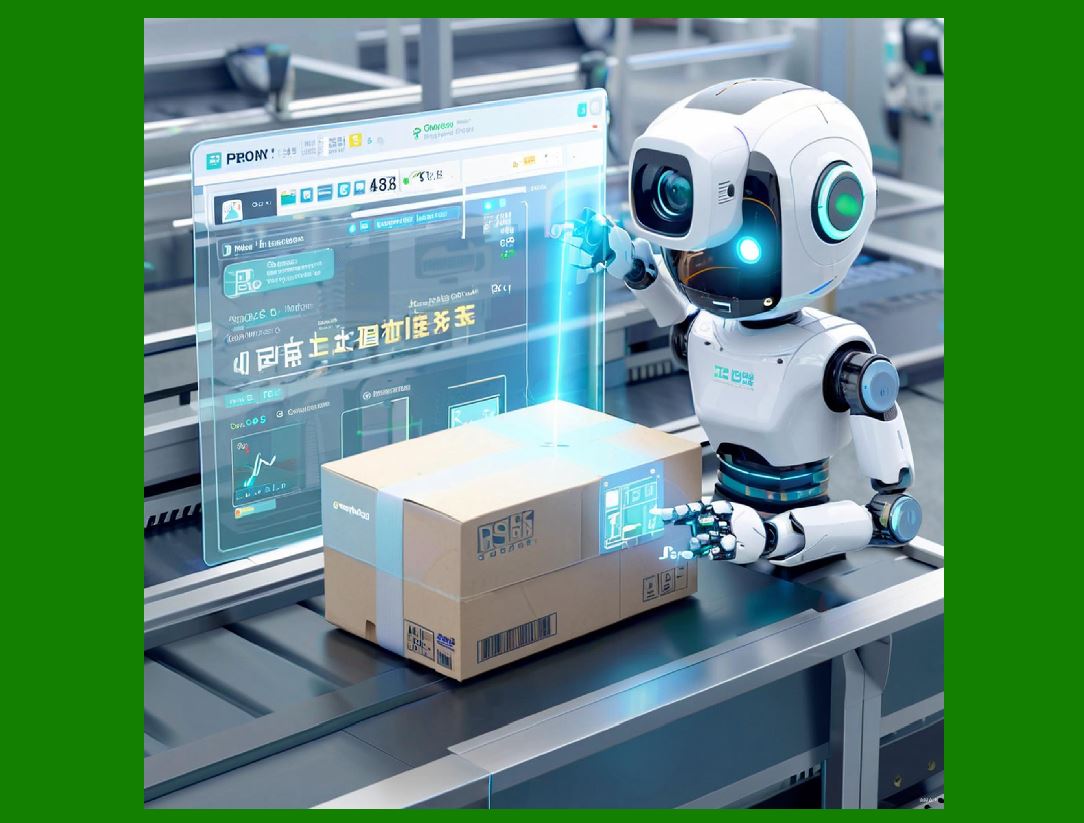
The municipal government described at the opening of this chapter decided to change that. Its public service hotline deployed an AI digital human, a conversational interface combining speech recognition, natural language understanding, and a visual or voice-based persona, to handle inquiries around the clock. The system answers questions about tax filing deadlines, permit application requirements, and traffic regulations. It understands regional dialects and accents, adapts its responses to the user's level of familiarity with bureaucratic language, and provides personalized guidance rather than a generic script. Within months of deployment, average call wait times fell by 60 percent. Staff who previously spent their days repeating the same basic answers were reassigned to complex cases that genuinely required human judgment. |
That single example captures why AI-driven citizen services have moved from pilot projects to mainstream infrastructure in a remarkably short period. The technology does not merely automate a phone tree. It extends the availability of government services without requiring a proportional increase in staffing, and it does so in a way that can be more consistent, more patient, and more multilingual than any human team could realistically be. |
This chapter examines that transformation across multiple domains of public service. It looks at how AI is being applied to information delivery, permit and license processing, benefits administration, public safety communication, language access, and citizen feedback analysis. It compares the approaches taken by different levels of government and different countries. It also considers the limits of the technology, the risks of overreliance, and the design principles that separate successful deployments from expensive failures. The goal is not to celebrate AI uncritically but to give public sector leaders, technology vendors, and interested citizens a clear picture of what works, what does not, and why. |
|
2. What Counts as an AI-Driven Citizen Service |
Before surveying applications, it is worth defining the category. An AI-driven citizen service is any government-facing interaction in which artificial intelligence performs a meaningful part of the work of understanding a request, retrieving or generating information, making a recommendation, or completing a transaction. The AI may be visible to the citizen, as in a chatbot or digital human, or invisible, as in a backend system that routes requests or flags anomalies. |
Several capabilities distinguish modern AI citizen services from earlier generations of e-government. |
2.1 Natural Language Understanding |
The system can interpret free-form text or speech rather than requiring the citizen to select from a fixed menu. This is the single most important shift. Traditional interactive voice response systems force callers into a tree of options, which works only if the caller already knows which category their problem belongs to. Natural language understanding allows the citizen to describe the problem in their own words, including colloquialisms, incomplete sentences, and mixed languages. |
2.2 Multilingual and Dialect Support |
Modern models can be trained or fine-tuned to recognize regional accents, dialects, and minority languages. This matters enormously in countries with high linguistic diversity. A system that understands only standard Mandarin, for example, will fail a significant portion of elderly rural callers. A system that understands Cantonese, Hokkien, and regional accents can serve them. |
2.3 Personalization |
The AI can tailor its response based on the citizen's history, location, or stated circumstances. A small business owner asking about permits receives different guidance than a homeowner asking about the same topic, because the relevant regulations and fees differ. Personalization reduces the back-and-forth that plagues generic information delivery. |
2.4 Twenty-Four Hour Availability |
AI systems do not sleep, take breaks, or observe public holidays. This is not a trivial convenience. It changes the relationship between citizens and government from one constrained by office hours to one available whenever the citizen has a need. |
2.5 Continuous Learning |
The system improves as it handles more interactions, provided it is designed with feedback loops and human oversight. Escalated cases, unresolved queries, and citizen satisfaction ratings all become training signals. |

|
3. The Municipal Hotline: A Detailed Case |
The example that opens this chapter deserves closer examination because it illustrates both the mechanics and the organizational changes required for success. |
3.1 The Starting Point |
The municipal government in question served a population of roughly two million people across urban, suburban, and semi-rural districts. Its hotline handled approximately 1.2 million calls per year. The top categories were tax filing questions, permit and license applications, traffic and parking regulations, waste collection schedules, and public housing inquiries. Wait times averaged eleven minutes during peak hours and could exceed forty minutes during tax season. Staff turnover was high because the work was repetitive and emotionally taxing. Many callers were elderly, recent immigrants, or small business owners who found the official website confusing. |
3.2 The Deployment |
The government procured an AI digital human platform from a vendor specializing in public sector conversational AI. The system was deployed in phases. The first phase handled only the top twenty question types, with a clear escalation path to human agents. The second phase expanded to two hundred question types and added dialect support. The third phase integrated with backend systems so that the AI could check the status of a permit application or a tax filing in real time. |
The digital human appeared as an animated avatar on the government website and as a voice on the hotline. Citizens could choose between voice and text. The avatar was designed to look approachable rather than authoritative, a deliberate choice based on user research showing that citizens found a stern official persona intimidating. |
3.3 The Results |
Within six months, the AI handled 68 percent of incoming inquiries without human escalation. Average wait time dropped from eleven minutes to four and a half minutes. Citizen satisfaction, measured by post-call surveys, rose from 62 percent to 81 percent. Staff reported lower stress and higher job satisfaction because their work shifted from repetitive script-reading to problem-solving. The government estimated annual savings of approximately 3.5 million in local currency, mostly from reduced overtime and temporary staffing. |
3.4 What Made It Work |
Three factors stand out. First, the government invested heavily in training data, including recordings of real calls with consent, to fine-tune the model on local accents and terminology. Second, it maintained a human escalation path that was easy to reach and did not punish citizens for asking for a person. Third, it communicated honestly with the public about what the AI could and could not do, which reduced frustration when the system escalated a call. |

|
4. Beyond the Hotline: Information Delivery and Navigation |
The hotline is the most visible application, but AI-driven citizen services extend far beyond answering questions. A major category is helping citizens navigate complex processes. |
4.1 Benefits Eligibility Screening |
In several jurisdictions, AI tools now help citizens determine whether they qualify for social benefits such as housing assistance, food support, or childcare subsidies. The citizen answers a series of plain-language questions, and the system cross-references the answers against eligibility rules. This is not a final determination, which remains a human decision, but it saves citizens hours of research and prevents wasted applications. |
4.2 Form Filling Assistance |
Tax authorities in multiple countries have deployed AI assistants that guide citizens through filing. The assistant explains each field, flags common errors, and suggests deductions the citizen may have missed. In one national deployment, the error rate on small business tax filings dropped by 34 percent after the assistant was introduced. |
4.3 Appointment Scheduling and Reminders |
AI scheduling systems now handle appointments for passport offices, driver licensing centers, and health clinics. They optimize slot allocation, send reminders, and reschedule automatically when cancellations occur. A city in Northern Europe reported a 40 percent reduction in no-show rates after deploying an AI scheduling assistant that sent personalized reminders and offered easy rescheduling. |
4.4 Multilingual Document Translation |
Government documents are often written in dense legal language and available only in the majority language. AI translation tools now produce plain-language summaries in multiple languages. One immigration agency deployed a system that translates application instructions into twelve languages and reading levels, which reduced incomplete applications by 27 percent. |

|
5. Permits, Licenses, and Regulatory Compliance |
Permitting and licensing are areas where AI has produced some of the most measurable efficiency gains, because the underlying rules are structured and the volume is high. |
5.1 Building Permits |
Local governments use AI to pre-screen building permit applications. The system checks whether the application is complete, whether the proposed work appears to comply with zoning rules, and whether it requires specialized review. Applications that pass pre-screening move faster through the human review queue. A mid-sized city reported cutting average permit processing time from 45 days to 22 days. |
5.2 Business Licensing |
In several countries, AI assistants help entrepreneurs identify which licenses and permits their new business requires. The entrepreneur describes the business, and the system generates a checklist. This is particularly valuable in jurisdictions where requirements are spread across multiple agencies and websites. |
5.3 Environmental and Safety Inspections |
AI is used to prioritize inspections. Rather than inspecting every facility on a fixed schedule, agencies use risk models to identify which facilities are most likely to have violations. This risk-based approach allows limited inspector capacity to be directed where it matters most. One environmental agency reported finding 50 percent more violations per inspector hour after adopting AI-based prioritization. |
5.4 Code Compliance Chatbots |
Some municipalities have deployed chatbots that answer questions about local codes, such as noise ordinances, fence height limits, and short-term rental rules. These chatbots reduce the volume of low-complexity calls to enforcement offices. |

|
6. Benefits Administration and Social Services |
Social services present both the greatest opportunity and the greatest risk for AI. The opportunity is that AI can speed up eligibility determination, reduce paperwork, and identify people who are eligible but not enrolled. The risk is that automated errors can deny benefits to vulnerable people. |
6.1 Eligibility Determination Support |
AI systems can assemble and verify documents, calculate income against thresholds, and flag applications for human review. In well-designed systems, the AI makes no final decision. It prepares a recommendation and highlights uncertainties. This division of labor preserves human accountability while capturing efficiency. |
6.2 Fraud Detection |
Governments use anomaly detection to identify potentially fraudulent claims. This is a legitimate use, but it requires careful design. False positives can wrongly accuse honest citizens and cause severe hardship. Best practice involves human review of all flags before any adverse action. |
6.3 Proactive Outreach |
AI can identify households that appear eligible for a benefit but have not applied. Some agencies send targeted outreach messages. This is one of the most promising uses of AI in social services because it addresses the persistent problem of non-take-up, where eligible people do not receive benefits due to lack of information or application burden. |
6.4 Case Management |
Social workers use AI tools to summarize case notes, schedule follow-ups, and surface relevant resources. This reduces administrative burden and frees time for direct client interaction. One child welfare agency reported that caseworkers saved an average of five hours per week after AI-assisted documentation was introduced. |

|
7. Public Safety and Emergency Communication |
Public safety is a sensitive domain, and AI adoption has been uneven and controversial. The applications that work best are those that support communication and information flow rather than those that make enforcement decisions. |
7.1 Emergency Call Triage |
Some emergency call centers use AI to transcribe calls in real time, extract key information such as location and nature of the emergency, and suggest the appropriate response protocol. This does not replace the dispatcher but gives them faster situational awareness. In one pilot, average dispatch time fell by 18 percent. |
7.2 Non-Emergency Reporting |
Cities have deployed chatbots for non-emergency reports such as potholes, graffiti, and streetlight outages. The AI classifies the report, routes it to the correct department, and keeps the citizen informed of progress. This reduces the burden on emergency lines and improves accountability. |
7.3 Disaster Response |
During natural disasters, AI systems help manage information flow. They can translate alerts into multiple languages, answer common questions about evacuation routes and shelter locations, and process reports of damage. One coastal city used an AI assistant during a hurricane to handle 12,000 inquiries in 48 hours, a volume that would have overwhelmed its staff. |
7.4 Language Access in Policing |
Some police departments use AI translation tools to communicate with people who do not speak the majority language. This is a support function, not an enforcement function, and it has been generally well received. It reduces reliance on ad hoc translation by bystanders or officers with limited language skills. |

|
8. Language Access and Inclusion |
Language access is not a separate application category so much as a cross-cutting requirement that AI can either advance or undermine. |
8.1 The Scale of the Challenge |
In many countries, a significant minority of the population speaks a language other than the majority language at home. Government services that operate only in the majority language exclude these citizens, often the ones who need services most. |
8.2 AI as a Bridge |
AI translation and speech recognition can make services available in dozens of languages simultaneously, which would be impossible with human staff. A national health agency deployed an AI assistant that handles inquiries in 23 languages, which increased service usage among immigrant communities by 45 percent. |
8.3 Dialect and Accent Recognition |
Beyond formal languages, AI can be tuned to recognize dialects and accents that human staff may struggle with. The municipal hotline example in this chapter is a case in point. Dialect support is particularly important for elderly citizens who may have limited literacy in the standard language. |
8.4 Risks of Poor Translation |
AI translation is not perfect. Errors in legal, medical, or benefits contexts can have serious consequences. Best practice involves human review of critical translations and clear disclosure when a translation is machine-generated. |

|
9. Citizen Feedback, Sentiment Analysis, and Service Improvement |
AI also changes how governments listen. |
9.1 Analyzing Feedback at Scale |
Governments receive feedback through surveys, complaint forms, social media, and call transcripts. AI can analyze this material at a scale no human team could match, identifying recurring complaints and emerging issues. |
9.2 Sentiment and Emotion Detection |
Sentiment analysis can flag interactions where citizens are frustrated or angry, allowing supervisors to intervene or follow up. It can also identify service improvements that would have the greatest impact on satisfaction. |
9.3 Trend Detection |
By tracking feedback over time, AI can detect trends such as a rise in complaints about a particular office or a new regulation that is causing confusion. This allows agencies to respond proactively rather than waiting for a crisis. |
9.4 Closing the Loop |
The most effective governments use AI insights to make actual changes and then communicate those changes back to citizens. This builds trust and encourages further feedback. |

|
10. Cross-Industry Comparisons |
AI-driven citizen services share much with AI in other industries, but there are important differences. |
10.1 Comparison with Healthcare |
In healthcare, AI handles appointment scheduling, symptom triage, and patient communication. The similarities are strong: both domains deal with sensitive personal information, both require careful handling of errors, and both benefit from multilingual support. The difference is that government services often have a legal obligation to serve everyone, regardless of ability to pay, which raises the stakes for accessibility. |
10.2 Comparison with Banking |
Banks use AI chatbots for account inquiries, fraud alerts, and loan pre-screening. Government tax and benefits agencies do similar work. Banks have moved faster because they face competitive pressure and have larger technology budgets. Governments can learn from banking's customer experience design but must adapt it to a public service context where the goal is not profit but equitable access. |
10.3 Comparison with Retail |
Retail AI excels at personalization and recommendation. Government services can use similar techniques to recommend relevant services or remind citizens of deadlines. The ethical constraints are tighter in government because personalization must not become manipulation or exclusion. |
10.4 Comparison with Education |
Educational institutions use AI for student support, enrollment, and advising. Government workforce agencies do similar work for job seekers. Both domains face the challenge of serving people with widely varying levels of digital literacy. |

|
11. Design Principles for Successful Deployments |
The evidence from multiple jurisdictions suggests a set of design principles that separate success from failure. |
11.1 Human Escalation Must Be Easy |
Every AI service should have a clear, low-friction path to a human. Hiding the human option to reduce costs is counterproductive because it destroys trust and drives citizens to other channels. |
11.2 Be Transparent About AI |
Citizens should know when they are interacting with an AI. Pretending otherwise is deceptive and, in some jurisdictions, illegal. Transparency also sets expectations about what the system can do. |
11.3 Design for the Least Digital Citizens |
The people who need government services most are often those with the least digital confidence. Services should work on basic phones, support voice interaction, and avoid requiring app downloads or accounts. |
11.4 Invest in Local Training Data |
Generic models perform poorly on local accents, terminology, and regulations. Investment in local training data is not optional. |
11.5 Maintain Human Accountability |
AI should support decisions, not make final decisions in high-stakes areas such as benefits denial, child welfare, or criminal justice. A human must remain accountable. |
11.6 Monitor for Bias |
AI systems can perpetuate or amplify bias. Regular auditing for disparate impact across demographic groups is essential. |
11.7 Plan for Maintenance |
AI systems require ongoing maintenance, retraining, and updates as regulations change. The total cost of ownership is higher than procurement alone. |

|
12. Comparative Approaches Across Jurisdictions |
Different countries and levels of government have taken different approaches. |
12.1 National Governments |
National governments tend to focus on tax, immigration, and benefits, where volume is high and rules are standardized. They often build centralized platforms and invest in large-scale language support. |
12.2 State and Provincial Governments |
State and provincial governments often handle licensing, social services, and public health. Their approaches vary widely, with some leading and others lagging. |
12.3 Municipal Governments |
Municipal governments are closest to citizens and often the most innovative in service design. The hotline example in this chapter is typical of municipal innovation. However, municipalities often lack technical staff and rely on vendors, which creates dependency risks. |
12.4 Regional Consortia |
Some smaller jurisdictions pool resources to develop shared AI services. This can be effective for common functions such as permitting or benefits screening. |

|
13. Challenges, Risks, and Failures |
Honest assessment requires attention to what goes wrong. |
13.1 The Digital Divide |
AI services can widen the gap between digitally confident citizens and those who are not. If AI replaces human channels rather than supplementing them, the most vulnerable lose access. |
13.2 Automation Bias |
Officials may over-trust AI recommendations, especially when caseloads are high. This can lead to errors that harm citizens. |
13.3 Vendor Lock-In |
Governments that rely on proprietary vendor platforms may find it difficult and expensive to switch. Open standards and data portability are important safeguards. |
13.4 Privacy and Surveillance |
AI systems collect large amounts of personal data. Without strong privacy protections, citizen services can become surveillance infrastructure. |
13.5 High-Profile Failures |
Several jurisdictions have abandoned AI projects after poor results. Common causes include inadequate training data, unrealistic expectations, lack of human oversight, and failure to consult citizens. |

|
14. The Future Trajectory |
Looking ahead, several trends are likely to shape AI-driven citizen services. |
14.1 From Chatbots to Agents |
Early systems answered questions. Newer systems can take actions, such as submitting a form or scheduling an appointment. This shift from conversation to transaction will accelerate. |
14.2 Multimodal Interaction |
Future services will combine voice, text, image, and video. A citizen might photograph a document and ask a question about it. |
14.3 Proactive Government |
AI will enable governments to reach out before citizens know they need help, such as reminding a family that a benefit renewal is due. |
14.4 Personalization Within Limits |
Services will become more personalized, but within strict ethical and legal boundaries. |
14.5 Interoperability |
Citizens will expect services to work across agencies, so that changing an address updates multiple records at once. |
14.6 Continuous Evaluation |
As AI becomes infrastructure, continuous evaluation of accuracy, fairness, and accessibility will become standard practice. |

|
15. Detailed Summary |
This chapter has examined AI-driven citizen services as a central component of the public sector's digital transformation. It began with the example of a municipal hotline that deployed an AI digital human to handle inquiries on tax filing, permits, and traffic regulations, understanding dialects and providing personalized guidance, which reduced call wait times by 60 percent. That example illustrates the core promise of AI in government: extending service availability without proportional staffing increases. |
The chapter then defined AI-driven citizen services and identified five distinguishing capabilities: natural language understanding, multilingual and dialect support, personalization, twenty-four hour availability, and continuous learning. It examined the municipal hotline case in detail, including the starting point, the phased deployment, the results, and the factors that made it work: investment in local training data, an easy human escalation path, and honest public communication. |
The survey of applications covered information delivery and navigation, including benefits eligibility screening, form filling assistance, appointment scheduling, and multilingual document translation. It covered permits, licenses, and regulatory compliance, including building permits, business licensing, risk-based inspections, and code compliance chatbots. It covered benefits administration and social services, including eligibility determination support, fraud detection, proactive outreach, and case management. It covered public safety and emergency communication, including emergency call triage, non-emergency reporting, disaster response, and language access in policing. It covered language access and inclusion as a cross-cutting requirement. It covered citizen feedback, sentiment analysis, and service improvement. |
The chapter compared AI in government with AI in healthcare, banking, retail, and education, noting both similarities and the distinct constraints of public service. It set out seven design principles: easy human escalation, transparency about AI, design for the least digital citizens, investment in local training data, human accountability, bias monitoring, and planning for maintenance. It compared approaches across national, state, provincial, municipal, and regional levels. It examined challenges including the digital divide, automation bias, vendor lock-in, privacy, and high-profile failures. It looked ahead to trends including agentic systems, multimodal interaction, proactive government, bounded personalization, interoperability, and continuous evaluation. |
The overarching conclusion is that AI can substantially improve citizen services when it is deployed with care, humility, and a focus on the citizens who need help most. The technology is not a substitute for good governance, but it can be a powerful tool for making government more available, more consistent, and more responsive. The jurisdictions that succeed will be those that treat AI as a complement to human service rather than a replacement, that invest in local context, and that remain accountable to the people they serve. |
 cs@easiersoft.com