Chapter 53: The Integration Imperative |
1. Summary |
Isolated artificial intelligence pilots consistently fail to scale. A proof of concept may dazzle in a demo, but if it lives in a separate portal, a standalone dashboard, or a bespoke app that users must remember to open, it will almost always stagnate. The organizations achieving measurable return on investment, from Cedars-Sinai in healthcare to Schneider Electric in manufacturing to LSEG in finance, share a common discipline: they embed AI within existing workflows and tools rather than requiring users to adopt separate interfaces. Integration with electronic health records, manufacturing execution systems, and productivity suites is not a technical detail but a strategic requirement. This chapter explains why integration determines whether AI becomes infrastructure or remains an experiment, and it surveys practical examples across many industries. |
|
2. Why Pilots Stall |
2.1 The pilot trap |
Most large organizations now run dozens of AI pilots. A small team builds a model, tests it on a clean dataset, and reports promising accuracy. Leadership approves a limited rollout. Six months later, usage is flat. The model works, but the workflow does not. Employees must leave the system where they do their work, open another tool, re-enter data, interpret an output, and then return to the original system to act. Every extra step is friction, and friction kills adoption. |
2.2 The cost of context switching |
Human attention is expensive. When a nurse must log into a separate AI triage tool while a patient waits, the tool competes with the patient for attention. When a factory supervisor must walk to a different terminal to see an AI maintenance alert, the alert arrives too late. When a financial analyst must copy data from a chat interface into a spreadsheet, errors multiply. Integration removes context switching. It delivers the insight where the decision already happens. |
2.3 The measurement problem |
Isolated pilots also fail because they are measured in isolation. A pilot may report model accuracy, but the business cares about cycle time, error rates, revenue per customer, or patient outcomes. Integration connects AI output to operational metrics. When the AI suggestion appears inside the electronic health record and the clinician accepts or rejects it with one click, the organization can measure acceptance rate, time saved, and downstream outcomes. Without integration, measurement is a guess. |
2.4 The maintenance burden |
A standalone AI tool is a separate product with its own authentication, updates, data pipelines, and support. That burden grows with every pilot. Integrated AI inherits the security, identity, audit, and lifecycle management of the host platform. This is why integration is not merely a user experience preference. It is an economic necessity. |

|
3. What Integration Actually Means |
3.1 Integration is not one thing |
Integration spans a spectrum. At one end, a simple application programming interface call brings a prediction into an existing screen. In the middle, an AI service reads from and writes to the system of record, triggering actions. At the far end, AI becomes a native capability of the platform, indistinguishable from other features. Most successful programs start simple and deepen over time. |
3.2 The layers of integration |
There is data integration, which ensures the AI sees the same current information the user sees. There is workflow integration, which places the AI output at the moment of decision. There is identity integration, so users do not need separate credentials. There is audit integration, so every AI-assisted action is logged alongside human actions. And there is interface integration, so the AI appears as a button, a suggestion, a summary, or a draft inside the tool the user already trusts. |
3.3 The system of record as the anchor |
Every industry has systems of record. Healthcare has the electronic health record. Manufacturing has the manufacturing execution system and the enterprise resource planning system. Finance has trading platforms, core banking systems, and research terminals. Retail has point of sale and inventory systems. Integration means anchoring AI to these systems. The system of record remains the source of truth; AI becomes an accelerator on top of it. |

|
4. Healthcare: Cedars-Sinai and the Electronic Health Record |
4.1 The setting |
Cedars-Sinai is a large academic medical center. Like many hospitals, it faced rising documentation burden, complex patient flows, and a shortage of clinical time. Its AI efforts could have lived in a separate research portal. Instead, the organization focused on embedding AI into the electronic health record and related clinical workflows. |
4.2 Examples of integrated AI |
One example is AI-assisted documentation. Rather than asking physicians to use a separate transcription app, the system captures the clinical conversation and drafts notes inside the electronic health record. The physician reviews and edits the draft. The output is not a separate artifact; it becomes the note. |
Another example is triage and deterioration prediction. Models that predict patient decline are only useful if the care team sees the alert in the workflow where they round, hand off, and order interventions. Integration means the alert appears in the patient chart and in the handoff tools, with clear recommended actions. |
A third example is imaging. Radiology AI that flags a possible finding is most valuable when the flag appears in the reading workflow, linked to the image and the patient record, not in a separate email or dashboard. |
4.3 Why it worked |
These efforts worked because they respected clinical reality. Clinicians did not have to learn a new system. The AI reduced clicks rather than adding them. Governance, privacy, and audit were handled within the existing compliance framework. The result was measurable time savings and better capture of clinical detail, which in turn supported better coding, billing, and quality reporting. |
4.4 Lessons for other industries |
The healthcare lesson generalizes. If the insight does not appear at the point of care, it is not care. If the AI output requires re-entry into the system of record, it will be ignored. Integration is the difference between a clever model and a clinical tool. |
|
5. Manufacturing: Schneider Electric and the Execution System |
5.1 The setting |
Schneider Electric operates complex global manufacturing and energy management supply chains. Its AI journey included predictive maintenance, quality inspection, energy optimization, and supply chain forecasting. A standalone analytics tool would have struggled against the pace of the factory floor. |
5.2 Examples of integrated AI |
Predictive maintenance models read sensor data from equipment and produce alerts. Integration means those alerts appear in the manufacturing execution system and in the maintenance management workflow, with work orders generated automatically and prioritized by production impact. |
Computer vision quality inspection is another example. Cameras capture product images, models detect defects, and the result is written directly into the quality record. The line does not stop for a separate inspection station. The AI is part of the production flow. |
Energy optimization models adjust setpoints and schedules. Integration with building and energy management systems allows recommendations to become automated actions within safe operating limits, with human oversight where required. |
Supply chain forecasting models feed planning systems. Rather than presenting a forecast in a separate dashboard, the integrated system updates replenishment recommendations and exception alerts inside the planning tool. |
5.3 Why it worked |
Schneider Electric treated AI as a feature of operations, not a separate initiative. The models were trained on operational data, deployed on operational infrastructure, and governed by operational roles. The return on investment came from avoided downtime, reduced scrap, lower energy use, and faster planning cycles. None of that would have happened if the insights had lived outside the execution systems. |
5.4 Lessons for other industries |
Manufacturing shows that integration must respect timing. A maintenance alert that arrives after the shift is useless. An inspection result that requires manual entry is error-prone. The system of record must receive the AI output directly, and the workflow must trigger the next action automatically. |

|
6. Finance: LSEG and the Research and Trading Workflow |
6.1 The setting |
London Stock Exchange Group, or LSEG, operates markets, data, and analytics. Its customers include traders, analysts, and risk managers who live inside terminals, trading systems, and research platforms. An AI tool that requires leaving those platforms will not be used under market pressure. |
6.2 Examples of integrated AI |
News and data summarization is a common use case. Instead of opening a separate summarization app, analysts receive AI-generated summaries inside the research terminal, linked to the underlying documents. The summary is a starting point, not a separate destination. |
Risk and compliance monitoring is another. Models detect unusual patterns and generate alerts. Integration means the alert appears in the compliance case management system, with evidence attached and audit trails preserved. |
Client service in banking offers a parallel. AI assistants that answer routine questions are integrated into the customer relationship management system and the contact center desktop, so agents see suggested responses and knowledge articles without switching screens. |
6.3 Why it worked |
In finance, seconds matter and trust is paramount. Integrated AI respects both. It reduces the time to insight while preserving the audit trail and the human decision. The system of record remains authoritative, and the AI is a lens on top of it. |
6.4 Lessons for other industries |
Finance demonstrates that integration is a trust strategy. When the AI output is traceable to source data inside the same platform, users can verify it. When it appears in a separate tool, verification becomes a chore, and adoption falls. |

|
7. Retail and E-Commerce |
7.1 The setting |
Retailers operate point of sale systems, inventory systems, e-commerce platforms, and customer service tools. AI use cases include demand forecasting, personalization, fraud detection, and customer support. |
7.2 Examples of integrated AI |
Demand forecasting models feed inventory and replenishment systems directly. Store managers see suggested orders inside the inventory tool, not in a separate report. |
Personalization models run inside the e-commerce platform. Recommendations appear on the product page and in the cart, not in a separate marketing dashboard. |
Fraud detection models score transactions in real time inside the payment system. The decision to approve, decline, or challenge happens in the same flow as the transaction. |
Customer support assistants are embedded in the agent desktop and in the customer chat window, pulling from the same knowledge base and order history. |
7.3 Why it worked |
Retail integration is about speed and relevance. A recommendation that arrives on a separate screen after the customer has left is worthless. A fraud score that requires a manual lookup slows checkout and frustrates customers. Integration makes AI invisible and useful. |
7.4 Lessons for other industries |
Retail shows that integration is a customer experience strategy. The best AI is the AI the customer never notices because it simply makes the interaction work. |
|
8. Telecommunications and Networking |
8.1 The setting |
Telecommunications operators manage networks, billing systems, customer care platforms, and field operations. AI use cases include network optimization, fault prediction, churn prediction, and virtual assistants. |
8.2 Examples of integrated AI |
Network optimization models read telemetry and recommend configuration changes. Integration with network management systems allows changes to be applied within policy limits, with rollback plans. |
Fault prediction models generate tickets in the service management system, prioritized by customer impact and linked to the affected network elements. |
Churn prediction models feed customer relationship management systems, where retention offers are presented to agents or sent through approved channels. |
Virtual assistants are integrated into the care app and the agent desktop, using the same billing and account data as human agents. |
8.3 Why it worked |
Telecommunications integration aligns AI with service level agreements. An insight that does not reach the operations team in time cannot protect service quality. An offer that requires a separate system cannot retain a customer. |
8.4 Lessons for other industries |
Telecommunications demonstrates that integration must respect operational policies. AI recommendations are only useful if they can be executed within the guardrails of the production environment. |

|
9. Energy and Utilities |
9.1 The setting |
Energy and utility companies manage generation, transmission, distribution, and customer operations. AI use cases include load forecasting, asset maintenance, outage prediction, and customer service. |
9.2 Examples of integrated AI |
Load forecasting models feed dispatch and trading systems, where schedules and bids are adjusted. The forecast is not a report; it is an input to operations. |
Asset maintenance models feed the asset management and work order systems. Inspections and repairs are scheduled based on predicted risk, not fixed intervals. |
Outage prediction models feed the outage management system, helping crews pre-position and communicate with customers. |
Customer service assistants are integrated into the billing and care systems, handling routine inquiries and escalating exceptions. |
9.3 Why it worked |
Utilities operate in regulated environments with strict safety and reliability requirements. Integration ensures AI outputs are auditable and consistent with operational rules. It also ensures that the human operators remain in control. |
9.4 Lessons for other industries |
Energy shows that integration is a safety and compliance strategy. When AI is embedded in the system of record, every action can be traced, reviewed, and improved. |
|
10. Logistics and Transportation |
10.1 The setting |
Logistics companies manage fleets, warehouses, ports, and delivery networks. AI use cases include route optimization, demand prediction, warehouse robotics, and customs documentation. |
10.2 Examples of integrated AI |
Route optimization models feed dispatch and driver apps. Drivers receive updated routes in the same app they use for navigation and proof of delivery. |
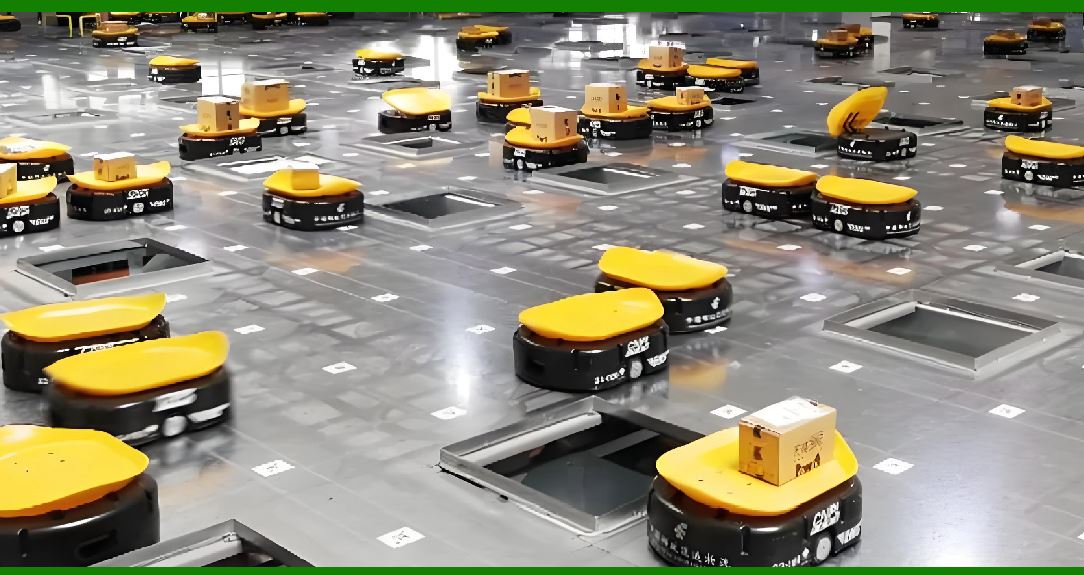
Warehouse robots and vision systems are integrated with warehouse management systems. Picking, packing, and inventory updates happen in one flow. |
Demand prediction models feed capacity planning and booking systems, so slots and equipment are allocated before congestion occurs. |
Document processing models read shipping documents and populate customs and compliance systems, reducing manual entry. |
10.3 Why it worked |
Logistics integration is about throughput. An optimization that requires a phone call to dispatch is too slow. A document extraction that requires re-typing is not a saving. Integration turns AI into velocity. |
10.4 Lessons for other industries |
Logistics shows that integration must reach the edge, including mobile apps and physical operations. The further the insight is from the action, the less value it creates. |

|
11. Agriculture and Food |
11.1 The setting |
Agriculture and food companies manage fields, livestock, processing plants, and supply chains. AI use cases include yield prediction, pest detection, irrigation optimization, and quality control. |
11.2 Examples of integrated AI |
Yield prediction models feed farm management systems, where planting, fertilization, and harvest plans are adjusted. |
Pest and disease detection models run on images captured by drones or phones. Results are written into the farm management system with location and treatment recommendations. |
Irrigation models feed control systems that adjust water delivery within agronomic limits. |
Quality control vision systems in processing plants write results into production and food safety records. |
11.3 Why it worked |
Agriculture operates on biological timelines and narrow windows. Integration ensures recommendations arrive before the window closes. It also ensures traceability from field to fork, which is increasingly required by regulators and customers. |
11.4 Lessons for other industries |
Agriculture shows that integration must respect natural cycles. Timeliness is not a convenience; it is a determinant of yield and quality. |

|
12. Education |
12.1 The setting |
Schools, universities, and training providers manage learning management systems, student information systems, and assessment platforms. AI use cases include personalized learning, tutoring, grading assistance, and early warning for dropout risk. |
12.2 Examples of integrated AI |
Personalized learning recommendations appear inside the learning management system, linked to the curriculum and the student's progress. |
Tutoring assistants are embedded in the course environment, so students do not need a separate app. |
Grading assistance tools draft feedback inside the assessment platform, where instructors review and release it. |
Early warning models flag at-risk students inside the advising system, triggering outreach by counselors. |
12.3 Why it worked |
Education integration respects the relationship between teacher and student. AI supports the instructor rather than replacing the instructor. When it lives in the same platform as the course, it becomes part of teaching rather than a distraction. |
12.4 Lessons for other industries |
Education shows that integration must respect human relationships. The goal is augmentation, and augmentation works best when it is embedded in the existing relationship and workflow. |

|
13. Government and Public Sector |
13.1 The setting |
Government agencies manage case management systems, permitting systems, tax systems, and public safety platforms. AI use cases include document processing, fraud detection, service chatbots, and predictive maintenance of public infrastructure. |
13.2 Examples of integrated AI |
Document processing models extract information from applications and write it into case management systems, reducing backlogs. |
Fraud detection models score claims and returns inside the benefits or tax system, with alerts routed to investigators. |
Service chatbots are integrated into the citizen portal, using the same knowledge base and case data as human agents. |
Infrastructure maintenance models feed work order systems for roads, bridges, and water networks. |
13.3 Why it worked |
Government integration must meet transparency and due process requirements. When AI outputs are embedded in the case system, they can be reviewed, appealed, and audited. This builds public trust. |
13.4 Lessons for other industries |
Government shows that integration is a governance strategy. Embedding AI in the system of record makes it accountable. |

|
14. Professional Services |
14.1 The setting |
Law firms, accounting firms, and consultancies manage document management systems, billing systems, and client relationship tools. AI use cases include document review, contract analysis, research, and drafting. |
14.2 Examples of integrated AI |
Contract analysis models highlight clauses inside the document review platform, where lawyers can accept, reject, or negotiate. |
Research assistants are embedded in the knowledge management system, returning answers with citations to internal precedents and external sources. |
Drafting tools generate first drafts inside the word processor or document management system, preserving formatting and version control. |
Time and billing models suggest entries inside the billing system, based on actual activity. |
14.3 Why it worked |
Professional services sell expertise and trust. Integration keeps the expert in control and preserves the audit trail. It also reduces the administrative burden that erodes billable time. |
14.4 Lessons for other industries |
Professional services show that integration must preserve professional judgment. AI should prepare the work, not replace the professional. |

|
15. Media and Entertainment |
15.1 The setting |
Media companies manage content management systems, streaming platforms, advertising systems, and production tools. AI use cases include content tagging, recommendation, moderation, and production assistance. |
15.2 Examples of integrated AI |
Content tagging models write metadata directly into the content management system, improving search and recommendation. |
Recommendation models run inside the streaming platform, personalizing the home screen and autoplay. |
Moderation models flag content inside the moderation queue, where human reviewers make final decisions. |
Production tools use AI for transcription, translation, and rough cuts, integrated into editing software. |
15.3 Why it worked |
Media integration is about discovery and safety. Metadata that is not in the system cannot power recommendations. Moderation that is not in the queue cannot protect users. |
15.4 Lessons for other industries |
Media shows that integration turns raw content into structured, searchable, and safe assets. The system of record becomes the engine of personalization and compliance. |
|
16. Hospitality and Travel |
16.1 The setting |
Hotels, airlines, and travel platforms manage reservation systems, property management systems, and customer service tools. AI use cases include dynamic pricing, demand forecasting, personalization, and service recovery. |
16.2 Examples of integrated AI |
Pricing models feed reservation and revenue management systems, adjusting rates within policy. |
Demand forecasting models feed staffing and inventory systems, so resources match expected guests. |
Personalization models run inside the booking flow and the guest app, offering relevant upgrades and services. |
Service recovery models flag at-risk reservations inside the customer service system, prompting proactive outreach. |
16.3 Why it worked |
Travel integration is about timing and consistency. A price that appears in a separate tool is a missed booking. A service recovery that happens after the guest complains is too late. |
16.4 Lessons for other industries |
Hospitality shows that integration must span the entire customer journey, from search to stay to follow-up. |

|
17. Insurance |
17.1 The setting |
Insurers manage policy administration systems, claims systems, and customer relationship tools. AI use cases include underwriting, claims triage, fraud detection, and customer service. |
17.2 Examples of integrated AI |
Underwriting models score risk inside the policy administration system, guiding pricing and terms. |
Claims triage models route claims inside the claims system, prioritizing simple cases for automation and complex cases for experts. |
Fraud detection models flag suspicious claims inside the claims workflow, with evidence attached. |
Customer service assistants are embedded in the agent desktop and the customer portal. |
17.3 Why it worked |
Insurance integration balances automation with fairness. When AI outputs are embedded in the claims and underwriting systems, they can be reviewed for bias and explained to regulators and customers. |
17.4 Lessons for other industries |
Insurance shows that integration is a fairness and explainability strategy. The system of record provides the context for responsible decisions. |

|
18. Pharmaceuticals and Life Sciences |
18.1 The setting |
Pharmaceutical and life sciences companies manage research platforms, clinical trial systems, regulatory systems, and manufacturing systems. AI use cases include drug discovery, trial matching, safety monitoring, and quality control. |
18.2 Examples of integrated AI |
Discovery models feed research platforms, prioritizing compounds and targets for scientists. |
Trial matching models run inside clinical trial management systems, identifying eligible patients from electronic health records with proper consent. |
Safety monitoring models scan adverse event reports inside pharmacovigilance systems, flagging signals for review. |
Manufacturing quality models write results into batch records and quality systems. |
18.3 Why it worked |
Life sciences integration must meet rigorous regulatory standards. When AI is embedded in the validated systems, it inherits the controls and documentation required for compliance. |
18.4 Lessons for other industries |
Pharmaceuticals show that integration is a validation strategy. Embedding AI in regulated systems makes it easier to qualify and audit. |

|
19. Construction and Real Estate |
19.1 The setting |
Construction and real estate companies manage project management systems, building information models, and property management systems. AI use cases include design optimization, safety monitoring, scheduling, and energy management. |
19.2 Examples of integrated AI |
Design models suggest structural and energy improvements inside the building information modeling environment. |
Safety monitoring models analyze camera feeds and sensor data, writing alerts into the site management system. |
Scheduling models update project plans inside the project management tool, accounting for weather and supply delays. |
Energy models feed building management systems, optimizing heating, cooling, and lighting. |
19.3 Why it worked |
Construction integration connects digital models to physical work. An insight that stays in the office does not change the site. An insight delivered to the site system changes the build. |
19.4 Lessons for other industries |
Construction shows that integration must bridge the digital and physical worlds, often through mobile and field systems. |
|
20. Cross-Industry Patterns |
20.1 Pattern one: the system of record is the anchor |
Across every industry, the system of record is where work happens and where accountability lives. AI that integrates with it becomes part of the work. AI that does not remains a side tool. |
20.2 Pattern two: integration reduces friction |
The most common reason for pilot failure is friction. Integration removes logins, data re-entry, context switching, and manual handoffs. It makes the right action the easy action. |
20.3 Pattern three: integration enables measurement |
When AI outputs are embedded in operational systems, organizations can measure acceptance, time saved, errors avoided, and outcomes improved. This evidence sustains funding and scaling. |
20.4 Pattern four: integration inherits governance |
Security, privacy, identity, audit, and compliance are expensive to build for every pilot. Integration inherits these controls from the host platform, reducing risk and cost. |
20.5 Pattern five: integration is iterative |
Successful programs start with simple integrations, such as a suggestion in an existing screen, and deepen over time into automated actions and native capabilities. Integration is a journey, not a switch. |
20.6 Pattern six: integration requires product thinking |
Integration is not only an engineering task. It requires product management to decide where the AI appears, how it is presented, how users give feedback, and how it improves. The best integrations feel like features, not add-ons. |
20.7 Pattern seven: integration needs change management |
Even integrated AI changes how work is done. Training, communication, and feedback loops are essential. The technology may be embedded, but the behavior change is real. |

|
21. Common Anti-Patterns |
21.1 The separate portal |
A standalone portal for AI creates a destination that users must remember. It almost always loses to the system where work already happens. |
21.2 The duplicate data entry |
If users must copy AI output into the system of record, errors and delays follow. Integration should write directly to the system, with human review where needed. |
21.3 The alert without action |
An alert that does not trigger a workflow is noise. Integration should connect the alert to the next step, whether that is a work order, a message, or a review task. |
21.4 The pilot without metrics |
A pilot that measures only model accuracy cannot justify scaling. Integration enables operational metrics that matter to the business. |
21.5 The black box in the workflow |
Embedding an unexplainable model in a critical workflow can erode trust. Integration should include explainability and human override, especially in regulated industries. |

|
22. Technical Enablers of Integration |
22.1 APIs and events |
Application programming interfaces and event streams allow AI services to read from and write to systems of record in real time. Standards and schemas reduce the cost of each connection. |
22.2 Identity and access management |
Single sign-on and role-based access ensure that AI actions respect the same permissions as human actions. This is essential for security and audit. |
22.3 Data platforms and feature stores |
A shared data platform ensures that the AI sees the same data as the operational system. Feature stores make it easier to reuse and govern the inputs to models. |
22.4 Workflow engines |
Workflow engines and business process management tools allow AI outputs to trigger actions, approvals, and escalations within existing processes. |
22.5 Monitoring and observability |
Integrated AI must be monitored for performance, drift, and errors. Observability tools that span the model and the workflow are essential for reliable operations. |
22.6 Human-in-the-loop interfaces |
The best integrations make it easy for users to accept, reject, or modify AI output. This feedback improves the model and builds trust. |

|
23. Organizational Enablers of Integration |
23.1 Executive sponsorship |
Integration crosses departmental boundaries. It requires sponsorship from leaders who own the systems of record and the operational metrics. |
23.2 Product and platform teams |
Dedicated product teams for AI platforms and for each major system of record ensure that integration is planned, prioritized, and maintained. |
23.3 Data governance |
Clear ownership, quality standards, and privacy rules for data make integration faster and safer. |
23.4 Security and compliance partnership |
Security and compliance teams should be partners from the start, not reviewers at the end. Their involvement shapes integrations that pass scrutiny. |
23.5 Frontline co-design |
The people who do the work should help design the integration. Their insight determines where the AI appears and how it behaves. |
23.6 Funding models |
Funding for integration, not just for models, is essential. Budgets should cover connectors, interfaces, training, and ongoing operations. |

|
24. Measuring the Value of Integration |
24.1 Adoption metrics |
Login rates, active use, and acceptance rates show whether the integration is actually used. |
24.2 Efficiency metrics |
Time saved per task, clicks reduced, and cycle time shortened show whether the integration reduces friction. |
24.3 Quality metrics |
Error rates, rework, and compliance exceptions show whether the integration improves outcomes. |
24.4 Financial metrics |
Cost avoidance, revenue uplift, and return on investment show whether the integration creates business value. |
24.5 Safety and trust metrics |
Override rates, incident rates, and user confidence show whether the integration is trusted and safe. |
|
25. The Future of Integration |
25.1 From tools to capabilities |
As AI matures, it will move from separate tools to native capabilities of the systems people already use. The word AI may fade, just as the word electric faded from appliances. |
25.2 Agentic workflows |
AI agents that can take multi-step actions will require even deeper integration. They will need permission to act within systems of record, with guardrails and audit trails. |
25.3 Interoperability standards |
Standards for AI interoperability will reduce the cost of integration and make it easier to swap models and vendors without disrupting workflows. |
25.4 Personalized integration |
AI will adapt to the individual user, appearing differently for a novice and an expert, while remaining within the same system of record. |
25.5 Continuous improvement |
Integrated AI will learn from user feedback in the flow of work, improving continuously without separate training projects. |

|
26. Detailed Summary |
26.1 The core argument |
Isolated AI pilots fail to scale because they add friction, fragment measurement, duplicate governance, and compete for attention with the systems where work actually happens. The organizations that achieve measurable return on investment embed AI within existing workflows and tools. Integration with electronic health records, manufacturing execution systems, and productivity suites is not a technical detail but a strategic requirement. |
26.2 The evidence across industries |
Healthcare, as illustrated by Cedars-Sinai, shows that AI must appear at the point of care inside the electronic health record, whether for documentation, triage, or imaging. Manufacturing, as illustrated by Schneider Electric, shows that AI must write into the manufacturing execution system and trigger maintenance, quality, energy, and planning actions. Finance, as illustrated by LSEG, shows that AI must live inside research, trading, compliance, and service platforms where seconds and trust matter. Retail, telecommunications, energy, logistics, agriculture, education, government, professional services, media, hospitality, insurance, life sciences, and construction all tell the same story: the system of record is the anchor, and integration is the bridge between insight and action. |
26.3 The patterns that recur |
Across industries, seven patterns recur. The system of record is the anchor. Integration reduces friction. Integration enables measurement. Integration inherits governance. Integration is iterative. Integration requires product thinking. Integration needs change management. These patterns are not industry-specific. They are universal. |
26.4 The anti-patterns to avoid |
The separate portal, duplicate data entry, alerts without action, pilots without metrics, and black boxes in critical workflows are common failure modes. Each one can be avoided by designing for integration from the start. |
26.5 The enablers that make it possible |
Technically, integration relies on APIs and events, identity and access management, shared data platforms, workflow engines, monitoring, and human-in-the-loop interfaces. Organizationally, it relies on executive sponsorship, product and platform teams, data governance, security and compliance partnership, frontline co-design, and funding models that cover integration, not just models. |
26.6 The metrics that matter |
Adoption, efficiency, quality, financial, and trust metrics together show whether integration is working. These metrics connect AI to the outcomes the business cares about. |
26.7 The future trajectory |
The future points toward AI as a native capability rather than a separate tool. Agentic workflows, interoperability standards, personalized integration, and continuous improvement will deepen the connection between AI and the systems of record. The organizations that master integration will be the ones that turn AI from a promising experiment into durable infrastructure. |
26.8 The integration imperative |
The integration imperative is simple to state and hard to execute. AI must meet people where they already work. It must write into the systems that hold the truth. It must respect the rules, the relationships, and the rhythms of each industry. When it does, it scales. When it does not, it stalls. The choice is not between better models and better integration. The choice is between AI that matters and AI that remains a demo. Integration is the difference. |
 cs@easiersoft.com