Barcode Technology

Barcode History

Barcode Label Paper

Barcode Printer

Barcode Application

Inventory Management

AI Barcode QRCode

Barcode Scanner

Barcode Software

Barcode Software B

Barcode Software C

Barcode Software D

Barcode Software E

New Technology A

New Technology B

Robot Technology

Barcode Types

Barcode Types B

Barcode Types C

Barcode Types D

Barcode Types E

Barcode Types F

Electronic Technology

Psychology at Work

Barcode Technology and Barcode Software Related   <<< Back to Directory <<<

AI optimizes companies manage and supply chain

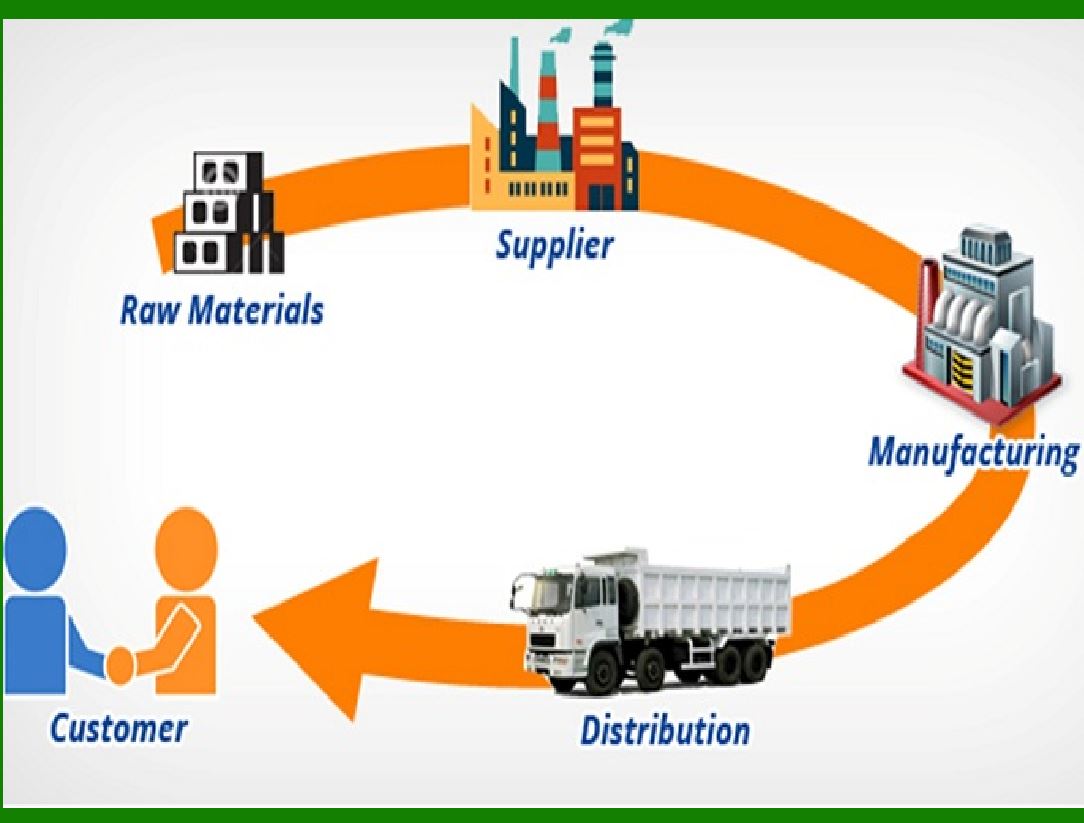
The application of artificial intelligence in logistics has changed the way companies manage and optimize supply chains.

AI is a transformative force in logistics and supply chain operations, empowering organizations to optimize processes and enhance performance.

Businesses that tegrate AI gain a competitive edge in this rapidly changing sector.

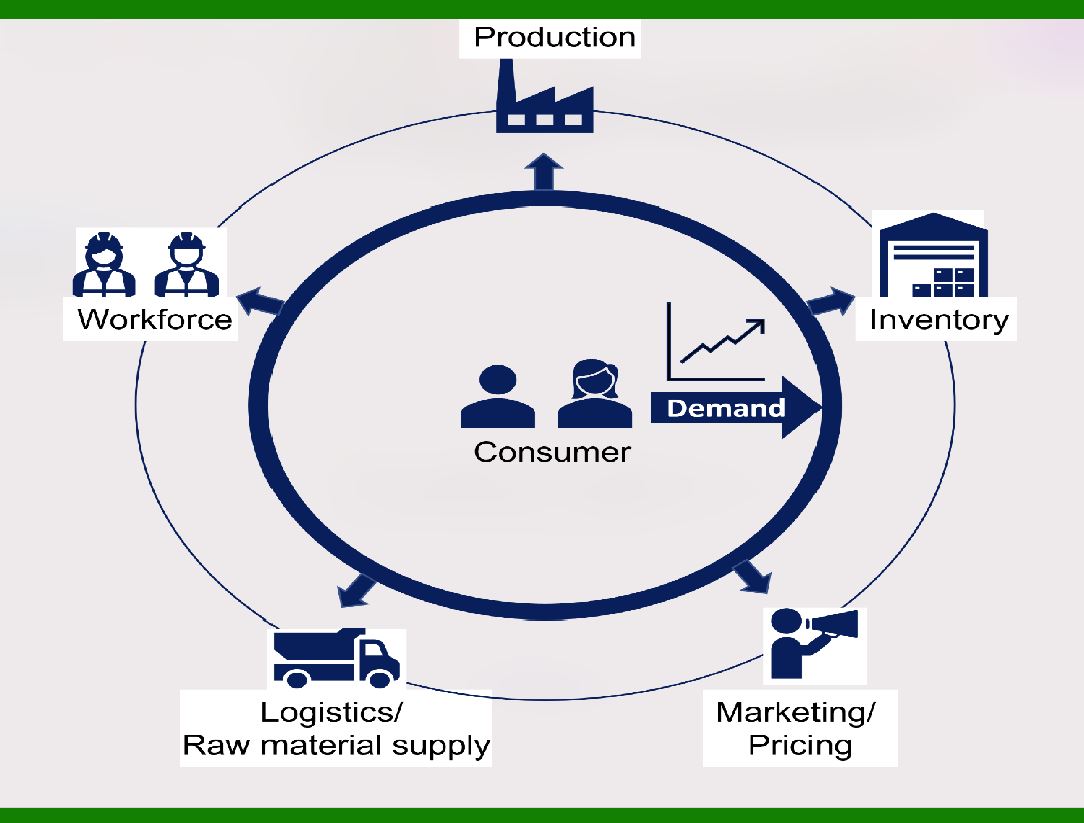
1. Demand Forecasting:

AI enables real-time data utilization for demand forecasting, significantly reducing error rates compared to traditional methods.

Improved demand prediction optimizes dispatching vehicles to local warehouses, reduces operational costs, and enhances customer satisfaction.

2. Supply Planning:

AI analyzes real-time demand data, dynamically updating supply planning parameters.

Dynamic supply planning minimizes waste and resource usage, leading to more efficient supply chain flow.

3. Automated Warehousing:

AI-powered warehouse solutions are increasingly adopted by businesses.

Warehouse robots, like those used by Amazon, assist in picking, sorting, transporting, and stowing packages, improving overall supply chain management.

4. Route Optimization:

AI algorithms optimize delivery routes, considering factors like traffic, weather, and delivery time windows.

Efficient routes reduce fuel consumption, delivery time, and operational costs.

5. Inventory Management:

AI helps maintain optimal inventory levels by predicting demand fluctuations.

Real-time monitoring prevents stockouts and excess inventory, improving cost-effectiveness.

6. Smart Freight Matching:

AI matches available freight capacity with shipping demands, optimizing cargo transportation.

This streamlines logistics processes and reduces empty truck miles.

7. Autonomous Vehicles:

Self-driving trucks and drones are being explored for last-mile delivery and long-haul transportation.

AI ensures safe navigation, route planning, and real-time adjustments.

9. Dynamic Pricing:

AI adjusts pricing based on real-time market conditions, demand, and supply.

Dynamic pricing strategies maximize revenue and adapt to changing market dynamics.

10. Smart Roads and Infrastructure:

AI can optimize traffic flow, reduce congestion, and enhance road safety.

Smart traffic lights, predictive maintenance, and adaptive infrastructure improve logistics operations.

In the logistics and supply chain industry, Use the barcode system can achieve higher efficiency.


EasierSoft Barcode Label Design & Bulk Printing Software

---- Use Excel Data to Batch Print Barcodes on Label Sheets or Roll Labels  

---- How to use this barcode software

Download:  Free Barcode Software + Barcode Label Designer

Download Free Barcode Software at Softonic

     Download at CNET

Once you obtain a GS1/UPC/EAN barcode, or other barcode type and QR code, you can use our free software to batch print barcode labels onto Roll label paper using a professional label printer, or to batch print barcodes onto Avery 5160 label sheets using a regular laser or inkjet printer. Our software has free and paid versions.

The free version fully meets your needs for batch printing GS1/UPC/EAN barcodes. The paid version can import data from Excel and databases to batch print barcode labels with different values.

How to Start

Input Data

Import Excel Data

Print Barcode

Barcode Format

Label Designer

All Screen Shot

Export Barcode Image

Save Template

Output Word Excel

How to Use & FAQ:

Export barcodes to Word

Add ascii key to barcode

Auto calculate barcode size (Std)

Make barcode by command line

Export barcode image files

Barcode text font setting

Generate ISBN barcode

Predefined label templates

Printing setup

Save settings

Serial number generator

The supported barcode types

Load Excel data (pro)

Manually copy data from Excel files

Filter some data for printing

Edit imported barcode data

Input data (Pro)

Label Designer

Edit data in Label designer

Label Designer - Add new label

Label Designer - Printing

Set the barcode label format to be printed

Other Barcode Label Format Settings

Barcode types supported by this program

Barcode Label Font Settings

Configuring the Barcode Print Rotation

Text Alignment for Barcode Labels

Automatically Adjusting Barcode Width

Text Beneath the Barcode

Configuring Barcode Size

Auto Calculate the Barcode Size

Export Barcode images

Export Barcode Image Format

File Names for Exported Barcode

Resolution of Exported Barcode Images

Fixed Folder for Exporting Barcode

Default Barcode Image Export Format

Print bulk barcodes quickly

Print barcodes to Avery 5160 label

How to bulk Barcode Printing

Sample - Avery 5162 (2x7) Label Sheet

Example: Print barcodes to 5*3cm roll

Example: Print barcodes to 5161 label

Example: Print barcodes to 5162 label

Example: Print barcodes to 5163 label

Example: Print barcodes to 5164 label

Example: Print portrait orientation 5164

Example: Print barcodes to 5167 label

Example: Print barcodes to 5168 label

Example: Print portrait orientation 5168

Highlights

Excel integration: Import data directly from Excel to generate and print barcodes in bulk.

Label designer: Create complex labels with multiple barcodes, text, logos, and shapes.

Batch printing: Print thousands of barcodes at once using standard inkjet/laser printers or professional barcode printers.


Flexible editions:

Standard Edition: Simple batch printing with Excel data.

Professional Edition: Adds command-line automation for workflow integration.

Label Designer Edition: Advanced design features for complex labels.


Why Choose Our Barcode Solutions?

Cost-effective: Free online generator and permanent free desktop version available.

Easy to use: No technical expertise required—just input data and print.

Versatile: Supports nearly all 1D and 2D barcode types, including QR codes.

Trusted: Recommended by CNET and widely downloaded by users worldwide.


Suitable Use Cases

Small businesses and startups needing quick barcode labels for products.

Retailers and online sellers managing inventory with batch barcode printing.

Manufacturers requiring sequential or custom barcode labels for packaging.

Educational and testing environments where barcodes are used for tracking.


CONTACT

cs@easiersoft.com

If you have any question, please feel free to email us.


https://free-barcode.com


<<< Back to Directory <<<     Barcode Generator     Barcode Freeware     Privacy Policy