Barcode Technology

Barcode History

Barcode Label Paper

Barcode Printer

Barcode Application

Inventory Management

AI Barcode QRCode

Barcode Scanner

Barcode Software

Barcode Software B

Barcode Software C

Barcode Software D

Barcode Software E

New Technology A

New Technology B

Robot Technology

Barcode Types

Barcode Types B

Barcode Types C

Barcode Types D

Barcode Types E

Barcode Types F

Electronic Technology

Psychology at Work

Barcode Technology and Barcode Software Related   <<< Back to Directory <<<

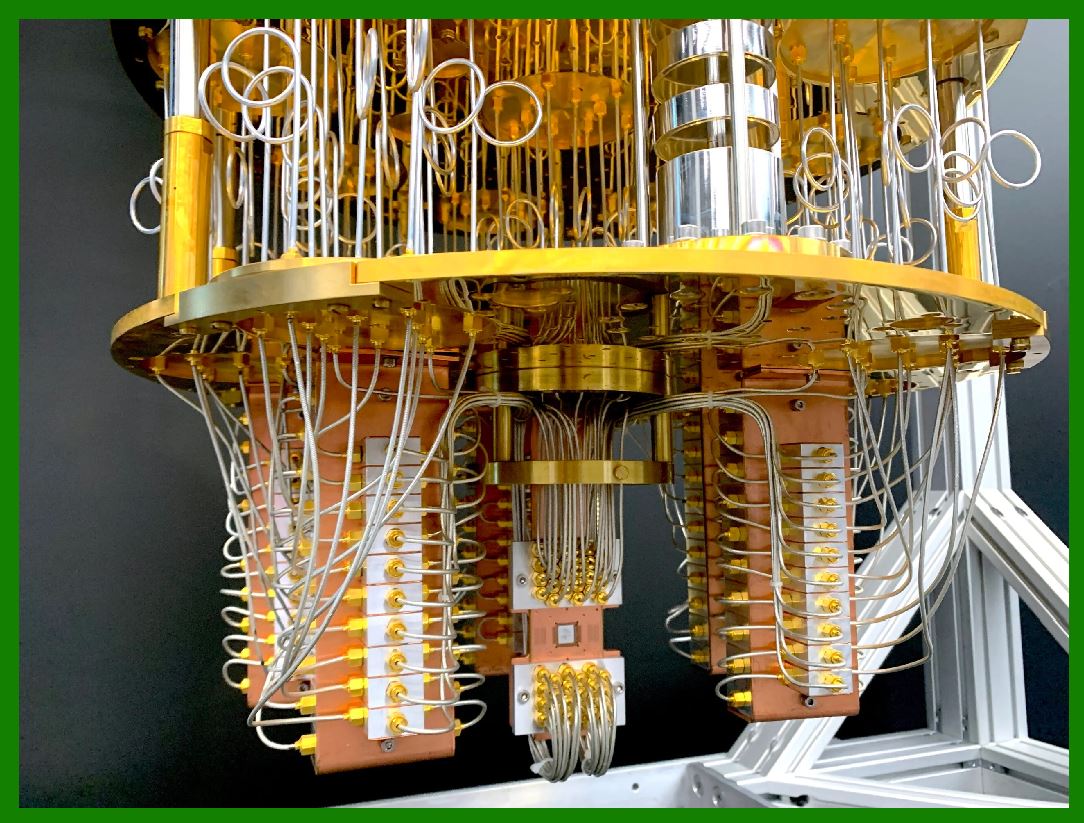
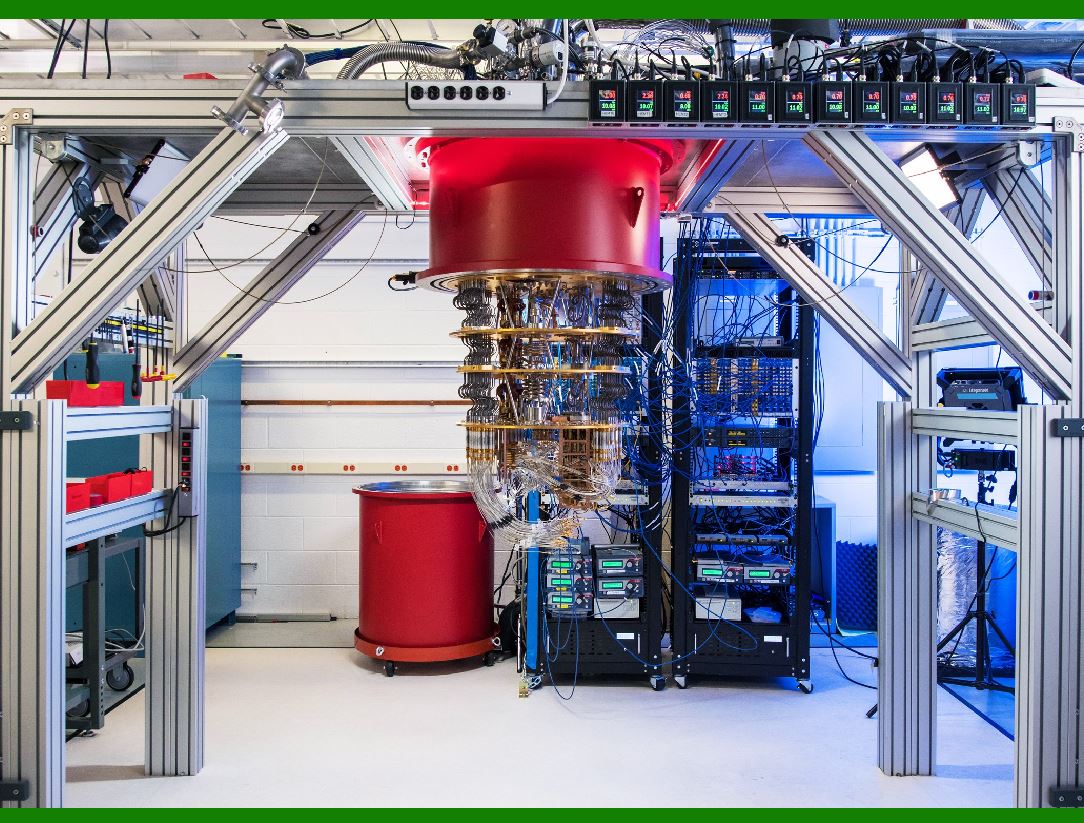
Quantum computing enhances AI

Quantum computing enhances AI by boosting its speed, efficiency, and precision.

Both technologies are transformative and mutually impactful.

1. Increased Processing Power:

Quantum computers are designed to perform tasks much more accurately and efficiently than conventional computers.

They gain enormous processing power through the ability to be in multiple states and to perform tasks using all possible permutations simultaneously.

This could exponentially increase the processing power for AI applications.

2. Efficient Optimization Algorithms:

Quantum computing can enable faster and more efficient optimization algorithms.

This can help AI to tackle more complex problems in many fields in business and science.

3. Overcoming Limitations of Classical Computers:

AI produces functional applications with classical computers, but it is limited by the computational capabilities of classical computers.

Quantum computing can transcend these limitations by utilizing quantum bits (qubits) and capitalizing on non-linear operations.

4. Real-World Applications:

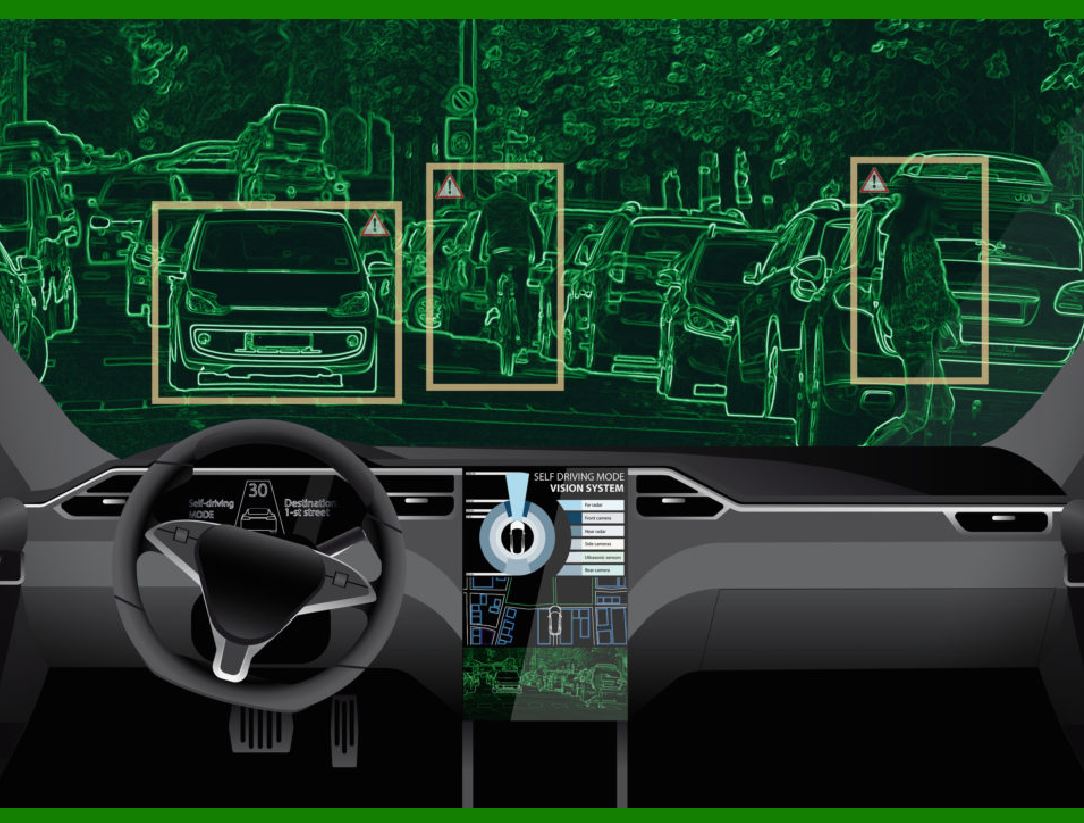
Quantum computing has the potential to revolutionize industries such as pharmaceuticals and automotive.

For instance, in the pharmaceutical industry, quantum computing can make research and development for drugs more efficient.

The quantum computing is in its nascent stages. Although it offers significant promise, reaching its maximum effectiveness will require patience.

Quantum Transformers and Attention Mechanisms:

The influential AI design known as a transformer plays a crucial role in modern chatbots and other AI applications. Transformers are based on networks in the brain and were first proposed by Google researchers in 2017.

A transformer's superpower lies in its attention mechanism, which allows it to discern important parts of input and their connections. For example, when processing the sentence "She is eating a green apple", a transformer can identify key words like "eating","green", and "apple" and understand their relationships.

Currently, attention mechanisms run on classical supercomputers with basic binary bits (0 or 1).

However, quantum hardware, which uses quantum bits (qubits), could potentially build superior attention mechanisms.

Qubits can exist in multiple states simultaneously, allowing for more efficient processing.

Generative AI and Quantum Computing:

Quantum computers can provide the computational power needed for complex generative AI tasks.

For instance:

Simulating large virtual environments.

Generating high-resolution content in real-time.

Unlike classical digital computing, which is prone to time bottlenecks in sequential processing, quantum entanglement enables parallel processing of parameter adjustments, significantly accelerating training.

Boosting Machine Learning Performance:

Research has shown that quantum computers can enhance the performance of machine learning (ML) systems.

Quantum-enhanced ML could impact fields such as drug discovery and fraud detection, where complex computations are required.

In summary, the integration of quantum computing with AI holds promise for solving crucial problems, improving efficiency, and advancing our understanding of complex systems.

While quantum computers are not a computational panacea, exploring their potential in AI is an exciting avenue for researchers and practitioners alike!


EasierSoft Barcode Label Design & Bulk Printing Software

---- Use Excel Data to Batch Print Barcodes on Label Sheets or Roll Labels  

---- How to use this barcode software

Download:  Free Barcode Software + Barcode Label Designer

Download Free Barcode Software at Softonic

     Download at CNET

Once you obtain a GS1/UPC/EAN barcode, or other barcode type and QR code, you can use our free software to batch print barcode labels onto Roll label paper using a professional label printer, or to batch print barcodes onto Avery 5160 label sheets using a regular laser or inkjet printer. Our software has free and paid versions.

The free version fully meets your needs for batch printing GS1/UPC/EAN barcodes. The paid version can import data from Excel and databases to batch print barcode labels with different values.

How to Start

Input Data

Import Excel Data

Print Barcode

Barcode Format

Label Designer

All Screen Shot

Export Barcode Image

Save Template

Output Word Excel

How to Use & FAQ:

Default Barcode Image Export Format

Print bulk barcodes quickly

Print barcodes to Avery 5160 label

How to bulk Barcode Printing

Sample - Avery 5162 (2x7) Label Sheet

Example: Print barcodes to 5*3cm roll

Example: Print barcodes to 5161 label

Example: Print barcodes to 5162 label

Example: Print barcodes to 5163 label

Example: Print barcodes to 5164 label

Example: Print portrait orientation 5164

Example: Print barcodes to 5167 label

Example: Print barcodes to 5168 label

Example: Print portrait orientation 5168

Example: Print barcodes to 5169 label

Example: Print barcodes to 5660 label

Example: Print barcodes to 5661 label

Example: Print barcodes to 5662 label

Example: Print barcodes to 5663 label

Example: Print barcodes to 5664 label

Example: Print portrait orientation 5664

Example: Print barcodes to 5873 label

Example: Print barcodes to 5874 label

Two ways to import Excel data

Import Excel Data - Pro Edition

Import Excel Data - Std Edition

Import Data from Excel - Detail

Load Data From Excel File

Data Editing Table

Copy Data From Excel

Four ways to input barcode data

Add ASCII Key E

Input Multiple Lines of Text for Barcodes

Generates Sequential Serial Numbers

Import or copy data from Excel sheets

Special sequence number generation

Std Details: Simple Input Form

Std Details: Multiple Line Text Input

Details: Sequence Barcode Generator

Examples: Sequence Barcode Generator

Import Data From Excel Spreadsheet

Barcode Data Correspondence Diagram

Data Editor

Editing a Single Row Data in Form

Batch Editing Multiple Rows of Data

Batch Data Editing - Example 2

Design & print complex barcode labels

Configuring Text Elements on Label

Configuring Barcode Elements on Label

Configuring Image Elements on Label

Highlights

Excel integration: Import data directly from Excel to generate and print barcodes in bulk.

Label designer: Create complex labels with multiple barcodes, text, logos, and shapes.

Batch printing: Print thousands of barcodes at once using standard inkjet/laser printers or professional barcode printers.


Flexible editions:

Standard Edition: Simple batch printing with Excel data.

Professional Edition: Adds command-line automation for workflow integration.

Label Designer Edition: Advanced design features for complex labels.


Why Choose Our Barcode Solutions?

Cost-effective: Free online generator and permanent free desktop version available.

Easy to use: No technical expertise required—just input data and print.

Versatile: Supports nearly all 1D and 2D barcode types, including QR codes.

Trusted: Recommended by CNET and widely downloaded by users worldwide.


Suitable Use Cases

Small businesses and startups needing quick barcode labels for products.

Retailers and online sellers managing inventory with batch barcode printing.

Manufacturers requiring sequential or custom barcode labels for packaging.

Educational and testing environments where barcodes are used for tracking.


CONTACT

cs@easiersoft.com

If you have any question, please feel free to email us.


https://free-barcode.com


<<< Back to Directory <<<     Barcode Generator     Barcode Freeware     Privacy Policy