Part 12: Barcode Applications in Predictive Maintenance, Equipment Monitoring, and Factory Asset Management in Automotive Production Environments |
12.1 Introduction to Predictive Maintenance in Automotive Manufacturing |
In automotive manufacturing, equipment uptime is critical. Assembly lines operate on tight schedules, and unplanned equipment failures can cause production delays, missed delivery deadlines, and increased operational costs. Predictive maintenance (PdM) strategies aim to identify potential equipment issues before they result in failure. By monitoring machine conditions and usage data, manufacturers can schedule maintenance proactively, ensuring optimal performance and minimizing disruptions. |
Barcode technology plays a key role in predictive maintenance by enabling precise identification, tracking, and historical record-keeping for each piece of factory equipment. When combined with sensors, maintenance logs, and enterprise systems, barcodes provide the foundation for a proactive and efficient maintenance program. |

|
12.2 Equipment Identification and Tracking |
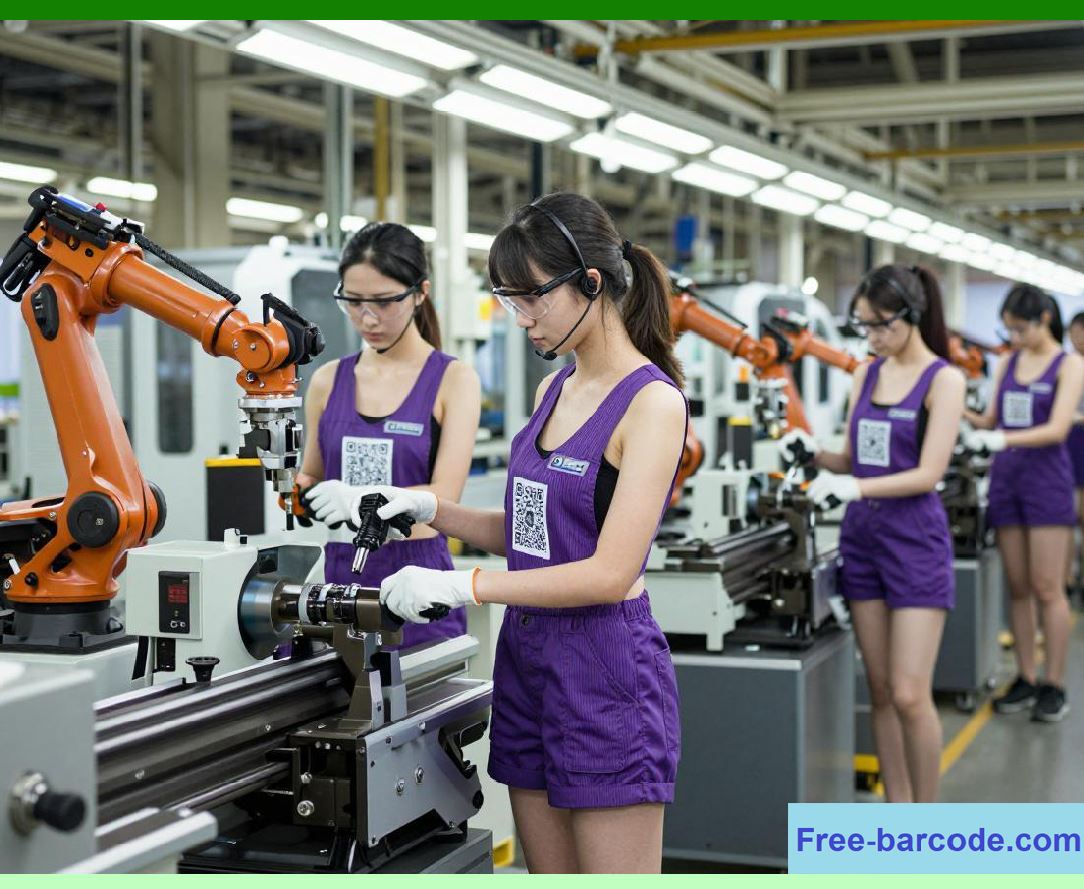
Every piece of machinery, tool, or asset in an automotive plant can be tagged with a unique barcode. This identification system allows: |
* Immediate recognition of equipment during inspections or maintenance procedures. |
* Linking machine information, such as manufacturer, model, serial number, and installation date, to digital maintenance records. |
* Real-time tracking of machine location in large production facilities, including mobile equipment like forklifts or automated guided vehicles (AGVs). |
* Integration with maintenance management systems to schedule routine servicing or repairs. |
Barcode-based identification ensures that maintenance personnel always reference the correct asset, reducing errors and preventing maintenance actions on the wrong machine. |
|
12.3 Logging Maintenance and Usage History |
Barcode scanning facilitates accurate logging of maintenance activities. Each time maintenance is performed, the technician scans the equipment barcode, automatically recording: |
* Date and time of maintenance |
* Type of maintenance performed (preventive, corrective, predictive) |
* Technician performing the work |
* Spare parts used, linked via barcode |
* Machine condition observations and test results |
This digital log forms a comprehensive history of each asset, allowing manufacturers to analyze trends, identify recurring issues, and optimize maintenance schedules. |

|
12.4 Integration with Predictive Maintenance Systems |
Modern predictive maintenance relies on data from sensors monitoring vibration, temperature, pressure, and other operational parameters. Barcode technology complements sensor data by providing a structured way to: |
* Map sensor data to the correct piece of equipment |
* Associate equipment identifiers with production schedules and usage frequency |
* Link maintenance records to observed performance deviations |
* Generate predictive alerts when trends indicate potential failure |
For example, if a robotic arm shows increasing motor temperature during operation, the barcode-linked PdM system can automatically flag the specific unit, schedule maintenance, and alert supervisors. |

|
12.5 Tracking Spare Parts and Maintenance Resources |
Effective predictive maintenance requires the timely availability of spare parts, consumables, and tools. Barcodes facilitate precise inventory management of maintenance resources by: |
* Identifying spare parts used for specific equipment during servicing |
* Tracking stock levels and automatically generating replenishment orders |
* Associating parts with maintenance tasks and work orders |
* Recording installation dates, serial numbers, and batch information for traceability |
This ensures that parts are available when needed, prevents the use of incorrect components, and maintains traceability for regulatory compliance. |

|
12.6 Monitoring Equipment Utilization and Performance |
Barcode scanning can capture production interactions with equipment, such as machine start and stop times, work completed, and operating shifts. This data allows: |
* Analysis of equipment utilization rates |
* Identification of underutilized machines or bottlenecks |
* Comparison of performance across similar equipment |
* Correlation between maintenance activities and operational efficiency |
By combining barcode records with sensor data, manufacturers gain a comprehensive view of asset performance and can make data-driven decisions regarding upgrades, replacements, or reallocation. |

|
12.7 Enhancing Safety and Compliance |
In automotive production, safety is paramount. Barcode-based asset management ensures: |
* Verification of inspection schedules for safety-critical equipment |
* Proper logging of safety checks and regulatory compliance inspections |
* Linking maintenance records to production audits, ensuring all machinery is fit for operation |
* Prevention of unsafe use of equipment by restricting operation until inspections or repairs are complete |
This reduces workplace accidents, regulatory risk, and potential production disruptions caused by unsafe equipment. |

|
12.8 Integration with Enterprise Asset Management (EAM) Systems |
Enterprise Asset Management systems centralize information about all factory assets, including production equipment, tools, and vehicles. Barcode technology enhances EAM by: |
* Providing unique identifiers for every asset |
* Linking maintenance history, sensor data, and operational usage |
* Automating work order generation, scheduling, and completion recording |
* Supporting predictive analytics and reporting dashboards |
Integration ensures that management has real-time visibility into asset health, maintenance needs, and operational status. |

|
12.9 Cost Reduction and Operational Efficiency |
Barcode-enabled predictive maintenance and asset management help manufacturers: |
* Reduce unplanned downtime by addressing issues before failure |
* Minimize inventory costs by optimizing spare parts usage |
* Extend equipment lifespan through timely servicing |
* Improve labor efficiency by accurately assigning and tracking maintenance tasks |
* Avoid costly emergency repairs and production interruptions |
By combining asset tracking, maintenance logging, and predictive analytics, manufacturers can achieve both financial savings and higher operational reliability. |

|
12.10 Case Example: Robotic Assembly Line Monitoring |
Consider a robotic welding station on an automotive assembly line. Each robot is tagged with a barcode, and its motors, controllers, and safety interlocks are continuously monitored with sensors. When a maintenance technician performs scheduled inspections, scanning the robot barcode records: |
* Inspection results and calibration data |
* Parts replaced, including serial numbers |
* Deviations from operational standards |
* Next scheduled preventive maintenance |
If a sensor indicates abnormal vibration, the system cross-references the barcode-linked maintenance history, identifies possible causes, and schedules corrective action. This integrated approach ensures uninterrupted production while maintaining compliance and safety standards. |

|
12.11 Long-Term Benefits of Barcode-Based Asset Management |
The strategic benefits of integrating barcode technology in predictive maintenance and asset management include: |
1. Enhanced Equipment Reliability Reduced unplanned downtime and higher production availability. |
2. Data-Driven Decision Making Insights into asset performance support upgrades and operational improvements. |
3. Cost Optimization Reduced repair costs, spare parts waste, and labor inefficiencies. |
4. Regulatory Compliance Detailed maintenance and inspection records satisfy audits and legal requirements. |
5. Operational Transparency Full visibility into equipment usage, location, and condition. |
6. Support for Smart Manufacturing Barcode data integrates with IoT, AI, and predictive analytics for Industry 4.0 initiatives. |
Overall, barcode technology transforms asset management from a reactive maintenance approach into a proactive, predictive, and fully data-driven strategy. |

|
Technical Content Summary for Part 12 |
* Predictive maintenance minimizes unplanned equipment downtime in automotive plants. |
* Barcodes provide unique identification for all machinery, tools, and assets. |
* Maintenance logs are automatically captured via barcode scans, including spare parts and work details. |
* Barcode data integrates with sensor-based predictive maintenance systems for early fault detection. |
* Real-time monitoring tracks equipment utilization, performance, and operational efficiency. |
* Safety inspections and compliance requirements are supported through barcode-based logging. |
* Integration with Enterprise Asset Management systems enables centralized oversight and analytics. |
* Operational efficiency and cost reductions are achieved through optimized maintenance and resource allocation. |
* Barcode systems support Industry 4.0 strategies by linking physical assets to digital information networks. |
 cs@easiersoft.com