How do I purchase a legitimate EAN barcode? |
First, it's important to understand a key concept: EAN barcodes (now collectively referred to as GTINs) are not 'purchased' per se; rather, you must 'apply' for and obtain the 'right to use' from an official organization. You pay a registration fee and a per-code encoding fee. |
The world's leading barcode issuing organization is GS1, a non-profit international organization with offices worldwide. Applying through GS1 is the only globally recognized, truly legitimate, and protected method. |

|
Method 1: Applying through an official GS1 organization (recommended and safest) |
This is the most formal and reliable method, especially suitable for brands planning to sell products in large shopping malls, online platforms (such as Tmall, JD.com, and Amazon), or export overseas. |
Application Process: |
Determine your location: |
Visit the official website of GS1 China (China Article Numbering Center): www.gs1cn.org |
If you are located in another country or region, search for 'GS1 + country name' (e.g., GS1 US, GS1 UK). |
Registering as a System Member: |
On the GS1 China website, you need to complete an online application form to register as a 'China Product Barcode System Member.' |
You will need to provide your company's business license and other relevant business qualifications (individuals are generally not eligible to apply; you must apply in the name of a company). |
Paying Fees: |
Fees mainly include a one-time membership fee (system membership fee) and an annual maintenance fee. |
The fee varies depending on the number of barcodes (product models) you require. For example, the fee will vary depending on whether you need fewer than 10, fewer than 100, or fewer than 1,000 barcodes. Please check the GS1 official website for the latest standards for specific amounts. |
Obtaining a Vendor Identification Code: |
After successfully paying, GS1 will assign you a unique 7-10 digit Vendor Identification Code. This code identifies your company. |
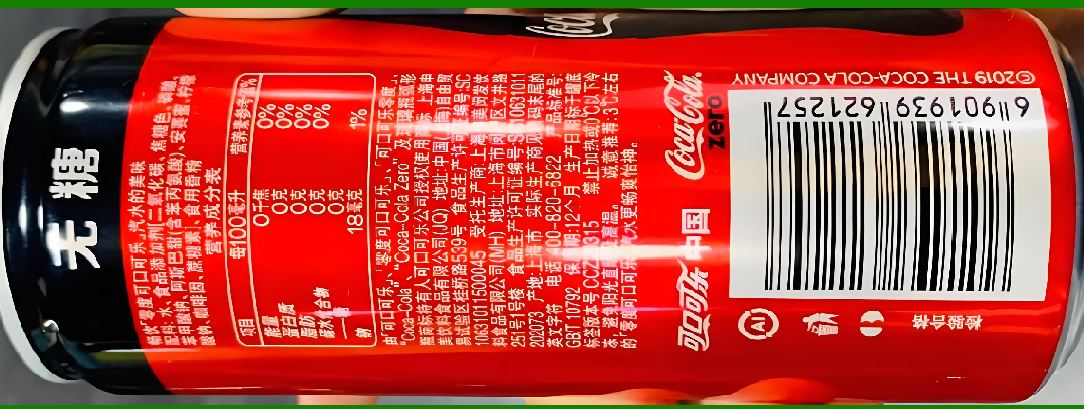
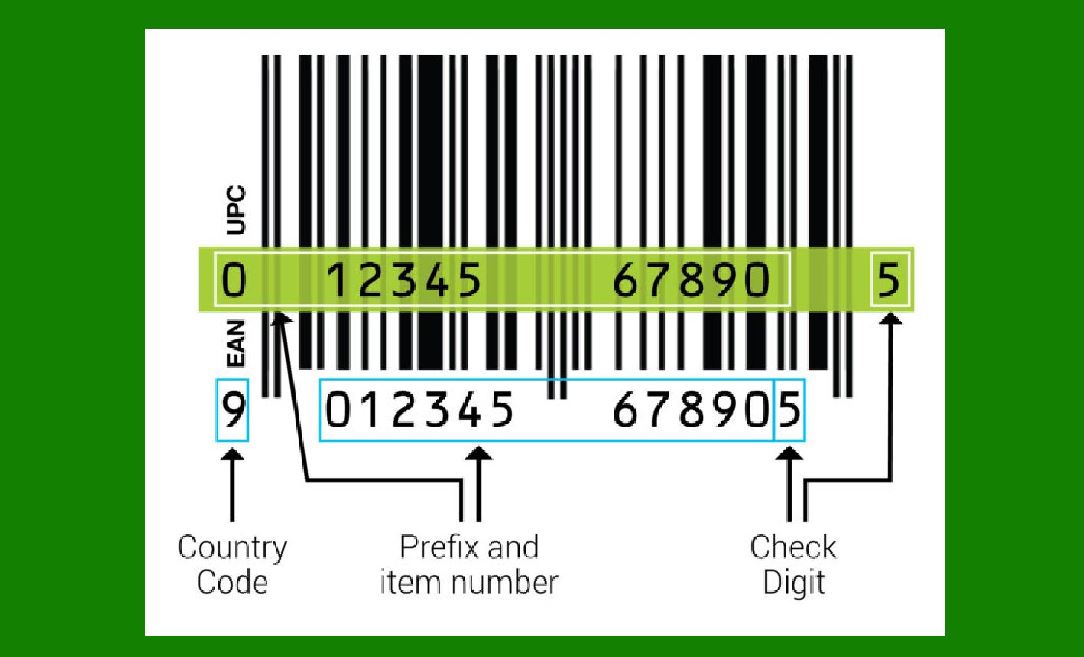
For example, your Vendor Identification Code is 6901234 (the first three digits '690' represent China). |
Assign your own product code: |
After obtaining the manufacturer identification code, you can create a unique code for each of your company's products using the remaining digits. |
For example, a complete EAN-13 barcode consists of: 6901234 (manufacturer code) + 56789 (product code) + 2 (check digit). |
You will need to assign a unique 'product code' to each of your company's products (different specifications, colors, packaging, etc. require separate codes). |
Generate and print the barcode: |
You can use the GS1 online tool or professional barcode generation software to generate the corresponding barcode graphic from the complete digital code. |
Then, you can send the barcode graphic to a printer for printing on your product packaging. |
Advantages: |
Globally recognized: Recognized by all major retailers and e-commerce platforms. |
Uniqueness: Your code is globally unique and will never be duplicated by another company. |
Legality: Fully complies with international standards and is legally protected. |
Data Synchronization: You can upload product information (such as name, brand, specifications, and images) to GS1's global data pool for easy synchronization with partners. |
Disadvantages: |
High Cost: An annual fee is required, which can be high for small businesses or entrepreneurs with a limited product portfolio. |
Longer Process: Business qualifications and registration time are required. |
|
Method 2: Using a Third-Party Barcode Provider (Extreme Caution Required) |
Many companies online claim to 'sell' or 'rent' barcodes at low prices. These companies are typically GS1 members who apply for large quantities of barcodes and then resell or license some of them to other companies. |
Potential Risks: |
Ownership Issues: You do not own the 'Manufacturer Identifier Code'; you are merely authorized to use it. The true owner of the barcode is the third-party company. |
Legitimate Issues: Many large retailers and e-commerce platforms (especially Amazon) are beginning to strictly scrutinize barcode ownership. If the registered company of a barcode is found to not match your brand name, your product listing may be removed or even your selling privileges may be suspended. |
Stability Risk: If the third-party company goes bankrupt, stops renewing its license, or violates GS1 regulations, your barcodes may become invalid, rendering your products unsalable and resulting in significant losses. |
Brand Risk: Countless products from different brands may be registered under the same manufacturer identification code, appearing unprofessional and potentially creating risk of association. |
Although this method is inexpensive and quick, it is strongly not recommended, especially for businesses planning to maintain a long-term brand. |
Summary and Recommendations |
Features: GS1 official application; Third-party provider |
Ownership: You own the product; the third party owns it, and you only have the right to use it. |
Legality: Fully legal and globally accepted; May be rejected by the platform, presenting risks. |
Cost: High initial and annual costs; One-time purchase, low price. |
Process: Requires company qualifications, standardized process; Very simple and quick. |
Risk: Very low; Very high (listings removed, barcode invalidation). |
Suitable for: All businesses planning to build their brand and enter large-scale distribution channels; Individuals with extremely limited budgets who are not concerned with long-term risks. |
|
Final Recommendation: |
If you are a serious brand building company seeking long-term, stable business development, be sure to apply for your own barcode through the official GS1 channel. This investment safeguards your brand's future and prevents potential significant trouble and loss in the future. |
|
Official Websites of GS1 Item Numbering Centers in Other Major Countries |
It is important to understand the official websites of GS1 Item Numbering Centers in each country to ensure you obtain a globally recognized, unique product barcode through the proper channels. While the website structure and services of many national GS1 branches are similar, the specific processes, fees, and processing times may vary. |
The following table summarizes the official websites of the GS1 Article Numbering Centers in some major countries/regions: |
Country/Region GS1 Official Website Address Notes |
Global Headquarters https://www.gs1.org/ |
China https://www.gs1cn.org/ |
United States https://www.gs1us.org/ |
Germany https://www.gs1.de/ |
Japan https://www.gs1jp.org/ |
United Kingdom https://www.gs1uk.org/ |
France https://www.gs1.fr/ |
Canada https://www.gs1ca.org/ |
Australia https://www.gs1au.org/ |
South Korea https://www.gs1kr.org/ |
India https://www.gs1india.org/ |
Brazil https://www.gs1br.org/ |
How to Find GS1 Organizations in More Countries |
If you want to find GS1 branches in other countries/regions beyond those listed in the table, you can visit the GS1 Global Headquarters website (www.gs1.org). There's usually a 'Find a GS1 Member Organization' or similar section on the website, allowing you to search by location. |
|
Important Note: Apply Through Official Channels |
Regardless of the country or region in which you apply for product barcodes, it's strongly recommended that you apply through the GS1 official website for the following reasons: |
Ensure Uniqueness and Legality: Officially assigned barcodes ensure global uniqueness and prevent duplication10, which is essential for products to be listed on major supermarkets and reputable e-commerce platforms. |
Data Accuracy and Synchronization: You can enter product information into a global data pool (such as the Global Distribution Services Network), facilitating accurate and efficient synchronization of product information across supply chain partners. |
Risk Mitigation: Purchasing third-party barcodes from unidentified sources (such as those sold at extremely low prices) carries significant risks. These barcodes may have been reused, have mismatched information, or are about to expire. This can result in your product being removed from the platform and even result in financial losses10. |
A Quick Facts About Global Trade Item Numbers (GTINs) |
What is a GTIN? GTIN, short for Global Trade Item Number, is a unique number that identifies a trade item. Commonly used numbers like EAN-13 (European Article Number, 13 digits) and UPC-A (Universal Product Code, 12 digits) are examples of GTINs. |
Core Function: The GTIN acts like a product's 'identity card,' fundamental for digitalizing and intelligently managing product information and improving supply chain efficiency and transparency. |
We hope this information helps you find the resources you need. If you encounter difficulties during the application process or are unsure which GS1 organization in a specific country/region is best for your business, we recommend visiting their official website for detailed guidelines or contacting their customer service for assistance. |
|
How can I check and confirm the legality of the EAN barcode I'm using? |
It's crucial to understand the legality of the EAN barcode (now collectively referred to as the GTIN) you're using. A legal barcode is the 'identity card' that ensures smooth market entry for your product. To quickly understand the main verification methods, I've summarized the following overview: |
Verification Method Target Key Function |
GS1 Official Database Query Barcode Ownership: Confirms that the barcode is registered by your company and that the ownership is correct. |
Platform Registration Information: Sales Eligibility on e-commerce platforms (such as Amazon): Ensures that the barcode you use matches the manufacturer information registered on the platform. |
Let's take a closer look at each method: |
1. Checking Barcode Ownership via the GS1 Official Database |
This is the most authoritative and core verification method, directly confirming that the barcode you are using is legally registered under your company's name. |
Why It's Important: According to the 'Regulations on the Administration of Commodity Barcodes in the Shenzhen Special Economic Zone' and other relevant regulations, system members have exclusive rights to use their registered product barcodes. Counterfeiting, misuse, or unauthorized transfer is prohibited.13 Major supermarkets and e-commerce platforms (such as Amazon) strictly verify that barcode ownership matches the seller's information. |
How to: |
Visit the official website of the GS1 branch in your country or region (for example, in China, this is the China Article Numbering Center, www.gs1cn.org). |
Websites typically have public service portals such as 'Barcode Lookup,' 'Member Lookup,' or 'GTIN Lookup.' |
Enter the EAN barcode (GTIN) you wish to query, and the system will display the company name and product information corresponding to that barcode. |
How to verify: |
If the company name displayed in the query results matches yours, congratulations! Your barcode is legitimate and official. |
If it displays a different company name, or if no information is found, the barcode you are using is likely illegal (e.g., misused, counterfeited, or cancelled). |

|
2. Verify the information filed on the e-commerce platform (if you sell on the platform) |
If you sell products on e-commerce platforms like Amazon and eBay, the platforms themselves have requirements for barcode legitimacy. |
Why it's important: The platform will verify that the UPC/EAN code you use matches the brand name and manufacturer information registered with the platform. Using a barcode from an unknown source, a duplicate, or mismatched information will result in the listing being removed. |
How to proceed: Log in to your seller platform and verify that the UPC/EAN code used for your product matches the brand and manufacturer information recorded on the platform. Ensure that the information you registered with GS1 is identical. |
If the GS1 database query shows that the barcode does not belong to your company, or if it is not found at all, it is almost certain that the barcode you are using is illegal. For the long-term stability of your business, we strongly recommend that you apply for your own barcode through official GS1 channels as soon as possible. Although the initial cost is relatively high, it is a necessary investment and safeguard for brand development. |
 cs@easiersoft.com