Chapter 17: Cloud vs. On-Premise - Choices for the Shop Floor |
17.1 The Decision That Every Factory Must Make |
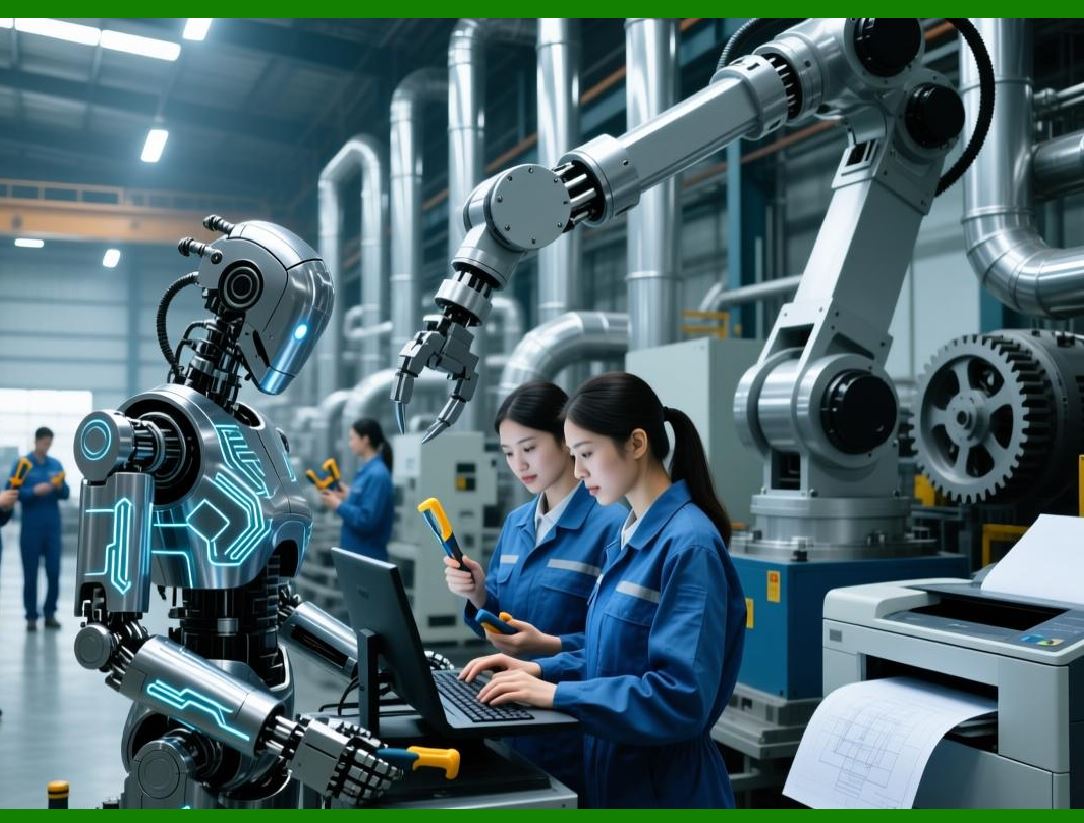
Every mechanical factory that decides to implement an ERP system faces a fundamental choice. Where will the software liveWill it run on servers inside the factory's own walls, managed by the factory's own IT staffOr will it run on servers in a remote data center, managed by a software vendor, accessed over the internetThis is the choice between on-premise and cloud. |
Twenty years ago, there was no choice. On-premise was the only option. A factory bought a software license, bought servers, installed the software, hired IT staff, and managed everything themselves. The upfront cost was high. The ongoing maintenance was expensive. But there was no alternative. |
Today, the cloud has changed everything. A factory can subscribe to an ERP system, pay a monthly fee per user, and access the system from any web browser. The vendor manages the servers, the security, the backups, and the updates. The factory just uses the software. The upfront cost is low. The ongoing cost is predictable. But the cloud is not right for every factory. |
This chapter explores the trade-offs between cloud and on-premise ERP for mechanical manufacturing. It explains what each model offers, what each costs, and what risks each carries. It provides a framework for making the choice based on the factory's size, complexity, security requirements, and IT capabilities. And it argues that for many small and medium-sized mechanical factories, the cloud is not just a good option - it is the best option. |
|
17.2 The On-Premise Model - Owning the Whole Stack |
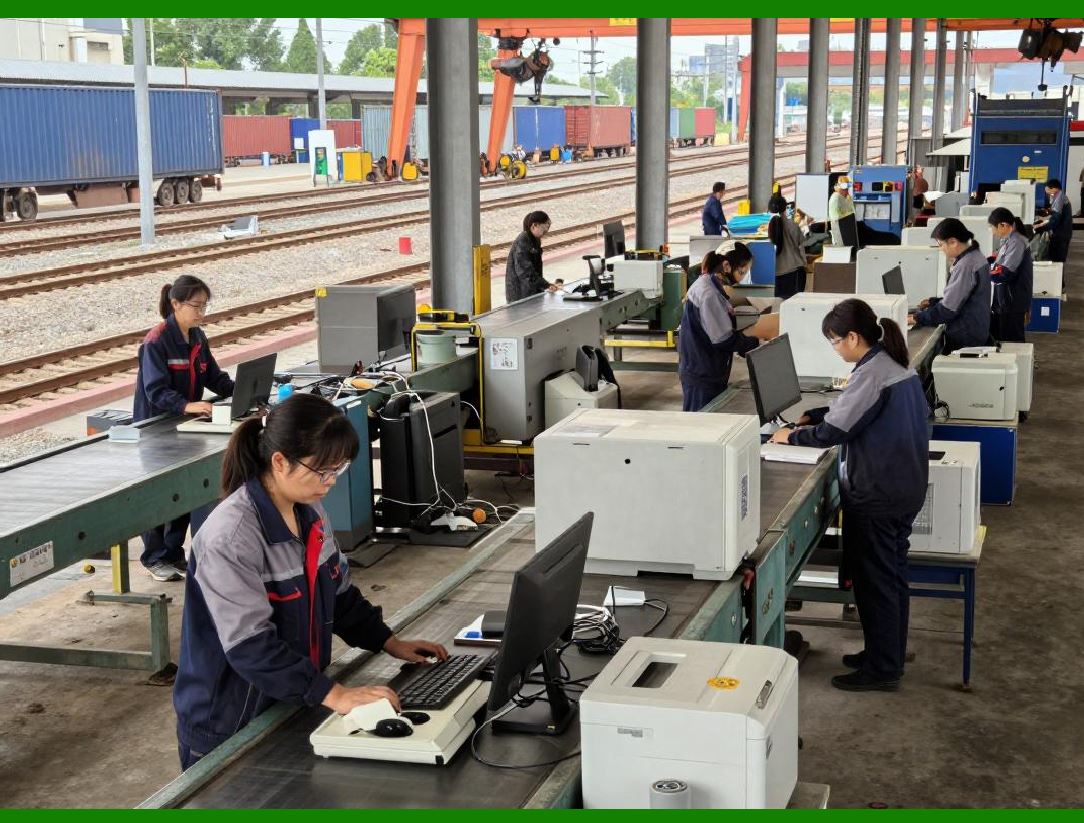
In the on-premise model, the factory owns everything. It buys the software license, which is typically a perpetual license. It buys the servers - often multiple servers for redundancy, plus storage for backups. It buys the operating system licenses and the database licenses. It hires IT staff to install, configure, secure, and maintain the system. It is responsible for backups, disaster recovery, security patches, and software updates. It pays for electricity, cooling, and physical security for the server room. |
The upfront cost is substantial. A typical on-premise ERP for a medium-sized mechanical factory might cost one hundred thousand dollars for software licenses, fifty thousand dollars for servers and storage, and twenty thousand dollars per year for database and operating system licenses. Add to that the cost of IT staff - at least one full-time person dedicated to the ERP, often more. The total cost over five years can easily exceed half a million dollars. |
The advantage of on-premise is control. The factory controls the servers. It controls the data. It controls when updates are applied. It can customize the software extensively, even modifying the source code if the license allows. It can operate without an internet connection. For factories with extreme security requirements - defense contractors, nuclear facilities, some aerospace manufacturers - this control is essential. |
The disadvantage is responsibility. The factory is responsible for everything. If a server fails at 2 AM, the factory's IT staff must fix it. If a security vulnerability is discovered, the factory's IT staff must patch it. If the factory grows and needs more server capacity, the factory's IT staff must buy and install new servers. The factory bears all the risk and all the cost. |

|
17.3 The Cloud Model - Renting the Software |
In the cloud model, the factory subscribes to the software. It pays a monthly or annual fee per user. The vendor provides the servers, the storage, the security, the backups, and the updates. The factory accesses the system through a web browser or a mobile app. The vendor is responsible for keeping the system running, secure, and up to date. |
The upfront cost is low. A typical cloud ERP for a medium-sized mechanical factory might cost two hundred dollars per user per month. For fifty users, that is ten thousand dollars per month, or one hundred twenty thousand dollars per year. There are no server purchases, no software license fees, no database license fees, no IT staff dedicated to the ERP. The total cost over five years might be six hundred thousand dollars - comparable to on-premise, but spread evenly rather than concentrated upfront. |
The advantage of cloud is simplicity. The factory does not need to manage servers. It does not need to worry about backups or disaster recovery. It does not need to apply security patches. It does not need to plan for capacity upgrades. The vendor handles all of that. The factory's IT staff can focus on other things - or if the factory is small, it may not need dedicated IT staff at all. |
The cloud also offers accessibility. The system can be accessed from anywhere with an internet connection. A plant manager can check production status from home. A salesperson can check inventory from a customer's office. A supplier can access the portal from their own factory. This accessibility was a lifesaver during the COVID-19 pandemic, when many factories had to support remote work. |
The disadvantage of cloud is dependency. The factory depends on the vendor to keep the system running. If the vendor has an outage, the factory cannot work. The factory depends on the vendor to keep the data secure. If the vendor is breached, the factory's data is exposed. The factory depends on the internet. If the internet connection goes down, the system is unavailable. |
|
17.4 The Hybrid Model - Best of Both Worlds |
Some ERP vendors offer a hybrid model. In a hybrid deployment, some components run in the cloud and some run on-premise. For example, the main ERP database might run in the cloud, but the shop floor terminals might have a local cache that allows them to continue operating if the internet connection fails. Or the system might run on-premise but be backed up to the cloud for disaster recovery. |
Hybrid deployments attempt to capture the advantages of both models while mitigating the disadvantages. The factory gets the simplicity of cloud for most functions, but the reliability of on-premise for critical functions that cannot tolerate an internet outage. |
However, hybrid deployments are more complex to manage. The factory must maintain some on-premise infrastructure. The integration between cloud and on-premise components must be carefully designed. For many small and medium-sized factories, the complexity of hybrid outweighs the benefits. They choose pure cloud or pure on-premise. |
|
17.5 Security - Who Is Better at Protecting Your Data |
Security is often the most emotional topic in the cloud versus on-premise debate. On-premise advocates argue that keeping data on their own servers, behind their own firewalls, is more secure. Cloud advocates argue that cloud vendors have more security expertise and more resources than any individual factory. |
The truth is nuanced. A well-managed on-premise system can be very secure. But many factories do not have the expertise to manage security well. They leave default passwords in place. They fail to apply security patches. They do not monitor for intrusions. They do not have a disaster recovery plan. Their on-premise systems are less secure than they believe. |
A reputable cloud vendor, on the other hand, has security as a core competency. The vendor employs security experts. It undergoes regular third-party audits. It applies patches within hours of release. It monitors for intrusions continuously. It has multiple redundant data centers for disaster recovery. For the typical mechanical factory, a cloud vendor is likely more secure than their own on-premise operation. |
However, cloud security depends on the vendor. Not all cloud vendors are equal. A factory must evaluate the vendor's security practices, certifications, and track record. It must understand where its data is stored - in which country, in which data center. It must understand how the vendor handles breaches. |
For factories with extreme security requirements - military contracts, classified work - on-premise may still be required. Some contracts explicitly forbid storing data in the cloud. For everyone else, cloud security is likely sufficient and possibly superior. |
|
17.6 Cost - Upfront Versus Ongoing |
The cost comparison between cloud and on-premise is not simple. It depends on the time horizon, the cost of capital, the factory's existing IT infrastructure, and the cost of IT staff. |
On-premise has high upfront costs but lower ongoing costs after the software is paid off. Cloud has low upfront costs but ongoing subscription fees that never end. Over a five-year horizon, the total costs are often similar. Over a ten-year horizon, on-premise is usually cheaper because the software license is a one-time cost. However, on-premise also requires periodic upgrades - new servers every five years, new software versions every few years - that add to the long-term cost. |
For a small factory with limited capital, cloud is attractive because it avoids a large upfront investment. For a large factory with ample capital and a long planning horizon, on-premise may be cheaper in the long run. |
But cost is not just about dollars. It is also about risk. On-premise costs are mostly fixed and predictable. Cloud costs are variable, scaling with the number of users. If the factory grows, cloud costs grow. If the factory shrinks, cloud costs shrink. This flexibility can be valuable. |
The cost of IT staff is often overlooked. A factory that moves to the cloud may be able to reduce its IT headcount. A factory that stays on-premise must maintain IT staff with ERP expertise, which is expensive and hard to find. |
|
17.7 Customization - How Much Change Do You Need |
On-premise ERP systems are typically more customizable than cloud systems. With on-premise, the factory can modify the source code, add custom fields, create custom reports, and integrate with other on-premise systems in ways that are not possible in the cloud. For factories with unique, complex, or legacy processes, this customization is essential. |
Cloud ERP systems are typically less customizable. They offer configuration - turning features on or off, setting parameters - but not modification of the underlying code. The vendor maintains a single version of the software for all customers. If a factory needs a feature that the vendor does not offer, the factory must either change its process or choose a different vendor. |
For many mechanical factories, the configuration options of a modern cloud ERP are sufficient. The software has been designed to support standard manufacturing processes - BOMs, MRP, shop floor control, quality, maintenance. The factory may need to adapt its processes to the software, but that adaptation is often beneficial. The software embodies best practices. Adopting those best practices can improve the factory's performance. |
For factories with highly specialized processes - unusual costing methods, complex regulatory requirements, proprietary production technologies - on-premise may be necessary. But these factories are the exception, not the rule. |
|
17.8 Updates - Who Controls the Calendar |
In an on-premise system, the factory controls when updates are applied. The vendor releases a new version. The factory's IT staff tests the new version on a non-production server, verifies that customizations still work, and then schedules the upgrade for a convenient time - perhaps during a holiday shutdown. This control is valuable for factories that cannot tolerate unexpected changes. |
In a cloud system, the vendor controls the update schedule. Most cloud vendors update their software continuously, adding features and fixing bugs without interrupting service. Major updates are usually scheduled outside business hours. The factory has little control over when new features appear or when the user interface changes. |
For some factories, this lack of control is a problem. They want to test updates before they go live. They want to train users on new features before they appear. They want to freeze the system during peak production periods. Cloud vendors are becoming better at giving customers some control - allowing them to delay updates for a period, or to test updates in a sandbox environment - but the control is never as complete as with on-premise. |
For other factories, the continuous update model is a benefit. They do not want to manage upgrades. They want the software to always be current, with the latest features and security patches. They are happy to let the vendor handle it. |

|
17.9 Internet Dependency - Can You Work Offline |
A cloud ERP requires an internet connection. If the connection goes down, the system is unavailable. No work orders can be created. No materials can be issued. No completions can be recorded. No shipments can be processed. The factory stops. |
For factories in urban areas with reliable, redundant internet connections, this risk is manageable. A backup connection - a second internet line from a different provider - can provide near-100 percent availability. For factories in rural areas with unreliable internet, the risk may be unacceptable. |
Some cloud ERP vendors offer offline capabilities. The shop floor terminal can cache data and continue operating for a period - hours or days - without an internet connection. When the connection is restored, the terminal synchronizes. This mitigates the risk but does not eliminate it. |
On-premise systems do not depend on the internet. They run on the factory's own network. If the internet goes down, the factory continues to operate. This independence is a significant advantage for some factories. |

|
17.10 The Small Shop Advantage - Cloud Enables the Little Guys |
For a small mechanical job shop with ten employees, the choice is clear. On-premise is prohibitively expensive. The upfront cost of software licenses and servers is more than the shop's annual profit. Hiring an IT person is impossible. The cloud makes ERP accessible to shops that could never afford it before. |
A ten-person shop can subscribe to a cloud ERP for a few hundred dollars per month. The shop owner can access the system from a laptop. The machinists can use tablets on the shop floor. The system handles quotes, orders, purchasing, inventory, shipping, and invoicing. The shop gains the benefits of ERP - better scheduling, lower inventory, fewer shortages - without the overhead. |
Many small shops started with spreadsheets and paper. They grew to the point where spreadsheets no longer worked. Cloud ERP was their first real system. It allowed them to compete with larger shops. |

|
17.11 The Large Enterprise - On-Premise or Private Cloud |
For a large mechanical manufacturer with hundreds of employees and multiple factories, the choice is more complex. A large enterprise may have existing IT staff and existing data centers. It may have security requirements that preclude public cloud. It may have complex integrations with other on-premise systems. |
Some large enterprises choose on-premise. They buy the software licenses, run the system on their own servers, and manage it with their own staff. They have the resources to do this well. |
Other large enterprises choose a private cloud. In a private cloud, the vendor runs the software on servers that are dedicated to a single customer. The servers may be in the vendor's data center, but they are not shared with other customers. The customer gets the simplicity of cloud - the vendor manages the infrastructure - but the isolation of on-premise. Private cloud is more expensive than public cloud but less expensive than a fully staffed on-premise operation. |
Still other large enterprises choose a multi-tenant public cloud for their non-critical systems and on-premise for their critical, highly regulated systems. They accept the risks of cloud for functions where the risks are manageable. |

|
17.12 The Migration Path - From On-Premise to Cloud |
A factory that has been running on-premise for years may want to move to the cloud. The migration is possible but not trivial. The data must be extracted from the old system, cleaned, and loaded into the new system. The users must be retrained. The integrations must be rebuilt. Customizations may need to be reimplemented or abandoned. |
The migration is an opportunity. The factory can clean its data, simplify its processes, and adopt best practices. But it is also a risk. If not managed carefully, the migration can disrupt operations. |
A common migration path is to run both systems in parallel for a period. The old on-premise system continues to run the business. The new cloud system is loaded with data and tested. A cutover date is set. On that date, the factory switches to the cloud system. The old system is kept available for historical reference but is not used for current transactions. |
This parallel run is expensive - the factory is paying for two systems. But it reduces risk. If the cloud system has problems, the factory can fall back to the old system. |

|
17.13 Real-World Example: The Pump Shop's Cloud Journey |
Consider a small pump repair and modification shop with twenty employees. The shop had been using spreadsheets and paper travelers for years. The owner knew they needed a real system, but the cost of traditional on-premise ERP was prohibitive. |
The owner discovered a cloud ERP designed for small manufacturers. The subscription cost was three hundred dollars per month for five users. No servers. No IT staff. No upfront license fees. The owner signed up. |
The implementation took six weeks. The owner entered their parts, BOMs, and customers into the system. The cloud vendor provided online training videos. The shop's office manager learned to create quotes and orders. The shop foreman learned to use the tablet on the shop floor. |
The results were immediate. The shop could now see their open orders at a glance. They could tell customers exactly when their pump would be ready. They no longer lost paper travelers. They reduced their finished goods inventory by keeping better track of what was on the shelf. |
The owner estimated that the cloud ERP saved them two hours per day in administrative work. That was worth far more than the monthly subscription fee. The cloud system paid for itself in the first month. |

|
17.14 The Future - Cloud-First, Cloud-Only |
The trend in ERP is clear. New implementations are overwhelmingly cloud. Existing on-premise customers are migrating to the cloud, though slowly. The major ERP vendors are investing heavily in their cloud products and de-emphasizing their on-premise products. |
For mechanical factories, the future is cloud. The advantages of low upfront cost, automatic updates, accessibility, and reduced IT burden are compelling. The disadvantages - dependency on the vendor, dependency on the internet, reduced customization - are diminishing as cloud systems become more mature and more reliable. |
For most factories, the question is no longer 'cloud or on-premise' It is 'which cloud vendor' The choice of on-premise is reserved for factories with extreme security requirements, specialized customization needs, or a strategic preference for self-sufficiency. |
|
17.15 Making the Choice - A Decision Framework |
How should a mechanical factory decide between cloud and on-premiseThe answer depends on several factors. |
Size: Small factories with limited capital and limited IT staff should choose cloud. Large factories with ample capital and existing IT staff can consider both. |
Security requirements: Factories with military contracts, classified data, or extreme intellectual property should consider on-premise or private cloud. Others can safely choose public cloud. |
Customization needs: Factories with highly unique processes that cannot be configured in standard software should consider on-premise. Others should adapt to the cloud's configuration options. |
Internet reliability: Factories in areas with unreliable internet should consider on-premise or a cloud vendor with strong offline capabilities. |
Growth plans: Factories planning rapid growth may prefer cloud for its scalability and variable cost structure. |
Internal expertise: Factories with strong IT staff who enjoy managing servers may prefer on-premise. Factories without IT staff should choose cloud. |
No single answer is right for every factory. But the bias should be toward cloud unless there is a compelling reason to choose on-premise. |
|
17.16 Summary: The Right Tool for the Right Factory |
The choice between cloud and on-premise is not about which technology is better. It is about which model fits the factory's needs, capabilities, and risk tolerance. |
On-premise offers control, customization, and independence. It is the right choice for factories with extreme security requirements, unique processes, or a strategic preference for self-sufficiency. But it requires capital, expertise, and ongoing management. |
Cloud offers simplicity, low upfront cost, automatic updates, and accessibility. It is the right choice for most small and medium-sized factories, and for many large factories as well. It requires trust in the vendor, a reliable internet connection, and a willingness to adapt to standard processes. |
The good news is that both models work. Both can support the full range of ERP functions - BOMs, MRP, capacity planning, shop floor control, quality, maintenance, costing, HR, document control. The factory that implements either model well will outperform the factory that implements no system at all. |
The choice is important, but it is not the most important choice. The most important choice is the decision to implement an ERP system at all, and the discipline to use it well. Whether the software lives in a server room or in a data center, the factory that embraces ERP will gain visibility, control, and efficiency. The factory that does not will be left behind. |
In the next chapter, we will explore the human side of implementation - the challenges of changing how people work, the resistance to new systems, and the strategies for overcoming both. |
|
Key takeaways from Chapter 17: |
1. The choice between cloud and on-premise is fundamental - each has distinct trade-offs in cost, control, security, and complexity. |
2. On-premise requires high upfront investment in licenses, servers, and IT staff, but offers maximum control and customization. |
3. Cloud requires low upfront investment with predictable monthly fees, but requires trust in the vendor and a reliable internet connection. |
4. Security is nuanced - reputable cloud vendors often have better security than a typical factory's on-premise operation, but some contracts mandate on-premise. |
5. Cost comparison depends on the time horizon and the factory's capital - over five years, total costs are often similar; over ten years, on-premise may be cheaper. |
6. Customization is greater with on-premise - cloud systems offer configuration but not code modification; factories may need to adapt their processes. |
7. Updates are controlled by the factory with on-premise, by the vendor with cloud - some factories value control, others value not having to manage upgrades. |
8. Internet dependency is a risk for cloud - reliable connections and backup lines mitigate the risk; offline capabilities help but do not eliminate it. |
9. Cloud enables small shops to access ERP for the first time - low cost and no IT staff requirements democratize the technology. |
10. Large enterprises may choose on-premise, private cloud, or a hybrid - the decision depends on security, existing infrastructure, and risk tolerance. |
11. Migration from on-premise to cloud is possible but requires data cleaning, retraining, and careful cutover planning. |
12. The trend is cloud-first, cloud-only - most new implementations are cloud, and vendors are investing heavily in cloud products. |
13. A decision framework considers size, security requirements, customization needs, internet reliability, growth plans, and internal expertise. |
14. The bias should be toward cloud unless there is a compelling reason for on-premise - for most factories, cloud is the right choice. |
15. The most important choice is not cloud versus on-premise - it is the decision to implement ERP at all and to use it with discipline. |
 cs@easiersoft.com