Part 4 |
Product Management and SKU Management in Apparel ERP Systems |
1. Introduction to Product Management in the Apparel Industry |
1.1 The Strategic Importance of Product Management |
1.1.1 |
Product management is one of the most critical operational areas in the apparel industry. Unlike many traditional manufacturing sectors where products remain stable for long periods, apparel enterprises constantly launch new collections, modify designs, update seasonal assortments, and introduce trend-driven products. |
1.1.2 |
The speed and complexity of apparel product operations create significant management challenges. A modern fashion enterprise may release: |
* Thousands of new styles annually |
* Seasonal product updates |
* Limited-edition products |
* Regional variations |
* Collaborative collections |
* Online-exclusive products |

|
1.1.3 |
Each product may contain multiple combinations of: |
* Colors |
* Sizes |
* Fabrics |
* Fit types |
* Packaging methods |
* Country-specific compliance requirements |
1.1.4 |
As a result, product management in apparel ERP systems becomes far more sophisticated than simple item coding systems used in many industries. |

|
1.1.5 |
The ERP system acts as the central repository for all product-related information. It coordinates product data across: |
* Design departments |
* Procurement teams |
* Production planning |
* Warehouses |
* Retail systems |
* E-commerce platforms |
* Financial accounting |
1.1.6 |
Without centralized ERP-based product management, apparel enterprises often experience: |
* SKU duplication |
* Inventory confusion |
* Incorrect procurement |
* Pricing inconsistencies |
* Order fulfillment errors |
* Delayed product launches |

|
2. Understanding SKU Structures in Apparel ERP |
2.1 Definition of SKU in the Apparel Industry |
2.1.1 |
SKU stands for Stock Keeping Unit. |
2.1.2 |
In apparel businesses, each SKU represents a unique sellable product variant. |
2.1.3 |
A single apparel style may generate dozens or hundreds of SKUs because of variations in: |
* Size |
* Color |
* Fabric |
* Pattern |
* Packaging |
* Regional specifications |
2.1.4 |
For example: |
* Style: Women Hoodie |
* Colors: Black, White, Red, Gray |
* Sizes: XS, S, M, L, XL |
* Fabric Types: Cotton, Blended |
This creates 40 independent SKUs. |
2.1.5 |
Large apparel enterprises may manage: |
* Hundreds of thousands of SKUs |
* Millions of inventory records |
* Continuous seasonal SKU changes |
2.1.6 |
ERP systems therefore require highly optimized SKU management architectures. |

|
2.2 Challenges Caused by SKU Explosion |
2.2.1 |
SKU explosion is one of the biggest operational problems in apparel management. |
2.2.2 |
The increase in SKU quantity directly increases: |
* Inventory complexity |
* Forecasting difficulty |
* Warehouse operations |
* Procurement coordination |
* Data maintenance workload |
2.2.3 |
Without proper ERP management, enterprises may encounter: |
* Duplicate product codes |
* Incorrect inventory counts |
* Allocation mistakes |
* Picking errors |
* Overselling problems |
2.2.4 |
SKU complexity also creates forecasting challenges because demand differs across: |
* Regions |
* Sizes |
* Colors |
* Seasons |
* Customer demographics |
2.2.5 |
ERP systems address these issues through standardized product structures and centralized data governance. |
|
3. Product Master Data Management |
3.1 The Role of Product Master Data |
3.1.1 |
Product master data forms the foundation of apparel ERP systems. |
3.1.2 |
Master data includes all standardized product information required across enterprise operations. |
3.1.3 |
Typical product master data fields include: |
* Style number |
* SKU code |
* Product name |
* Brand |
* Collection |
* Season |
* Gender |
* Category |
* Color |
* Size |
* Fabric composition |
* Washing instructions |
* Barcode |
* Pricing |
* Country of origin |
3.1.4 |
This information is shared across all operational modules. |
3.1.5 |
Accurate master data management is essential because errors propagate throughout the enterprise. |

|
3.2 Centralized Product Data Governance |
3.2.1 |
Many apparel enterprises suffer from inconsistent product information across departments. |
3.2.2 |
For example: |
* Design teams may use different naming conventions. |
* Warehouses may use alternative SKU structures. |
* E-commerce platforms may contain inconsistent descriptions. |
3.2.3 |
ERP systems establish centralized data governance standards. |
3.2.4 |
Centralized governance ensures: |
* Consistent coding structures |
* Standardized attributes |
* Unified product naming |
* Accurate cross-department communication |
3.2.5 |
This significantly reduces operational confusion. |

|
4. Style-Based Product Structures |
4.1 Parent-Child Product Architecture |
4.1.1 |
Most apparel ERP systems organize products using hierarchical parent-child structures. |
4.1.2 |
The parent level typically represents the style. |
4.1.3 |
Child records represent SKU variants. |
4.1.4 |
For example: |
* Parent Style: Men Casual Shirt |
* Child SKUs: |
* Blue / M |
* Blue / L |
* Black / M |
* Black / L |
4.1.5 |
This architecture simplifies product management while preserving detailed inventory tracking. |
4.1.6 |
It also improves reporting efficiency because enterprises can analyze: |
* Style-level performance |
* Color-level sales |
* Size-level inventory turnover |

|
4.2 Variant Matrix Management |
4.2.1 |
Apparel ERP systems commonly use matrix-based product management interfaces. |
4.2.2 |
Matrices allow users to manage: |
* Sizes horizontally |
* Colors vertically |
* Inventory quantities within cells |
4.2.3 |
This visual structure improves: |
* Inventory visibility |
* Order allocation |
* Replenishment planning |
* Warehouse operations |
4.2.4 |
Matrix management is particularly important for high-SKU-volume apparel businesses. |

|
5. Product Lifecycle Management in Apparel ERP |
5.1 Product Lifecycle Stages |
5.1.1 |
Apparel products pass through multiple lifecycle stages. |
5.1.2 |
Typical lifecycle stages include: |
* Trend research |
* Concept creation |
* Design development |
* Sample production |
* Cost estimation |
* Production approval |
* Bulk manufacturing |
* Distribution |
* Sales |
* Markdown |
* Clearance |
* Discontinuation |
5.1.3 |
ERP systems track products throughout the entire lifecycle. |
5.1.4 |
Lifecycle tracking improves operational visibility and historical analysis. |

|
5.2 Seasonal Product Management |
5.2.1 |
Seasonality is a defining characteristic of apparel operations. |
5.2.2 |
ERP systems classify products according to: |
* Spring collections |
* Summer collections |
* Autumn collections |
* Winter collections |
* Holiday collections |
* Limited campaigns |
5.2.3 |
Seasonal classification supports: |
* Procurement planning |
* Production scheduling |
* Inventory allocation |
* Sales forecasting |
5.2.4 |
Seasonal lifecycle management also improves clearance planning for aging inventory. |

|
6. Apparel BOM Management |
6.1 Understanding BOM in Apparel Manufacturing |
6.1.1 |
BOM stands for Bill of Materials. |
6.1.2 |
In apparel ERP systems, BOMs define all materials and processes required to manufacture a garment. |
6.1.3 |
Typical BOM components include: |
* Fabric |
* Linings |
* Buttons |
* Zippers |
* Labels |
* Threads |
* Packaging materials |
6.1.4 |
Apparel BOMs are often more flexible than industrial BOMs because: |
* Materials may be substituted |
* Designs change frequently |
* Seasonal modifications occur regularly |

|
6.2 Multi-Level BOM Structures |
6.2.1 |
Complex apparel products may contain multi-level BOM structures. |
6.2.2 |
For example: |
* Jacket |
* Outer fabric |
* Inner lining |
* Collar assembly |
* Pocket assembly |
* Packaging kit |
6.2.3 |
ERP systems support nested BOM management for accurate material planning. |
6.2.4 |
Multi-level BOM visibility improves: |
* Cost calculation |
* Procurement coordination |
* Material traceability |

|
7. Barcode and RFID Management |
7.1 Barcode Integration in Apparel ERP |
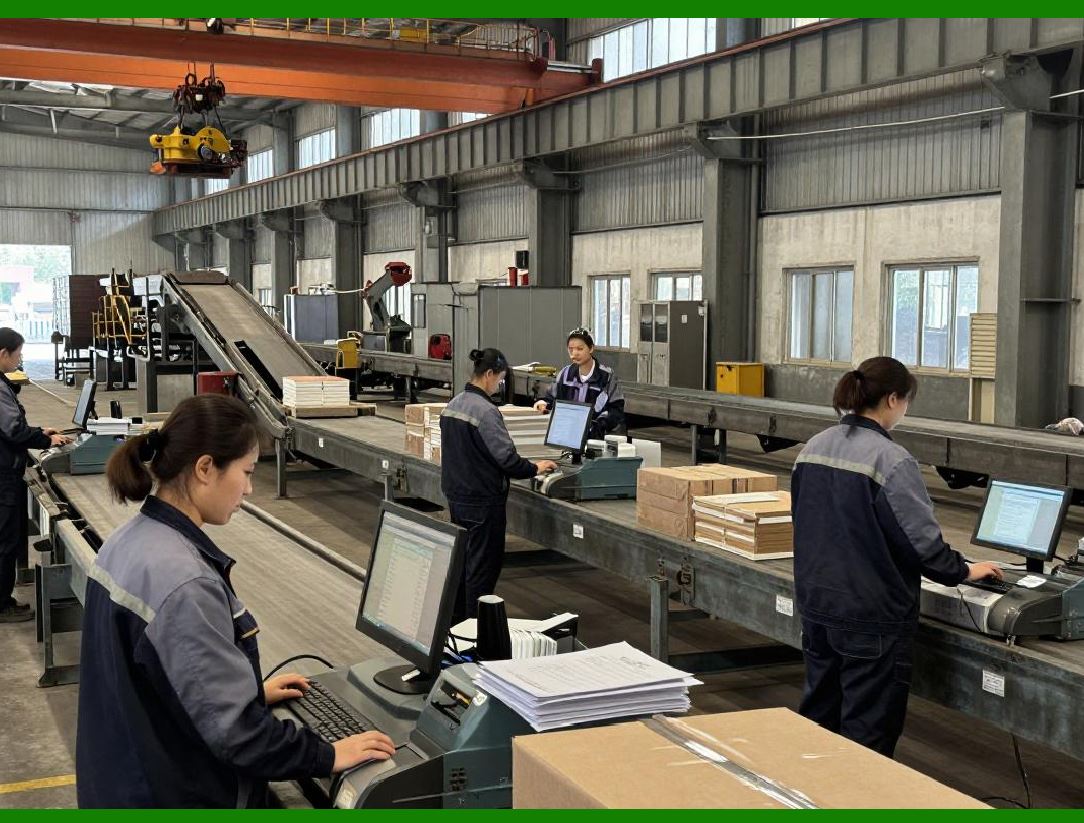
7.1.1 |
Barcodes play a central role in apparel inventory operations. |
7.1.2 |
ERP systems generate and manage barcode data for: |
* Product labels |
* Warehouse operations |
* Retail scanning |
* Logistics tracking |
7.1.3 |
Barcode integration improves: |
* Inventory accuracy |
* Picking efficiency |
* Receiving operations |
* Sales processing |
7.1.4 |
Most apparel enterprises rely heavily on barcode-driven workflows. |
|
7.2 RFID Technology Integration |
7.2.1 |
Many large apparel enterprises are adopting RFID technology. |
7.2.2 |
RFID provides advantages such as: |
* Faster inventory counting |
* Real-time item tracking |
* Reduced shrinkage |
* Improved store replenishment |
7.2.3 |
ERP systems integrate RFID data into centralized inventory records. |
7.2.4 |
RFID adoption is especially common in: |
* Fast fashion |
* Luxury apparel |
* Large retail chains |

|
8. Product Costing Management |
8.1 Complexity of Apparel Product Costing |
8.1.1 |
Accurate product costing is difficult in apparel manufacturing because costs fluctuate constantly. |
8.1.2 |
Cost factors include: |
* Fabric prices |
* Labor costs |
* Exchange rates |
* Freight expenses |
* Tariffs |
* Packaging costs |
8.1.3 |
ERP systems calculate: |
* Standard costs |
* Actual costs |
* Estimated margins |
* Production variances |

|
8.2 Real-Time Margin Analysis |
8.2.1 |
Modern ERP systems allow real-time profitability analysis. |
8.2.2 |
Enterprises can analyze margins by: |
* Style |
* SKU |
* Sales channel |
* Region |
* Customer segment |
8.2.3 |
This helps enterprises optimize: |
* Pricing strategies |
* Product assortment |
* Procurement decisions |

|
9. Product Classification and Categorization |
9.1 Multi-Dimensional Product Classification |
9.1.1 |
Apparel ERP systems classify products using multiple dimensions. |
9.1.2 |
Common classification structures include: |
* Brand |
* Collection |
* Gender |
* Season |
* Category |
* Subcategory |
* Fabric type |
* Style type |
9.1.3 |
Multi-dimensional classification improves: |
* Reporting |
* Searchability |
* Inventory planning |
* Sales analysis |

|
9.2 Regional Product Variations |
9.2.1 |
Global apparel enterprises often adapt products for different regions. |
9.2.2 |
Regional variations may include: |
* Size standards |
* Label languages |
* Packaging regulations |
* Climate adaptation |
9.2.3 |
ERP systems manage regional product configurations while maintaining centralized control. |
|
10. Product Information Synchronization |
10.1 E-Commerce Product Synchronization |
10.1.1 |
Modern apparel ERP systems synchronize product data with online sales platforms. |
10.1.2 |
Synchronized information includes: |
* Product titles |
* Descriptions |
* Images |
* Inventory |
* Pricing |
* Promotions |
10.1.3 |
Automated synchronization reduces manual workload and minimizes errors. |
10.2 Retail Store Synchronization |
10.2.1 |
ERP systems also synchronize product data with physical retail stores. |
10.2.2 |
Store systems receive: |
* Updated pricing |
* Product availability |
* Promotion rules |
* Inventory adjustments |
10.2.3 |
This ensures consistency between online and offline operations. |

|
11. Product Analytics in Apparel ERP |
11.1 Product Performance Analysis |
11.1.1 |
ERP systems provide extensive product analytics capabilities. |
11.1.2 |
Enterprises can analyze: |
* Best-selling styles |
* Slow-moving products |
* Regional preferences |
* Seasonal performance |
* Inventory turnover |
11.1.3 |
These insights improve future product planning. |
11.2 AI-Assisted Product Planning |
11.2.1 |
Advanced ERP systems increasingly use AI for product analysis. |
11.2.2 |
AI algorithms may identify: |
* Emerging trends |
* Demand patterns |
* Optimal assortment mixes |
* Pricing opportunities |
11.2.3 |
This supports data-driven fashion decision-making. |

|
12. Future Trends in Apparel Product Management |
12.1 Digital Product Passports |
12.1.1 |
Future apparel ERP systems may include digital product passports. |
12.1.2 |
These passports may contain: |
* Material origins |
* Sustainability data |
* Manufacturing history |
* Compliance certifications |
12.1.3 |
Digital traceability is becoming increasingly important in global fashion markets. |
12.2 AI-Generated Product Structures |
12.2.1 |
AI technologies may eventually automate portions of product configuration management. |
12.2.2 |
Potential future applications include: |
* Automatic SKU generation |
* Intelligent category assignment |
* Predictive assortment optimization |
12.2.3 |
These technologies will further increase ERP automation levels. |

|
Technical Content Summary of Part 4 |
This part provided a detailed exploration of product management and SKU management within apparel ERP systems. It explained how the apparel industry high SKU complexity creates significant operational challenges involving inventory control, forecasting, procurement, and order fulfillment. |
The discussion covered product master data management, centralized data governance, style-based product structures, parent-child SKU architecture, variant matrix management, product lifecycle tracking, seasonal product management, BOM structures, barcode and RFID integration, product costing, multi-dimensional classification systems, and product synchronization across e-commerce and retail channels. |
Additionally, the part explored product analytics, AI-assisted product planning, and future developments such as digital product passports and intelligent SKU generation. These capabilities collectively form the foundation of effective apparel ERP product management systems. |

|
URLs for reference: |
* [https://www.sap.com/](https://www.sap.com/) |
* [https://www.oracle.com/](https://www.oracle.com/) |
* [https://www.infor.com/](https://www.infor.com/) |
* [https://www.microsoft.com/](https://www.microsoft.com/) |
* [https://www.netsuite.com/](https://www.netsuite.com/) |
 cs@easiersoft.com