ERP System Application in the Electronics Industry |
Part 18: Key Implementation Points and Common Misconceptions (I) |
ERP Deployment Architecture, Data Governance, and Real-World Integration Challenges |
In Part 17, we explored end-to-end application scenarios of ERP and barcode systems across the electronics manufacturing lifecycle, including material traceability, SMT execution, WIP tracking, warehouse control, RMA investigation, and shipment logistics. |
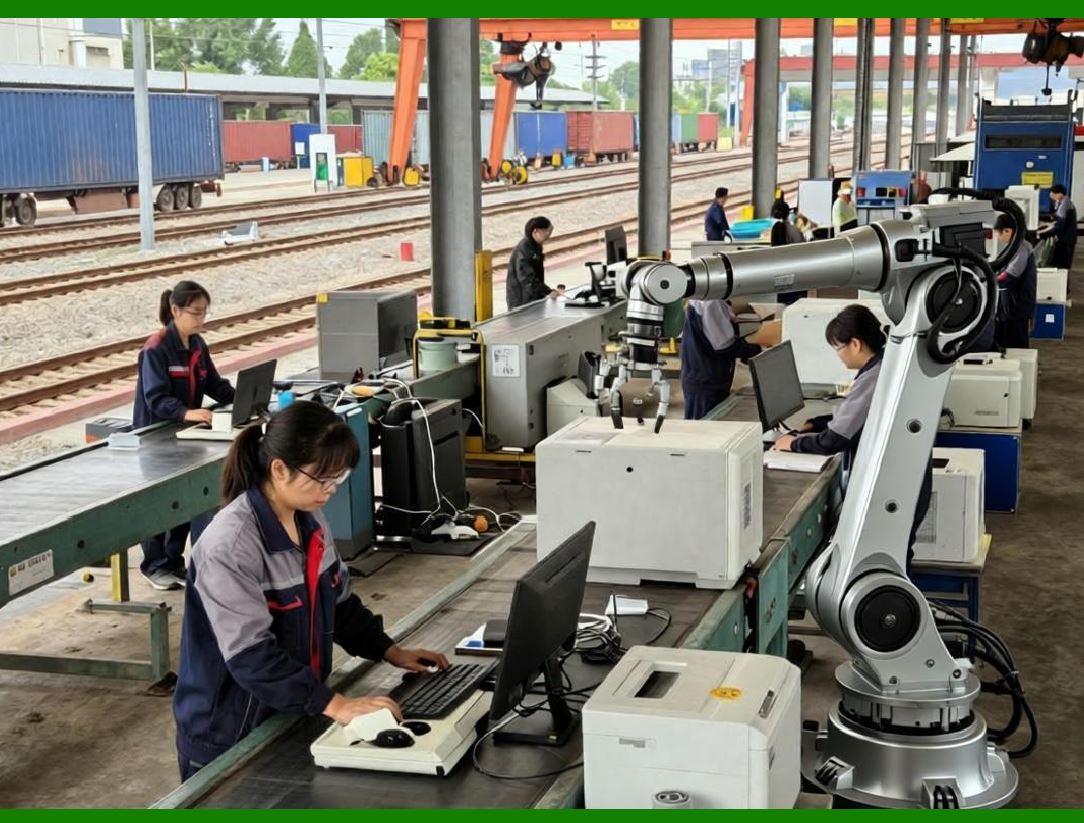
Part 18 shifts focus from that ERP doesto how ERP is successfully implemented in real electronics enterprises.This is where many projects succeed or fail because electronics ERP is not just software deployment, but a deep operational transformation of manufacturing logic, data structure, and organizational behavior. |
|
134. Why ERP Implementation in Electronics Is Difficult |
134.1 High Process Complexity |
Electronics manufacturing involves: |
* Multi-stage production (SMT, DIP, assembly, testing) |
* Thousands of components per product |
* Frequent engineering changes (ECOs) |
* Outsourced PCBA and hybrid production models |
* Strict compliance requirements (RoHS, lead-free, traceability) |
ERP must coordinate all of these simultaneously. |

|
134.2 Real-Time Requirements |
Unlike traditional industries, electronics requires: |
* Real-time inventory updates |
* Instant production feedback from SMT machines |
* Live WIP tracking |
* Immediate order synchronization from e-commerce systems |
Any delay in data synchronization leads to planning distortion and production errors. |

|
134.3 Multi-System Environment |
ERP rarely operates alone. It must integrate with: |
* MES (Manufacturing Execution Systems) |
* SMT programming tools |
* Warehouse management systems (WMS) |
* CRM and e-commerce platforms |
* Supplier portals |
Integration complexity is often underestimated. |

|
135. ERP System Architecture in Electronics Manufacturing |
135.1 Core Layer Structure |
A typical electronics ERP architecture includes: |
1. Planning Layer |
* MRP |
* APS (Advanced Planning and Scheduling) |
* Demand forecasting |
2. Execution Layer |
* Work orders |
* Production tracking |
* SMT integration |
* Barcode systems |
3. Quality Layer |
* Inspection management |
* RMA handling |
* Compliance tracking |
4. Logistics Layer |
* Warehouse management |
* Shipping and receiving |
* Cross-factory transfers |
5. Financial Layer |
* Cost accounting |
* Inventory valuation |
* Supplier settlement |

|
135.2 Data Flow Principle |
ERP relies on a closed-loop data flow: |
Demand Planning Production Execution Feedback Adjustment |
Any break in this loop leads to: |
* Inventory mismatch |
* Scheduling errors |
* Quality blind spots |
135.3 Centralized vs Distributed Architecture |
Centralized ERP |
* Single database |
* Easier consistency control |
* Higher dependency risk |
Distributed ERP (Cloud + Edge) |
* Local factory systems + central ERP |
* Better scalability |
* More complex synchronization |
Modern electronics enterprises increasingly adopt hybrid cloud architecture. |

|
136. Data Governance in Electronics ERP |
136.1 Master Data Importance |
ERP accuracy depends on master data quality: |
* BOM structures |
* Component specifications |
* Supplier information |
* Warehouse locations |
* Machine parameters |
Poor master data leads to systemic failures. |
136.2 BOM Version Control |
One of the most critical areas: |
* Multiple BOM revisions exist simultaneously |
* Engineering change orders (ECOs) must be strictly controlled |
* Outdated BOM usage causes production defects |
ERP enforces: |
* Version locking |
* Approval workflows |
* Historical traceability |

|
136.3 Component Standardization |
Electronics companies often suffer from: |
* Duplicate component codes |
* Inconsistent naming conventions |
* Supplier-specific variations |
ERP implementation must enforce: |
* Unified coding standards |
* Component classification rules |
* Substitution management logic |
136.4 Data Ownership Model |
Clear responsibility must be defined: |
* Engineering BOM accuracy |
* Procurement supplier data |
* Warehouse inventory accuracy |
* Production execution data |
Without ownership clarity, ERP data degrades quickly. |

|
137. Common Misconceptions in ERP Implementation |
137.1 Misconception 1: ERP Is Just Software Installation |
Many companies believe: |
Buying ERP = solving management problems. |
In reality: |
ERP is an operational transformation system, not just software. |
Without process redesign, ERP fails. |
137.2 Misconception 2: One-Time Implementation |
Some assume ERP is: |
* Installed once |
* Configured once |
* Then stable forever |
But electronics manufacturing requires: |
* Continuous updates |
* Process refinement |
* Integration expansion |
ERP is a living system, not a static tool. |

|
137.3 Misconception 3: Technology Alone Solves Problems |
ERP success depends more on: |
* Process design |
* Data accuracy |
* User behavior |
than on software features. |
137.4 Misconception 4: Full Automation Immediately |
Companies often expect: |
* Fully automated production |
* Zero manual input |
In reality: |
ERP deployment is incremental: |
* Phase 1: Data standardization |
* Phase 2: Process integration |
* Phase 3: Automation optimization |

|
138. Implementation Strategy for Electronics ERP |
138.1 Phase-Based Deployment Model |
Phase 1: Foundation Setup |
* Master data cleanup |
* BOM standardization |
* Warehouse structuring |
Phase 2: Core ERP Deployment |
* Inventory management |
* Production orders |
* Procurement system |
Phase 3: Manufacturing Integration |
* SMT integration |
* Barcode implementation |
* WIP tracking |
Phase 4: Advanced Optimization |
* APS scheduling |
* AI forecasting |
* E-commerce integration |

|
138.2 Pilot Line Strategy |
Best practice: |
* Start with one SMT line or product family |
* Validate ERP workflows |
* Expand gradually |
This reduces risk. |
138.3 Parallel Running Period |
During transition: |
* ERP runs alongside legacy systems |
* Results are compared |
* Differences are reconciled |
This ensures stability. |
138.4 Change Management |
ERP success depends on people: |
* Operator training |
* Engineering adoption |
* Warehouse discipline |
* Management support |
Without cultural adoption, ERP fails. |

|
139. Integration Challenges in Electronics ERP |
139.1 SMT System Integration Complexity |
Challenges include: |
* Different machine formats |
* Proprietary SMT software |
* Real-time data synchronization |
ERP must support flexible connectors. |
139.2 Barcode System Deployment Issues |
Common issues: |
* Poor label quality |
* Scanning errors |
* Inconsistent labeling standards |
These cause downstream data errors. |
139.3 Cross-System Data Latency |
Delays between: |
* MES updates |
* ERP updates |
* Warehouse scanning |
create planning inconsistencies. |
139.4 Multi-Factory Synchronization |
Challenges include: |
* Time zone differences |
* Network latency |
* Version mismatches |
Requires strong architecture design. |
|
140. Critical Success Factors |
140.1 Data Accuracy First Principle |
ERP success depends on: |
Carbage in garbage out |
High-quality master data is essential. |
140.2 Process Standardization |
Before automation: |
* Standardize workflows |
* Define responsibilities |
* Eliminate ambiguity |
140.3 Incremental Deployment |
Avoid big-bang implementation. |
Use staged rollout strategy. |
140.4 Strong Cross-Department Coordination |
ERP requires alignment between: |
* Engineering |
* Production |
* Procurement |
* Warehouse |
* Finance |

|
Technical Content Summary of Part 18 |
Part 18 focused on ERP implementation strategies and common misconceptions in the electronics industry: |
1. Explained why ERP implementation is complex due to multi-stage production, real-time requirements, and system integration needs. |
2. Described ERP architecture layers: planning, execution, quality, logistics, and finance. |
3. Highlighted importance of data governance, especially BOM version control and component standardization. |
4. Identified common misconceptions, including ERP as simple software installation, one-time deployment, and full automation expectations. |
5. Presented phased implementation strategy: foundation, core ERP, manufacturing integration, and advanced optimization. |
6. Emphasized pilot line deployment and parallel system running as risk control methods. |
7. Discussed integration challenges with SMT systems, barcode deployment, data latency, and multi-factory synchronization. |
8. Defined critical success factors: data accuracy, process standardization, incremental deployment, and cross-department coordination. |

|
In Part 19, we will continue with Value Summary of ERP in the Electronics Industry, focusing on long-term strategic benefits, ROI structure, digital transformation impact, and competitive advantages enabled by fully integrated ERP systems. |
 cs@easiersoft.com