Industry-Specific POS Software: An In-Depth Overview |
Point of Sale (POS) systems have become an integral part of businesses across various industries. Over the years, POS software has evolved to cater to the specific needs of different sectors, enabling businesses to streamline their operations, improve customer experiences, and enhance overall efficiency. This article explores the details of industry-specific POS software, highlighting key features tailored to particular industries such as restaurants, retail, hospitality, and healthcare. |

|
1. Introduction to Industry-Specific POS Software |
A POS system is typically used to process sales transactions, manage inventory, track customer data, and generate reports. While general POS systems can handle a wide range of business needs, industry-specific POS software is designed with features and functionalities that are tailored to meet the unique demands of different sectors. These specialized systems take into account the specific workflows, operational requirements, and customer expectations of each industry. |
The customization of POS software for specific industries allows businesses to automate complex tasks, ensure compliance with industry regulations, and provide better customer experiences. For example, a restaurant POS system may include capabilities like table management, while a retail POS system may focus on inventory management and barcode scanning. By offering industry-specific features, these systems provide businesses with tools that help optimize their operations and improve overall performance. |

|
2. Restaurant POS Software |
Restaurant POS software is specifically designed to handle the unique demands of the foodservice industry. In addition to standard POS functionalities, restaurant POS systems offer features that streamline restaurant operations, enhance customer service, and improve order accuracy. Some of the key features of restaurant POS software include: |
2.1. Table Management |
Table management is a critical feature for restaurants, especially those with larger dining areas or more complex seating arrangements. Restaurant POS software often includes table management features that allow staff to visually map out the seating arrangement, track the status of each table, and assign servers to specific tables. This functionality helps optimize seating, reduce wait times, and ensure that orders are processed efficiently. |
2.2. Order Tracking and Management |
Order tracking is another essential feature of restaurant POS systems. These systems allow servers to take orders quickly and accurately, send them directly to the kitchen, and track the progress of each order. With features like real-time order tracking, kitchen display systems (KDS), and ticket management, restaurant staff can ensure that food is prepared and served promptly. Order modifications and special requests can also be easily handled, reducing the likelihood of errors. |
2.3. Integration with Kitchen Display Systems (KDS) |
In many modern restaurants, orders are sent directly to the kitchen through a Kitchen Display System (KDS) integrated with the POS system. The KDS displays orders in real time, allowing kitchen staff to see and prioritize incoming orders based on the table number, server, and special instructions. This integration helps reduce paper waste, speed up order fulfillment, and minimize mistakes in the kitchen. |
2.4. Inventory Management |
Effective inventory management is crucial for restaurants to minimize waste and optimize stock levels. Restaurant POS systems typically include inventory tracking capabilities, allowing restaurants to monitor stock levels, track ingredient usage, and receive alerts when supplies are running low. This helps ensure that restaurants never run out of essential ingredients and can plan for reordering in advance. |
2.5. Reporting and Analytics |
Restaurant POS software also includes reporting and analytics features, allowing restaurant owners and managers to analyze sales data, track staff performance, monitor inventory usage, and identify popular menu items. These insights can help businesses make data-driven decisions, optimize menu pricing, and improve overall profitability. |
|
3. Retail POS Software |
Retail POS systems are designed to cater to the needs of businesses that sell products directly to customers, such as brick-and-mortar stores, online retailers, and specialty shops. These systems focus on transaction processing, inventory management, customer relationship management (CRM), and sales reporting. Some of the key features of retail POS software include: |
3.1. Barcode Scanning |
Barcode scanning is a fundamental feature of retail POS software, enabling businesses to quickly and accurately process transactions. By scanning product barcodes, retail staff can instantly retrieve product details, including price, description, and available stock. This eliminates the need for manual data entry and reduces the risk of errors during checkout. Barcode scanning also speeds up the checkout process, improving the customer experience. |
3.2. Inventory Management |
Retail businesses rely heavily on efficient inventory management to ensure that they have the right products available at the right time. Retail POS systems typically include robust inventory tracking features that allow businesses to monitor stock levels in real-time, track product movement, and manage reorder points. These systems can automatically update inventory levels as sales are made, providing a clear picture of stock availability and helping businesses avoid stockouts or overstocking. |
3.3. Customer Relationship Management (CRM) |
Retail POS software often includes CRM functionality to help businesses build and maintain customer relationships. By tracking customer purchase history, preferences, and contact information, businesses can offer personalized promotions, loyalty programs, and targeted marketing campaigns. Retailers can also use this data to analyze customer behavior, identify trends, and improve product offerings based on customer preferences. |
3.4. Loyalty Programs |
Loyalty programs are a popular feature of retail POS software, allowing businesses to reward repeat customers with discounts, points, or other incentives. By integrating loyalty programs into the POS system, businesses can automatically track customer points, issue rewards, and encourage repeat business. Loyalty programs also provide valuable data on customer spending patterns, which can be used to tailor marketing and promotional efforts. |
3.5. Multi-Channel Integration |
Many modern retail businesses operate both online and in physical stores, making multi-channel integration a crucial feature of retail POS systems. A good retail POS system allows businesses to manage inventory, sales, and customer data across multiple channels (in-store, online, mobile) from a single platform. This ensures consistency in product availability, pricing, and promotions, making it easier for customers to shop across channels and for businesses to manage their operations. |
3.6. Reporting and Analytics |
Retail POS systems often come with powerful reporting and analytics tools to help retailers track sales trends, monitor product performance, and assess employee productivity. Customizable reports can be generated to provide insights into revenue, profit margins, customer preferences, and inventory levels. These reports help retailers make informed decisions, optimize pricing strategies, and improve overall profitability. |

|
4. Hospitality POS Software |
Hospitality POS systems cater to the needs of the hospitality industry, including hotels, resorts, spas, and event venues. These systems are designed to streamline operations, enhance guest experiences, and manage complex transactions related to reservations, check-ins, check-outs, and service charges. Some of the key features of hospitality POS software include: |
4.1. Reservation and Booking Management |
For hotels and resorts, reservation and booking management is a key feature of hospitality POS systems. These systems allow businesses to manage room availability, track guest bookings, and handle cancellations. Integration with external booking platforms (such as Expedia or Booking.com) ensures that businesses can keep track of all reservations in real time, reducing the likelihood of overbooking. |
4.2. Front Desk and Check-In/Check-Out |
Hospitality POS systems also include front desk functionality, allowing staff to efficiently check guests in and out, assign rooms, and process payments. This feature helps streamline the guest experience by minimizing wait times and ensuring that check-ins and check-outs are completed quickly and accurately. Some systems also allow guests to check in remotely via mobile devices, offering a contactless experience. |
4.3. Room and Service Charge Management |
In hospitality settings, guests often incur charges for room services, spa treatments, dining, and other amenities. Hospitality POS systems allow businesses to easily manage these charges by adding them to a guest's room folio or account. This feature ensures that all charges are properly recorded and billed to the guest, improving operational efficiency and reducing billing errors. |
4.4. Inventory and Supply Chain Management |
Hotels and resorts rely on a variety of supplies, from linen and cleaning products to food and beverage items. Hospitality POS systems often include inventory management features to track stock levels, monitor usage, and reorder supplies when necessary. This helps ensure that operations run smoothly and that the hotel or resort never runs out of essential items. |
4.5. Guest Experience and Personalization |
To enhance guest satisfaction, hospitality POS systems may include features that allow businesses to personalize guest experiences. By tracking guest preferences, past stays, and special requests, businesses can offer customized services, such as room upgrades, special amenities, or personalized greetings. This level of personalization helps create memorable experiences for guests, encouraging loyalty and repeat visits. |
4.6. Reporting and Analytics |
Hospitality POS systems include powerful reporting tools to help businesses track occupancy rates, monitor revenue per available room (RevPAR), and analyze guest spending patterns. These reports help hotel managers optimize pricing strategies, monitor the performance of different departments (e.g., food and beverage, spa services), and identify opportunities for revenue growth. |
|
5. Healthcare POS Software |
Healthcare POS systems are designed to meet the specific needs of medical practices, hospitals, pharmacies, and other healthcare providers. These systems integrate with electronic health records (EHR), billing software, and insurance processing platforms to ensure seamless operations. Some of the key features of healthcare POS software include: |
5.1. Patient Registration and Appointment Scheduling |
Healthcare POS systems often include patient registration and appointment scheduling features. This allows healthcare providers to efficiently manage patient appointments, track medical histories, and verify insurance information. Integration with EHR systems ensures that patient data is up-to-date and accessible across the organization. |
5.2. Billing and Insurance Processing |
Healthcare POS systems are also equipped to handle billing and insurance processing. These systems can generate invoices, submit claims to insurance companies, and track payment status. Integration with insurance platforms ensures that claims are processed quickly and accurately, reducing the administrative burden on healthcare providers. |
5.3. Prescription Management |
For pharmacies and medical practices, prescription management is a critical feature of healthcare POS systems. These systems allow pharmacists and doctors to manage prescriptions, track medication inventory, and ensure that patients receive the correct medications. Some systems also integrate with pharmaceutical suppliers to automate reordering and ensure that medications are always in stock. |
5.4. Inventory Management |
Healthcare providers often rely on a wide range of medical supplies, from pharmaceuticals to medical equipment. Healthcare POS systems include inventory management features to help track stock levels, monitor usage, and reorder supplies when needed. This ensures that healthcare providers have the necessary resources to deliver quality care to their patients. |
5.5. Reporting and Compliance |
Healthcare businesses are subject to strict regulations and reporting requirements, and healthcare POS systems include tools to ensure compliance. These systems generate reports that help healthcare providers track financial performance, monitor patient care, and comply with industry standards, such as the Health Insurance Portability and Accountability Act (HIPAA). Compliance features help mitigate risks and ensure that healthcare organizations operate within legal and regulatory guidelines. |

|
6. Conclusion |
Industry-specific POS software plays a vital role in helping businesses across sectors streamline their operations, enhance customer experiences, and improve profitability. From restaurant POS systems with table management and order tracking features to retail POS systems with barcode scanning and loyalty programs, industry-specific systems are designed to meet the unique needs of each business type. |
By providing tailored features, these systems help businesses optimize their workflows, reduce errors, and make data-driven decisions. As industries continue to evolve, the demand for specialized POS software is likely to increase, with systems continuing to adapt and innovate to meet the changing needs of businesses and customers alike. |
|
Practical Examples of Industry-Specific POS Software |
Industry-specific POS software is designed to meet the unique needs of businesses in various sectors. Below are some practical examples of how POS systems are applied in real-world scenarios across different industries such as restaurants, retail, hospitality, and healthcare. |
1. Restaurant POS Software: 'Toast' |
Industry: Restaurants (Full-Service, Quick-Service, and Bars) |
Features: |
Table Management: Toast POS provides a visual floor plan where servers can assign tables, track the status of each table (e.g., seated, ordered, served, or paid), and manage waitlists. This ensures that tables are efficiently assigned and customer flow is optimized. |
Order Tracking and Kitchen Display System (KDS): When an order is placed, it is immediately sent to the kitchen via the KDS, which displays real-time order details for the kitchen staff. The system helps improve communication and reduces the likelihood of order mistakes. Additionally, any modifications to the order (e.g., special dietary requests) are instantly updated in the system. |
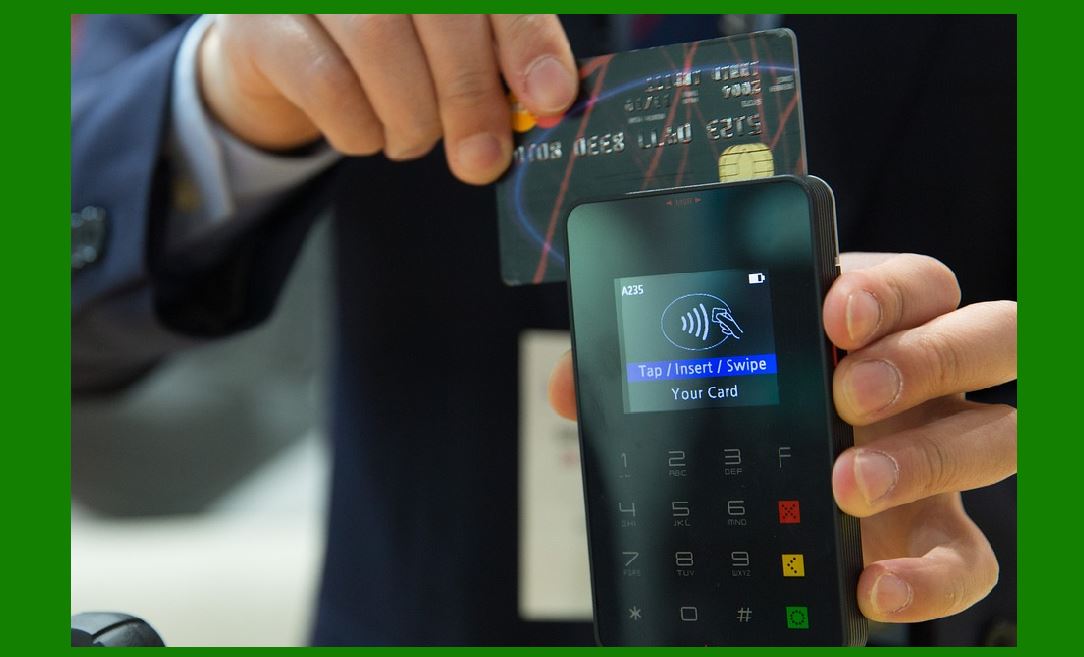
Integrated Payment Processing: Toast integrates with payment processors, enabling servers to accept payments directly from the POS system. Customers can pay via credit cards, mobile wallets (like Apple Pay), or contactless payment methods, all while reducing the time spent at the counter. |
Inventory and Ingredient Management: Toast's system tracks ingredient usage as orders are placed, automatically adjusting inventory levels. When stock is running low, the system generates alerts for managers to reorder supplies, ensuring the kitchen never runs out of key ingredients. |
Practical Scenario: A busy restaurant uses Toast POS to streamline operations. Servers can instantly see which tables are occupied, place orders directly into the kitchen, and send receipts to customers with payment links. The kitchen staff can view orders on the KDS, reducing errors, while the restaurant owner uses real-time reports to track sales, identify top-selling dishes, and manage inventory. |

|
2. Retail POS Software: 'Lightspeed Retail' |
Industry: Retail (Apparel, Electronics, Specialty Stores) |
Features: |
Barcode Scanning: Lightspeed Retail allows employees to scan products using a barcode scanner, instantly pulling up product details such as price, stock levels, and description. This helps ensure faster transactions and reduces errors. |
Inventory Management: The software tracks stock levels across multiple locations and syncs inventory in real time. Retailers can set low-stock alerts, automatically reorder items from suppliers, and manage product bundling or variations (e.g., size, color). |
Customer Relationship Management (CRM): Lightspeed Retail tracks customer purchase history, enabling businesses to create targeted marketing campaigns and personalized promotions. Retailers can also offer loyalty programs, encouraging repeat business and rewarding customers for frequent purchases. |
Multi-Channel Integration: Lightspeed integrates seamlessly with online stores, allowing retailers to manage both in-store and e-commerce sales from one central platform. This ensures consistent inventory management, pricing, and promotions across all sales channels. |
Practical Scenario: An apparel store uses Lightspeed Retail to manage its inventory across both its physical location and online shop. The store owner can check product availability across all locations in real time, ensuring they never oversell an item. Additionally, the system allows customers to earn loyalty points for purchases, which they can redeem in-store or online. |

|
3. Hospitality POS Software: 'MTech' |
Industry: Hotels and Resorts |
Features: |
Reservation Management: MTech's POS software integrates with the hotel's booking system to track reservations, room availability, and guest preferences. The front desk staff can easily check guests in, assign rooms, and process payments, all while updating the system in real time. |
Service Charge and Folio Management: For guests who use hotel amenities (e.g., restaurants, bars, spa services), the charges are automatically added to the guest's folio. This allows the hotel to keep track of all charges related to a specific guest and simplifies the billing process during check-out. |
Room Service Ordering: Integrated with the hotel's food and beverage POS, MTech allows guests to order room service directly from a tablet or mobile app. The order is sent directly to the kitchen, and the charges are added to the guest's room folio, improving convenience for both guests and hotel staff. |
Multi-Property Management: MTech's POS can manage multiple properties under one account, giving hotel managers a central platform to monitor operations, track revenue, and analyze performance across different locations. |
Practical Scenario: A large resort uses MTech's hospitality POS software to manage both room bookings and guest services. When guests check in, the system automatically assigns a room and updates the room availability in the system. Any purchases made during their stay (e.g., spa treatments, meals, or drinks) are added to the guest's folio, making check-out seamless and accurate. |

|
4. Healthcare POS Software: 'RX30 Pharmacy POS' |
Industry: Healthcare (Pharmacies, Medical Practices) |
Features: |
Prescription Management: RX30 Pharmacy POS integrates with electronic health records (EHR) to manage prescriptions. Pharmacists can track medication orders, verify patient information, and ensure that the correct medication is dispensed. |
Insurance Billing: The system allows pharmacies to submit insurance claims directly from the POS system. The software validates insurance details, reducing errors and ensuring that claims are processed quickly. |
Inventory Management: RX30 includes a robust inventory management system that tracks medication stock levels, expiration dates, and reorders medications automatically when stock runs low. This helps pharmacies avoid stockouts of critical medications. |
Patient Profiles and History: RX30 stores detailed patient profiles, including prescription history, allergies, and contact information. This ensures pharmacists have a complete overview of the patient's medication needs and can provide personalized care. |
Practical Scenario: A local pharmacy uses RX30 to manage patient prescriptions, medication inventory, and insurance billing. When a customer drops off a prescription, the pharmacist can quickly pull up the patient's profile, check for any potential drug interactions, and process the prescription through the POS system. If the patient's insurance information is already in the system, the claim is processed seamlessly, and the customer can be notified of their insurance coverage and copay amount. |
|
5. Quick-Service Restaurant POS Software: 'Square for Restaurants' |
Industry: Quick-Service Restaurants (QSR), Caf¨¦s, Food Trucks |
Features: |
Order Management: Square for Restaurants allows servers to input orders directly into the system, which are instantly sent to the kitchen. This reduces wait times and ensures that customers' orders are accurate and processed quickly. |
Menu Customization: Square's POS system allows quick-service restaurants to easily update menus, prices, and promotional offers. Changes can be made across all locations instantly, ensuring consistency in the customer experience. |
Integrated Payment Processing: The system accepts payments through a variety of methods, including credit/debit cards, mobile wallets, and gift cards. The POS also includes tipping functionality, allowing customers to leave tips directly via the system. |
Sales Reporting and Analytics: Square provides detailed sales reports, including data on sales trends, average ticket sizes, and staff performance. Managers can use these insights to optimize staffing, menu offerings, and pricing. |
Practical Scenario: A popular food truck uses Square for Restaurants to process orders and accept payments. The truck owner can easily update the menu on the POS system, ensuring that all team members are on the same page regarding available items. When a customer orders, the system sends the request to the kitchen for preparation, and the customer can pay with a mobile wallet or credit card through the POS interface. |
|
6. Retail POS Software for Multi-Location Stores: 'Revel Systems' |
Industry: Retail (Chain Stores, Multi-Location Businesses) |
Features: |
Multi-Location Management: Revel Systems allows businesses with multiple retail locations to manage all their stores from a central dashboard. Inventory, sales data, and customer insights are updated in real time across all locations, providing the business with a comprehensive view of its operations. |
Employee Management: The system includes tools for employee scheduling, time tracking, and payroll integration. Managers can set schedules, track employee hours, and generate payroll reports from the same platform. |
Customer Insights and CRM: Revel POS captures detailed customer data, allowing businesses to create customer profiles, track purchase history, and send targeted promotions. For example, a customer who frequently buys a specific brand or product might receive an offer for a discount on related items. |
Integrated Payments and Security: Revel integrates with multiple payment processors, accepting credit cards, mobile payments, and gift cards. The system is designed with built-in security features, ensuring that customer data is protected in compliance with industry standards. |
Practical Scenario: A retail chain with several stores across different cities uses Revel Systems to manage its operations. The headquarters can monitor sales performance, inventory levels, and customer behavior across all locations from a single dashboard. If an item is selling out at one store, the system will automatically notify the manager, who can arrange for a transfer of stock from a nearby store or place an order with the supplier. |

|
Conclusion |
Industry-specific POS software plays a crucial role in improving operational efficiency, reducing errors, and enhancing customer experiences across various industries. Whether it's a restaurant using Toast to streamline order management, a retail store using Lightspeed for inventory tracking and customer relationship management, or a pharmacy using RX30 to manage prescriptions and insurance claims, these systems are tailored to meet the specific demands of each business. By implementing the right POS solution, businesses can optimize their workflows, improve service delivery, and ultimately boost profitability. |
 cs@easiersoft.com