1. Introduction to POS System Software |
A Point of Sale (POS) system is a critical component of modern retail and hospitality industries, facilitating the transaction process between businesses and customers. The POS system combines hardware and software to allow the efficient processing of sales, the tracking of inventory, and the management of customer relationships. The software within a POS system typically consists of several key components, each designed to handle different aspects of the sales, operations, and reporting process. In this detailed breakdown, we will explore these core components, examining their functions and how they work together to create a cohesive solution for businesses. |

|
2. Transaction Processing |
Transaction processing is the core function of POS system software, as it directly handles the exchange of goods or services for payment. This component is responsible for calculating the total sale, managing discounts or promotions, and completing the financial transaction. |
Sales Entry: The process begins when an item or service is added to the sale. The POS system software retrieves the product information (such as price, tax, and SKU) from a centralized database or local inventory. |
Discounts and Promotions: The software applies any relevant discounts or promotional offers to the transaction. These can include time-based promotions, percentage discounts, and loyalty rewards. |
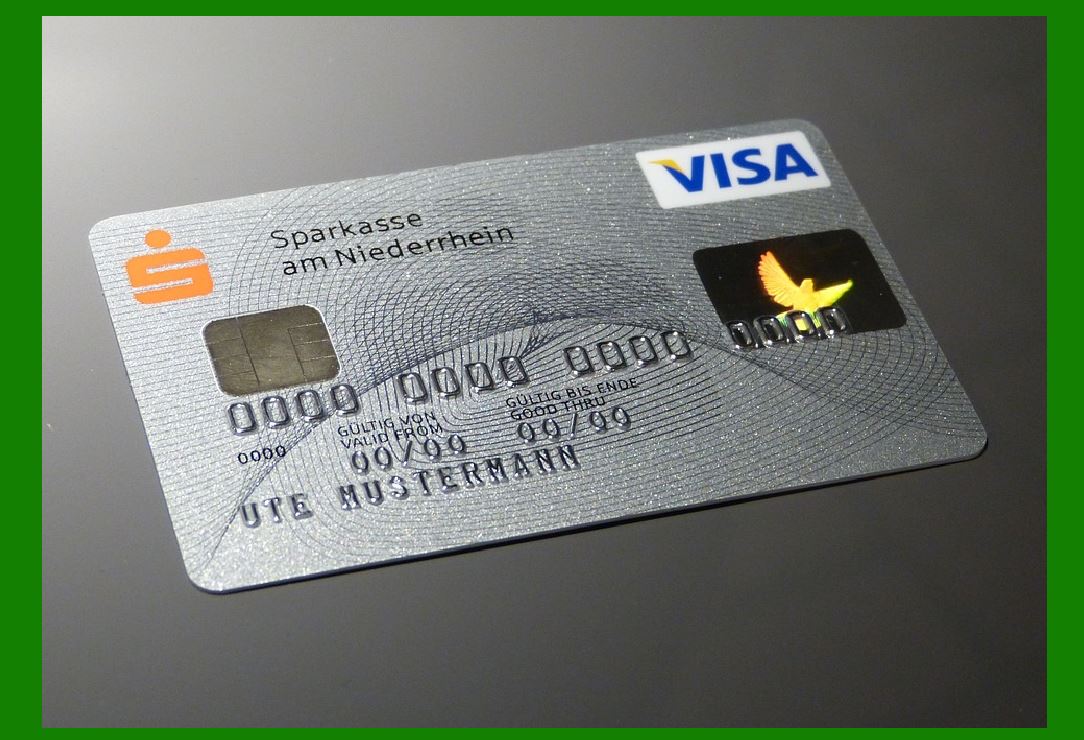
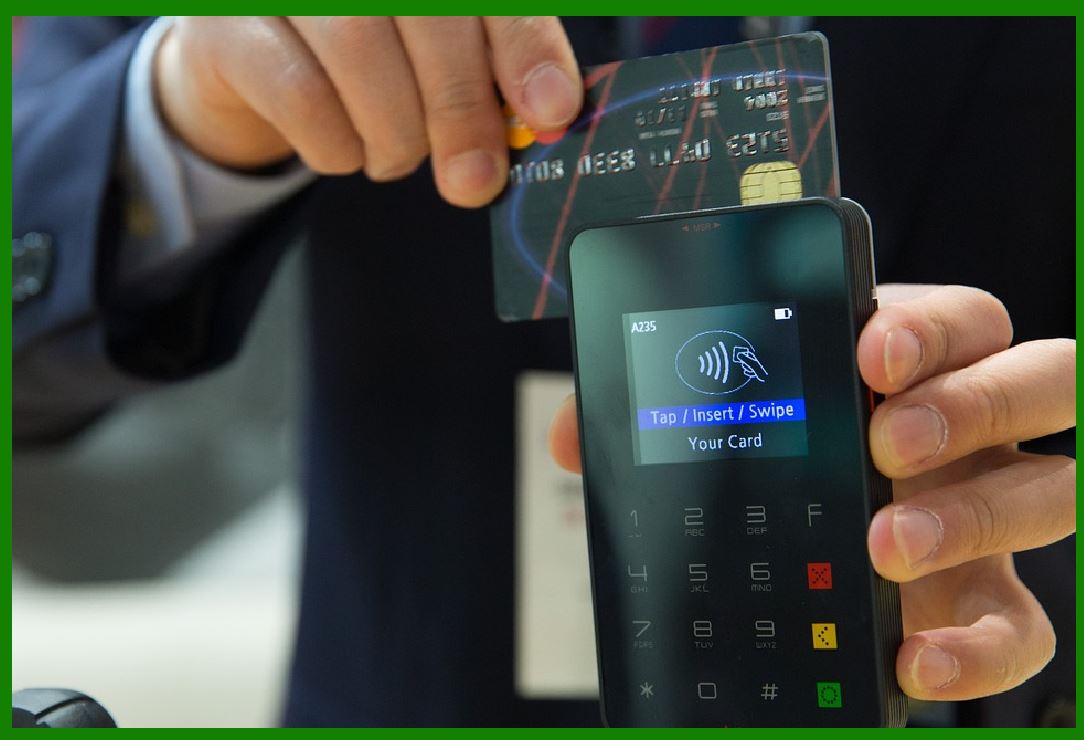
Payment Processing: Once the sale total is calculated, the POS software facilitates payment by accepting various forms of payment such as credit/debit cards, mobile payments, gift cards, and cash. Integrated payment gateways and secure encryption technologies ensure that the transaction is processed securely. |
Receipt Generation: Upon successful payment, the POS software generates a receipt for the customer, detailing the transaction's items, total amount, taxes, and any discounts applied. This receipt can be printed or emailed, depending on the system setup. |
Transaction History: The POS system software maintains a record of every transaction, allowing users to retrieve past sales data for customer service or reporting purposes. |
|
3. Inventory Management |
Effective inventory management is crucial for businesses to ensure they have enough stock to meet customer demand without overstocking, which can lead to wastage or inefficiencies. POS system software plays a vital role in automating inventory tracking and management. |
Real-time Inventory Tracking: The POS software continuously updates inventory levels in real time as sales are processed. Each time a sale occurs, the quantity of the purchased item decreases in the system. This helps businesses avoid selling out-of-stock items and can trigger reordering processes when stock levels reach a predetermined threshold. |
Stock Alerts: The software can be programmed to send automatic alerts when inventory levels drop below a certain point, helping businesses avoid stockouts and ensure that they always have sufficient stock on hand. |
Barcode Scanning: POS systems integrate with barcode scanners, allowing staff to easily track inventory by scanning products during the checkout process. The software then updates the inventory database automatically. |
Purchase Orders and Restocking: The POS system often includes features to create and manage purchase orders. When stock levels fall below a set threshold, the software can generate purchase orders to replenish the inventory. This ensures smooth supply chain operations and minimizes the chances of stockouts. |
Inventory Auditing: The POS system software also supports inventory auditing, allowing businesses to perform periodic stock checks to compare actual inventory with system records. Discrepancies can be identified and corrected. |

|
4. Customer Relationship Management (CRM) |
A POS system is not just a tool for processing transactions; it can also play a key role in building and maintaining customer relationships. CRM functionality within POS software helps businesses gather and analyze customer data to improve marketing, personalize experiences, and foster customer loyalty. |
Customer Profiles: POS systems can store detailed customer profiles that include contact information, purchase history, preferences, and other relevant details. This data allows businesses to offer personalized recommendations, targeted promotions, and tailored customer service. |
Loyalty Programs: Many POS systems offer built-in loyalty program management. Businesses can set up reward systems where customers earn points for every purchase or receive special discounts for frequent shopping. This helps increase customer retention and encourage repeat business. |
Marketing Campaigns: By analyzing customer purchase history and preferences, POS software can help businesses create targeted marketing campaigns. For example, the system can send personalized emails or promotions to customers based on their previous buying habits, improving the effectiveness of marketing efforts. |
Customer Feedback and Reviews: Some POS systems integrate customer feedback tools, allowing businesses to gather insights about customer satisfaction and service quality. This feedback can be used to improve products, services, and the overall customer experience. |

|
5. Reporting and Analytics |
A major advantage of modern POS systems is their ability to generate detailed reports and analytics that help businesses make data-driven decisions. POS software collects vast amounts of transaction and operational data, which can be analyzed to track business performance and identify areas for improvement. |
Sales Reports: POS software generates detailed sales reports that provide insights into the performance of products, services, and sales teams. These reports can include daily, weekly, or monthly sales figures, best-selling products, and sales trends over time. |
Profitability Analysis: Advanced reporting tools within POS systems allow businesses to analyze profitability by tracking costs, margins, and revenue. This helps businesses identify which products or services are the most profitable and which ones may need to be re-evaluated. |
Inventory Reports: The software can generate reports on inventory levels, turnover rates, and stock movement. This data is useful for making decisions about reordering, discontinuing products, or improving inventory management practices. |
Employee Performance: Many POS systems track employee performance by recording sales, hours worked, and commissions earned. Managers can use these reports to evaluate staff productivity and reward high performers. |
Financial Reporting: POS systems can also generate financial reports, including profit and loss statements, cash flow analysis, and tax summaries. This data is crucial for accounting, auditing, and compliance purposes. |

|
6. Integration with External Systems |
Modern POS systems are not standalone units; they often need to integrate with various other software systems and external platforms to provide a seamless experience for businesses. These integrations ensure that POS systems are more than just sales tools-they become central hubs for all business operations. |
Accounting Software: POS systems integrate with accounting platforms such as QuickBooks, Xero, or Sage to automatically update financial records. This reduces manual data entry errors and helps ensure accurate and up-to-date accounting information. |
E-commerce Platforms: Many businesses operate both physical stores and online stores. POS systems can integrate with e-commerce platforms (e.g., Shopify, WooCommerce) to synchronize inventory, orders, and customer data across both channels. This ensures that stock levels are accurate and that online and in-store customers receive consistent service. |
Payment Gateways: POS systems integrate with payment gateways (e.g., PayPal, Stripe, Square) to facilitate secure and efficient payment processing. These integrations support a wide range of payment methods, including credit cards, debit cards, and mobile wallets. |
ERP Systems: For larger businesses, POS software may integrate with Enterprise Resource Planning (ERP) systems to streamline back-office operations such as supply chain management, HR, and financial planning. This helps centralize data and provides a holistic view of business performance. |
Third-party Apps and Services: POS systems may also offer integrations with third-party apps for services such as employee scheduling, time tracking, and customer support. These integrations enable businesses to expand the functionality of their POS systems without needing to adopt new standalone software. |

|
7. Security and Compliance |
Given that POS systems handle sensitive customer data and financial transactions, security is a top priority. POS system software must be designed to protect this data from breaches and comply with industry standards and regulations. |
Data Encryption: POS software employs robust encryption techniques (e.g., SSL, AES) to ensure that sensitive data, such as credit card information and personal details, is transmitted securely. |
PCI Compliance: The Payment Card Industry Data Security Standard (PCI DSS) outlines the security requirements for businesses that handle payment card information. POS software must be PCI-compliant to ensure that customer payment information is stored and processed securely. |
User Authentication and Access Control: To prevent unauthorized access to the POS system, software typically includes user authentication features such as password protection, biometric verification, or two-factor authentication (2FA). Administrators can set different access levels for staff members, limiting their ability to perform certain actions (e.g., refund processing or price adjustments). |
Audit Trails: The POS system generates detailed logs of user activities, capturing actions such as price changes, refunds, and voided transactions. These audit trails are essential for detecting fraud or errors and are often required for compliance purposes. |
Fraud Prevention: POS software incorporates tools for identifying fraudulent activity, such as suspicious transaction patterns or the use of counterfeit currency. Some systems also include real-time alerts to notify managers of potential fraud risks. |
|
8. Cloud-Based vs. On-Premise Solutions |
POS software can be delivered in two primary models: cloud-based and on-premise. Each model has its own advantages and considerations, depending on the needs and scale of the business. |
Cloud-Based POS: Cloud-based POS systems store data on remote servers, allowing businesses to access their system from any internet-enabled device. Cloud POS offers flexibility, scalability, and lower upfront costs. It also provides automatic software updates, reducing maintenance efforts. However, businesses must rely on an internet connection, and security measures need to be robust to protect cloud-stored data. |
On-Premise POS: On-premise POS systems are installed locally on a business's hardware, and all data is stored on-site. This offers greater control over security and data management but requires more substantial upfront investment in infrastructure and maintenance. On-premise systems are ideal for businesses with limited internet access or those that need full control over their operations. |

|
9. Conclusion |
POS system software is a vital tool that enables businesses to manage sales, track inventory, maintain customer relationships, and generate valuable insights through reporting. Its key components-transaction processing, inventory management, CRM, reporting, external system integration, security, and compliance-work together to create a seamless, efficient, and secure business operation. As technology advances, POS systems continue to evolve, offering more robust features and greater flexibility to meet the needs of businesses of all sizes. Whether cloud-based or on-premise, the right POS system software can drive operational efficiency, improve customer service, and enhance overall business performance. |

|
What challenges will face in the future? |
As Point of Sale (POS) systems continue to evolve, businesses will face a range of challenges in adapting to new technologies, customer expectations, regulatory requirements, and security threats. While POS systems offer substantial benefits in terms of efficiency, accuracy, and data management, there are several factors that will present ongoing and emerging difficulties for businesses in the future. Below are some of the key challenges businesses are likely to face: |
1. Security Threats and Cybersecurity Risks |
As POS systems handle sensitive customer information, such as credit card details, personal data, and transaction history, they remain a primary target for cybercriminals. The increasing sophistication of cyberattacks presents a significant challenge to businesses using POS systems. |
Data Breaches: With growing instances of data breaches, especially in large-scale retail and hospitality operations, businesses face the risk of exposing customer payment information, which could lead to financial loss, reputation damage, and regulatory penalties. |
Payment Fraud: Fraudulent activities, such as card skimming, chargebacks, and identity theft, are on the rise. Criminals may exploit vulnerabilities in POS hardware, software, or payment gateways to steal sensitive data or manipulate transactions. |
Compliance with Standards: Adhering to stringent regulations such as PCI DSS (Payment Card Industry Data Security Standard) will continue to be a challenge. Businesses must stay current with compliance requirements, which often evolve as new technologies emerge. |
Security Patches and Updates: As hackers discover new vulnerabilities, POS system providers will need to release timely updates and patches. Businesses will have to stay vigilant and ensure that their systems are constantly updated to protect against the latest security threats. |

|
2. Adoption of Emerging Technologies |
The rapid pace of technological advancements means businesses will have to constantly adapt to new tools and features integrated into POS systems. This poses a significant challenge, particularly for smaller businesses or those with limited IT resources. |
Artificial Intelligence (AI) and Machine Learning (ML): As AI and ML become more integrated into POS systems, businesses will need to learn how to leverage these technologies effectively for customer personalization, predictive analytics, and inventory management. The challenge lies in the high learning curve and the cost of implementing such advanced systems. |
Contactless Payments and Biometric Authentication: With the rise of mobile wallets, NFC (Near Field Communication) payments, and biometric authentication (e.g., facial recognition or fingerprint scanning), businesses will have to upgrade their hardware and software to keep up with these changes. This may involve significant upfront investments and adjustments to customer-facing interfaces. |
Blockchain Technology: Blockchain offers secure, transparent transaction processing, which could transform payment methods and supply chain management. However, integrating blockchain technology with existing POS infrastructure could be complex and costly, especially for businesses that lack the technical expertise. |

|
3. Integration with E-Commerce and Omnichannel Operations |
As businesses increasingly operate across both physical and online platforms, integrating POS systems with e-commerce websites and other digital channels becomes more critical. However, this also presents several challenges: |
Data Synchronization: One of the biggest challenges is ensuring accurate and real-time synchronization of data between the physical store and the online store. This includes inventory management, pricing, promotions, and customer profiles. Discrepancies between online and in-store systems can lead to poor customer experiences, stockouts, or overstocking. |
Customer Experience Consistency: Consumers now expect a seamless experience across all channels-whether shopping in-store, online, or via mobile apps. For businesses, this means ensuring that the POS system integrates with the e-commerce platform to provide consistent pricing, promotions, and product availability, while offering unified loyalty programs, refunds, and customer service. |
Multichannel Support: As customers use a mix of devices (smartphones, tablets, desktop computers) and payment methods (credit cards, mobile wallets, cryptocurrency), POS systems will need to support a growing range of touchpoints, which could introduce complexity in terms of software upgrades, hardware compatibility, and user interface design. |

|
4. Scalability and Flexibility |
As businesses grow, they need POS systems that can scale effectively and adapt to changing operational requirements. This scalability challenge is especially pertinent for multi-location operations and franchises. |
Multiple Locations: Companies with multiple locations need POS systems that can centralize reporting, track inventory, and manage employee data across all stores. Managing these systems and ensuring they work cohesively without duplication of effort or data errors can be a difficult task. |
Customizability: With an increasing range of businesses operating in different sectors (retail, hospitality, healthcare, etc.), POS systems must become more customizable. This presents challenges for vendors to design flexible software that can cater to a variety of business models without unnecessary complexity or bloated features. |
|
5. Customer Privacy and Data Protection |
As data protection regulations become stricter, businesses must be mindful of how they collect, store, and use customer information. Violating privacy laws can lead to severe penalties and damage to customer trust. |
GDPR and CCPA Compliance: With the implementation of the General Data Protection Regulation (GDPR) in the EU and the California Consumer Privacy Act (CCPA) in the U.S., businesses will need to ensure that their POS systems are designed to handle customer data according to these privacy laws. This includes obtaining explicit consent for data collection, providing data access rights to customers, and implementing data retention policies. |
Data Minimization: Many businesses will face challenges related to data minimization, which means collecting only the data necessary for specific functions. As more POS systems collect behavioral data, geolocation information, and payment history, ensuring that sensitive data is kept to a minimum and properly encrypted becomes crucial. |

|
6. Cost and ROI of New Technologies |
The adoption of new POS technology often requires a significant financial investment, and businesses will need to weigh the costs against potential returns. This is especially true for smaller businesses or those in industries with tight margins. |
Initial Investment: Upgrading to modern POS systems that support advanced features such as cloud computing, AI, and integrated payment gateways can involve substantial upfront costs for hardware, software, and training. Smaller businesses may struggle to justify this expenditure, especially when their existing systems are still functional. |
Return on Investment (ROI): The challenge lies in quantifying the ROI from adopting new POS systems, particularly for businesses without the technical expertise to track performance metrics. Businesses will need to carefully assess the long-term benefits (e.g., increased efficiency, customer satisfaction, and data insights) versus the immediate costs. |
Ongoing Maintenance and Subscription Fees: Cloud-based POS systems, in particular, come with ongoing subscription fees, which can add up over time. Businesses must carefully consider whether the convenience of cloud services is worth the recurring costs. |

|
7. Training and User Adoption |
The complexity of modern POS systems can create challenges for training staff and ensuring smooth adoption across the organization. |
Employee Training: New POS systems often come with advanced features, which means staff will need to undergo training to become proficient. Without adequate training, employees may struggle with the system, leading to inefficiencies, errors in processing transactions, and poor customer service. |
Resistance to Change: Employees who are accustomed to older POS systems may be resistant to adopting new technology. Overcoming this resistance and encouraging staff to embrace new tools is an ongoing challenge for businesses. |
Customer Training: In some cases, businesses may also need to educate their customers about using new payment methods or loyalty programs integrated with the POS system. For example, if businesses introduce mobile wallets or biometric authentication for payments, customers may require guidance to understand and adopt these new payment methods. |

|
8. System Downtime and Reliability |
POS systems are critical to daily operations, and any downtime can directly impact sales, customer experience, and business operations. Ensuring system reliability and minimizing downtime will continue to be a challenge. |
Hardware and Software Failures: Hardware malfunctions, software glitches, or connectivity issues can disrupt the normal functioning of POS systems. Businesses will need robust backup and disaster recovery plans to ensure they can continue operations if the POS system experiences an outage. |
Network Connectivity: For cloud-based POS systems, network connectivity is essential. In areas with unreliable internet access, businesses may experience disruptions, especially if the system is unable to function offline. For on-premise systems, maintaining the necessary infrastructure and ensuring hardware reliability is key. |
System Updates and Maintenance: Regular system updates and maintenance are necessary to ensure the POS software runs smoothly, but these processes can introduce temporary disruptions. Businesses will need to find a balance between keeping their systems up to date while avoiding unnecessary downtime. |

|
9. Evolving Consumer Expectations |
As consumer behavior continues to shift, businesses will need to adapt their POS systems to meet evolving expectations for convenience, speed, and personalization. |
Faster Transactions: Consumers expect faster transactions, particularly in high-volume settings like retail and restaurants. POS systems must be able to process payments quickly while ensuring accurate inventory tracking and customer service. |
Personalized Experiences: Customers expect personalized interactions based on their purchasing history and preferences. POS systems that integrate customer relationship management (CRM) data will need to be able to provide personalized recommendations, offers, and loyalty rewards. |
Seamless Multichannel Shopping: Consumers are increasingly shopping across multiple channels, including physical stores, online platforms, and mobile apps. POS systems will need to facilitate this multichannel shopping experience, ensuring consistent pricing, stock availability, and payment options. |

|
10. Globalization and Multicurrency Support |
For businesses that operate internationally or have a global customer base, POS systems must support multiple currencies, languages, and local payment methods. This introduces challenges related to localization, compliance with local regulations, and the ability to handle cross-border transactions seamlessly. |
Currency Conversion: POS systems must be able to process payments in various currencies and accurately convert them at real-time exchange rates. This is particularly important for e-commerce businesses serving customers across different countries. |
Localized Taxation and Compliance: Different countries have different tax systems and regulations. POS systems need to handle localized taxation rules, including VAT (Value Added Tax) or sales tax, to ensure businesses remain compliant with local laws. |

|
Conclusion |
While POS systems have greatly improved business operations and customer service, they also face an array of challenges that businesses will need to navigate in the coming years. Security, technological advancements, regulatory compliance, and customer expectations will continue to evolve, requiring businesses to stay adaptable and proactive in addressing these issues. By investing in robust, flexible, and scalable POS solutions, businesses can mitigate many of these challenges and continue to thrive in an increasingly complex retail and service environment. |
 cs@easiersoft.com