1. Introduction to CRM in POS Software |
In today's competitive retail environment, businesses are increasingly relying on modern Point of Sale (POS) systems to manage customer relationships and drive sales. Customer Relationship Management (CRM) is a critical component of these systems, serving as a bridge between a business and its customers. CRM tools within POS software provide businesses with the ability to collect, store, and analyze customer data in order to offer personalized experiences, improve customer loyalty, and enhance sales performance. |
CRM tools integrated into POS systems are designed to store customer information such as contact details, purchase history, preferences, and behavior. This data enables businesses to better understand their customers and tailor their interactions with them in more effective ways. In this detailed explanation, we will explore the functionality, benefits, and strategies associated with CRM features in POS systems, and how they can be used to optimize business operations and customer engagement. |
|
2. Key Features of CRM in POS Systems |
The integration of CRM tools into POS software typically involves a range of features that empower businesses to manage their customer relationships more effectively. Below are the most common and impactful features of CRM in modern POS systems: |
2.1. Customer Data Management |
The foundation of any CRM system is its ability to store and manage customer data. Modern POS systems are equipped with tools that automatically capture a wide range of customer details, such as names, contact numbers, email addresses, birthdays, and more. This data is often collected through customer accounts, loyalty programs, or during transaction checkouts. |
Furthermore, POS systems can track each customer's purchasing history, which includes items purchased, purchase frequency, and monetary value. This data can be extremely valuable for developing targeted marketing campaigns and sales strategies. Businesses can use this information to provide tailored product recommendations based on past purchases or alert customers about items they might be interested in. |
2.2. Customer Segmentation |
Effective CRM systems allow businesses to segment their customer base according to various criteria, such as demographics, buying behavior, frequency of visits, and more. This segmentation enables more targeted marketing and communication, ensuring that promotions and offers are relevant to specific groups of customers. |
For example, businesses can create segments like 'frequent buyers,' 'high spenders,' or 'inactive customers' to tailor marketing efforts accordingly. By segmenting customers, businesses are able to deliver personalized messages, such as sending loyalty rewards to regular shoppers or offering re-engagement incentives to customers who have not visited in a while. |
2.3. Loyalty Programs |
Loyalty programs are an essential component of CRM in POS systems. These programs encourage repeat business by rewarding customers for their continued patronage. Modern POS systems enable businesses to create customizable loyalty programs that reward customers for purchases, referrals, or social media engagement. |
Loyalty points, discounts, and special promotions can be tracked and managed within the POS system, allowing businesses to offer rewards seamlessly at the point of sale. Some advanced POS systems also allow customers to track their loyalty points through mobile apps or customer portals, creating a more integrated and user-friendly experience. |
2.4. Purchase History Tracking |
One of the most valuable features of CRM in POS software is the ability to track purchase history in real time. This allows businesses to see detailed records of a customer's buying habits, preferences, and trends. For example, a business may notice that a customer frequently purchases a particular brand of product or specific category, such as organic foods. |
This data can be used to deliver personalized marketing messages, such as informing the customer about promotions on their preferred products or offering discounts on complementary items. Additionally, purchase history can help businesses manage inventory better by predicting customer demand for specific products. |
2.5. Personalized Marketing and Communication |
Modern POS CRM systems enable businesses to craft personalized marketing messages and campaigns. With detailed customer profiles and purchase histories, businesses can tailor their communications, ensuring that customers receive relevant offers, reminders, or product recommendations. |
Email marketing campaigns can be automated to send customized messages, such as birthday discounts, product recommendations based on previous purchases, or exclusive offers for high-value customers. Furthermore, SMS marketing can be used to send timely, location-based offers or updates on special promotions that may interest customers. |
2.6. Reporting and Analytics |
CRM tools in POS systems often include advanced reporting and analytics capabilities. Businesses can track various customer metrics, such as average order value, customer lifetime value, frequency of visits, and more. These insights provide a data-driven approach to decision-making and allow businesses to identify opportunities for growth. |
For example, a business may use reporting tools to analyze the effectiveness of a loyalty program by comparing the purchasing habits of loyal customers to those of non-loyal customers. This type of analysis helps businesses refine their customer engagement strategies and improve overall customer satisfaction. |
|
3. Benefits of CRM in POS Systems |
The inclusion of CRM features in modern POS systems offers numerous benefits to businesses, ranging from enhanced customer loyalty to improved marketing effectiveness. Below are the primary benefits businesses can gain from using CRM tools within their POS systems: |
3.1. Improved Customer Retention |
One of the most significant advantages of integrating CRM with POS systems is improved customer retention. By utilizing customer data to offer personalized experiences, businesses can make their customers feel valued and appreciated. Personalized loyalty rewards, targeted promotions, and relevant communication help create long-lasting relationships between the business and its customers. |
CRM systems also enable businesses to track customer satisfaction and address concerns promptly, which can further strengthen customer loyalty. A positive customer experience leads to repeat business and higher customer lifetime value, ultimately driving sustained growth for the business. |
3.2. Increased Sales and Revenue |
CRM tools in POS systems are highly effective at driving sales and increasing revenue. By leveraging customer data, businesses can offer upsell and cross-sell opportunities based on customers' previous purchases or preferences. For instance, a customer who regularly buys running shoes might be interested in purchasing sports apparel or accessories. By presenting these items at the point of sale or through targeted promotions, businesses can boost average order values. |
Additionally, personalized marketing campaigns and loyalty programs incentivize customers to spend more, leading to increased revenue. When customers feel that they are receiving relevant offers and rewards, they are more likely to make additional purchases or visit more frequently. |
3.3. Enhanced Customer Experience |
Modern customers expect personalized, seamless experiences, both online and offline. CRM tools in POS systems allow businesses to meet these expectations by creating a more individualized shopping experience. From personalized greetings at checkout to customized product recommendations, CRM tools enhance the customer's perception of the brand and create a more enjoyable shopping experience. |
Moreover, customer-facing POS systems often allow customers to access their loyalty points, purchase history, or even order status through mobile apps or kiosks. This makes the entire shopping journey more convenient and connected, helping to foster a stronger emotional connection with the brand. |
3.4. Better Decision-Making with Data Insights |
CRM in POS systems provides businesses with valuable insights that can inform decision-making. Data analytics allow businesses to identify trends, measure the effectiveness of marketing campaigns, and understand customer preferences on a deeper level. With access to comprehensive customer data, businesses can make informed decisions about inventory, pricing strategies, promotional offers, and product assortments. |
For example, if a business notices that a particular product is frequently purchased by a specific customer segment, it might decide to promote that product to similar customers or reorder additional stock. Such data-driven decisions enhance operational efficiency and contribute to the overall success of the business. |
3.5. Streamlined Operations |
Integrating CRM into a POS system streamlines various aspects of business operations. Instead of managing customer data across separate systems, POS-based CRM tools centralize information, making it easier for employees to access and update customer profiles in real time. This reduces manual processes, eliminates data duplication, and minimizes the risk of errors. |
Moreover, CRM tools in POS systems often integrate seamlessly with other business software, such as accounting systems, inventory management tools, and eCommerce platforms. This ensures that customer interactions are tracked consistently across all touchpoints, providing a unified view of customer behavior and improving overall operational efficiency. |
|
4. Strategies for Using CRM in POS Systems |
Businesses can leverage CRM features in POS systems more effectively by implementing strategies that align with their customer engagement goals. Below are some proven strategies for maximizing the impact of CRM tools within POS systems: |
4.1. Develop Targeted Marketing Campaigns |
By segmenting customers based on demographics, purchase history, and preferences, businesses can develop highly targeted marketing campaigns. Whether it's through email, SMS, or social media, personalized marketing ensures that customers receive messages that are relevant to them, increasing the likelihood of engagement and conversions. |
For instance, businesses can create campaigns for specific holidays, events, or product launches, tailoring offers to specific customer segments. Customers who regularly buy coffee, for example, might be interested in a special promotion for a new coffee blend or accessories like mugs or grinders. |
4.2. Optimize Loyalty Programs |
Loyalty programs are a powerful tool for encouraging repeat business. CRM tools in POS systems allow businesses to design loyalty programs that reward customers based on their individual purchasing habits. Instead of offering generic discounts, businesses can create more personalized rewards that resonate with each customer's preferences. |
For example, a customer who frequently buys skincare products could be rewarded with a special discount on their next skincare-related purchase. Additionally, businesses can use CRM data to send loyalty rewards on special occasions, such as birthdays or anniversaries, to further enhance customer loyalty. |
4.3. Focus on Customer Feedback and Satisfaction |
POS-based CRM systems can be used to gather valuable customer feedback, either through surveys or automated follow-up emails after purchases. This feedback can provide insights into customer satisfaction and areas where the business can improve. Businesses can use this information to enhance their products, services, or customer support, ensuring that customers feel heard and valued. |
For example, businesses can set up automated surveys that ask customers about their in-store experience or the quality of a recent product purchase. Positive feedback can be used for marketing purposes, while negative feedback can be addressed immediately to prevent customer churn. |
4.4. Leverage Cross-Channel Engagement |
CRM tools in POS systems can facilitate cross-channel engagement by ensuring that customer interactions are consistent across all touchpoints, whether in-store, online, or via mobile apps. For instance, businesses can integrate their POS CRM with eCommerce platforms, enabling customers to make purchases online and redeem loyalty rewards or promotions in-store. |
By creating a unified customer experience across multiple channels, businesses can improve customer retention and increase the likelihood of cross-selling and up-selling opportunities. |

|
5. Conclusion |
Customer Relationship Management (CRM) integrated into modern POS systems offers businesses powerful tools to enhance customer engagement, boost sales, and improve operational efficiency. By managing and analyzing customer data, businesses can provide personalized experiences, optimize loyalty programs, and create targeted marketing campaigns that resonate with their audience. The benefits of CRM in POS systems are undeniable, as they not only foster customer loyalty but also provide valuable insights that can drive business growth and innovation. |
As businesses continue to adopt and leverage advanced POS systems with CRM capabilities, the potential for customer-driven growth and success will only increase. Embracing these technologies will be essential for businesses that want to stay competitive and meet the evolving expectations of their customers. |
|
Case Studies of CRM Integration in POS Systems |
In Europe, businesses across various industries have successfully integrated Customer Relationship Management (CRM) tools into their Point of Sale (POS) systems, improving customer engagement, sales, and operational efficiency. Below are several case studies from different sectors, highlighting how CRM-powered POS systems have delivered tangible benefits. |
1. Zara (Retail Fashion - Spain) |
Overview: Zara, a leading global fashion retailer based in Spain, is well-known for its ability to rapidly respond to changing fashion trends. The company has successfully integrated CRM tools into its POS systems to create a more personalized shopping experience for its customers. |
CRM Implementation: Zara uses CRM features within its POS system to collect and analyze customer data, including purchase history, preferences, and browsing behavior. This data is collected via customer loyalty programs and online store interactions. The integration of this CRM data allows the company to offer personalized product recommendations both online and in-store. |
The POS system at Zara's physical stores is linked to their online sales data, allowing sales associates to provide a seamless omnichannel experience. When a customer visits the store, the associate can access the customer's purchase history and preferences, enabling them to make personalized recommendations. In return, customers benefit from customized offers and promotions. |
Results: |
Increased Customer Loyalty: Zara has seen an increase in customer loyalty due to the personalized shopping experiences and tailored marketing campaigns facilitated by CRM data. |
Improved Inventory Management: The POS-based CRM system helps Zara track which products are most popular among specific customer segments, improving stock levels and minimizing overstocking or understocking. |
Cross-Channel Integration: The ability to offer online-to-offline (O2O) services, such as click-and-collect, has enhanced customer convenience and engagement. |
|
2. Decathlon (Sporting Goods - France) |
Overview: Decathlon, a French multinational retailer specializing in sporting goods, has been a pioneer in integrating CRM into its POS systems. Known for its customer-centric approach, Decathlon has implemented CRM-powered POS tools to optimize its customer service and drive sales. |
CRM Implementation: Decathlon's POS system is integrated with its loyalty program, which tracks each customer's purchase behavior across both physical and online stores. The company uses this data to create highly segmented customer profiles and offers personalized promotions and discounts. The POS system also enables Decathlon to gather insights on which products are favored by specific customer segments, allowing them to stock the right products in the right stores. |
One notable feature of Decathlon's POS system is the ability for customers to register and access their loyalty accounts directly through the POS terminals. This creates a more fluid and integrated shopping experience, where customers can earn points and redeem rewards in real time during their store visits. |
Results: |
Enhanced Customer Experience: Customers benefit from personalized product recommendations based on their past purchases, making the shopping experience more relevant and engaging. |
Increased Conversion Rates: By using purchase data and preferences to tailor marketing efforts, Decathlon has successfully increased conversion rates both in-store and online. |
Better Product Availability: CRM analytics help Decathlon fine-tune its product offerings in different locations, ensuring that the most relevant sporting goods are available based on local demand. |

|
3. IKEA (Home Furniture - Sweden) |
Overview: IKEA, the Swedish multinational furniture retailer, has been at the forefront of integrating technology into its retail operations, including the use of CRM tools within its POS systems. Known for its large stores and unique customer experience, IKEA has used CRM to strengthen its relationship with customers and improve sales. |
CRM Implementation: IKEA's CRM system within its POS is deeply integrated with its customer loyalty program, called 'IKEA Family.' This program provides members with discounts, special offers, and personalized promotions based on their shopping behavior and preferences. The CRM system collects data across all customer touchpoints (in-store, online, and through mobile apps), providing a 360-degree view of each customer. |
In addition, the POS system tracks customer purchases and preferences, enabling IKEA to provide personalized shopping experiences. For example, when a customer purchases a set of furniture, the POS system can recommend complementary items, such as decor or storage solutions, based on the customer's purchase history and preferences. |
Results: |
Personalized Recommendations: IKEA has successfully used CRM data to offer personalized recommendations for products that complement customers' existing purchases, increasing the average order value. |
Better Customer Insights: The integration of CRM into the POS system provides IKEA with actionable insights into customer preferences, which helps with inventory planning and marketing campaigns. |
Increased Loyalty and Engagement: The IKEA Family loyalty program has seen significant growth, with customers benefiting from tailored offers, exclusive deals, and invitations to special events, which have enhanced loyalty and repeat visits. |
|
4. Carrefour (Supermarkets - France) |
Overview: Carrefour, one of the largest supermarket chains in Europe, operates across several countries, including France, Spain, and Belgium. With a focus on customer-centric retail, Carrefour has integrated CRM into its POS systems to enhance customer experiences and drive sales. |
CRM Implementation: Carrefour has adopted a sophisticated CRM system that is integrated into its POS terminals. The system collects a wide range of customer data, including shopping habits, loyalty program participation, and demographic information. Using this data, Carrefour personalizes offers and discounts to individual customers. |
The supermarket giant also uses CRM data to segment its customers by shopping behavior. For example, customers who frequently buy organic products receive tailored promotions for organic food items. Additionally, Carrefour sends personalized offers to customers via email, SMS, and their mobile app, which are triggered based on their shopping history. |
Carrefour has also adopted self-checkout systems that are linked to their CRM, allowing customers to access their loyalty rewards seamlessly while reducing checkout times. |
Results: |
Increased Customer Engagement: Carrefour has seen increased engagement with its loyalty program, which is directly linked to the POS system and CRM data. Customers who receive personalized offers are more likely to redeem them, resulting in higher sales. |
Efficient Inventory Management: By analyzing purchasing patterns through CRM data, Carrefour can optimize its stock levels, ensuring that popular products are always available and reducing waste on less popular items. |
Cross-Channel Consistency: The CRM system ensures that customers receive consistent offers across different channels, whether they are shopping in-store, online, or via the mobile app, creating a more cohesive customer experience. |
|
5. Marks & Spencer (Retail - UK) |
Overview: Marks & Spencer (M&S), a well-known British retailer, has integrated CRM tools into its POS systems to offer more personalized shopping experiences. The company is known for its high-quality food, clothing, and home goods, and its use of CRM has enhanced its ability to connect with customers and offer tailored services. |
CRM Implementation: Marks & Spencer uses its CRM system to collect data from both in-store and online purchases, allowing it to create detailed customer profiles. The CRM system tracks customer behavior across various product categories, which enables M&S to provide personalized offers based on individual preferences. |
For example, the CRM system analyzes customer data to recommend specific clothing styles based on past purchases. In the food sector, it can suggest meal ideas based on customers' previous shopping habits, making it easier for them to shop and discover new products. The M&S loyalty program, 'Sparks,' is also integrated with the POS system, allowing customers to earn points and access tailored offers. |
Results: |
Personalized Customer Experience: The integration of CRM with the POS system has allowed M&S to deliver a highly personalized shopping experience, from product recommendations to special discounts tailored to individual customers. |
Increased Customer Retention: The use of personalized offers and rewards in the 'Sparks' loyalty program has contributed to higher customer retention and repeat business. |
Better Sales Forecasting: By analyzing CRM data, M&S can better forecast demand for certain products and adjust inventory levels accordingly, reducing the risk of stockouts and overstocking. |
|
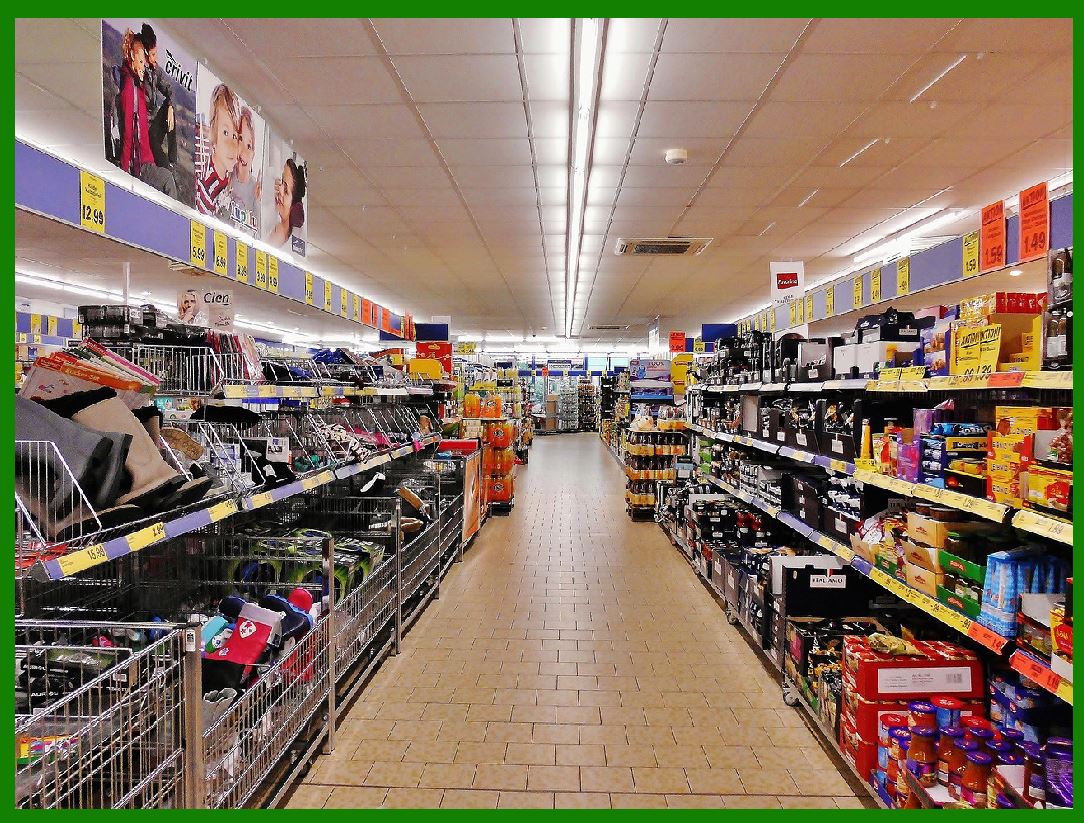
6. Lidl (Supermarkets - Germany) |
Overview: Lidl, a German global supermarket chain, has been integrating CRM features into its POS systems to improve customer service and drive sales, particularly through personalized promotions. |
CRM Implementation: Lidl's POS systems are equipped with CRM tools that collect customer data through loyalty programs and in-store interactions. The company uses this data to segment customers based on shopping patterns, such as frequent buyers, product preferences, and spending behavior. |
Using this information, Lidl sends targeted promotions via mobile apps and email, offering personalized discounts for products the customer has previously purchased or shown interest in. Lidl has also implemented a customer feedback system linked to the POS, allowing customers to rate their shopping experience and provide direct feedback. |
Results: |
Improved Customer Insights: Lidl has gained valuable insights into customer behavior, enabling it to develop more targeted promotional campaigns and inventory strategies. |
Increased Customer Satisfaction: The personalized offers and the ability to provide feedback have improved customer satisfaction and loyalty. |
Higher Conversion Rates: By offering promotions based on customer data, Lidl has been able to increase conversion rates and encourage repeat purchases. |
|
Conclusion |
These case studies demonstrate how businesses across Europe have successfully implemented CRM systems within their POS environments to drive customer engagement, improve sales, and streamline operations. From fashion retailers like Zara to supermarkets like Carrefour and Lidl, CRM tools in POS systems are helping businesses offer personalized experiences, optimize marketing efforts, and enhance customer loyalty. The integration of CRM into POS not only benefits customers but also provides valuable business insights that enable retailers to stay competitive in a rapidly changing marketplace. |
 cs@easiersoft.com