POS Software: Transaction Management |
Transaction management is arguably the most important feature of Point of Sale (POS) software. It is the system that governs and handles all the transactional processes between a business and its customers. From calculating prices and processing payments to managing returns and issuing receipts, the transaction management module acts as the core engine that drives a business's ability to complete sales efficiently and accurately. This document will provide a detailed exploration of transaction management in POS software, breaking down its various components and the processes involved. |

|
1. Overview of Transaction Management in POS Software |
Transaction management in POS software involves the entire lifecycle of a sale, from the initiation of the transaction to its conclusion. At its most basic level, transaction management covers the process of recording a sale, calculating the total price, processing payments, and issuing receipts. However, its role extends far beyond these basic functions. A robust transaction management system can handle more complex scenarios, such as processing discounts, applying taxes, managing multiple payment methods, tracking returns and exchanges, and ensuring compliance with local financial regulations. |
The transaction management system essentially serves as the interface between the business and the customer. It ensures that each sale is recorded correctly, that the correct amount is charged, and that the payment is processed securely. Additionally, it provides essential features for post-sale processes such as managing returns, refunds, and exchanges. |

|
2. Sales Process in Transaction Management |
At the heart of transaction management is the sales process. This process can be broken down into several stages, each of which is handled by the POS system. |
2.1 Initiating the Sale |
The sales process begins when a customer selects the items they wish to purchase. The POS system's interface allows the sales associate or cashier to quickly input the items into the system, either by scanning barcodes, entering product codes, or searching through a catalog. Each item in the transaction is linked to its product details, including the item description, price, quantity, and available stock. If the customer is purchasing multiple items, the POS system calculates the subtotal as items are added. |
2.2 Price Calculation and Application of Discounts |
Once the items are entered into the system, the POS software calculates the sale price. This calculation includes several components: |
Base Price: The standard price of each item. |
Discounts: Any discounts that apply to individual items or the entire order. These discounts could be based on customer loyalty, promotional offers, volume purchases, or specific price rules set by the business. The POS system will automatically apply any applicable discounts based on predefined conditions. |
Taxes: Sales tax is calculated based on the applicable tax rate for the location where the sale is occurring. This could vary based on region, product type, or other factors. The POS system calculates and displays the tax amount for the customer. |
Total Price: The system then sums the subtotal, tax, and any applicable discounts to determine the total sale price. |
The flexibility of the POS system allows businesses to set up different discount types, including percentage-based discounts, fixed-amount discounts, or even time-sensitive promotions. This ensures that businesses can handle a wide variety of pricing models and promotional strategies. |
2.3 Processing Payments |
Once the total price is calculated, the system moves to the payment stage. The POS system must be capable of handling various types of payment methods, including cash, credit cards, debit cards, mobile payments (e.g., Apple Pay, Google Pay), gift cards, and even third-party payment gateways. The system's ability to process different payment types smoothly is a critical component of transaction management. |
Cash Payment: When the customer pays with cash, the cashier inputs the amount tendered, and the POS system calculates the change to be returned to the customer. The system will track the cash drawer balance and update the transaction records accordingly. |
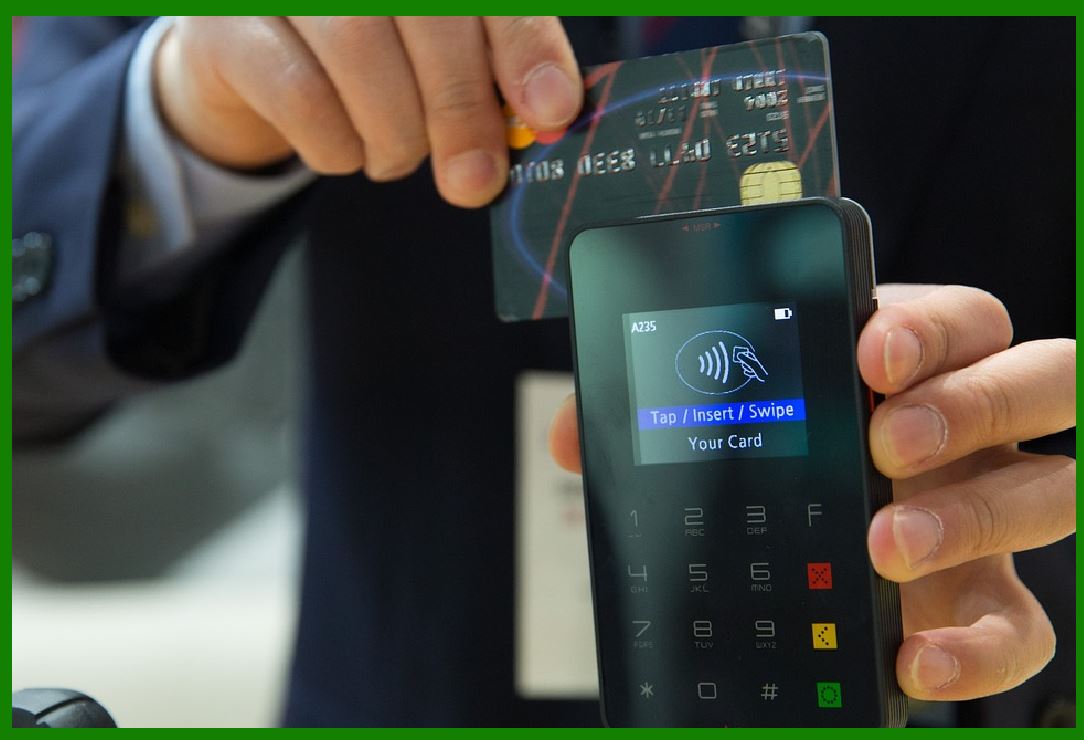
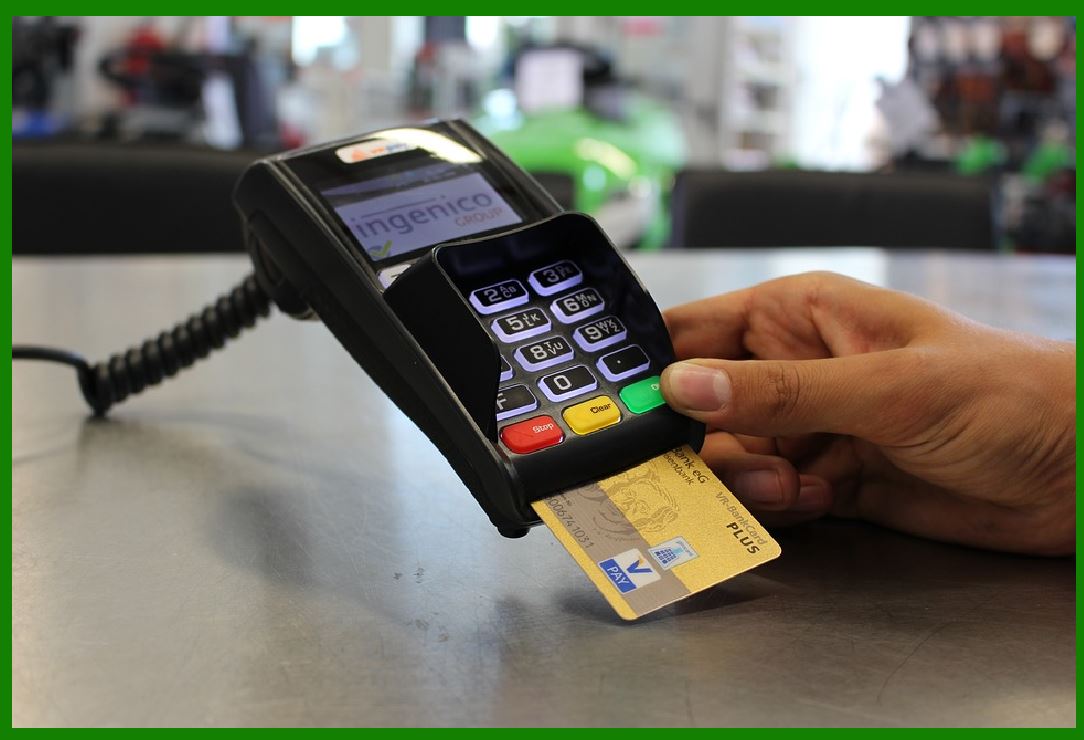
Card Payments: For credit or debit card transactions, the system interfaces with the payment gateway to authorize the card, check for available funds, and complete the payment. The POS software ensures secure processing by complying with industry standards such as PCI DSS (Payment Card Industry Data Security Standard) for protecting customer data during transactions. |
Mobile Payments: Mobile payment systems such as Apple Pay, Google Pay, and Samsung Pay allow customers to make payments via their smartphones. These payments are processed similarly to card payments but are facilitated through NFC (Near Field Communication) technology or QR codes. The POS system must be compatible with these payment methods for seamless transactions. |
Gift Cards and Loyalty Points: Many businesses offer their customers gift cards or loyalty point programs. The POS system must track the balance on these cards or loyalty accounts, apply them to the sale as partial or full payment, and ensure that the remaining balance is updated accurately. |
2.4 Receipt Generation |
After the payment is processed, the POS system generates a receipt for the transaction. The receipt typically contains the following information: |
Business name, address, and contact details |
A unique transaction ID or receipt number |
Date and time of purchase |
List of purchased items (including quantities, prices, and discounts) |
Total amount, taxes, and payment details |
Return and exchange policies |
Receipts can be printed on paper or sent electronically via email or SMS, depending on the customer's preference. Some POS systems also allow customers to save digital receipts on their mobile devices for easy access and future reference. |

|
3. Handling Returns, Refunds, and Exchanges |
Transaction management doesn't end with a completed sale. A significant part of the process also involves handling returns, refunds, and exchanges. These situations require a different set of functionalities to ensure proper tracking and compliance with store policies. |
3.1 Returns |
A return occurs when a customer decides to return an item they purchased, typically due to defects, dissatisfaction, or incorrect purchases. The POS system allows the cashier or associate to process a return by identifying the original transaction, verifying the item being returned, and ensuring that the return complies with the store's return policy. Returns can be handled in the following ways: |
Full Refund: The full purchase amount is refunded to the customer's original payment method. If the customer paid by credit card, the system will initiate a credit card refund. |
Partial Refund: In some cases, only part of the original sale amount is refunded, perhaps because the customer is keeping some of the items or due to restocking fees. |
Store Credit: If the store has a policy of offering store credit rather than a direct refund, the POS system can issue a store credit voucher, which can be used for future purchases. |
3.2 Refunds |
Refunds are processed when a customer returns an item and is entitled to a reimbursement. Refunds can be made to the original payment method (e.g., credit card, cash) or issued as store credit. The POS system ensures that all necessary financial records are updated to reflect the refund, including adjustments to inventory and sales reports. |
Payment Method Compatibility: Refunds must be issued to the same method as the original payment whenever possible. This requires the POS system to track the payment details for every transaction and make the refund process seamless for the customer. |
Refund Limitations: Many businesses have policies in place regarding the timeframe within which a refund can be processed (e.g., within 30 days of purchase). The POS system can enforce these policies by restricting refunds after the allowable period. |
3.3 Exchanges |
An exchange involves the return of an item in exchange for a different item, typically of equal or greater value. The POS system must be able to: |
Process the return of the original item |
Apply any price differences (e.g., if the new item is more expensive or if there's a discount) |
Track the new item's inventory levels and update the product catalog |
Exchanges may also involve the use of store credit or partial refunds if the customer is paying the difference in price. The POS system must manage these transactions efficiently, ensuring that the correct inventory adjustments are made, and the customer is charged appropriately. |
|
4. Reporting and Record Keeping |
A well-functioning transaction management system also supports robust reporting capabilities. These reports are crucial for business owners and managers to track sales performance, monitor financial activity, and ensure compliance with accounting and tax regulations. |
4.1 Sales Reports |
Sales reports provide a detailed overview of the business's transaction history. These reports can break down sales by date, time, cashier, product category, or location. Key metrics often included in these reports are: |
Total sales revenue |
Total number of transactions |
Average transaction value |
Sales by product or category |
Payment methods used |
By analyzing these reports, businesses can identify trends, assess the performance of individual products, and make data-driven decisions about pricing, promotions, and staffing. |
4.2 Inventory Management Integration |
Transaction management is tightly integrated with inventory management systems. When a sale is completed, the POS system automatically adjusts inventory levels to reflect the sale of goods. Similarly, when returns or exchanges occur, the system updates stock levels accordingly. |
This real-time inventory tracking helps businesses maintain accurate stock levels and avoid stockouts or overstock situations. It also ensures that the system can generate accurate purchase orders when inventory levels fall below preset thresholds. |
4.3 Compliance and Auditing |
Transaction management systems are also responsible for ensuring compliance with tax laws, financial reporting standards, and other regulatory requirements. This involves accurate tax calculations, timely submission of tax reports, and maintaining an audit trail of all transactions. |
|
5. Security Considerations |
Given that transaction management involves the handling of sensitive financial data, security is paramount. POS systems must ensure that: |
Data Encryption: All payment information is encrypted to protect against data breaches. |
Access Controls: Only authorized personnel should have access to the transaction management system, with robust user authentication protocols in place. |
Fraud Prevention: The system should incorporate measures to detect and prevent fraudulent activities, such as transaction anomalies or the use of stolen payment methods. |

|
Conclusion |
In summary, transaction management is the heart of POS software, managing the sales process from start to finish. It ensures that transactions are handled efficiently, accurately, and securely. By automating the sales process, applying discounts and taxes, managing payments, and generating receipts, POS systems provide businesses with the tools they need to deliver excellent customer service while maintaining financial accuracy. The integration of returns, refunds, and exchanges further enhances the flexibility and usability of the system, ensuring that businesses can adapt to a wide range of customer needs and operational requirements. |

|
Case Studies of POS Software: Transaction Management |
Below are a few case studies that demonstrate how businesses have successfully utilized POS software's transaction management features to streamline operations, improve customer service, and increase profitability. |
1. Case Study: Retail Clothing Store |
Business Profile: |
A regional chain of retail clothing stores with multiple locations. The store sells fashion apparel, footwear, and accessories to a wide demographic, ranging from teenagers to middle-aged professionals. The business is expanding rapidly, with plans to add more locations in the coming year. |
Challenges: |
Inconsistent Pricing and Discount Application: Each location had different methods for applying discounts and promotions, leading to confusion and errors at checkout. |
Inefficient Returns and Exchanges Process: Handling returns and exchanges was cumbersome and led to poor customer experiences, as some stores had complex or unclear policies. |
Inventory Management Issues: Sales and inventory were often mismatched, and inventory errors created stockouts or overstock situations, which negatively impacted sales. |
Solution: |
The business implemented a comprehensive POS system with an integrated transaction management module to handle all aspects of the sales process. Key features included: |
Centralized Pricing and Discount Engine: The POS system allowed for consistent and standardized pricing, discounting rules, and promotional offers across all locations. Promotions were applied automatically, based on predefined rules such as 'Buy One, Get One Free' or percentage-based off-season discounts. This ensured that the pricing across locations was consistent and error-free. |
Streamlined Returns and Exchanges: The POS system allowed the business to define and automate return and exchange policies. For example, items purchased within 30 days could be returned or exchanged with proof of purchase. This streamlined process improved customer satisfaction as it reduced wait times and errors in processing returns. |
Integrated Inventory Management: The POS system was linked to an integrated inventory management system, ensuring real-time stock tracking and preventing stock discrepancies. When a sale was processed, inventory levels were automatically updated, and the system generated alerts when stock levels were low. This allowed the business to maintain better stock levels and avoid missing sales due to stockouts. |
Results: |
Improved Operational Efficiency: With centralized discounting and pricing, the store reduced pricing errors and confusion among staff, resulting in faster transactions and fewer customer complaints. Returns and exchanges were processed more efficiently, improving customer satisfaction and reducing the workload on staff. |
Better Inventory Control: Inventory errors decreased dramatically, leading to more accurate stock levels and fewer out-of-stock situations. As a result, the store was able to avoid lost sales and reduce overstocking, which contributed to improved profitability. |
Increased Sales: The business saw a 15% increase in sales across locations in the first quarter after implementing the new POS system, attributed to better inventory management and more effective promotion handling. |

|
2. Case Study: Quick-Service Restaurant (QSR) |
Business Profile: |
A fast-growing quick-service restaurant chain that operates over 100 locations nationwide. The restaurant specializes in burgers, fries, and shakes, with a focus on fast and efficient service. They also offer online ordering and delivery options through third-party apps. |
Challenges: |
Complex Payment Processing: The restaurant offered multiple payment options (cash, credit cards, mobile payments, and gift cards), which made the payment processing slow and prone to errors. |
Order Modifications and Customization: Customers frequently requested modifications to their orders (e.g., extra toppings, removing items), which were difficult to handle with the old POS system. |
Data Fragmentation: The restaurant lacked a unified system for managing in-store and online orders, leading to discrepancies between online sales and in-store inventory. |
Solution: |
The restaurant implemented a POS system with advanced transaction management capabilities tailored to the fast-paced nature of their business. Key features included: |
Multi-Channel Payment Processing: The POS system integrated all payment methods into a single interface, allowing cashiers to accept credit cards, mobile payments, and gift cards seamlessly. This reduced the time spent on processing payments, speeding up customer checkouts and minimizing errors. |
Customizable Order Handling: The POS system included a robust order customization feature, allowing customers to modify their orders at the point of sale. Whether it was adding extra cheese or removing certain ingredients, the system automatically updated the order and ensured that the kitchen received accurate instructions. This feature was especially beneficial for the QSR's diverse clientele, who frequently made special requests. |
Unified Online and In-Store Orders: The POS system integrated both in-store and online orders into a single platform. When an online order was placed through the restaurant's app or third-party platforms, the POS system automatically updated the inventory and notified the kitchen. This eliminated the need for manual entry of online orders and helped the restaurant maintain accurate inventory levels across both in-store and online sales. |
Results: |
Faster Service: The implementation of integrated payment processing and order customization significantly reduced transaction time and minimized human error. This helped improve service speed, especially during peak hours. |
Reduced Order Mistakes: The system's ability to handle complex order modifications automatically ensured that customers received the correct items, reducing the number of complaints and food waste due to incorrect orders. |
Improved Inventory Management: By linking online and in-store sales with the POS system, the restaurant gained real-time visibility into inventory levels, preventing stockouts and ensuring that popular items were always available. This led to a reduction in food waste and improved customer satisfaction. |
Increased Sales: The integrated POS system helped streamline the entire order-to-payment process, leading to faster service, happier customers, and ultimately, a 20% increase in sales year-over-year. |

|
3. Case Study: Large Electronics Retailer |
Business Profile: |
A large electronics retailer with dozens of stores nationwide and an extensive online presence. The retailer sells high-end electronics, including smartphones, laptops, home appliances, and accessories. Customers can make purchases both in-store and online, and the retailer offers financing options for larger purchases. |
Challenges: |
Complicated Returns and Refunds Process: Due to the high value of the products sold (e.g., laptops, smartphones), the returns and refund process was time-consuming and prone to errors, which led to customer frustration. |
Financing and Payment Flexibility: Customers who opted for financing or installment payments often had difficulties tracking their payments, and the retailer struggled to reconcile these transactions across different systems (in-store and online). |
Reporting Complexity: The business needed detailed reports on sales, returns, and customer behavior, but the various systems in place (POS, online sales platform, and financing service) made it difficult to generate accurate and timely reports. |
Solution: |
The electronics retailer deployed a POS system with a focus on transaction management, which integrated seamlessly with their online store, payment processors, and financing services. Key features included: |
Flexible Returns and Refunds Management: The POS system was configured to handle returns and refunds for high-ticket items efficiently. The system tracked each product's serial number, warranty status, and original payment method to ensure that returns were processed accurately. The system also supported the integration of the financing service, so any remaining balance due could be adjusted based on the return. |
Integrated Financing: The POS system integrated with the retailer's financing partners, allowing customers to choose financing options (e.g., monthly payments or interest-free installments) directly at the point of sale. The POS system tracked these financing agreements and automatically applied payments against the outstanding balance whenever a customer made a payment, whether in-store or online. |
Advanced Reporting and Analytics: The POS system included robust reporting features that allowed the retailer to generate detailed reports on sales, returns, and customer behavior. These reports were integrated across both online and physical stores, enabling the business to gain a holistic view of their operations. |
Results: |
Enhanced Customer Satisfaction: By simplifying the returns process and integrating financing options directly into the POS system, the retailer was able to offer a smoother customer experience. Customers appreciated the easy-to-follow return policies, and the option to finance large purchases was made more convenient. |
Improved Transaction Reconciliation: The integration of in-store and online sales with the POS system allowed for seamless reconciliation of transactions. Payment plans were accurately tracked, and customer payments were applied automatically to the financing balance, reducing errors and improving cash flow management. |
Better Decision-Making with Analytics: The retailer was able to generate more accurate and timely reports, helping leadership make informed decisions about inventory, sales strategies, and customer engagement. These insights led to more effective promotions and better inventory management. |
Increased Customer Retention: The combination of easy financing, flexible return policies, and streamlined transactions led to higher customer satisfaction and an increase in repeat business. Customer retention improved by 18%, contributing to a 12% year-over-year revenue growth. |
 cs@easiersoft.com