Biometric Authentication for Transaction Approval |
In the age of digital payments, security is paramount. As mobile wallets and payment apps continue to dominate the transaction landscape, the need for reliable and robust methods to prevent unauthorized transactions becomes ever more critical. Biometric authentication has emerged as one of the most effective solutions to safeguard mobile payment systems, offering a more secure, convenient, and user-friendly alternative to traditional methods like PINs or passwords. This detailed analysis will explore how biometric authentication is utilized for transaction approval, its various types, benefits, challenges, and the growing role it plays in modern payment systems. |

|
1. Introduction to Biometric Authentication in Payment Systems |
Biometric authentication refers to the use of an individual's unique physical or behavioral characteristics to verify their identity. This includes features such as fingerprints, facial recognition, iris patterns, voiceprints, and even behavioral traits like typing patterns or gait. When applied to QR code payment systems, biometric authentication ensures that only authorized individuals can authorize transactions, preventing fraud and unauthorized access. |
With the rise of mobile wallets and apps, which allow users to perform payments using QR codes, integrating biometric security mechanisms has become a vital part of the user experience. These security measures protect not only the payment process but also the user's sensitive financial data stored in their mobile devices. By ensuring that the person initiating a transaction is indeed the owner of the device or account, biometric authentication adds an additional layer of defense against fraud and hacking attempts. |

|
2. Types of Biometric Authentication Used in Payment Systems |
Several types of biometric methods are integrated into modern mobile payment systems. The most common types include fingerprint scanning, facial recognition, and voice recognition, though other forms such as iris scanning and behavioral biometrics are also gaining traction. |
2.1 Fingerprint Scanning |
Fingerprint scanning is one of the most popular and widely adopted forms of biometric authentication. Most smartphones and mobile devices come equipped with a fingerprint sensor, often built into the device's home button, side button, or under the display. When a user attempts to authorize a payment using a QR code, the system prompts them to scan their fingerprint. |
The advantage of fingerprint scanning lies in its simplicity and speed. Since fingerprints are unique to each individual, this form of biometric authentication offers a high level of security. The process is also quick: the user only needs to place their finger on the sensor, and the system compares it to the stored fingerprint data to verify the transaction. |
2.2 Facial Recognition |
Facial recognition is another widely used form of biometric authentication, especially on modern smartphones with front-facing cameras equipped with sophisticated sensors. With facial recognition technology, users can authorize payments by simply looking at their device, which scans and analyzes unique features of their face-such as the distance between eyes, the shape of the nose, or the contours of the cheeks-to create a biometric map for comparison. |
Facial recognition offers a hands-free experience, which adds a layer of convenience for users. In addition to being highly secure, it is often used in conjunction with other forms of authentication (such as fingerprint scanning) for added security, a method known as multi-factor authentication. |
2.3 Voice Recognition |
Voice recognition technology is becoming more commonly used in conjunction with payment systems, especially in virtual assistants and mobile apps that use voice commands. In this system, users are prompted to speak specific phrases or passwords, and the system compares the vocal features-pitch, tone, cadence, and speech patterns-against stored voiceprints. |
Voice recognition is most often used in scenarios where hands-free interaction is required. For example, users might activate the payment app or initiate a payment via a virtual assistant and then provide voice verification to complete the transaction. While not as prevalent as fingerprint or facial recognition, voice authentication is gaining traction as part of a multi-modal approach to authentication. |
2.4 Iris Scanning |
Iris scanning, which analyzes the unique patterns in the colored part of the eye, is another potential biometric method for securing payments. While more specialized and less common than fingerprint and facial recognition, iris scanning provides an additional layer of security due to the complexity and uniqueness of the iris pattern. This form of authentication is often used in high-security environments, but it is expected to become more widely available as technology improves. |

|
3. Integration of Biometric Authentication in QR Code Payment Systems |
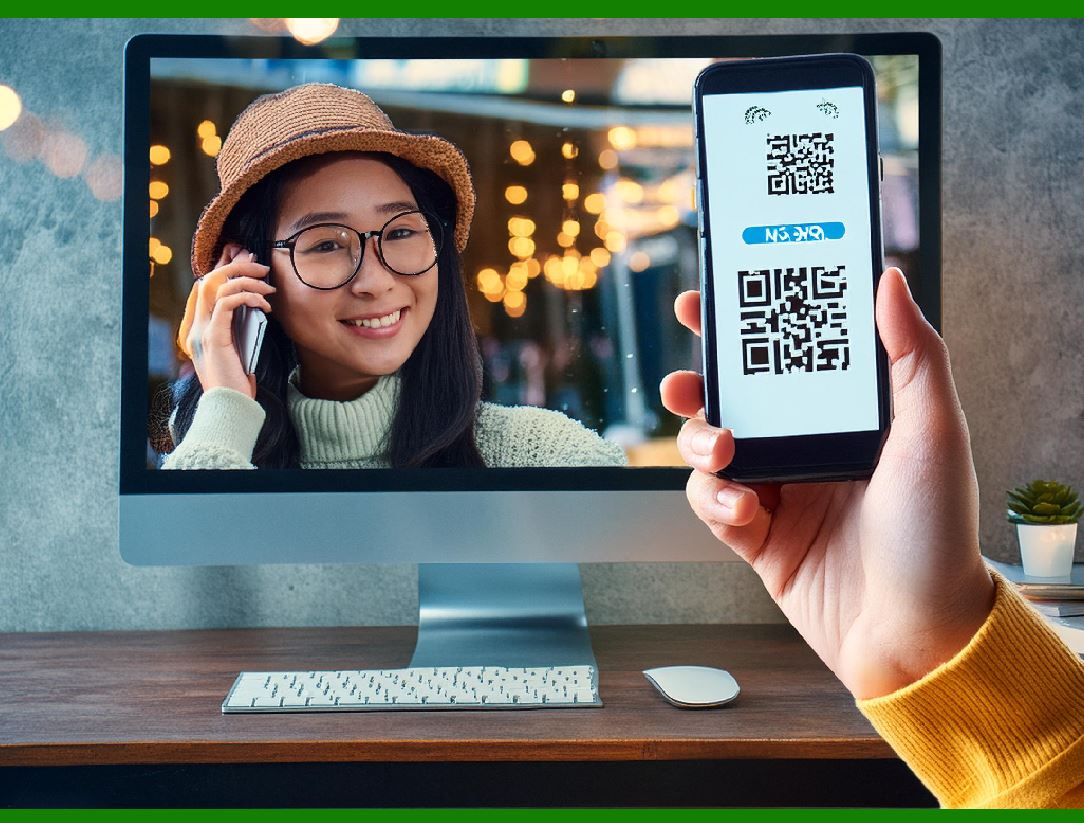
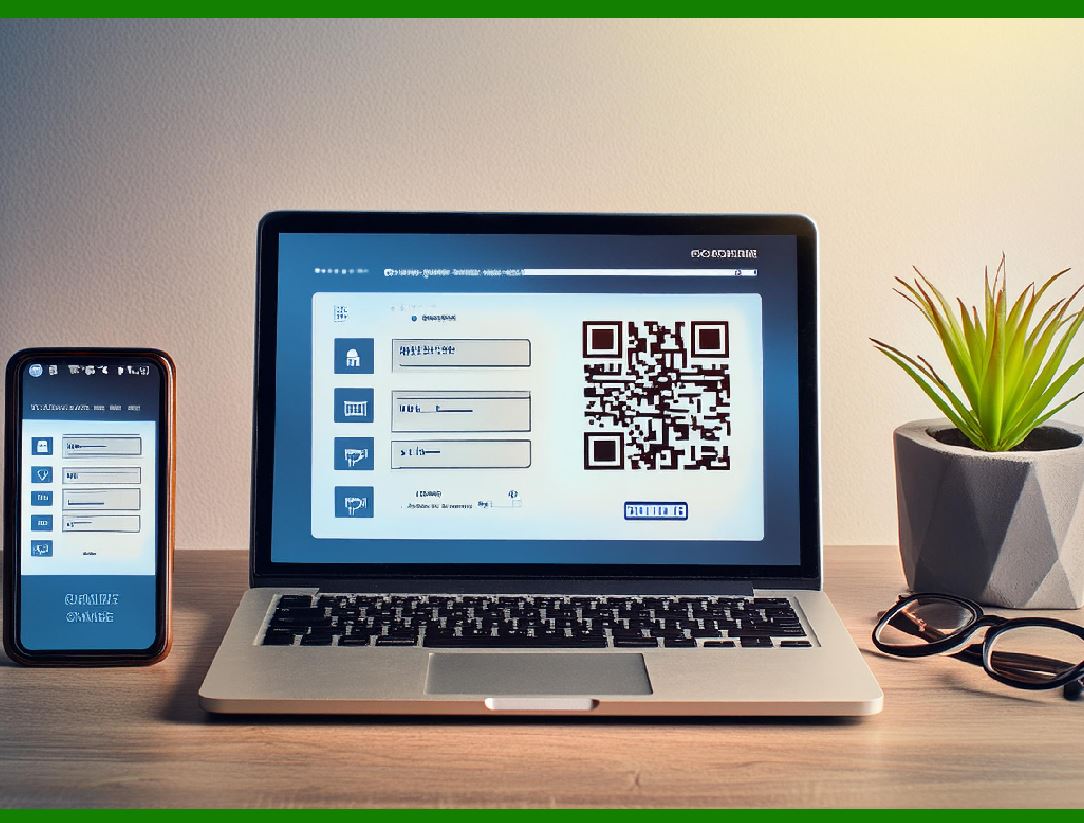
QR code payment systems allow users to make payments by scanning a QR code, which is typically displayed by the merchant at the point of sale. These systems often integrate with mobile wallets or apps that can store users' payment credentials and facilitate the transaction. Biometric authentication is then used to verify that the person initiating the transaction is authorized to make the payment. |
The integration of biometric authentication into QR code payment systems generally follows these steps: |
3.1 QR Code Scanning |
The first step in a QR code payment is for the customer to scan the merchant's QR code using a mobile wallet or payment app. This action retrieves the necessary transaction details, such as the merchant's information and the transaction amount. |
3.2 Prompt for Biometric Verification |
After scanning the QR code and retrieving the payment information, the app prompts the user to authenticate using biometric verification. This step ensures that the person initiating the payment is indeed the authorized account holder. Depending on the payment app's settings, the user may be asked to use their fingerprint, face, or voice as the biometric verification method. |
3.3 Authentication and Payment Authorization |
Once the biometric data is captured and matched against the stored data, the system verifies the identity of the user. If the biometric information matches the stored profile, the payment is authorized, and the funds are transferred from the user's account to the merchant's account. If the biometric data does not match, the transaction is rejected, preventing unauthorized payments. |
|
4. Advantages of Biometric Authentication for Transaction Approval |
Biometric authentication offers several key benefits over traditional methods of transaction approval, such as PINs, passwords, or signatures. These advantages contribute to the growing popularity of biometric systems in payment apps. |
4.1 Enhanced Security |
The most significant advantage of biometric authentication is the enhanced security it provides. Unlike passwords or PINs, which can be guessed, stolen, or compromised, biometric features are inherently unique to each individual. This makes it far more difficult for fraudsters to gain unauthorized access to payment accounts. |
Biometric data is also harder to replicate or steal compared to traditional credentials. Even if a QR code is intercepted by malicious actors, the payment cannot proceed without the correct biometric data from the user, making the system highly secure against fraudulent transactions. |
4.2 Convenience and Speed |
Biometric authentication is incredibly convenient for users, as it eliminates the need to remember complex passwords or PINs. Users can quickly authorize payments with a fingerprint scan, facial recognition, or voice command, providing a fast and seamless payment experience. This speed and convenience have contributed significantly to the widespread adoption of QR code payments. |
Moreover, biometric authentication reduces the friction typically associated with payment processes, enhancing user satisfaction and encouraging further usage. |
4.3 Prevention of Unauthorized Device Access |
Biometric authentication also acts as a safeguard against unauthorized access to the mobile device itself. If someone gains physical access to the user's phone, they will not be able to authorize payments without the correct biometric input. This is particularly important as smartphones become a primary point of access for sensitive data and financial transactions. |
4.4 Multi-Factor Authentication |
Biometric authentication can be combined with other methods, such as PINs or device passcodes, to create a multi-factor authentication (MFA) system. MFA adds an additional layer of security by requiring more than one form of verification before a transaction can be authorized. This is particularly beneficial for high-value transactions or in regions with higher instances of fraud. |

|
5. Challenges and Considerations in Implementing Biometric Authentication |
While biometric authentication offers numerous benefits, there are also challenges and considerations that need to be addressed to ensure its effectiveness in QR code payment systems. |
5.1 Privacy and Data Security |
One of the primary concerns with biometric authentication is the storage and protection of biometric data. Unlike passwords or PINs, biometric data cannot be changed if compromised. Therefore, it is crucial to ensure that biometric data is stored securely and that encryption protocols are in place to protect this sensitive information. Regulatory frameworks, such as GDPR and CCPA, also impose strict requirements on how biometric data is handled, emphasizing the need for robust privacy measures. |
5.2 False Positives and False Negatives |
Another challenge in biometric authentication is the potential for false positives (when the system incorrectly identifies an unauthorized user) or false negatives (when the system fails to identify an authorized user). While modern biometric systems are highly accurate, no system is foolproof. A false positive can lead to unauthorized transactions, while a false negative can prevent legitimate users from completing a payment, which can be frustrating. |
5.3 User Acceptance and Trust |
Despite the growing popularity of biometric authentication, some users may still be reluctant to adopt these technologies due to privacy concerns or unfamiliarity. Education and awareness campaigns may be necessary to build trust in biometric systems and encourage adoption. Additionally, users should be given the option to opt out of biometric authentication and use alternative methods, such as PINs or passwords, for those who are not comfortable with biometrics. |
5.4 Accessibility Considerations |
For individuals with disabilities, traditional biometric methods like fingerprint or facial recognition may not always be effective. Payment systems should ensure that they provide alternative forms of authentication, such as voice recognition or the ability to integrate with assistive technologies, to ensure inclusivity and accessibility for all users. |
|
6. Conclusion |
Biometric authentication has become a cornerstone of modern payment systems, particularly for QR code-based transactions. By leveraging the unique characteristics of individuals, biometric authentication provides an unparalleled level of security, making it difficult for fraudsters to replicate or steal user credentials. It also offers a seamless and convenient user experience, which has contributed to the rapid adoption of QR code payment systems. |
As technology continues to evolve, biometric authentication will likely become even more advanced, with new methods emerging to further enhance security and usability. However, the challenges surrounding privacy, data security, and user acceptance must be carefully managed to ensure that biometric systems remain both effective and trusted. Ultimately, biometric authentication plays a pivotal role in protecting financial transactions in the digital age, making it a critical element of the future of payments. |
|
What are the common failures cause by the Biometric Authentication? How to check and fix them? |
Common Failures in Biometric Authentication and How to Check and Fix Them |
While biometric authentication is widely regarded as a reliable and secure method for transaction approval, it is not immune to failures. Like any technology, biometric systems can experience issues that prevent successful identification or verification. These failures can result from a variety of factors, including environmental conditions, hardware malfunctions, and user-specific issues. Understanding these potential failures and knowing how to troubleshoot and fix them is crucial for ensuring a smooth and secure biometric authentication experience. |
Below are the common failures encountered in biometric authentication systems, along with ways to check and resolve them. |
1. False Rejections (Type I Error) |
Cause: False rejection occurs when the biometric system fails to correctly recognize or authenticate an authorized user, even though their biometric data matches the stored template. This issue can lead to legitimate users being locked out of their accounts or unable to complete transactions. |
Common Causes: |
Poor Quality of the Biometric Input: If the biometric sample (e.g., fingerprint scan or facial image) is of low quality-due to dirt, smudges, incorrect positioning, or poor lighting-the system may fail to match it with the stored data. |
Hardware Issues: A malfunctioning biometric sensor (e.g., fingerprint reader or facial recognition camera) may lead to inaccurate readings. |
User-related Factors: Changes in a user's biometric traits, such as swelling of the fingers, aging, or medical conditions, can affect the system's ability to match the stored data. |
Environmental Conditions: Poor lighting (for facial recognition), moisture, or dirt on the sensor can result in low-quality scans. |
How to Check and Fix: |
Ensure Proper Positioning and Cleanliness: Instruct users to place their finger correctly on the fingerprint sensor or position their face properly for facial recognition. Clean the sensor or camera regularly to remove any dirt or debris. |
Check Sensor Calibration and Hardware Integrity: Ensure the biometric sensor is functioning correctly by checking for any hardware malfunctions or software issues. Perform regular maintenance and calibration of sensors to ensure they are providing accurate readings. |
Use Quality Scans: Ensure that the biometric input is clear and of high quality. For facial recognition, use devices with good lighting and facial detection capabilities. For fingerprint scanning, encourage users to scan with clean fingers and avoid any physical obstructions (like dirt or grease). |
Update and Re-register Biometric Data: If a user experiences consistent failures, have them update or re-register their biometric data, especially if there are significant changes to their appearance or physical traits. |
|
2. False Acceptances (Type II Error) |
Cause: False acceptance happens when the biometric system mistakenly identifies an unauthorized person as an authorized user. This is more serious because it can result in fraud or unauthorized access to accounts or services. |
Common Causes: |
Low Accuracy of Biometric Algorithm: Some biometric algorithms may have low precision, causing them to accept unauthorized matches. This typically happens when the system has not been trained adequately or the database of biometric templates is poorly managed. |
Spoofing or Fake Biometrics: Biometric systems, especially facial or fingerprint recognition, can sometimes be tricked using spoofing techniques (e.g., fake fingerprints, photos, or videos). |
Weak Security Measures: If the system's anti-spoofing mechanisms are not robust enough, an attacker may use synthetic biometric data to bypass authentication. |
How to Check and Fix: |
Improve Algorithm Accuracy: Ensure the biometric system uses an advanced and accurate algorithm with low false acceptance rates. Regular updates to the software and biometric database will help to improve the system's efficiency and accuracy. |
Enable Anti-Spoofing Measures: Implement anti-spoofing technologies, such as liveness detection (e.g., detecting eye movement in facial recognition or detecting warmth in fingerprint scans), to prevent fake biometrics from being accepted. |
Use Multi-Factor Authentication (MFA): Combine biometric authentication with additional verification methods, such as PINs or passwords, to prevent false acceptances. This makes it much harder for a fraudulent user to gain access. |
|
3. Inconsistent Performance Across Different Devices |
Cause: Biometric authentication may work perfectly on one device but fail or perform inconsistently on another. This can happen due to differences in hardware, software, or environmental conditions between devices. |
Common Causes: |
Different Sensors: Not all biometric sensors are created equal. A fingerprint sensor on one device may have different accuracy, resolution, and sensor technology compared to another. |
Software Incompatibility: Different mobile operating systems or apps may not fully support the same biometric authentication methods, leading to inconsistencies in performance. |
Environmental Factors: Changes in the environment, such as lighting or temperature, can impact how well biometric systems perform across different devices. |
How to Check and Fix: |
Test Across Devices: Test biometric authentication on various devices to ensure consistent performance. If the system works well on one device but fails on another, ensure both devices have similar hardware and software specifications. |
Ensure Compatibility: Confirm that the software or app supports biometric authentication across all devices being used. Update the app and device firmware to ensure the latest security features and compatibility. |
Optimize Environment for Performance: For facial recognition, ensure proper lighting conditions are met across devices. For fingerprint scanning, clean the sensor area and ensure the user's finger is properly placed. |

|
4. User Confusion or Misunderstanding |
Cause: Users may not understand how to correctly use the biometric system, leading to failed attempts or frustration. |
Common Causes: |
Incorrect Finger Placement: Users may place their finger incorrectly on the fingerprint scanner, causing the system to fail. |
Improper Facial Positioning: Users may position their face incorrectly when attempting facial recognition, leading to inaccurate scans. |
Failure to Adapt to New Technology: Some users may not be accustomed to using biometric authentication and may not fully understand how it works. |
How to Check and Fix: |
Provide Clear Instructions: Offer clear, simple instructions or visual guides to help users understand how to use biometric authentication methods properly. |
Provide Visual or Haptic Feedback: Use feedback mechanisms such as on-screen prompts or vibration to guide users on correct finger placement or facial alignment. |
User Training or FAQs: Provide easy-to-understand user training materials, FAQs, or video tutorials to help users become familiar with how to use the biometric features on their device. |

|
5. Biometric Data Corruption or Loss |
Cause: In some cases, the stored biometric data (e.g., fingerprint or facial template) can become corrupted or lost, leading to authentication failures. |
Common Causes: |
Data Corruption Due to Software Bugs or Malfunctions: Sometimes, updates or glitches in the software can cause biometric data to become corrupted. |
Device Reset or Reinstallation: If the mobile device is reset or the app is reinstalled, previously stored biometric data may be erased or lost. |
How to Check and Fix: |
Re-register Biometric Data: If the system continuously fails to recognize a user, suggest re-registering their biometric data. This ensures that fresh templates are stored. |
Backup Biometric Data: Implement a backup system where biometric templates can be securely stored in the cloud or external storage. This ensures data integrity in case of device failure or reset. |
Regular System Updates: Regularly update the software to prevent issues with data corruption and ensure that biometric templates are properly stored and managed. |

|
6. Privacy and Ethical Concerns |
Cause: Privacy concerns may arise if biometric data is misused or inadequately protected. There may also be issues related to data retention, sharing, and user consent. |
Common Causes: |
Inadequate Data Protection: If biometric data is not securely stored or encrypted, it may be vulnerable to theft or misuse. |
Failure to Obtain Proper User Consent: In some cases, users may not fully understand or consent to the biometric data being collected. |
How to Check and Fix: |
Implement Strong Encryption: Ensure that biometric data is stored and transmitted using strong encryption protocols, and that only authorized personnel or systems have access to it. |
Ensure Legal Compliance: Make sure that biometric data collection practices comply with privacy laws and regulations, such as GDPR or CCPA. Obtain clear and informed consent from users before collecting biometric data. |
Provide Transparency: Allow users to view, update, and delete their biometric data, ensuring full transparency and control over their information. |

|
Conclusion |
Biometric authentication is a powerful tool for securing transactions, but like any technology, it can experience failures. The key to resolving these issues lies in understanding the root causes of these failures and taking the appropriate measures to address them. By ensuring that biometric sensors are clean and properly calibrated, offering clear user guidance, employing anti-spoofing techniques, and ensuring the secure handling of biometric data, businesses can minimize authentication failures and enhance the security and user experience of their biometric payment systems. Regular maintenance, software updates, and user education will also go a long way in ensuring the smooth and secure operation of biometric authentication systems. |
 cs@easiersoft.com