Barcode Technology

Barcode History

Barcode Label Paper

Barcode Printer

Barcode Application

Inventory Management

AI Barcode QRCode

Barcode Scanner

Barcode Software

Barcode Software B

Barcode Software C

Barcode Software D

Barcode Software E

New Technology A

New Technology B

Robot Technology

Barcode Types

Barcode Types B

Barcode Types C

Barcode Types D

Barcode Types E

Barcode Types F

Electronic Technology

Psychology at Work

Barcode Technology and Barcode Software Related   <<< Back to Directory <<<

Chronicle of the Development of Barcodes

Chronicle of the Development of Barcodes

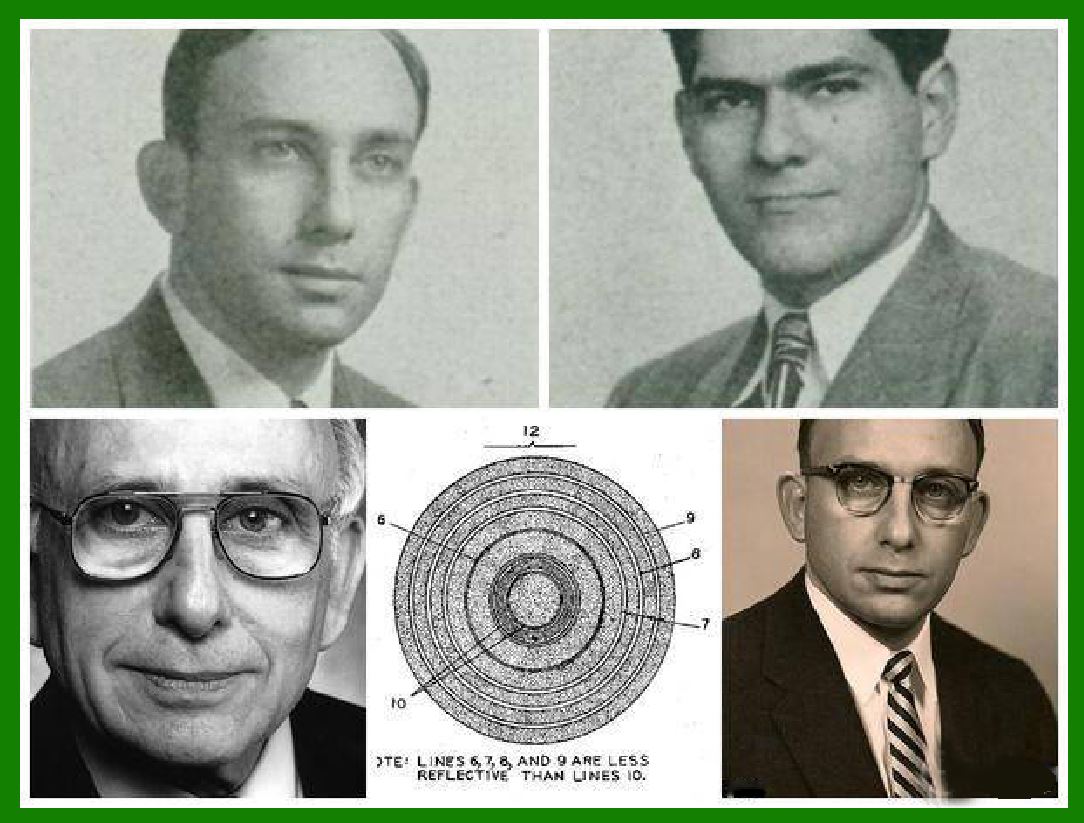
1. In 1949, Americans Norman Joseph Woodland and Bernard Silver applied for a circular barcode (Bulls Eye) used in the field of automatic food identification.

2. In 1963, an article describing various barcode technologies was published in the October 1963 issue of "Control Engineering" magazine.

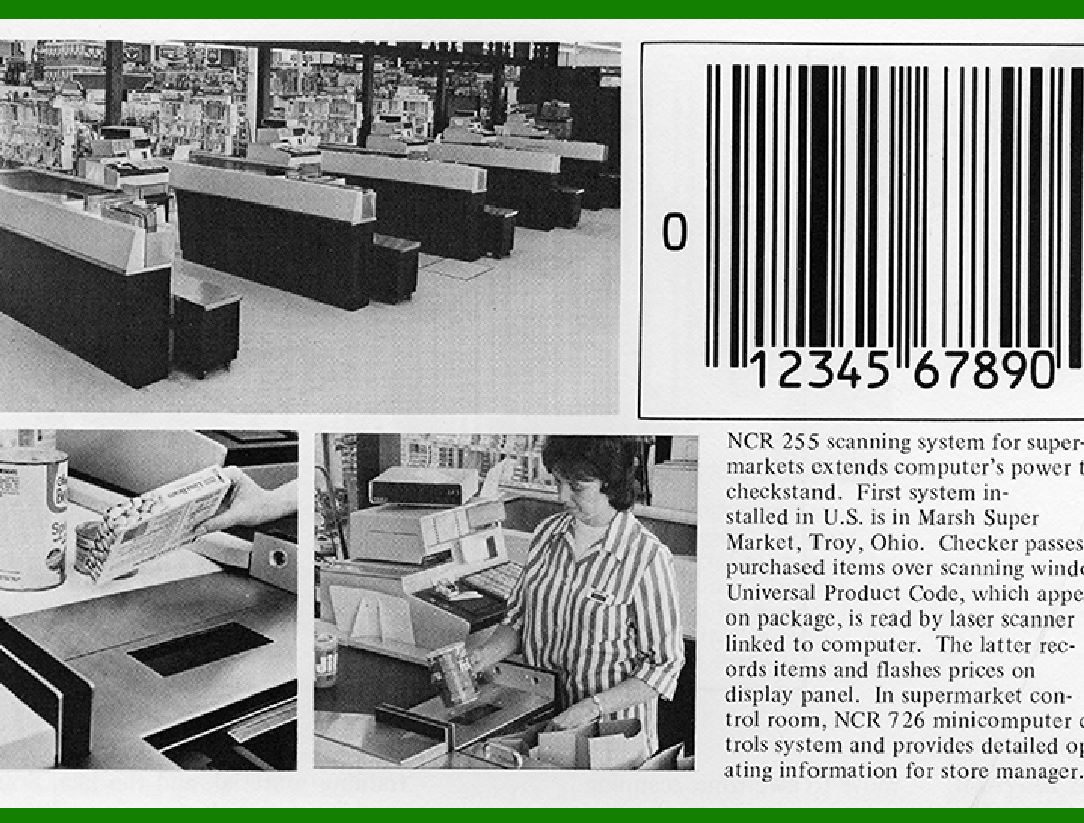
3. In 1967, a KROGER supermarket in Cincinnati, USA, first used a barcode scanner.

4. In 1969, the Belgian postal industry adopted fluorescent bar codes to represent postal codes for letter delivery points.

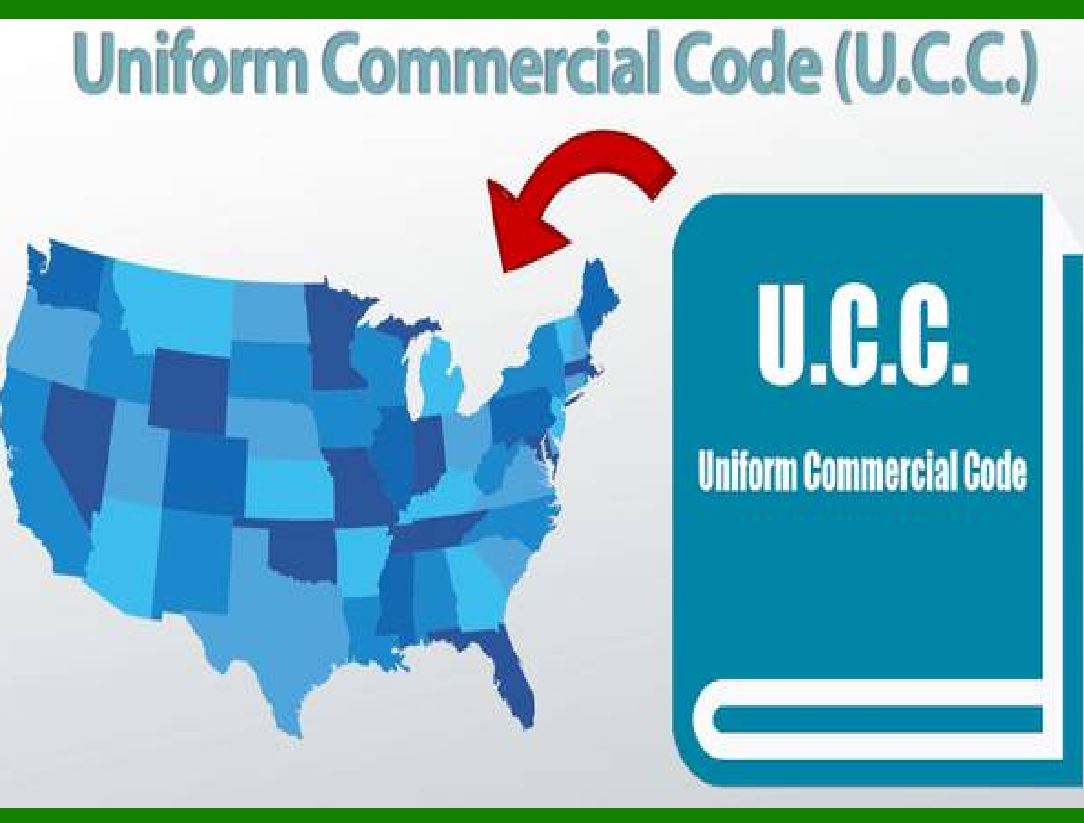
5. The U.S. established the UCC in 1970; the U.S. Postal Service uses long and short bar codes to represent postal codes for letters.

6. In 1971, some libraries in Europe adopted Plessey code.

7. In 1972, the American Monarch Marking developed the Kudba code, and the crossover 25 code was developed in the same year.

8. In 1973, the United States Uniform Coding Consortium (UCC) created the Universal Product Code (UPC) system based on IBM's barcode system and standardized the code system.

9. In 1974, Dr. Davide Allair of Intermec Corporation of the United States developed the 39-code code.

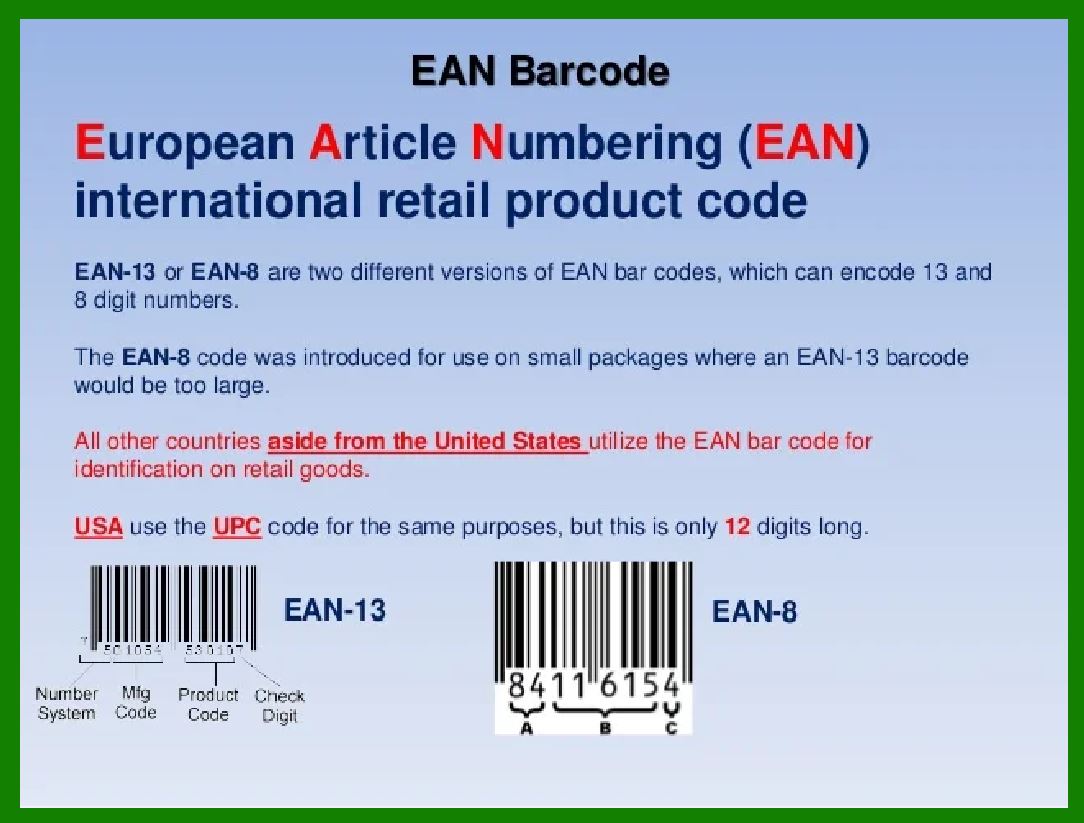
10. In 1977, the European Community developed the European Article Numbering EAN-13 code and EAN-8 code based on UPC-A, signed the European Article Numbering (EAN) Memorandum of Agreement, and established the European Article Numbering Association.

11. In 1978, Japan developed the Japanese Product Bar Code (JAN) based on EAN.

12. In 1980, the U.S. Department of Defense adopted code 39 as the military code.

13. In 1981, the European Article Numbering Association was reorganized into the International Article Numbering Association (IAN); bar code decoding technology for automatic identification was realized; Code 128 was recommended.

14. In 1982, the handheld laser barcode scanner became practical; the US military standard 1189 was adopted; Code 93 began to be used.

15. In 1983, the United States formulated the ANSI standard MH10.8M, which includes interleaved 25 codes, 39 codes and Kudba codes.

16. In 1987, American Dr. David Allairs proposed code 49.

17. In 1988, visible laser diodes were successfully developed; Ted Willians of the United States proposed a 16K code suitable for laser system reading.

18. In 2005, EAN was renamed GS1.

19. In 1994, the QR code (quick-response code) was invented by a team at the Denso Wave automotive products company in Japan.


EasierSoft Barcode Label Design & Bulk Printing Software

---- Use Excel Data to Batch Print Barcodes on Label Sheets or Roll Labels  

---- How to use this barcode software

Download:  Free Barcode Software + Barcode Label Designer

Download Free Barcode Software at Softonic

     Download at CNET

Once you obtain a GS1/UPC/EAN barcode, or other barcode type and QR code, you can use our free software to batch print barcode labels onto Roll label paper using a professional label printer, or to batch print barcodes onto Avery 5160 label sheets using a regular laser or inkjet printer. Our software has free and paid versions.

The free version fully meets your needs for batch printing GS1/UPC/EAN barcodes. The paid version can import data from Excel and databases to batch print barcode labels with different values.

How to Start

Input Data

Import Excel Data

Print Barcode

Barcode Format

Label Designer

All Screen Shot

Export Barcode Image

Save Template

Output Word Excel

How to Use & FAQ:

Edit data in Label designer

Label Designer - Add new label

Label Designer - Printing

Set the barcode label format to be printed

Other Barcode Label Format Settings

Barcode types supported by this program

Barcode Label Font Settings

Configuring the Barcode Print Rotation

Text Alignment for Barcode Labels

Automatically Adjusting Barcode Width

Text Beneath the Barcode

Configuring Barcode Size

Auto Calculate the Barcode Size

Export Barcode images

Export Barcode Image Format

File Names for Exported Barcode

Resolution of Exported Barcode Images

Fixed Folder for Exporting Barcode

Default Barcode Image Export Format

Print bulk barcodes quickly

Print barcodes to Avery 5160 label

How to bulk Barcode Printing

Sample - Avery 5162 (2x7) Label Sheet

Example: Print barcodes to 5*3cm roll

Example: Print barcodes to 5161 label

Example: Print barcodes to 5162 label

Example: Print barcodes to 5163 label

Example: Print barcodes to 5164 label

Example: Print portrait orientation 5164

Example: Print barcodes to 5167 label

Example: Print barcodes to 5168 label

Example: Print portrait orientation 5168

Example: Print barcodes to 5169 label

Example: Print barcodes to 5660 label

Example: Print barcodes to 5661 label

Example: Print barcodes to 5662 label

Example: Print barcodes to 5663 label

Example: Print barcodes to 5664 label

Example: Print portrait orientation 5664

Example: Print barcodes to 5873 label

Example: Print barcodes to 5874 label

Two ways to import Excel data

Import Excel Data - Pro Edition

Import Excel Data - Std Edition

Import Data from Excel - Detail

Load Data From Excel File

Data Editing Table

Copy Data From Excel

Four ways to input barcode data

Add ASCII Key E

Highlights

Excel integration: Import data directly from Excel to generate and print barcodes in bulk.

Label designer: Create complex labels with multiple barcodes, text, logos, and shapes.

Batch printing: Print thousands of barcodes at once using standard inkjet/laser printers or professional barcode printers.


Flexible editions:

Standard Edition: Simple batch printing with Excel data.

Professional Edition: Adds command-line automation for workflow integration.

Label Designer Edition: Advanced design features for complex labels.


Why Choose Our Barcode Solutions?

Cost-effective: Free online generator and permanent free desktop version available.

Easy to use: No technical expertise required—just input data and print.

Versatile: Supports nearly all 1D and 2D barcode types, including QR codes.

Trusted: Recommended by CNET and widely downloaded by users worldwide.


Suitable Use Cases

Small businesses and startups needing quick barcode labels for products.

Retailers and online sellers managing inventory with batch barcode printing.

Manufacturers requiring sequential or custom barcode labels for packaging.

Educational and testing environments where barcodes are used for tracking.


CONTACT

cs@easiersoft.com

If you have any question, please feel free to email us.


https://free-barcode.com


<<< Back to Directory <<<     Barcode Generator     Barcode Freeware     Privacy Policy