Barcode Technology

Barcode History

Barcode Label Paper

Barcode Printer

Barcode Application

Inventory Management

AI Barcode QRCode

Barcode Scanner

Barcode Software

Barcode Software B

Barcode Software C

Barcode Software D

Barcode Software E

New Technology A

New Technology B

Robot Technology

Barcode Types

Barcode Types B

Barcode Types C

Barcode Types D

Barcode Types E

Barcode Types F

Electronic Technology

Psychology at Work

Barcode Technology and Barcode Software Related   <<< Back to Directory <<<

History of barcode scanning technology

The development process of barcode scanning and identification technology.

Computer Identics Corporation

In 1967, Collins quit Sylvania and formed the Computer Identics Corporation. As its first innovations, Computer Identics moved from using incandescent light bulbs in its systems, replacing them with helium–neon lasers, and incorporated a mirror as well, making it capable of locating a barcode up to a meter (3 feet) in front of the scanner.

This made the entire process much simpler and more reliable, and typically enabled these devices to deal with damaged labels, as well, by recognizing and reading the intact portions.

In 1969, the Computer Identics Corporation made significant strides in the world of barcode technology. Founded by David Jarrett Collins, this pioneering company focused on bringing barcodes into the mainstream. Let's delve into the fascinating journey:

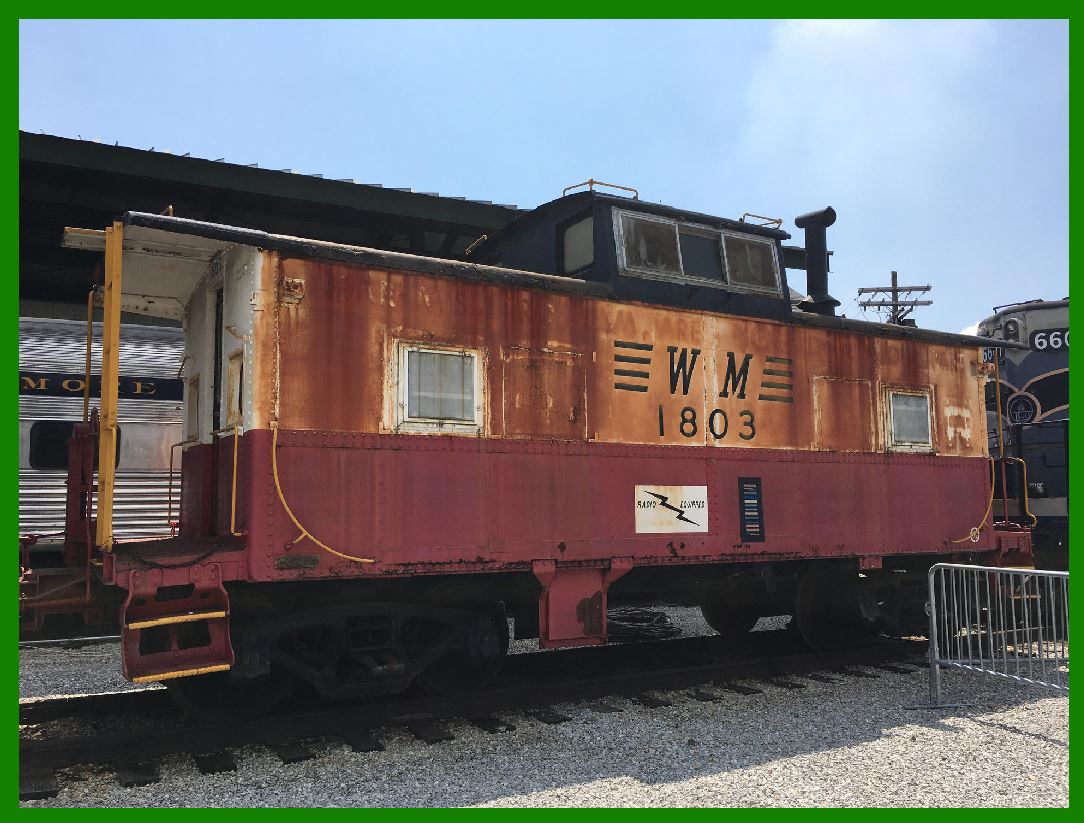
KarTrak: While working at Sylvania Electric Products, Collins managed the development of the first commercial linear barcode system called KarTrak.

This system utilized blue and red reflective stripes, along with black and white stripes attached to the side of railroad cars. These encoded six-digit company identifiers and four-digit car numbers. At its peak, 95 percent of rail cars sported a KarTrak code on their sides.

Laser Scanners:

In 1961, Collins left Sylvania to establish the Computer Identics Corporation. His goal was to create a laser scanner capable of reading small barcode labels, similar to what we see today.

In 1969, Computer Identics achieved a significant milestone by selling the world’s first commercial laser scanner to General Motors.

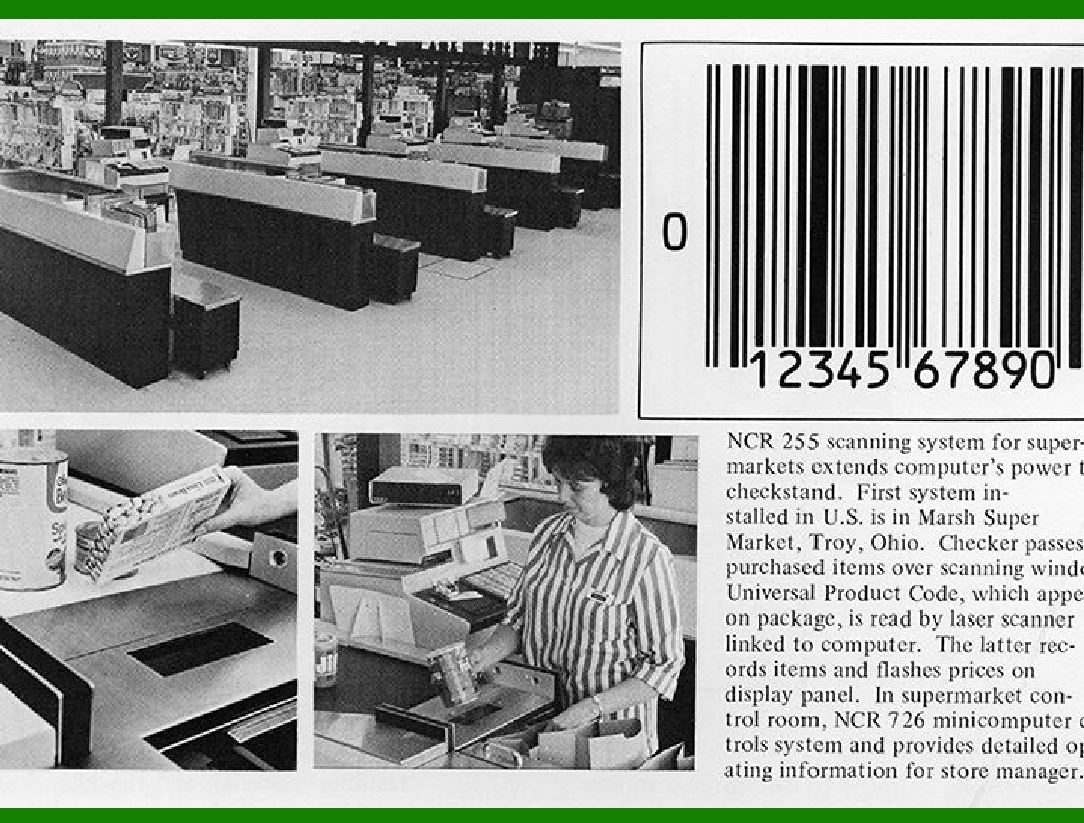
GM used this scanner to identify and record car components on a Pontiac assembly line. Around the same time, Computer Identics installed scanners and a Digital Equipment Corporation PDP-8 mini-computer at a General Trading Company plant in Carlstadt, NJ. These scanners tracked and assembled grocery orders by scanning boxes on a conveyor belt, ensuring they reached the appropriate loading dock.

Package Recognition:

By 1971, Computer Identics had delivered the first scanners used for package recognition, a precursor to the ones now employed by delivery companies. These early versions paved the way for efficient package handling and logistics.

Barcodes at the Olympics:

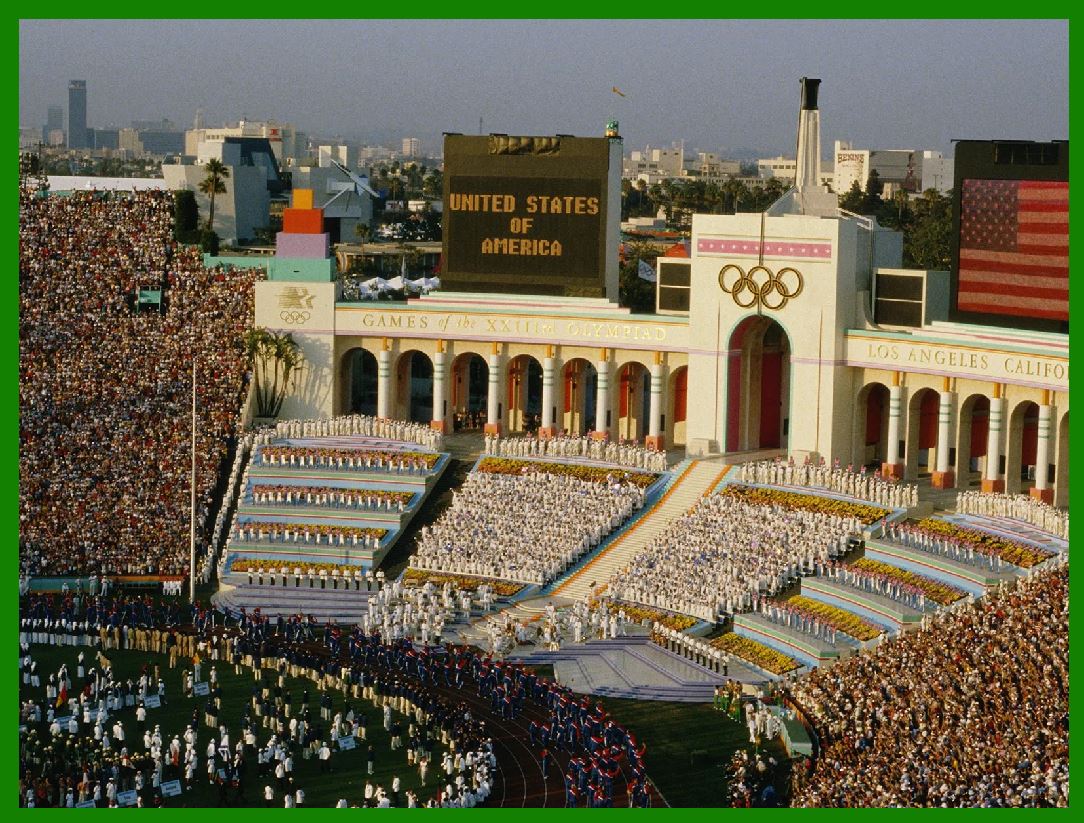
The 1984 Summer Olympics in Los Angeles witnessed the use of Computer Identics scanners to read barcodes printed on the badges of athletes, journalists, and staff members. This innovative application showcased the versatility of barcode technology.

Mac-Barcode Software:

In the same year, Collin's company, Computer Identics, developed the Mac-Barcode Software, which was the first WYSIWYG barcode label composition software designed for the newly introduced Apple Macintosh.

After his time at Computer Identics, Collins continued his contributions by forming the Data Capture Institute, a research and consulting firm specializing in automatic identification technology. His legacy lives on in the ubiquitous barcodes that streamline our daily lives, from grocery stores to package deliveries.

Computer Identics Corporation installed one of its first two scanning systems in the spring of 1969 at a General Motors (Buick) factory in Flint, Michigan. The system was used to identify a dozen types of transmissions moving on an overhead conveyor from production to shipping. The other scanning system was installed at General Trading Company's distribution center in Carlstadt, New Jersey to direct shipments to the proper loading bay.


EasierSoft Barcode Label Design & Bulk Printing Software

---- Use Excel Data to Batch Print Barcodes on Label Sheets or Roll Labels  

---- How to use this barcode software

Download:  Free Barcode Software + Barcode Label Designer

Download Free Barcode Software at Softonic

     Download at CNET

Once you obtain a GS1/UPC/EAN barcode, or other barcode type and QR code, you can use our free software to batch print barcode labels onto Roll label paper using a professional label printer, or to batch print barcodes onto Avery 5160 label sheets using a regular laser or inkjet printer. Our software has free and paid versions.

The free version fully meets your needs for batch printing GS1/UPC/EAN barcodes. The paid version can import data from Excel and databases to batch print barcode labels with different values.

How to Start

Input Data

Import Excel Data

Print Barcode

Barcode Format

Label Designer

All Screen Shot

Export Barcode Image

Save Template

Output Word Excel

How to Use & FAQ:

Export barcodes to Word

Add ascii key to barcode

Auto calculate barcode size (Std)

Make barcode by command line

Export barcode image files

Barcode text font setting

Generate ISBN barcode

Predefined label templates

Printing setup

Save settings

Serial number generator

The supported barcode types

Load Excel data (pro)

Manually copy data from Excel files

Filter some data for printing

Edit imported barcode data

Input data (Pro)

Label Designer

Edit data in Label designer

Label Designer - Add new label

Label Designer - Printing

Set the barcode label format to be printed

Other Barcode Label Format Settings

Barcode types supported by this program

Barcode Label Font Settings

Configuring the Barcode Print Rotation

Text Alignment for Barcode Labels

Automatically Adjusting Barcode Width

Text Beneath the Barcode

Configuring Barcode Size

Auto Calculate the Barcode Size

Export Barcode images

Export Barcode Image Format

File Names for Exported Barcode

Resolution of Exported Barcode Images

Fixed Folder for Exporting Barcode

Default Barcode Image Export Format

Print bulk barcodes quickly

Print barcodes to Avery 5160 label

How to bulk Barcode Printing

Sample - Avery 5162 (2x7) Label Sheet

Example: Print barcodes to 5*3cm roll

Example: Print barcodes to 5161 label

Example: Print barcodes to 5162 label

Example: Print barcodes to 5163 label

Example: Print barcodes to 5164 label

Example: Print portrait orientation 5164

Example: Print barcodes to 5167 label

Example: Print barcodes to 5168 label

Example: Print portrait orientation 5168

Highlights

Excel integration: Import data directly from Excel to generate and print barcodes in bulk.

Label designer: Create complex labels with multiple barcodes, text, logos, and shapes.

Batch printing: Print thousands of barcodes at once using standard inkjet/laser printers or professional barcode printers.


Flexible editions:

Standard Edition: Simple batch printing with Excel data.

Professional Edition: Adds command-line automation for workflow integration.

Label Designer Edition: Advanced design features for complex labels.


Why Choose Our Barcode Solutions?

Cost-effective: Free online generator and permanent free desktop version available.

Easy to use: No technical expertise required—just input data and print.

Versatile: Supports nearly all 1D and 2D barcode types, including QR codes.

Trusted: Recommended by CNET and widely downloaded by users worldwide.


Suitable Use Cases

Small businesses and startups needing quick barcode labels for products.

Retailers and online sellers managing inventory with batch barcode printing.

Manufacturers requiring sequential or custom barcode labels for packaging.

Educational and testing environments where barcodes are used for tracking.


CONTACT

cs@easiersoft.com

If you have any question, please feel free to email us.


https://free-barcode.com


<<< Back to Directory <<<     Barcode Generator     Barcode Freeware     Privacy Policy