The History of Cronto Visual Cryptogram Color Barcode in E-Banking |
1. Introduction |
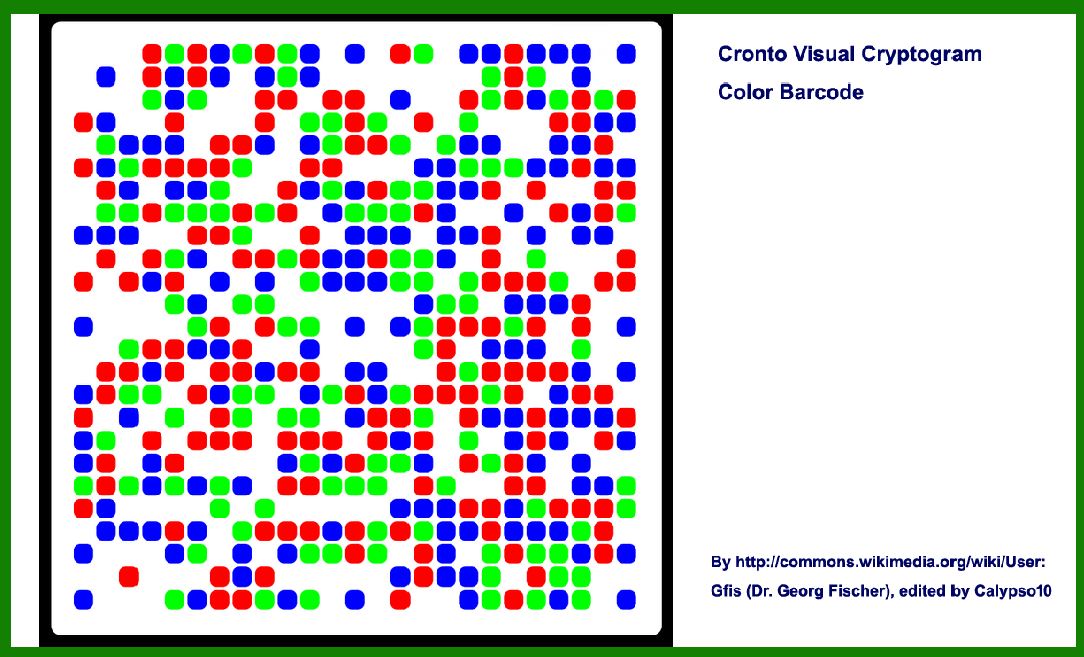
Cronto Visual Cryptogram is a color barcode technology designed for secure online banking transactions. It was developed to enhance security by integrating visual cryptography into online banking systems. This technology aims to prevent phishing attacks and ensure that users are interacting with legitimate banking websites. Below is a detailed timeline and history of Cronto Visual Cryptogram in e-banking. |
|
2. Origins and Early Development (2007-2009) |
1.2007: The concept of visual cryptography was first proposed by Adi Shamir in 1994. However, the specific application of visual cryptograms to banking security began to take shape in the late 2000s. During this period, researchers and security experts were increasingly concerned about online fraud and phishing attacks. |
2.2008: The German company Cronto GmbH was founded with a focus on developing innovative security solutions for online banking. Cronto GmbH's mission was to create a secure method for verifying online transactions and protecting users from various types of cyber threats. The company leveraged the concept of visual cryptography to develop their own technology. |
3.2009: Cronto GmbH officially introduced the Cronto Visual Cryptogram technology. The initial development involved designing a color barcode system that incorporated visual cryptography principles. The primary goal was to create a method that would allow users to verify online banking transactions through a secure and user-friendly process. |

|
3. Technology and First Implementations (2010-2012) |
1.2010: Cronto Visual Cryptogram technology was patented by Cronto GmbH. The technology uses a color barcode that encodes transaction details in a manner that is visually secure. The barcode is designed to be scanned by a user's device, which then verifies the transaction information. |
2.2011: The first implementations of Cronto Visual Cryptogram were seen in the European banking sector. Banks began to pilot the technology as a means to enhance security for online transactions. During this period, Cronto partnered with several European banks to integrate their technology into existing online banking platforms. |
3.2012: The technology gained traction in the European market, with several banks adopting Cronto Visual Cryptogram as part of their security protocols. This adoption was driven by the increasing need for robust solutions to combat phishing and other online fraud threats. The visual cryptogram was praised for its ease of use and effectiveness in improving transaction security. |

|
4. Expansion and Adoption (2013-2015) |
1.2013: Cronto Visual Cryptogram began to attract attention from banks outside of Europe. The technology was recognized for its potential to enhance online banking security on a global scale. During this year, Cronto GmbH expanded its partnerships with financial institutions in North America and Asia. |
2.2014: Major banking institutions in North America started adopting Cronto Visual Cryptogram technology. The technology was integrated into various online banking platforms, providing a secure method for users to verify transactions. Cronto's success in North America was a significant milestone in the global expansion of their technology. |
3.2015: The adoption of Cronto Visual Cryptogram continued to grow, with more banks and financial institutions worldwide incorporating the technology into their security measures. The technology received positive feedback for its effectiveness in reducing fraud and improving user confidence in online banking transactions. |

|
5. Evolution and Integration (2016-2018) |
1.2016: Cronto GmbH was acquired by the banking technology company, Finastra (formerly known as Misys). This acquisition aimed to integrate Cronto's visual cryptography technology into Finastra's suite of banking solutions. The integration provided an opportunity for Cronto Visual Cryptogram to reach a broader audience and further enhance its presence in the financial sector. |
2.2017: The integration of Cronto Visual Cryptogram technology into Finastra's banking solutions resulted in several updates and enhancements. The technology continued to evolve, with improvements in its security features and user interface. Banks that had adopted the technology benefited from these enhancements, further solidifying Cronto's position in the market. |
3.2018: The technology faced increased competition from other security solutions in the online banking sector. Despite this, Cronto Visual Cryptogram maintained its relevance by continuing to offer robust protection against phishing and fraud. The technology remained a popular choice among banks looking for effective security measures. |

|
6. Recent Developments and Current Status (2019-2024) |
1.2019: Cronto Visual Cryptogram technology continued to be a key player in the online banking security market. Banks and financial institutions continued to leverage the technology to safeguard their online transactions. The ongoing evolution of cybersecurity threats led to a renewed focus on advanced security solutions, including visual cryptography. |
2.2020: The COVID-19 pandemic led to an increase in online banking activity as more people conducted financial transactions from home. This heightened focus on online banking security highlighted the importance of technologies like Cronto Visual Cryptogram. Banks that had implemented the technology reported positive outcomes in terms of fraud prevention and user satisfaction. |
3.2021: The technology continued to see adoption in various regions, including emerging markets where online banking was rapidly expanding. Cronto Visual Cryptogram's ability to provide secure and user-friendly verification remained a strong selling point for banks and financial institutions. |
4.2022: Cronto GmbH, now part of Finastra, continued to innovate and enhance its visual cryptography technology. The company focused on integrating new features and improving the overall user experience. The technology remained an important component of Finastra's security offerings. |
5.2023: As the digital banking landscape continued to evolve, Cronto Visual Cryptogram remained relevant in the context of advanced security solutions. The technology was featured in various industry conferences and discussions on the future of online banking security. |
6.2024: Cronto Visual Cryptogram continues to be used by numerous banks and financial institutions worldwide. The technology's ability to provide a secure and intuitive method for transaction verification has solidified its position in the market. Cronto GmbH's ongoing commitment to innovation ensures that the technology remains effective in addressing emerging security challenges. |

|
7. Conclusion |
Cronto Visual Cryptogram has played a significant role in enhancing security for online banking transactions since its introduction. Its development, adoption, and evolution over the years reflect its effectiveness in combating online fraud and phishing. As the digital banking landscape continues to evolve, Cronto Visual Cryptogram remains a valuable tool for ensuring secure online transactions. |

|
 cs@easiersoft.com