1. Introduction |
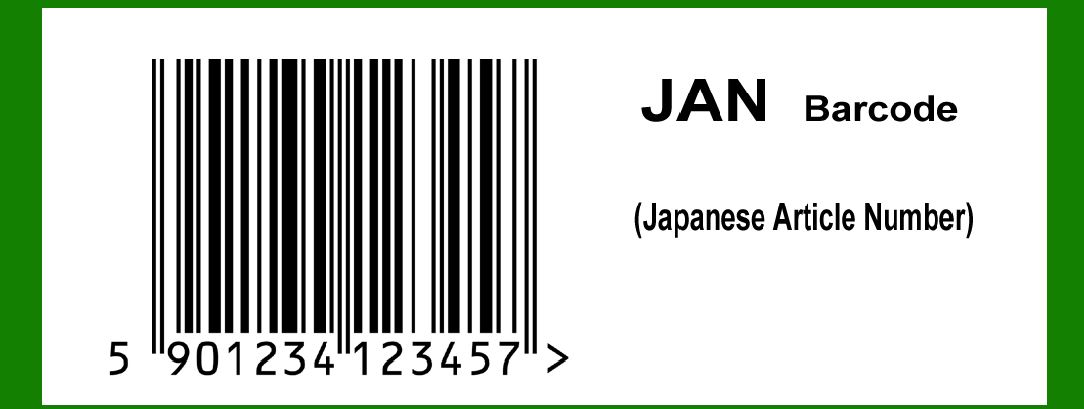
The JAN (Japanese Article Number) barcode is a product coding system used in Japan that is compatible with the EAN-13 barcode standard. Its development and history reflect a broader movement toward standardized product identification, which facilitates the smooth operation of global commerce and retail systems. This detailed historical account explores the origins, development, and evolution of the JAN barcode system. |
|
2. Early Beginnings and International Standards |
2.1. The Origins of Barcodes |
The concept of barcodes dates back to the early 1950s. The need for a reliable and efficient method to identify and track products in retail environments led to the invention of the barcode system. In 1952, Bernard Silver and Norman Joseph Woodland developed the first barcode, which was later commercialized by IBM in the 1960s. |
2.2. Introduction of the EAN System |
In the 1970s, the European Article Number (EAN) system was introduced to standardize product identification across Europe. This system was developed by the European Article Numbering Association (EAN), now known as GS1. The EAN-13 barcode, a 13-digit numeric code, was designed to encode information about products, including country of origin, manufacturer, and product type. |

|
3. Development of the JAN Barcode |
3.1. Adoption of EAN-13 in Japan |
By the late 1970s, Japan recognized the need for a standardized product identification system similar to the EAN system used in Europe. In response, the Japanese Article Numbering Association (JAN) was established in 1978 to oversee the implementation and management of the barcode system in Japan. JAN was created to align with the EAN-13 system, facilitating international trade and ensuring compatibility with global retail standards. |
3.2. Launch and Implementation |
The JAN barcode system was officially launched in Japan in 1978. The introduction of JAN was part of a broader effort to modernize retail operations and improve inventory management. Initially, the JAN system was adopted by major retailers and manufacturers in Japan, who recognized its potential for streamlining product identification and reducing errors. |

|
4. Expansion and Integration |
4.1. Widespread Adoption |
Throughout the 1980s, the JAN barcode system gained widespread acceptance among Japanese retailers and manufacturers. The system's compatibility with the EAN-13 standard made it easy for Japanese businesses to integrate with international trading partners. This facilitated smoother cross-border transactions and contributed to the growth of global commerce. |
4.2. Technological Advancements |
During the 1990s, technological advancements in barcode scanning and data processing further enhanced the efficiency of the JAN system. The development of more sophisticated scanning equipment and inventory management software allowed businesses to leverage the JAN barcode system for improved supply chain management and operational efficiency. |

|
5. Integration with Global Standards |
5.1. Alignment with GS1 |
In the late 1990s and early 2000s, the JAN system continued to evolve in alignment with the global standards set by GS1 (formerly known as EAN International). GS1 is a global organization responsible for the development and management of supply chain standards, including barcodes. The integration of JAN with GS1 standards ensured that Japanese businesses remained compatible with international trading practices and technology. |
5.2. Impact on International Trade |
The compatibility of the JAN barcode with the EAN-13 system had a significant impact on international trade. Japanese products could be easily identified and tracked in global supply chains, reducing the potential for errors and improving the efficiency of international logistics. This facilitated the export of Japanese goods to international markets and strengthened Japan's position in the global economy. |

|
6. Examples and Case Studies |
6.1. Major Retail Chains |
Several major retail chains in Japan were early adopters of the JAN barcode system. For example, Seven & I Holdings, the parent company of the well-known 7-Eleven convenience stores, implemented the JAN system to streamline its inventory management and improve the efficiency of its supply chain operations. The use of JAN barcodes allowed Seven & I Holdings to maintain accurate inventory records and ensure the timely replenishment of products. |
6.2. Consumer Goods Manufacturers |
Consumer goods manufacturers, such as Uniqlo and Toyota, also adopted the JAN barcode system to enhance their product tracking and distribution processes. For instance, Uniqlo, a leading apparel retailer, used JAN barcodes to manage its extensive inventory of clothing and accessories. The integration of JAN barcodes into Uniqlo's operations enabled the company to efficiently track product sales, monitor stock levels, and optimize its supply chain. |

|
7. Ongoing Developments |
7.1. Technological Innovations |
In recent years, technological innovations have continued to shape the evolution of the JAN barcode system. The introduction of advanced scanning technologies, such as RFID (Radio Frequency Identification) and mobile phone scanning apps, has expanded the capabilities of barcode systems beyond traditional visual scanning. These innovations offer new opportunities for enhancing product tracking and consumer engagement. |
7.2. Future Prospects |
Looking ahead, the JAN barcode system is expected to continue evolving in response to changing technological and market dynamics. As new technologies emerge and consumer expectations evolve, the JAN system will likely adapt to meet the needs of modern retail and supply chain environments. The ongoing development of barcode technology and its integration with digital platforms will shape the future of product identification and tracking in Japan and beyond. |

|
8. Conclusion |
The history of the JAN barcode system reflects a broader trend toward standardization and efficiency in product identification and tracking. From its origins in the late 1970s to its current role in global commerce, the JAN system has played a crucial role in facilitating international trade and enhancing retail operations. Through its alignment with the EAN-13 standard and its adoption by major retailers and manufacturers, the JAN barcode system has contributed to the modernization of supply chain management and the growth of global trade. |

|
 cs@easiersoft.com