The History of NexCode from S5 Systems |
1.Introduction to NexCode |
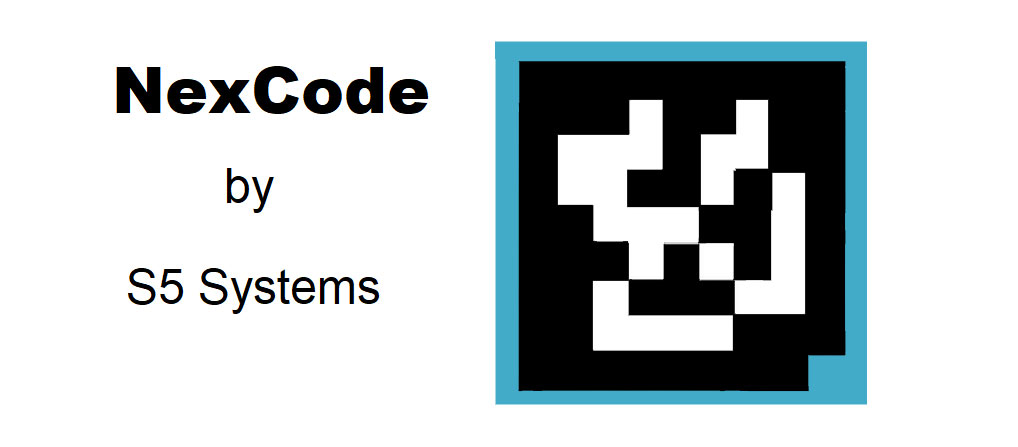
NexCode, a pioneering barcode technology developed by S5 Systems, represents a significant advancement in the realm of automatic identification and data capture. This technology emerged in the early 1990s as part of the evolving landscape of barcode solutions, which sought to improve the efficiency and accuracy of data management across various industries. S5 Systems, a technology firm specializing in data capture and processing solutions, introduced NexCode as a response to the growing need for more robust and versatile barcode technologies. |
|
2.Development and Early Adoption |
NexCode was developed in the context of the rapid technological advancements of the 1990s, a period marked by significant progress in barcode and data capture technologies. S5 Systems, recognizing the limitations of existing barcode systems, aimed to create a new type of barcode that could address some of the challenges faced by earlier technologies. The goal was to design a barcode system that offered improved data capacity, error correction, and ease of integration into existing systems. |
During its initial development phase, NexCode was designed to be compatible with a wide range of existing barcode readers and systems, making it easier for businesses to adopt the new technology without needing to overhaul their entire data capture infrastructure. This approach helped facilitate the early adoption of NexCode by various industries, including retail, logistics, and manufacturing. |

|
3.Technological Innovations |
One of the key innovations introduced by NexCode was its advanced error correction capabilities. Unlike earlier barcode systems that had limited error correction, NexCode incorporated more sophisticated algorithms to ensure higher data integrity and reliability. This improvement was particularly valuable in environments where barcodes were subject to physical damage or poor printing quality. |
Another notable feature of NexCode was its enhanced data capacity. The technology was designed to encode more information in a smaller space compared to traditional barcode systems. This was achieved through a combination of advanced encoding techniques and a more compact design, allowing for the inclusion of additional data elements without requiring larger labels or tags. |

|
4.Implementation in Various Industries |
NexCode quickly gained traction in several key industries due to its advantages over existing barcode technologies. In the retail sector, NexCode was adopted for inventory management and point-of-sale systems, where its improved data capacity and error correction features provided significant benefits. Retailers found that NexCode barcodes were more resilient to damage and could hold more detailed product information, which streamlined inventory tracking and sales processes. |
In the logistics industry, NexCode proved to be a valuable tool for managing shipments and tracking packages. The technology's ability to encode additional data, such as shipping details and handling instructions, made it easier for logistics companies to manage complex supply chains and improve operational efficiency. |
Manufacturing companies also embraced NexCode for its ability to withstand harsh environments and maintain data integrity. The technology's robustness made it suitable for use in production lines and other industrial settings where barcodes might be exposed to extreme conditions. |

|
5.Challenges and Adaptations |
Despite its advantages, NexCode faced several challenges as it competed with other emerging barcode technologies. One of the main challenges was the need to educate businesses and end-users about the benefits of NexCode and its differences from other barcode systems. This required significant marketing and support efforts from S5 Systems to demonstrate the value of their technology. |
Additionally, as new barcode technologies continued to evolve, S5 Systems had to continuously adapt NexCode to stay competitive. This involved updating the technology to meet changing industry standards and incorporating feedback from users to address any issues or limitations. |

|
6.Legacy and Impact |
Although NexCode was eventually overshadowed by newer barcode technologies, it made a lasting impact on the field of data capture and automatic identification. The innovations introduced by NexCode set new standards for error correction and data capacity, influencing the development of subsequent barcode systems and contributing to the overall advancement of the industry. |
NexCode's legacy can be seen in the way it paved the way for more advanced barcode technologies and contributed to the ongoing evolution of data capture solutions. Its introduction marked a significant milestone in the history of barcode technology, demonstrating the potential for continuous improvement and innovation in this field. |

|
7.Examples of NexCode in Use |
To illustrate the practical applications of NexCode, consider its implementation in a large retail chain. By adopting NexCode barcodes, the retailer was able to enhance its inventory management system, resulting in more accurate stock counts and faster checkout processes. The improved data capacity allowed the retailer to include detailed product information in the barcodes, which streamlined operations and provided better service to customers. |
In the logistics sector, a major shipping company utilized NexCode to track packages throughout its supply chain. The technology's robust error correction capabilities ensured that package information remained accurate even when barcodes were subjected to wear and tear during transit. This led to fewer errors in package handling and improved overall efficiency in the company's logistics operations. |
In a manufacturing setting, NexCode was employed on production lines to track components and products through various stages of production. The barcode system's durability and data capacity made it well-suited for use in harsh industrial environments, helping the manufacturer maintain accurate records and improve process control. |

|
8.Conclusion |
NexCode from S5 Systems represents a noteworthy chapter in the history of barcode technology. Its development, innovations, and impact on various industries highlight the ongoing quest for more efficient and reliable data capture solutions. While newer technologies have since emerged, the contributions of NexCode continue to be recognized for their role in advancing the capabilities of barcode systems and shaping the future of automatic identification. |

|
 cs@easiersoft.com