Barcode Technology

Barcode History

Barcode Label Paper

Barcode Printer

Barcode Application

Inventory Management

AI Barcode QRCode

Barcode Scanner

Barcode Software

Barcode Software B

Barcode Software C

Barcode Software D

Barcode Software E

New Technology A

New Technology B

Robot Technology

Barcode Types

Barcode Types B

Barcode Types C

Barcode Types D

Barcode Types E

Barcode Types F

Electronic Technology

Psychology at Work

Barcode Technology and Barcode Software Related   <<< Back to Directory <<<

The history of Ean-14/GTIN-14

The history of Ean-14/GTIN-14

The Global Trade Item Number (GTIN) is an identifier for trade items developed by the international organization GS1.

These identifiers are used to look up product information in a database, often by entering the number through a barcode scanner pointed at an actual product.

GTINs are essential for establishing which product in one database corresponds to which product in another database, especially across organizational boundaries.

Here are some key points about GTINs:

1. Formats and Standards:

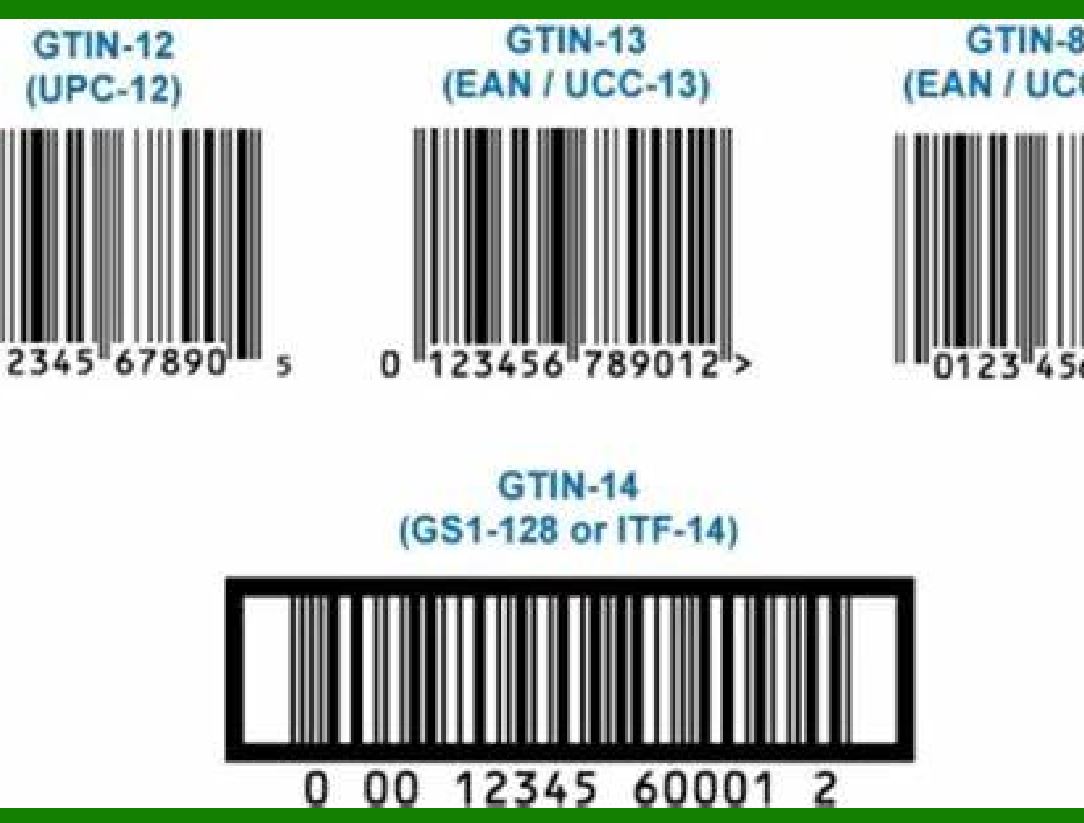
GTINs can be eight, 12, 13, or 14 digits long.

The GTIN standard incorporates various existing numbering systems, including:

EAN-8: An eight-digit barcode used for very small articles (e.g., chewing gum).

EAN-13: A 13-digit barcode commonly used for retail products.

UPC-A: A 12-digit barcode widely used in North America.

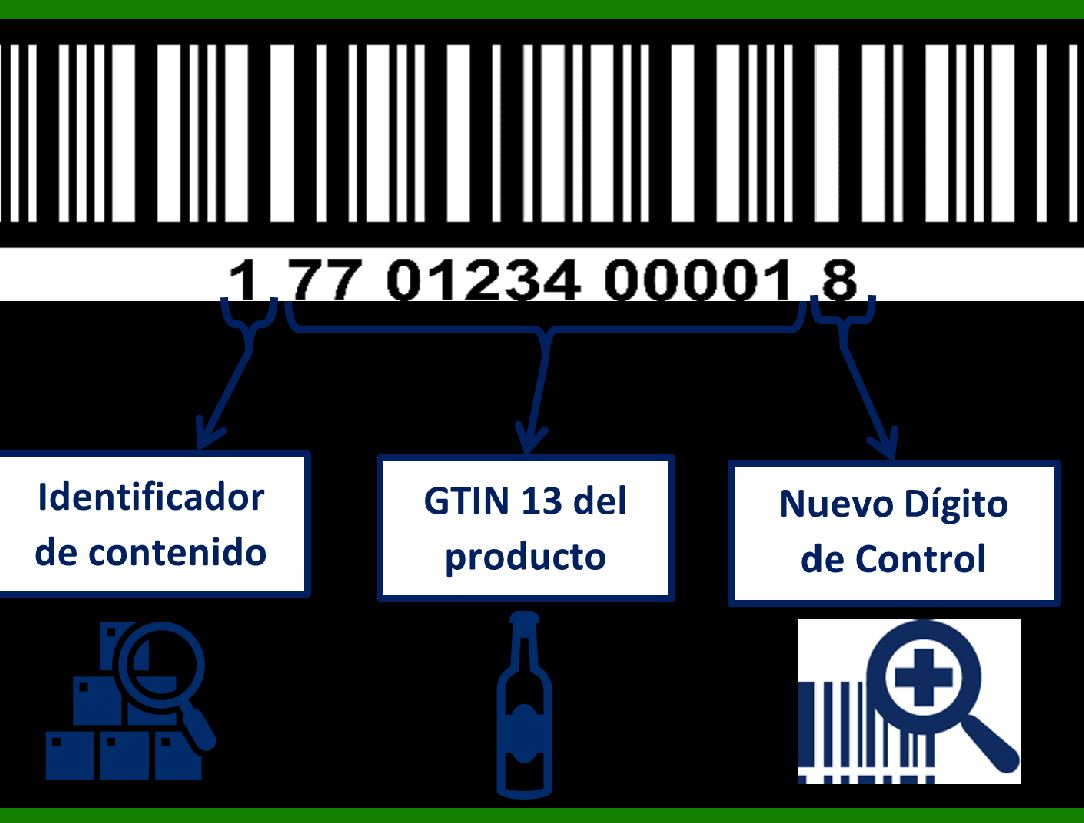
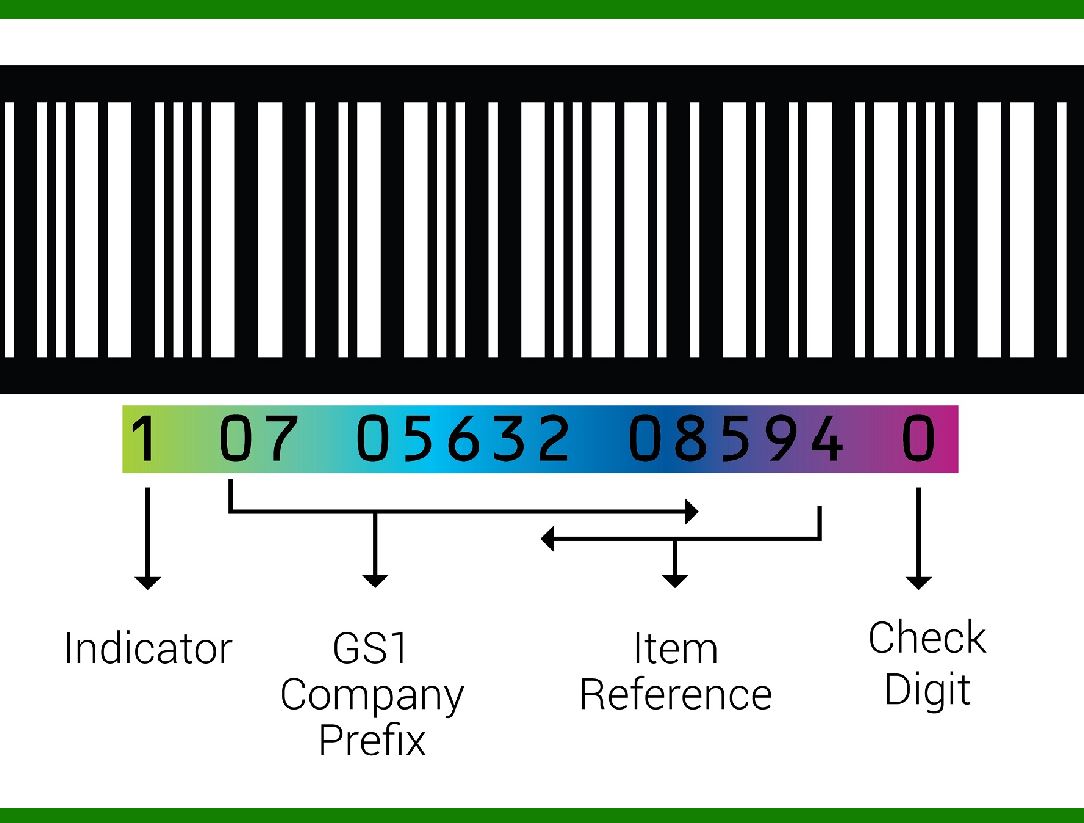
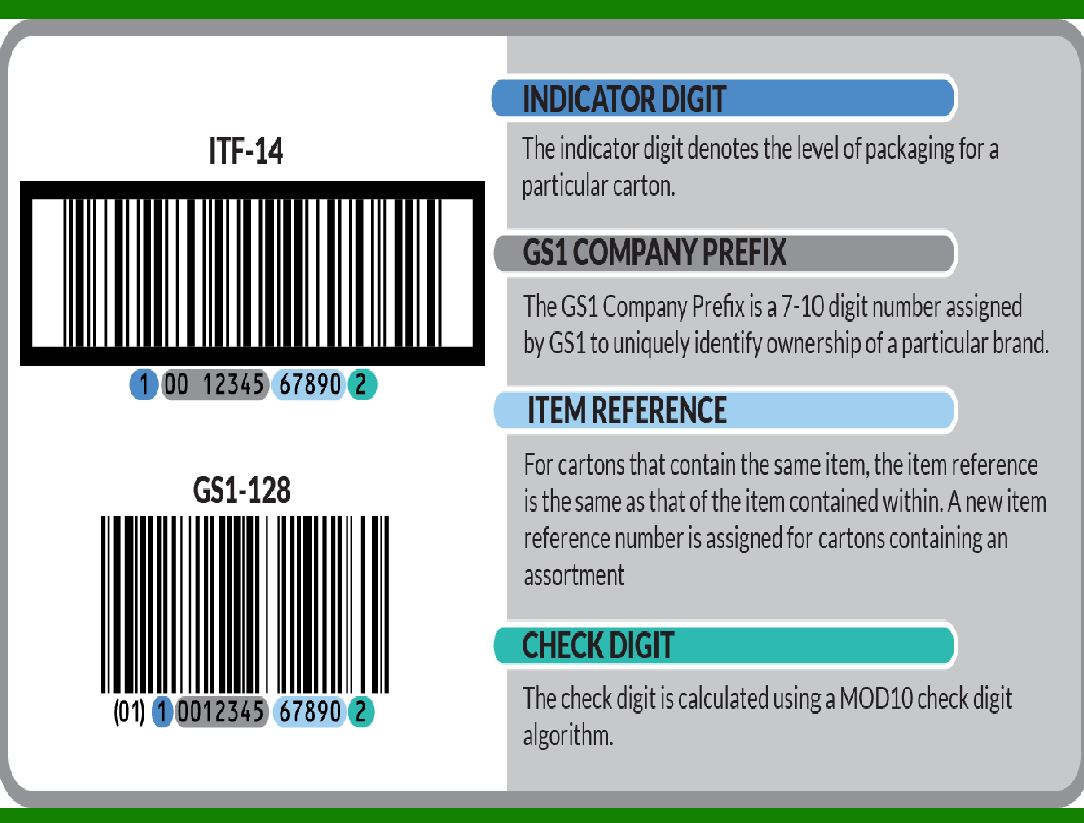
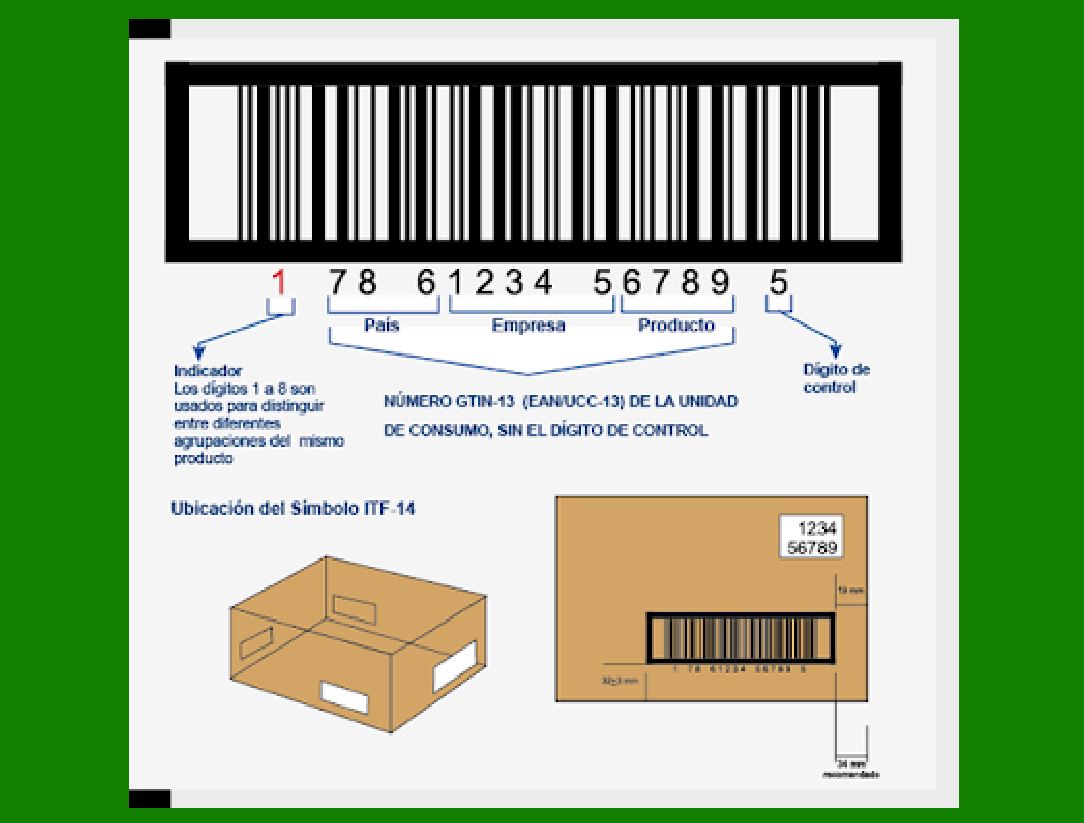
GTIN-14: A 14-digit barcode used for wholesale shipments (not retail point of sale). GTIN-14 includes an additional component called the Indicator Digit (which can be 0¨C9).

2. The choice of barcode format depends on the application.

For example:

Retail items may use EAN-8, EAN-13, UPC-A, or UPC-E barcodes.

GTIN-14 represents a ¡°packaging level¡± of a single item.

GTIN-12 and GTIN-13 numbers can be encoded as GTIN-14 by adding initial padding zeroes.

3. Origin and Relation to EAN-13:

The historical origin of the EAN-14 barcode is related to the EAN-13 barcode.

EAN-13 is an extension of the 12-bit UPC-A (Universal Product Code) standard developed by George J. Laurer in 1970.

George J. Laurer, an American engineer and inventor, is best known for developing the Universal Product Code (UPC).

In summary, GTINs play a crucial role in supply chain management, ensuring accurate product identification and information retrieval across different systems and organizations. Whether you¡¯re scanning a product at the checkout counter or managing inventory, GTINs make it all possible!

In which industries are EAN-14 barcodes most used?

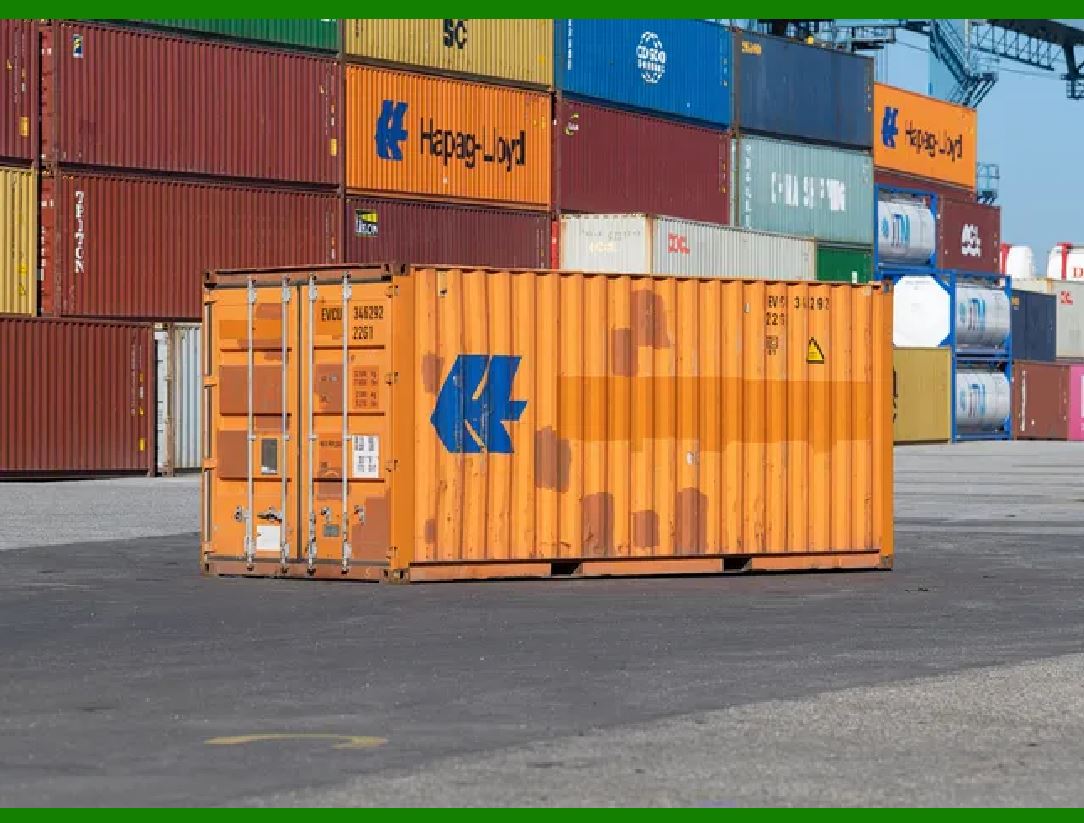
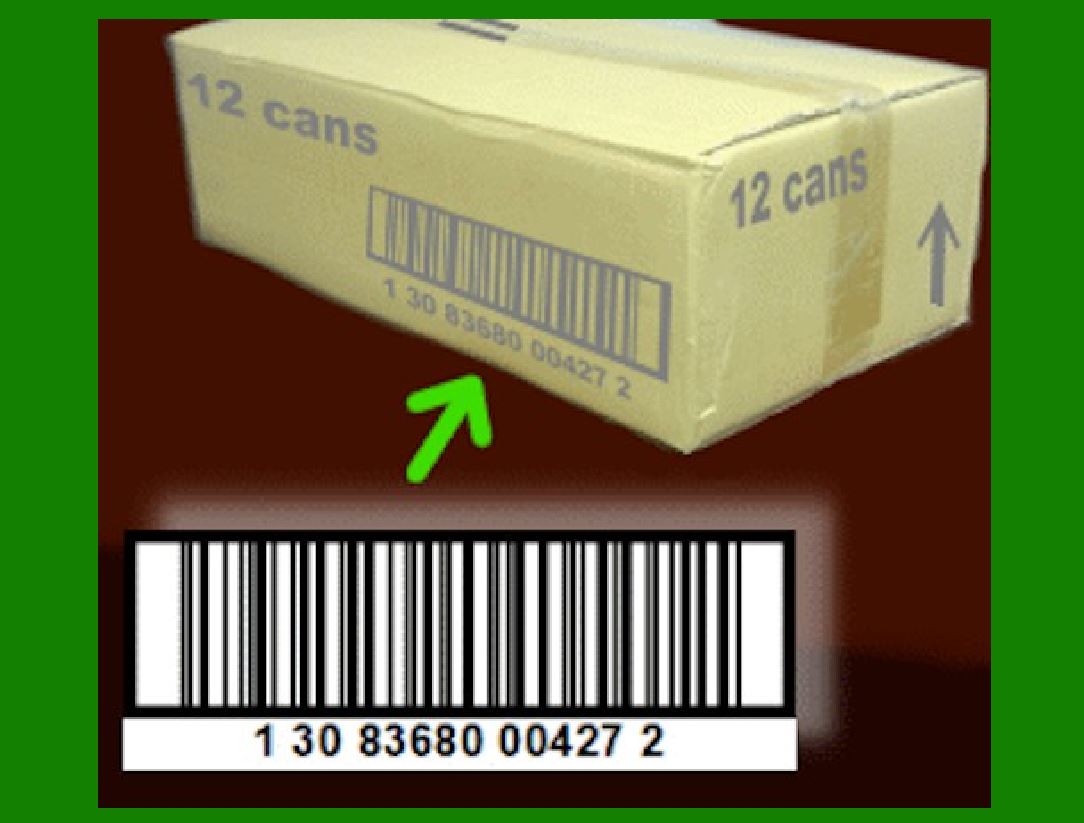
The EAN-14 barcode is a globally accepted barcode standard that is widely used in various industries and countries. It is mainly used to mark packaging units, such as boxes, pallets, containers, etc. It is compatible with the EAN/UPC barcode system and facilitates scanning and settlement in the retail process.

The application of EAN-14 barcodes on containers is to uniquely identify and track the containers and facilitate logistics and inventory control in supply chain management. The EAN-14 barcode has two forms of expression on the container, one is a 14-bit code with an application identifier (01), and the other is a 14-bit code without an application identifier. The EAN-14 barcode can also be called SCC-14 (Shipping Container Code) or DUN-14 (Distribution Unit Number).

What is the difference between EAN-14 barcode and EAN-13 barcode?

The EAN-14 barcode is used to uniquely identify and track packaging units, while the EAN-13 barcode is used to uniquely identify and track individual items.

The EAN-14 barcode is based on the encoding rules of the EAN-128 code. The length is 14 digits, and the 14th digit is the check digit, which is calculated from the previous 13 digits. The EAN-13 barcode is based on the encoding rules of the EAN-8 code. The length is 13 digits, and the 13th digit is the check digit, which is calculated from the previous 12 digits.

There are two forms of EAN-14 barcodes, one is with an application identifier (01) followed by a 14-bit code, and the other is a 14-bit code without an application identifier. The EAN-13 barcode has only one representation, a 13-digit code without an application identifier.


EasierSoft Barcode Label Design & Bulk Printing Software

---- Use Excel Data to Batch Print Barcodes on Label Sheets or Roll Labels  

---- How to use this barcode software

Download:  Free Barcode Software + Barcode Label Designer

Download Free Barcode Software at Softonic

     Download at CNET

Once you obtain a GS1/UPC/EAN barcode, or other barcode type and QR code, you can use our free software to batch print barcode labels onto Roll label paper using a professional label printer, or to batch print barcodes onto Avery 5160 label sheets using a regular laser or inkjet printer. Our software has free and paid versions.

The free version fully meets your needs for batch printing GS1/UPC/EAN barcodes. The paid version can import data from Excel and databases to batch print barcode labels with different values.

How to Start

Input Data

Import Excel Data

Print Barcode

Barcode Format

Label Designer

All Screen Shot

Export Barcode Image

Save Template

Output Word Excel

How to Use & FAQ:

Add ascii key to barcode

Auto calculate barcode size (Std)

Make barcode by command line

Export barcode image files

Barcode text font setting

Generate ISBN barcode

Predefined label templates

Printing setup

Save settings

Serial number generator

The supported barcode types

Load Excel data (pro)

Manually copy data from Excel files

Filter some data for printing

Edit imported barcode data

Input data (Pro)

Label Designer

Edit data in Label designer

Label Designer - Add new label

Label Designer - Printing

Set the barcode label format to be printed

Other Barcode Label Format Settings

Barcode types supported by this program

Barcode Label Font Settings

Configuring the Barcode Print Rotation

Text Alignment for Barcode Labels

Automatically Adjusting Barcode Width

Text Beneath the Barcode

Configuring Barcode Size

Auto Calculate the Barcode Size

Export Barcode images

Export Barcode Image Format

File Names for Exported Barcode

Resolution of Exported Barcode Images

Fixed Folder for Exporting Barcode

Default Barcode Image Export Format

Print bulk barcodes quickly

Print barcodes to Avery 5160 label

How to bulk Barcode Printing

Sample - Avery 5162 (2x7) Label Sheet

Example: Print barcodes to 5*3cm roll

Example: Print barcodes to 5161 label

Example: Print barcodes to 5162 label

Example: Print barcodes to 5163 label

Example: Print barcodes to 5164 label

Example: Print portrait orientation 5164

Example: Print barcodes to 5167 label

Example: Print barcodes to 5168 label

Example: Print portrait orientation 5168

Example: Print barcodes to 5169 label

Highlights

Excel integration: Import data directly from Excel to generate and print barcodes in bulk.

Label designer: Create complex labels with multiple barcodes, text, logos, and shapes.

Batch printing: Print thousands of barcodes at once using standard inkjet/laser printers or professional barcode printers.


Flexible editions:

Standard Edition: Simple batch printing with Excel data.

Professional Edition: Adds command-line automation for workflow integration.

Label Designer Edition: Advanced design features for complex labels.


Why Choose Our Barcode Solutions?

Cost-effective: Free online generator and permanent free desktop version available.

Easy to use: No technical expertise required—just input data and print.

Versatile: Supports nearly all 1D and 2D barcode types, including QR codes.

Trusted: Recommended by CNET and widely downloaded by users worldwide.


Suitable Use Cases

Small businesses and startups needing quick barcode labels for products.

Retailers and online sellers managing inventory with batch barcode printing.

Manufacturers requiring sequential or custom barcode labels for packaging.

Educational and testing environments where barcodes are used for tracking.


CONTACT

cs@easiersoft.com

If you have any question, please feel free to email us.


https://free-barcode.com


<<< Back to Directory <<<     Barcode Generator     Barcode Freeware     Privacy Policy