1. Introduction to Qode |
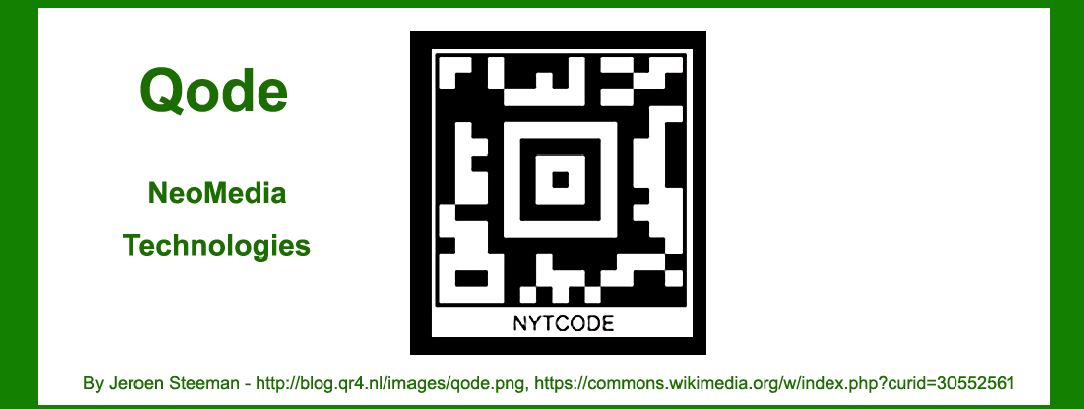
Qode is a 2D barcode technology developed by NeoMedia Technologies. As a significant advancement in the realm of barcoding and data capture, Qode was designed to address the needs of the growing mobile and digital environments. Unlike traditional barcodes, which typically encode data in a linear format, Qode utilizes a matrix of square modules to encode information, allowing for higher data density and more sophisticated use cases. |
|
2. NeoMedia Technologies and the Development of Qode |
2.1 Founding and Early Years |
NeoMedia Technologies was founded in 1996 by NeoMedia Technologies, Inc. in Atlanta, Georgia. The company initially focused on creating technology for mobile phones and digital content management, positioning itself as a pioneer in the emerging field of mobile barcode technologies. |
2.2 Development of Qode |
In the late 1990s, NeoMedia recognized the potential of integrating barcode technology with mobile phones, which were becoming increasingly sophisticated. The development of Qode began as part of NeoMedia's broader strategy to innovate in the field of mobile data capture. The technology aimed to enhance the usability and functionality of barcodes in mobile applications, leveraging the growing capabilities of mobile cameras and processors. |

|
3. Key Features of Qode |
3.1 Matrix Structure |
Qode uses a matrix structure to encode data, similar to other 2D barcodes such as QR codes and Data Matrix codes. This matrix is composed of small squares arranged in a grid pattern, which allows Qode to store a significant amount of information in a compact space. The matrix format also provides robustness against damage and distortion, making Qode suitable for various applications. |
3.2 Error Correction |
One of the notable features of Qode is its error correction capability. The barcode includes built-in mechanisms to detect and correct errors that may occur due to damage or distortion. This feature ensures that even if a Qode barcode is partially damaged, the encoded information can still be accurately decoded. |
3.3 High Data Density |
Qode is designed to encode a large amount of data within a relatively small area. This high data density makes it suitable for applications where space is limited or where a large amount of information needs to be conveyed. |

|
4. Initial Applications and Use Cases |
4.1 Mobile Marketing |
One of the early applications of Qode was in mobile marketing. The technology was employed to create interactive marketing materials, where users could scan Qode barcodes using their mobile phones to access promotional content, discounts, and product information. This use case capitalized on the growing trend of mobile phone usage and the increasing adoption of mobile internet. |
4.2 Product Packaging |
Qode was also used in product packaging to provide additional information to consumers. For instance, manufacturers used Qode barcodes on packaging to offer product details, usage instructions, and links to online resources. This application was particularly valuable for products with complex instructions or additional content that could not be easily included on traditional packaging. |

|
5. The Rise and Evolution of Mobile Barcodes |
5.1 Adoption of QR Codes |
As Qode was introduced, it faced competition from other 2D barcode technologies, particularly QR codes. QR codes, developed by Denso Wave in 1994, quickly gained popularity due to their simplicity and widespread adoption. This competition influenced NeoMedia's strategy and development efforts for Qode, as the company sought to differentiate its technology and expand its market presence. |
5.2 Integration with Mobile Devices |
The evolution of mobile devices played a crucial role in the development and adoption of Qode. As mobile phones became more advanced, with better cameras and processing capabilities, the potential for mobile barcodes increased. NeoMedia leveraged this trend by enhancing Qode's compatibility with a range of mobile devices and operating systems. |

|
6. Challenges and Competition |
6.1 Market Competition |
The barcode industry is highly competitive, with various technologies vying for dominance. Qode faced challenges from established players like QR codes and newer entrants in the 2D barcode space. NeoMedia had to continuously innovate and improve Qode to maintain its relevance and appeal in a rapidly evolving market. |
6.2 Technological Advancements |
The rapid pace of technological advancements presented both opportunities and challenges for Qode. As new technologies emerged, including improved barcode scanning apps and more advanced mobile devices, NeoMedia had to ensure that Qode remained compatible and effective across different platforms and use cases. |

|
7. Legacy and Impact |
7.1 Contributions to Mobile Barcoding |
Despite the competitive landscape, Qode made significant contributions to the field of mobile barcoding. The technology demonstrated the potential of 2D barcodes in enhancing mobile interactions and provided valuable insights into the future of barcode applications. |
7.2 Influence on Future Technologies |
Qode's development and deployment helped pave the way for future innovations in barcode technology. The lessons learned from Qode's design and application informed subsequent developments in mobile barcodes and data capture technologies, influencing both industry practices and technological advancements. |

|
8. Conclusion |
Qode represents an important chapter in the history of barcode technology, showcasing NeoMedia Technologies' efforts to innovate and adapt in a dynamic market. From its early applications in mobile marketing and product packaging to its role in the broader landscape of 2D barcodes, Qode has left a lasting impact on how we interact with digital and physical content. Its legacy continues to influence the evolution of mobile barcoding and data capture technologies. |

|
 cs@easiersoft.com