The History of RM Mailmark C Barcode in Royal Mail |
1. Introduction to Royal Mail and Barcoding |
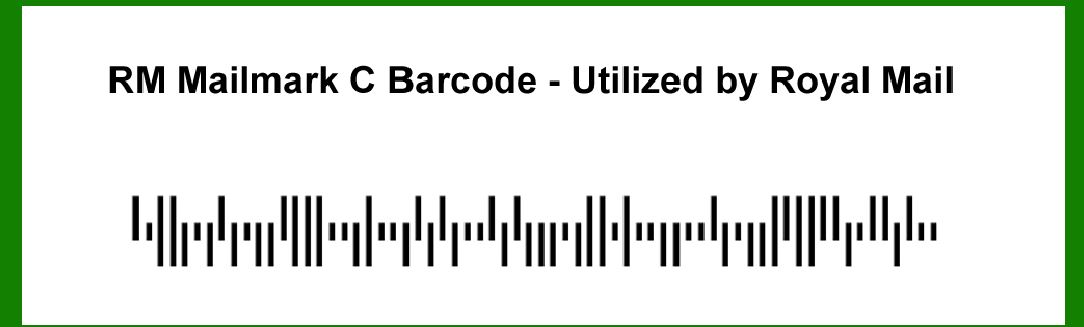
Royal Mail, the United Kingdom's designated Universal Postal Service Provider, has a long history of adopting and implementing innovative technologies to improve mail processing and delivery efficiency. Barcoding technology is a crucial part of this endeavor, enabling better tracking, sorting, and management of mail. The RM Mailmark C barcode is one such innovation that represents a significant advancement in Royal Mail's barcoding capabilities. To understand its history, we must first delve into the broader context of barcoding in Royal Mail. |
|
2. Early Days of Barcoding in Royal Mail |
Royal Mail began its journey with barcoding in the late 20th century, starting with simple barcode formats for internal use. Initially, the primary objective was to streamline the sorting process. These early barcodes, such as the RM4SCC (Royal Mail 4-State Customer Code), were used primarily for mail sorting within sorting offices. They provided basic information about the mail's destination and were instrumental in automating and accelerating the sorting process. |

|
3. Introduction of the Mailmark Initiative |
In the early 2010s, Royal Mail recognized the need for a more advanced barcoding system to meet the evolving demands of the postal service industry. This realization led to the development of the Mailmark initiative. The goal was to create a sophisticated, data-rich barcode that would not only facilitate sorting but also enhance the tracking and reporting capabilities for business customers. |

|
4. Development Phase: Mailmark C Barcode |
The RM Mailmark C barcode was born out of the Mailmark initiative. The development phase for this new barcode system involved extensive research, collaboration with technology partners, and pilot testing. Key objectives included: |
Improving accuracy in mail sorting. Enhancing tracking capabilities for end-to-end visibility. Providing detailed reporting for business customers. Ensuring compatibility with existing mail processing infrastructure. During this phase, Royal Mail worked closely with various stakeholders, including major business mailers and technology providers, to ensure the new barcode system met all requirements. |

|
5. Pilot Testing and Initial Rollout |
By 2013, Royal Mail had developed a prototype of the Mailmark C barcode and began pilot testing. This phase involved select business customers who sent high volumes of mail. The testing aimed to validate the barcode's performance in real-world conditions and gather feedback for further refinement. |
The initial results were promising, showing significant improvements in sorting accuracy and tracking capabilities. Business customers appreciated the enhanced reporting features, which provided detailed insights into mail delivery performance. |

|
6. Official Launch of RM Mailmark C Barcode |
In 2014, following successful pilot tests, Royal Mail officially launched the RM Mailmark C barcode. The launch marked a significant milestone in Royal Mail's barcoding journey. The new barcode system was made available to all business customers, and Royal Mail provided extensive support and resources to facilitate the transition. |

|
7. Features of RM Mailmark C Barcode |
The RM Mailmark C barcode brought several advanced features to the table: |
Data-Rich Encoding: The barcode could encode a wealth of information, including delivery addresses, customer-specific data, and tracking identifiers. Enhanced Tracking: It enabled end-to-end tracking of mail items, providing real-time updates on the status and location of mail. Detailed Reporting: Business customers could access comprehensive reports on mail delivery performance, helping them optimize their mailing strategies. Improved Sorting Accuracy: The barcode's sophisticated encoding and error correction mechanisms significantly reduced sorting errors. |

|
8. Adoption and Integration |
The adoption of the RM Mailmark C barcode by business customers was gradual but steady. Royal Mail invested heavily in educating customers about the benefits of the new barcode system and provided technical support to ease the integration process. By 2015, a substantial number of business mailers had transitioned to using the Mailmark C barcode. |
9. Technological Advancements and Upgrades |
As technology continued to evolve, so did the RM Mailmark C barcode. Royal Mail periodically updated the barcode system to leverage new advancements in barcoding and data processing technologies. These updates ensured that the Mailmark C barcode remained at the cutting edge of postal technology. |

|
10. Examples of Use Cases |
Several notable use cases highlight the impact of the RM Mailmark C barcode: |
E-commerce and Retail: Large e-commerce platforms and retail businesses adopted the Mailmark C barcode to improve the efficiency and reliability of their mailings. The enhanced tracking capabilities provided better visibility into the delivery process, reducing customer inquiries and enhancing customer satisfaction. Financial Services: Banks and financial institutions used the barcode for sending statements and other important documents. The detailed reporting features helped them ensure timely delivery and compliance with regulatory requirements. Government Agencies: Various government agencies utilized the Mailmark C barcode for official communications. The barcode's data-rich encoding allowed for secure and accurate handling of sensitive information. |
11. Continuous Improvement and Customer Feedback |
Royal Mail remained committed to continuously improving the RM Mailmark C barcode system. Customer feedback played a crucial role in this process. Regular surveys and feedback sessions were conducted to understand customer experiences and identify areas for improvement. |

|
12. Expansion to International Mail |
By the late 2010s, Royal Mail explored the possibility of extending the Mailmark C barcode system to international mail. This involved collaborating with international postal organizations to ensure compatibility and seamless integration. The goal was to provide the same level of tracking and reporting capabilities for international mailings. |
13. Impact on Postal Operations |
The introduction of the RM Mailmark C barcode had a profound impact on Royal Mail's operations: |
Efficiency Gains: The enhanced sorting accuracy and automated processing led to significant efficiency gains, reducing operational costs. Improved Customer Satisfaction: Business customers benefited from the detailed tracking and reporting features, which improved their mailing strategies and customer service. Data-Driven Insights: The rich data encoded in the Mailmark C barcode enabled Royal Mail to gather valuable insights into mail delivery performance, helping them optimize their operations further. |

|
14. Challenges and Solutions |
Implementing the RM Mailmark C barcode system was not without challenges. Some of the key challenges included: |
Integration with Legacy Systems: Ensuring compatibility with existing mail processing infrastructure required significant effort. Royal Mail worked closely with technology partners to develop solutions that facilitated seamless integration. Customer Adoption: Encouraging business customers to transition to the new barcode system required extensive education and support. Royal Mail provided training sessions, technical support, and resources to ease the transition. |
15. Evolution and Future Prospects |
As of the early 2020s, the RM Mailmark C barcode continues to evolve. Royal Mail remains committed to leveraging the latest technological advancements to enhance the barcode system further. Future prospects include: Integration with IoT: Exploring the integration of Internet of Things (IoT) technologies to provide even more granular tracking and reporting capabilities. Enhanced Security: Implementing advanced security features to protect the integrity and confidentiality of data encoded in the barcode. Global Standardization: Working towards establishing the RM Mailmark C barcode as a global standard for postal barcoding, ensuring compatibility and seamless integration across international postal organizations. |

|
16. Conclusion |
The RM Mailmark C barcode represents a significant milestone in Royal Mail's journey towards modernizing its postal operations. From its early days of development and pilot testing to its widespread adoption and continuous improvement, the Mailmark C barcode has transformed the way Royal Mail handles and processes mail. By providing enhanced tracking, detailed reporting, and improved sorting accuracy, it has set new standards for efficiency and customer satisfaction in the postal service industry. As Royal Mail continues to innovate and adapt to the evolving demands of the industry, the RM Mailmark C barcode will undoubtedly play a central role in shaping the future of postal services. |
 cs@easiersoft.com