Barcode Technology

Barcode History

Barcode Label Paper

Barcode Printer

Barcode Application

Inventory Management

AI Barcode QRCode

Barcode Scanner

Barcode Software

Barcode Software B

Barcode Software C

Barcode Software D

Barcode Software E

New Technology A

New Technology B

Robot Technology

Barcode Types

Barcode Types B

Barcode Types C

Barcode Types D

Barcode Types E

Barcode Types F

Electronic Technology

Psychology at Work

Barcode Technology and Barcode Software Related   <<< Back to Directory <<<

The history of RM4SCC (Royal Mail 4-State Customer Code) barcode

1. Introduction

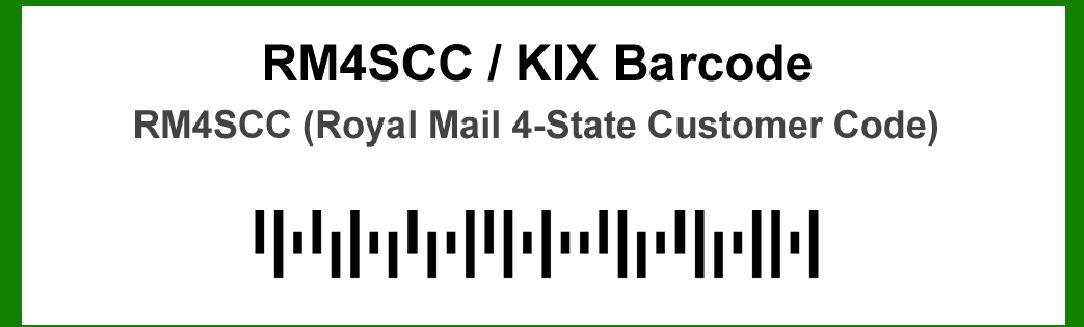
The RM4SCC (Royal Mail 4-State Customer Code) barcode is a type of postal barcode developed for the efficient sorting and delivery of mail. This barcode system has been integral to the modernization of mail handling within the UK postal service. The history of RM4SCC reflects a journey of innovation aimed at improving postal operations through automation and standardization.

2. Early Developments (Pre-1990s)

Before the introduction of RM4SCC, the Royal Mail used various manual and semi-automated methods for sorting mail. These methods were labor-intensive and prone to errors, prompting the need for a more efficient system. In the late 1980s, there was increasing pressure on postal services worldwide to enhance sorting processes due to growing mail volumes.

3. The Concept and Design (1990s)

The development of the RM4SCC barcode began in the early 1990s. The Royal Mail sought a barcode system that could streamline mail sorting, reduce manual intervention, and accommodate the increasing volume of postal items. The goal was to create a system that could encode addressing information efficiently while being compatible with existing sorting machinery.

4. Introduction and Adoption (1993-1995)

1.1993: The RM4SCC barcode was officially introduced as part of the Royal Mail's modernization strategy. It was designed to encode information in a compact format, making it suitable for high-speed sorting machines. The barcode's unique 4-state structure allowed it to convey essential information about the mail item efficiently.

2.1994: During this period, the RM4SCC barcode began to be implemented on a broader scale. Postal items started featuring the barcode, and the Royal Mail began to integrate the system into its sorting infrastructure. The adoption of RM4SCC was a significant step towards automating mail processing and reducing human error.

3.1995: The Royal Mail completed the initial phase of implementing RM4SCC across its sorting centers. The barcode system demonstrated its capability to handle large volumes of mail with improved accuracy and speed, reinforcing the decision to expand its use.

5. Expansion and Optimization (1996-2000)

1.1996: The RM4SCC barcode system underwent optimization to enhance its performance. Feedback from sorting centers led to refinements in the barcode's design and encoding methodology. The improvements aimed at increasing the reliability of scanning and sorting operations.

2.1997: As the Royal Mail continued to integrate RM4SCC, additional training and support were provided to staff operating the sorting machines. The goal was to ensure a smooth transition to the new system and maximize its benefits.

3.1998-2000: During these years, RM4SCC became increasingly entrenched in the Royal Mail's operations. The system's effectiveness in handling diverse mail types and volumes was demonstrated through consistent performance metrics. The barcode system was also subjected to ongoing evaluations and updates to address emerging challenges and maintain operational efficiency.

6. Technological Advancements and Enhancements (2001-2010)

1.2001: The Royal Mail introduced technological advancements to further improve RM4SCC's functionality. Enhanced scanning equipment and data processing systems were deployed to support the barcode's continued use and ensure compatibility with evolving postal technologies.

2.2005: The Royal Mail implemented updates to RM4SCC to accommodate new types of mail and address formats. These updates aimed to maintain the system's relevance in a rapidly changing postal environment and ensure continued accuracy in mail sorting.

3.2008: As part of its commitment to innovation, the Royal Mail explored the integration of RM4SCC with other automated systems and technologies. This integration aimed to streamline operations and enhance the overall efficiency of mail processing.

4.2010: The Royal Mail celebrated the successful decade of RM4SCC's implementation. The barcode system had become an integral part of the postal service's operations, contributing significantly to improved sorting accuracy and operational efficiency.

7. Modernization and Current Status (2011-Present)

1.2011: The Royal Mail continued to modernize its sorting infrastructure and systems, incorporating RM4SCC into new technologies and processes. The barcode system remained a key component of the Royal Mail's strategy to maintain high standards of service.

2.2015: The Royal Mail introduced further enhancements to RM4SCC, focusing on improving data integration and processing capabilities. These updates aimed to support the growing demands of a digital age and ensure that RM4SCC remained a reliable tool for mail sorting.

3.2018: The Royal Mail celebrated the continued success of RM4SCC, reflecting on its role in transforming mail handling practices over the years. The barcode system's legacy was marked by its contribution to achieving higher levels of efficiency and accuracy in postal operations.

4.2020-Present: The RM4SCC barcode continues to be used by the Royal Mail, demonstrating its enduring effectiveness in modern mail sorting. The system remains an essential part of the Royal Mail's infrastructure, adapting to new challenges and technological advancements in the postal industry.

8. Conclusion

The history of RM4SCC highlights its evolution from a conceptual design to a critical component of the Royal Mail's mail sorting operations. The barcode system's development and implementation reflect a commitment to improving postal services through automation and efficiency. As the Royal Mail continues to innovate and adapt, RM4SCC remains a testament to the successful integration of technology in the postal industry.


EasierSoft Barcode Label Design & Bulk Printing Software

---- Use Excel Data to Batch Print Barcodes on Label Sheets or Roll Labels  

---- How to use this barcode software

Download:  Free Barcode Software + Barcode Label Designer

Download Free Barcode Software at Softonic

     Download at CNET

Once you obtain a GS1/UPC/EAN barcode, or other barcode type and QR code, you can use our free software to batch print barcode labels onto Roll label paper using a professional label printer, or to batch print barcodes onto Avery 5160 label sheets using a regular laser or inkjet printer. Our software has free and paid versions.

The free version fully meets your needs for batch printing GS1/UPC/EAN barcodes. The paid version can import data from Excel and databases to batch print barcode labels with different values.

How to Start

Input Data

Import Excel Data

Print Barcode

Barcode Format

Label Designer

All Screen Shot

Export Barcode Image

Save Template

Output Word Excel

How to Use & FAQ:

Export barcode image files

Barcode text font setting

Generate ISBN barcode

Predefined label templates

Printing setup

Save settings

Serial number generator

The supported barcode types

Load Excel data (pro)

Manually copy data from Excel files

Filter some data for printing

Edit imported barcode data

Input data (Pro)

Label Designer

Edit data in Label designer

Label Designer - Add new label

Label Designer - Printing

Set the barcode label format to be printed

Other Barcode Label Format Settings

Barcode types supported by this program

Barcode Label Font Settings

Configuring the Barcode Print Rotation

Text Alignment for Barcode Labels

Automatically Adjusting Barcode Width

Text Beneath the Barcode

Configuring Barcode Size

Auto Calculate the Barcode Size

Export Barcode images

Export Barcode Image Format

File Names for Exported Barcode

Resolution of Exported Barcode Images

Fixed Folder for Exporting Barcode

Default Barcode Image Export Format

Print bulk barcodes quickly

Print barcodes to Avery 5160 label

How to bulk Barcode Printing

Sample - Avery 5162 (2x7) Label Sheet

Example: Print barcodes to 5*3cm roll

Example: Print barcodes to 5161 label

Example: Print barcodes to 5162 label

Example: Print barcodes to 5163 label

Example: Print barcodes to 5164 label

Example: Print portrait orientation 5164

Example: Print barcodes to 5167 label

Example: Print barcodes to 5168 label

Example: Print portrait orientation 5168

Example: Print barcodes to 5169 label

Example: Print barcodes to 5660 label

Example: Print barcodes to 5661 label

Example: Print barcodes to 5662 label

Highlights

Excel integration: Import data directly from Excel to generate and print barcodes in bulk.

Label designer: Create complex labels with multiple barcodes, text, logos, and shapes.

Batch printing: Print thousands of barcodes at once using standard inkjet/laser printers or professional barcode printers.


Flexible editions:

Standard Edition: Simple batch printing with Excel data.

Professional Edition: Adds command-line automation for workflow integration.

Label Designer Edition: Advanced design features for complex labels.


Why Choose Our Barcode Solutions?

Cost-effective: Free online generator and permanent free desktop version available.

Easy to use: No technical expertise required—just input data and print.

Versatile: Supports nearly all 1D and 2D barcode types, including QR codes.

Trusted: Recommended by CNET and widely downloaded by users worldwide.


Suitable Use Cases

Small businesses and startups needing quick barcode labels for products.

Retailers and online sellers managing inventory with batch barcode printing.

Manufacturers requiring sequential or custom barcode labels for packaging.

Educational and testing environments where barcodes are used for tracking.


CONTACT

cs@easiersoft.com

If you have any question, please feel free to email us.


https://free-barcode.com


<<< Back to Directory <<<     Barcode Generator     Barcode Freeware     Privacy Policy