Part 1: Overview of Inkjet Printer Technology in Barcode Label Printing |
1. Introduction to Inkjet Printing Technology |
1.1 Inkjet printing technology is a non-impact digital printing method that creates images by propelling microscopic droplets of liquid ink onto a substrate. In the context of barcode label printing, this technology has become increasingly important due to its flexibility, high resolution, and ability to print on a wide variety of materials. |
1.2 Unlike traditional impact printing methods, inkjet printing does not require physical contact between the printhead and the substrate. This characteristic reduces mechanical wear, allows printing on uneven or delicate surfaces, and supports high-speed production environments. |
1.3 Inkjet printing is widely used in industries such as logistics, retail, healthcare, manufacturing, and warehousing, where barcode labels play a critical role in tracking, identification, and automation. |
1.4 The technology is particularly valuable for on-demand printing, enabling businesses to produce labels as needed without requiring pre-printed stock, thereby reducing inventory costs and increasing operational efficiency. |

|
2. Role of Inkjet Printing in Barcode Label Applications |
2.1 Barcode labels serve as machine-readable representations of data, typically encoded in one-dimensional (1D) or two-dimensional (2D) formats. Inkjet printing technology must ensure that these barcodes are printed with sufficient accuracy and contrast to be reliably scanned. |
2.2 Inkjet printers are capable of producing high-resolution output, often exceeding 600 dots per inch (DPI), which is essential for printing dense barcode symbologies such as QR codes and Data Matrix codes. |
2.3 The ability to precisely control droplet size and placement allows inkjet printers to generate sharp edges and consistent line widths, which are critical for barcode readability. |
2.4 Inkjet technology supports variable data printing, meaning each label can contain unique information such as serial numbers, batch codes, expiration dates, or tracking identifiers. |
2.5 This capability is essential in industries such as pharmaceuticals, food and beverage, and logistics, where traceability and compliance with regulations are required. |

|
3. Historical Development of Inkjet Printing Technology |
3.1 The origins of inkjet printing can be traced back to the mid-20th century, when researchers began exploring methods of depositing ink droplets in a controlled manner. |
3.2 Early inkjet systems were primarily continuous inkjet (CIJ) systems, which generated a constant stream of ink droplets and used electrostatic deflection to direct them onto the substrate. |
3.3 In the 1970s and 1980s, drop-on-demand (DOD) inkjet technology was developed, allowing droplets to be generated only when needed. This significantly improved efficiency and reduced ink waste. |
3.4 Thermal inkjet (TIJ) and piezoelectric inkjet technologies emerged as the dominant DOD methods, each with its own advantages and limitations. |
3.5 Over time, advancements in microelectronics, materials science, and fluid dynamics have led to significant improvements in print quality, speed, and reliability. |

|
4. Classification of Inkjet Printing Technologies |
4.1 Inkjet printing technologies can be broadly classified into two main categories: |
* Continuous Inkjet (CIJ) |
* Drop-on-Demand (DOD) |
4.2 Continuous Inkjet (CIJ): |
4.2.1 CIJ systems continuously generate a stream of ink droplets, which are electrically charged and deflected by electrostatic fields to form characters or images. |
4.2.2 Unused droplets are collected and recirculated, making CIJ systems suitable for high-speed industrial applications. |
4.2.3 CIJ is commonly used for coding and marking on production lines, such as printing expiration dates on packaging. |
4.3 Drop-on-Demand (DOD): |
4.3.1 DOD systems generate ink droplets only when required, resulting in more efficient ink usage. |
4.3.2 There are two primary types of DOD inkjet: |
* Thermal Inkjet (TIJ) |
* Piezoelectric Inkjet |
4.4 Thermal Inkjet (TIJ): |
4.4.1 TIJ printers use heat to create vapor bubbles that force ink droplets out of the nozzle. |
4.4.2 These systems are widely used in office printers and some industrial applications. |
4.4.3 TIJ offers high resolution and relatively low cost but may have limitations in ink compatibility due to the heating process. |
4.5 Piezoelectric Inkjet: |
4.5.1 Piezoelectric printers use piezoelectric crystals that deform when an electric voltage is applied, generating pressure to eject ink droplets. |
4.5.2 This method allows for precise control of droplet size and supports a wider range of ink formulations. |
4.5.3 Piezoelectric inkjet is commonly used in industrial and high-end printing applications, including barcode label printing. |
|
5. Advantages of Inkjet Printing for Barcode Labels |
5.1 High Resolution: |
5.1.1 Inkjet printers can produce fine details, making them suitable for high-density barcodes and small label formats. |
5.2 Flexibility: |
5.2.1 Inkjet technology can print on various substrates, including paper, plastic, metal, glass, and textiles. |
5.3 Variable Data Printing: |
5.3.1 Each label can contain unique information, enabling serialization and traceability. |
5.4 On-Demand Printing: |
5.4.1 Labels can be printed as needed, reducing waste and inventory costs. |
5.5 Non-Contact Printing: |
5.5.1 Suitable for delicate or irregular surfaces. |

|
6. Challenges and Limitations |
6.1 Ink Durability: |
6.1.1 Inkjet-printed labels may be susceptible to smudging, fading, or water damage if not properly protected. |
6.2 Substrate Compatibility: |
6.2.1 Not all materials are suitable for inkjet printing without special coatings. |
6.3 Maintenance Requirements: |
6.3.1 Printheads can become clogged if not properly maintained. |
6.4 Speed Limitations: |
6.4.1 While high-speed inkjet systems exist, some applications may require faster printing than certain inkjet technologies can provide. |
|
7. Comparison with Other Barcode Printing Technologies |
7.1 Thermal Transfer Printing: |
7.1.1 Uses a ribbon to transfer ink onto the substrate. |
7.1.2 Offers high durability but requires consumables. |
7.2 Direct Thermal Printing: |
7.2.1 Uses heat-sensitive paper. |
7.2.2 Simpler but less durable over time. |
7.3 Laser Printing: |
7.3.1 Uses toner and heat. |
7.3.2 High quality but less flexible for certain materials. |
7.4 Inkjet vs Others: |
7.4.1 Inkjet offers greater flexibility and variable data capabilities. |
7.4.2 However, durability and substrate compatibility must be carefully managed. |
|
8. Key Application Areas |
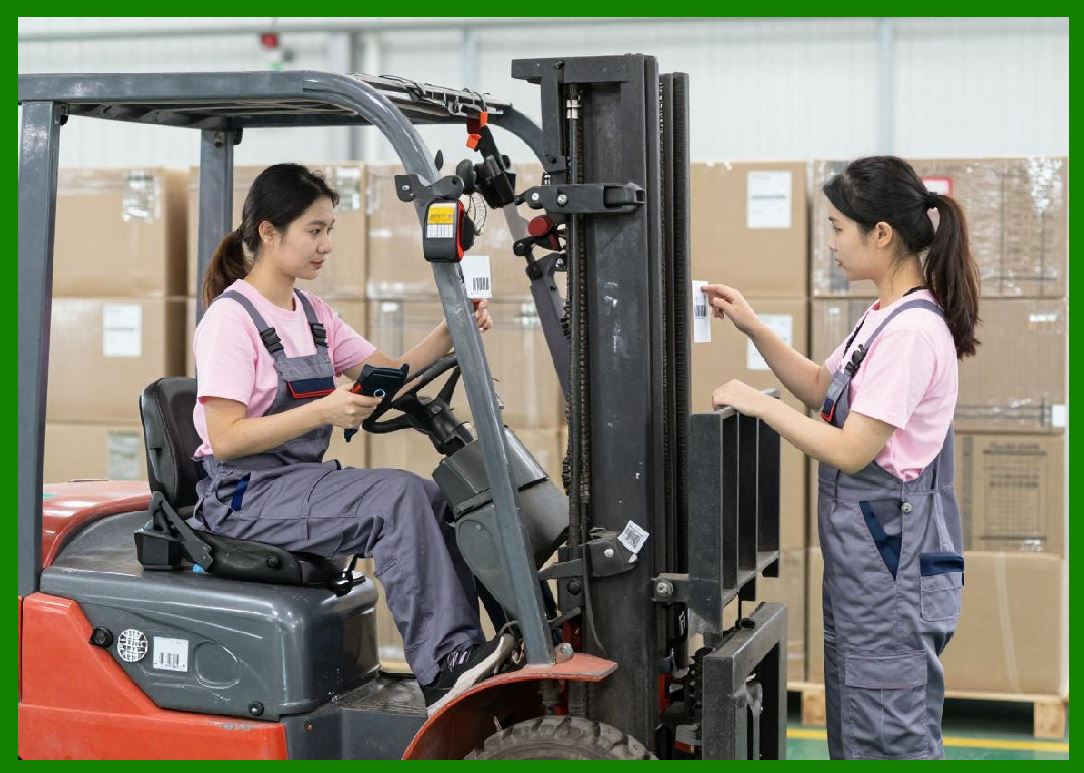
8.1 Logistics and Warehousing: |
8.1.1 Shipping labels, tracking labels, pallet labels. |
8.2 Retail: |
8.2.1 Price tags, product labels, shelf labels. |
8.3 Healthcare: |
8.3.1 Patient identification, medication labeling. |
8.4 Manufacturing: |
8.4.1 Product identification, compliance labeling. |
8.5 Food and Beverage: |
8.5.1 Expiration dates, batch codes, traceability labels. |
|
9. Future Trends in Inkjet Barcode Printing |
9.1 Increased Automation: |
9.1.1 Integration with Industry 4.0 systems. |
9.2 Improved Ink Formulations: |
9.2.1 Enhanced durability and environmental resistance. |
9.3 Higher Resolution and Speed: |
9.3.1 Ongoing advancements in printhead technology. |
9.4 Sustainability: |
9.4.1 Development of eco-friendly inks and substrates. |
|
Technical Summary of Part 1 |
This part provides a comprehensive overview of inkjet printing technology as applied to barcode label printing. It explains the fundamental principles of inkjet printing, including non-contact droplet deposition and digital image formation. The discussion covers the classification of inkjet systems into Continuous Inkjet (CIJ) and Drop-on-Demand (DOD), with further differentiation into Thermal Inkjet (TIJ) and Piezoelectric Inkjet technologies. |
The role of inkjet printing in barcode applications is emphasized, particularly its ability to produce high-resolution, variable data labels essential for modern supply chains. Advantages such as flexibility, on-demand printing, and substrate compatibility are balanced against challenges like ink durability and maintenance requirements. |
Finally, the section compares inkjet printing with other common barcode printing technologies and outlines key application areas and future development trends. This establishes a solid foundation for deeper technical exploration in subsequent parts. |
 cs@easiersoft.com