Part 45 The History, Engineering Systems, Printing Technologies, and Industrial Labeling Ecosystem of Zebra Technologies Corporation |
1. Introduction to Zebra Technologies in Barcode Printing Systems |
1.1 |
Zebra Technologies Corporation is widely regarded as the global market leader in barcode label printing, RFID systems, and enterprise asset intelligence solutions. The company plays a central role in modern supply chain digitization, logistics automation, retail intelligence, and industrial identification systems. |
1.2 |
Zebra specializes in mission-critical printing and data capture ecosystems, combining barcode printers, RFID encoders, mobile computers, scanners, and software platforms into a unified enterprise visibility architecture. |

|
1.3 |
Its systems are deployed across nearly every major industry including logistics, retail, healthcare, manufacturing, transportation, and government operations. |
1.4 |
Zebra printers are known for high reliability, scalability, and integration with enterprise IT systems such as ERP, WMS, and MES platforms. |
1.5 |
The company is also a pioneer in RFID adoption and real-time asset tracking systems. |
1.6 |
Today, Zebra continues to expand into AI-driven automation, cloud-based asset intelligence, and Industry 4.0 digital supply chain systems. |

|
2. Founding History and Corporate Development |
2.1 |
Edward J. Kaplan and Gerard C. Barney founded Zebra Technologies in 1969 in the United States. |
2.2 |
The company originally focused on specialty sensing and marking technologies before transitioning into barcode printing systems in the 1980s. |
2.3 |
Zebra became an early pioneer in barcode labeling systems during the rapid adoption of UPC barcodes in retail. |
2.4 |
Through the 1990s and 2000s, Zebra expanded aggressively through acquisitions and global partnerships. |
2.5 |
The company acquired Motorola SolutionsEnterprise business in 2014, significantly expanding its mobile computing and scanning portfolio. |
2.6 |
Zebra evolved into a full-stack enterprise visibility provider, combining printing, scanning, RFID, and mobile computing. |
2.7 |
The company established itself as the dominant leader in barcode printing and enterprise asset intelligence. |
2.8 |
Today, Zebra is the most influential global company in barcode and RFID ecosystems. |

|
3. Thermal Printing Technologies and Engineering Systems |
3.1 |
Zebra barcode printers are based on direct thermal and thermal transfer printing technologies used in industrial environments worldwide. |
3.2 |
Direct thermal printing is widely used for shipping labels, retail tags, and short-term logistics applications. |
3.3 |
Thermal transfer printing is used for durable labeling in industrial, healthcare, and manufacturing environments. |
3.4 |
Zebra engineering emphasizes durability, uptime, and enterprise-grade reliability. |
3.5 |
Printhead systems are designed for long lifecycle performance under heavy workloads. |
3.6 |
Media handling systems support high-speed, high-volume industrial operations. |
3.7 |
Thermal calibration systems ensure consistent barcode readability across global supply chains. |
3.8 |
Zebra printers are optimized for mission-critical environments where downtime is costly. |

|
4. Barcode Printer Product Families |
4.1 |
Zebra offers a broad range of desktop, industrial, mobile, and print engine systems. |
4.2 |
The ZT series is widely used in industrial warehouse and manufacturing environments. |
4.3 |
The GK and ZD series support desktop and light industrial labeling applications. |
4.4 |
Mobile printers are widely used in logistics, retail, and field operations. |
4.5 |
Print engines are integrated into automated production lines and kiosks. |
4.6 |
Printers support global barcode standards including QR Code, Data Matrix, and GS1 formats. |
4.7 |
Zebra devices are designed for enterprise-level scalability and integration. |
4.8 |
The product portfolio is optimized for end-to-end supply chain visibility. |

|
5. RFID Printing and Smart Tracking Systems |
5.1 |
Zebra is one of the global leaders in RFID-enabled printing systems. |
5.2 |
RFID printers encode and print smart labels containing embedded microchips and antennas. |
5.3 |
These systems are widely used in logistics, retail inventory, healthcare, and asset tracking. |
5.4 |
RFID encoding requires precise calibration to ensure tag readability and compliance. |
5.5 |
Zebra RFID systems are tightly integrated with enterprise software platforms. |
5.6 |
Retail industries use RFID for real-time inventory visibility and omnichannel fulfillment. |
5.7 |
Healthcare systems use RFID for patient tracking and equipment management. |
5.8 |
Zebra continues to expand RFID adoption globally across industries. |

|
6. Enterprise Software and Digital Ecosystem |
6.1 |
Zebra provides enterprise software platforms for device management, printing, and data intelligence. |
6.2 |
Software ecosystems connect printers, scanners, RFID systems, and mobile devices. |
6.3 |
Integration with ERP, WMS, and MES systems enables real-time operational visibility. |
6.4 |
Cloud-based device management platforms allow centralized control of global fleets. |
6.5 |
AI-driven analytics tools improve asset tracking and operational efficiency. |
6.6 |
Mobile computing platforms extend Zebra ecosystem beyond printing. |
6.7 |
Cybersecurity systems protect enterprise data and device networks. |
6.8 |
Software is a core pillar of Zebra intelligent enterprise strategy. |
|
7. Industrial Applications Across Global Markets |
7.1 |
Logistics companies use Zebra printers for shipping labels and warehouse automation. |
7.2 |
Retail industries rely on Zebra for inventory management and point-of-sale systems. |
7.3 |
Healthcare systems use Zebra for patient identification and specimen tracking. |
7.4 |
Manufacturing industries use labeling and RFID systems for production traceability. |
7.5 |
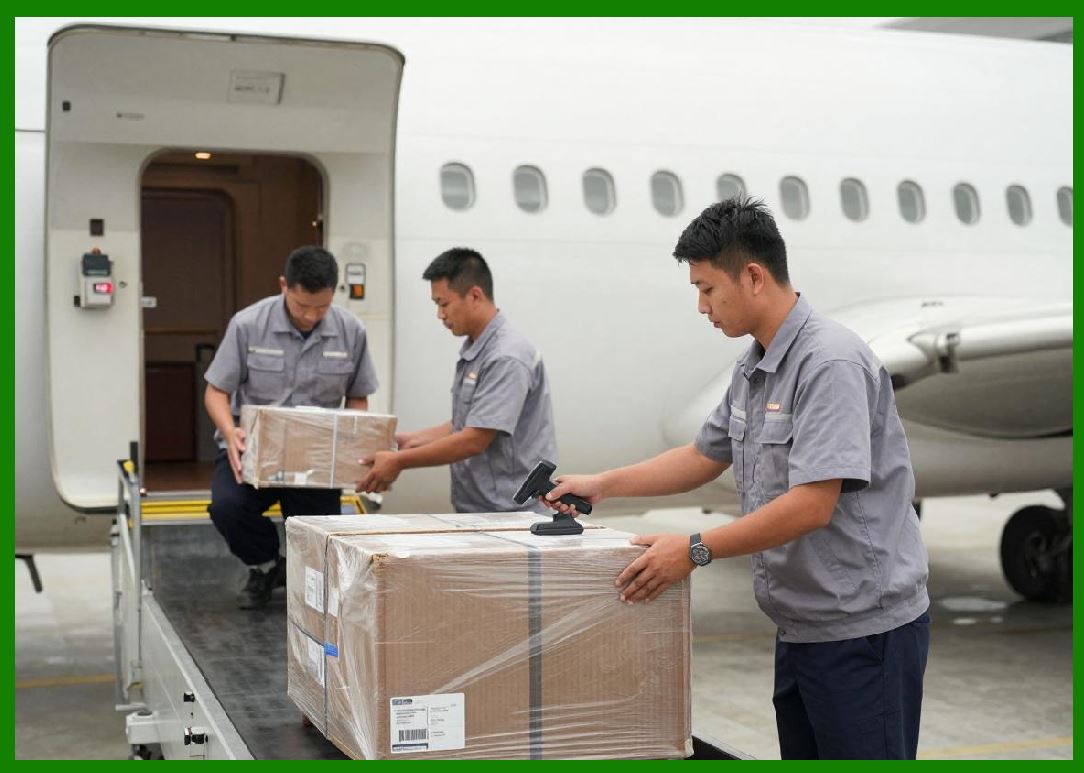
Transportation and aviation industries use Zebra systems for asset tracking. |
7.6 |
Government agencies use Zebra systems for identification and logistics operations. |
7.7 |
E-commerce companies rely heavily on Zebra for fulfillment automation. |
7.8 |
Zebra systems are deeply embedded in global supply chain infrastructure. |

|
8. Competitive Positioning and Market Strategy |
8.1 |
Zebra competes with Honeywell, SATO, Toshiba Tec, TSC, BIXOLON, and Brother. |
8.2 |
Its primary advantage is its fully integrated enterprise visibility ecosystem. |
8.3 |
The company dominates the global industrial barcode printer market. |
8.4 |
Zebra benefits from strong acquisitions and global expansion strategy. |
8.5 |
It emphasizes mission-critical reliability and enterprise integration. |
8.6 |
The company differentiates through full-stack hardware and software solutions. |
8.7 |
Zebra maintains leadership in RFID and supply chain intelligence. |
8.8 |
It is the most influential company in global barcode ecosystems. |

|
9. Future Outlook and Technological Direction |
9.1 |
Zebra is expected to expand AI-driven supply chain intelligence systems. |
9.2 |
RFID adoption will continue growing across all industries. |
9.3 |
Cloud-based enterprise visibility platforms will expand globally. |
9.4 |
Edge computing will enhance real-time logistics decision-making. |
9.5 |
Cybersecurity will become increasingly critical in connected ecosystems. |
9.6 |
Automation and robotics integration will expand Zebra ecosystem. |
9.7 |
Sustainability initiatives will focus on reducing consumables and waste. |
9.8 |
Zebra will continue leading global enterprise asset intelligence innovation. |

|
Detailed Technical Content Summary |
This part provided a comprehensive technical and historical overview of Zebra Technologies Corporation and its role as the global leader in barcode printing, RFID systems, and enterprise asset intelligence solutions. The article examined its origins in early marking technologies and its evolution into a dominant global supply chain digitization platform. |
The discussion covered thermal printing technologies, industrial printer families (ZT, GK, ZD series), RFID encoding systems, and enterprise software ecosystems. Significant attention was given to Zebra integration of printers, scanners, mobile computers, and analytics platforms. |
The article also explored ERP/WMS/MES integration, cloud device management, AI-driven analytics, and global logistics applications. Industries such as logistics, retail, healthcare, manufacturing, government, and e-commerce were analyzed in depth. |
Finally, the article discussed Zebra competitive positioning, market strategy, and future direction involving AI-driven supply chain intelligence, RFID expansion, cloud ecosystems, edge computing, and next-generation enterprise visibility platforms. |
 cs@easiersoft.com