How to Choose the Barcode Printer That Best Suits Your Needs |
Selecting the right barcode printer is crucial to ensure that your organization's labeling needs are met efficiently, cost-effectively, and with a high degree of reliability. Barcode printers are essential in a variety of industries, including retail, logistics, pharmaceuticals, healthcare, manufacturing, and more. With numerous models, brands, and technologies available, choosing the right one can be a complex process. This detailed guide will walk you through the critical considerations to make when selecting a barcode printer, including factors like print technology, printer features, application needs, and maintenance requirements. |
|
1. Understanding Barcode Printer Types |
Before diving into the selection process, it's essential to understand the different types of barcode printers available in the market. Broadly speaking, barcode printers can be categorized into the following: |
1.Thermal Printers |
Thermal printers use heat to transfer ink onto paper. There are two main types: |
Direct Thermal Printers: These printers do not use ink or ribbons. Instead, they rely on special heat-sensitive paper that darkens when heated. Direct thermal printing is often used for short-term labels such as shipping labels, grocery tags, and tickets. |
Thermal Transfer Printers: These printers use a ribbon (usually wax, resin, or a combination) to transfer ink onto labels. This technology offers longer-lasting, more durable prints, making it ideal for applications such as asset tracking, industrial labeling, and chemical labeling. |
2.Dot Matrix Printers |
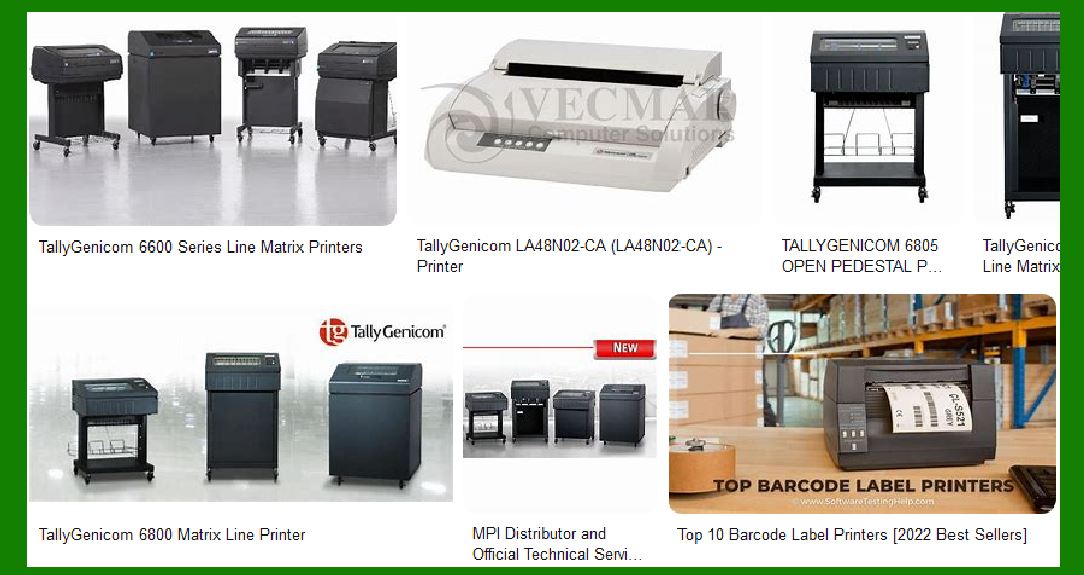
These printers use a matrix of tiny dots to form characters and barcodes on paper. Dot matrix printers are less common for barcode printing today, but they may still be useful for low-volume applications or where multi-part forms are required. |
3.Inkjet Printers |
Inkjet printers are versatile and capable of printing high-resolution images, including barcodes, directly onto various materials. While inkjet printers can handle a range of applications, they are typically used for high-quality color labels, rather than for barcodes requiring precision and durability. |
4.Laser Printers |
Laser printers use a laser beam to produce high-quality text and images. Laser printers are suitable for printing barcode labels when high volumes of standard documents are required, although they may not be the best option for specialized barcode printing tasks due to their cost and ink limitations. |
|
2. Key Considerations When Selecting a Barcode Printer |
To ensure that you choose the most appropriate barcode printer for your needs, here are several key considerations to evaluate: |
1.Print Volume and Speed |
Low-Volume Printing: If your organization prints only a few labels per day, a direct thermal or thermal transfer printer will likely suffice. For occasional or low-volume label printing (less than 500 labels per day), look for desktop printers that are compact and cost-effective. |
High-Volume Printing: For larger operations that print thousands of labels daily, you will need an industrial printer designed for high-volume environments. These printers offer faster print speeds and larger media handling capabilities. |
2.Label Size and Media Types |
Barcode printers come in various sizes and handle different label media types, such as rolls, sheets, tags, and continuous paper. Your choice of printer should be based on the size and type of labels you need. For example, some printers can print extra-large labels for warehouse racking, while others may print tiny labels for retail shelf pricing. |
Also, consider whether your business requires printing on specialized materials, such as synthetic materials (e.g., polyester, vinyl, or polypropylene), which require printers with higher durability options, such as thermal transfer printing. |
3.Resolution and Print Quality |
Resolution: The print quality of a barcode is critical for ensuring that scanners can read it accurately. The higher the printer resolution (measured in dots per inch or DPI), the sharper and more readable the barcode will be. Generally, a resolution of 203 DPI is suitable for most applications, but if you need to print very small barcodes or high-quality graphics alongside barcodes, a 300 DPI or even 600 DPI printer may be necessary. |
Print Quality Factors: Resolution isn't the only factor influencing barcode quality. The durability of the label and ink/ribbon combination also affects how well the barcode holds up over time, especially in harsh environments like warehouses or chemical plants. |
4.Connectivity and Integration |
Modern barcode printers support various connectivity options, and you need to choose one that integrates well with your existing infrastructure. Some key connectivity options include: |
USB: Most barcode printers offer a USB port for direct connection to a PC. |
Ethernet/Wi-Fi: For larger setups, you might need a network-connected printer to allow multiple users to access it. |
Bluetooth: If you need mobility in your printing solution (e.g., handheld or mobile printers), Bluetooth may be the most appropriate connectivity option. |
Software Compatibility: Ensure the printer supports the software you use for generating barcodes and labels. Many barcode printers come with proprietary software for label creation and integration with existing systems like ERP or warehouse management systems. |
5.Durability and Environmental Conditions |
Indoor vs. Outdoor Use: If your labels are exposed to environmental factors such as extreme temperatures, moisture, or chemicals, you'll need a printer capable of printing labels that are resistant to fading and smudging. Thermal transfer printers with resin-based ribbons and durable synthetic labels work best for harsh conditions. |
Industrial Environments: In high-demand industrial settings, consider printers built to withstand dust, moisture, vibrations, and extreme temperatures. Industrial printers are specifically designed to handle such conditions. |
6.Printer Size and Form Factor |
Desktop Printers: Ideal for low to medium-volume printing, desktop barcode printers are compact and designed for smaller workspaces. They are suitable for office environments, retail outlets, and small warehouses. |
Industrial Printers: These are larger, heavy-duty printers designed to handle high-volume printing in industrial environments like manufacturing plants, distribution centers, and warehouses. |
Mobile Printers: If you need to print on the go, mobile barcode printers are portable and can easily be carried around. These are ideal for situations such as inventory tracking or on-site label printing. |
|
3. Special Features and Functionalities to Look for |
Modern barcode printers come equipped with various features designed to improve usability, performance, and integration. Here are a few notable features to consider: |
1.LCD Screen |
Many barcode printers now come with built-in LCD screens that allow users to monitor printer status, perform basic maintenance, and adjust settings without the need for a connected computer. This is especially useful in environments where the printer is located remotely or where operators need quick access to print status information. |
2.Print Head Durability |
The print head is the core component of a thermal printer. Over time, the print head can wear out, leading to poor print quality. High-end models often offer print heads with longer lifespans, lower cost per print, and better heat management, which is crucial for long-term reliability. |
3.Advanced Ribbon and Ink Options |
If you opt for thermal transfer printing, the type of ribbon you choose can significantly affect the quality and longevity of your labels. Ribbons come in various formulations: |
Wax-based ribbons: Ideal for low-cost, short-term labeling. |
Resin-based ribbons: Best for labels that need to withstand harsh conditions like chemicals or outdoor exposure. |
Wax-resin ribbons: A balance between cost and durability for general industrial use. |
4.Sensor Technology |
Barcode printers come with different sensor types for label positioning and print monitoring. The most common sensor types include: |
Gap sensors: Used for labels with a space or gap between them. |
Reflective sensors: Ideal for continuous labels with no gaps. |
Black mark sensors: Used for labels with a black mark on the back for positioning. |
5.Barcoding Software |
Some printers come bundled with software that simplifies the design and printing process. Features may include barcode generation, layout customization, database integration, and batch printing. While most printers are compatible with third-party software, having an integrated solution can save time. |
6.Maintenance and Support |
Look for a printer that offers easy maintenance. Features like tool-less print head removal, easy ribbon loading, and quick replacement of parts can save time and reduce downtime. Consider the availability of replacement parts and the quality of customer support offered by the manufacturer. Many companies also offer extended warranties and service plans for industrial-grade printers. |
|
4. Evaluating Total Cost of Ownership (TCO) |
When choosing a barcode printer, the initial purchase price is just one factor to consider. The total cost of ownership (TCO) includes several ongoing expenses, such as: |
1.Media Costs |
Depending on your label requirements, the cost of labels, ribbons, and ink can vary significantly. For high-volume printers, these ongoing costs can become substantial. Be sure to consider the cost of consumables and their availability. |
2.Maintenance Costs |
Some printers require more frequent maintenance than others. High-end industrial printers tend to have lower maintenance needs, but they might have higher upfront costs. Also, ensure that there is access to local support and spare parts. |
3.Energy Consumption |
If you operate in a large facility, energy consumption can be a significant part of the TCO. Energy-efficient printers can help reduce costs in the long run. |
4.Training and Staff Time |
The ease of use and the time required for training staff are also factors that contribute to the overall cost. Printers with user-friendly interfaces and straightforward maintenance routines will help minimize downtime and training costs. |
|
5. Conclusion |
Choosing the right barcode printer for your business requires careful consideration of factors such as print volume, label size, connectivity options, durability, and environmental conditions. By assessing your specific needs and matching them with the features offered by various printers, you can ensure that you select a printer that is reliable, cost-effective, and able to meet your printing demands now and in the future. Always evaluate the total cost of ownership, including consumables and maintenance, and be sure to choose a printer that aligns with your business goals. With the right barcode printer, your organization can streamline operations, improve accuracy, and enhance efficiency. |
|
Comparison of prices and printing costs of industrial barcode printers and compact barcode printers. |
Comparison of Prices and Printing Costs: Industrial vs. Compact Barcode Printers |
When selecting a barcode printer, understanding the price and ongoing printing costs is critical for making an informed decision. Industrial and compact barcode printers serve different purposes and have distinct pricing structures, both for the initial purchase and for operating costs (i.e., printing materials, maintenance, and energy consumption). This comparison will cover both categories in detail, highlighting their differences in terms of upfront cost, long-term operational expenses, and the suitability for various applications. |
1. Initial Purchase Price |
Industrial Barcode Printers |
Industrial barcode printers are designed for high-volume, heavy-duty use in demanding environments like manufacturing plants, warehouses, logistics hubs, and distribution centers. They are built for durability, speed, and scalability, making them capable of printing thousands of labels per day. |
Price Range: Industrial barcode printers generally have a higher initial cost due to their robust construction and advanced features. The price range typically falls between $1,500 to $5,000 or more, depending on the brand, model, and features. |
Entry-Level: Basic industrial printers may start around $1,500 to $2,500. These printers may have lower print speeds and fewer features but still provide durability for moderate use. |
Mid-Range: These printers range from $2,500 to $4,000 and offer higher print speeds (up to 10-12 inches per second), greater label size flexibility, and more advanced connectivity options like Ethernet, Wi-Fi, and Bluetooth. |
High-End: Premium models with very high print speeds (up to 14 inches per second), large label sizes, and advanced features like higher resolution (600 DPI), multi-label printing, and specialized print heads can cost $4,000 to $5,000 or more. |
Compact Barcode Printers |
Compact barcode printers, also known as desktop barcode printers, are designed for lower-volume printing in office environments, retail locations, or small warehouses. These printers are smaller, easier to use, and intended for applications that do not require the heavy-duty capabilities of industrial printers. |
Price Range: Compact barcode printers are much more affordable than industrial models. Prices typically range from $200 to $2,500, with some high-end models approaching the lower range of industrial printer pricing. |
Entry-Level: Basic desktop barcode printers cost anywhere between $200 to $500. These printers are typically designed for low-volume printing (less than 1,000 labels per day), and they are often direct thermal or lower-resolution thermal transfer printers. |
Mid-Range: Mid-range desktop printers are priced between $500 to $1,500 and offer features like thermal transfer printing, faster printing speeds (up to 6-8 inches per second), and improved resolution (203 DPI to 300 DPI). |
High-End: High-end desktop models with additional features, like higher resolution printing (up to 300 DPI), larger label size compatibility, and advanced connectivity options (Ethernet, Wi-Fi), can range from $1,500 to $2,500. |
|
2. Printing Costs (Consumables) |
Industrial Barcode Printers |
The printing cost of industrial barcode printers depends heavily on the type of printer (thermal transfer vs. direct thermal), the material being printed on, and the volume of printing required. |
Thermal Transfer Printing: |
Ribbons: Thermal transfer printers use ribbons (wax, resin, or wax-resin combinations) to print onto labels. These ribbons can cost anywhere from $15 to $100 per roll depending on the size and type (wax, resin, or mixed). A single ribbon roll may last for about 3,000 to 10,000 labels, depending on the size and complexity of the printed data. |
Labels: The cost of labels can range from $0.01 to $0.10 per label for standard paper labels, with synthetic or specialty labels costing more. For example, durable plastic or weatherproof labels might cost between $0.10 to $0.50 per label. |
Cost per Label: For industrial thermal transfer printers, the total printing cost per label (including ribbon and labels) can range from $0.05 to $0.20 per label on average for standard labels. High-quality or specialty labels may push the cost to $0.20 to $0.50 per label. |
Direct Thermal Printing: |
Labels: Direct thermal labels are typically cheaper than thermal transfer labels because they do not require ribbons. The cost for direct thermal labels can range from $0.01 to $0.05 per label for standard paper labels. |
Cost per Label: Direct thermal printing generally results in a lower overall cost, averaging between $0.01 to $0.05 per label. |
Maintenance and Additional Costs: |
Industrial printers tend to have higher maintenance costs due to their complex parts, such as print heads, advanced sensors, and rollers. Maintenance may cost anywhere from $100 to $500 per year, depending on the model and service needs. Additionally, the power consumption of industrial printers is usually higher, which can add $50 to $200 annually to the operational cost. |
Compact Barcode Printers |
Compact barcode printers generally have lower consumable costs because they are used for lower-volume printing and have simpler, more cost-effective components. |
Thermal Transfer Printing: |
Ribbons: Similar to industrial printers, compact thermal transfer printers use ribbons, which typically cost between $5 to $30 per roll. A ribbon roll in a compact printer will typically last between 1,000 to 3,000 labels. |
Labels: The price of labels for compact barcode printers is similar to industrial printers. Standard paper labels cost around $0.01 to $0.05 per label, with higher-end synthetic labels costing more. |
Cost per Label: The average cost per label for compact thermal transfer printers typically ranges from $0.03 to $0.12 per label. This can vary depending on label material and ribbon type. |
Direct Thermal Printing: |
Labels: Direct thermal labels are commonly used in compact barcode printers, and they are cheaper to operate. Standard direct thermal labels may cost $0.01 to $0.03 per label, with specialty labels costing a bit more. |
Cost per Label: Direct thermal printing on a compact printer is the most cost-effective option, with costs ranging between $0.01 and $0.03 per label. |
Maintenance and Additional Costs: |
Compact printers are generally easier to maintain, with fewer parts and simpler technology. Maintenance costs for compact printers are lower, ranging between $50 to $150 annually for basic upkeep. Power consumption is also lower compared to industrial printers, potentially adding only $20 to $75 annually to operating costs. |
|
3. Printing Speed and Efficiency |
Industrial Barcode Printers |
Print Speed: Industrial barcode printers are designed for high-volume applications, so they tend to have much faster printing speeds. They typically print between 8 to 14 inches per second, allowing businesses to print large batches of labels quickly and efficiently. This is critical for operations in large warehouses or production lines where label throughput is essential. |
Efficiency: Industrial printers excel in handling large volumes of labels, making them suitable for operations requiring continuous or near-continuous printing. The cost per label decreases as the volume increases, due to economies of scale and the printer's efficiency in high-demand environments. |
Compact Barcode Printers |
Print Speed: Compact barcode printers usually print slower than industrial printers, typically between 4 to 8 inches per second. While this is sufficient for smaller-scale applications, it may become a bottleneck for operations that require frequent label changes or quick turnaround times. |
Efficiency: Compact printers are more suited to lower-volume applications (e.g., retail or office environments), where label throughput is not as crucial. Printing costs per label may be slightly higher than industrial printers for large batches, but for small volumes, compact printers are efficient enough. |
|
4. Durability and Lifespan |
Industrial Barcode Printers |
Durability: Industrial printers are built to last in tough environments. They are designed to withstand continuous operation, harsh environments (e.g., extreme temperatures, moisture, dust), and heavy handling. These printers can operate for many years with proper maintenance. |
Lifespan: Given their construction and design, industrial barcode printers typically have a lifespan of 5 to 10 years or more, depending on usage and maintenance. |
Compact Barcode Printers |
Durability: Compact printers, while durable for their size, are not designed for the extreme conditions of industrial environments. They may be susceptible to wear and tear if subjected to heavy use or challenging environments. |
Lifespan: The lifespan of compact barcode printers generally ranges from 3 to 5 years with proper care, but they are typically not built for the same long-term use as industrial models. |
|
5. Conclusion: Which Printer is Right for You? |
If you have high-volume, heavy-duty labeling needs (e.g., in manufacturing, logistics, or large distribution centers), industrial barcode printers are your best option. While they have a higher initial cost and ongoing printing costs, they offer faster speeds, better durability, and cost-effective long-term operations for large-scale applications. |
If you have lower-volume, light-duty labeling needs (e.g., in retail, small warehouses, or office environments), compact barcode printers offer a more affordable solution with lower upfront costs and operating expenses. These printers are suitable for small to medium-sized businesses that need reliable, high-quality labels without the need for industrial capabilities. |
Ultimately, the right printer depends on the scale of your operations, the required print volume, and the specific features and durability you need. |
|
Comparison of maintenance difficulty between industrial barcode printers and small barcode printers. |
Barcode printers, whether industrial or compact, require regular maintenance to ensure optimal performance, print quality, and longevity. However, the complexity, frequency, and cost of maintenance can differ significantly between industrial and small barcode printers. Understanding these differences is important for choosing the right printer based on your operational needs and the level of maintenance you are prepared to handle. |
1. Maintenance Frequency |
Industrial Barcode Printers |
High Frequency of Maintenance: Industrial barcode printers are designed for high-volume, continuous operations. As a result, they tend to require more frequent maintenance due to their intensive usage. |
Daily/Weekly Maintenance: In high-demand environments, industrial printers may require daily or weekly checks, such as cleaning print heads, rollers, and label sensors to prevent clogs and ensure consistent print quality. |
Monthly/Quarterly Maintenance: Parts like print heads, belts, and other mechanical components may need to be checked and maintained monthly or quarterly to ensure proper functionality and prevent wear. |
Annual Maintenance: For long-term upkeep, industrial printers often require a full inspection, which may include replacing wear-prone parts such as rollers, belts, and print heads, and calibrating the printer to ensure optimal performance. |
Small Barcode Printers (Compact Printers) |
Lower Frequency of Maintenance: Compact barcode printers generally have lower maintenance needs, as they are used less intensively and typically print fewer labels per day. |
Weekly/Monthly Maintenance: Routine maintenance such as cleaning the print head, changing ribbons (for thermal transfer printers), and ensuring that labels are feeding correctly may only be needed on a weekly or monthly basis, depending on usage. |
Annual Maintenance: Compact printers may require a full inspection and part replacement (such as print heads or rollers) on an annual basis, though this is typically less involved than industrial printers due to lower wear rates. |
|
2. Complexity of Maintenance |
Industrial Barcode Printers |
More Complex Maintenance: Given their robust design and high print volumes, industrial barcode printers are more complex and have multiple moving parts that need regular attention. |
Print Head and Ribbon Alignment: Maintaining proper print head alignment and ribbon management is critical in industrial printers to ensure high-quality printouts. Issues like misalignment, ribbon breaks, or low-quality prints can often be traced to these areas. |
Print Mechanism and Sensors: Industrial printers often have more sophisticated mechanisms, such as high-speed print heads, complex sensors for label detection, and large roll feed systems. Maintaining these systems requires more technical knowledge and may necessitate regular calibration and adjustment. |
Environmental Factors: Industrial environments (e.g., warehouses or manufacturing plants) often expose printers to dust, moisture, and extreme temperatures. This means cleaning the printer's internal components, like rollers and sensors, is a more involved task. |
Parts Replacement: Industrial printers tend to have a variety of replaceable parts, including print heads, platen rollers, drive belts, and sensors. Replacing these parts can be more complex and may require specialized training or technician support. |
Small Barcode Printers (Compact Printers) |
Simpler Maintenance: Compact barcode printers are generally designed to be more user-friendly, with fewer parts and simpler mechanisms. As a result, maintenance tasks are typically more straightforward and easier for the average user to perform without specialized knowledge. |
Print Head Cleaning: Cleaning the print head is one of the most common maintenance tasks for small barcode printers. The process is usually simple-users can access the print head easily and use isopropyl alcohol or cleaning wipes to remove residue, dust, or debris. |
Ribbon and Label Handling: In thermal transfer models, replacing ribbons and reloading labels is straightforward. The ribbon and label rolls are easier to access and replace compared to industrial models, and the process can often be performed without technical expertise. |
Sensor Cleaning and Calibration: While industrial printers require complex sensor calibration and alignment, compact printers have fewer sensors, and calibration tends to be less involved. Cleaning the label sensor or adjusting the print density is often manageable by users. |
Fewer Parts to Replace: Small printers typically have fewer replaceable parts. For example, print heads and rollers may need to be replaced less frequently than in industrial models, and users may be able to replace these parts themselves without the need for specialized tools or training. |
|
3. Downtime and Repair Complexity |
Industrial Barcode Printers |
Higher Downtime: Industrial barcode printers are designed for high throughput, which means that when they experience problems, the downtime can significantly affect business operations. For example, if a print head malfunctions or a sensor gets misaligned, it may halt production lines or packaging operations, leading to delayed shipments and a backlog of tasks. |
Repair Time: Repairs can be more time-consuming for industrial printers due to their complexity. Some issues may require professional service or technicians, which could take several hours or even days to resolve, depending on part availability and service contracts. |
Technician Support: Many businesses with industrial barcode printers opt for service contracts that provide on-site technician support, which can help reduce downtime. However, this increases the cost of ownership and requires scheduling repairs, sometimes involving waiting for specialized technicians to arrive. |
Small Barcode Printers (Compact Printers) |
Lower Downtime: Since compact printers are designed for smaller-scale operations, they typically experience less downtime. Many maintenance issues (e.g., misfeeding labels, dirty print heads, or ribbon issues) are easy to fix in-house with minimal disruption to business activities. |
Repair Time: Repairs for small printers are usually quicker, especially when parts are readily available. In many cases, users can troubleshoot common issues and replace parts themselves, which helps minimize downtime. |
User Repair: Many compact barcode printers are designed with easy-to-replace parts (e.g., print heads, rollers, and ribbons), and repairs can often be done without professional assistance, reducing the need for external service calls and keeping downtime to a minimum. |
|
4. Cost of Maintenance |
Industrial Barcode Printers |
Higher Maintenance Costs: The cost of maintenance for industrial barcode printers tends to be higher because of the need for specialized parts, complex repairs, and potential technician support. |
Part Replacements: Replacing parts like print heads, rollers, and sensors in industrial printers can be more expensive due to the higher quality and durability required for high-volume operations. |
Service Contracts: Many businesses choose to enter into service agreements for industrial barcode printers. These agreements typically cover regular maintenance, troubleshooting, and repairs, but they can cost anywhere from $500 to $2,000 annually, depending on the printer's model, usage, and service level. |
Operational Costs: Industrial printers also tend to consume more power and require larger quantities of consumables (e.g., ribbons and labels), which adds to the overall maintenance cost. |
Small Barcode Printers (Compact Printers) |
Lower Maintenance Costs: Small barcode printers are generally less expensive to maintain due to their simpler design and lower-volume usage. |
Consumables: As compact printers have lower printing volumes, they consume less in terms of ribbons, labels, and other consumables, which keeps ongoing maintenance costs relatively low. |
Parts and Repairs: The cost of replacing parts in small printers (such as print heads or rollers) is typically lower, and these parts are often readily available at a lower price point than industrial components. |
Minimal Service Contracts: While service contracts for small barcode printers may still be available, they are usually not required unless the printer experiences significant issues. Many users find they can perform the necessary maintenance themselves without incurring high costs. |
|
5. Conclusion: Which Printer Requires Less Maintenance? |
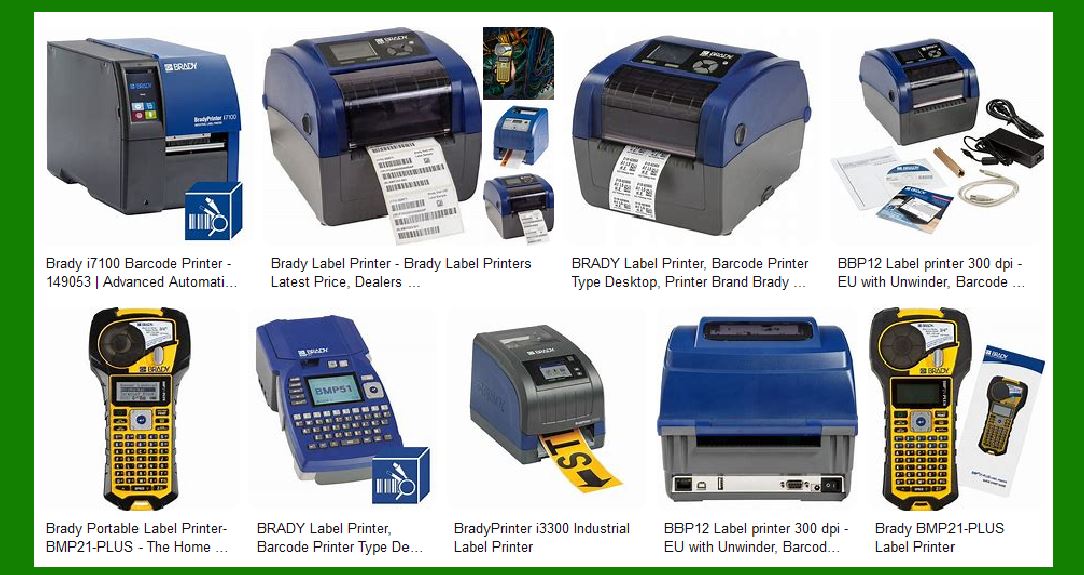
Industrial Barcode Printers: These printers, while designed for high durability and high-volume operations, require more frequent, complex, and often costly maintenance. Their components are more sophisticated, and the frequency of maintenance tasks can be high due to the demands placed on them. Repair times are longer, and specialized support may be necessary, making them harder to maintain. |
Small Barcode Printers (Compact Printers): These printers are easier to maintain due to their simpler design, lower volume of usage, and user-friendly features. Maintenance tasks such as cleaning, part replacement, and troubleshooting are typically less complicated, and downtime is usually minimal. The overall cost of maintenance is also lower. |
Ultimately, the decision on which printer to choose should be based on your operational scale and capacity for maintenance. If you are managing a high-volume operation where reliability is critical, industrial printers are likely the better option despite their higher maintenance demands. On the other hand, if you are working in a low-to-medium volume environment, small barcode printers offer ease of use, simplicity, and cost-effective maintenance. |
|
What printers can print fade- and smudge-resistant labels? |
Printers That Can Print Fade- and Smudge-Resistant Labels |
The durability and resistance of printed labels to fading and smudging depend heavily on the type of printing technology used, the quality of the consumables (such as ribbons and labels), and the environmental factors they are exposed to. Labels used in industrial, retail, or outdoor environments often require resistance to these issues to ensure they remain readable and legible throughout their lifecycle. |
There are several types of printers that can produce fade- and smudge-resistant labels. Below is a breakdown of the various technologies, types of printers, and the factors that contribute to label durability. |
|
1. Thermal Transfer Printers |
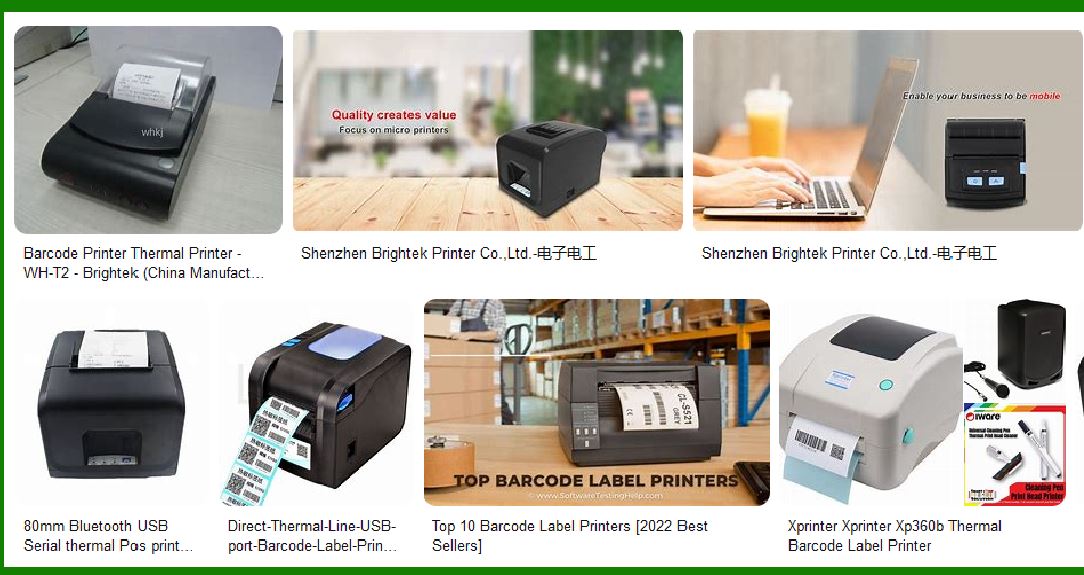
Thermal transfer printing uses heat to transfer ink from a ribbon onto the label material. This method produces labels that are highly resistant to fading and smudging, making it ideal for applications where label durability is a key requirement. |
How It Works |
A ribbon, typically made from wax, resin, or a combination of both, is heated and pressed onto the label, creating a permanent print. The wax-based ribbons are generally more prone to smudging but are cheaper, while resin-based ribbons offer higher durability, smudge resistance, and resistance to fading. |
Key Features |
Fade Resistance: Resin ribbons, in particular, are highly resistant to fading, even when exposed to sunlight or UV light for extended periods. |
Smudge Resistance: Resin-based thermal transfer printing produces smudge-resistant labels, making them suitable for environments with heavy handling. |
Recommended Printers |
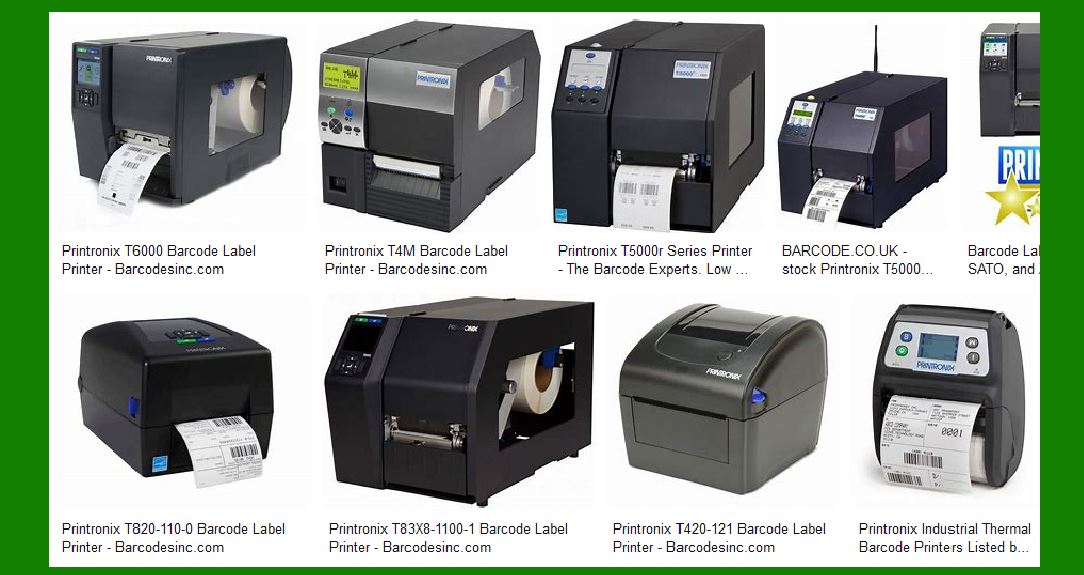
Zebra ZT410 / ZT420: These industrial printers support resin-based ribbons that create durable, long-lasting prints, resistant to fading and smudging. |
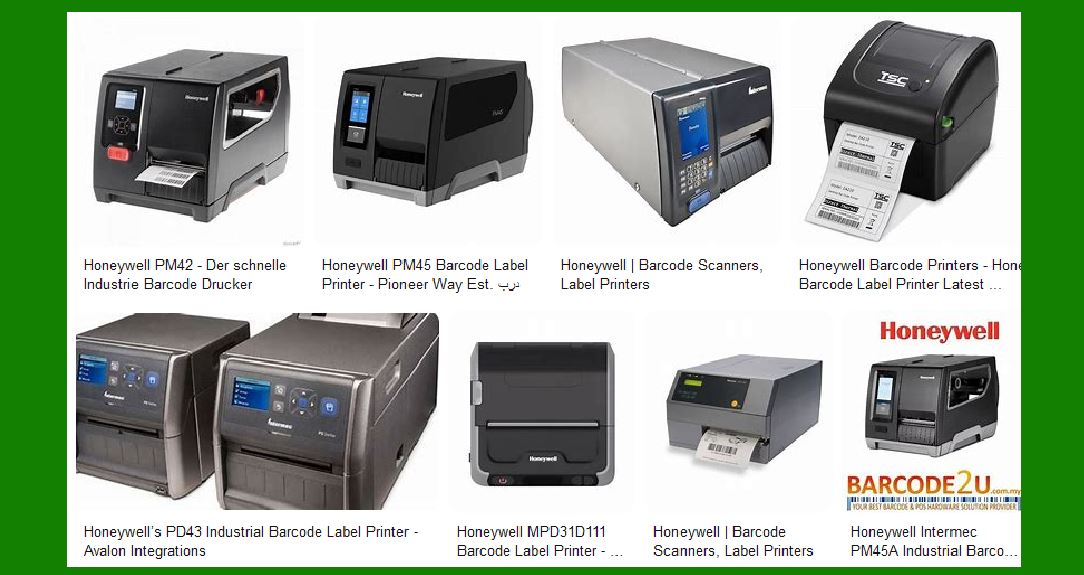
Intermec / Honeywell PM43: This high-performance industrial printer also supports resin ribbons and is built to print long-lasting labels for logistics, manufacturing, and warehouse environments. |
TSC TTP-2410MT: A durable, high-resolution thermal transfer printer that is ideal for creating smudge-resistant and fade-resistant labels. |
Brother TD-4750TNW: A desktop thermal transfer printer that can produce high-quality, long-lasting labels for moderate-volume use. |
Label Types for Thermal Transfer Printers |
Resin-Enhanced Labels: For maximum durability and smudge resistance, use resin ribbons with synthetic labels, such as polypropylene (PP), polyester (PET), or vinyl labels. These materials are much more resistant to smudging and fading than paper labels. |
Polyester and Polypropylene Labels: These materials are ideal for applications in harsh environments like outdoor labeling, chemical labeling, and asset tracking. |
|
2. UV Inkjet Printers |
UV inkjet printing uses ultraviolet (UV) light to cure or dry the ink immediately after it is printed, resulting in a permanent, durable print that is highly resistant to fading and smudging. UV printing is widely used for labels that need to withstand exposure to sunlight and harsh chemicals. |
How It Works |
In UV inkjet printing, specially formulated inks are exposed to UV light, causing the ink to 'cure' (harden) quickly. This results in an ink layer that bonds to the label material, making the print more durable. |
Key Features |
Fade Resistance: UV printing is highly resistant to fading due to its ability to bond the ink to the surface of the label. The cured ink does not degrade when exposed to sunlight or UV light. |
Smudge Resistance: The UV ink dries instantly, preventing smudging even when the labels are handled immediately after printing. |
Recommended Printers |
Epson SurePress L-6034VW: This digital label press uses UV inkjet technology and is known for its excellent durability, producing fade-resistant and smudge-resistant labels for a variety of applications, including food, beverage, and industrial products. |
Durst Tau 330 RSC: A high-performance UV inkjet label printer that provides extremely durable and vibrant labels with resistance to fading and smudging. |
Canon Oc¨¦ Arizona Series Printers: These printers use UV flatbed inkjet technology to print on a wide range of materials and produce durable, long-lasting labels. |
Label Types for UV Inkjet Printers |
UV-Coated Paper and Synthetic Labels: UV inkjet printers perform best with UV-coated or UV-resistant labels made from synthetic materials such as polypropylene (PP) or vinyl. These materials ensure that the print remains intact and legible, even in extreme outdoor conditions. |
Clear Labels: For applications like product branding, UV inkjet printers can print on clear materials, creating long-lasting, vibrant prints that resist fading. |
|
3. Laser Printers |
Laser printers use a process called electrostatic transfer, which involves the use of toner that is heated and fused onto the label material. Laser printing can produce fade-resistant and smudge-resistant labels, especially when using high-quality, specialty toner and label materials. |
How It Works |
A laser beam creates a static image on a drum, which attracts toner particles. The toner is then transferred onto a label and fused by heat. The result is a durable, smudge-resistant print that is resistant to water, chemicals, and sunlight. |
Key Features |
Fade Resistance: Laser printed labels are resistant to fading because the toner bonds strongly with the label material, creating a long-lasting print. |
Smudge Resistance: The fusion process used in laser printing ensures that the toner is bonded securely to the label, making it less likely to smudge compared to inkjet prints. |
Recommended Printers |
HP LaserJet Pro Series (e.g., HP LaserJet Pro M402): A reliable laser printer for small to medium businesses that need high-quality, fade-resistant, and smudge-resistant labels. |
Xerox Phaser 6600: A color laser printer suitable for printing durable, professional-quality labels that are resistant to fading and smudging. |
Brother HL-L8360CDW: A color laser printer capable of printing durable labels for commercial applications that require resistance to fading and smudging. |
Label Types for Laser Printers |
Synthetic Labels: To ensure the durability of laser-printed labels, use synthetic label materials such as polypropylene, polyester, or vinyl, which provide excellent smudge resistance and resistance to UV light. |
Glossy Paper Labels: For applications requiring high-quality, vibrant prints, glossy paper labels are also an option, though synthetic materials are preferred for maximum durability. |
|
4. Direct Thermal Printers |
Direct thermal printers do not use ink, toner, or ribbons; instead, they use heat-sensitive paper that turns black when exposed to heat. While direct thermal printing can be fast and cost-effective, it has limitations in terms of smudge and fade resistance. |
How It Works |
The print head applies heat directly to the heat-sensitive paper, causing the paper to darken in the areas where the print is needed. |
Key Features |
Fade Resistance: Direct thermal labels are more susceptible to fading when exposed to heat, sunlight, and moisture over time. The print will gradually fade, especially when exposed to UV light. |
Smudge Resistance: Direct thermal prints are not smudge-resistant because the image is formed by a chemical reaction in the paper. The print can be wiped off if it comes into contact with moisture, oils, or abrasives. |
Recommended Printers (for limited applications where smudge resistance is not a primary concern) |
Zebra ZD420: A compact direct thermal printer that is suitable for low-volume, short-term applications such as shipping and product labeling in retail. |
TSC TDP-225: A direct thermal printer offering basic printing capabilities but not the durability of thermal transfer or laser printers. |
Label Types for Direct Thermal Printers |
Direct Thermal Paper: These printers are best used with direct thermal paper that is designed for short-term use. For long-term durability, other printing technologies are recommended. |
|
5. Inkjet Printers with Pigment-Based Inks |
Some inkjet printers use pigment-based inks, which are known for being more durable and resistant to fading compared to dye-based inks. Pigment inks are suitable for applications where label durability is important. |
How It Works |
Pigment-based inks are made from small, solid particles that sit on top of the label material, rather than being absorbed into the paper like dye-based inks. This creates a more durable print that resists smudging and fading over time. |
Key Features |
Fade Resistance: Pigment inks are resistant to fading, even when exposed to sunlight and UV light. This makes them ideal for outdoor applications or products that will be exposed to light over time. |
Smudge Resistance: Pigment-based prints are generally more smudge-resistant compared to dye-based prints, though not as much as thermal transfer or UV inkjet prints. |
Recommended Printers |
Epson SureColor P800: A high-quality inkjet printer that uses pigment-based inks to produce fade-resistant, smudge-resistant prints for professional-grade labeling applications. |
Canon PIXMA Pro-100: A pigment-based inkjet printer that can produce vibrant and durable labels suitable for both indoor and outdoor applications. |
Label Types for Inkjet Printers |
Coated Paper and Synthetic Labels: Inkjet printers with pigment inks perform best with coated paper or synthetic materials, which help the ink bond better to the surface for durability. |
|
Conclusion: Best Printers for Fade- and Smudge-Resistant Labels |
Thermal Transfer Printers (especially with resin ribbons) are the best choice for fade- and smudge-resistant labels. They are ideal for environments where label durability is a top priority, such as manufacturing, logistics, and healthcare. |
UV Inkjet Printers also produce highly durable, fade- and smudge-resistant labels, especially in outdoor or high-exposure environments. |
Laser Printers offer good resistance to smudging and fading, making them suitable for business and office environments. |
Inkjet Printers with Pigment-Based Inks are a good choice for applications requiring high-quality prints with moderate durability. |
For long-term durability and resistance to harsh conditions, thermal transfer (with resin ribbons) and UV inkjet printers are the most reliable options. |
 cs@easiersoft.com