Barcode Label Printing: Detailed Explanation of Thermal Transfer Printer Technology |
Part 6 Classification and Application Scenarios of Thermal Transfer Printers |
1. Introduction to Classification and Applications |
1.1 Purpose of Classification |
1. Classification helps users select the most appropriate thermal transfer printer for their specific needs. |
2. Different environments and workloads require different printer designs and capabilities. |
3. Understanding classification improves efficiency, reduces cost, and enhances system reliability. |
1.2 Application-Driven Selection |
1. Printer choice is closely tied to application scenarios. |
2. Factors include print volume, environment, label type, and integration requirements. |

|
2. Classification by Printer Form Factor |
2.1 Desktop Thermal Transfer Printers |
1. Compact and lightweight design. |
2. Suitable for small to medium print volumes. |
3. Common in offices, retail stores, and small warehouses. |
Key Characteristics |
1. Lower cost compared to industrial models. |
2. Limited durability for continuous operation. |
3. Typically supports narrower media widths. |
2.2 Industrial Thermal Transfer Printers |
1. Designed for high-volume, continuous operation. |
2. Built with robust metal frames and heavy-duty components. |
3. Used in manufacturing plants, large warehouses, and logistics hubs. |
Key Characteristics |
1. High-speed printing capabilities. |
2. Wide media compatibility. |
3. Long operational lifespan. |
2.3 Mobile Thermal Transfer Printers |
1. Portable and battery-powered. |
2. Designed for field operations. |
Key Characteristics |
1. Lightweight and compact. |
2. Wireless connectivity (Bluetooth, Wi-Fi). |
3. Lower print volume compared to stationary printers. |

|
3. Classification by Print Width |
3.1 Narrow-Width Printers |
1. Typically support widths up to 2 inches. |
2. Used for small labels such as jewelry tags and medical samples. |
3.2 Medium-Width Printers |
1. Support widths between 2 and 4 inches. |
2. Most common category for shipping and retail labels. |
3.3 Wide-Format Printers |
1. Support widths greater than 4 inches. |
2. Used for large labels, signage, and compliance labeling. |

|
4. Classification by Print Resolution |
4.1 Standard Resolution (203 DPI) |
1. Suitable for general-purpose labeling. |
2. Balances cost and performance. |
4.2 High Resolution (300 DPI) |
1. Ideal for smaller fonts and detailed barcodes. |
2. Common in healthcare and electronics industries. |
4.3 Ultra-High Resolution (600 DPI) |
1. Used for micro-labeling and precision applications. |
2. Required for very small or dense barcodes. |

|
5. Classification by Performance Level |
5.1 Entry-Level Printers |
1. Basic functionality. |
2. Suitable for low-volume applications. |
5.2 Mid-Range Printers |
1. Enhanced features and moderate durability. |
2. Suitable for growing businesses. |
5.3 High-End Industrial Printers |
1. Advanced features and maximum durability. |
2. Designed for mission-critical operations. |

|
6. Classification by Connectivity |
6.1 Standalone Printers |
1. Operate independently. |
2. Limited integration capabilities. |
6.2 Networked Printers |
1. Connected via Ethernet or Wi-Fi. |
2. Allow centralized control and monitoring. |
6.3 Cloud-Connected Printers |
1. Integrated with cloud platforms. |
2. Enable remote management and data synchronization. |

|
7. Application in Logistics and Supply Chain |
7.1 Shipping and Distribution |
1. Printing shipping labels with barcodes. |
2. Tracking packages through distribution networks. |
7.2 Warehouse Management |
1. Inventory labeling. |
2. Location tracking within warehouses. |
7.3 Asset Tracking |
1. Labeling equipment and assets. |
2. Ensuring traceability and accountability. |

|
8. Application in Healthcare |
8.1 Patient Identification |
1. Wristband printing for patient tracking. |
2. Ensures accurate identification and safety. |
8.2 Laboratory Labeling |
1. Specimen labeling with high precision. |
2. Requires high-resolution printing. |
8.3 Pharmaceutical Labeling |
1. Compliance with regulatory standards. |
2. Durable labels for long-term storage. |

|
9. Application in Manufacturing |
9.1 Product Identification |
1. Labeling finished goods with barcodes. |
2. Enables traceability throughout the supply chain. |
9.2 Work-in-Process (WIP) Tracking |
1. Tracking items during production. |
2. Improves efficiency and quality control. |
9.3 Compliance Labeling |
1. Labels for safety and regulatory compliance. |
2. Must withstand harsh industrial environments. |

|
10. Application in Retail |
10.1 Price Tagging |
1. Printing price labels for products. |
10.2 Inventory Management |
1. Tracking stock levels. |
2. Reducing shrinkage and errors. |
10.3 Point-of-Sale Integration |
1. Printing labels compatible with POS systems. |

|
11. Application in Transportation and Logistics |
11.1 Ticketing and Boarding Passes |
1. Durable printed tickets for travel. |
11.2 Fleet Management |
1. Labeling vehicles and components. |
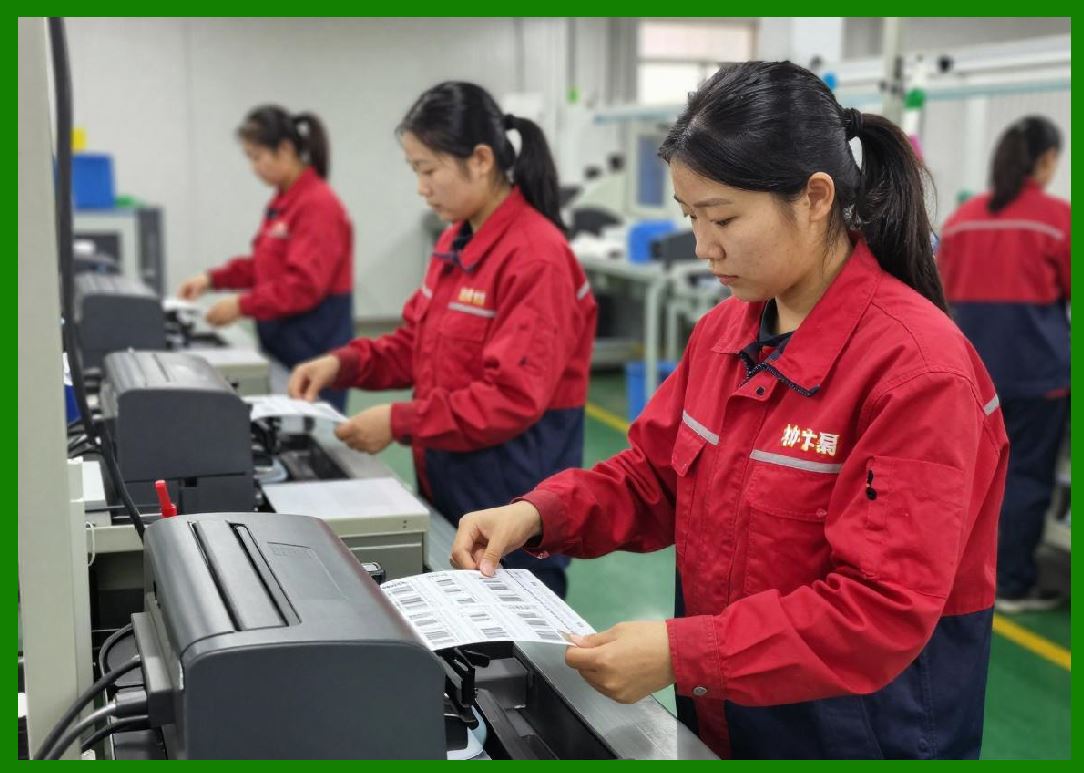
|
12. Application in Electronics Industry |
12.1 Component Labeling |
1. Small, high-resolution labels for electronic parts. |
12.2 Anti-Static Requirements |
1. Special materials to prevent static damage. |

|
13. Application in Food Industry |
13.1 Packaging Labels |
1. Labels for food products. |
13.2 Expiration Date Printing |
1. Ensures food safety compliance. |

|
14. Application in Chemical Industry |
14.1 Hazard Labeling |
1. Labels for hazardous materials. |
14.2 Chemical Resistance |
1. Labels must resist exposure to chemicals. |

|
15. Application in Textile and Apparel Industry |
15.1 Garment Tags |
1. Labels for clothing items. |
15.2 Wash Care Labels |
1. Must withstand washing and ironing. |

|
16. Application in Government and Public Services |
16.1 Document Tracking |
1. Labeling official documents. |
16.2 Asset Management |
1. Tracking government assets. |

|
17. Application in E-commerce |
17.1 Order Fulfillment |
1. Printing shipping and return labels. |
17.2 Last-Mile Delivery |
1. Mobile printing solutions for delivery personnel. |

|
18. Summary of Part 6 |
1. Thermal transfer printers can be classified by form factor, resolution, performance, and connectivity. |
2. Each classification serves specific operational needs. |
3. Applications span multiple industries, including logistics, healthcare, manufacturing, and retail. |
4. Selecting the right printer type is essential for efficiency and cost-effectiveness. |

|
Next Step |
Part 7 Advantages, Disadvantages, and Technical Challenges of Thermal Transfer Printing |
The next part will provide a deep analytical breakdown, including: |
* Technical advantages vs competing technologies |
* Limitations and cost considerations |
* Engineering challenges and future improvements |
 cs@easiersoft.com