Barcode Technology

Barcode History

Barcode Label Paper

Barcode Printer

Barcode Application

Inventory Management

AI Barcode QRCode

Barcode Scanner

Barcode Software

Barcode Software B

Barcode Software C

Barcode Software D

Barcode Software E

New Technology A

New Technology B

Robot Technology

Barcode Types

Barcode Types B

Barcode Types C

Barcode Types D

Barcode Types E

Barcode Types F

Electronic Technology

Psychology at Work

Barcode Technology and Barcode Software Related   <<< Back to Directory <<<

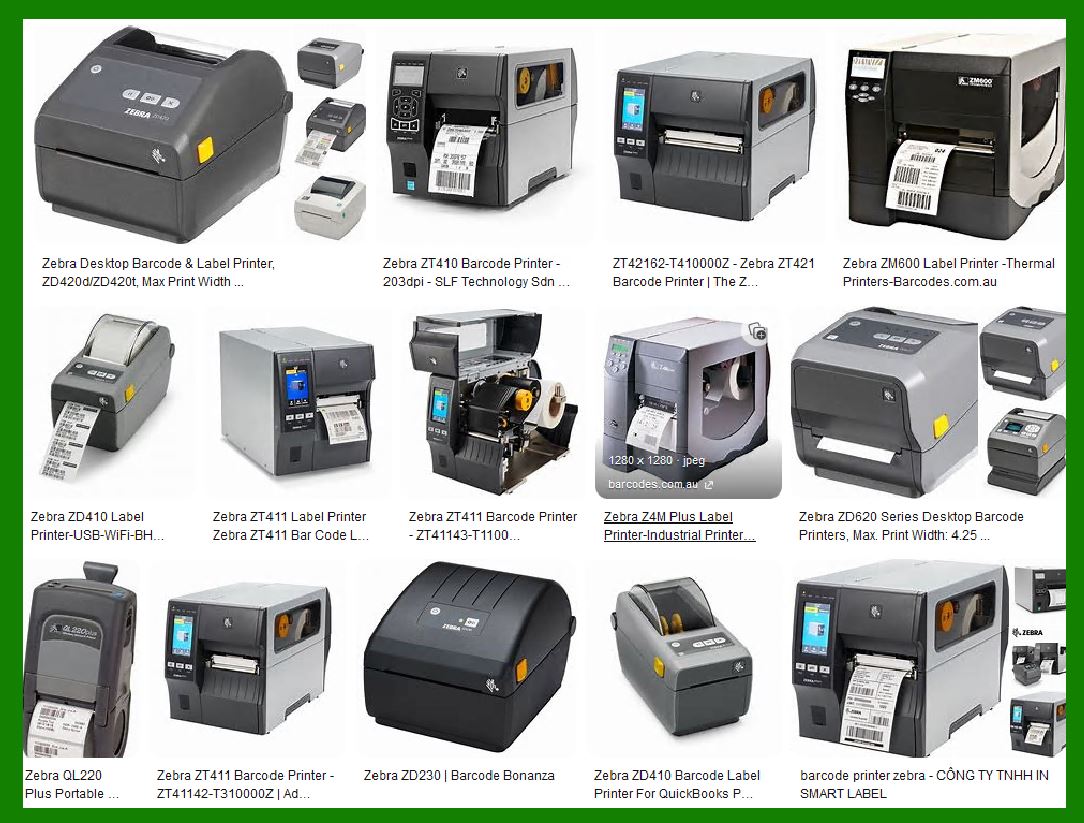
How to choose a barcode printer

How to choose a barcode printer

Choosing the right barcode printer is crucial for efficient labeling and accurate tracking.

Selecting the right barcode printer ensures improved productivity, uptime, and label quality throughout your supply chain.

Here are five steps to help you make an informed decision:

1. Define Your Print Volume:

. Consider how many labels your company will print daily, weekly, or monthly. This volume will determine the type of printer you need:

. Mobile Printers: Designed for demanding environments, such as warehouses and retail stores. Ideal for printing barcode labels, receipts, or tickets.

. Desktop Printers: Suitable for low-volume applications (around 2 rolls or 1,000 labels per day). Commonly used in offices, retail, and small businesses.

. Mid-Range Printers: Rugged and reliable for medium- to high-volume tasks (2,000 to 7,000 labels per day). Used in distribution centers, manufacturing, and transportation.

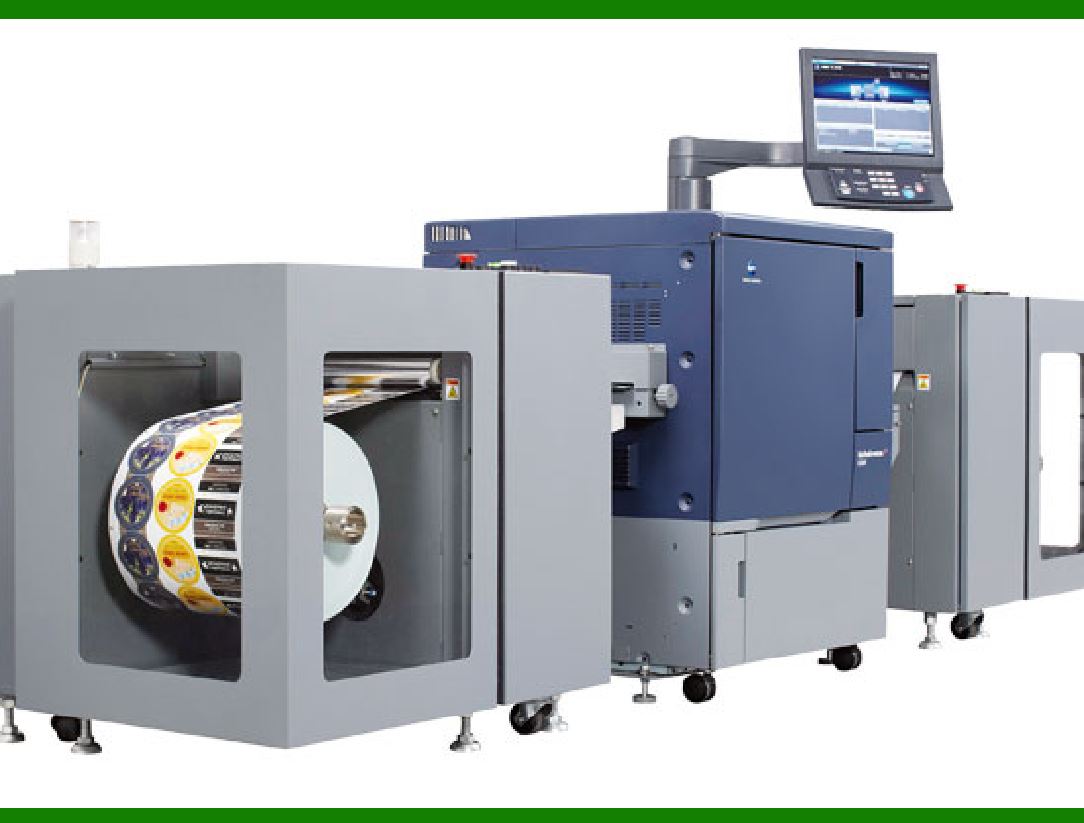
. High-Performance Printers: Built for critical applications and 24x7 operation (printing 5,000-10,000 labels per day). Ideal for warehouses and healthcare settings.

2. Define the Use of the Barcode Label:

. Understand where and how the label will be used. Consider factors like durability, readability, and environmental conditions.

3. Review Print Technologies:

. Explore different print technologies:

. Direct Thermal: Ideal for short-term labels (e.g., shipping labels). Requires heat-sensitive paper.

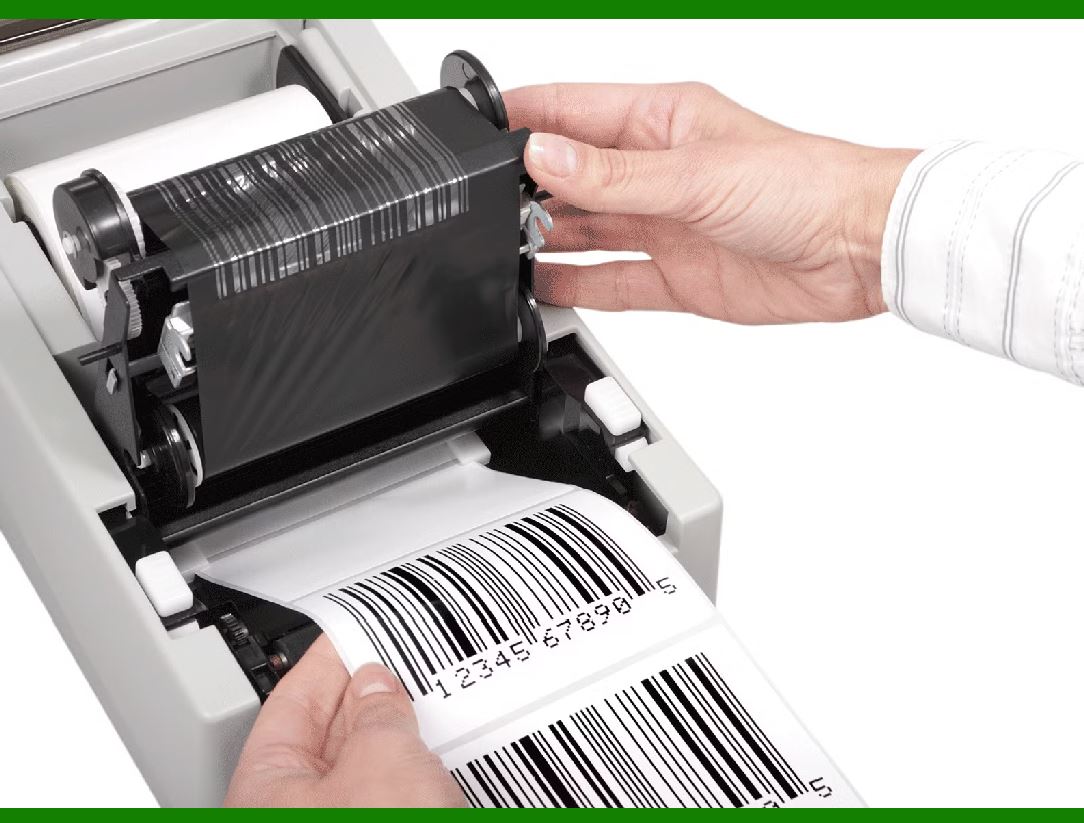
. Thermal Transfer: Suitable for long-lasting labels (e.g., product labels). Requires ribbons.

. Inkjet: Offers color printing but may be less durable.

. Laser: Used for high-quality labels but not common for barcodes.

4. Consider Connectivity Needs:

. Decide on connectivity options (USB, Ethernet, Wi-Fi) based on your setup and integration requirements.

5. Stay Updated on Technology and Innovation:

. Research the latest advancements in barcode printing technology to make an informed choice.

What is the price of a barcode printer? What price is suitable?

The suitable price depends on your specific requirements, such as the volume of printing, features needed, and durability. Consider your business needs and budget when choosing a barcode printer.

Here are some common barcode printers along with their key details:

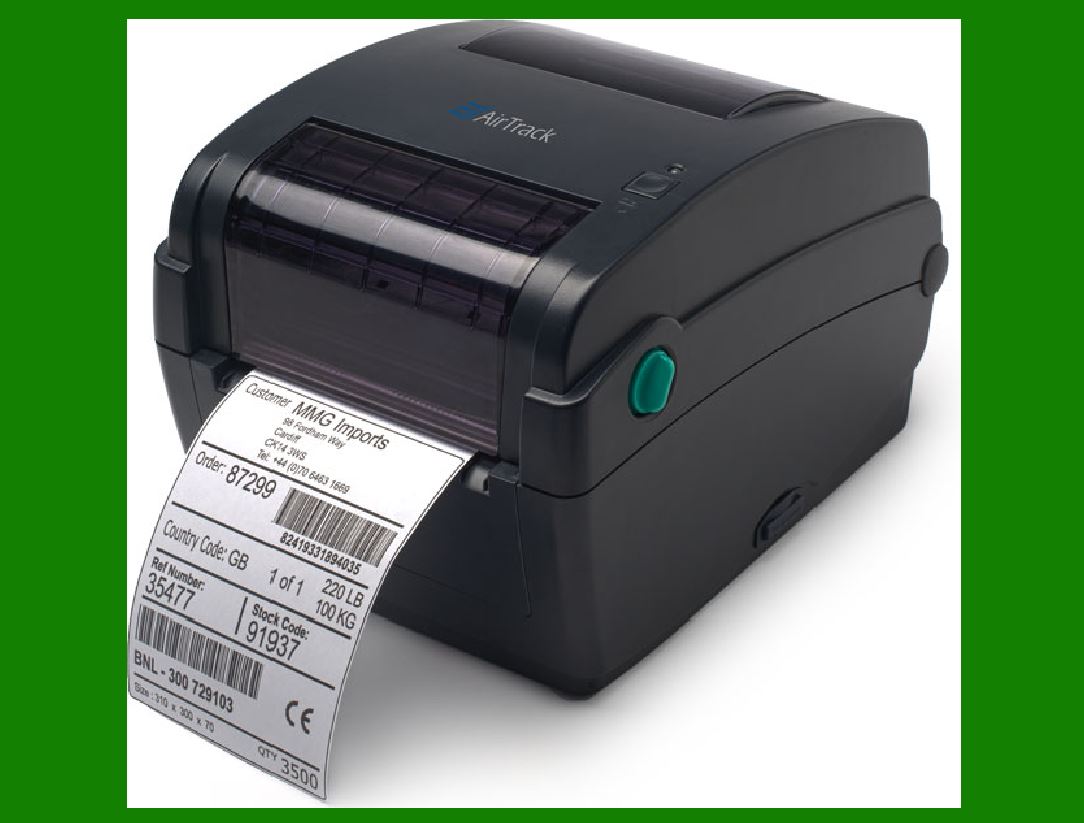
1. AirTrack DP-1:

.......Print Volume: High

.......Print Side: Front and Back

.......Full Color: Yes

.......Price: Starting at $3241.

.......Description: The AirTrack DP-1 is a desktop thermal barcode printer suitable for small businesses.

.......It prints 1D and 2D barcode labels between 1.57 inch and 4.33 inch.

.......With a printing speed of up to 4 inches (102 mm) per second, it’s efficient for retail, warehouse, and distribution tasks.

.......The DP-1 can handle continuous, die-cut, tag, and fan-fold labels, as well as media between 20 and 112 mm wide.

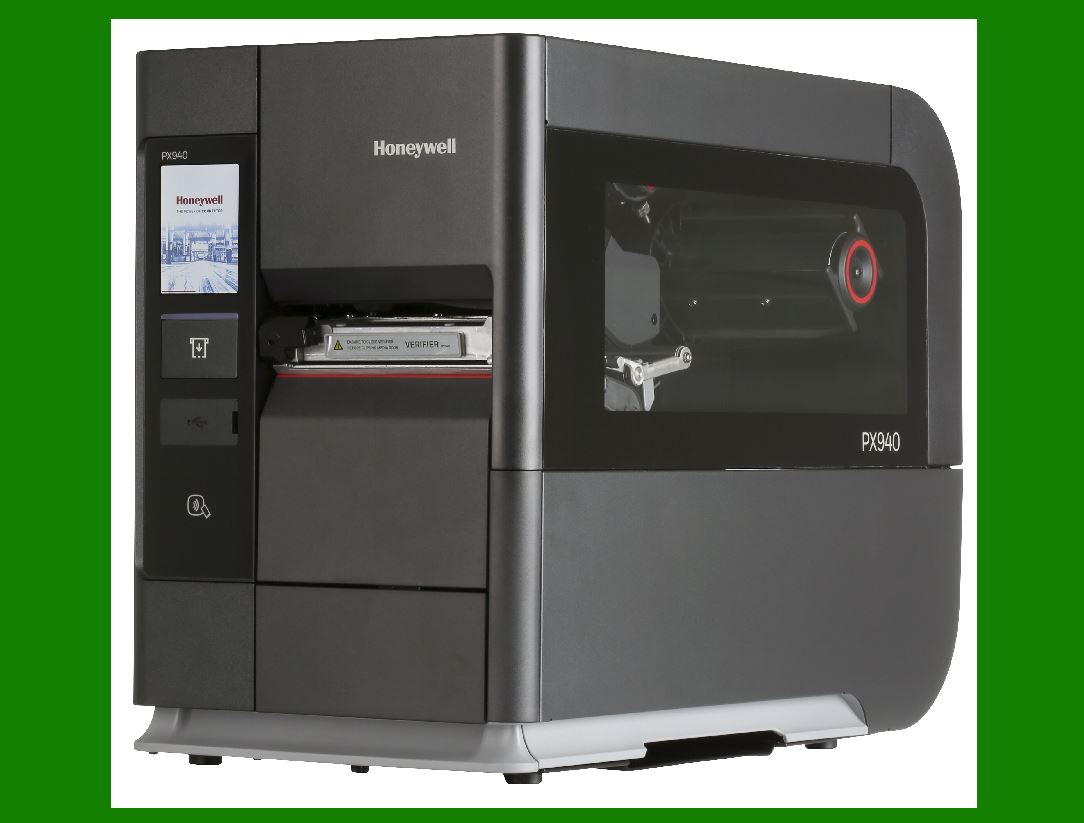
2. Honeywell PX940:

.......Print Volume: High

.......Print Side: Front and Back

.......Full Color: Yes

.......Price: Starting at $2,1211.

.......Description:

.......The PX940 is a high-performance industrial printer designed for accuracy, Bluetooth connectivity, and support for multiple print languages.

.......It’s ideal for transportation, logistics, healthcare, and manufacturing industries..jpg

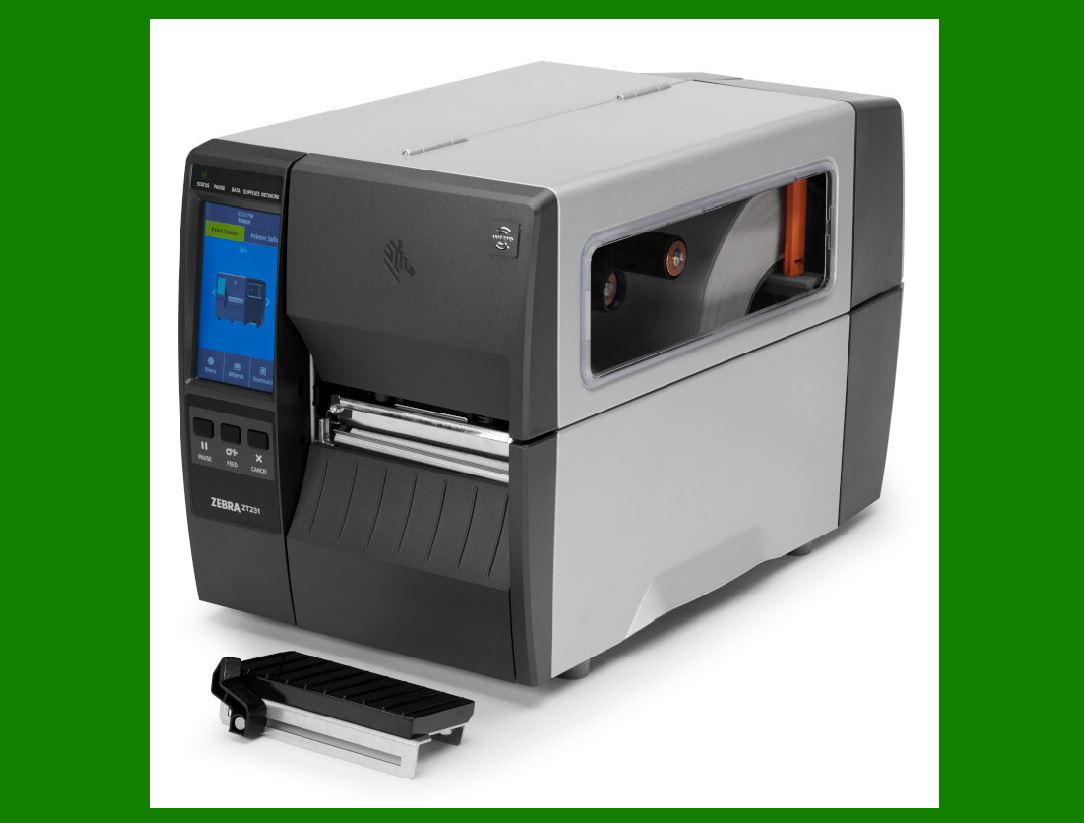
3. Zebra ZT231:

.......Description:

.......A reliable light industrial barcode printer suitable for various applications.

.......Specific pricing details are not provided here.

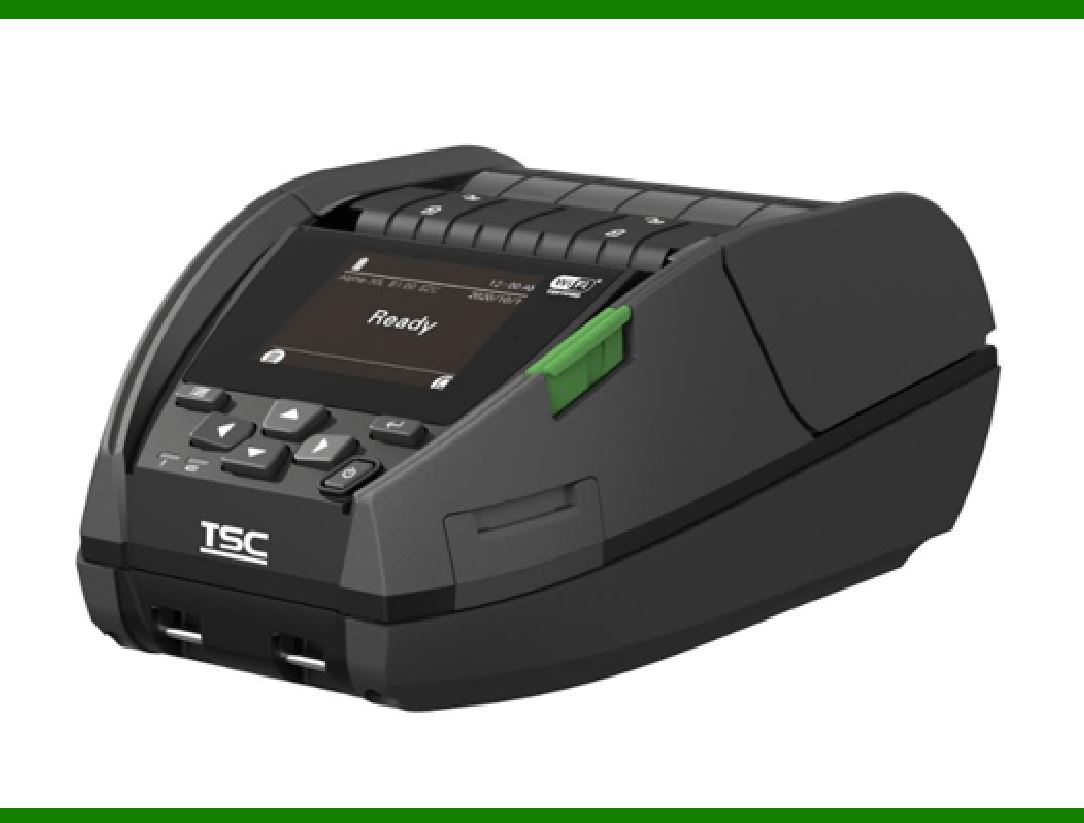
4. TSC Alpha 40 (Mobile Barcode Printer):

.......Description:

.......A mobile barcode printer for on-the-go printing needs. Specific pricing details are not provided here.

The prices are approximate and may vary based on additional features, configurations, and optional services.

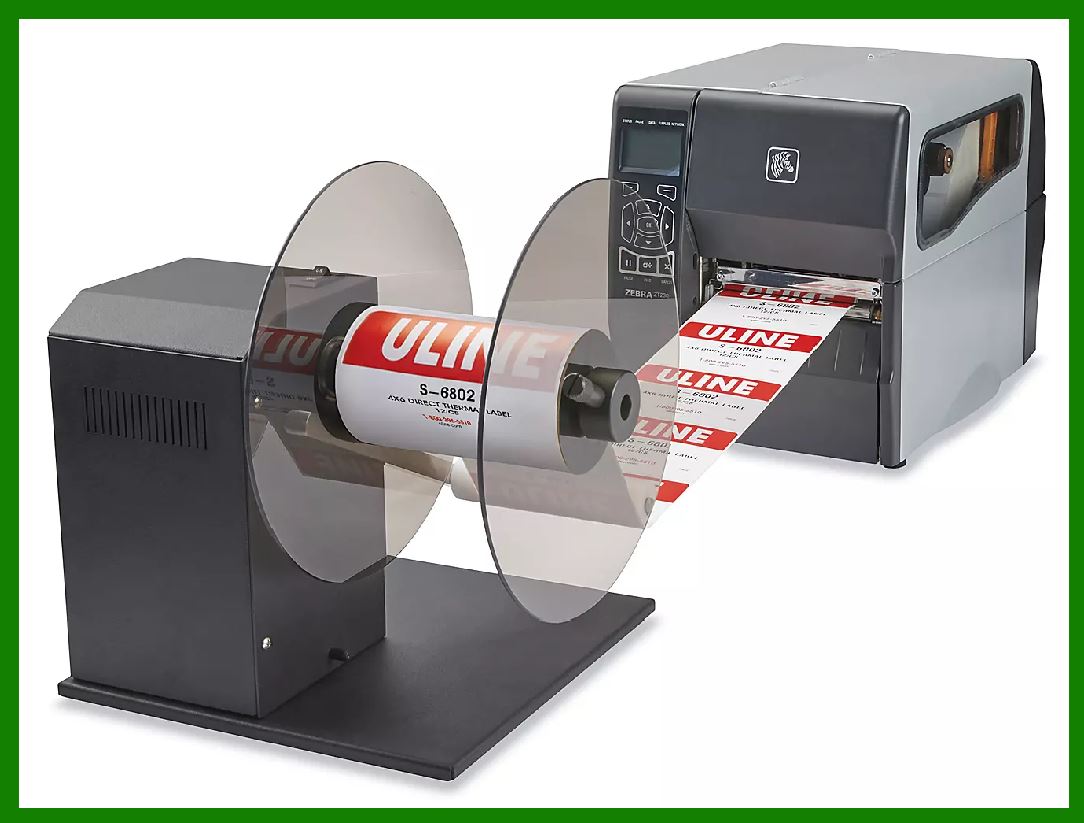
If the printing volume is large, consider purchasing additional auxiliary equipment such as a Label Rewinder.


EasierSoft Barcode Label Design & Bulk Printing Software

---- Use Excel Data to Batch Print Barcodes on Label Sheets or Roll Labels  

---- How to use this barcode software

Download:  Free Barcode Software + Barcode Label Designer

Download Free Barcode Software at Softonic

     Download at CNET

Once you obtain a GS1/UPC/EAN barcode, or other barcode type and QR code, you can use our free software to batch print barcode labels onto Roll label paper using a professional label printer, or to batch print barcodes onto Avery 5160 label sheets using a regular laser or inkjet printer. Our software has free and paid versions.

The free version fully meets your needs for batch printing GS1/UPC/EAN barcodes. The paid version can import data from Excel and databases to batch print barcode labels with different values.

How to Start

Input Data

Import Excel Data

Print Barcode

Barcode Format

Label Designer

All Screen Shot

Export Barcode Image

Save Template

Output Word Excel

How to Use & FAQ:

Print bulk barcodes quickly

Print barcodes to Avery 5160 label

How to bulk Barcode Printing

Sample - Avery 5162 (2x7) Label Sheet

Example: Print barcodes to 5*3cm roll

Example: Print barcodes to 5161 label

Example: Print barcodes to 5162 label

Example: Print barcodes to 5163 label

Example: Print barcodes to 5164 label

Example: Print portrait orientation 5164

Example: Print barcodes to 5167 label

Example: Print barcodes to 5168 label

Example: Print portrait orientation 5168

Example: Print barcodes to 5169 label

Example: Print barcodes to 5660 label

Example: Print barcodes to 5661 label

Example: Print barcodes to 5662 label

Example: Print barcodes to 5663 label

Example: Print barcodes to 5664 label

Example: Print portrait orientation 5664

Example: Print barcodes to 5873 label

Example: Print barcodes to 5874 label

Two ways to import Excel data

Import Excel Data - Pro Edition

Import Excel Data - Std Edition

Import Data from Excel - Detail

Load Data From Excel File

Data Editing Table

Copy Data From Excel

Four ways to input barcode data

Add ASCII Key E

Input Multiple Lines of Text for Barcodes

Generates Sequential Serial Numbers

Import or copy data from Excel sheets

Special sequence number generation

Std Details: Simple Input Form

Std Details: Multiple Line Text Input

Details: Sequence Barcode Generator

Examples: Sequence Barcode Generator

Import Data From Excel Spreadsheet

Barcode Data Correspondence Diagram

Data Editor

Editing a Single Row Data in Form

Batch Editing Multiple Rows of Data

Batch Data Editing - Example 2

Design & print complex barcode labels

Configuring Text Elements on Label

Configuring Barcode Elements on Label

Configuring Image Elements on Label

Setting Line Elements on Label

Highlights

Excel integration: Import data directly from Excel to generate and print barcodes in bulk.

Label designer: Create complex labels with multiple barcodes, text, logos, and shapes.

Batch printing: Print thousands of barcodes at once using standard inkjet/laser printers or professional barcode printers.


Flexible editions:

Standard Edition: Simple batch printing with Excel data.

Professional Edition: Adds command-line automation for workflow integration.

Label Designer Edition: Advanced design features for complex labels.


Why Choose Our Barcode Solutions?

Cost-effective: Free online generator and permanent free desktop version available.

Easy to use: No technical expertise required—just input data and print.

Versatile: Supports nearly all 1D and 2D barcode types, including QR codes.

Trusted: Recommended by CNET and widely downloaded by users worldwide.


Suitable Use Cases

Small businesses and startups needing quick barcode labels for products.

Retailers and online sellers managing inventory with batch barcode printing.

Manufacturers requiring sequential or custom barcode labels for packaging.

Educational and testing environments where barcodes are used for tracking.


CONTACT

cs@easiersoft.com

If you have any question, please feel free to email us.


https://free-barcode.com


<<< Back to Directory <<<     Barcode Generator     Barcode Freeware     Privacy Policy