1. Introduction to Barcode Printers |
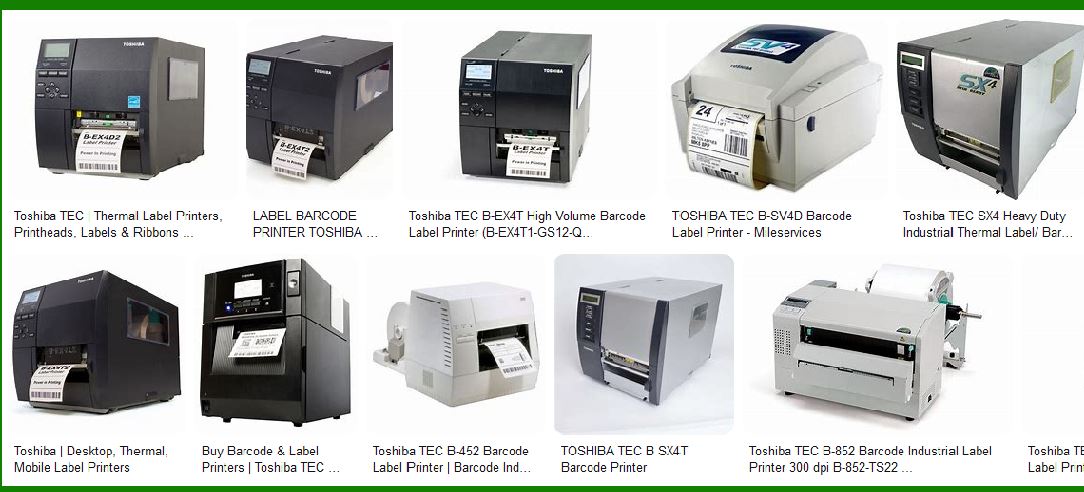
Barcode printers are a specialized type of printer designed to print scannable barcodes for product identification and tracking. These printers function on various printing technologies, but their core components generally include a print head, stepper motors, sensors, and electronic circuitry that controls the overall operation. The design of barcode printer circuits is focused on efficient operation, accuracy, and durability to ensure high-quality prints of barcode labels, which are essential for supply chain, logistics, and inventory management. |
|
2. Basic Working Principle of Barcode Printers |
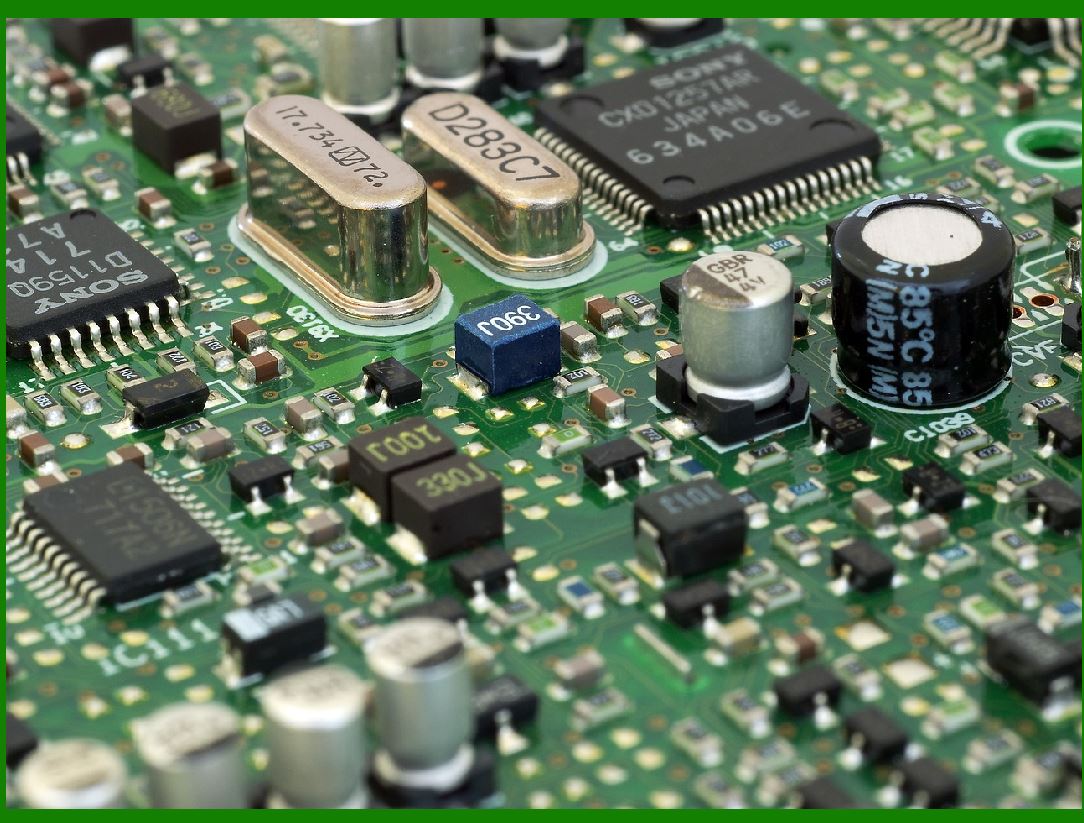
The primary function of a barcode printer is to convert digital barcode data into a physical representation (the printed barcode) on labels or other materials. Barcode printers typically use either thermal printing or laser printing technology. The circuit that drives these printers must manage data input, control the printing mechanism, and monitor various sensors that ensure proper operation. |
Thermal Printers: In a thermal printer, the print head applies heat to a thermal paper, causing it to turn black in areas where heat is applied. The circuit in these printers controls the timing of the print head and ensures that the correct barcode image is transferred onto the paper. |
Laser Printers: Laser barcode printers use a laser beam and light-sensitive drum to form a print pattern. The circuit in these printers will synchronize the laser and the drum to create an accurate print. |
|
3. Key Components of a Barcode Printer Circuit |
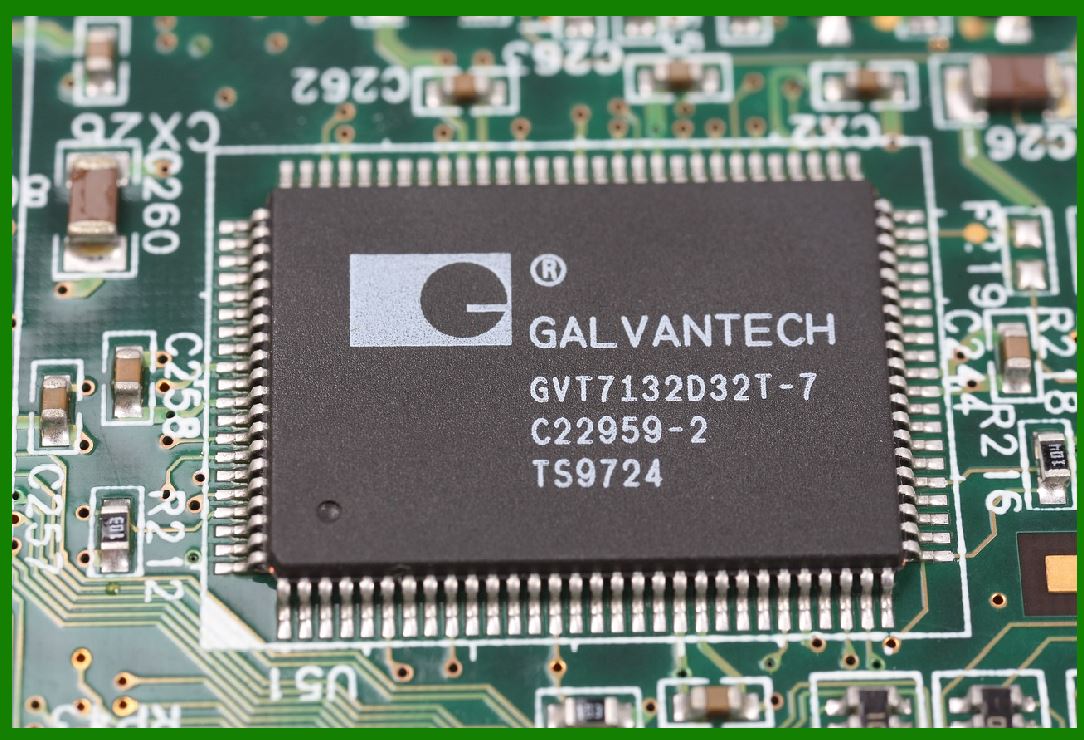
Barcode printers typically include several key components: the microcontroller (MCU), stepper motors, print head, power supply, sensors, and interface circuits. |
3.1. Microcontroller (MCU) |
The MCU is the heart of the barcode printer circuit, responsible for processing the input data, controlling all components, and ensuring that the printer functions correctly. The MCU executes a variety of tasks, including receiving data from the host device, converting it into a printable format, controlling motor functions, and managing print head operations. |
3.2. Stepper Motors |
Stepper motors are used to control the movement of the paper feed and the print head. The stepper motor circuit in a barcode printer is responsible for the precision movement of the paper and print head, ensuring that each print line is accurately aligned with the next. The stepper motors are controlled by the microcontroller, which sends specific pulse signals to move the motors in small, precise steps. |
3.3. Print Head |
The print head in a thermal printer contains a series of tiny heating elements that are activated in a specific pattern to burn the image onto thermal paper. The circuit that controls the print head regulates the temperature of each heating element, ensuring that the barcode is printed clearly and without errors. |
3.4. Power Supply |
The power supply circuit provides the necessary voltage and current to operate all components of the barcode printer, including the MCU, motors, print head, and sensors. It converts AC voltage into the DC voltage levels required for operation. Voltage regulation and protection mechanisms are essential to prevent damage to the components. |
3.5. Sensors |
Various sensors are incorporated into barcode printers to detect issues such as paper jams, the correct alignment of paper, and the presence of labels. Optical sensors are commonly used to detect the start and end of labels, while thermal sensors monitor the temperature of the print head. |
3.6. Interface Circuits |
Barcode printers often need to communicate with other devices, such as computers or inventory management systems. The interface circuits handle communication protocols like USB, serial (RS-232), parallel, Ethernet, or even wireless connections like Bluetooth and Wi-Fi. These circuits convert the data received from external devices into signals that the printer¡¯s internal circuitry can process. |
|
4. Data Processing and Conversion in Barcode Printers |
Barcode data typically arrives in the form of alphanumeric characters or binary-encoded data. The data processing circuit in the barcode printer is responsible for interpreting and converting this data into a form that the print head can render. |
4.1. Data Input |
Barcode data is generally sent from a host computer via a communication interface. In most modern barcode printers, data is often sent in a vector graphic format, where each element of the barcode is specified as a series of coordinates. In older printers, barcodes were often input in a bitmap format. |
4.2. Data Conversion |
The microcontroller in the barcode printer takes the input data and performs the necessary transformations. For example: |
1D Barcodes: The data is converted into a set of bars of varying widths (e.g., UPC, EAN, Code 128). |
2D Barcodes: More complex algorithms are used to generate the 2D patterns, such as QR Codes or Data Matrix codes, based on the input data. |
4.3. Signal Processing and Error Checking |
Once the data is converted into a printable format, it is passed to the print head controller, which sends the signal to the print head elements. The printer¡¯s circuit also checks for errors in the data transmission process, ensuring that the printed barcode is free from defects. Error detection and correction codes, such as Parity Bits or Checksum algorithms, are often employed at this stage to ensure the data is transmitted correctly. |
|
5. Control of Stepper Motors for Paper and Print Head Movement |
The movement of paper and the print head are precisely controlled to ensure that the barcode is printed in the correct location on the label. The stepper motor drivers play a crucial role in this process. |
5.1. Paper Feed Mechanism |
The paper feed motor moves the paper incrementally through the printer as each line of the barcode is printed. The stepper motor¡¯s circuit controls how much movement is applied with each pulse, ensuring that the paper advances by the appropriate amount. |
5.2. Print Head Positioning |
In thermal barcode printers, the print head moves across the paper to print one line of the barcode at a time. The stepper motor circuit controls the print head¡¯s movement in a precisely timed manner, ensuring that each pixel of the barcode is placed in the correct position. |
|
6. Thermal Print Head Control |
The thermal print head consists of a grid of small heating elements, each of which can be individually controlled. The printer¡¯s circuit regulates the temperature of each element to create the necessary heat to print the barcode. |
6.1. Heating Element Control |
The circuit that controls the heating elements in the print head regulates the amount of power supplied to each element. The duration and intensity of the heat are carefully timed to create a clear, accurate print. |
6.2. Print Quality and Calibration |
The print quality of a barcode is crucial for its readability by barcode scanners. The print head circuit must be calibrated to ensure uniform heat distribution across the print head, preventing smudging or fading of the printed bars. |
|
7. Error Detection and Maintenance in Barcode Printers |
To ensure reliable operation, barcode printers are equipped with various sensors and diagnostic circuits that detect problems such as paper jams, out-of-paper conditions, or low ink. |
7.1. Paper Jam Detection |
Optical sensors are typically used to detect if paper has become jammed inside the printer. If a jam is detected, the MCU immediately halts the printing process and alerts the user to resolve the issue. |
7.2. Thermal Sensor Monitoring |
The printer¡¯s thermal sensor circuit constantly monitors the temperature of the print head, ensuring that it does not overheat. If the temperature exceeds a safe limit, the circuit will shut down the print head to prevent damage. |
|
8. Communication with Host System |
Barcode printers often receive data from external devices, and they communicate back to provide status updates or error messages. The communication circuit in a barcode printer is essential for data transfer and status feedback. |
8.1. USB/Serial Communication |
Older printers often use serial communication (RS-232) to send and receive data. In newer models, USB interfaces provide faster data transfer and easier connectivity with modern computers. |
8.2. Wireless Communication |
Some barcode printers support Wi-Fi or Bluetooth connections, allowing for wireless communication with mobile devices or networked systems. These printers include additional circuitry to manage wireless protocols. |
|
9. Power Management in Barcode Printers |
Efficient power management is crucial to ensure that the barcode printer operates reliably and efficiently without wasting energy. |
9.1. Power Regulation |
A power management circuit within the barcode printer converts the incoming electrical supply to the correct voltage levels for the various components. This may include step-down converters or linear regulators to provide a stable supply to the print head and motors. |
9.2. Power Conservation |
Barcode printers are often designed with energy-saving features, including sleep modes, where certain components are powered down when not in use. |
|
10. Detailed Design of the Print Head Circuit |
The print head is one of the most critical components in a thermal barcode printer. Its design, which involves a matrix of small heating elements, is heavily influenced by the print resolution and accuracy required for barcode printing. |
10.1. Heating Element Matrix |
The print head consists of a matrix of tiny heating elements, often arranged in rows. These heating elements are activated sequentially by the print head driver circuitry. When a voltage is applied to a heating element, it heats up, transferring thermal energy to the paper and marking it. |
The number of heating elements determines the print resolution. A higher number of elements per inch (EPI) results in better resolution. For instance, 203 EPI (dots per inch) is common, but some high-resolution printers use up to 600 EPI. |
10.2. Thermal Control Circuitry |
Each heating element requires precise control to apply just the right amount of heat for the appropriate duration. This is achieved through a pulse-width modulation (PWM) circuit, which regulates how long and how much power is supplied to each heating element. |
The control circuitry needs to ensure that the temperature of the print head remains within an optimal range. If the temperature is too low, the print may be faint; if it¡¯s too high, the paper may burn or degrade. |
10.3. Temperature Feedback Mechanisms |
The print head is usually equipped with temperature sensors that provide feedback to the controller circuit. This feedback is used to dynamically adjust the heating process. For example, if the print head overheats, the control system may reduce the power to the heating elements or pause the printing until the temperature normalizes. Some printers also incorporate thermal shutdown circuits that turn off the heating elements entirely if temperatures exceed safe thresholds. |
|
11. Advanced Motor Control for Paper Handling |
Stepper motors and DC motors in barcode printers are critical for ensuring precise paper feed and print head movement. |
11.1. Stepper Motor for Paper Feed |
Stepper motors are used because they allow for precise control over the movement of the paper. These motors rotate in fixed increments or 'steps,' making them ideal for moving the paper a precise distance after each line of the barcode is printed. |
Driver Circuits: The stepper motor requires a driver circuit that converts digital signals from the microcontroller into a form that can drive the motor. Most stepper motor drivers use H-bridge circuits to control the direction of the motor. The driver¡¯s job is to ensure that the stepper motor moves in sync with the print head¡¯s movement and the required length of the barcode being printed. |
11.2. Paper Detection Sensors |
To ensure that the paper feeds properly through the printer and the print head stays in alignment, barcode printers often include paper sensors. These sensors detect when the paper has passed a certain point, allowing the system to synchronize the feed with the printing process. |
Optical Sensors: Many printers use optical sensors that send a light beam across the paper path. When the paper is in position, it interrupts the beam, signaling the printer to begin printing. |
Gap Sensors: A specialized optical sensor can also detect gaps between labels on continuous label rolls, helping the printer determine where the next label begins. |
|
12. Precision Timing and Synchronization in Barcode Printing |
The entire printing process must be carefully synchronized to ensure that each element of the barcode is placed in the right position on the paper. |
12.1. Print Timing |
The microcontroller is responsible for managing the precise timing of the print process. The timing must account for: |
The speed at which the paper feeds through the printer. |
The duration for which each heating element of the print head is activated. |
The movement of the print head and the correct positioning of the paper. |
12.2. Synchronization with External Data |
The barcode printer must synchronize its operation with the incoming data. As the data for a barcode is processed, the printer¡¯s circuit ensures that each part of the barcode (bars, spaces, error correction codes, etc.) is printed in the correct location on the label. |
12.3. Clock Signals and Timing Circuits |
The printer uses an internal clock, which controls the timing of data transmission and the actuation of various components, such as the print head and stepper motor. The microcontroller must process the input data in real-time and synchronize it with the mechanical components to prevent any misalignment in the printing process. |
|
13. Error Handling and Fault Detection Mechanisms |
Barcode printers include multiple error handling mechanisms to ensure that printing is smooth and uninterrupted. These mechanisms monitor both hardware and software to detect and resolve faults during printing. |
13.1. Paper Jam Detection |
To prevent damage to the printer or incomplete prints, printers are equipped with sensors that monitor the paper path. If the sensor detects a blockage or an obstruction, it triggers a fault condition, and the printer stops. |
Optical Sensors: These sensors detect the absence or presence of paper. If the paper does not pass through the expected path, the system recognizes a jam and sends an error signal to the user interface. |
Motor Stall Detection: If the stepper motor stalls due to a paper jam, the circuit will detect the excessive current draw and stop the motor to prevent damage. |
13.2. Thermal Overload Detection |
As discussed earlier, thermal sensors on the print head ensure that the heating elements do not overheat. If the temperature exceeds the threshold, the printer¡¯s circuit will stop the print head from operating to prevent damage to the components. |
13.3. Out-of-Paper Detection |
This sensor monitors the paper tray or roll to detect if there¡¯s no paper available for printing. If the sensor indicates that the paper has run out, the printer immediately pauses operation and alerts the user. |
13.4. Data Integrity and Re-Transmission |
In case of a communication error between the host system and the printer, the printer¡¯s error-handling system can request data to be sent again. Error-correcting algorithms in the printer firmware help prevent data loss or corruption. |
|
14. Communication Protocols and Data Transfer |
Barcode printers require communication with external systems to receive data for printing. This communication is often handled by specialized interface circuits. |
14.1. Serial Communication (RS-232) |
Older printers may use RS-232 serial communication for data transfer. In this setup, the printer¡¯s serial port accepts data sent from a computer, typically using a DB-9 or DB-25 connector. The data is converted into a serial stream that the printer's microcontroller processes. |
14.2. USB Communication |
Modern barcode printers commonly use USB for faster communication. USB ports allow for high-speed data transfer between the printer and the computer, supporting plug-and-play functionality without the need for specialized drivers. |
14.3. Ethernet and Wireless Communication |
Barcode printers in enterprise environments often support Ethernet or Wi-Fi communication. These interfaces allow the printer to be networked and controlled remotely from different devices across the network. Wireless communication may also use Bluetooth for mobile device compatibility. |
14.4. Printer Command Language |
Once the printer receives the barcode data, it must interpret it according to a specific set of commands. Printer command languages such as Zebra Programming Language (ZPL), Epson ESC/POS, or Datamax are commonly used to manage print jobs, control the print head, and configure other parameters like print speed and darkness. |
|
15. Power Consumption and Efficiency |
Given that barcode printers are frequently used in environments with heavy printing demands, managing power consumption is critical. Efficient power design helps reduce operational costs and extends the longevity of the printer. |
15.1. Low Power Modes |
Modern barcode printers often come with low-power modes that activate when the printer is idle. This includes turning off or reducing the power supplied to components such as the print head and motors. |
15.2. Power Supply Efficiency |
The power supply circuitry must be designed to minimize power loss during voltage conversion, as excessive heat can degrade components. Power regulation also ensures stable performance even when the printer is under heavy loads. |
|
16. Maintenance and Calibration Systems |
Barcode printers require periodic maintenance to ensure optimal performance. Maintenance circuits help in diagnosing problems and notifying users of required actions. |
16.1. Print Head Cleaning and Calibration |
Printers often include diagnostic tools that guide the user through the process of cleaning the print head. Some advanced printers even have auto-calibration features that ensure the print head and sensors remain aligned. |
16.2. Firmware Updates |
Barcode printer manufacturers often release firmware updates that improve the printer¡¯s performance or fix bugs. The printer¡¯s circuit must support a process for downloading and installing these updates, often through USB or network connections. |

|
17. Conclusion |
The barcode printer¡¯s circuit structure is a complex, highly integrated system of components that work together to create high-quality prints. From the microcontroller that processes input data, to the stepper motors that move paper, to the print head control that ensures accurate printing, every component must be carefully calibrated and synchronized. |
By understanding each element of the circuit, we gain deeper insight into the operational intricacies of barcode printers. This detailed exploration covers the microcontroller, motor control, print head mechanisms, sensors, communication interfaces, error handling, and power efficiency, all of which contribute to the precise and reliable printing of barcodes in various industries. |
 cs@easiersoft.com