Part 25. Security Architecture and Fraud Prevention in Cloud Printing Systems |
25.1 Introduction to Security in Cloud Printing Infrastructure |
Cloud printing systems sit at a sensitive intersection of digital ordering systems and physical-world execution. Every print job can translate directly into a real-world action good preparation, parcel shipping, warehouse dispatching, or financial documentation. |
Because of this, security is not just an IT concern; it is a physical operations safeguard layer. |
In large-scale ecosystems such as those operated by Meituan, cloud printing security must ensure: |
1. Only authorized entities can trigger print jobs. |
2. Print data cannot be tampered with in transit. |
3. Devices cannot be impersonated or spoofed. |
4. Fraudulent orders are blocked before printing. |
5. Sensitive business data is protected. |
6. Multi-tenant isolation is strictly enforced. |
7. Audit trails remain tamper-proof. |
8. Edge devices are hardened against attacks. |
9. APIs are protected from abuse. |
10. End-to-end trust is maintained across systems. |
This makes cloud printing a high-value cybersecurity domain due to its direct link to physical logistics execution. |

|
25.2 Attack Surface in Cloud Printing Systems |
Cloud printing systems have a broad attack surface across multiple layers: |
1. API Layer Attacks |
1. Unauthorized print job creation. |
2. API key leakage exploitation. |
3. Request replay attacks. |
4. Injection of malicious payloads. |
5. Rate limit bypass attempts. |
2. Device Layer Attacks |
1. Printer impersonation. |
2. Firmware tampering. |
3. Local network intrusion. |
4. Physical device manipulation. |
5. Unauthorized configuration changes. |
3. Network Layer Attacks |
1. Man-in-the-middle interception. |
2. Packet sniffing. |
3. DNS spoofing. |
4. Session hijacking. |
5. Replay attacks. |
4. Application Layer Attacks |
1. Order manipulation. |
2. Template injection. |
3. Workflow tampering. |
4. Queue poisoning. |
5. Data inconsistency attacks. |
5. Data Layer Attacks |
1. Database injection. |
2. Log tampering. |
3. Backup corruption. |
4. Unauthorized data access. |
5. Cross-tenant data leakage. |

|
25.3 Identity and Access Management (IAM) |
Identity management is the foundation of cloud printing security. |
Key components include: |
1. User Identity Management |
1. Merchant accounts. |
2. Administrator roles. |
3. Operator permissions. |
4. API user identities. |
5. Temporary session identities. |
2. Device Identity Management |
1. Unique printer IDs. |
2. Hardware-bound certificates. |
3. Device authentication keys. |
4. Secure provisioning processes. |
5. Revocation mechanisms. |
3. Role-Based Access Control (RBAC) |
1. Merchant-level permissions. |
2. Store-level access separation. |
3. Device-level control policies. |
4. API operation restrictions. |
5. Workflow-based permissions. |
4. Attribute-Based Access Control (ABAC) |
1. Location-based rules. |
2. Time-based restrictions. |
3. Order-type conditions. |
4. Device health constraints. |
5. Risk-level access policies. |

|
25.4 Secure Communication and Encryption Systems |
All cloud printing communication must be encrypted. |
Security mechanisms include: |
1. TLS encryption for all API traffic. |
2. Mutual TLS authentication between cloud and printers. |
3. End-to-end encrypted print payloads. |
4. Secure WebSocket connections. |
5. MQTT over TLS for IoT devices. |
6. Encrypted message queues. |
7. Signed API requests. |
8. Certificate pinning for devices. |
9. Key rotation mechanisms. |
10. Hardware-based encryption modules. |
These ensure data integrity and confidentiality. |

|
25.5 Print Job Integrity Protection |
Print job integrity ensures that no unauthorized modification occurs. |
Mechanisms include: |
1. Digital signatures on print payloads. |
2. Hash verification of print templates. |
3. Immutable job IDs. |
4. End-to-end checksum validation. |
5. Tamper-evident logs. |
6. Version-controlled templates. |
7. Replay protection tokens. |
8. Secure job lifecycle tracking. |
9. Verification at device level. |
10. Cloud-side validation checks. |
This ensures that printed outputs reflect exact authorized instructions. |

|
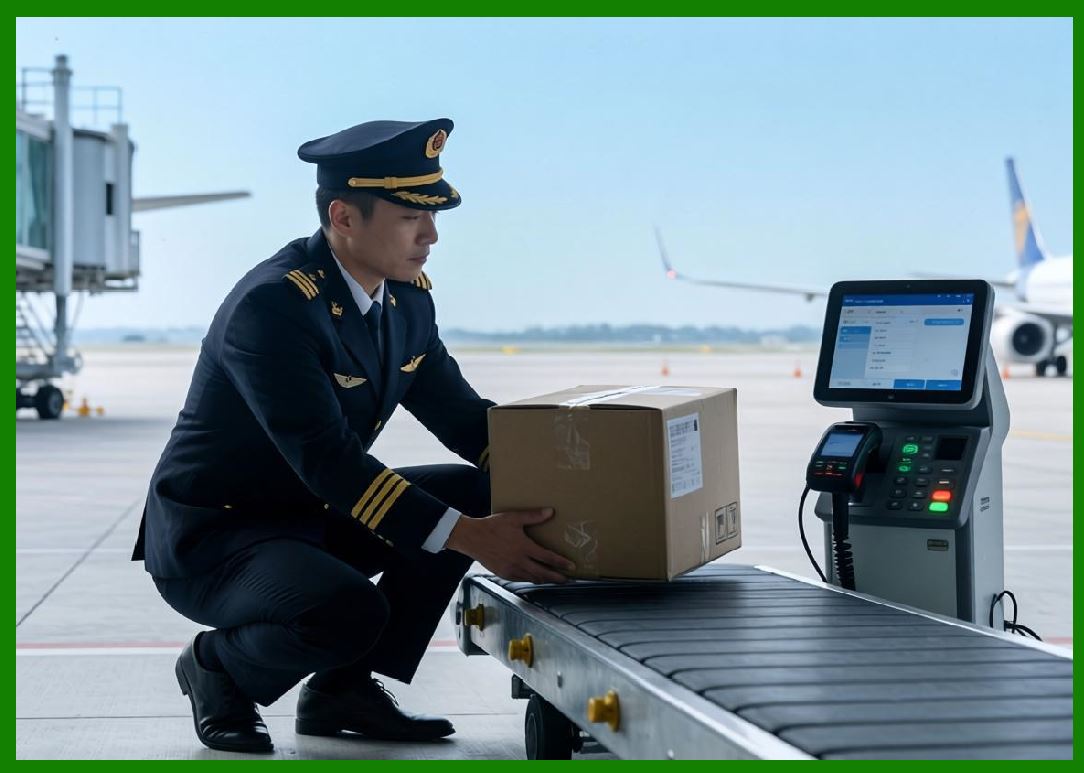
25.6 Fraud Detection in Cloud Printing Systems |
Fraud prevention is critical, especially in commercial delivery ecosystems. |
Fraud scenarios include: |
1. Fake order injection. |
2. Unauthorized print triggering. |
3. Merchant account hijacking. |
4. Delivery manipulation. |
5. Label spoofing. |
6. Payment-linked fraud attempts. |
7. System abuse via API automation. |
8. Duplicate order exploitation. |
9. Template manipulation attacks. |
10. Device impersonation. |
|
25.7 AI-Based Fraud Detection Systems |
Modern systems use AI to detect fraud patterns: |
1. Behavioral anomaly detection. |
2. Order pattern clustering. |
3. Network traffic analysis. |
4. Device usage profiling. |
5. Transaction irregularity detection. |
6. Geographic inconsistency analysis. |
7. Time-based anomaly scoring. |
8. Cross-account correlation analysis. |
9. Print frequency anomaly detection. |
10. Machine learning risk scoring. |
These systems block suspicious activities before printing occurs. |

|
25.8 Device Security and Firmware Protection |
Cloud printers are physical attack targets, requiring strong protections: |
1. Secure boot process validation. |
2. Signed firmware updates. |
3. Hardware root of trust. |
4. Anti-rollback protection. |
5. Debug interface locking. |
6. Encrypted firmware storage. |
7. Integrity verification checks. |
8. Runtime protection monitoring. |
9. Physical tamper detection. |
10. Secure provisioning workflows. |
These prevent device-level compromise. |

|
25.9 API Security and Abuse Prevention |
APIs are a major attack vector. |
Protection strategies include: |
1. Rate limiting per user and device. |
2. IP-based filtering. |
3. API gateway authentication. |
4. Token expiration policies. |
5. Request signature validation. |
6. Behavior-based throttling. |
7. Bot detection systems. |
8. Request anomaly detection. |
9. Input validation and sanitization. |
10. Quota enforcement per tenant. |
These prevent system overload and abuse. |

|
25.10 Multi-Tenant Isolation Security |
Cloud printing systems often serve many businesses simultaneously. |
Isolation mechanisms include: |
1. Separate logical namespaces. |
2. Dedicated queue partitions. |
3. Tenant-specific encryption keys. |
4. Isolated template storage. |
5. Independent logging streams. |
6. Resource usage quotas. |
7. Cross-tenant access prevention. |
8. Secure API scoping. |
9. Database-level segmentation. |
10. Runtime enforcement boundaries. |
This ensures strict data separation. |

|
25.11 Audit Logging and Traceability |
Audit systems ensure accountability. |
Logged events include: |
1. Print job creation. |
2. Device activity logs. |
3. API access records. |
4. Template changes. |
5. Authentication attempts. |
6. Failed operations. |
7. Fraud detection triggers. |
8. Workflow state transitions. |
9. System configuration changes. |
10. Security alerts. |
Audit logs are: |
1. Immutable. |
2. Encrypted. |
3. Time-stamped. |
4. Distributed. |
5. Queryable for investigation. |

|
25.12 Incident Response and Security Operations |
When security incidents occur, response systems activate: |
1. Automatic threat isolation. |
2. Compromised device shutdown. |
3. API key revocation. |
4. Traffic filtering updates. |
5. Fraud transaction rollback. |
6. System-wide alerting. |
7. Log forensic analysis. |
8. Emergency patch deployment. |
9. Cross-region protection activation. |
10. Recovery workflow execution. |
These ensure minimal operational disruption. |

|
25.13 Compliance and Regulatory Security Requirements |
Cloud printing systems must comply with: |
1. Data protection regulations. |
2. Payment security standards. |
3. Industry logistics regulations. |
4. Privacy protection laws. |
5. Audit compliance requirements. |
6. Cross-border data rules. |
7. Enterprise security certifications. |
8. Device safety regulations. |
9. Operational transparency standards. |
10. Cybersecurity frameworks. |
Compliance ensures system legitimacy and trustworthiness. |

|
25.14 Security Challenges at Scale |
At massive scale, challenges include: |
1. High-frequency API attacks. |
2. Device fleet vulnerability exposure. |
3. Cross-region threat propagation. |
4. Complex multi-tenant isolation risks. |
5. Real-time fraud detection constraints. |
6. Supply chain attack vectors. |
7. Insider threat risks. |
8. Firmware update vulnerabilities. |
9. Network-level attack complexity. |
10. Data consistency under attack. |
These require continuous defense evolution. |

|
25.15 Future Trends in Cloud Printing Security |
Future systems will evolve toward: |
1. AI-driven autonomous security defense. |
2. Zero-trust cloud printing architectures. |
3. Blockchain-based audit systems. |
4. Self-healing security infrastructures. |
5. Quantum-resistant encryption. |
6. Behavioral biometric authentication. |
7. Fully automated fraud prevention systems. |
8. Real-time threat intelligence integration. |
9. Decentralized identity frameworks. |
10. Cognitive security systems. |
Security will become fully autonomous and predictive. |

|
Part 25 Technical Summary |
This part explored security architecture and fraud prevention in cloud printing systems. It covered attack surfaces, identity and access management, encryption systems, print integrity protection, fraud detection, AI-based anomaly detection, firmware security, API protection, multi-tenant isolation, audit logging, and incident response mechanisms. |
It highlighted how ecosystems such as those operated by Meituan require multi-layered security systems to protect both digital operations and physical-world logistics execution. |
The section demonstrated that cloud printing security is a critical infrastructure domain combining cybersecurity, fraud prevention, and physical system protection in a unified architecture. |
In the next part, the discussion will focus on cloud printing performance optimization and latency engineering, including high-speed rendering pipelines, distributed load balancing, caching strategies, and ultra-low latency system design. |
 cs@easiersoft.com