Part 3. Development History of Cloud Printing Technology and Cloud Barcode Label Printers |
3.1 Origins of Computer Printing Technology |
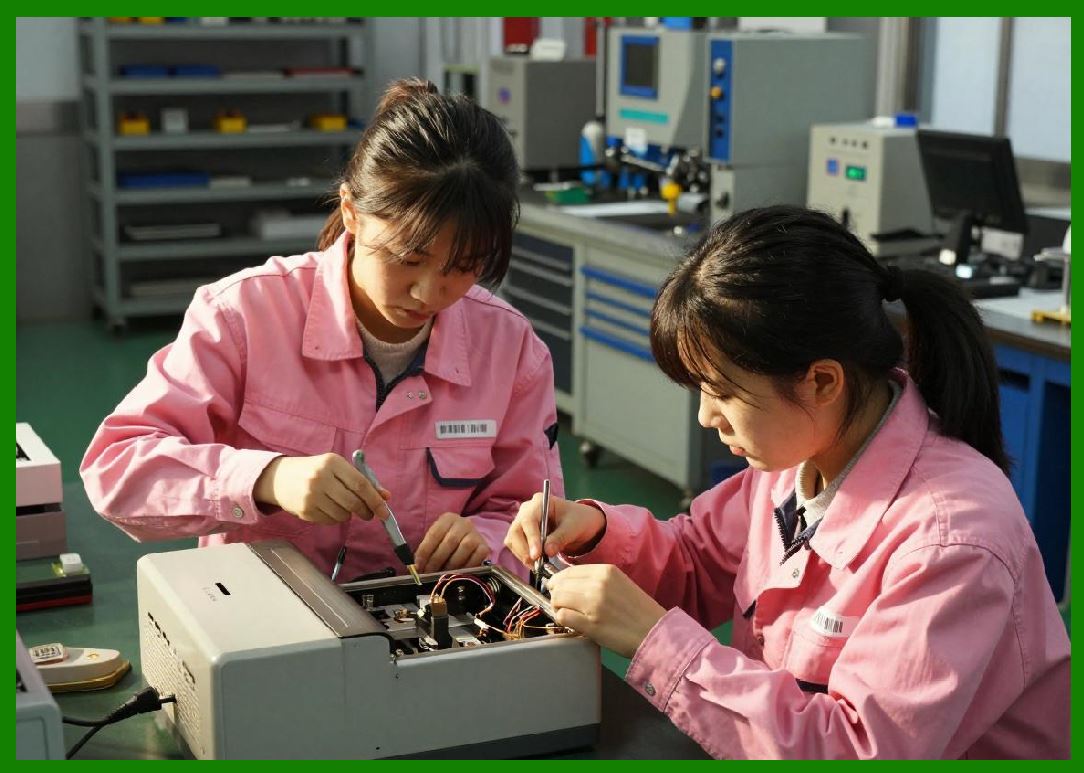
The history of cloud printing technology cannot be understood without examining the earliest stages of computer printing development. Printing technology originally evolved alongside the development of electronic computing systems during the mid-20th century. |
In the earliest computer systems, output was not graphical or interactive. Large mainframe computers primarily produced printed text output for business reports, scientific calculations, financial statements, military analysis, and government documentation. |
|
The earliest computer printing devices included: |
1. Line printers. |
2. Drum printers. |
3. Chain printers. |
4. Impact printers. |
5. Teletype systems. |
6. Electromechanical printers. |
7. Dot matrix printers. |
8. Continuous form printers. |
9. Card punch systems. |
10. High-speed industrial printers. |
These systems were highly centralized. Users typically submitted jobs through batch processing environments, and print output was generated in centralized computing facilities. |

|
The workflow was rigid and inefficient by modern standards: |
1. Users prepared punch cards. |
2. Operators loaded jobs into mainframes. |
3. Processing occurred sequentially. |
4. Output was queued. |
5. Centralized printers generated results. |
6. Printed reports were manually distributed. |
7. Error correction required resubmission. |
8. Physical transport of documents was common. |
9. Printing resources were scarce. |
10. Real-time interaction was almost nonexistent. |

|
Despite these limitations, early printing systems established several important concepts later inherited by cloud printing technologies: |
1. Centralized resource management. |
2. Shared device access. |
3. Print queue scheduling. |
4. Job prioritization. |
5. Multi-user coordination. |
6. Task management. |
7. Print spooling. |
8. Remote job submission. |
9. Resource allocation. |
10. Output tracking. |
These principles would later evolve into sophisticated distributed cloud printing architectures. |

|
3.2 Emergence of Personal Computer Printing |
The development of personal computers during the 1970s and 1980s transformed printing technology dramatically. |
Printing became decentralized as users connected printers directly to individual computers. |
Popular connection technologies included: |
1. Parallel ports. |
2. Serial ports. |
3. Centronics interfaces. |
4. RS-232 communication. |
5. SCSI interfaces. |
6. Early USB implementations. |
7. Proprietary printer connectors. |
8. Local interface cards. |
9. ISA expansion adapters. |
10. IEEE communication standards. |

|
This period saw the rise of many printing technologies: |
1. Dot matrix printing. |
2. Inkjet printing. |
3. Laser printing. |
4. Thermal printing. |
5. Label printing. |
6. Receipt printing. |
7. Portable printers. |
8. Photo printers. |
9. Industrial barcode printers. |
10. Desktop publishing systems. |
The introduction of printer drivers became a critical development. Operating systems such as DOS, Windows, Macintosh System Software, and UNIX environments began supporting software-controlled printing pipelines. |

|
Printer drivers handled: |
1. Font rendering. |
2. Rasterization. |
3. Page formatting. |
4. Graphics conversion. |
5. Device communication. |
6. Print buffering. |
7. Command translation. |
8. Color management. |
9. Page spooling. |
10. Error reporting. |

|
Although revolutionary at the time, local printer systems had significant limitations: |
1. Limited sharing capabilities. |
2. Complex driver installation. |
3. Platform compatibility issues. |
4. Hardware dependency. |
5. Cable length restrictions. |
6. Difficult maintenance. |
7. No remote access. |
8. Manual printer management. |
9. Limited scalability. |
10. High operational fragmentation. |
These weaknesses eventually contributed to the development of network printing technologies. |

|
3.3 Rise of Network Printing |
During the late 1980s and 1990s, local area networks became widespread in businesses, universities, and government organizations. |
As organizations expanded their computer infrastructure, printer sharing became increasingly necessary. |
Network printing technologies emerged to solve this challenge. |
Major developments included: |
1. Ethernet-enabled printers. |
2. Network print servers. |
3. Shared printer queues. |
4. TCP/IP printing protocols. |
5. LPR/LPD systems. |
6. SMB printer sharing. |
7. Novell NetWare printing. |
8. AppleTalk printing. |
9. SNMP printer management. |
10. Centralized printer administration. |

|
Network printing introduced several important improvements: |
1. Multiple-user printer access. |
2. Reduced hardware costs. |
3. Centralized administration. |
4. Improved printer utilization. |
5. Better office workflow. |
6. Shared document output. |
7. Queue management. |
8. Centralized maintenance. |
9. Basic remote administration. |
10. Network monitoring. |
|
However, network printing remained largely limited to local area networks. |
Users generally needed: |
1. Local network connectivity. |
2. Internal IP routing. |
3. Corporate VPN access. |
4. Shared domain authentication. |
5. Manual configuration. |
6. Network-specific drivers. |
7. Internal print servers. |
8. Physical office access. |
9. Stable LAN infrastructure. |
10. On-premises administration. |
These limitations became increasingly problematic as businesses adopted internet-based operations and mobile work environments. |

|
3.4 Internet Expansion and Early Remote Printing |
The rapid growth of the internet during the 1990s introduced the possibility of remote printing across geographic boundaries. |
Several early remote printing concepts emerged: |
1. Email-to-print systems. |
2. Fax-over-IP systems. |
3. Web-based print submission. |
4. Remote desktop printing. |
5. Internet print protocols. |
6. Cloud document repositories. |
7. Virtual print queues. |
8. Online publishing systems. |
9. Distributed office printing. |
10. Browser-based printing portals. |
The Internet Printing Protocol (IPP) became particularly important. |
IPP allowed printing over HTTP-based internet infrastructure and introduced: |
1. Standardized printer discovery. |
2. Remote print submission. |
3. Print job management. |
4. Printer status reporting. |
5. Authentication systems. |
6. Printer capability queries. |
7. Cross-platform compatibility. |
8. Web-based management. |
9. Distributed print environments. |
10. Remote administration. |
Despite these innovations, internet printing adoption remained limited for several reasons: |
1. Slow internet speeds. |
2. Limited broadband access. |
3. Security concerns. |
4. Firewall restrictions. |
5. Weak encryption systems. |
6. Complex configuration. |
7. Immature web infrastructure. |
8. Limited cloud computing capabilities. |
9. Expensive bandwidth. |
10. Lack of mobile internet ecosystems. |
The full potential of cloud printing would not emerge until the rise of cloud computing and mobile internet technologies. |

|
3.5 Evolution of Barcode Printing Technology |
Barcode printing technology evolved in parallel with broader printing developments. |
The origins of barcode systems date back to the mid-20th century. |
Early barcode applications focused on: |
1. Retail checkout systems. |
2. Inventory management. |
3. Industrial automation. |
4. Postal sorting. |
5. Product identification. |
6. Warehouse management. |
7. Transportation tracking. |
8. Pharmaceutical labeling. |
9. Manufacturing control. |
10. Logistics routing. |
Thermal barcode printers became especially important because they provided: |
1. Fast label generation. |
2. High reliability. |
3. Compact hardware. |
4. Low maintenance. |
5. Industrial durability. |
6. Continuous operation. |
7. High-resolution barcode output. |
8. Support for industrial environments. |
9. Integration with automation systems. |
10. Reduced consumable costs. |
Major barcode printer manufacturers emerged globally, including companies specializing in: |
1. Industrial label printers. |
2. Portable barcode printers. |
3. Receipt printers. |
4. RFID printers. |
5. Logistics label systems. |
6. Healthcare identification printers. |
7. Mobile thermal printers. |
8. Warehouse printing devices. |
9. POS printing systems. |
10. Embedded industrial printing modules. |
As logistics and e-commerce industries expanded, barcode printing became increasingly automated and interconnected. |
This evolution directly contributed to the future rise of cloud barcode printing systems. |

|
3.6 Emergence of Cloud Computing |
The concept of cloud computing fundamentally transformed information technology infrastructure during the 2000s. |
Cloud computing introduced several revolutionary ideas: |
1. On-demand computing resources. |
2. Virtualized infrastructure. |
3. Distributed data centers. |
4. Elastic scalability. |
5. SaaS business models. |
6. Multi-tenant systems. |
7. Web-based applications. |
8. Utility computing. |
9. Centralized service management. |
10. API-driven integration. |
Major technology companies began offering cloud platforms such as: |
1. Amazon Web Services. |
2. Microsoft Azure. |
3. Google Cloud Platform. |
4. Alibaba Cloud. |
5. Tencent Cloud. |
6. IBM Cloud. |
7. Oracle Cloud. |
8. Baidu Cloud. |
9. Huawei Cloud. |
10. Private enterprise cloud systems. |
Cloud computing solved many limitations of earlier remote printing systems. |
It enabled: |
1. Global device connectivity. |
2. Centralized management. |
3. Scalable print infrastructure. |
4. Real-time synchronization. |
5. High availability systems. |
6. Remote device orchestration. |
7. Distributed databases. |
8. Elastic traffic handling. |
9. Cross-region deployment. |
10. Internet-scale device management. |
Cloud printing became commercially viable because the underlying cloud infrastructure finally existed to support large-scale deployment. |

|
3.7 Mobile Internet Revolution and Cloud Printing |
The rise of smartphones dramatically accelerated cloud printing development. |
Mobile operating systems such as: |
1. Android. |
2. iOS. |
3. HarmonyOS. |
4. Windows Mobile. |
5. BlackBerry OS. |
enabled mobile applications to interact directly with cloud services. |
Mobile internet expansion introduced: |
1. Always-connected users. |
2. Real-time mobile commerce. |
3. App ecosystems. |
4. Mobile payments. |
5. GPS-enabled services. |
6. Push notifications. |
7. QR-code ecosystems. |
8. Cloud synchronization. |
9. Digital marketplaces. |
10. Platform-based business models. |
Users increasingly expected to: |
1. Print documents remotely. |
2. Print tickets from phones. |
3. Generate shipping labels. |
4. Print restaurant receipts. |
5. Print event passes. |
6. Print invoices. |
7. Print delivery orders. |
8. Print inventory labels. |
9. Print QR-code vouchers. |
10. Print logistics labels. |
Cloud printing systems rapidly evolved to support mobile-first environments. |
Mobile applications became major drivers of cloud print traffic. |

|
3.8 Development of Wireless Printing Technologies |
Wireless communication technologies played a critical role in cloud printer evolution. |
Key technologies included: |
1. Wi-Fi. |
2. Bluetooth. |
3. NFC. |
4. Zigbee. |
5. Cellular networks. |
6. 3G communication. |
7. 4G LTE. |
8. 5G infrastructure. |
9. Wireless mesh networks. |
10. IoT communication systems. |
Wireless connectivity enabled printers to operate independently from traditional PCs. |
This was particularly important for: |
1. Restaurants. |
2. Delivery stations. |
3. Mobile vendors. |
4. Warehouses. |
5. Healthcare facilities. |
6. Retail stores. |
7. Industrial production lines. |
8. Transportation hubs. |
9. Field service operations. |
10. Smart city infrastructure. |
Wireless printers dramatically reduced deployment complexity. |
Businesses no longer needed: |
1. Dedicated desktop computers. |
2. Complex cabling. |
3. Local print servers. |
4. Physical workstation dependency. |
5. Extensive IT configuration. |
6. Local network restrictions. |
7. Fixed installation points. |
8. Manual synchronization. |
9. Static routing systems. |
10. On-site management staff. |
This flexibility accelerated adoption of cloud barcode printing systems. |

|
3.9 Development of SaaS-Based Printing Platforms |
Software-as-a-Service business models became highly influential in cloud printing. |
SaaS cloud printing platforms provided: |
1. Subscription-based services. |
2. Browser-based management. |
3. Centralized updates. |
4. Remote maintenance. |
5. Multi-tenant architecture. |
6. Cross-platform access. |
7. Usage analytics. |
8. Device fleet management. |
9. API ecosystems. |
10. Automated scalability. |
Businesses increasingly preferred SaaS printing solutions because they reduced: |
1. Infrastructure costs. |
2. Maintenance burden. |
3. Deployment complexity. |
4. Hardware dependency. |
5. Upgrade management. |
6. IT staffing requirements. |
7. Local server costs. |
8. Software licensing challenges. |
9. Compatibility problems. |
10. Operational fragmentation. |
SaaS printing platforms became particularly important for chain businesses operating across multiple locations. |
Examples included: |
1. Restaurant chains. |
2. Retail franchises. |
3. Logistics companies. |
4. Warehouse networks. |
5. Healthcare groups. |
6. Educational institutions. |
7. Manufacturing enterprises. |
8. Delivery networks. |
9. E-commerce fulfillment centers. |
10. Smart vending systems. |

|
3.10 Early Cloud Printing Platforms |
Several important cloud printing platforms emerged during the late 2000s and early 2010s. |
These systems introduced many modern cloud printing concepts. |
Features included: |
1. Browser-based printing. |
2. Mobile printing. |
3. Remote printer registration. |
4. Cross-device synchronization. |
5. Cloud document storage. |
6. Print queue management. |
7. Internet printer access. |
8. Secure print authentication. |
9. Shared printer access. |
10. Multi-user collaboration. |
Early platforms demonstrated the feasibility of large-scale internet-based printing. |
However, early cloud printing systems still faced major challenges: |
1. Driver compatibility. |
2. Network instability. |
3. Latency issues. |
4. Security concerns. |
5. Limited printer support. |
6. Complex configuration. |
7. Weak mobile integration. |
8. Limited offline support. |
9. High infrastructure cost. |
10. Immature IoT ecosystems. |
Over time, these limitations were gradually addressed through improvements in cloud computing and embedded hardware. |

|
3.11 Rise of IoT and Smart Device Printing |
The Internet of Things revolution significantly accelerated cloud printer development. |
Printers increasingly became intelligent edge devices capable of: |
1. Autonomous networking. |
2. Self-monitoring. |
3. Real-time reporting. |
4. Firmware self-updates. |
5. Cloud synchronization. |
6. Intelligent diagnostics. |
7. Sensor integration. |
8. Predictive maintenance. |
9. Local task caching. |
10. AI-assisted optimization. |
IoT technologies enabled massive printer fleet deployments. |
Large enterprises could now manage: |
1. Thousands of restaurant printers. |
2. Nationwide logistics printers. |
3. Distributed warehouse systems. |
4. Smart retail printing networks. |
5. Transportation label systems. |
6. Healthcare identification printers. |
7. Manufacturing label systems. |
8. Cold-chain logistics printers. |
9. Mobile service printers. |
10. Cross-border shipping label infrastructure. |
Cloud barcode printers evolved into highly intelligent network-connected endpoints. |

|
3.12 China's Digital Economy and Cloud Printing Expansion |
China became one of the world fastest-growing cloud printing markets. |
Several major economic developments contributed to this growth: |
1. Massive smartphone adoption. |
2. Rapid urbanization. |
3. E-commerce expansion. |
4. Mobile payment dominance. |
5. Logistics modernization. |
6. Food delivery platform growth. |
7. Smart retail transformation. |
8. Government digitalization policies. |
9. IoT infrastructure investment. |
10. High-density consumer markets. |
Chinese internet companies rapidly developed integrated digital ecosystems. |
These ecosystems required large-scale automated printing systems. |
Industries adopting cloud printing included: |
1. Food delivery. |
2. Express logistics. |
3. E-commerce warehousing. |
4. Community retail. |
5. Smart supermarkets. |
6. Shared economy services. |
7. Pharmaceutical distribution. |
8. Hospital systems. |
9. Manufacturing logistics. |
10. Fresh food supply chains. |
China market conditions created ideal environments for rapid cloud printing innovation. |

|
3.13 Evolution of Food Delivery Printing Systems |
Food delivery platforms became one of the most important cloud printing application scenarios. |
Early restaurant workflows relied heavily on: |
1. Telephone ordering. |
2. Manual note-taking. |
3. Human dispatching. |
4. Handwritten tickets. |
5. Verbal communication. |
6. In-store customer pickup. |
7. Paper records. |
8. Manual kitchen coordination. |
9. Cash transactions. |
10. Local delivery staff. |
As online food ordering platforms emerged, restaurants faced operational challenges: |
1. High order volumes. |
2. Manual entry errors. |
3. Slow kitchen communication. |
4. Delivery delays. |
5. Customer dissatisfaction. |
6. Order omissions. |
7. Multi-platform coordination difficulties. |
8. Staff shortages. |
9. Peak-hour overload. |
10. Inefficient workflow management. |
Cloud printing provided a transformative solution. |
Online orders could now: |
1. Automatically enter cloud systems. |
2. Trigger instant kitchen printing. |
3. Synchronize delivery workflows. |
4. Update merchant dashboards. |
5. Notify delivery drivers. |
6. Generate customer receipts. |
7. Print barcode tracking labels. |
8. Trigger analytics systems. |
9. Coordinate inventory systems. |
10. Reduce manual intervention. |
Food delivery became one of the most demanding real-time cloud printing environments in the world. |

|
3.14 Meituan and the Acceleration of Intelligent Cloud Printing |
China food delivery giant Meituan played a major role in accelerating cloud printing deployment. |
The platform required: |
1. Real-time order transmission. |
2. Massive restaurant connectivity. |
3. Automated receipt printing. |
4. Intelligent dispatch coordination. |
5. Delivery synchronization. |
6. High concurrency support. |
7. Nationwide scalability. |
8. Intelligent queue management. |
9. Peak traffic handling. |
10. Multi-terminal integration. |
Meituan ecosystem connected: |
1. Consumers. |
2. Restaurants. |
3. Delivery drivers. |
4. Cloud servers. |
5. Merchant systems. |
6. Intelligent dispatch systems. |
7. Barcode printers. |
8. Receipt printers. |
9. Warehouse systems. |
10. Payment systems. |
Cloud barcode and receipt printers became essential infrastructure components within this ecosystem. |
Automatic order printing dramatically improved restaurant efficiency. |
Restaurants could: |
1. Reduce missed orders. |
2. Improve kitchen coordination. |
3. Accelerate preparation speed. |
4. Improve delivery timing. |
5. Reduce labor costs. |
6. Improve operational standardization. |
7. Increase order throughput. |
8. Support multi-store management. |
9. Improve customer experience. |
10. Handle peak-hour demand. |
Meituan success demonstrated the enormous commercial value of intelligent cloud printing systems. |
|
3.15 Development of Intelligent Cloud Printer Hardware |
As cloud printing demand increased, printer manufacturers began developing specialized cloud printers. |
These devices integrated: |
1. Embedded Linux systems. |
2. ARM processors. |
3. Wi-Fi modules. |
4. Cellular communication. |
5. Cloud APIs. |
6. MQTT support. |
7. Remote management systems. |
8. Local storage. |
9. Intelligent recovery logic. |
10. Real-time monitoring functions. |
Modern cloud barcode printers increasingly support: |
1. Automatic reconnection. |
2. Multi-cloud compatibility. |
3. OTA firmware updates. |
4. AI-assisted diagnostics. |
5. Local queue caching. |
6. Remote parameter configuration. |
7. Device telemetry. |
8. Cross-platform SDKs. |
9. Edge computing. |
10. Intelligent print optimization. |
The printer itself evolved from a simple peripheral device into a smart network-connected computing terminal. |

|
3.16 Transition Toward Intelligent Automation |
Modern cloud printing systems are increasingly integrated with intelligent automation technologies. |
These systems now cooperate with: |
1. AI scheduling systems. |
2. Smart logistics platforms. |
3. Warehouse robotics. |
4. Autonomous delivery systems. |
5. Inventory AI. |
6. Predictive maintenance systems. |
7. Smart restaurant systems. |
8. IoT sensor networks. |
9. Machine vision systems. |
10. Real-time analytics engines. |
Cloud barcode printers increasingly function as automated decision-execution devices within larger intelligent ecosystems. |
For example: |
1. Customer places order. |
2. AI predicts preparation timing. |
3. Kitchen printer automatically schedules tickets. |
4. Logistics systems prepare delivery routing. |
5. Barcode labels are generated. |
6. Delivery timing is optimized. |
7. Driver assignment is synchronized. |
8. Inventory systems update automatically. |
9. Analytics systems record operational metrics. |
10. Customer notifications are triggered. |
This represents a transition from simple printing toward intelligent operational coordination. |

|
3.17 Future Historical Significance of Cloud Printing |
Cloud printing technology represents more than a printing innovation. |
It symbolizes broader technological transitions toward: |
1. Distributed computing. |
2. Internet-scale device management. |
3. Intelligent automation. |
4. Real-time business coordination. |
5. Edge-cloud collaboration. |
6. IoT ecosystems. |
7. Digital supply chains. |
8. Autonomous operations. |
9. Smart commerce infrastructure. |
10. AI-driven enterprise systems. |
Cloud barcode printers have become essential infrastructure components in modern digital economies. |
Their role continues expanding as industries pursue: |
1. Greater automation. |
2. Faster logistics. |
3. Real-time operations. |
4. Intelligent retail. |
5. Smart manufacturing. |
6. Autonomous delivery. |
7. Digital healthcare. |
8. Global supply chain integration. |
9. AI-assisted operations. |
10. Hyperconnected commerce systems. |

|
Part 3 Technical Summary |
This part explored the development history of cloud printing technology and cloud barcode label printers. The discussion traced the evolution of printing systems from early mainframe batch-processing environments to personal computer printing, network printing, and internet-based remote printing systems. |
The article examined the rise of barcode printing technologies, the influence of cloud computing, the mobile internet revolution, wireless communication systems, and SaaS-based printing platforms. It also analyzed how IoT technologies transformed printers into intelligent network-connected edge devices. |
Special attention was given to China rapid adoption of cloud printing technologies, especially within food delivery ecosystems. The article explained how companies such as Meituan accelerated the deployment of intelligent cloud printing infrastructure to support large-scale automated order processing and delivery coordination. |
Finally, the section explored the evolution of intelligent cloud printer hardware and the growing integration between cloud printing systems and AI-driven automation platforms. |
In the next part, the discussion will move into the detailed technical principles of cloud barcode label printers, including thermal printing mechanisms, embedded system design, communication modules, firmware architecture, print command processing, barcode rendering engines, and real-time device synchronization technologies. |
 cs@easiersoft.com