Part 7. Practical Commercial Applications of Cloud Printing Technology and Cloud Barcode Label Printers |
7.1 Overview of Commercial Cloud Printing Applications |
Cloud printing technology has evolved far beyond traditional office printing. Today, cloud printing and cloud barcode label printers serve as critical infrastructure in modern digital commerce, logistics automation, smart retail, industrial manufacturing, healthcare systems, and real-time delivery networks. |
The rise of internet commerce, mobile applications, IoT ecosystems, and real-time operational platforms has dramatically increased demand for intelligent distributed printing systems. |

|
Modern businesses increasingly require: |
1. Real-time order processing. |
2. Distributed device coordination. |
3. Remote operational management. |
4. Automated workflow execution. |
5. Barcode-driven logistics. |
6. Large-scale deployment. |
7. Multi-location synchronization. |
8. Intelligent print routing. |
9. High operational reliability. |
10. Continuous cloud connectivity. |
|
Cloud printing systems address these requirements by integrating: |
1. Internet communication. |
2. Cloud computing. |
3. Embedded systems. |
4. Barcode technologies. |
5. Real-time messaging. |
6. Edge computing. |
7. AI-assisted management. |
8. Mobile networking. |
9. Distributed orchestration. |
10. Enterprise workflow integration. |
The result is a transformation of printing technology from a local office function into a strategic digital infrastructure layer supporting large-scale operational automation. |
|
7.2 Cloud Printing in E-Commerce Logistics |
E-commerce logistics is one of the largest application areas for cloud barcode printing. |
Modern e-commerce operations involve enormous volumes of: |
1. Shipping labels. |
2. Package identification labels. |
3. Warehouse location labels. |
4. Return merchandise labels. |
5. Customs declaration labels. |
6. Inventory tracking labels. |
7. Picking labels. |
8. Sorting labels. |
9. Delivery routing labels. |
10. Cross-border compliance labels. |
Cloud printing systems enable logistics companies to coordinate these operations across distributed warehouses and transportation networks. |
Typical workflow includes: |
1. Customer places online order. |
2. Order management system processes transaction. |
3. Warehouse management system allocates inventory. |
4. Cloud platform generates shipping label. |
5. Barcode printer receives task. |
6. Label prints automatically. |
7. Package enters sorting workflow. |
8. Logistics barcode is scanned repeatedly. |
9. Tracking information updates in real time. |
10. Delivery completion is synchronized to cloud systems. |
This automation dramatically improves efficiency and reduces manual processing errors. |

|
7.3 Cloud Barcode Printing in Smart Warehousing |
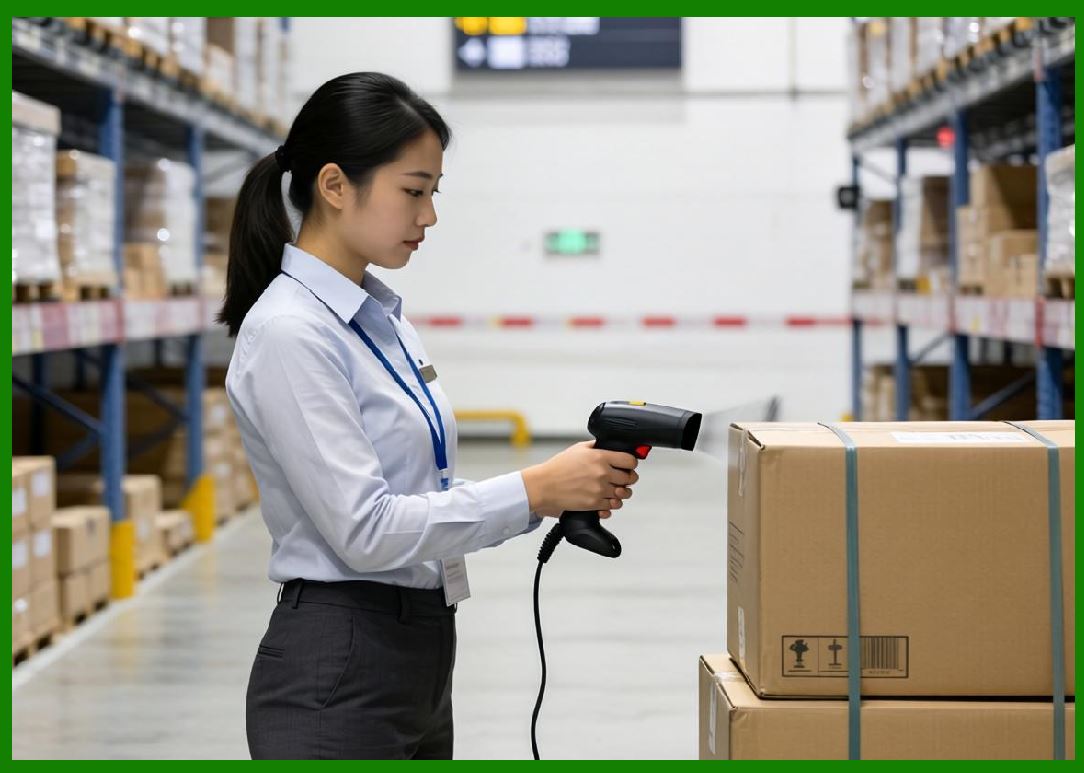
Modern warehouses rely heavily on cloud barcode printing infrastructure. |
Smart warehouses use barcode label printers for: |
1. Inventory identification. |
2. Shelf labeling. |
3. Picking coordination. |
4. Automated sorting. |
5. Packaging verification. |
6. Asset management. |
7. Return processing. |
8. RFID integration. |
9. Quality control tracking. |
10. Shipment consolidation. |
Cloud-connected printers allow centralized coordination across multiple warehouse facilities. |
Warehouse cloud printing systems support: |
1. Real-time inventory synchronization. |
2. Dynamic task allocation. |
3. Automated replenishment. |
4. Mobile terminal integration. |
5. AGV coordination. |
6. Conveyor sorting integration. |
7. Intelligent routing. |
8. Worker productivity monitoring. |
9. AI-assisted optimization. |
10. Predictive inventory management. |
Warehouse automation heavily depends on reliable barcode label printing because barcode systems remain one of the most cost-effective identification technologies. |

|
7.4 Retail Industry Applications |
Retail businesses extensively use cloud printing systems. |
Applications include: |
1. Price labels. |
2. Shelf tags. |
3. POS receipts. |
4. QR-code marketing materials. |
5. Promotional labels. |
6. Inventory labels. |
7. Electronic invoice printing. |
8. Loyalty program coupons. |
9. Return processing labels. |
10. Smart retail automation. |
Retail cloud printing provides several operational advantages: |
1. Centralized control. |
2. Real-time price updates. |
3. Multi-store synchronization. |
4. Faster promotion deployment. |
5. Reduced staffing requirements. |
6. Better inventory accuracy. |
7. Enhanced customer experience. |
8. Omnichannel integration. |
9. Mobile payment support. |
10. Intelligent store management. |
Large retail chains may manage thousands of connected printers nationwide. |
Cloud management allows unified control from centralized headquarters. |

|
7.5 Cloud Printing in Healthcare Systems |
Healthcare is a highly important application area for cloud barcode printing. |
Healthcare environments require extremely accurate identification systems because errors may directly affect patient safety. |
Applications include: |
1. Patient wristbands. |
2. Medication labels. |
3. Laboratory specimen labels. |
4. Blood bag identification. |
5. Medical asset tracking. |
6. Surgical instrument labeling. |
7. Pharmacy dispensing labels. |
8. Electronic medical records printing. |
9. Vaccination labeling. |
10. Hospital logistics management. |
Cloud barcode printing improves: |
1. Traceability. |
2. Patient identification accuracy. |
3. Medication safety. |
4. Inventory visibility. |
5. Laboratory workflow automation. |
6. Medical compliance. |
7. Hospital operational efficiency. |
8. Data synchronization. |
9. Multi-department coordination. |
10. Healthcare analytics. |
Healthcare cloud printing systems often integrate with: |
1. HIS systems. |
2. LIS systems. |
3. Pharmacy management platforms. |
4. Electronic medical records. |
5. RFID tracking systems. |
6. Medical IoT devices. |
7. Smart medication cabinets. |
8. AI diagnostic systems. |
9. Mobile nursing systems. |
10. Telemedicine infrastructure. |
Healthcare deployments require especially strong security and reliability mechanisms. |

|
7.6 Industrial Manufacturing Applications |
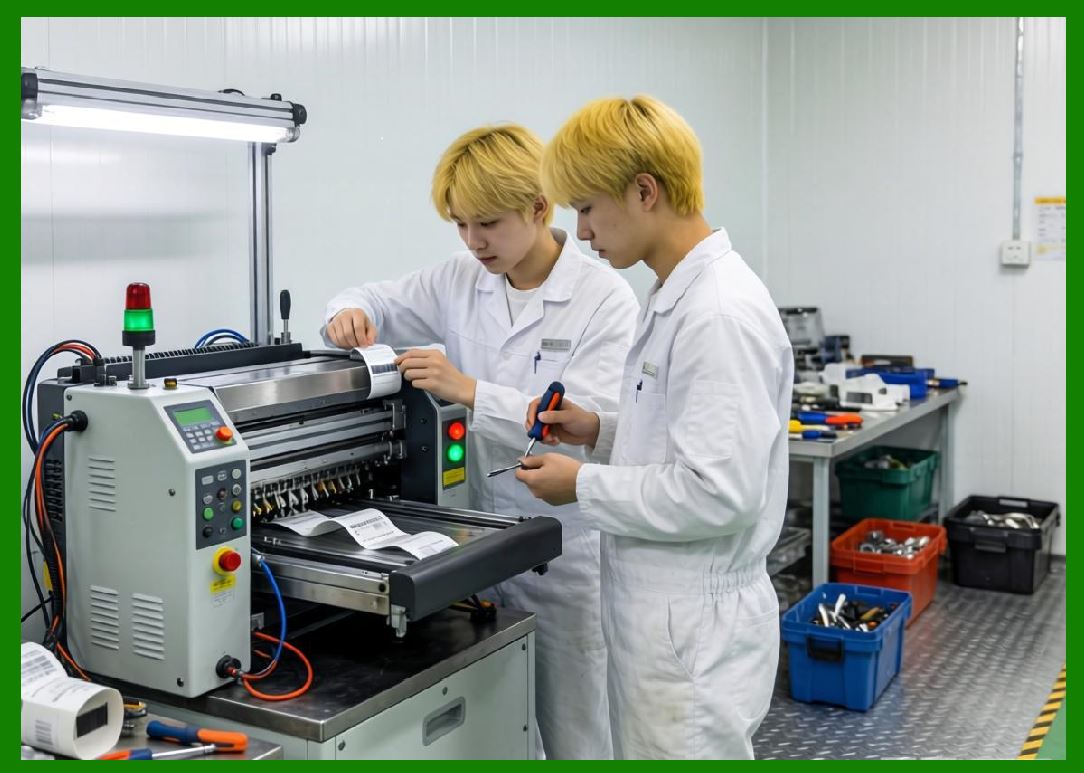
Manufacturing industries heavily depend on cloud barcode printing. |
Manufacturing labels may include: |
1. Product identification labels. |
2. Production batch labels. |
3. Traceability labels. |
4. Quality inspection labels. |
5. Work-in-progress labels. |
6. Packaging labels. |
7. Compliance certification labels. |
8. Serial number labels. |
9. Asset tracking labels. |
10. Supply chain logistics labels. |
Cloud printing supports smart manufacturing by enabling: |
1. Real-time production synchronization. |
2. Automated production tracking. |
3. MES integration. |
4. ERP coordination. |
5. Supply chain visibility. |
6. Quality traceability. |
7. Predictive maintenance. |
8. Production analytics. |
9. Industrial IoT integration. |
10. Autonomous production workflows. |
Barcode labeling is a foundational technology in Industry 4.0 environments. |

|
7.7 Transportation and Logistics Applications |
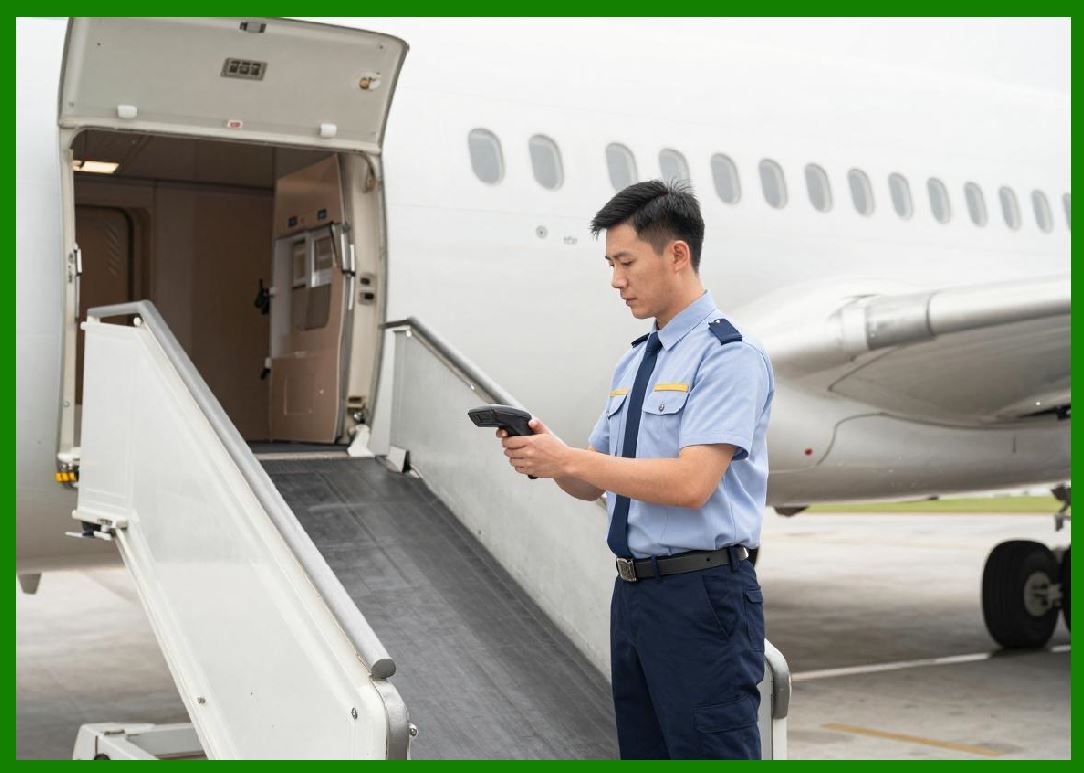
Transportation systems use cloud printing extensively. |
Applications include: |
1. Shipping documentation. |
2. Ticket printing. |
3. Cargo labels. |
4. Baggage tags. |
5. Fleet tracking labels. |
6. Routing labels. |
7. Driver verification materials. |
8. Smart locker labels. |
9. Delivery confirmation receipts. |
10. Customs clearance documentation. |
Transportation cloud printing systems require: |
1. High reliability. |
2. Mobile connectivity. |
3. Real-time synchronization. |
4. Geographic scalability. |
5. Fast response times. |
6. Offline resilience. |
7. Multi-language support. |
8. Cross-border compatibility. |
9. Distributed deployment. |
10. Continuous monitoring. |
Cloud barcode printing greatly improves transportation visibility and operational coordination. |

|
7.8 Smart Vending and Unattended Retail |
Smart vending systems increasingly use cloud-connected printers. |
Applications include: |
1. Purchase receipts. |
2. QR-code payment receipts. |
3. Replenishment labels. |
4. Inventory tags. |
5. Promotional coupons. |
6. Maintenance records. |
7. Return labels. |
8. Service tickets. |
9. Compliance documentation. |
10. Device diagnostics. |
Cloud management enables operators to centrally monitor large vending networks. |
Functions include: |
1. Device health monitoring. |
2. Remote updates. |
3. Inventory tracking. |
4. Failure alerts. |
5. Sales analytics. |
6. AI-driven replenishment. |
7. Dynamic pricing. |
8. Marketing automation. |
9. Customer behavior analysis. |
10. Smart city integration. |
Smart retail systems are increasingly integrated with broader IoT ecosystems. |

|
7.9 Cloud Printing in Government Services |
Government systems also use cloud printing technologies. |
Applications include: |
1. Public service tickets. |
2. Tax documentation. |
3. Transportation permits. |
4. Citizen identification labels. |
5. Medical administration labels. |
6. Utility service documentation. |
7. Election materials. |
8. Border control processing. |
9. Smart city systems. |
10. Public logistics management. |
Government cloud printing deployments require: |
1. High security. |
2. Regulatory compliance. |
3. Long-term stability. |
4. Data sovereignty. |
5. Access control. |
6. Multi-department integration. |
7. Citizen privacy protection. |
8. Auditability. |
9. Disaster recovery. |
10. High operational continuity. |
Government adoption continues increasing as digital public services expand. |

|
7.10 Restaurant Industry Transformation Through Cloud Printing |
Restaurants represent one of the most transformative application areas for cloud printing. |
Traditional restaurant order workflows were often manual and inefficient. |
Problems included: |
1. Handwritten orders. |
2. Delayed communication. |
3. Lost tickets. |
4. Human transcription errors. |
5. Slow kitchen coordination. |
6. Order confusion. |
7. Staffing inefficiency. |
8. Customer dissatisfaction. |
9. Long wait times. |
10. Operational inconsistency. |
Cloud printing revolutionized restaurant operations through: |
1. Automatic order reception. |
2. Instant kitchen printing. |
3. Real-time synchronization. |
4. Delivery integration. |
5. Intelligent queue management. |
6. Mobile ordering support. |
7. Remote order processing. |
8. Data-driven analytics. |
9. Staff coordination. |
10. Fully digital workflows. |
The restaurant industry became one of the earliest and largest adopters of cloud receipt printers and cloud barcode label printers. |

|
7.11 Food Delivery Ecosystem Integration |
The rise of food delivery platforms dramatically accelerated cloud printer adoption. |
Food delivery ecosystems involve coordination between: |
1. Customers. |
2. Restaurants. |
3. Delivery drivers. |
4. Cloud platforms. |
5. Payment systems. |
6. Dispatch engines. |
7. Mapping services. |
8. Logistics systems. |
9. Customer support systems. |
10. Merchant management platforms. |
Cloud printing acts as a real-time operational bridge connecting digital orders with physical kitchen execution. |
Typical workflow includes: |
1. Customer places order through mobile app. |
2. Platform processes payment. |
3. Dispatch engine allocates order. |
4. Cloud platform transmits order to restaurant. |
5. Restaurant printer automatically prints receipt. |
6. Kitchen staff begin preparation immediately. |
7. Driver receives delivery assignment. |
8. Packaging labels print automatically. |
9. Delivery tracking updates continuously. |
10. Customer receives final delivery. |
Without real-time cloud printing, these ecosystems would operate far less efficiently. |

|
7.12 Automatic Kitchen Order Printing |
Automatic kitchen order printing is one of the most important innovations in food delivery systems. |
When a customer submits an order: |
1. Order enters cloud platform. |
2. Merchant system verifies order. |
3. Print task is generated automatically. |
4. Kitchen printer receives task. |
5. Receipt prints immediately. |
6. Audible alerts notify staff. |
7. Preparation workflow begins. |
8. Delivery timing synchronizes. |
9. Queue management updates dynamically. |
10. Order tracking becomes active. |
Benefits include: |
1. Faster response times. |
2. Reduced manual labor. |
3. Lower error rates. |
4. Better kitchen coordination. |
5. Improved delivery timing. |
6. Increased operational efficiency. |
7. Reduced staffing pressure. |
8. Better customer satisfaction. |
9. Real-time order visibility. |
10. Scalable business operations. |
This automation fundamentally changed restaurant workflow design. |

|
7.13 Cloud Barcode Label Printers in Food Delivery |
Barcode label printers are increasingly used in food delivery operations. |
Applications include: |
1. Delivery package labels. |
2. QR-code order identifiers. |
3. Driver verification labels. |
4. Customer pickup labels. |
5. Smart locker labels. |
6. Kitchen production labels. |
7. Beverage identification labels. |
8. Multi-order consolidation labels. |
9. Delivery routing labels. |
10. Food traceability labels. |
Cloud barcode labels improve: |
1. Delivery accuracy. |
2. Workflow automation. |
3. Traceability. |
4. Driver coordination. |
5. Smart sorting. |
6. Packaging verification. |
7. Customer authentication. |
8. Contactless delivery. |
9. Logistics efficiency. |
10. Operational analytics. |
As food delivery becomes increasingly automated, barcode labeling continues expanding. |

|
7.14 Intelligent Kitchen Workflow Systems |
Modern cloud printing systems integrate deeply with intelligent kitchen management systems. |
These systems coordinate: |
1. Order sequencing. |
2. Cooking prioritization. |
3. Preparation timing. |
4. Delivery synchronization. |
5. Multi-station coordination. |
6. Packaging workflows. |
7. Inventory monitoring. |
8. Staff allocation. |
9. Real-time analytics. |
10. AI-assisted optimization. |
Cloud printing provides physical workflow triggers within these digital systems. |
For example: |
1. Drink station receives beverage label. |
2. Grill station receives cooking ticket. |
3. Packaging station receives consolidation label. |
4. Delivery station receives routing receipt. |
This creates synchronized production workflows. |

|
7.15 Multi-Store Chain Management |
Restaurant chains benefit heavily from centralized cloud print management. |
Headquarters can centrally control: |
1. Menu templates. |
2. Branding layouts. |
3. Promotion printing. |
4. Pricing synchronization. |
5. Firmware updates. |
6. Security policies. |
7. Analytics reporting. |
8. Workflow optimization. |
9. Operational monitoring. |
10. Cross-region coordination. |
Cloud management enables: |
1. Standardized operations. |
2. Faster expansion. |
3. Centralized governance. |
4. Reduced IT costs. |
5. Improved visibility. |
6. Better compliance. |
7. Real-time reporting. |
8. Easier maintenance. |
9. Data-driven decision-making. |
10. Scalable infrastructure. |
Large chains may deploy tens of thousands of connected printers nationwide. |

|
7.16 Mobile Printing in Delivery Operations |
Mobile cloud printing is increasingly important in delivery operations. |
Mobile printers are used for: |
1. Delivery receipts. |
2. Driver confirmations. |
3. Pickup verification. |
4. Temporary routing labels. |
5. Customer signatures. |
6. On-site invoicing. |
7. Smart locker access labels. |
8. Last-mile logistics. |
9. Warehouse staging. |
10. Field service operations. |
Mobile cloud printers require: |
1. Cellular connectivity. |
2. Battery optimization. |
3. Lightweight hardware. |
4. Durable construction. |
5. Fast startup. |
6. Wireless synchronization. |
7. Offline resilience. |
8. GPS integration. |
9. Rugged environmental protection. |
10. Energy-efficient operation. |
Mobile cloud printing supports increasingly decentralized delivery ecosystems. |

|
7.17 Cross-Border E-Commerce Applications |
Cross-border commerce relies heavily on barcode printing and cloud coordination. |
Cross-border labels may include: |
1. Customs declarations. |
2. International shipping labels. |
3. Compliance barcodes. |
4. Multi-language documentation. |
5. Tax information. |
6. Hazard declarations. |
7. Regional routing codes. |
8. Tracking identifiers. |
9. Warehouse transfer labels. |
10. Regulatory certifications. |
Cloud platforms enable coordination across: |
1. Warehouses. |
2. Customs systems. |
3. Airlines. |
4. Ocean shipping. |
5. Regional carriers. |
6. Distribution hubs. |
7. E-commerce marketplaces. |
8. Financial systems. |
9. Compliance platforms. |
10. International logistics networks. |
Cloud printing is therefore foundational to modern global commerce. |

|
7.18 Smart Locker and Pickup Systems |
Smart lockers use cloud barcode printing extensively. |
Applications include: |
1. Pickup QR codes. |
2. Locker assignment labels. |
3. Delivery verification labels. |
4. Return processing tags. |
5. Temporary access tickets. |
6. Customer authentication materials. |
7. Maintenance documentation. |
8. Inventory reconciliation labels. |
9. Security audit records. |
10. Parcel routing identifiers. |
Cloud synchronization allows real-time locker coordination across distributed urban infrastructure. |
Smart locker ecosystems continue growing rapidly in dense urban environments. |
|
7.19 AI Integration in Commercial Cloud Printing |
Artificial intelligence is increasingly integrated into cloud printing ecosystems. |
AI applications include: |
1. Predictive maintenance. |
2. Intelligent scheduling. |
3. Failure prediction. |
4. Queue optimization. |
5. Dynamic routing. |
6. Demand forecasting. |
7. Workflow automation. |
8. Inventory optimization. |
9. Fraud detection. |
10. Operational analytics. |
AI-driven systems can dynamically optimize printer deployment and workflow coordination based on real-time operational conditions. |

|
7.20 China Leadership in Commercial Cloud Printing Ecosystems |
China became one of the global leaders in commercial cloud printing deployment. |
Several factors contributed to this growth: |
1. Rapid mobile payment adoption. |
2. Massive food delivery markets. |
3. Dense urban logistics. |
4. Strong e-commerce growth. |
5. IoT infrastructure expansion. |
6. Digital consumer behavior. |
7. Smart city initiatives. |
8. QR-code ecosystem maturity. |
9. Platform economy development. |
10. High-speed operational culture. |
Chinese technology ecosystems such as Meituan and Alibaba Group accelerated the commercialization of cloud printing infrastructure on an enormous scale. |
This large-scale deployment environment drove rapid innovation in: |
1. Printer reliability. |
2. Real-time communication. |
3. Queue management. |
4. AI scheduling. |
5. Distributed cloud infrastructure. |
6. IoT integration. |
7. Smart logistics. |
8. Automated workflows. |
9. Mobile connectivity. |
10. Cloud-edge collaboration. |
China commercial cloud printing ecosystem has become one of the most advanced in the world. |
|
Part 7 Technical Summary |
This part explored the practical commercial applications of cloud printing technology and cloud barcode label printers across multiple industries. The discussion covered e-commerce logistics, smart warehousing, retail systems, healthcare, industrial manufacturing, transportation, smart vending, government services, and cross-border commerce. |
Special emphasis was placed on restaurant automation and food delivery ecosystems, where cloud printing technologies transformed operational workflows through automatic order printing, intelligent kitchen coordination, delivery synchronization, and barcode-driven logistics management. |
The article also examined mobile printing systems, smart locker infrastructure, AI integration, and the rapid development of large-scale cloud printing ecosystems in China led by platforms such as Meituan and Alibaba Group. |
This section demonstrated how cloud printing evolved into a critical operational infrastructure layer supporting real-time digital commerce, logistics automation, and intelligent distributed business systems. |
In the next part, the discussion will focus specifically on the development history of cloud printing technology, including the evolution from traditional printer systems to internet-connected cloud printers, the rise of IoT printing, major technological milestones, industrial transitions, and the emergence of modern cloud barcode label printer ecosystems. |
 cs@easiersoft.com