1. Introduction to Datalogic |
Datalogic is a global technology leader in the automatic data capture and process automation markets. Founded in 1972, the company has a rich history of innovation and excellence in developing barcode readers, mobile computers, sensors, vision systems, and laser marking systems. Datalogic’s products are widely used in retail, manufacturing, transportation, logistics, and healthcare industries. |
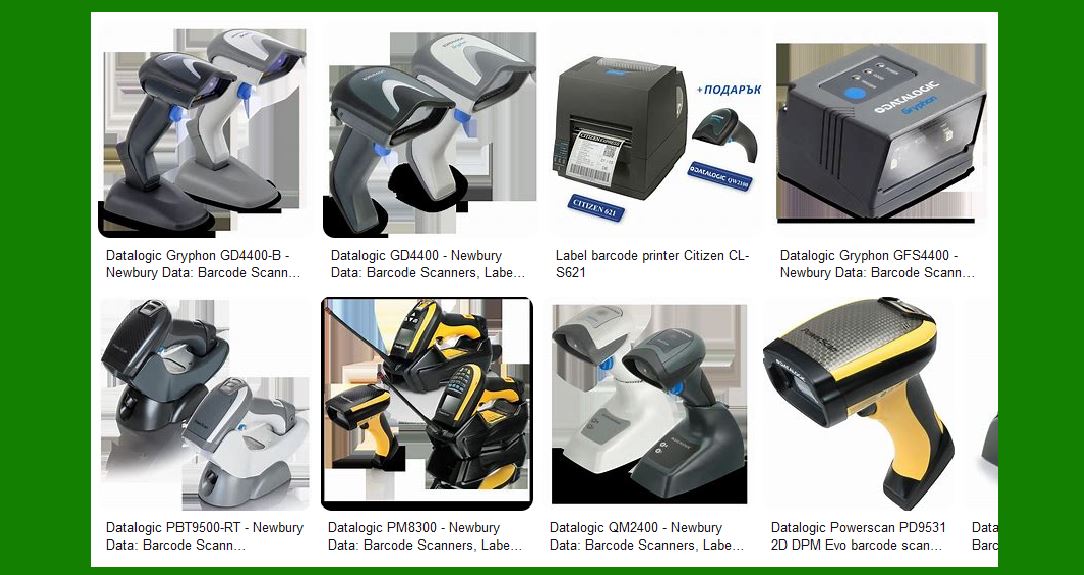
|
2. Overview of Datalogic Barcode Label Printers |
Datalogic offers a range of barcode label printers designed to meet the diverse needs of various industries. These printers are known for their reliability, high performance, and ease of use. They are used to print barcode labels, which are essential for tracking and managing inventory, assets, and products. |

|
3. Key Features of Datalogic Barcode Label Printers |
3.1. High Print Quality |
Datalogic barcode label printers are renowned for their high print quality. They use advanced printing technologies to produce clear and precise barcodes, ensuring accurate scanning and data capture. |
3.2. Versatility |
These printers are versatile and can handle a wide range of label sizes and types. Whether you need to print small labels for product identification or large labels for shipping and logistics, Datalogic has a printer that can meet your needs. |
3.3. Durability |
Datalogic printers are built to last. They are designed to withstand harsh industrial environments and continuous use. This durability ensures that the printers provide reliable performance over a long period. |
3.4. Ease of Use |
Datalogic barcode label printers are user-friendly. They come with intuitive interfaces and easy-to-follow instructions, making them accessible to users with varying levels of technical expertise. |
3.5. Connectivity Options |
These printers offer multiple connectivity options, including USB, Ethernet, and wireless connections. This flexibility allows them to be easily integrated into existing systems and networks. |

|
4. Types of Datalogic Barcode Label Printers |
Datalogic offers several types of barcode label printers, each designed for specific applications and industries. |
4.1. Desktop Printers |
Desktop printers are compact and ideal for small to medium-sized businesses. They are perfect for printing labels in retail, healthcare, and office environments. These printers are easy to set up and use, making them a popular choice for businesses with limited space. |
4.2. Industrial Printers |
Industrial printers are designed for high-volume printing in demanding environments. They are robust and can handle large print jobs with ease. These printers are commonly used in manufacturing, warehousing, and logistics industries. |
4.3. Mobile Printers |
Mobile printers are portable and allow users to print labels on the go. They are ideal for field service, retail, and logistics applications where mobility is essential. These printers are lightweight and come with battery options for extended use. |

|
5. Popular Models of Datalogic Barcode Label Printers |
Datalogic offers a range of popular models, each with unique features and capabilities. |
5.1. Datalogic DL-Axist |
The DL-Axist is a rugged mobile computer with an integrated barcode scanner and label printer. It is designed for use in retail, logistics, and field service applications. The DL-Axist offers high performance and durability, making it a reliable choice for demanding environments. |
5.2. Datalogic Gryphon I GM4500 |
The Gryphon I GM4500 is a versatile barcode scanner and label printer. It is known for its high-speed scanning and printing capabilities. This model is ideal for use in retail, healthcare, and manufacturing industries. |
5.3. Datalogic Matrix 220 |
The Matrix 220 is an industrial barcode scanner and label printer. It offers advanced scanning and printing features, making it suitable for high-volume applications. The Matrix 220 is commonly used in manufacturing and logistics industries. |

|
6. Applications of Datalogic Barcode Label Printers |
Datalogic barcode label printers are used in a wide range of applications across various industries. |
6.1. Retail |
In the retail industry, Datalogic printers are used to print price tags, product labels, and shelf labels. These labels help in inventory management, pricing, and product identification. |
6.2. Manufacturing |
In manufacturing, Datalogic printers are used to print labels for tracking raw materials, work-in-progress items, and finished products. These labels ensure accurate tracking and management of inventory throughout the production process. |
6.3. Logistics and Transportation |
In logistics and transportation, Datalogic printers are used to print shipping labels, pallet labels, and tracking labels. These labels help in tracking shipments, managing inventory, and ensuring timely delivery of goods. |
6.4. Healthcare |
In the healthcare industry, Datalogic printers are used to print patient identification labels, medication labels, and laboratory labels. These labels ensure accurate identification and tracking of patients, medications, and samples. |

|
7. Advantages of Using Datalogic Barcode Label Printers |
7.1. Improved Efficiency |
Datalogic barcode label printers help improve efficiency by automating the label printing process. This automation reduces the time and effort required to print labels, allowing businesses to focus on other important tasks. |
7.2. Enhanced Accuracy |
These printers produce high-quality labels with clear and precise barcodes. This accuracy ensures that the labels can be easily scanned and read, reducing the risk of errors in data capture and inventory management. |
7.3. Cost Savings |
By using Datalogic barcode label printers, businesses can save on labor costs and reduce the risk of errors. These cost savings can be significant, especially for businesses that require high-volume label printing. |
7.4. Flexibility |
Datalogic printers offer flexibility in terms of label sizes, types, and connectivity options. This flexibility allows businesses to choose the right printer for their specific needs and integrate it seamlessly into their existing systems. |

|
8. Conclusion |
Datalogic barcode label printers are a reliable and efficient solution for businesses across various industries. With their high print quality, durability, ease of use, and versatility, these printers help improve efficiency, accuracy, and cost savings. Whether you need a desktop, industrial, or mobile printer, Datalogic has a model that can meet your needs. |
 cs@easiersoft.com