Detailed Explanation of the Principles and Structure of Barcode Printer |
Part 13: Print Speed Control, Motion Synchronization, and High-Speed Printing Mechanics |
1. Introduction to Print Speed in Barcode Printers |
1.1 Print speed is one of the most important performance indicators of a barcode printer, typically measured in inches per second (IPS) or millimeters per second. |
1.2 Unlike ordinary printing, barcode printing requires both high speed and high precision simultaneously, because even slight timing errors can distort barcode geometry and make it unreadable. |
1.3 The challenge in high-speed barcode printing is not only moving fast, but maintaining strict synchronization between: |
* Print head activation |
* Media movement |
* Ribbon movement (in thermal transfer systems) |

|
2. Relationship Between Speed and Print Quality |
2.1 Print speed and print quality are inversely related in many physical systems. |
2.2 As speed increases: |
* Heating time per dot decreases |
* Thermal energy must be delivered more quickly |
* Mechanical vibrations increase |
2.3 If not properly controlled, high speed leads to: |
* Faded bars |
* Jagged edges |
* Inconsistent module widths |
2.4 Therefore, speed control is a balance between throughput and accuracy. |

|
3. Stepper Motor Control in High-Speed Operation |
3.1 Stepper motors are responsible for advancing media in precise increments. |
3.2 In high-speed printing, stepper motors must: |
* Increase step frequency |
* Maintain torque stability |
* Avoid missed steps |
3.3 The control system uses pulse signals where each pulse corresponds to a movement increment. |
3.4 The relationship between speed and step frequency can be expressed as: |
v = f \cdot d |
3.5 Where: |
* v = linear media speed |
* f = stepping frequency |
* d = distance per step |
|
4. Acceleration and Deceleration Control |
4.1 Printers cannot instantly reach maximum speed; they must gradually accelerate and decelerate. |
4.2 This prevents: |
* Mechanical shock |
* Media slipping |
* Misalignment |
4.3 Acceleration profiles are carefully designed using: |
* Linear acceleration |
* S-curve acceleration (advanced systems) |
4.4 Smooth motion improves both mechanical lifespan and print stability. |
|
5. Synchronization Between Print Head and Media Movement |
5.1 Synchronization ensures that each printed dot aligns exactly with the intended position on the moving media. |
5.2 The system must coordinate: |
* Timing of heating pulses |
* Media advancement steps |
5.3 Even microsecond-level mismatches can result in: |
* Stretched barcodes |
* Compressed barcodes |
* Scanning failure |

|
6. Print Timing and Dwell Control |
6.1 Dwell time refers to the duration the print head remains in contact with a specific area of media. |
6.2 At higher speeds, dwell time decreases, requiring: |
* Higher instantaneous heat energy |
* More efficient thermal transfer |
6.3 Insufficient dwell time leads to: |
* Light printing |
* Weak contrast |
|
7. Print Buffering and Continuous Operation |
7.1 To support high-speed printing, printers use internal buffers. |
7.2 Buffers store incoming data so printing can continue without interruption. |
7.3 Benefits include: |
* Smooth data flow |
* Reduced communication delays |
* Continuous printing capability |
7.4 Buffer overflow or underflow must be avoided to maintain synchronization. |
|
8. Real-Time Control Loops |
8.1 High-speed printers rely on real-time feedback loops. |
8.2 These loops continuously adjust: |
* Motor speed |
* Print energy |
* Timing offsets |
8.3 Feedback is typically based on: |
* Sensor data |
* Encoder signals |
* Thermal feedback |
|
9. Encoder Systems for Position Tracking |
9.1 Optical or magnetic encoders track precise movement of mechanical components. |
9.2 Encoders provide real-time position data to the control system. |
9.3 This allows correction of: |
* Stepper motor drift |
* Mechanical slippage |
9.4 Encoders are essential for high-precision industrial printing. |
|
10. Vibration Effects at High Speed |
10.1 High-speed movement introduces mechanical vibration. |
10.2 Vibration can cause: |
* Misalignment of dots |
* Blurred edges |
* Uneven pressure distribution |
10.3 Engineers mitigate vibration using: |
* Damping materials |
* Rigid chassis design |
* Smooth acceleration curves |
|
11. Thermal Constraints at High Speed |
11.1 At higher speeds, heating elements must operate under tighter time constraints. |
11.2 The system must deliver: |
* Higher peak power |
* Faster thermal response |
11.3 Without compensation, heat transfer becomes insufficient. |
|
12. Energy Delivery Optimization |
12.1 Energy must be precisely controlled at high speed to avoid overburn or underburn. |
12.2 Techniques include: |
* Pulse width modulation (PWM) |
* Dynamic energy scaling |
12.3 Energy optimization ensures consistent barcode darkness. |

|
13. Ribbon and Media Coordination in High-Speed Printing |
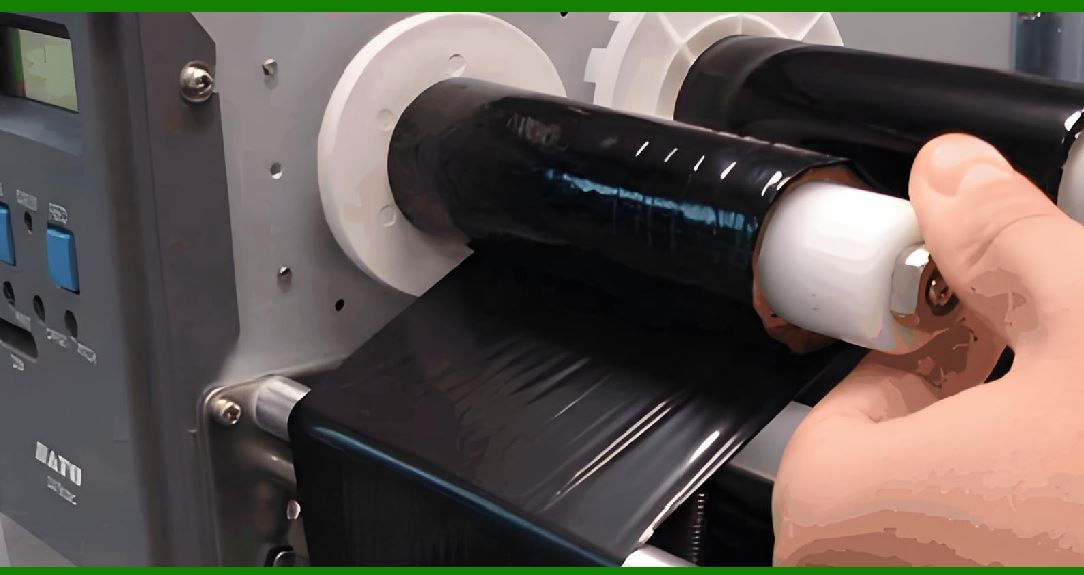
13.1 In thermal transfer systems, ribbon and media must move synchronously. |
13.2 High speed increases risk of: |
* Ribbon wrinkling |
* Ink misalignment |
13.3 Tension control systems become more critical at higher speeds. |

|
14. Limitations of High-Speed Printing |
14.1 Physical limitations include: |
* Thermal response limits |
* Motor torque limits |
* Sensor response delays |
14.2 These constraints define the maximum achievable speed. |
|
15. Industrial High-Speed Printing Systems |
15.1 Industrial barcode printers use advanced technologies such as: |
* Multi-threaded firmware |
* High-torque motors |
* Optimized thermal heads |
15.2 These systems are designed for continuous operation in production lines. |

|
16. Adaptive Speed Control Systems |
16.1 Modern printers can dynamically adjust speed based on conditions. |
16.2 Factors influencing speed adjustment include: |
* Print density |
* Label size |
* Environmental temperature |
16.3 Adaptive systems balance speed and quality automatically. |

|
17. Error Prevention in High-Speed Operation |
17.1 High-speed printing increases risk of errors. |
17.2 Prevention strategies include: |
* Real-time monitoring |
* Automatic correction algorithms |
* Predictive control systems |
|
18. Energy vs Speed Trade-off |
18.1 Higher speed requires more concentrated energy delivery. |
18.2 This creates a trade-off between: |
* Print speed |
* Energy efficiency |
* Print quality |
18.3 Engineers optimize this balance based on application needs. |

|
19. Future Technologies for High-Speed Printing |
19.1 Emerging innovations include: |
* AI-based motion prediction |
* Ultra-fast thermal materials |
* Parallel print head architectures |
19.2 These advancements aim to significantly increase throughput. |

|
20. Conclusion of Print Speed and Synchronization |
20.1 Print speed control is a complex interaction between mechanical, electrical, and thermal systems. |
20.2 Synchronization is the key factor that ensures high-speed printing does not compromise barcode accuracy. |
20.3 Mastery of these principles enables industrial-level performance and reliability. |
 cs@easiersoft.com