Detailed Explanation of the Principles and Structure of Barcode Printer |
Part 15: Error Detection, Self-Diagnostics, and Fault-Tolerant Design in Barcode Printers |
1. Introduction to Error Management in Barcode Printers |
1.1 Barcode printers operate in environments where continuous reliability is essential, such as logistics, manufacturing, healthcare, and retail distribution. |
1.2 Because barcode systems directly affect automated scanning and data capture, even small printing errors can propagate into large-scale operational failures. |
1.3 Therefore, modern barcode printers are designed with layered error detection, self-diagnostic mechanisms, and fault-tolerant architectures. |

|
2. Categories of Errors in Barcode Printing Systems |
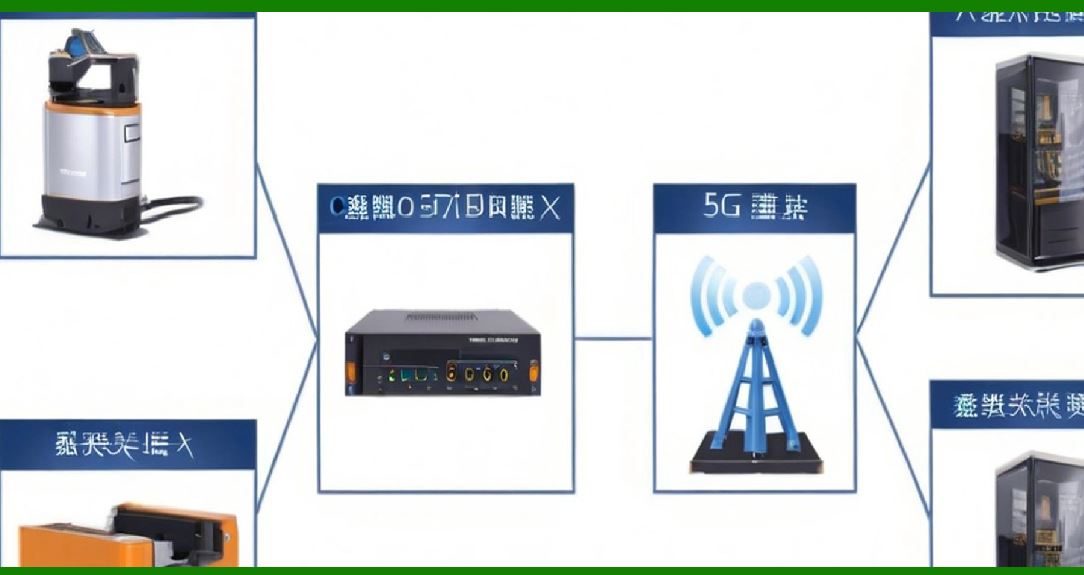
2.1 Errors in barcode printers can be broadly classified into: |
* Mechanical errors |
* Thermal errors |
* Electrical errors |
* Data processing errors |
* Communication errors |
* Environmental-induced errors |
2.2 Each category affects different subsystems but may ultimately manifest as print quality degradation or system failure. |
|
3. Mechanical Error Detection |
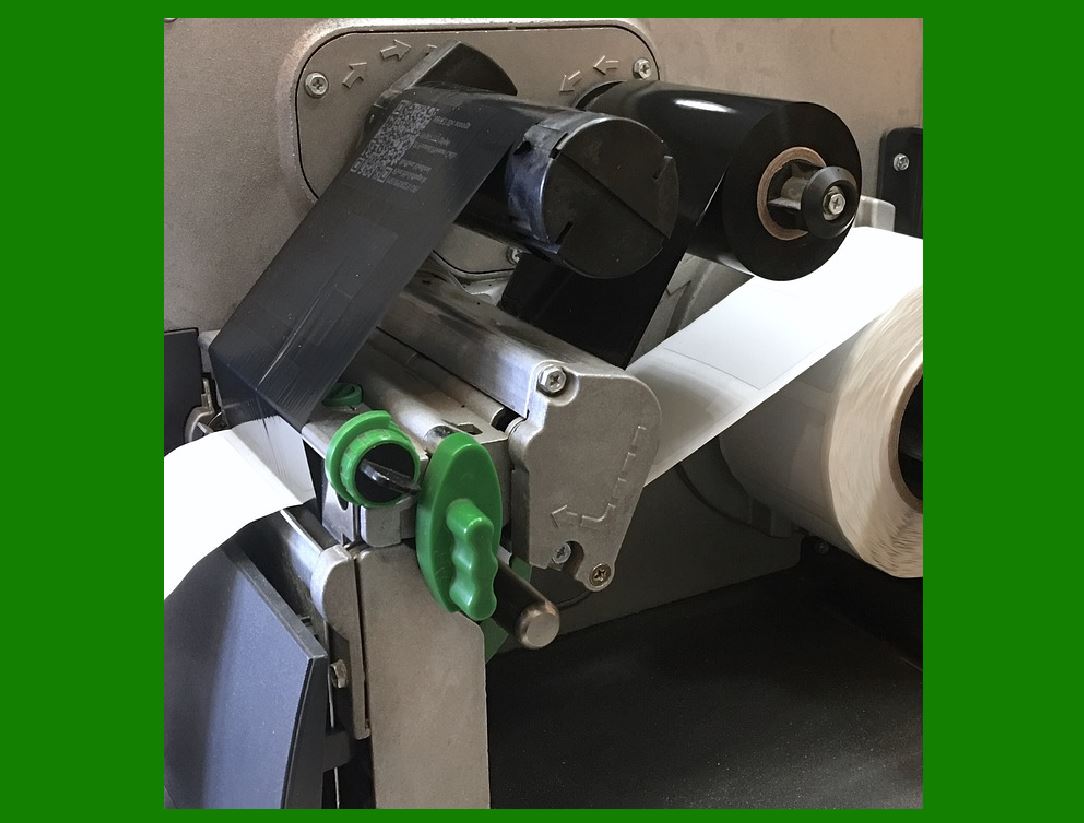
3.1 Mechanical errors occur in components such as: |
* Media feeding system |
* Platen roller |
* Ribbon drive system |
3.2 Common mechanical faults include: |
* Paper jams |
* Misalignment of media |
* Slippage in rollers |
* Ribbon wrinkling or breakage |
3.3 Detection mechanisms include: |
* Optical sensors |
* Motor torque monitoring |
* Position encoders |
3.4 When anomalies are detected, the printer may: |
* Stop operation |
* Reverse media feed |
* Trigger error alerts |
|
4. Thermal System Error Detection |
4.1 The thermal print head is highly sensitive to overheating and uneven energy distribution. |
4.2 Thermal errors include: |
* Overheating of heating elements |
* Dead or inactive dots |
* Uneven thermal distribution |
4.3 Detection methods include: |
* Temperature sensors integrated into print head |
* Resistance monitoring of heating elements |
* Real-time thermal feedback loops |
4.4 Protective actions include: |
* Reducing print speed |
* Lowering energy output |
* Activating cooling cycles |
|
5. Electrical Fault Detection |
5.1 Electrical faults affect power delivery and signal integrity. |
5.2 Examples include: |
* Voltage instability |
* Short circuits |
* Overcurrent conditions |
5.3 Detection systems include: |
* Current sensing circuits |
* Voltage regulators with monitoring |
* Power management ICs |
5.4 When faults occur, systems may: |
* Shut down specific modules |
* Enter safe mode |
* Log diagnostic codes |

|
6. Data Integrity Error Detection |
6.1 Data errors occur when incoming information is corrupted or improperly formatted. |
6.2 Causes include: |
* Transmission errors |
* Software bugs |
* Memory corruption |
6.3 Detection techniques include: |
* Checksum verification |
* CRC (Cyclic Redundancy Check) |
* Protocol validation |
6.4 Invalid data is rejected before printing to prevent incorrect labels. |

|
7. Communication Error Detection |
7.1 Communication errors arise in USB, Ethernet, Wi-Fi, or serial connections. |
7.2 Common issues include: |
* Packet loss |
* Signal interference |
* Timeout failures |
7.3 Recovery mechanisms include: |
* Automatic retransmission |
* Buffer re-synchronization |
* Connection reset protocols |
|
8. Environmental Error Detection |
8.1 Environmental factors significantly affect printer reliability. |
8.2 Issues include: |
* Dust accumulation |
* High humidity |
* Extreme temperatures |
8.3 Sensors may detect: |
* Abnormal internal temperature |
* Moisture levels |
* Airflow blockage |
8.4 The system may adjust operating parameters accordingly. |
|
9. Self-Diagnostic Systems |
9.1 Self-diagnostics allow printers to automatically test internal components. |
9.2 These tests may occur: |
* At startup (power-on self-test) |
* Periodically during operation |
* On-demand by user command |
9.3 Self-tests typically evaluate: |
* Print head functionality |
* Sensor accuracy |
* Motor performance |
* Memory integrity |

|
10. Power-On Self-Test (POST) |
10.1 POST is the first diagnostic process executed when the printer is powered on. |
10.2 It checks: |
* Firmware integrity |
* Memory availability |
* Basic hardware functionality |
10.3 If errors are detected, the printer may: |
* Display error codes |
* Halt startup |
* Enter recovery mode |
|
11. Continuous Monitoring During Operation |
11.1 Unlike traditional devices, barcode printers continuously monitor system health. |
11.2 Real-time monitoring includes: |
* Temperature tracking |
* Motor feedback |
* Sensor input validation |
11.3 This ensures immediate response to emerging issues. |
|
12. Fault-Tolerant Design Principles |
12.1 Fault tolerance refers to the system ability to continue operating despite partial failures. |
12.2 Key principles include: |
* Redundancy |
* Isolation of subsystems |
* Graceful degradation |
12.3 This ensures minimal disruption during faults. |

|
13. Redundancy Mechanisms |
13.1 Redundancy improves reliability by duplicating critical functions. |
13.2 Examples include: |
* Dual temperature sensors |
* Backup memory buffers |
* Redundant communication paths |
13.3 If one component fails, the backup maintains operation. |
|
14. Error Recovery Mechanisms |
14.1 Recovery mechanisms allow the printer to resume operation after an error. |
14.2 Common recovery actions: |
* Automatic media re-feed |
* Ribbon repositioning |
* Reprint of failed labels |
14.3 Recovery reduces waste and downtime. |

|
15. Error Logging and Diagnostics Memory |
15.1 Printers maintain internal logs of all detected errors. |
15.2 Logs include: |
* Timestamp of error |
* Error type |
* System state |
15.3 These logs assist in: |
* Maintenance |
* Troubleshooting |
* Performance analysis |

|
16. User Notification Systems |
16.1 When errors occur, printers notify users through: |
* LED indicators |
* LCD screens |
* Software alerts |
16.2 Clear error messaging improves usability and reduces downtime. |

|
17. Firmware-Based Error Handling Logic |
17.1 Firmware plays a central role in decision-making during errors. |
17.2 It determines: |
* Whether to stop printing |
* Whether to retry operation |
* Whether to enter safe mode |
17.3 Intelligent firmware improves resilience and automation. |

|
18. Predictive Failure Detection |
18.1 Advanced printers use predictive algorithms to detect potential failures before they occur. |
18.2 These systems analyze: |
* Temperature trends |
* Motor load patterns |
* Print head wear indicators |
18.3 Predictive maintenance reduces unexpected downtime. |
|
19. Industrial Reliability Requirements |
19.1 In industrial environments, printers must meet high reliability standards. |
19.2 Requirements include: |
* Continuous operation capability |
* Minimal manual intervention |
* High fault recovery speed |
19.3 These systems are often designed for 24/7 operation. |

|
20. Future Developments in Error Detection Systems |
20.1 Emerging technologies include: |
* AI-based anomaly detection |
* Machine learning predictive maintenance |
* Self-healing firmware systems |
20.2 These innovations aim to further reduce human intervention and increase reliability. |

|
21. Conclusion of Error Detection and Fault Tolerance |
21.1 Error detection and fault tolerance are essential for maintaining reliability in barcode printing systems. |
21.2 These systems ensure that printers can detect, isolate, and recover from failures efficiently. |
21.3 The integration of diagnostics, redundancy, and intelligent control makes modern barcode printers highly robust industrial devices. |
 cs@easiersoft.com