1. Introduction to Dongguan Aitgm Technology Co., Ltd. |
Dongguan Aitgm Technology Co., Ltd., established in 2005, is a high-tech enterprise specializing in barcode automatic identification technology products and service application solutions. The company is based in Dongguan, a renowned manufacturing city in Guangdong, China. With a staff of approximately 120 individuals, Aitgm has established branches or technical service centers in various regions, including Hong Kong, Guangzhou, Xiamen, Nanjing, and Wuhan. The company is known for its rich industry implementation experience, personalized customized services, and a one-stop integrated solution service provider. |
|
2. Product Range and Specializations |
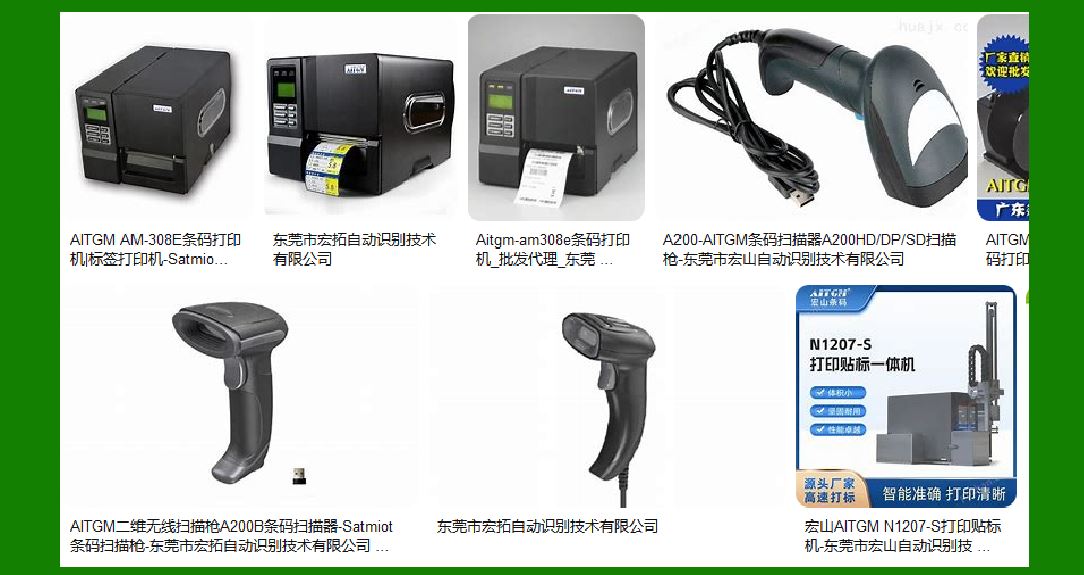
Aitgm offers a wide range of products, including barcode printers, automatic labeling machines, data collectors, and barcode scanners. The company is an agent for internationally renowned brands such as Sato, TSC, and Honeywell. Aitgm also customizes printing and labeling machine equipment for users, providing a comprehensive solution for various industries. |
|
3. Barcode Label Printers |
Aitgm’s barcode label printers are designed to meet the needs of various industries, including manufacturing, logistics, retail, and healthcare. These printers are known for their high performance, reliability, and ease of use. They support various printing methods, including thermal transfer and direct thermal printing, and are compatible with a wide range of label materials. |
4. Key Features of Aitgm Barcode Label Printers |
High Printing Speed: Aitgm barcode label printers offer high printing speeds, ensuring efficient and quick label production. High Resolution: These printers provide high-resolution printing, ensuring clear and precise barcode labels. Durability: Built with robust materials, Aitgm printers are designed to withstand harsh industrial environments. User-Friendly Interface: The printers come with an intuitive interface, making them easy to operate even for users with minimal technical knowledge. Versatility: Aitgm printers support various label sizes and types, making them suitable for a wide range of applications. |

|
5. Technical Specifications |
Printing Method: Thermal transfer and direct thermal Resolution: Up to 600 dpi Printing Speed: Up to 14 inches per second Maximum Print Width: Up to 4.1 inches Connectivity Options: USB, Ethernet, Bluetooth, and Wi-Fi Memory: Up to 256 MB RAM and 512 MB Flash Supported Media Types: Continuous, die-cut, black mark, fan-fold, notch, and tag |
6. Compatibility and Integration |
Aitgm barcode label printers are compatible with various operating systems, including Windows, Mac, and Linux. They support multiple barcode symbologies, including 1D and 2D barcodes. The printers can be easily integrated with existing enterprise systems, ensuring seamless operation and data management. |

|
7. Software and Drivers |
Aitgm provides comprehensive software solutions for label design and printing. The software supports various barcode symbologies and allows users to create customized labels with ease. The company also offers drivers for different operating systems, ensuring compatibility and smooth operation. |
8. Applications of Aitgm Barcode Label Printers |
Manufacturing: Used for product labeling, inventory management, and tracking. Logistics: Essential for shipping labels, warehouse management, and tracking. Retail: Used for price tags, shelf labels, and product identification. Healthcare: Used for patient identification, lab sample tracking, and medication labeling. |

|
9. Customer Support and Services |
Aitgm offers a 7x24 hour customer support system, providing efficient solutions and eliminating customer concerns. The company has established service and R&D centers in multiple locations, ensuring prompt and reliable support. Aitgm also provides training and technical support to help customers maximize the use of their barcode label printers. |
10. Environmental Considerations |
Aitgm is committed to environmental sustainability. The company ensures that its products comply with environmental regulations and standards. The printers are designed to minimize waste and energy consumption, contributing to a greener environment. |

|
11. Future Prospects and Innovations |
With continuous advancements in technology, Aitgm is focused on innovation and improvement. The company aims to expand its product range and enhance the capabilities of its barcode label printers. Future developments may include higher printing speeds, improved connectivity options, and advanced software features. |

|
12. Conclusion |
Dongguan Aitgm barcode label printers are a reliable and efficient solution for various industries. With their high performance, durability, and user-friendly features, these printers meet the diverse needs of customers. Aitgm’s commitment to innovation and customer satisfaction ensures that their products remain at the forefront of the barcode printing industry. |
 cs@easiersoft.com