1. Introduction to Epson Barcode Label Printers |
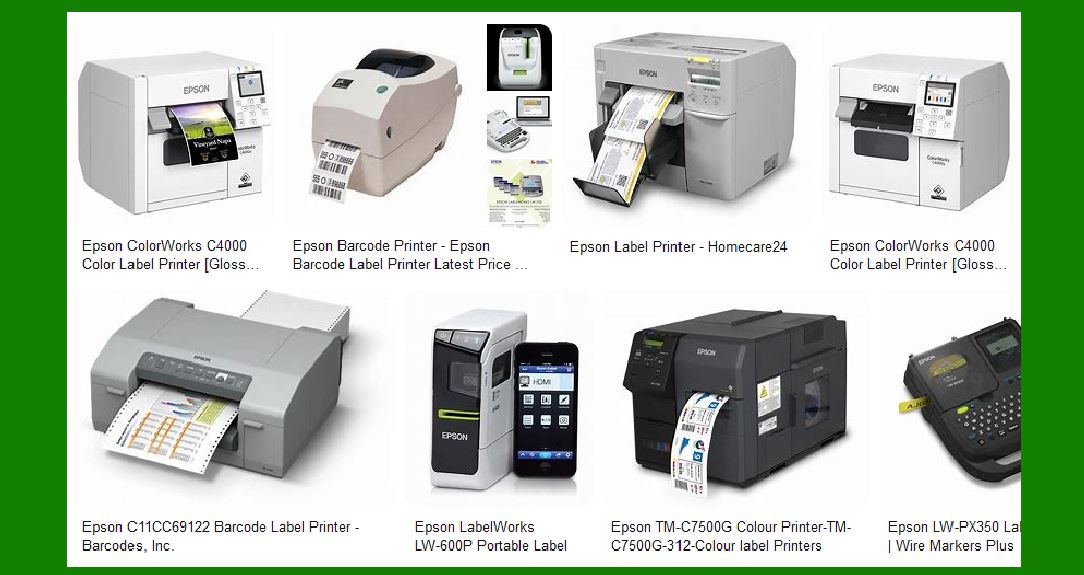
Epson is a well-known brand in the printing industry, recognized for its innovative and high-quality products. Their range of barcode label printers is designed to meet various business needs, from small retail operations to large industrial applications. Epson barcode label printers are known for their reliability, speed, and versatility, making them a popular choice for businesses looking to streamline their labeling processes. |
|
2. Key Features of Epson Barcode Label Printers |
Epson barcode label printers come with a variety of features that enhance their functionality and usability. Some of the key features include: |
High Print Quality: Epson printers are known for their high-resolution printing capabilities, ensuring that barcodes and labels are clear and easy to read. Fast Printing Speeds: These printers offer fast printing speeds, which is essential for businesses that need to produce large volumes of labels quickly. Versatility: Epson barcode label printers can handle a wide range of media types and sizes, making them suitable for various applications. Durability: Built to withstand the rigors of industrial environments, Epson printers are durable and reliable. Ease of Use: Many Epson printers come with user-friendly interfaces and software, making them easy to set up and operate. |

|
3. Types of Epson Barcode Label Printers |
Epson offers several types of barcode label printers, each designed to meet specific needs. These include: |
Desktop Printers: Ideal for small to medium-sized businesses, desktop printers are compact and easy to use. They are perfect for printing labels in retail, healthcare, and office environments. Industrial Printers: Designed for high-volume printing, industrial printers are robust and can handle large print jobs. They are suitable for manufacturing, logistics, and warehousing applications. Mobile Printers: Portable and lightweight, mobile printers are perfect for on-the-go printing needs. They are commonly used in field service, retail, and healthcare settings. |

|
4. Popular Models of Epson Barcode Label Printers |
Epson has a wide range of barcode label printers, each with its own unique features and capabilities. Some of the popular models include: |
Epson TM-L90 Plus: This model offers high-quality label, barcode, and receipt printing in one compact unit. It features fast print speeds up to 150mm/sec and prints at a clear 203 x 203 dpi. It handles a variety of print stock for labels, receipts, and tickets and offers continuous printing on liner labels. Epson ColorWorks C7500: Known for its high-speed and high-quality color label printing, the C7500 is ideal for on-demand, high-volume labeling applications. It features PrecisionCore technology and can print at speeds up to 300mm/sec. Epson ColorWorks C3500: This model is designed for businesses that need to print high-quality color labels on demand. It offers fast print speeds, durable prints, and the ability to print on a variety of media types. Epson LW-Z5000: An industrial-grade label printer, the LW-Z5000 is designed for heavy-duty applications. It offers high-speed printing, a wide range of label sizes, and advanced connectivity options. |

|
5. Applications of Epson Barcode Label Printers |
Epson barcode label printers are used in a variety of industries and applications, including: |
Retail: In retail environments, Epson printers are used to print price tags, shelf labels, and promotional labels. Their high print quality ensures that barcodes are easily scannable, improving checkout efficiency. Healthcare: In healthcare settings, Epson printers are used to print patient wristbands, medication labels, and laboratory labels. Their reliability and ease of use make them ideal for critical healthcare applications. Manufacturing: In manufacturing, Epson printers are used to print product labels, shipping labels, and inventory labels. Their durability and high-speed printing capabilities make them suitable for demanding industrial environments. Logistics and Warehousing: In logistics and warehousing, Epson printers are used to print shipping labels, pallet labels, and inventory labels. Their versatility and ability to handle large print volumes make them ideal for these applications. |

|
6. Advantages of Using Epson Barcode Label Printers |
There are several advantages to using Epson barcode label printers, including: |
Cost-Effectiveness: Epson printers are designed to be cost-effective, with low operating costs and high efficiency. This makes them a good investment for businesses looking to reduce their labeling costs. Reliability: Epson printers are known for their reliability and durability, ensuring that they can handle the demands of high-volume printing environments. Flexibility: With the ability to print on a wide range of media types and sizes, Epson printers offer flexibility for various labeling needs. Ease of Integration: Epson printers are easy to integrate with existing systems and software, making them a convenient choice for businesses looking to upgrade their labeling processes. |

|
7. Epson Barcode Label Printer Software |
Epson provides a range of software solutions to complement their barcode label printers. These software solutions enhance the functionality of the printers and make it easier for businesses to design and print labels. Some of the software solutions include: |
Epson LabelWorks: This software allows users to design and print labels with ease. It offers a variety of templates and customization options, making it easy to create professional-looking labels. Epson ColorWorks: Designed for use with Epson’s ColorWorks printers, this software provides advanced color management and printing capabilities. It allows users to create high-quality color labels with ease. Epson Printer Drivers: Epson provides a range of printer drivers that ensure compatibility with various operating systems and software applications. These drivers make it easy to integrate Epson printers with existing systems. |

|
8. Maintenance and Support for Epson Barcode Label Printers |
Epson offers comprehensive maintenance and support services for their barcode label printers. These services ensure that the printers operate smoothly and efficiently, minimizing downtime and maximizing productivity. Some of the maintenance and support services include: |
Warranty Services: Epson provides warranty services for their printers, covering repairs and replacements for a specified period. Technical Support: Epson offers technical support services to help users troubleshoot and resolve any issues with their printers. This support is available through various channels, including phone, email, and online resources. Maintenance Kits: Epson provides maintenance kits that include replacement parts and tools for routine maintenance. These kits help users keep their printers in optimal condition. Training and Resources: Epson offers training and resources to help users get the most out of their printers. This includes user manuals, online tutorials, and training sessions. |

|
9. Environmental Considerations |
Epson is committed to sustainability and environmental responsibility. Their barcode label printers are designed with eco-friendly features and practices, including: |
Energy Efficiency: Epson printers are designed to be energy-efficient, reducing power consumption and minimizing environmental impact. Recyclable Materials: Epson uses recyclable materials in the construction of their printers, reducing waste and promoting sustainability. Eco-Friendly Printing: Epson printers use eco-friendly inks and toners, reducing the environmental impact of printing. |

|
10. Conclusion |
Epson barcode label printers are a reliable and versatile solution for businesses looking to improve their labeling processes. With a range of models and features to choose from, Epson printers can meet the needs of various industries and applications. Their high print quality, fast printing speeds, and ease of use make them a popular choice for businesses of all sizes. Additionally, Epson’s commitment to sustainability and environmental responsibility ensures that their printers are a good choice for businesses looking to reduce their environmental impact. |
 cs@easiersoft.com