1. Introduction to FUJITSU Barcode Label Printers |
FUJITSU is a well-known brand in the field of technology, offering a wide range of products, including barcode label printers. These printers are designed to meet the needs of various industries, providing reliable and efficient printing solutions. FUJITSU barcode label printers are known for their high-speed printing, durability, and advanced features that cater to different business requirements. |
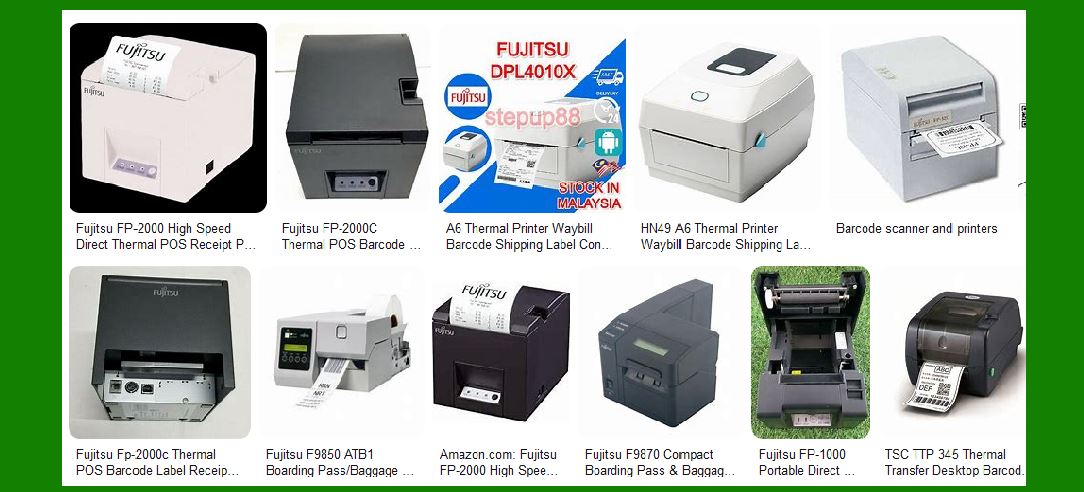
|
2. FUJITSU FP-32L Barcode Label Printer |
2.1 Overview |
The FUJITSU FP-32L is a high-speed, lightweight, compact, and durable thermal label printer. It is designed for direct thermal label and ticket printing, making it suitable for various applications. |
2.2 Features |
High-Speed Printing: The FP-32L offers ultra-high-speed printing at a maximum of 260mm/sec, making it one of the fastest printers in its class. Paper Compatibility: It supports roll and fanfold paper with a width ranging from 25.4mm to 83mm. Splash-Proof Design: The printer has a splash-proof design, conforming to IEC60529 (level 2) standards, ensuring protection against accidental liquid spills. Environmental Consideration: The FP-32L is a FUJITSU Super Green Product, which means it meets strict environmental standards. High Reliability: The printer boasts a long life with a mean cycles between failures (MCBF) of 70 million lines, a thermal head life of 150km in one color, and a cutter life of 2 million cuts. |
2.3 Applications |
The FP-32L is ideal for retail, logistics, and manufacturing industries where high-speed and reliable label printing is essential. |

|
3. FUJITSU FP-2000L Linerless Label Printer |
3.1 Overview |
The FUJITSU FP-2000L is a linerless label printer designed to enhance operational efficiency by eliminating the need for release paper. |
3.2 Features |
Linerless Printing: The FP-2000L prints thermal labels without release paper, reducing waste and simplifying the labeling process. High Response: With a printing speed of 180mm/sec, the FP-2000L ensures quick and efficient printing. Selectable Sensors: The printer includes sensors such as the paper taken sensor, which controls the printout to prevent extra label consumption. Eco-Friendly: By eliminating release paper, the FP-2000L contributes to reducing environmental impact. |
3.3 Applications |
The FP-2000L is suitable for quick-service restaurants (QSR), retail, and other industries where efficient and eco-friendly labeling is required. |

|
4. FUJITSU FP-510II Barcode Label Printer |
4.1 Overview |
The FUJITSU FP-510II is a versatile thermal printer capable of printing both labels and tickets. It offers high-speed printing and supports various paper types. |
4.2 Features |
Two-Color Printing: The FP-510II supports two-color printing, enhancing the visual appeal of labels and tickets. Paper Compatibility: It supports four types of roll paper (58, 60, 80, and 83mm) and thick paper for tickets and labels. High Reliability: The printer is designed for high reliability with features like a 16 gray scale function and cost-saving mode. Quiet Operation: The FP-510II operates quietly, making it suitable for environments where noise reduction is important. |
4.3 Applications |
The FP-510II is ideal for retail, hospitality, and transportation industries where versatile and reliable printing is required. |

|
5. FUJITSU FP-2000CL Dual-Output Printer |
5.1 Overview |
The FUJITSU FP-2000CL is a high-speed, direct thermal printer capable of printing both linerless labels and paper receipts. This dual-output capability offers an efficient and cost-effective solution for various applications. |
5.2 Features |
Dual-Output Capability: The FP-2000CL can print both linerless labels and paper receipts, providing flexibility for different printing needs. High-Speed Printing: The printer offers high-speed printing, ensuring quick and efficient operation. Cost-Effective: By combining the functions of a label printer and a receipt printer, the FP-2000CL reduces the need for multiple devices, saving costs. |
5.3 Applications |
The FP-2000CL is suitable for retail, hospitality, and other industries where both label and receipt printing are required. |

|
6. Conclusion |
FUJITSU barcode label printers are designed to meet the diverse needs of various industries. With features like high-speed printing, durability, environmental consideration, and versatility, these printers provide reliable and efficient solutions for label and ticket printing. Whether it’s the FP-32L, FP-2000L, FP-510II, or FP-2000CL, FUJITSU offers a range of printers that cater to different business requirements, ensuring high performance and operational efficiency. |
 cs@easiersoft.com