1. Introduction to Hangzhou Coditeck Digital Co., Ltd. |
Hangzhou Coditeck Digital Co., Ltd. is a reputable Chinese manufacturer specializing in thermal transfer ribbons, barcode ribbons, hot stamping foils, label printer printheads, handheld inkjet printers, barcode scanners, and barcode readers. Established in 2011, the company has grown to become a comprehensive provider of barcode printing solutions. Headquartered in Shanghai, with a franchised company in Hangzhou, Coditeck is known for its high-quality products and innovative solutions in the barcode printing industry. |
|
2. Product Range and Specializations |
Coditeck offers a wide range of products, including: |
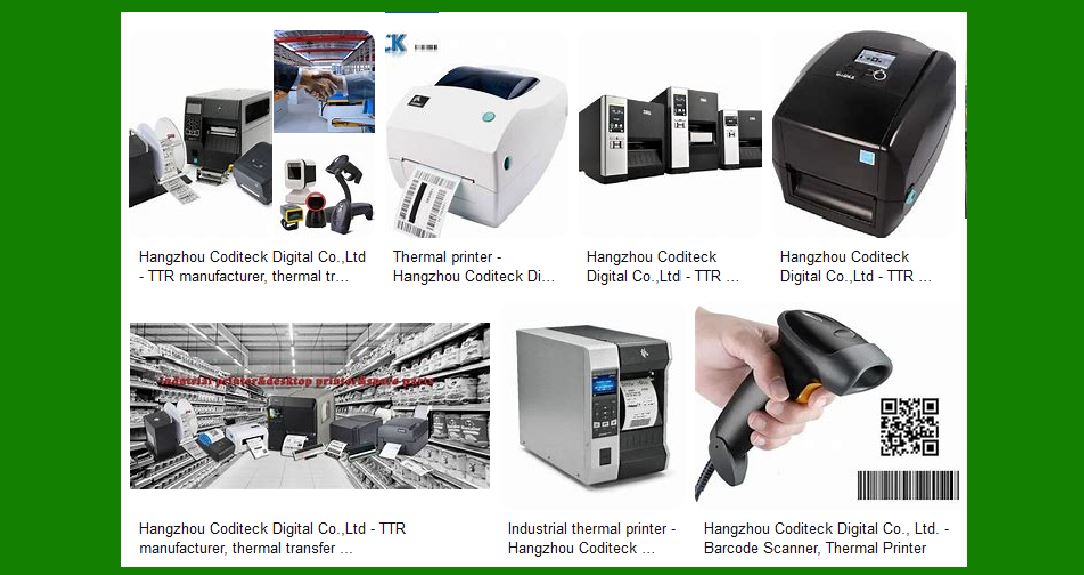
Thermal Transfer Ribbons: Wax ribbons, wax-resin ribbons, resin ribbons, near-edge ribbons, and textile ribbons. Barcode Scanners: Industrial barcode scanners, laser barcode scanners, CCD barcode scanners, 2D barcode scanners, desktop barcode scanners, ring barcode scanners, and companion scanners. Label Printers: Desktop printers, industrial barcode printers, mobile printers, and label rewinders. Labels: Coated paper labels, direct thermal labels, wash care labels, color print labels, synthetic paper labels, film adhesive labels, and thermal register paper. |

|
3. Barcode Label Printers |
Coditeck’s barcode label printers are designed to meet various industrial and commercial needs. They offer both desktop and industrial models, catering to different printing volumes and environments. |
3.1 Desktop Barcode Label Printers |
Desktop barcode label printers are compact and suitable for small to medium-sized businesses. They are designed for ease of use and can handle moderate printing volumes. Key features include: |
Compact Design: Ideal for limited workspace. User-Friendly Interface: Easy to set up and operate. Connectivity Options: USB, Bluetooth, and Ethernet connectivity for versatile use. Print Quality: High-resolution printing for clear and precise labels. |
3.2 Industrial Barcode Label Printers |
Industrial barcode label printers are robust and designed for high-volume printing in demanding environments. They are suitable for manufacturing, logistics, and warehousing applications. Key features include: |
Durability: Built to withstand harsh industrial conditions. High-Speed Printing: Capable of printing large volumes quickly. Advanced Features: RFID capabilities, multiple connectivity options, and high-resolution printing. Maintenance: Easy to maintain with replaceable printheads and other components. |

|
4. Specific Models and Features |
Coditeck offers various models of barcode label printers, each with unique features to cater to different needs. |
4.1 Coditeck 203dpi POS 9200 Bluetooth USB Desktop Direct Thermal Shipping Label Printer |
Resolution: 203 dpi. Connectivity: Bluetooth and USB. Printing Method: Direct thermal. Applications: Suitable for shipping labels and retail applications. |
4.2 Compatible GC420t 203dpi Desktop Direct/Thermal Transfer Label Printer |
Resolution: 203 dpi. Printing Method: Direct thermal and thermal transfer. Compatibility: Compatible with Zebra barcode ribbons. Applications: Versatile use in various industries. |
4.3 ZT420 Industrial Barcode Printer with RFID Capabilities |
Resolution: 203 dpi. RFID Capabilities: Supports RFID printing. Durability: Designed for industrial use. Applications: Ideal for manufacturing and logistics. |
4.4 ZT610 300dpi/600dpi Direct Thermal Transfer Industrial Barcode Label Printer |
Resolution: Available in 300 dpi and 600 dpi. Printing Method: Direct thermal and thermal transfer. High Performance: Suitable for high-volume printing. Applications: Used in demanding industrial environments. |

|
5. Technological Innovations |
Coditeck is committed to technological innovation, continuously improving its products to meet market demands. Some of the technological advancements include: |
RFID Printing: Integration of RFID technology in barcode printers for advanced tracking and inventory management. High-Resolution Printing: Development of printers with higher resolutions (up to 600 dpi) for detailed and precise label printing. Connectivity Options: Enhanced connectivity options, including Bluetooth, USB, Ethernet, and Wi-Fi, for seamless integration with various systems. |
6. Quality and Reliability |
Coditeck places a strong emphasis on quality and reliability. The company has implemented stringent quality control measures to ensure that its products meet international standards. Key aspects of quality and reliability include: |
Material Quality: Use of high-quality materials for durability and longevity. Manufacturing Standards: Adherence to strict manufacturing standards and processes. Testing and Certification: Rigorous testing and certification to ensure product performance and safety. |

|
7. Customer Support and Services |
Coditeck offers comprehensive customer support and services to ensure customer satisfaction. Key services include: |
Technical Support: Expert technical support for troubleshooting and maintenance. Customization: Customization options to meet specific customer requirements. Training: Training programs for customers to effectively use and maintain their barcode printers. After-Sales Service: Reliable after-sales service for repairs and replacements. |
8. Global Presence and Market Reach |
Coditeck has a strong global presence, with products exported to Asia, the Middle East, Europe, and America. The company’s extensive distribution network ensures timely delivery and support for customers worldwide. |

|
9. Sustainability and Environmental Responsibility |
Coditeck is committed to sustainability and environmental responsibility. The company has implemented eco-friendly practices in its manufacturing processes and product designs. Key initiatives include: |
Eco-Friendly Materials: Use of recyclable and biodegradable materials. Energy Efficiency: Development of energy-efficient products to reduce environmental impact. Waste Management: Implementation of waste management practices to minimize waste generation. |
10. Future Prospects and Developments |
Coditeck continues to invest in research and development to stay ahead in the competitive barcode printing industry. Future prospects and developments include: |
Innovation: Ongoing innovation to develop new and improved products. Market Expansion: Expansion into new markets and regions. Customer-Centric Approach: Continued focus on customer needs and satisfaction. |

|
11. Conclusion |
Hangzhou Coditeck Digital Co., Ltd. is a leading provider of barcode printing solutions, known for its high-quality products, technological innovations, and customer-centric approach. With a wide range of barcode label printers and a commitment to quality and sustainability, Coditeck is well-positioned to meet the evolving needs of the global market. |
 cs@easiersoft.com