Historical Development of Barcode Printing Technology (Part 14) |
*(Focus: Human machine Interfaces (HMI), User Interaction Systems, Configuration Workflows, and Remote Management Interfaces)* |
112. Introduction to Human machine Interfaces in Barcode Printers |
112.1 |
As barcode printers evolved from purely industrial devices into widely deployed tools across logistics, healthcare, retail, and manufacturing, the importance of Human machine Interfaces (HMI) increased significantly. Early printers required technical expertise to operate, but modern systems are designed for ease of use, efficiency, and accessibility. |
112.2 |
The HMI acts as the bridge between human operators and the printer internal systems, enabling users to: |
112.2.1 |
Configure printing parameters |
112.2.2 |
Monitor device status |
112.2.3 |
Diagnose and resolve errors |
112.2.4 |
Execute print jobs efficiently |
112.3 |
Advancements in HMI design have transformed barcode printers into user-friendly, interactive, and intelligent devices. |

|
113. Evolution of User Interfaces in Barcode Printers |
113.1 Early Interface Designs |
113.1.1 |
Early barcode printers featured minimal interfaces: |
113.1.1.1 |
Physical buttons |
113.1.1.2 |
Indicator lights (LEDs) |
113.1.2 |
These interfaces provided limited feedback: |
113.1.2.1 |
Power status |
113.1.2.2 |
Error conditions |
113.1.3 |
Configuration often required connection to a host computer. |
113.2 Introduction of LCD Displays |
113.2.1 |
Liquid Crystal Display (LCD) screens improved usability. |
113.2.2 |
Features included: |
113.2.2.1 |
Text-based menus |
113.2.2.2 |
Status messages |
113.2.2.3 |
Basic configuration options |
113.2.3 |
Users could navigate menus using buttons or keypads. |
113.3 Transition to Graphical User Interfaces (GUI) |
113.3.1 |
Modern printers use graphical displays. |
113.3.2 |
GUI features include: |
113.3.2.1 |
Icons and visual indicators |
113.3.2.2 |
Touchscreen interaction |
113.3.2.3 |
Multi-language support |
113.3.3 |
This significantly reduces the learning curve for users. |
|
114. Input Mechanisms and User Interaction Methods |
114.1 Physical Buttons and Keypads |
114.1.1 |
Buttons remain common for basic operations: |
114.1.1.1 |
Power |
114.1.1.2 |
Feed |
114.1.1.3 |
Pause |
114.1.2 |
Keypads allow direct input for configuration. |
114.2 Touchscreen Interfaces |
114.2.1 |
Touchscreens provide intuitive interaction. |
114.2.2 |
Advantages include: |
114.2.2.1 |
Faster navigation |
114.2.2.2 |
Visual feedback |
114.2.2.3 |
Customizable interfaces |
114.3 Mobile and App-Based Control |
114.3.1 |
Many printers can be controlled via mobile devices. |
114.3.2 |
Applications such as Zebra Printer Setup Utilities enable: |
114.3.2.1 |
Wireless configuration |
114.3.2.2 |
Status monitoring |
114.3.2.3 |
Firmware updates |
114.4 Voice and Gesture Interfaces (Emerging) |
114.4.1 |
Emerging technologies include: |
114.4.1.1 |
Voice commands |
114.4.1.2 |
Gesture-based controls |
114.4.2 |
These are still in early stages but show potential for hands-free operation. |

|
115. Output and Feedback Systems |
115.1 Visual Indicators |
115.1.1 |
Visual feedback includes: |
115.1.1.1 |
LED indicators |
115.1.1.2 |
On-screen messages |
115.1.1.3 |
Status icons |
115.1.2 |
These provide immediate information about printer state. |
115.2 Audio Feedback |
115.2.1 |
Some printers include audible alerts. |
115.2.2 |
These notify users of: |
115.2.2.1 |
Errors |
115.2.2.2 |
Job completion |
115.3 Detailed Diagnostic Displays |
115.3.1 |
Advanced interfaces display diagnostic information such as: |
115.3.1.1 |
Printhead temperature |
115.3.1.2 |
Media status |
115.3.1.3 |
Network connectivity |
|
116. Configuration Workflows |
116.1 Initial Setup Process |
116.1.1 |
Setup typically involves: |
116.1.1.1 |
Loading media |
116.1.1.2 |
Calibrating sensors |
116.1.1.3 |
Configuring connectivity |
116.2 Menu-Based Configuration |
116.2.1 |
Users can configure settings through menu systems. |
116.2.2 |
Common settings include: |
116.2.2.1 |
Print speed |
116.2.2.2 |
Darkness level |
116.2.2.3 |
Media type |
116.3 Wizard-Based Setup |
116.3.1 |
Modern printers include guided setup wizards. |
116.3.2 |
These simplify complex configurations. |
116.4 Template and Profile Management |
116.4.1 |
Users can save configuration profiles. |
116.4.2 |
Profiles allow quick switching between different tasks. |
|
117. Remote Management Interfaces |
117.1 Web-Based Interfaces |
117.1.1 |
Many printers include built-in web servers. |
117.1.2 |
Users can access configuration pages via a browser. |
117.1.3 |
Features include: |
117.1.3.1 |
Status monitoring |
117.1.3.2 |
Configuration settings |
117.1.3.3 |
Firmware updates |
117.2 Network Management Protocols |
117.2.1 |
Protocols such as SNMP enable centralized monitoring. |
117.2.2 |
Administrators can: |
117.2.2.1 |
Track printer status |
117.2.2.2 |
Receive alerts |
117.3 Cloud-Based Dashboards |
117.3.1 |
Cloud platforms provide centralized management. |
117.3.2 |
Features include: |
117.3.2.1 |
Fleet monitoring |
117.3.2.2 |
Analytics |
117.3.2.3 |
Remote troubleshooting |

|
118. Usability and User Experience (UX) Design |
118.1 Importance of UX in Industrial Devices |
118.1.1 |
Good UX design reduces errors and training requirements. |
118.1.2 |
It improves productivity and user satisfaction. |
118.2 Design Principles |
118.2.1 |
Key principles include: |
118.2.1.1 |
Simplicity |
118.2.1.2 |
Consistency |
118.2.1.3 |
Clarity |
118.2.1.4 |
Feedback |
118.3 Accessibility Considerations |
118.3.1 |
Interfaces must be accessible to diverse users. |
118.3.2 |
Features include: |
118.3.2.1 |
Multi-language support |
118.3.2.2 |
High-contrast displays |
118.3.2.3 |
Assistive technologies |
|
119. Integration with Barcode Systems and Applications |
119.1 |
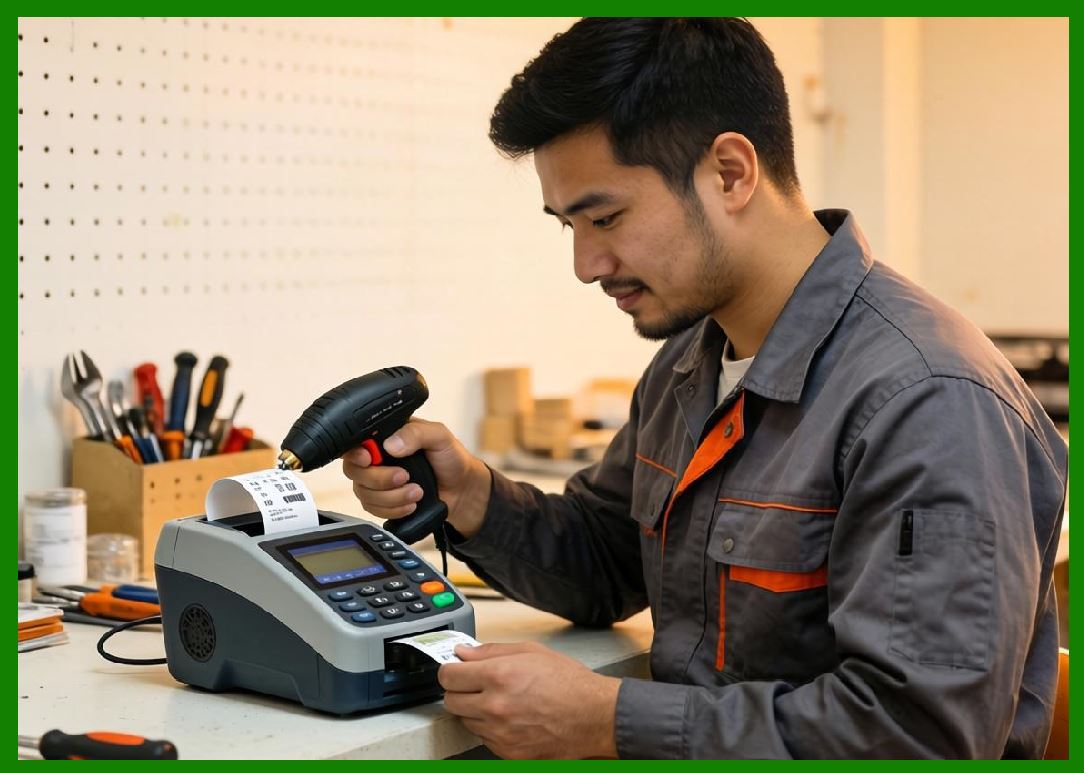
HMI systems interact with barcode generation and scanning processes. |
119.2 |
Users can configure barcode types such as: |
119.2.1 |
QR Code |
119.2.2 |
Data Matrix |
119.3 |
Interfaces allow customization of: |
119.3.1 |
Barcode size |
119.3.2 |
Error correction level |
119.3.3 |
Data encoding |
|
120. Future Trends in HMI for Barcode Printers |
120.1 |
Emerging trends include: |
120.1.1 |
AI-driven user interfaces |
120.1.2 |
Predictive assistance systems |
120.1.3 |
Augmented reality (AR) support |
120.1.4 |
Voice-enabled configuration |

|
121. Summary of Part 14 |
121.1 |
HMI systems are critical for effective interaction with barcode printers. |
121.2 |
Interfaces have evolved from simple buttons to advanced touchscreens and cloud platforms. |
121.3 |
Modern systems emphasize usability, accessibility, and efficiency. |
121.4 |
Remote management and mobile integration enhance flexibility. |
121.5 |
Future developments will further improve user interaction through AI and advanced technologies. |
|
Next Step |
* Industrial applications and real-world deployment scenarios |
* Barcode printing in logistics, healthcare, retail, and manufacturing |
* Case studies of large-scale implementations |
* Performance optimization in high-volume environments |
 cs@easiersoft.com