1. Introduction to Labelmate |
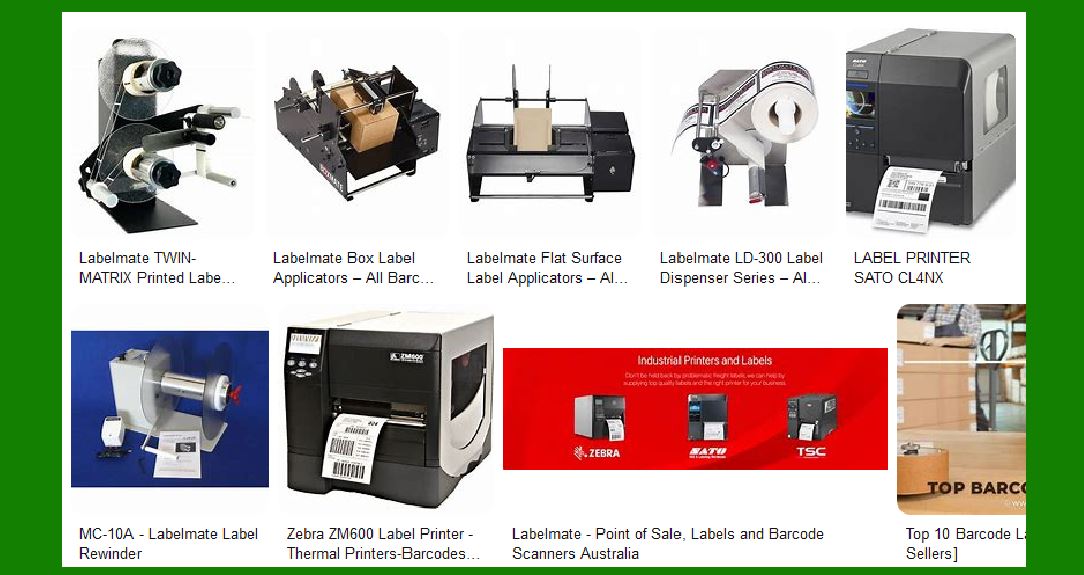
Labelmate is a renowned manufacturer specializing in label handling equipment. Their product range includes label dispensers, rewinders, unwinders, slitters, and core chucks. Labelmate’s solutions are designed to enhance the efficiency and effectiveness of label printing processes. The company is known for its innovative approach, high-quality products, and exceptional customer service. |
|
2. Product Range Overview |
Labelmate offers a comprehensive range of products that cater to various label printing needs. These products are designed to work seamlessly with different types of label printers, including thermal transfer and direct thermal printers. The main categories of Labelmate products include: |
2.1 Label Dispensers |
Labelmate’s label dispensers are designed to simplify the process of peeling and presenting labels for application. They are available in various models to accommodate different label sizes and types. Key features include: |
Automatic and Manual Options: Labelmate offers both automatic and manual label dispensers to suit different operational needs. Versatility: These dispensers can handle a wide range of label materials, including paper, polyester, and vinyl. Ease of Use: With simple setup and operation, these dispensers are user-friendly and require minimal training. |
2.2 Label Rewinders |
Label rewinders are essential for managing printed labels by rewinding them into neat rolls. Labelmate’s rewinders are known for their durability and efficiency. Key features include: |
High-Speed Operation: Capable of rewinding labels at speeds up to 125 cm/sec, making them suitable for high-volume printing environments. Adjustable Core Sizes: These rewinders can accommodate different core sizes, providing flexibility for various label roll requirements. Bi-Directional Operation: Some models offer bi-directional operation, allowing for both internal and external winding. |
2.3 Label Unwinders |
Labelmate’s label unwinders are designed to feed labels into printers smoothly and efficiently. They help maintain consistent tension and alignment, ensuring high-quality printing. Key features include: |
Heavy-Duty Construction: Built to withstand the demands of industrial environments. Adjustable Tension Control: Allows for precise control of label feed tension, reducing the risk of label jams and misalignment. Compatibility: Compatible with a wide range of label printers and materials. |
2.4 Label Slitters |
Label slitters are used to cut wide label rolls into narrower strips, providing flexibility in label production. Labelmate’s slitters are known for their precision and reliability. Key features include: |
Adjustable Blades: Allows for customization of slit widths to meet specific labeling needs. High Precision: Ensures clean and accurate cuts, minimizing waste and improving label quality. Ease of Maintenance: Designed for easy blade replacement and maintenance. |

|
3. Detailed Description of Key Products |
3.1 Labelmate LD-100-RS Label Dispenser |
The LD-100-RS is one of Labelmate’s most popular label dispensers. It is designed for high-speed, automatic dispensing of labels. Key features include: |
Speed and Efficiency: Capable of dispensing labels at speeds up to 4.5 inches per second. Versatility: Can handle labels up to 4.5 inches wide and 6 inches long. Ease of Use: Simple setup and operation, with an adjustable sensor for different label lengths. Durability: Built with high-quality materials to ensure long-lasting performance. |
3.2 Labelmate CAT-3 Label Rewinder |
The CAT-3 is a heavy-duty label rewinder designed for high-volume label printing environments. Key features include: |
High-Speed Operation: Can rewind labels at speeds up to 125 cm/sec. Adjustable Core Holder: Accommodates core sizes from 1 inch to 4 inches. Bi-Directional Operation: Supports both internal and external winding. Durability: Constructed with robust materials to withstand industrial use. |
3.3 Labelmate UCAT-3 Label Unwinder |
The UCAT-3 is a versatile label unwinder designed to feed labels into printers smoothly. Key features include: |
Heavy-Duty Construction: Built to handle large label rolls and withstand industrial environments. Adjustable Tension Control: Ensures consistent label feed tension for high-quality printing. Compatibility: Works with a wide range of label printers and materials. |
3.4 Labelmate S-100 Label Slitter |
The S-100 is a precision label slitter designed to cut wide label rolls into narrower strips. Key features include: |
Adjustable Blades: Allows for customization of slit widths. High Precision: Ensures clean and accurate cuts. Ease of Maintenance: Designed for easy blade replacement and maintenance. |

|
4. Compatibility and Integration |
4.1 Printer Compatibility |
Labelmate products are designed to be compatible with a wide range of label printers, including: |
Thermal Transfer Printers: Suitable for high-quality, durable label printing. Direct Thermal Printers: Ideal for short-term labeling applications. Inkjet and Laser Printers: Compatible with various color label printers for vibrant, high-resolution labels. |
4.2 Software Integration |
Labelmate products can be integrated with various label design and printing software, enhancing their functionality and ease of use. Popular software options include: |
BarTender: A comprehensive label design and printing software that supports a wide range of printers and label formats. NiceLabel: A user-friendly software solution for designing and printing labels, with support for various printer models. LabelView: A versatile label design software that offers advanced features for creating and printing labels. |

|
5. Image Capture Capabilities |
While Labelmate primarily focuses on label handling equipment, some of their products may include features that enhance image capture capabilities. For example: |
High-Resolution Sensors: Used in label dispensers to accurately detect and dispense labels. Adjustable Sensors: Allow for precise detection of different label sizes and materials. |

|
6. Manufacturers and Brands |
6.1 Labelmate USA |
Labelmate USA serves the Americas, Pacific Rim, Australia, New Zealand, and parts of Asia. They offer a wide range of label handling solutions and provide exceptional customer service and support. |
6.2 Labelmate Europe |
Labelmate Europe caters to Europe, Asia, Africa, and the Middle East. They are known for their innovative products and commitment to quality. |

|
7. Conclusion |
Labelmate is a leading manufacturer of label handling equipment, offering a wide range of products designed to enhance the efficiency and effectiveness of label printing processes. Their products are known for their durability, versatility, and ease of use, making them a popular choice for businesses in various industries. Whether you need a label dispenser, rewinder, unwinder, or slitter, Labelmate has a solution to meet your needs. |
 cs@easiersoft.com