Introduction: Overview of Barcode Label Printers |
What barcode label printers are |
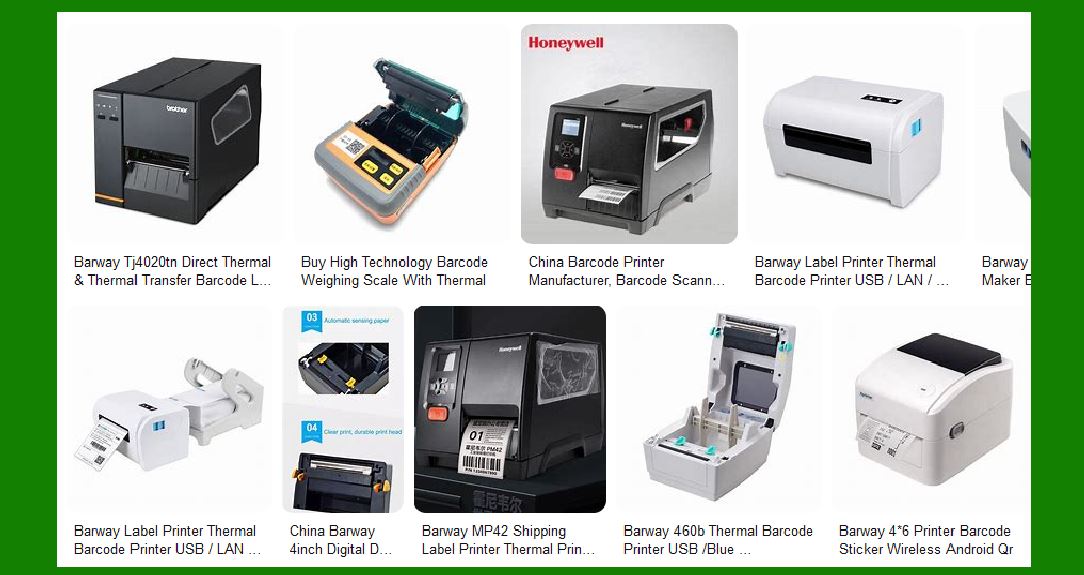
Different types: thermal printers (direct thermal and thermal transfer) |
General applications and industries using barcode printers |
|
Performance Comparison of Barcode Printers |
Print Quality and Resolution |
Importance of DPI (dots per inch) for readability |
How resolution impacts the accuracy of barcodes |
Print Speed and Efficiency |
Measured in labels per minute (LPM) |
How speed affects productivity in high-demand environments |
Durability and Longevity |
Build quality and durability in harsh conditions |
Lifespan of components (print head, sensors) |
Software and Connectivity |
Compatibility with popular barcode software and databases |
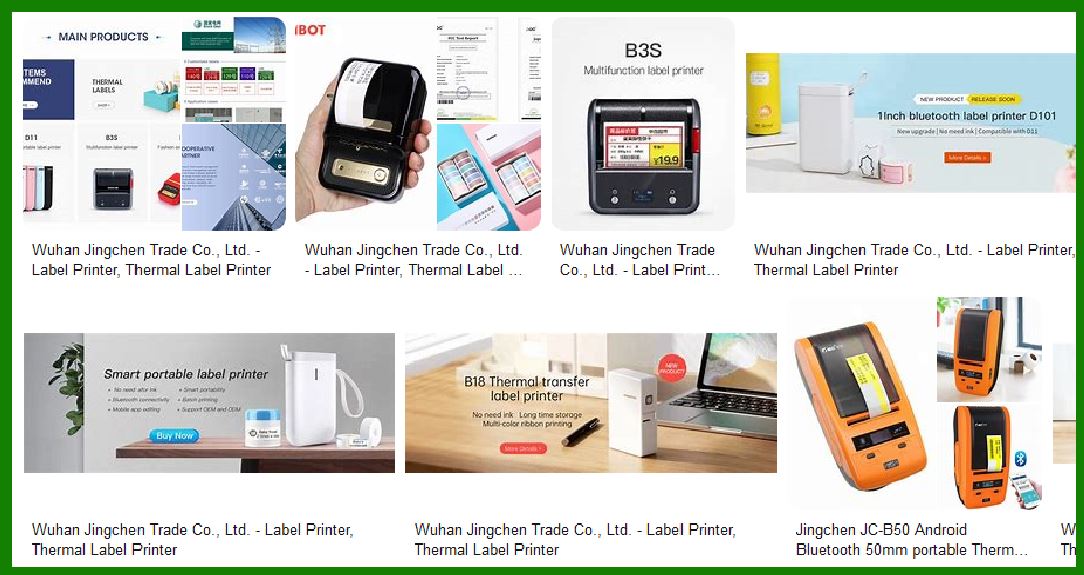
Connectivity options (USB, Ethernet, Bluetooth, Wi-Fi) |
|
Cost Comparison |
Initial Purchase Cost |
Comparison of prices across major brands |
Factors that influence the price (brand reputation, features, type of printer) |
Cost of Consumables |
Ribbon costs (for thermal transfer printers) |
Paper and label cost per print |
Maintenance and repair costs (print head replacement, sensor calibration) |
Total Cost of Ownership (TCO) |
Evaluating long-term cost efficiency |
|
Brand-Specific Analysis |
Zebra Technologies |
Overview of Zebra's popular models (e.g., ZD620, ZT410) |
Performance and cost breakdown for each model |
Pros and cons in real-world applications |
Brother Industries |
Overview of Brother's popular models (e.g., QL-820NWB, TD-4520DN) |
Performance and cost breakdown for each model |
Pros and cons in real-world applications |
Intermec (Honeywell) |
Overview of Intermec's popular models (e.g., PX6i, PD43) |
Performance and cost breakdown for each model |
Pros and cons in real-world applications |
Sato |
Overview of Sato's popular models (e.g., CL4NX, M10e) |
Performance and cost breakdown for each model |
Pros and cons in real-world applications |
TSC |
Overview of TSC's popular models (e.g., TTP-244 Pro, TSC TDM-30) |
Performance and cost breakdown for each model |
Pros and cons in real-world applications |
Epson |
Overview of Epson's popular models (e.g., TM-C7500, ColorWorks series) |
Performance and cost breakdown for each model |
Pros and cons in real-world applications |
|
Environmental and User-Friendly Features |
Energy Efficiency |
Comparison of power consumption across brands |
Ease of Use |
User interface, setup, and maintenance ease |
Sustainability |
Environmental impact of printer materials and consumables |
Energy-saving and eco-friendly models |
Industry-Specific Considerations |
Healthcare |
Requirements for barcode printing in healthcare environments (durability, compliance) |
Logistics and Shipping |
Performance needs in logistics (speed, uptime, and ruggedness) |
Retail and Warehousing |
Cost-effectiveness and printing volume for high-turnover businesses |
Manufacturing |
How printers handle rugged and variable conditions in manufacturing |

|
Customer Feedback and Reviews |
Gathering insights from customer experiences |
What end-users say about performance and cost in different industries |
Common complaints and praises for different brands |
Conclusion: Final Recommendations |
Which brands excel in different areas |
Best choices based on performance, cost, and application |
Long-term considerations for businesses investing in barcode printers |
|
Let's start with the first section and begin breaking down each part. |
1. Introduction: Overview of Barcode Label Printers |
1.1 What are Barcode Label Printers? |
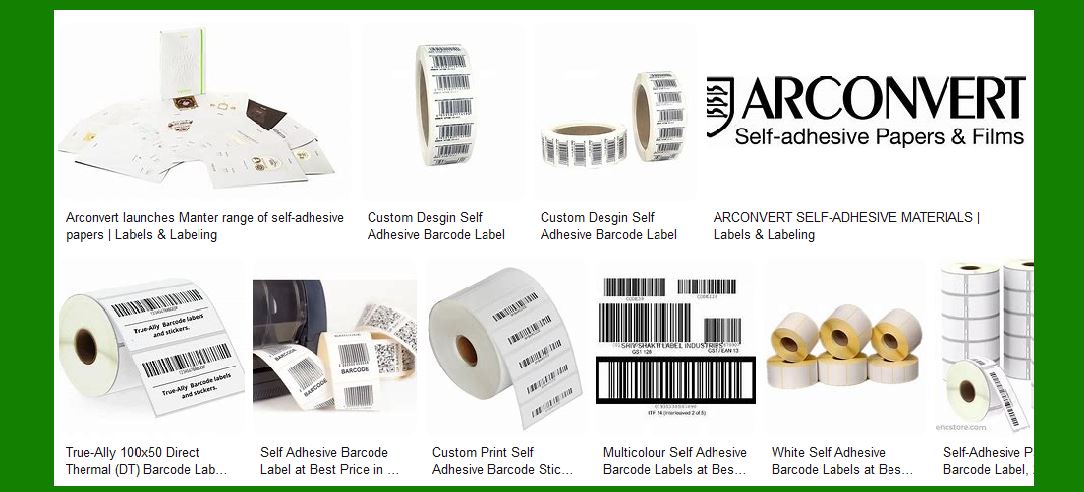
Barcode label printers are specialized machines designed to print barcodes on labels that can be affixed to products or packaging. These printers use specific printing technologies to create barcodes that are easily scanned by barcode readers. Depending on the needs of a business or industry, the labels may need to be durable, withstand exposure to harsh conditions, or offer high-speed printing for mass production. |
1.2 Types of Barcode Printers |
Barcode label printers come in two primary categories: |
Thermal Printers: |
Direct Thermal Printers: These printers use heat to create an image on heat-sensitive label material. No ribbon is needed, making them more cost-effective for short-term applications (e.g., shipping labels). |
Thermal Transfer Printers: These use a heated ribbon that transfers ink onto the label material, making them more suitable for long-term applications where durability is important (e.g., product labeling in retail and manufacturing). |
Dot Matrix Printers: These are older printers that create images by striking a ribbon against the label material. They are not commonly used in barcode printing due to lower print quality, slower speeds, and higher maintenance needs. |
Inkjet Printers: While inkjet printers are not traditionally associated with barcode printing, they can print high-quality barcodes for applications that require color printing or larger labels. |
1.3 Common Applications and Industries Using Barcode Printers |
Barcode printers are indispensable in various sectors, including: |
Retail: Printing product labels, shelf labels, and price tags. |
Logistics and Shipping: Printing tracking labels, inventory barcodes, and shipping labels. |
Healthcare: Printing patient wristbands, medical equipment tags, and medication labels. |
Manufacturing: Tracking parts, products, and materials in the production process. |
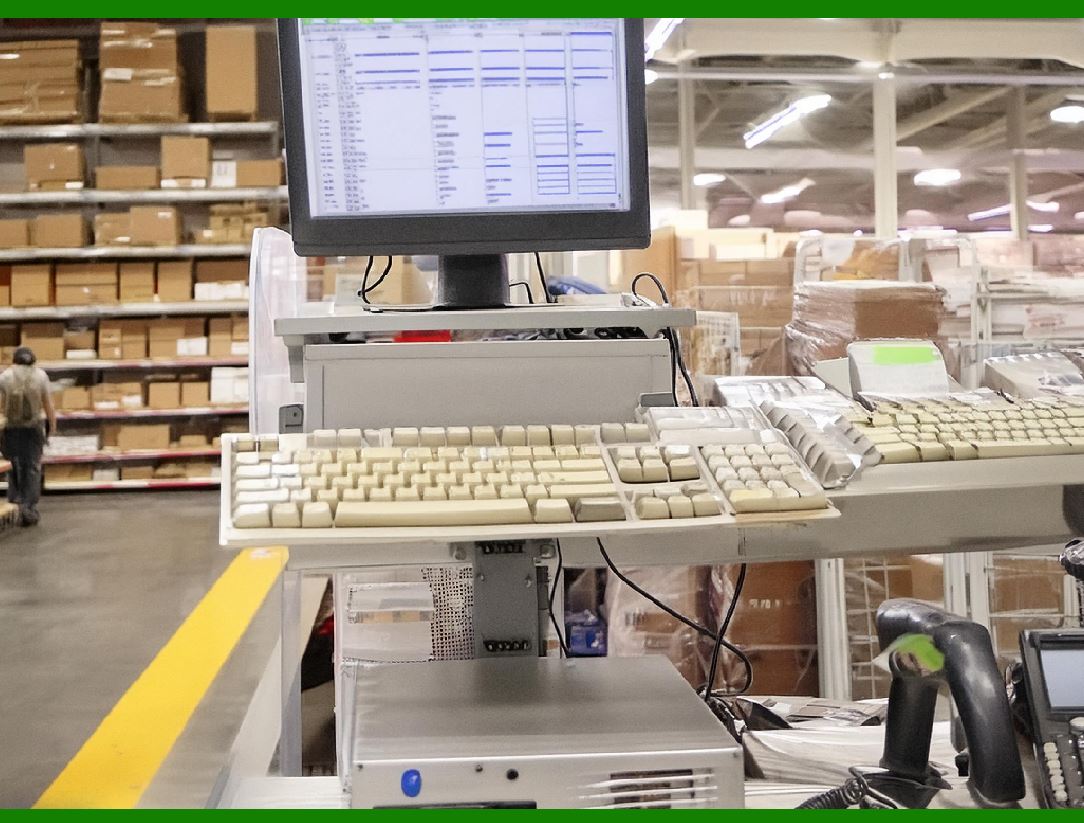
Warehousing: Labeling products and pallets for storage and inventory control. |
Each industry has specific demands for barcode label printers, such as the need for durability, print speed, and cost efficiency. |
|
2. Performance Comparison of Barcode Printers |
2.1 Print Quality and Resolution |
Print quality is critical for ensuring that barcodes are scannable and reliable. This is largely determined by the DPI (dots per inch) of the printer. The higher the DPI, the finer the print detail, which is essential for small barcodes or high-density barcodes (e.g., QR codes). |
Standard DPI for barcode printers is typically 203 DPI, 300 DPI, and 600 DPI. |
203 DPI: Suitable for most general applications. |
300 DPI: Offers more detailed barcodes for small print sizes or more complex information (such as 2D barcodes). |
600 DPI: High-end resolution, often required for high-quality printing, such as fine text and detailed graphics. |
Printers with higher DPI usually come with higher costs, both in terms of the printer itself and the required consumables (e.g., higher-quality ribbons and labels). The key challenge is balancing print quality with speed and cost. |
2.2 Print Speed and Efficiency |
The print speed is often measured in labels per minute (LPM) or inches per second (IPS), and it plays a significant role in the printer's overall efficiency, especially in environments with high printing volumes. |
Low-volume Printers: These printers typically print at speeds between 2¨C5 inches per second, which is adequate for small or occasional barcode printing needs. |
Mid-volume Printers: These usually print at speeds ranging from 6¨C10 inches per second, balancing quality with speed for moderate usage. |
High-volume Printers: Printing at speeds over 10 inches per second, these printers are designed for large enterprises with fast-paced production or shipping lines. High-end models like Zebra's ZT400 series can print at speeds up to 14 inches per second. |
2.3 Durability and Longevity |
The durability of a barcode printer is essential for industries that require long-term reliability. Factors influencing durability include the printer's build quality, the materials used in its construction, and its ability to withstand environmental factors such as moisture, heat, and dirt. |
Print Head Lifespan: In thermal transfer printers, the print head is one of the most critical components. High-quality print heads in premium brands (e.g., Zebra and Sato) can last for millions of prints before needing replacement. |
Ruggedness: For industrial settings, printers with IP ratings (Ingress Protection) for dust and water resistance are highly valued. For example, Zebra's ZT610 and ZT620 models come with IP54 ratings, offering protection against dust and water spray. |
2.4 Software and Connectivity |
Barcode printers must be compatible with various software systems to integrate seamlessly into a company's workflow. The printer's connectivity options (USB, Ethernet, Wi-Fi, Bluetooth) also influence its usability in different environments. |
Software: Many barcode printers come with proprietary software solutions for designing and managing labels. Zebra's ZebraDesigner and Brother's P-touch Editor are examples of software used for label design. Additionally, the ability to integrate with ERP (Enterprise Resource Planning) and WMS (Warehouse Management Systems) is essential for businesses needing high-efficiency operations. |
Connectivity: For industrial applications, Ethernet and Wi-Fi are often preferred for remote management and integration with other systems. Bluetooth is commonly found in smaller, portable models used in retail or mobile settings. |

|
3. Cost Comparison |
3.1 Initial Purchase Cost |
The initial cost of a barcode printer depends on the brand, the printer's features, and the intended use. The prices typically range from $100 to over $2,500. |
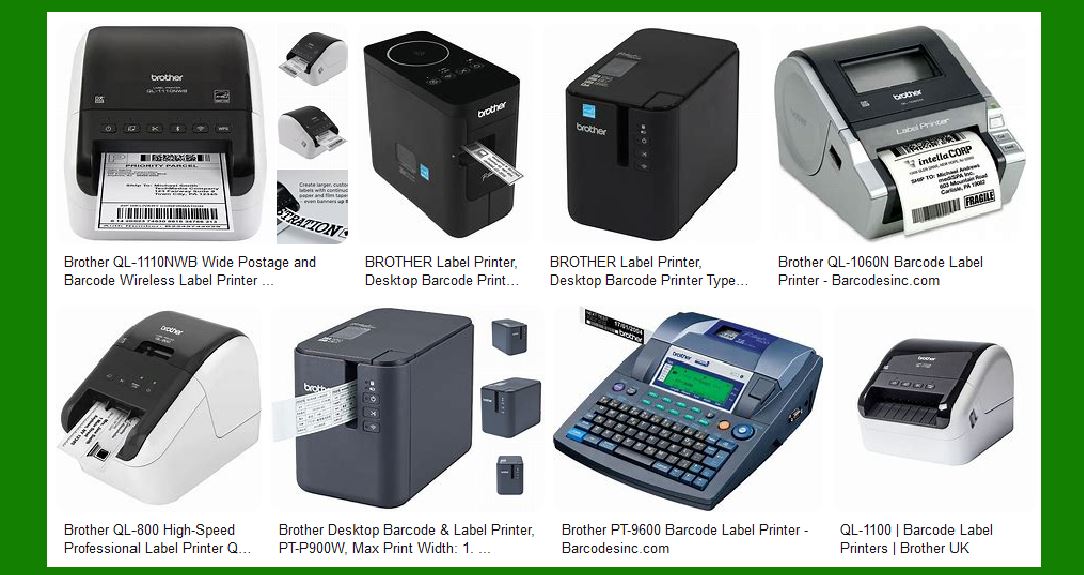
Low-end Printers: For smaller operations or low-volume printing, printers like the Brother QL-800 (starting at around $100) are sufficient. These are compact and ideal for basic barcode and label printing. |
Mid-range Printers: These printers cost around $500¨C$1,500 and are suitable for moderate-volume operations. Examples include the Zebra ZD620 and TSC TTP-244 Pro, which offer a good balance of features, quality, and price. |
High-end Printers: For large enterprises with high printing demands, printers such as the Zebra ZT410 or Honeywell PM43 can cost upwards of $2,500. These models are designed for high durability, faster speeds, and more advanced connectivity options. |
3.2 Cost of Consumables |
The cost of consumables is a significant part of the total cost of ownership (TCO) for barcode printers. This includes: |
Ribbons (for thermal transfer printers): Thermal transfer printers require a ribbon to print, and these ribbons vary in cost depending on quality, material, and size. A box of ribbons (for approximately 1000 prints) can cost $15¨C$100. |
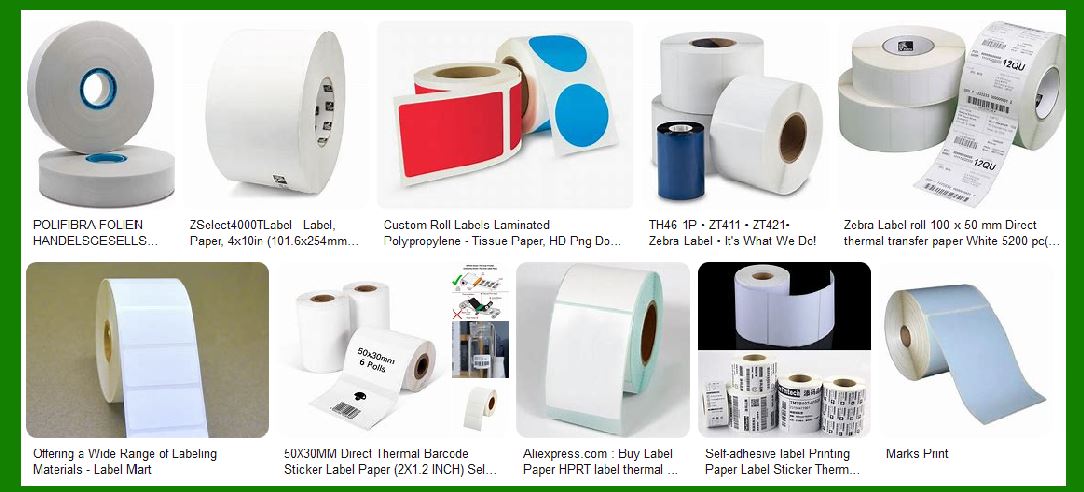
Labels: The cost of labels can vary based on the material, size, and quantity. Paper labels are cheaper (around $20 for 1000 labels), while synthetic labels (e.g., polyester or polypropylene) are more durable but cost more. |
For high-volume printing, such as in warehouses, the cost of consumables can add up quickly. Therefore, direct thermal printers, which don't require ribbons, can be more cost-effective in the long run. |
3.3 Total Cost of Ownership (TCO) |
TCO considers not just the initial cost but the ongoing maintenance, consumable costs, repair costs, and potential downtime. To calculate TCO, businesses need to consider: |
Maintenance Costs: These can include routine servicing, print head replacements, sensor cleaning, etc. Brands like Zebra, Brother, and Honeywell typically offer robust support and warranty options, which can lower long-term costs. |
Downtime Costs: In industrial settings, any downtime due to printer malfunction can result in delays in production or shipment. Brands known for high reliability (like Zebra and Sato) can offer better uptime, reducing hidden costs. |
|
4. Brand-Specific Analysis |
4.1 Zebra Technologies |
Zebra is widely regarded as a leader in barcode printing, known for its robust, high-quality printers. |
Popular Models: |
ZT410: Known for its reliability, high print resolution (up to 300 DPI), and rugged design, suitable for industrial applications. |
ZD620: Offers fast printing speeds, compact design, and high print quality (203 DPI). |
Performance: Zebra printers are often praised for their reliability, ease of integration, and long print head life. They are ideal for environments where uptime is crucial. |
Cost: Zebra's printers tend to be on the higher end in terms of initial cost but are considered a long-term investment due to their durability and TCO. |
4.2 Brother Industries |
Brother offers affordable, compact solutions for businesses with lower to medium-volume needs. |
Popular Models: |
QL-800: A versatile, budget-friendly model for printing labels quickly and efficiently. |
TD-4520DN: A more professional model for businesses needing reliable thermal transfer printing. |
Performance: Brother printers are easy to set up and use. While they might not offer the high-end features of industrial models, they are well-suited for small businesses, retail, and offices. |
Cost: One of the more cost-effective options, Brother printers have a low upfront cost and affordable consumables. |
|
4. Brand-Specific Analysis (Continued) |
4.3 Honeywell (formerly Intermec) |
Honeywell, after acquiring Intermec, has become a prominent player in the industrial and commercial barcode printing market. Their printers are known for their ruggedness, ease of integration, and ability to handle high-volume applications. |
Popular Models: |
PX6i: A high-end industrial printer, known for its speed, durability, and versatility. It's commonly used in warehouses and manufacturing. |
PC43t: A more compact thermal transfer printer, ideal for small businesses and retail environments. It offers 203 DPI resolution and is more cost-effective than high-end models. |
Performance: |
Honeywell printers are known for their reliability and high performance under demanding conditions. They offer high print speeds, with models like the PX6i printing at up to 12 inches per second. |
Their print quality (300 DPI) is high enough for detailed barcodes, ensuring readability even at small sizes. The print head lifespan is also impressive, often exceeding 1 million inches of print. |
Honeywell's software options, such as Operational Intelligence, allow for easy integration with warehouse management and enterprise systems. |
Cost: |
Initial Purchase: Honeywell's industrial models like the PX6i can be costly, starting around $2,000. However, the PC43t offers a more affordable option, typically priced between $400¨C$600. |
Consumables: Similar to other thermal transfer printers, ribbon and label costs will be ongoing. Honeywell provides high-quality ribbons that last long, but they are more expensive than those for entry-level printers. |
TCO: Honeywell printers typically offer high durability, but maintenance costs might be higher for industrial models due to the need for professional servicing and high-quality replacement parts. |
|
4.4 Sato |
Sato is another key player known for its industrial-grade barcode label printers. The company's offerings range from entry-level to high-end models, and they are particularly popular in industries like logistics, food and beverage, and pharmaceuticals, where regulatory requirements demand high-quality, durable labels. |
Popular Models: |
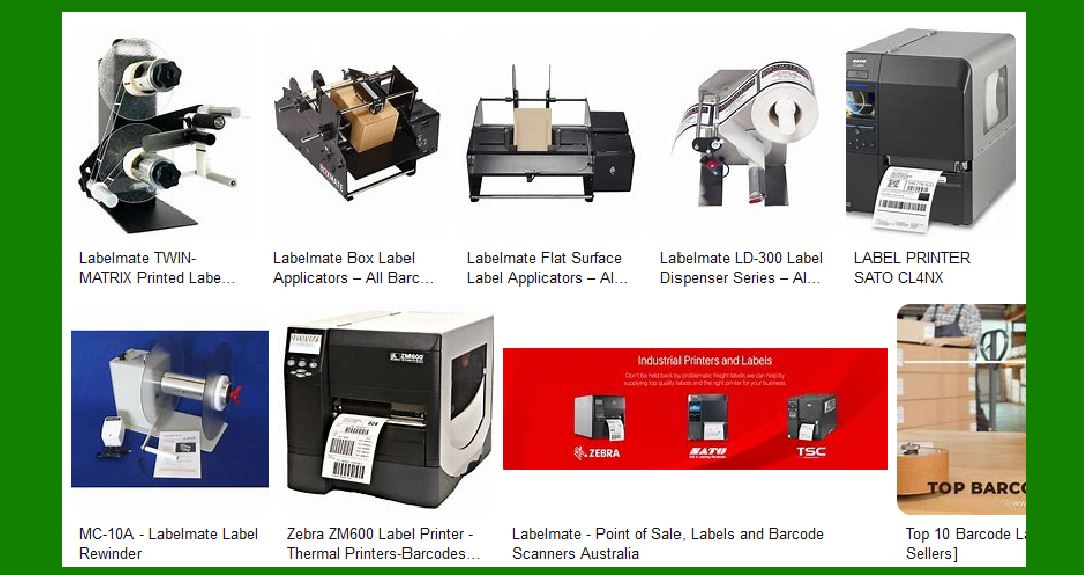
CL4NX: A rugged, industrial model with 600 DPI resolution for precise barcode printing. It's often used in high-demand environments where print quality is critical. |
M10e: A versatile and cost-effective model for businesses requiring high-quality thermal transfer printing. |
Performance: |
Sato printers are recognized for their exceptional print quality (up to 600 DPI), making them ideal for small, high-density barcodes. |
The CL4NX model can print at speeds up to 10 inches per second, making it suitable for high-volume applications. |
These printers are highly durable, often constructed with stainless steel frames to withstand harsh environments. Many models are rated for 24/7 operation, which makes them a good choice for industries with continuous print needs. |
Cost: |
Initial Purchase: The CL4NX is in the $2,000¨C$2,500 range, making it one of the pricier models in Sato's lineup. However, it justifies the cost through its rugged design and high-quality output. |
Consumables: Sato's thermal transfer ribbons are generally priced higher than entry-level alternatives but are designed for longer-lasting prints. Labels for pharmaceutical and food industries, where compliance is key, are also more expensive due to strict regulatory standards. |
TCO: Sato's higher initial cost is offset by the printer's durability and ability to handle high-volume printing in demanding environments. The TCO is quite favorable when considering the longevity of the hardware. |
|
4.5 TSC |
TSC, a well-regarded name in barcode printing, is known for delivering reliable printers at competitive prices. They provide both desktop and industrial models suitable for various applications, from retail to manufacturing. |
Popular Models: |
TTP-244 Pro: An entry-level, direct thermal printer suitable for businesses with lower to moderate volume needs. It's one of the most affordable options in the market while still offering decent print speed (5 inches per second) and print quality (203 DPI). |
TDM-30: A thermal transfer printer offering enhanced versatility and durability for more demanding tasks, with speeds up to 8 inches per second and resolutions up to 300 DPI. |
Performance: |
Print Quality: TSC's TTP-244 Pro has a resolution of 203 DPI, which is standard for most entry-level printers. For higher-resolution printing, TSC's TDM-30 model offers 300 DPI. |
Speed: TSC's models are reliable at printing moderate speeds, ranging from 5 to 8 inches per second, depending on the model. While they may not compete with high-end models from Zebra or Sato in terms of raw speed, they're often adequate for most small to mid-sized businesses. |
Durability: TSC's printers are designed to be robust but may not be as durable as industrial models from Zebra or Honeywell. Still, for light to moderate use, TSC printers offer excellent value. |
Cost: |
Initial Purchase: The TTP-244 Pro starts at around $200¨C$300, making it one of the most affordable options in the entry-level market. The TDM-30 is priced at about $600¨C$700. |
Consumables: The cost of labels and ribbons for TSC printers is moderate, and users typically find that TSC's consumables are reasonably priced compared to high-end brands. This is one of the reasons TSC printers are favored by small to mid-sized businesses that need cost-effective solutions. |
TCO: Due to its affordable initial price and reasonably priced consumables, the TCO for TSC printers is typically lower than high-end brands like Zebra or Honeywell, making them a solid option for businesses that want a balance between performance and cost. |
|
4.6 Epson |
Epson has made a name for itself in the barcode printer market with its high-quality color label printers and compact thermal transfer printers. Epson is known for delivering versatile products, including solutions for retail, food labeling, and consumer electronics. |
Popular Models: |
TM-C7500: A high-speed color label printer known for its color accuracy and print quality. It's particularly favored by businesses that need to print high-quality color barcodes. |
ColorWorks series: These printers are widely used for applications where color coding and high-resolution barcodes are needed. |
Performance: |
Epson's TM-C7500 offers high-quality color printing, making it ideal for businesses that need to print color-coded barcodes or product labels. It's capable of printing at up to 8 inches per second, which is respectable for a color printer. |
The print resolution is high, offering up to 1200 x 1200 DPI, which is impressive for color printing. |
Epson's printers are also relatively energy-efficient compared to other industrial printers, making them suitable for businesses focused on sustainability. |
Cost: |
Initial Purchase: The TM-C7500 is priced at around $3,000, which is on the higher end, particularly for businesses that don't need color printing. However, it justifies the price with its high print quality and long-term durability. |
Consumables: The cost of consumables for Epson's color printers is higher due to the ink cartridges required for color printing. For standard monochrome thermal transfer models, the consumables cost is more in line with industry standards. |
TCO: While the initial investment for Epson color printers is high, businesses requiring color printing will find that these models provide excellent value over time. The long-term costs are somewhat higher than monochrome thermal printers due to ink costs, but Epson's energy efficiency may balance this out. |
|
5. Environmental and User-Friendly Features |
5.1 Energy Efficiency |
Energy consumption is an important consideration for businesses aiming to reduce operational costs and environmental impact. |
Thermal Printers: These are generally more energy-efficient than inkjet or dot matrix printers. Direct thermal printers use less power because they don't need a ribbon or ink, which also reduces maintenance needs. |
Energy-Saving Features: Many modern models from Zebra, Honeywell, and Epson come with auto power-off features, which conserve energy when the printer is not in use. |
5.2 Ease of Use |
The user-friendliness of a barcode printer is determined by several factors: |
Set-up Process: Brands like Brother and TSC are known for their easy setup processes, often requiring little more than connecting to a computer and installing basic drivers. |
Software: Software like ZebraDesigner (Zebra) and P-touch Editor (Brother) are designed to be user-friendly, offering intuitive interfaces for label design and printer management. |
5.3 Sustainability |
Sustainability in barcode printers is growing in importance, and manufacturers like Epson are leading the way with eco-friendly materials and low-energy products. Many brands are increasingly focusing on reducing waste, and using recyclable materials for printer components and packaging. |
|
The future of barcode printer technology is poised for several exciting innovations that will likely change the landscape of how businesses use these printers. As industries evolve and technology advances, barcode printers will incorporate features that improve efficiency, reduce costs, and enhance their overall capabilities. Here's a look at some of the new technologies that are expected to shape the future of barcode printers: |
1. Enhanced Connectivity and Cloud Integration |
1.1 5G and Wi-Fi 6 for Faster Communication |
As industries continue to move towards more connected environments, barcode printers will benefit from the next generation of wireless communication technologies. |
5G networks will allow printers to communicate faster and more reliably, especially in environments where real-time data transfer and cloud-based printing are critical. |
Wi-Fi 6 will improve the speed and stability of wireless connections, enabling high-volume printing in large warehouses and manufacturing facilities without network congestion. |
This will allow barcode printers to seamlessly integrate with enterprise systems, offering improved tracking and remote management capabilities. |
1.2 Cloud-Based Printing Solutions |
Cloud printing technology is evolving, with more barcode printer manufacturers offering solutions that integrate with cloud-based software. |
This could allow users to access printers from anywhere, send print jobs remotely, and integrate with cloud-based warehouse management systems (WMS), enabling real-time inventory tracking and management. |
Remote diagnostics and firmware updates will become easier, ensuring that printers remain up-to-date and efficient without requiring manual intervention. |
|
2. Artificial Intelligence and Machine Learning Integration |
2.1 Predictive Maintenance and Failure Prevention |
AI and machine learning algorithms will be used to analyze printer usage data and predict potential failures before they occur. This technology can: |
Monitor printer performance and alert operators about maintenance needs, such as when a print head is about to fail or when ribbon life is nearing its end. |
Optimize print quality: AI will fine-tune the printing process in real time, adjusting parameters like print speed, pressure, and temperature based on the quality of the label or barcode. |
Such features will reduce unplanned downtime, minimize repair costs, and extend the printer's lifespan. |
2.2 Smart Labeling Systems |
AI could also be employed in barcode printers to enhance label design and optimization. Using AI, printers could analyze the size, content, and environment to optimize the design and printing of labels, ensuring: |
Better readability of barcodes across a variety of scanner types. |
Efficient use of label space for higher-quality prints and lower consumable costs. |

|
3. Integration with Augmented Reality (AR) and Virtual Reality (VR) |
3.1 AR-Enhanced Label Printing |
As Augmented Reality (AR) becomes more mainstream, barcode printers may integrate with AR technology for advanced visual labeling: |
Real-time label creation: AR could allow users to visualize and design labels in 3D before printing, improving accuracy and reducing errors in label design. |
AR-assisted inventory management: Barcode printers may integrate with AR headsets or mobile devices to enhance warehouse picking and labeling by providing real-time guidance overlaid onto the physical world. |
3.2 VR for Training and Simulation |
Virtual Reality (VR) will play a role in training personnel to use barcode printers in complex environments, such as warehouses or hospitals. Using VR simulations, employees can practice printer maintenance, label design, and other tasks in a safe, controlled environment without wasting resources. |
|
4. Sustainable and Eco-Friendly Technologies |
4.1 Environmentally Friendly Materials |
As sustainability becomes more important across industries, barcode printers are expected to adopt eco-friendly technologies. This includes: |
Biodegradable and recyclable materials for labels and ribbons, reducing waste generated by barcode printing. |
Energy-efficient designs, utilizing low-energy printing methods and recyclable parts to reduce the carbon footprint of these devices. |
We are also likely to see the use of recycled plastic components and reduced packaging materials in new printer models, aligning with global sustainability goals. |
4.2 Zero Ink Printers |
Innovative printing methods like zero ink technologies are under development. These could revolutionize the industry by eliminating the need for ribbons or ink cartridges, making printers even more cost-effective and environmentally friendly. |
Thermochromic inks or electrophoretic displays may be used to print barcodes and labels without any traditional ink or thermal ribbons, reducing ongoing consumable costs and waste. |
|
5. Higher Printing Resolutions and Advanced Barcode Technologies |
5.1 Ultra-High-Resolution Printing |
Future barcode printers may offer even higher resolutions, going beyond the 600 DPI that is currently the upper limit. This would improve the quality of very small barcodes or QR codes, particularly in sectors like pharmaceuticals, where high-density barcodes and very fine details are required. |
1200 DPI or more could become standard in the future, enabling micro barcodes for traceability at a much smaller size, which could be useful for industries requiring serialization or product tracking at a granular level. |
5.2 Multi-Dimensional Barcode Support |
We are also likely to see printers that support the growing variety of 2D barcode symbologies, including QR codes, Datamatrix, and PDF417, which are increasingly used in high-capacity applications like asset management and multi-item logistics. |
Barcode printers will need to support multiple 2D and 3D barcode formats simultaneously for industries like healthcare, manufacturing, and logistics, where multiple data points must be encoded in a single label. |

|
6. Mobile and Portable Barcode Printers |
6.1 Wireless and Battery-Powered Portable Printers |
The need for mobility and flexibility in barcode printing is on the rise, especially in sectors like retail, logistics, and field service. Future portable barcode printers will feature: |
Longer battery life using more efficient lithium-ion batteries or even solar power integration to allow continuous use in remote locations. |
Mobile connectivity options such as 5G, Wi-Fi 6, and Bluetooth 5.0 for faster, more stable connections, allowing printers to work seamlessly with mobile devices, tablets, and other tools. |
6.2 Integrated Mobile Printing Solutions |
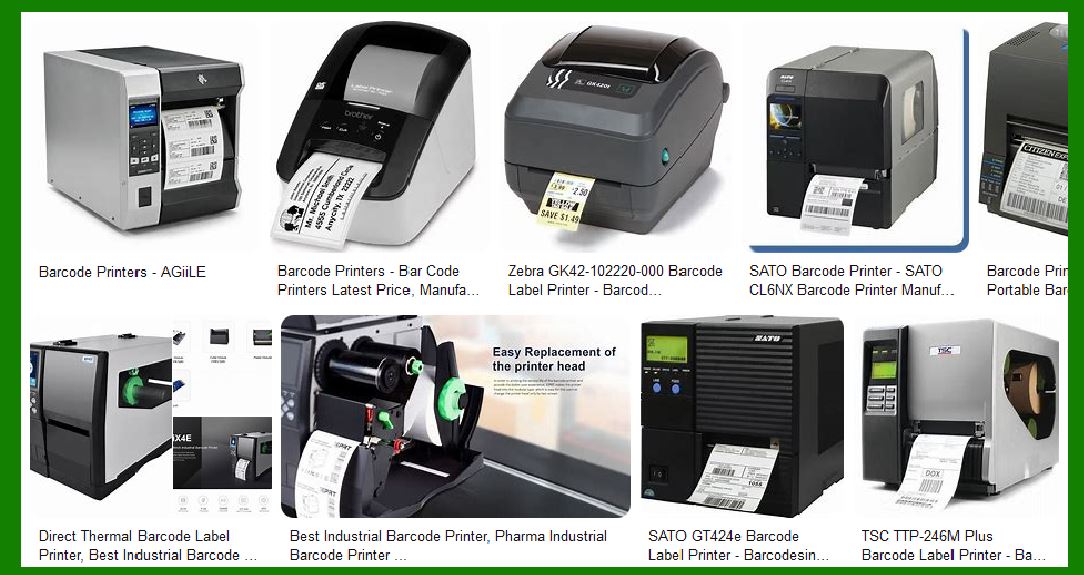
We could see the integration of mobile app-based printing solutions, where users can design and send print jobs directly from their mobile devices, streamlining the workflow. |
|
7. Blockchain Integration for Security and Traceability |
7.1 Blockchain-Enabled Barcodes |
As industries like pharmaceuticals, luxury goods, and food safety increasingly demand authentication and traceability, barcode printers may incorporate blockchain technology to create tamper-proof labels. |
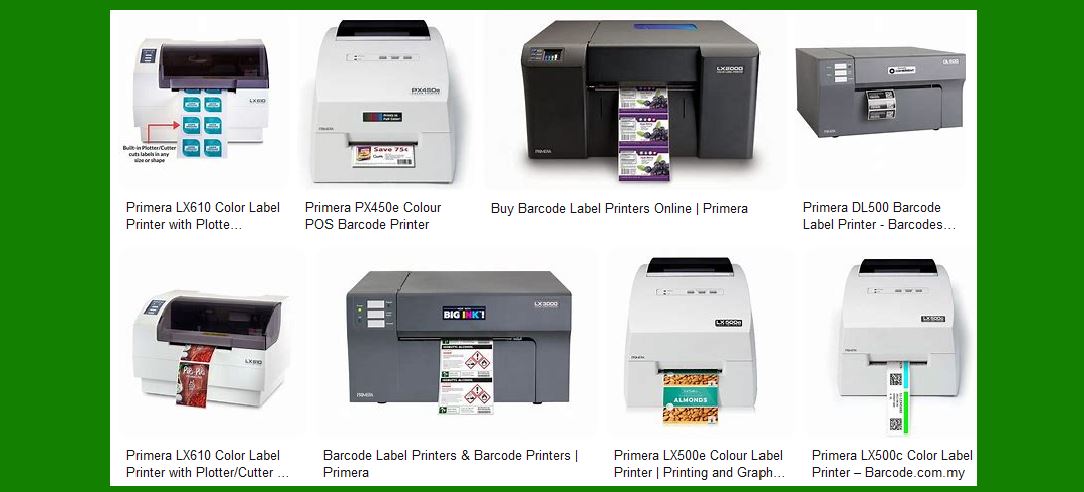
Blockchain-enabled barcodes will store encrypted data on a decentralized ledger, ensuring that every printed barcode is traceable, secure, and cannot be altered without detection. This will enhance the security of supply chains, reduce counterfeiting, and ensure product authenticity. |
|
8. Touchless and Voice-Activated Printing |
8.1 Voice Control |
Voice-activated printing systems will allow users to operate barcode printers hands-free. This is particularly useful in environments like warehouses, where operators may be handling goods and need to print labels without touching the printer. |
Printers could be voice-controlled using AI-powered assistants like Alexa, Google Assistant, or custom software, enabling workers to issue print commands via simple voice instructions. |
8.2 Touchless Control and Gesture Recognition |
Touchless controls using gesture recognition will allow users to interact with printers without physically touching them, reducing the potential for contamination in industries like healthcare or food packaging. |
|
Conclusion |
The future of barcode printing looks incredibly exciting, with advancements in connectivity, AI, sustainability, and resolution set to transform how we manage and track goods. These innovations will not only make barcode printers more efficient but also more adaptable to the diverse and changing needs of industries around the world. |
With continuous developments in smart technology, environmental consciousness, and data security, barcode printers will play an increasingly important role in streamlining business operations while offering enhanced precision and flexibility. |
 cs@easiersoft.com