Part 13: Detailed Explanation of Print Job Lifecycle, State Machines, and Execution Control Flow in Printer Firmware |
1. Introduction to Print Job Lifecycle Management |
In printer firmware supporting Page Description Languages and command languages such as: |
1. ZPL |
2. EPL |
3. PCL |
4. PostScript |
5. TSPL |
6. DPL |
7. SBPL |
8. CPCL |
every print task is managed as a structured lifecycle process, not a simple sequential execution. |

|
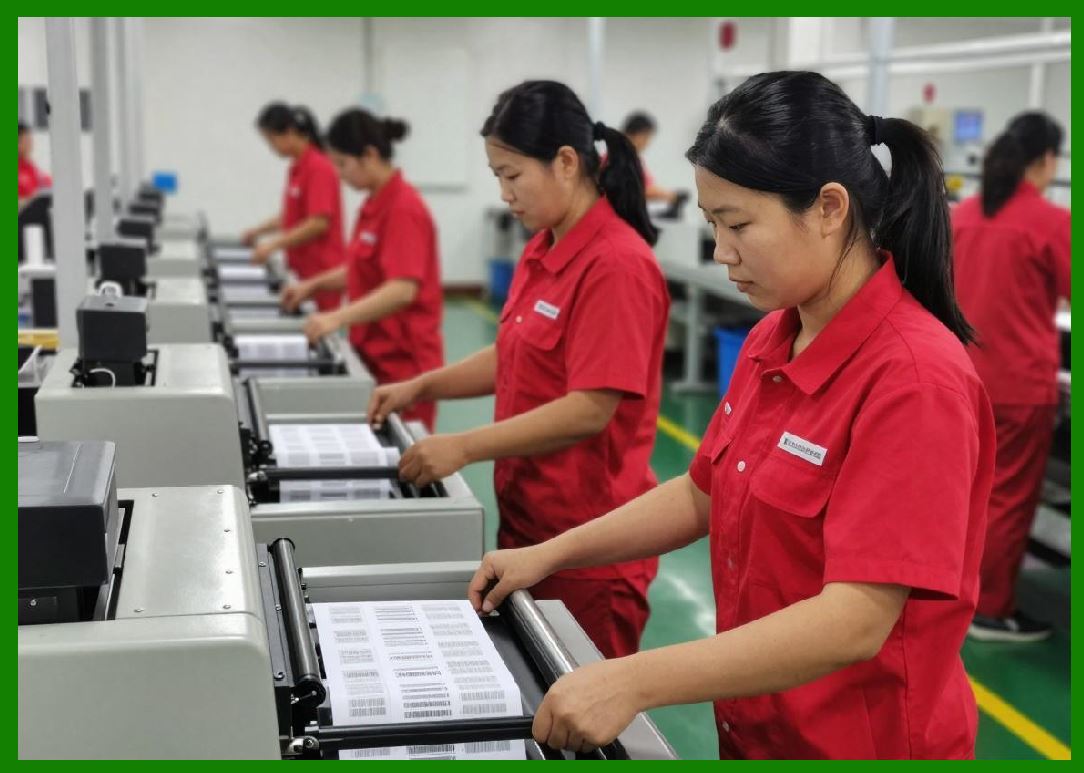
A print job passes through multiple controlled phases: |
1. Reception |
2. Parsing |
3. Validation |
4. Resource allocation |
5. Rendering (RIP) |
6. Buffering |
7. Hardware execution |
8. Completion or recovery |
|
This lifecycle ensures: |
* Deterministic execution |
* Fault tolerance |
* Real-time synchronization |
* Resource efficiency |
* Multi-job support |
This part explains in detail how printer firmware manages the full lifecycle of a print job using state machines, execution control logic, and workflow orchestration systems. |

|
2. Concept of a Print Job in Firmware |
A print job is not just a file or stream. |
It is a structured object containing: |
1. Command sequence |
2. Page definitions |
3. Graphics references |
4. Barcode instructions |
5. Text layout instructions |
6. Configuration parameters |
7. Execution metadata |
3. Print Job Lifecycle Overview |

|
A typical lifecycle includes the following stages: |
1. Idle state |
2. Job reception |
3. Job buffering |
4. Syntax parsing |
5. Semantic interpretation |
6. Resource preparation |
7. Layout composition |
8. Raster rendering |
9. Hardware execution |
10. Completion |
11. Cleanup or retention |
Each stage transitions via a controlled state machine. |

|
4. State Machine Architecture in Printer Firmware |
Printer firmware is fundamentally driven by finite state machines (FSMs). |
4.1 What Is a State Machine |
A state machine is a system that: |
* Has defined states |
* Transitions based on events |
* Executes actions per state |
4.2 Printer State Categories |
Common states include: |
1. IDLE |
2. RECEIVING |
3. PARSING |
4. RENDERING |
5. PRINTING |
6. PAUSED |
7. ERROR |
8. COMPLETED |
4.3 State Transition Triggers |
Transitions occur due to: |
* Incoming data |
* Buffer status |
* Hardware signals |
* Sensor input |
* Error conditions |

|
5. Job Reception Phase |
This is the first stage of execution. |
5.1 Data Ingestion |
Data arrives via: |
* USB |
* Ethernet |
* Serial |
* Wi-Fi |
* Bluetooth |
5.2 Stream Buffering |
Incoming bytes are stored in: |
* Circular buffers |
* FIFO queues |
5.3 Protocol Detection |
Firmware determines language: |
* ZPL |
* EPL |
* PCL |
* Raw bitmap |
|
6. Parsing Phase (Command Interpretation) |
Once data is received, parsing begins. |
6.1 Lexical Analysis |
Firmware breaks data into tokens: |
* Commands |
* Parameters |
* Strings |
6.2 Syntax Validation |
Checks: |
* Command structure |
* Parameter count |
* Format correctness |
6.3 Error Detection |
Invalid commands may trigger: |
* Error state |
* Job rejection |
* Partial execution |

|
7. Semantic Interpretation Phase |
This stage interprets meaning. |
7.1 Command Mapping |
Example: |
ZPL command internal rendering instruction |
7.2 Object Construction |
Firmware builds objects: |
* Text objects |
* Barcode objects |
* Image objects |
7.3 Dependency Resolution |
Ensures required resources exist: |
* Fonts |
* Graphics |
* Templates |

|
8. Resource Allocation Phase |
Before rendering, resources must be allocated. |
8.1 Memory Allocation |
Firmware reserves: |
* Raster buffers |
* Object storage |
* Font cache space |
8.2 Font Loading |
Fonts may be: |
* Loaded from flash |
* Retrieved from cache |
* Downloaded dynamically |
8.3 Graphics Loading |
Images may be decompressed and staged. |
|
9. Layout Composition Phase |
This stage defines final page structure. |
9.1 Coordinate Placement |
Objects are positioned in dot space. |
9.2 Layer Composition |
Objects are layered based on priority. |
9.3 Clipping and Boundary Enforcement |
Ensures objects stay within label area. |

|
10. Raster Rendering Integration |
Layout is converted into bitmap data. |
10.1 RIP Invocation |
Raster Image Processing begins. |
10.2 Scanline Generation |
Each horizontal line is computed sequentially. |
10.3 Buffer Preparation |
Rendered data is staged for hardware output. |

|
11. Print Execution Phase |
This is the physical output stage. |
11.1 Printhead Activation |
Thermal elements are fired per scanline. |
11.2 Motor Synchronization |
Media advances in sync with output. |
11.3 Real-Time Coordination |
Firmware ensures: |
* No buffer underrun |
* No timing drift |

|
12. Execution Control Loop |
Printer firmware runs a continuous loop. |
12.1 Main Control Cycle |
Typical loop: |
1. Check input |
2. Parse commands |
3. Render data |
4. Output print |
5. Monitor hardware |
12.2 Interrupt Handling |
Hardware events override normal flow: |
* Sensor triggers |
* Motor feedback |
* Temperature alerts |
12.3 Priority Scheduling |
Critical tasks take precedence: |
1. Print timing |
2. Motor control |
3. Sensor safety |
|
13. Job Queue Management |
Multiple jobs may be processed. |
13.1 FIFO Queue System |
Jobs processed in order received. |
13.2 Priority Queueing |
Some jobs may override others. |
13.3 Queue Preemption |
High-priority jobs may interrupt current execution. |

|
14. Multi-Job Pipeline Architecture |
Modern printers use pipelining. |
14.1 Parallel Stages |
While one job prints: |
* Next job parses |
* Another renders |
14.2 Pipeline Efficiency |
Reduces idle time significantly. |
14.3 Resource Contention Handling |
Shared resources are carefully managed. |
|
15. Error Handling State Machine |
Errors are managed systematically. |
15.1 Error Detection States |
Examples: |
* Media out |
* Ribbon out |
* Head open |
* Overheat |
15.2 Error Recovery Logic |
Firmware may: |
* Pause job |
* Retry operation |
* Abort job |
15.3 Safe State Transition |
Ensures hardware safety. |

|
16. Pause and Resume Mechanism |
Print jobs may be interrupted. |
16.1 Pause State |
Execution halts safely. |
16.2 Resume State |
System restores: |
* Buffer position |
* Motor state |
* Print progress |
16.3 Partial Print Recovery |
Some systems support resume after power loss. |
|
17. Job Completion Handling |
Final stage of lifecycle. |
17.1 Completion Signal |
Firmware marks job as finished. |
17.2 Buffer Cleanup |
Memory is released. |
17.3 Status Reporting |
Printer sends: |
* Success confirmation |
* Error logs (if any) |
|
18. Watchdog and System Recovery |
Ensures system reliability. |
18.1 Watchdog Timer |
Resets system if firmware hangs. |
18.2 Automatic Recovery |
Printer may restart safely. |
18.3 Persistent State Storage |
Critical data stored in flash memory. |

|
19. Timing Control in Job Execution |
Timing is critical for print accuracy. |
19.1 Deterministic Execution |
Each scanline has strict timing. |
19.2 Real-Time Scheduling |
Tasks execute within fixed deadlines. |
19.3 Jitter Reduction |
Firmware minimizes timing variability. |

|
20. Hardware Synchronization Layer |
Job execution depends on hardware coordination. |
20.1 Printhead Synchronization |
Firing must match media position. |
20.2 Motor Coordination |
Stepper motors move in precise increments. |
20.3 Sensor Feedback Loop |
Sensors ensure correct execution state. |

|
21. Power State Management |
Printers manage energy states. |
21.1 Active State |
Full operation mode. |
21.2 Idle State |
Low activity monitoring. |
21.3 Sleep State |
Reduced power consumption. |
21.4 Wake Transition |
Fast recovery to active printing. |
|
22. Industrial Workflow Integration |
Printer lifecycle integrates with enterprise systems. |
22.1 ERP Integration |
Jobs originate from ERP systems. |
22.2 WMS Integration |
Warehouse systems control labeling. |
22.3 API-Driven Jobs |
Modern systems use REST APIs. |

|
23. Debugging Print Lifecycle Execution |
Firmware provides diagnostic tools. |
23.1 State Logging |
Tracks transitions. |
23.2 Event Tracing |
Records system behavior. |
23.3 Simulation Mode |
Print jobs executed virtually. |

|
24. Evolution of Print Lifecycle Systems |
Lifecycle management has evolved significantly. |
24.1 Early Sequential Execution |
Simple command-by-command execution. |
24.2 Modern Pipelined Execution |
Parallel processing introduced. |
24.3 Embedded RTOS Integration |
Real-time operating systems improve scheduling. |
24.4 Cloud-Orchestrated Printing |
Job lifecycle managed remotely. |
|
25. Future Trends in Print Job Lifecycle Systems |
Future systems will become more intelligent. |
25.1 AI-Based Scheduling |
Optimizing job order automatically. |
25.2 Predictive Error Prevention |
Detecting failures before they occur. |
25.3 Fully Autonomous Print Farms |
Self-managing printer networks. |
|
Detailed Technical Content Summary |
This part provided a comprehensive technical explanation of print job lifecycle management, state machines, and execution control flow in printer firmware supporting Page Description Languages such as ZPL and EPL. |
The discussion covered the full lifecycle of a print job including reception, parsing, semantic interpretation, resource allocation, layout composition, raster rendering, hardware execution, and completion. It explained how finite state machines govern firmware behavior and ensure deterministic transitions between operational states. |
Detailed sections examined job queues, multi-job pipeline architectures, execution loops, interrupt handling, error recovery systems, pause/resume mechanisms, watchdog systems, and power state management. |
The article also explored hardware synchronization layers involving printheads, motors, and sensors, as well as industrial workflow integration with ERP and WMS systems. Finally, it discussed debugging tools, evolution of lifecycle architectures, and future trends involving AI-based scheduling and autonomous print systems. |
This part demonstrated how printer firmware operates as a real-time orchestrated execution system rather than a simple command interpreter, ensuring reliable, synchronized, and fault-tolerant printing in industrial environments. |
|
Referenced URLs: |
[https://www.zebra.com](https://www.zebra.com) |
[https://supportcommunity.zebra.com](https://supportcommunity.zebra.com) |
[https://www.freertos.org](https://www.freertos.org) |
[https://www.kernel.org/doc/html/latest/driver-api/](https://www.kernel.org/doc/html/latest/driver-api/) |
[https://en.wikipedia.org/wiki/Finite-state_machine](https://en.wikipedia.org/wiki/Finite-state_machine) |
[https://en.wikipedia.org/wiki/Real-time_operating_system](https://en.wikipedia.org/wiki/Real-time_operating_system) |
[https://en.wikipedia.org/wiki/Embedded_system](https://en.wikipedia.org/wiki/Embedded_system) |
[https://en.wikipedia.org/wiki/Print_spooling](https://en.wikipedia.org/wiki/Print_spooling) |
[https://en.wikipedia.org/wiki/Computer_multitasking](https://en.wikipedia.org/wiki/Computer_multitasking) |
[https://en.wikipedia.org/wiki/Industrial_automation](https://en.wikipedia.org/wiki/Industrial_automation) |
[https://en.wikipedia.org/wiki/Workflow_management_system](https://en.wikipedia.org/wiki/Workflow_management_system) |
 cs@easiersoft.com