1. Introduction to Shenzhen Brightek Printer Co., Ltd. |
Shenzhen Brightek Printer Co., Ltd. is a high-tech company established in 1998, specializing in the research, design, production, and sales of micro printers. The company has a strong reputation for producing reliable and innovative printing solutions, including thermal printers, dot-matrix printers, and barcode label printers. Their products are widely used in various industries such as retail, logistics, healthcare, and manufacturing. |
|
2. Overview of Barcode Label Printers |
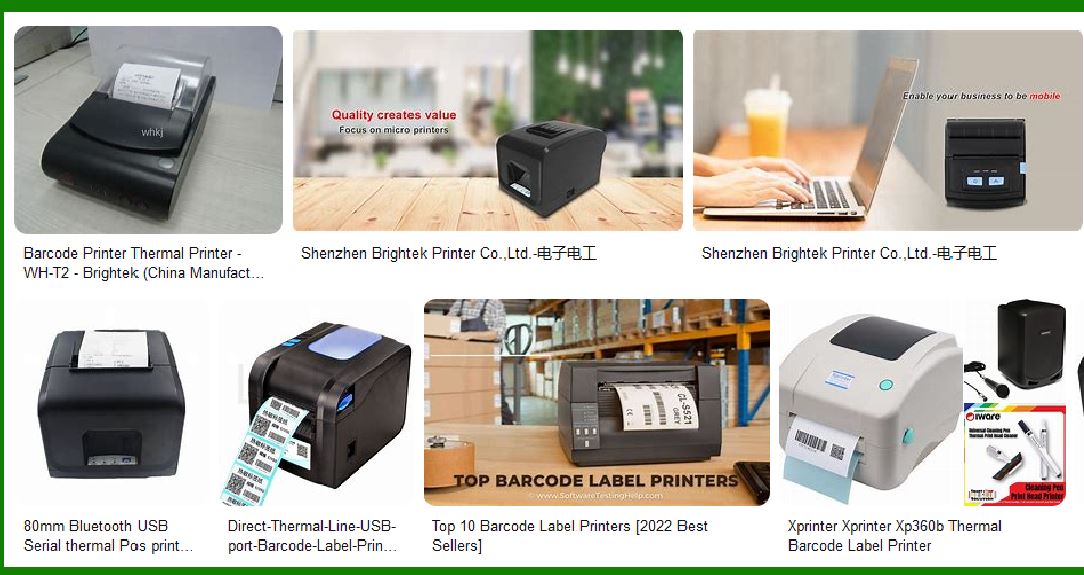
Barcode label printers are essential tools for businesses that need to print barcodes for product labeling, inventory management, and shipping. These printers are designed to produce high-quality, durable labels that can withstand various environmental conditions. Shenzhen Brightek offers a range of barcode label printers that cater to different needs and applications. |

|
3. Key Features of Shenzhen Brightek Barcode Label Printers |
Shenzhen Brightek barcode label printers come with a variety of features that make them suitable for different applications. Some of the key features include: |
3.1. Printing Technology |
Direct Thermal Printing: This method uses heat-sensitive paper that darkens when heated. It is ideal for short-term labeling applications. Thermal Transfer Printing: This method uses a ribbon to transfer ink onto the label, making it suitable for long-term labeling applications. |
3.2. Resolution and Print Speed |
High Resolution: Shenzhen Brightek printers offer high-resolution printing, typically around 203 to 300 dots per inch (dpi), ensuring clear and readable barcodes. Fast Print Speed: These printers can achieve print speeds of up to 150 mm per second, making them efficient for high-volume printing tasks. |
3.3. Compatibility and Connectivity |
Multiple Interfaces: Shenzhen Brightek printers support various interfaces such as USB, Ethernet, RS-232, and Bluetooth, allowing easy integration with different systems. Operating System Compatibility: These printers are compatible with multiple operating systems, including Windows, Linux, and Android. |

|
4. Durability and Reliability |
Shenzhen Brightek barcode label printers are built to last, with robust construction and high-quality components. They are designed to operate in various environmental conditions, ensuring reliable performance even in challenging settings. |
4.1. Temperature and Humidity Tolerance |
Operating Temperature: These printers can operate in temperatures ranging from 5°C to 50°C. Storage Temperature: They can be stored in temperatures ranging from -20°C to 60°C. Humidity Tolerance: The printers can operate in humidity levels ranging from 10% to 80%, and can be stored in humidity levels ranging from 10% to 90%. |
5. Applications of Shenzhen Brightek Barcode Label Printers |
Shenzhen Brightek barcode label printers are versatile and can be used in various industries and applications. Some common uses include: |

|
5.1. Retail |
Product Labeling: Printing barcodes for product labels to streamline checkout processes and inventory management. Price Tags: Creating price tags with barcodes for easy price scanning. |
5.2. Logistics and Warehousing |
Shipping Labels: Printing shipping labels with barcodes for tracking and managing shipments. Inventory Management: Creating barcode labels for inventory items to improve tracking and reduce errors. |
5.3. Healthcare |
Patient Identification: Printing barcode labels for patient wristbands to ensure accurate patient identification and medication administration. Specimen Labeling: Creating barcode labels for lab specimens to improve tracking and reduce errors. |
5.4. Manufacturing |
Product Tracking: Printing barcode labels for tracking products through the manufacturing process. Quality Control: Creating barcode labels for quality control checks and documentation. |

|
6. Popular Models of Shenzhen Brightek Barcode Label Printers |
Shenzhen Brightek offers a range of barcode label printers, each designed to meet specific needs. Some popular models include: |
6.1. Brightek WH-E23 |
Printing Method: Direct thermal line printing. Print Width: 57mm. Resolution: 384 dots per line. Print Speed: 60mm/sec. Interface: Serial RS-232/TTL. Applications: Mobile POS, field sales and service, transportation, hospitality, parking, utility billing, safety, material management. |
6.2. Brightek 80mm POS Thermal Printer |
Printing Method: Thermal transfer printing. Print Width: 80mm. Resolution: 203 dpi. Print Speed: 150mm/sec. Interface: USB, Ethernet, Serial. Applications: Retail, logistics, healthcare, manufacturing. |

|
7. Advantages of Using Shenzhen Brightek Barcode Label Printers |
There are several advantages to using Shenzhen Brightek barcode label printers, including: |
7.1. High-Quality Printing |
Clear Barcodes: High-resolution printing ensures that barcodes are clear and easily readable. Durable Labels: Thermal transfer printing produces durable labels that can withstand various environmental conditions. |
7.2. Cost-Effective |
Affordable Pricing: Shenzhen Brightek printers are competitively priced, making them an affordable option for businesses of all sizes. Low Maintenance: These printers require minimal maintenance, reducing overall operating costs. |
7.3. Versatility |
Multiple Applications: The printers can be used in various industries and applications, making them a versatile solution for businesses. Wide Range of Models: Shenzhen Brightek offers a range of models to suit different needs and budgets. |

|
8. Customer Support and Service |
Shenzhen Brightek is known for its excellent customer support and service. The company provides comprehensive support to ensure that customers get the most out of their printers. |
8.1. Technical Support |
Online Resources: Shenzhen Brightek offers a range of online resources, including user manuals, FAQs, and troubleshooting guides. Customer Service: The company provides customer service via phone and email to assist with any issues or questions. |
8.2. Warranty and Repairs |
Warranty: Shenzhen Brightek printers come with a standard warranty that covers manufacturing defects. Repair Services: The company offers repair services to ensure that printers are quickly and efficiently repaired if needed. |

|
9. Conclusion |
Shenzhen Brightek barcode label printers are a reliable and cost-effective solution for businesses that need to print high-quality barcodes. With a range of models to choose from, these printers offer versatility and durability, making them suitable for various industries and applications. The company’s commitment to customer support and service further enhances the value of their products. |
 cs@easiersoft.com