1. Introduction to Seiko Instruments Inc. (SII) |
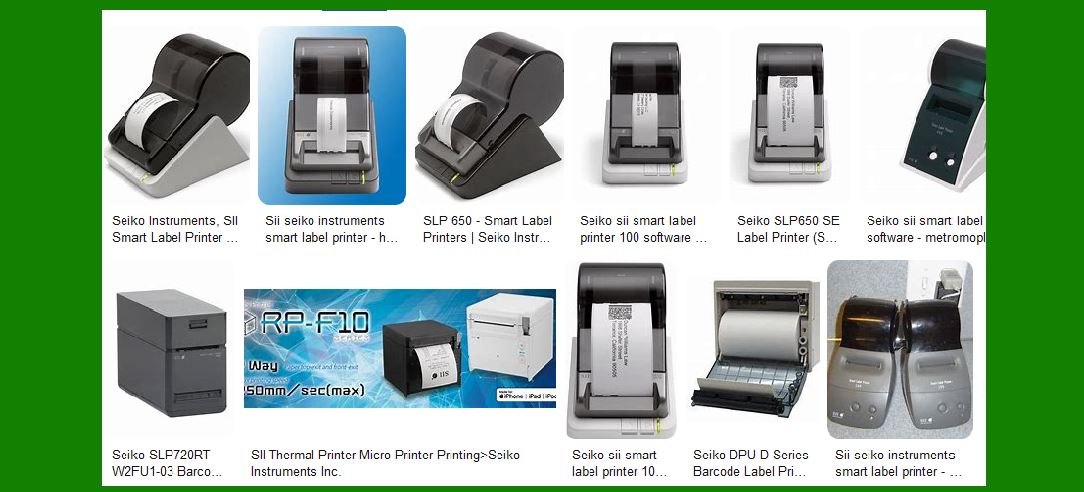
Seiko Instruments Inc. (SII) is a renowned manufacturer known for its precision instruments and innovative technology. Established in 1937, SII has a long history of producing high-quality products, including barcode label printers. These printers are widely used in various industries such as retail, healthcare, logistics, and manufacturing due to their reliability, efficiency, and advanced features. |
|
2. Product Range |
SII offers a diverse range of barcode label printers designed to meet different needs and applications. The main product lines include: |
2.1 Smart Label Printers (SLP) |
The Smart Label Printers (SLP) series is known for its user-friendly design and versatility. These printers are ideal for small to medium-sized businesses that require efficient label printing solutions. |
2.2 Liner-Free Label Printers |
The Liner-Free Label Printers are designed for eco-friendly operations. They use liner-free labels, which reduce waste and are suitable for various applications, including food service and retail. |

|
3. Key Features and Specifications |
SII barcode label printers come with a range of features that enhance their functionality and performance. Here are some key features: |
3.1 Printing Technology |
SII printers primarily use direct thermal printing technology, which eliminates the need for ink, toner, or ribbons. This technology ensures high-quality prints with minimal maintenance. |
3.2 Resolution and Speed |
The printers offer high-resolution printing, typically around 300 dpi, ensuring clear and precise labels. The printing speed varies by model, with some capable of printing up to 200 mm/sec. |
3.3 Connectivity Options |
SII printers support multiple connectivity options, including USB, Ethernet, and Bluetooth. This flexibility allows for easy integration with various systems and devices. |
3.4 Software Compatibility |
The printers are compatible with various software platforms, including Windows, Mac OS, and Linux. SII provides dedicated software for label design and printing, making it easy to create customized labels. |

|
4. Popular Models |
Here are some popular models of SII barcode label printers: |
4.1 SLP 650/650SE |
The SLP 650 and 650SE are part of the Smart Label Printer series. They offer high-resolution printing at 300 dpi and a speed of up to 100 mm/sec. The SLP 650SE includes a serial port for additional connectivity options. |
4.2 SLP 720RT Series |
The SLP 720RT series includes models like the SLP 720RT and SLP 721RT. These printers are designed for liner-free labels and offer a printing speed of up to 200 mm/sec. They are compact and feature automatic cutter restoration and paper-saving functions. |

|
5. Applications |
SII barcode label printers are used in various applications across different industries: |
5.1 Retail |
In retail, these printers are used for price tags, shelf labels, and promotional labels. Their high-speed printing and ease of use make them ideal for busy retail environments. |
5.2 Healthcare |
In healthcare, SII printers are used for patient identification, specimen labeling, and medication management. The high-resolution printing ensures that labels are clear and easy to read, which is crucial for patient safety. |
5.3 Logistics and Manufacturing |
In logistics and manufacturing, these printers are used for shipping labels, inventory management, and product labeling. Their durability and reliability make them suitable for demanding industrial environments. |

|
6. Environmental Considerations |
SII is committed to sustainability and environmental responsibility. The liner-free label printers are a testament to this commitment, as they reduce waste and promote eco-friendly practices. Additionally, the direct thermal printing technology used in SII printers eliminates the need for consumables like ink and toner, further reducing environmental impact. |

|
7. Support and Services |
SII provides comprehensive support and services for their barcode label printers. This includes: |
7.1 Technical Support |
SII offers technical support to help users with installation, troubleshooting, and maintenance of their printers. This support is available through various channels, including phone, email, and online resources. |
7.2 Warranty and Repairs |
SII printers come with a warranty that covers defects and malfunctions. The company also offers repair services to ensure that printers remain in optimal working condition. |
7.3 Software Updates |
SII regularly releases software updates to enhance the functionality and compatibility of their printers. These updates are available for download from the SII website. |

|
8. Conclusion |
Seiko Instruments Inc. (SII) barcode label printers are known for their reliability, efficiency, and advanced features. With a wide range of models and applications, these printers are suitable for various industries and use cases. SII’s commitment to quality and sustainability makes their printers a valuable asset for any business looking to improve their labeling processes. |
 cs@easiersoft.com