1. Introduction to SII Printek Barcode Label Printers |
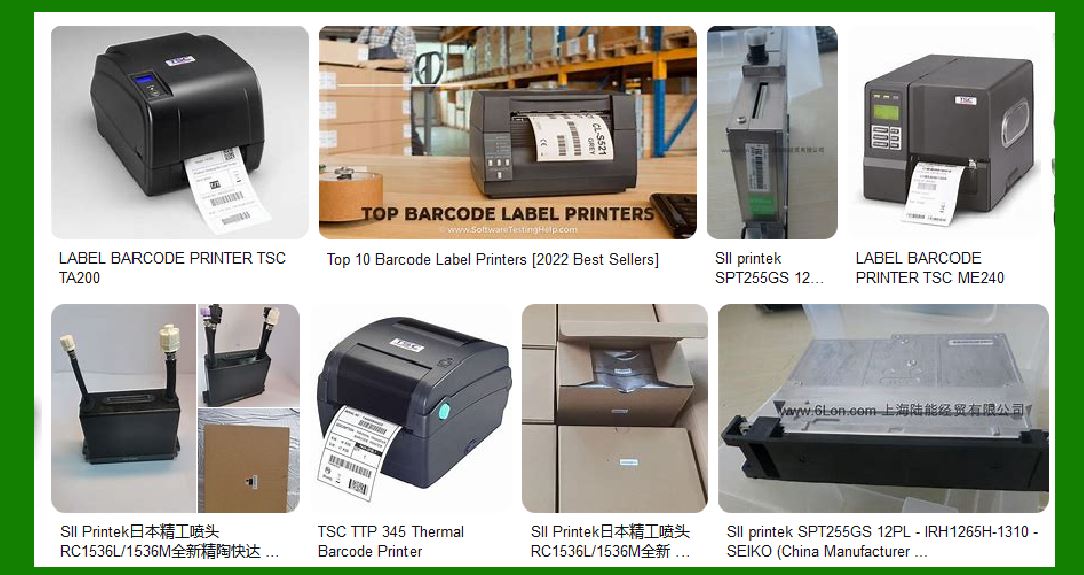
SII Printek, a division of Seiko Instruments Inc., is renowned for its high-quality barcode label printers. These printers are widely used in various industries, including retail, healthcare, logistics, and manufacturing, due to their reliability, precision, and ease of use. SII Printek offers a range of models designed to meet different printing needs, from compact desktop printers to robust industrial models. |
|
2. Key Features of SII Printek Barcode Label Printers |
2.1. Printing Technology |
SII Printek barcode label printers primarily use direct thermal and thermal transfer printing technologies. Direct thermal printers use heat-sensitive paper, which darkens when heated, while thermal transfer printers use a ribbon to transfer ink onto the label. Both methods ensure high-quality, durable prints suitable for various applications. |
2.2. Resolution and Print Speed |
The printers offer high-resolution printing, typically around 300 dpi (dots per inch), ensuring clear and precise barcode and text printing. Print speeds vary by model, with some capable of printing up to 4 inches per second, making them suitable for high-volume printing tasks. |
2.3. Connectivity Options |
SII Printek printers come with multiple connectivity options, including USB, Ethernet, and serial ports. Some models also offer wireless connectivity, allowing for flexible placement and easy integration into existing networks. |
2.4. Software Compatibility |
These printers are compatible with various operating systems, including Windows, Mac OS, and Linux. They come with user-friendly software that supports label design and printing, making it easy to create custom labels with text, graphics, and barcodes. |
|
3. Popular Models of SII Printek Barcode Label Printers |
3.1. SLP 650/650SE |
The SLP 650 and 650SE are part of the Smart Label Printer series. These models are known for their speed, reliability, and precision. They offer 300 dpi resolution and can print at speeds close to 4 inches per second. The SLP 650SE includes an additional serial port for greater connectivity. |
3.2. MP-B30L |
The MP-B30L is a mobile label printer designed for on-the-go printing needs. It is compact, lightweight, and offers high-speed printing. This model is ideal for applications such as retail, logistics, and field services. |
3.3. SLP 720RT |
The SLP 720RT is another popular model in the Smart Label Printer series. It offers high-resolution printing and supports a wide range of label types. This model is known for its ease of use and versatility, making it suitable for various labeling tasks. |

|
4. Applications of SII Printek Barcode Label Printers |
4.1. Retail |
In the retail industry, SII Printek printers are used for printing price tags, shelf labels, and promotional labels. Their high-resolution printing ensures that barcodes are easily scannable, improving inventory management and checkout processes. |
4.2. Healthcare |
In healthcare settings, these printers are used for printing patient wristbands, medication labels, and laboratory specimen labels. The durability and clarity of the prints help ensure patient safety and accurate tracking of medical supplies. |
4.3. Logistics and Warehousing |
SII Printek printers are essential in logistics and warehousing for printing shipping labels, pallet labels, and inventory tags. Their high-speed printing capabilities help streamline operations and improve efficiency. |
4.4. Manufacturing |
In manufacturing, these printers are used for labeling products, components, and packaging. The ability to print durable labels that can withstand harsh environments is crucial for maintaining product traceability and compliance with industry standards. |

|
5. Technical Specifications |
5.1. SLP 650/650SE |
Resolution: 300 dpi Print Speed: Up to 4 inches per second Connectivity: USB, Serial (650SE) Dimensions: 114 x 172 x 148 mm Weight: Approx. 490g |
5.2. MP-B30L |
Resolution: 203 dpi Print Speed: Up to 4 inches per second Connectivity: USB, Bluetooth Dimensions: 103 x 116 x 63 mm Weight: Approx. 385g |
5.3. SLP 720RT |
Resolution: 300 dpi Print Speed: Up to 3 inches per second Connectivity: USB, Ethernet Dimensions: 120 x 230 x 170 mm Weight: Approx. 1.2kg |

|
6. Advantages of Using SII Printek Barcode Label Printers |
6.1. High-Quality Prints |
The high resolution of SII Printek printers ensures that barcodes and text are sharp and clear, reducing the risk of scanning errors and improving overall efficiency. |
6.2. Durability |
Labels printed with SII Printek printers are durable and can withstand various environmental conditions, including exposure to moisture, heat, and chemicals. This makes them suitable for use in demanding industries such as healthcare and manufacturing. |
6.3. Ease of Use |
These printers are designed with user-friendliness in mind. They come with intuitive software that simplifies the label design and printing process. Additionally, features like easy label loading and maintenance reduce downtime and increase productivity. |
6.4. Versatility |
SII Printek printers can handle a wide range of label types and sizes, making them suitable for various applications. Whether you need to print small barcode labels or large shipping labels, these printers can meet your needs. |

|
7. Maintenance and Support |
7.1. Regular Maintenance |
To ensure optimal performance, it is important to perform regular maintenance on SII Printek printers. This includes cleaning the print head, rollers, and sensors, as well as checking for any wear and tear on moving parts. |
7.2. Technical Support |
SII Printek offers comprehensive technical support for their printers. This includes online resources such as user manuals, FAQs, and software downloads, as well as direct support from trained technicians. |

|
8. Conclusion |
SII Printek barcode label printers are a reliable and versatile solution for various labeling needs. With their high-quality prints, durability, ease of use, and wide range of applications, these printers are an excellent choice for businesses in retail, healthcare, logistics, and manufacturing. Whether you need a compact desktop printer or a robust industrial model, SII Printek has a printer that can meet your requirements. |
 cs@easiersoft.com