1. Introduction to Thermal Printing |
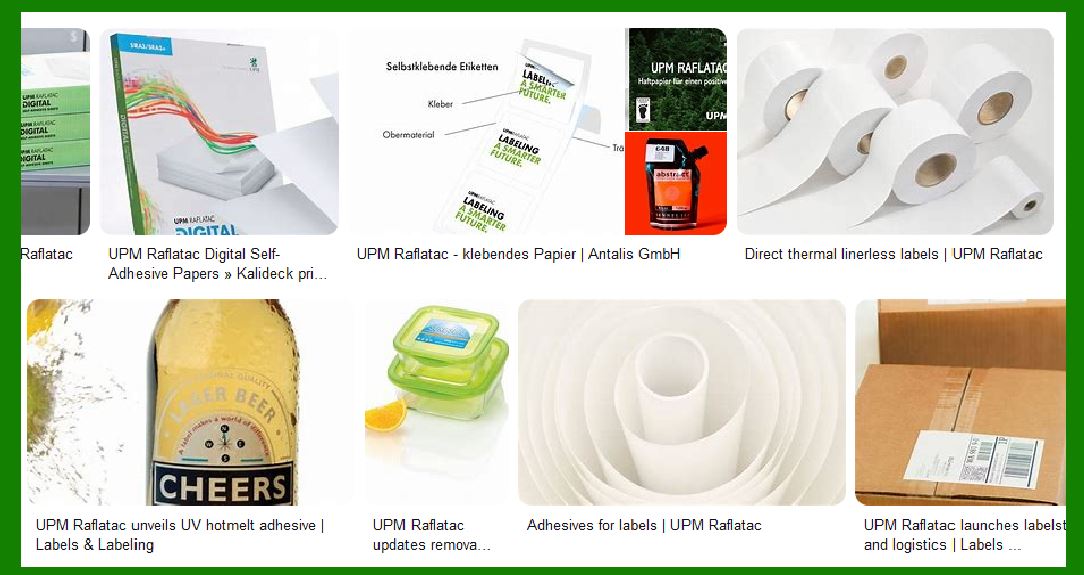
Thermal printing is a technology that uses heat to transfer ink onto paper, often used for printing labels, receipts, barcodes, and packaging. The print head is a critical component in thermal printers, determining the quality and speed of the printed output. Thermal print heads are used in both direct thermal printing (where heat directly creates an image on specially coated paper) and thermal transfer printing (where heat transfers ink from a ribbon onto the paper). |
2. Thermal Print Head Basics |
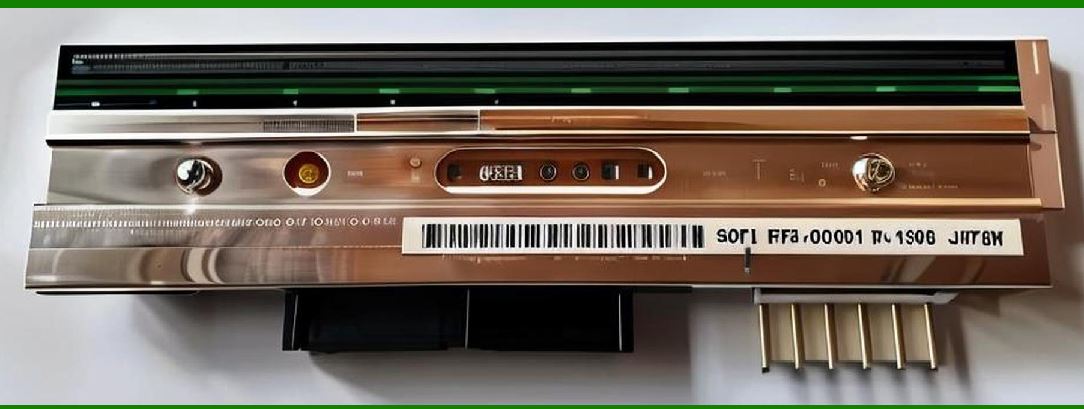
The thermal print head is an essential component in thermal printers, responsible for applying heat to a specially treated surface (paper or ribbon) to produce the printout. These heads are made up of a series of small heating elements arranged in a linear fashion. The number of elements determines the resolution of the printout. In thermal transfer printers, the heat from the print head melts the ink from a ribbon, transferring it to the paper. |
|
3. Physical Structure of a Thermal Print Head |
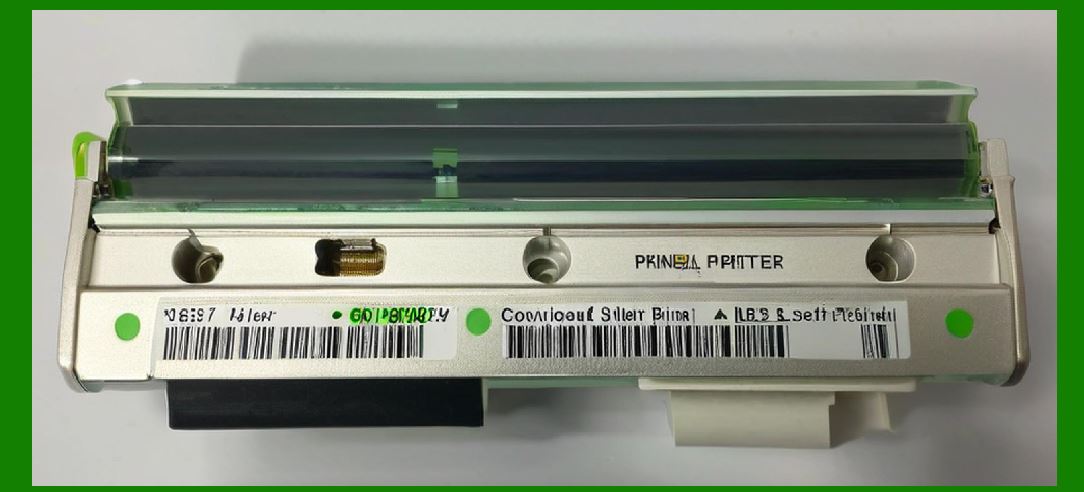
The thermal print head consists of several components, each contributing to its functionality: |
3.1 Heating Elements |
The core of a thermal print head consists of numerous tiny heating elements. These elements are arranged in rows along the print head. Each element has its own circuit and is independently activated when the print head is in contact with the paper or ribbon. The number of elements per inch (EPI) defines the print resolution. Typically, thermal print heads may have between 200 to 600 EPI. |
3.2 Ceramic Substrate |
The heating elements are mounted on a ceramic substrate. This material provides a solid base for the heating elements while also acting as an insulator to prevent heat dissipation. Ceramic is chosen due to its durability and thermal conductivity properties. |
3.3 Metallic Contacts |
The heating elements are connected to the power supply and signal circuits via metallic contacts, usually gold or silver-plated copper. These contacts help transfer the electrical signals that power the heating elements. |
3.4 Glass or Transparent Plate |
In some thermal print heads, a transparent protective glass or plastic plate is used to cover the heating elements and provide a protective layer against abrasion, dust, and contamination. This plate also ensures that the print head is smooth, allowing for efficient transfer of heat to the paper or ribbon. |
3.5 Cooling Mechanism |
While thermal print heads are designed to generate heat, they also require an effective cooling mechanism to prevent overheating. This is achieved through the use of heat sinks, fans, or even passive cooling via the printer's overall design. Without adequate cooling, the print head could overheat and lose its efficiency or fail entirely. |
|
4. Working Principle of a Thermal Print Head |
Thermal print heads work by converting electrical energy into heat, which is then transferred to the media (paper or ribbon) in a controlled manner. The process can be broken down into the following steps: |
4.1 Activation of Heating Elements |
When the print head is powered on, the printer's controller sends an electrical signal to each heating element. The signal causes the element to heat up. The level of heat applied depends on the signal strength and duration. |
4.2 Contact with the Paper or Ribbon |
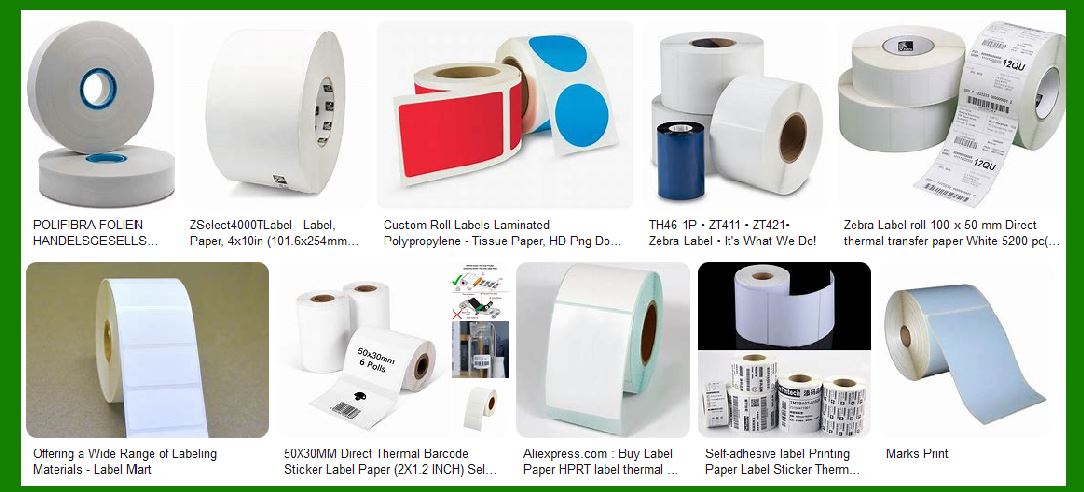
In thermal transfer printing, the heated elements make contact with a thermal ribbon. The heat causes the wax or resin ink on the ribbon to melt and transfer onto the paper. In direct thermal printing, the heated elements directly contact heat-sensitive paper, causing a chemical reaction that turns the paper black at the points of contact, forming the image. |
4.3 Controlled Heat Application |
The temperature of each heating element is controlled by the printer's controller, which ensures that only the right amount of heat is applied to each section of the print head. This is crucial for maintaining print quality and avoiding damage to the media. |
4.4 Printout Formation |
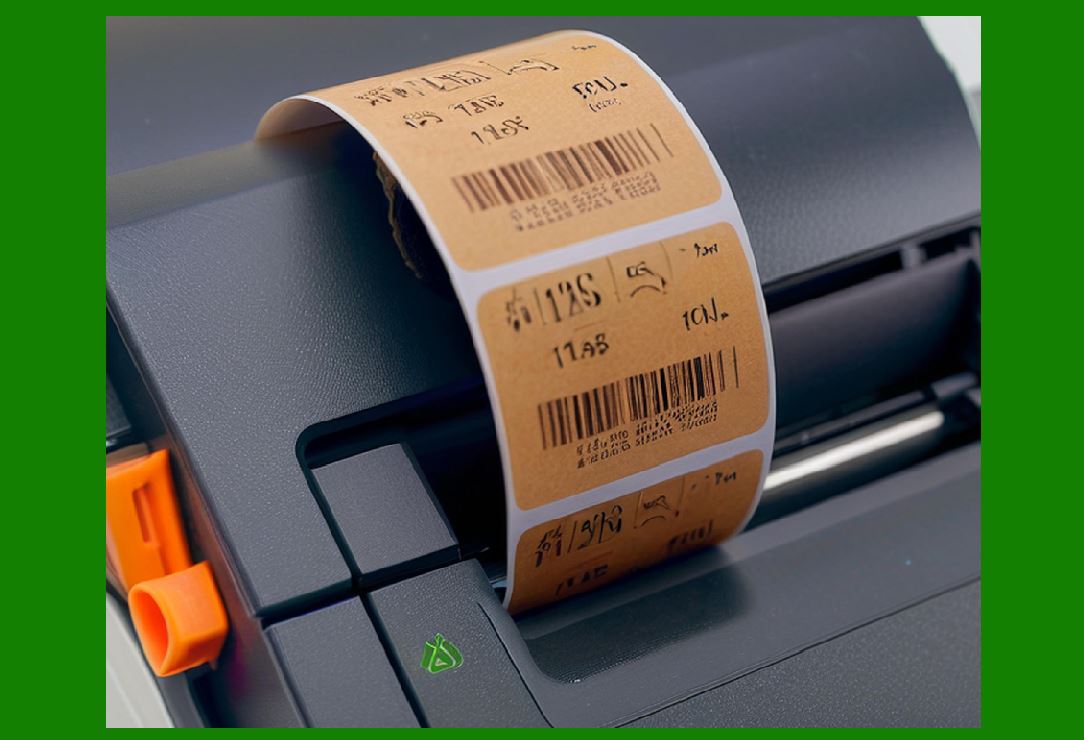
As the print head moves across the paper or ribbon, the heating elements activate in a pattern to create the desired printout. In direct thermal printing, the paper darkens at the heated spots, forming characters, barcodes, and other images. In thermal transfer printing, the ink from the ribbon is transferred to the paper. |
4.5 Cooled Down and Ready for the Next Cycle |
Once the print head completes a cycle (whether one row or an entire page), it cools down to prepare for the next set of signals to heat the elements again. The cooling process is essential to prevent heat buildup that could degrade the print head¡¯s efficiency over time. |
|
5. Types of Thermal Print Heads |
There are two primary types of thermal print heads based on the printing method: |
5.1 Direct Thermal Print Heads |
In direct thermal printing, the heat is applied directly to specially coated heat-sensitive paper. The paper darkens at the point of contact, creating a visible print. Direct thermal printing is commonly used for receipts, labels, and barcodes. It¡¯s cost-effective and eliminates the need for ink ribbons or toners. |
5.2 Thermal Transfer Print Heads |
Thermal transfer printing uses a ribbon that contains ink. The print head heats up to melt the ink on the ribbon, which then transfers to the paper. This method produces longer-lasting prints than direct thermal printing and is often used for labels that need to endure exposure to elements like water or UV light. |
|
6. Thermal Print Head Resolution |
The resolution of a thermal print head is determined by the number of heating elements per inch (EPI). Higher resolution print heads have more elements per inch, allowing them to create finer details on the printed output. For example: |
200-300 EPI: Standard resolution, adequate for general-purpose labels. |
400-600 EPI: High-resolution print heads, used for detailed graphics or smaller text. |
Resolution affects not only the print quality but also the speed at which the print head can operate. |
|
7. Thermal Print Head Speed |
The speed of a thermal print head is determined by how quickly the heating elements can be activated and cooled. Faster speeds are crucial in high-volume printing applications, such as barcode labeling for shipping and inventory management. |
8. Print Head Lifespan and Durability |
A thermal print head's lifespan is influenced by factors such as: |
Frequency of use: High-volume printing wears down the elements faster. |
Media type: Direct thermal paper generally causes more wear than thermal transfer ribbons. |
Cooling efficiency: Proper cooling ensures the print head lasts longer. |
Print head manufacturers often specify the expected lifespan in terms of the number of kilometers of printed media or the number of pages printed. |
|
9. Factors Affecting Print Head Performance |
Several factors can impact the performance of a thermal print head: |
9.1 Heat Management |
Excessive heat buildup can lead to premature failure of the print head. Effective heat dissipation through the printer design is critical for maintaining optimal performance. |
9.2 Print Media Quality |
The type of paper or ribbon used directly influences the performance and longevity of the thermal print head. Low-quality media can cause clogging and residue buildup on the print head. |
9.3 Print Head Cleaning and Maintenance |
Routine maintenance is essential for extending the life of the print head. Cleaning the print head removes dust, ink residue, and debris that may interfere with its performance. Some print heads come with an automated cleaning mechanism. |
|
10. Recent Advances in Thermal Print Head Technology |
As technology advances, thermal print heads are evolving to meet the demands of modern printing. These innovations include: |
Higher resolutions for more detailed printouts. |
Improved durability for longer-lasting print heads, especially for industrial use. |
Faster printing speeds for applications that require high throughput. |
Integration with IoT and smart sensors to monitor print head performance in real-time. |
|
11. Print Head Control Mechanisms |
11.1 Electronics and Signal Processing |
Thermal print heads are controlled by the printer¡¯s internal electronics, which include the microcontroller, sensors, and signal processing units. These components are responsible for processing the input data (such as the image or text to be printed) and converting it into the necessary signals to activate each heating element in the print head. |
The process of converting the data into a heat signal typically follows these steps: |
Data Conversion: The controller converts digital data (from a barcode, text, or image file) into a grid pattern that corresponds to each heating element. This is crucial for achieving proper alignment of the print. |
Timing and Pulse Width Modulation (PWM): The heating elements are controlled by precise timing mechanisms. Pulse width modulation is often used to control the amount of heat delivered to each element. The width of each pulse (or how long the element is heated) determines the darkness of the printed mark. |
Synchronization: The heating elements are activated synchronously to produce a uniform print. If one element is delayed or activated incorrectly, it can create a distorted image or text. |
11.2 Thermal Sensors and Feedback Mechanisms |
Some modern thermal print heads include thermal sensors that continuously monitor the temperature of the print head. These sensors provide real-time feedback to the controller, ensuring that the print head does not overheat and that each heating element is functioning properly. |
These sensors allow for: |
Temperature Regulation: The print head can adjust its heating cycle based on real-time temperature data to ensure optimal performance. This prevents overheating and ensures consistent print quality. |
Error Detection: If a sensor detects an abnormal temperature, the system can trigger an alert or automatically shut down the print head to prevent damage. |
Efficiency Improvement: With precise temperature control, thermal print heads can be more energy-efficient and deliver higher-quality prints at faster speeds. |
|
12. Challenges in Thermal Print Head Operation |
While thermal print heads are relatively straightforward in design, they are not without their challenges. A few key issues include: |
12.1 Thermal Head Wear and Tear |
Over time, the repeated heating and cooling cycles can cause the materials that make up the thermal print head to degrade. The ceramic substrate can become brittle, and the heating elements can wear out or break. This is especially true when used with poor-quality media or in high-volume printing environments. |
12.2 Ink or Coating Residue Buildup |
In thermal transfer printing, the ink from the ribbon can sometimes leave residue on the print head. This can lead to smudging, reduced print quality, and the potential for clogging. Regular cleaning is required to maintain optimal performance, and failure to clean the print head properly can lead to costly repairs. |
12.3 Print Head Alignment |
In high-resolution thermal print heads, maintaining precise alignment of the heating elements is crucial for ensuring clear, sharp prints. Even a minor misalignment can cause uneven prints, which is particularly noticeable in barcode labels or intricate designs. |
12.4 Environmental Factors |
Thermal print heads are susceptible to environmental conditions such as temperature, humidity, and dust. For instance: |
Excessive humidity can affect the sensitivity of the heating elements and the media, leading to inconsistent prints. |
Dust and debris can clog the heating elements, reducing the effectiveness of the print head. |
High temperatures can accelerate the wear on the print head, especially if cooling systems are inadequate. |

|
13. Materials Used in Thermal Print Heads |
13.1 Ceramic |
Ceramic is the primary material used for the print head substrate. It has several benefits, including: |
High thermal conductivity: This allows heat to be distributed evenly across the print head. |
Durability: Ceramic can withstand high temperatures without deforming, making it ideal for use in thermal printing. |
Resistance to corrosion: Ceramic does not easily corrode, which is important for long-term operation. |
13.2 Metal Contacts |
The metal contacts that connect the heating elements to the power supply and signal circuits are usually made from gold, silver, or tinned copper. These materials offer excellent electrical conductivity and resistance to oxidation. |
Gold is typically used in high-end print heads due to its superior conductivity and corrosion resistance. |
Silver is also a good conductor but is less resistant to oxidation compared to gold. |
These metals ensure that the electrical signals can be transmitted efficiently to the heating elements, allowing for precise control. |
13.3 Protective Glass |
The protective cover for the heating elements is often made from sapphire glass or quartz. These materials are highly resistant to scratches and can withstand high temperatures without cracking or degrading. |
Sapphire is a premium material that provides exceptional durability and protection to the thermal print head. |
Quartz is also used in some print heads and offers similar thermal stability but is slightly more cost-effective. |
|
14. Types of Thermal Print Heads by Application |
Thermal print heads can be designed for various types of printing applications. The design of the print head depends on the intended use case, print volume, and media type. |
14.1 Standard Thermal Print Heads |
These print heads are designed for general-purpose printing, including receipts, invoices, and barcode labels. They offer a balance of cost and performance, making them suitable for use in retail, logistics, and other sectors. |
14.2 Industrial Thermal Print Heads |
Industrial thermal print heads are built for high-volume, high-performance printing. These heads are designed to handle long printing cycles and are more resistant to wear and tear. They are used in applications such as: |
Product labeling in manufacturing |
Shipping and warehouse labeling |
Inventory management |
14.3 Medical and Pharmaceutical Print Heads |
Thermal print heads designed for the medical and pharmaceutical industries require precision and durability. These print heads must comply with strict standards for accuracy and reliability, as they are often used to print barcodes on medication, patient wristbands, and equipment labels. |
Sterilization-resistant coatings may be used to ensure that the print head can withstand cleaning procedures. |
High-resolution print heads are essential for small font sizes and detailed images such as barcodes or drug information. |

|
15. Thermal Print Head Maintenance and Care |
To maximize the lifespan and efficiency of a thermal print head, regular maintenance is essential. This includes: |
15.1 Cleaning the Print Head |
Over time, dust, debris, and ink residue from the thermal ribbon can accumulate on the print head, affecting performance. Regular cleaning is necessary to remove these contaminants. Cleaning should be done with: |
Lint-free wipes and isopropyl alcohol to gently clean the print head without scratching or damaging it. |
Cleaning swabs designed for precise application of cleaning agents to the print head surface. |
15.2 Proper Handling |
Thermal print heads are delicate and must be handled carefully. Physical shocks or improper handling can damage the heating elements or substrate. Always ensure that the print head is powered off before performing any maintenance. |
15.3 Cooling Systems |
Ensure that the cooling system is functioning properly to prevent the print head from overheating. Dust buildup or fan failure can lead to inadequate cooling, increasing the risk of damage. |
15.4 Replacing the Print Head |
Eventually, even the best-maintained print heads will need to be replaced. When replacing a print head, ensure that it is compatible with the printer and media type. Some high-end printers offer self-diagnostic tools that can identify wear on the print head, making it easier to know when it¡¯s time for a replacement. |
|
16. Future Trends in Thermal Print Head Technology |
16.1 Integration with Smart Sensors |
As industries move towards more automated and connected systems, print heads are evolving to include smart sensors that monitor their performance in real-time. These sensors can detect when the print head is malfunctioning or when maintenance is needed, which reduces downtime and improves productivity. |
16.2 Nano-Technology and Advanced Materials |
In the future, thermal print heads could benefit from advances in nano-technology and advanced materials to increase their efficiency, durability, and print resolution. For example, the development of nano-coatings could reduce wear and improve heat distribution across the print head. |
16.3 Faster Printing Speeds |
With the increasing demand for high-volume printing in industries such as logistics and manufacturing, future print heads will need to operate at faster speeds without sacrificing print quality. This could be achieved through multi-zone heating or more advanced pulse width modulation techniques. |
|
How to reduce wear and tear on thermal print heads and extend their service life? |
To reduce wear and tear on thermal print heads and extend their service life, it's important to adopt a combination of proper maintenance practices, operational procedures, and correct usage of print media. Below are several strategies for prolonging the lifespan of thermal print heads: |
1. Regular Cleaning and Maintenance |
1.1 Routine Cleaning |
One of the most effective ways to prevent wear on thermal print heads is regular cleaning. Over time, dust, debris, and residue from ribbons or paper can accumulate on the print head, causing smudging, clogging, and uneven printing. |
Use lint-free wipes: Always use a lint-free cloth or wipe when cleaning to prevent fiber buildup on the print head. |
Isopropyl alcohol: Clean the print head with a soft cloth moistened with isopropyl alcohol (preferably 99%) to dissolve and remove ink residue, paper dust, and other contaminants. Avoid abrasive materials that can scratch the print head. |
Cleaning swabs: For hard-to-reach areas, use a specialized cleaning swab with isopropyl alcohol to gently clean the surface of the print head. |
1.2 Clean the Print Head After Every Print Job |
In high-volume printing environments, it's ideal to clean the print head after every printing session to prevent long-term buildup. In cases where printing continues for an extended period, more frequent cleaning may be necessary. |
1.3 Keep the Printer Environment Clean |
Ensure that the area around the printer remains free from dust, dirt, and debris. Contaminants in the environment can contribute to clogging and damage to the thermal print head. |
|
2. Proper Media Selection and Handling |
2.1 Use High-Quality Media |
The quality of the paper or ribbon used in thermal printers has a direct impact on the longevity of the print head. Low-quality media often contains impurities like dust, adhesives, or other particles that can cause wear on the print head. |
Choose ribbons and paper from reputable manufacturers: Ensure they are designed for thermal printing. High-quality ribbons and paper are less likely to leave residue on the print head and will offer more consistent printing. |
Use the correct ribbon for thermal transfer printing: Ensure that the ink on the ribbon is compatible with the type of print head and media being used. |
2.2 Store Media Properly |
Store ribbons and paper in a clean, dry environment to prevent moisture, dust, or chemical exposure. Keep them in their original packaging to avoid contamination. |
2.3 Ensure Proper Alignment |
Misaligned print media can cause unnecessary friction and stress on the print head, increasing wear. Ensure that the paper or ribbon is loaded properly and aligned according to the manufacturer¡¯s specifications. |
|
3. Optimal Print Head Temperature Management |
3.1 Monitor and Control Temperature |
Excessive heat is one of the leading causes of premature wear on thermal print heads. Implementing a good cooling system and ensuring that the print head operates at the optimal temperature can significantly reduce wear. |
Use a printer with efficient cooling: Some thermal printers come with built-in cooling mechanisms, such as fans or heat sinks, to regulate temperature. |
Allow the printer to cool down: If printing for extended periods, give the printer a short cooling break after every batch to prevent overheating. |
Avoid excessive heating: Configure the printer to use just enough heat to achieve the desired print quality. Overheating the print head during operation accelerates wear. |
3.2 Check for Overheating Signs |
If you notice a significant drop in print quality, such as fading or uneven marks, it could be due to overheating. If the printer is producing prints that are too faint or inconsistent, it might be worth adjusting the heat settings or giving the printer time to cool down. |
|
4. Print Head Alignment and Adjustment |
4.1 Ensure Proper Alignment |
Misalignment of the print head can cause uneven pressure on the media, leading to increased wear and tear. Make sure that the print head is properly aligned with the paper or ribbon to distribute heat evenly. |
Check alignment settings regularly: Most printers come with alignment tools or software that help you check and adjust the positioning of the print head. |
4.2 Maintain Uniform Pressure |
Thermal print heads work by applying uniform heat across the entire printing area. If the pressure between the print head and the media is uneven, some parts of the head will be subject to more stress than others, causing wear. |
Regularly check and adjust print head pressure: Many printers have an adjustable pressure mechanism for the print head. Ensure that the pressure is consistent across the entire head. |
|
5. Reduce Print Speed and Frequency |
5.1 Adjust Print Speed |
While high-speed printing may seem appealing for high-volume operations, printing too quickly can result in excess heat buildup and uneven application of heat to the media. Slowing down the print speed can help reduce the strain on the print head. |
Use the slowest speed possible that still meets your operational requirements. This helps to distribute heat more evenly, reducing the wear on the print head. |
Consider batch printing: For high-volume tasks, print in batches rather than continuous long jobs. This allows the print head to cool down between batches. |
5.2 Minimize Unnecessary Printing |
Avoid printing blank labels or performing test prints frequently. Each print job adds stress to the print head, so only print when necessary and ensure print jobs are optimized. |
|
6. Ensure Proper Printer Settings and Operation |
6.1 Use Appropriate Print Mode |
Thermal printers typically offer different modes, such as high-contrast and draft modes, which affect the amount of heat applied to the media. Using the appropriate print mode can help to minimize wear. |
Select the appropriate print mode for your media: For labels requiring high durability, a higher print mode (more heat) might be necessary, but for regular barcodes or text labels, a lighter mode may suffice. |
6.2 Avoid Using the Printer in Extreme Conditions |
Operating thermal printers in extreme environmental conditions can accelerate wear on the print head. The print head is designed for use in a controlled environment. |
Control the operating environment: Ensure that the printer operates in a temperature range of 50¡ãF to 85¡ãF (10¡ãC to 30¡ãC) and humidity between 40% and 60%. Extremes in temperature and humidity can cause print head degradation. |
|
7. Use of Proper Cooling Systems |
7.1 Install and Maintain Cooling Fans |
Many thermal printers come with built-in fans or cooling systems to regulate print head temperature. Ensure these systems are functioning properly and are not clogged with dust. |
Check for proper airflow: Ensure that the cooling vents are not obstructed and that the fan is functioning correctly. If airflow is restricted, the print head will overheat, leading to faster wear. |
7.2 External Cooling Solutions |
In environments where print head usage is especially high, consider adding external cooling solutions such as dedicated fans or air conditioning to maintain a stable printing temperature. |
|
8. Monitoring and Predictive Maintenance |
8.1 Utilize Printer Monitoring Tools |
Many modern thermal printers come with monitoring tools that track the health of the print head and other critical components. These tools can provide insights into wear and tear, helping you schedule maintenance before a problem occurs. |
Implement predictive maintenance: Some advanced printers are equipped with sensors that monitor usage levels and notify you when maintenance is required. This helps prevent unexpected failures. |
8.2 Track Print Head Usage |
Keep records of print volume and head usage. Print heads typically have a specified lifespan based on the number of pages or kilometers of media printed. |
Plan for replacement: Based on usage, replace print heads before they reach the end of their expected lifespan to avoid downtime and quality degradation. |
|
9. Proper Handling and Storage of Print Heads |
9.1 Avoid Physical Damage |
Thermal print heads are delicate and can be damaged by physical impact or rough handling. Always handle print heads with care and ensure that they are properly secured within the printer. |
Use protective covers: If you need to store spare print heads, ensure they are kept in protective packaging or covers to prevent damage. |
9.2 Store Spare Print Heads Correctly |
If you keep spare print heads, store them in a clean, dry place at a stable temperature. Avoid exposing print heads to humidity, dust, or direct sunlight. |
By following these best practices, you can significantly reduce the wear and tear on thermal print heads, thereby extending their service life and ensuring optimal performance for longer periods. Regular cleaning, appropriate media handling, temperature management, and routine maintenance are all critical components of a comprehensive print head care strategy. |

|
Composition and selection of thermal print head cleaner |
The composition and selection of a thermal print head cleaner are critical to maintaining the longevity and optimal performance of thermal print heads. The cleaner must be effective in removing dust, ink residue, and other contaminants while being gentle enough not to damage the delicate print head components. Let's dive into the specifics of thermal print head cleaners, including their composition, selection criteria, and how to use them effectively. |
1. Composition of Thermal Print Head Cleaners |
Thermal print head cleaners are typically formulated using a combination of solvents and additives designed to clean without harming the print head. The specific composition depends on the cleaner¡¯s intended use (e.g., general cleaning, residue removal, or lubrication). Below are the key components that are typically found in thermal print head cleaners: |
1.1 Isopropyl Alcohol (IPA) |
Concentration: Usually 99% or higher. |
Purpose: Isopropyl alcohol is commonly used in thermal print head cleaners due to its effectiveness in dissolving ink residues, adhesives, dust, and other contaminants. It evaporates quickly and leaves no residue behind, making it safe for print head cleaning. |
Effectiveness: IPA is highly effective in removing common contaminants such as ink, grease, and dust without damaging the ceramic or metal parts of the print head. |
1.2 Ethyl Alcohol or Denatured Alcohol |
Concentration: Varies depending on the formulation, but usually around 70-90%. |
Purpose: Like isopropyl alcohol, ethyl alcohol is also a solvent used to dissolve residues. It is sometimes preferred in industrial settings for cleaning as it can be less harsh than isopropyl alcohol, especially on sensitive surfaces. |
Effectiveness: Ethyl alcohol cleans effectively without leaving residues, but it is generally slower to evaporate than isopropyl alcohol. |
1.3 Acetone |
Concentration: 100%. |
Purpose: Acetone is a strong solvent that can be used for more heavy-duty cleaning tasks, especially when there are stubborn residues from thermal transfer inks or other chemical contaminants. However, acetone should be used with caution, as it can damage certain plastic components. |
Effectiveness: Acetone is highly effective at breaking down tough inks, oils, and adhesives, but it may not be suitable for all types of print heads due to its potential to degrade plastic and rubber materials. |
1.4 Surfactants |
Purpose: Surfactants are compounds that reduce the surface tension of liquids, making it easier for the cleaning solution to spread and penetrate the contaminants. They are sometimes added to thermal print head cleaners to improve their cleaning power, especially for greasy or sticky residues. |
Effectiveness: Surfactants increase the cleaning efficiency of the solvent, particularly when dealing with oil-based or adhesive residues, which might not be removed by alcohol alone. |
1.5 Water |
Purpose: Distilled water is used to dilute solvents or as a base in some cleaner formulations. The use of water in cleaning solutions helps to keep the cleaner gentle and safe for certain components, as it doesn¡¯t evaporate too quickly. |
Effectiveness: Water helps dissolve certain residues (like paper dust) and assists in rinsing out contaminants after they¡¯ve been loosened by other solvents. |
1.6 Lubricants and Anti-Static Agents |
Purpose: Some thermal print head cleaners contain lubricants or anti-static agents that help to reduce wear on the print head during cleaning. These components also help prevent dust and debris from adhering to the print head after cleaning, keeping it free from future contamination. |
Effectiveness: Lubricants and anti-static agents can help reduce friction during the printing process and ensure that the print head stays cleaner for longer. |
|
2. Types of Thermal Print Head Cleaners |
2.1 Spray Cleaners |
Composition: Usually a blend of isopropyl alcohol, ethyl alcohol, and sometimes acetone or surfactants. |
Usage: Spray cleaners are convenient for quick, surface-level cleaning. They are easy to apply and often come with an extendable nozzle to help direct the spray onto hard-to-reach areas. |
Pros: Easy to apply, quick evaporation, minimal residue. |
Cons: Can cause overspray, which might lead to solvent build-up in areas other than the print head. |
2.2 Cleaning Swabs |
Composition: Cleaning swabs are typically dipped in a liquid cleaner such as isopropyl alcohol or ethyl alcohol. |
Usage: Swabs are ideal for precise cleaning. They can be used to apply the cleaner directly to the print head and other small parts of the printer. |
Pros: Easy to use in tight spaces, reduces the risk of overspray. |
Cons: May require more time to clean a large surface area. |
2.3 Wipes |
Composition: Wipes are pre-moistened with an alcohol-based solution (often 99% isopropyl alcohol or specialized thermal print head cleaner). |
Usage: Wipes are designed for a quick and convenient way to clean the print head. They are especially useful for cleaning larger print heads or when routine maintenance is required. |
Pros: Disposable, convenient, ready to use, and provides a larger surface area for cleaning. |
Cons: Can leave behind fibers if not lint-free; less precise than swabs. |
2.4 Pen or Brush Cleaners |
Composition: These cleaners may include a mix of isopropyl alcohol and lubricants in a gel or liquid form. |
Usage: A pen-style cleaner allows for targeted application directly to the print head surface. Some brushes come pre-coated with the cleaning solution and are ideal for removing dust and debris. |
Pros: Precise application, good for spot cleaning. |
Cons: Can be more labor-intensive for larger print heads. |
2.5 Automated Cleaning Systems |
Composition: Some advanced thermal printers come with automated print head cleaning systems built into the machine, which may use a combination of solvents and mechanical brushes to clean the print head. |
Usage: Automated cleaning systems are beneficial in high-volume printing environments where manual cleaning may not be feasible on a daily basis. |
Pros: Saves time, consistent results, minimizes operator error. |
Cons: Requires compatible printer models and can add to the initial cost. |
|
3. Selecting the Right Thermal Print Head Cleaner |
When selecting a thermal print head cleaner, consider the following factors to ensure you choose the most suitable one for your needs: |
3.1 Printer Type and Print Head Composition |
Direct Thermal Printers: These printers rely on heat-sensitive paper, so the cleaner should be mild and non-abrasive to avoid damaging the print head or leaving unwanted residues. |
Thermal Transfer Printers: These printers use ribbons, and cleaners need to remove residual ink or adhesive build-up. In this case, a cleaner with a higher solvent content may be required. |
3.2 Material Compatibility |
Ceramic and Metal: Thermal print heads are typically made from ceramic and metal. The cleaner must be compatible with these materials to avoid degradation. Solvents like isopropyl alcohol are generally safe for these materials, while acetone should be used cautiously. |
Plastic Components: If your thermal printer includes plastic parts near the print head, be sure to avoid solvents that could degrade plastic, such as acetone or certain aggressive surfactants. |
3.3 Contaminants to Be Removed |
Ink Residue: In thermal transfer printing, the printer head may accumulate ink or adhesive from the ribbon. Use a cleaner with solvents that can break down wax or resin-based inks. |
Dust and Paper Residue: Direct thermal printers often accumulate paper dust. A mild cleaner such as isopropyl alcohol can be used for general dust removal. |
Grease or Oils: For industrial or high-volume applications, where oils and grease might accumulate, a cleaner with surfactants and acetone might be required to effectively break down these contaminants. |
3.4 Ease of Application |
Spray or Swabs: Consider whether you prefer a spray cleaner for ease of use or swabs for precision. Spray cleaners are faster but can be less controlled, while swabs are more targeted but may take longer. |
Wipes and Pen Cleaners: If you need something quick and disposable, wipes or pens can be a good choice, though they may not clean larger or more complex print heads as thoroughly. |
3.5 Effectiveness and Residue |
Residue-Free: Ensure that the cleaner leaves no residue behind, as this can interfere with print quality and cause build-up over time. Isopropyl alcohol and ethyl alcohol-based cleaners are ideal because they evaporate quickly and leave no residue. |
Lubricating Agents: Some cleaners come with lubricants or anti-static additives. These can be useful for reducing friction and preventing future dust accumulation, but ensure that the lubricants don¡¯t interfere with the printing process. |
3.6 Environmental and Safety Concerns |
VOC Content: Some solvents, especially acetone and strong cleaning agents, contain volatile organic compounds (VOCs) that can be harmful when inhaled. Look for cleaners with low or no VOC content, especially in confined spaces or environments with limited ventilation. |
Non-Toxic and Biodegradable Options: Choose cleaners that are non-toxic, biodegradable, and safe for both operators and the environment if available. |
|
4. How to Use Thermal Print Head Cleaner Properly |
4.1 Preparation |
Turn off the printer and disconnect it from power before performing any cleaning. |
Allow the print head to cool down if it has just been used to prevent burns or damage during cleaning. |
4.2 Cleaning Procedure |
Spray cleaner: Lightly spray the cleaner on a lint-free cloth or a cleaning swab (never spray directly on the print head). Gently wipe the surface of the print head. |
Swabs or pens: Use swabs or pens to target specific areas that need cleaning, especially when removing stubborn residues. |
Wipes: Gently wipe the entire print head with a lint-free wipe to remove dust and residues. |
4.3 Post-Cleaning Checks |
After cleaning, allow the print head to dry completely before resuming printing. |
Check for any remaining residue or contaminants that might affect printing. |
By selecting the right thermal print head cleaner and applying it carefully, you can significantly extend the life of your print heads and maintain high-quality prints over time. Regular maintenance and cleaning are essential for optimal performance, especially in high-volume printing environments. |
 cs@easiersoft.com