1. Introduction to Wireless Label Printers |
1.1 Definition and Purpose |
1.2 Key Characteristics |
1.3 Evolution of Wireless Technology in Label Printing |
1.4 Impact on Business Operations |
1.5 Advantages of Wireless over Wired Printers |
|
2. Overview of Label Printing Technology |
2.1 Types of Label Printers |
- Thermal Printers (Direct Thermal and Thermal Transfer) |
- Impact Printers |
- Inkjet and Laser Printers |
2.2 Key Components in Label Printers |
- Print Head Technology |
- Paper Feed Mechanism |
- Ink or Thermal Media |
2.3 The Role of Firmware and Software in Label Printing |
- Printer Drivers |
- Customizable Label Design Software |
2.4 Understanding Label Sizes and Specifications |
- Standard vs. Custom Labels |
2.5 Importance of Print Quality and Resolution |
- Dots per Inch (DPI) |
- Resolution and Clarity of Labels |
|
3. Wireless Technology in Label Printing |
3.1 Types of Wireless Connections |
- Bluetooth |
- Wi-Fi |
- NFC (Near Field Communication) |
3.2 Wireless Standards and Protocols |
- Bluetooth Low Energy (BLE) |
- IEEE 802.11 Standards (Wi-Fi) |
3.3 Advantages of Wireless Connectivity in Label Printers |
- Mobility and Flexibility |
- Integration with Cloud Systems |
3.4 Challenges with Wireless Label Printers |
- Signal Interference |
- Security and Data Protection |
3.5 Common Wireless Label Printing Applications |
- Retail and Inventory Management |
- Logistics and Shipping |
3.6 Integration with Mobile Devices |
- Mobile Apps and Printing |
- Cloud-Based Solutions for Labeling |
|
4. Wireless Label Printer Design and Build |
4.1 Physical Design Considerations |
- Portability and Compactness |
- Ergonomics for End Users |
4.2 Materials and Durability |
- Industrial vs. Commercial Models |
- Weatherproofing and Robustness |
4.3 Battery Life and Power Management |
- Rechargeable Batteries |
- Power Saving Features |
4.4 User Interface and Controls |
- Button Layout and Screen Size |
- User-Friendly Design Considerations |
4.5 Maintenance and Durability |
- Preventing Wear and Tear |
- Regular Maintenance Practices |
|
5. Applications of Wireless Label Printers |
5.1 Retail and Consumer Goods |
- Price Tags and Barcodes |
- Mobile POS Systems |
5.2 Logistics and Supply Chain |
- Shipping Labels and Tracking |
- Warehouse Management |
5.3 Healthcare and Pharmaceutical Industry |
- Medication Labeling and Barcode Scanning |
- Compliance and Safety Standards |
5.4 Manufacturing and Industrial Use |
- Equipment Identification and Tracking |
- Inventory and Parts Labeling |
5.5 Government and Public Sector |
- Postal Services |
- Asset Management |
5.6 Event Management and Ticketing |
- RFID and QR Code Labeling |
|
6. Printing Technologies in Wireless Label Printers |
6.1 Thermal Printing Technology |
- How Thermal Printing Works |
- Benefits and Limitations of Thermal Printing |
6.2 Inkjet Printing Technology |
- Printing Mechanism |
- Cost-Effectiveness and Quality |
6.3 Laser Printing Technology |
- Precision and Speed of Laser Printers |
6.4 Hybrid Printing Technologies |
- Combining Thermal and Inkjet Printing |
6.5 Printing Media: Paper, Plastic, and More |
- Compatibility with Different Materials |
|
7. Software and Customization in Wireless Label Printers |
7.1 Label Design Software |
- Features and Functionality |
- Custom Design Elements |
7.2 Integration with ERP and WMS Systems |
- Streamlining Labeling with Enterprise Systems |
- Real-time Data and Updates |
7.3 Cloud-Based Labeling Solutions |
- Benefits of Cloud Integration |
- Multi-device Accessibility |
7.4 Mobile Printing Apps |
- iOS and Android Compatibility |
- Mobile-First Label Design |
7.5 Barcode and QR Code Generation |
- Automatic Barcode Generation in Software |
- Support for Different Barcode Formats (EAN, UPC, QR, etc.) |
|
8. Troubleshooting and Support |
8.1 Common Issues with Wireless Label Printers |
- Connectivity Problems |
- Print Quality Issues |
8.2 Battery and Power-Related Problems |
- Battery Drainage |
- Power Supply Issues |
8.3 Driver and Software Troubleshooting |
- Incompatibility with OS or Devices |
- Printer Driver Updates |
8.4 Maintaining Connectivity in Harsh Environments |
- Best Practices for Optimal Wireless Performance |
8.5 Service and Support Options |
- Warranty and Service Packages |
- Manufacturer and Third-Party Support |
|
9. Future Trends in Wireless Label Printing |
9.1 Advancements in Wireless Technology |
- The Role of 5G in Label Printing |
- IoT Integration |
9.2 Sustainability and Eco-Friendly Labeling |
- Recyclable and Biodegradable Label Materials |
- Reducing Energy Consumption |
9.3 Smart Label Printing |
- Integration with AI and Machine Learning |
- Predictive Maintenance and Error Detection |
9.4 Customization and Personalization |
- Real-Time Dynamic Labeling |
- Consumer Personalization Trends |
9.5 Regulatory Standards and Compliance |
- Keeping up with Industry Standards |
- Health, Safety, and Environmental Considerations |
|
10. Conclusion |
10.1 The Importance of Wireless Label Printers in Modern Industries |
10.2 Final Thoughts on Future Growth and Technological Innovations |
This outline sets the framework for an in-depth exploration of wireless label printers. |
|
Continuing with a detailed explanation, here¡¯s an expanded version of the first few sections of the content for the wireless label printers, diving deeper into the components and technology. |
1. Introduction to Wireless Label Printers |
1.1 Definition and Purpose |
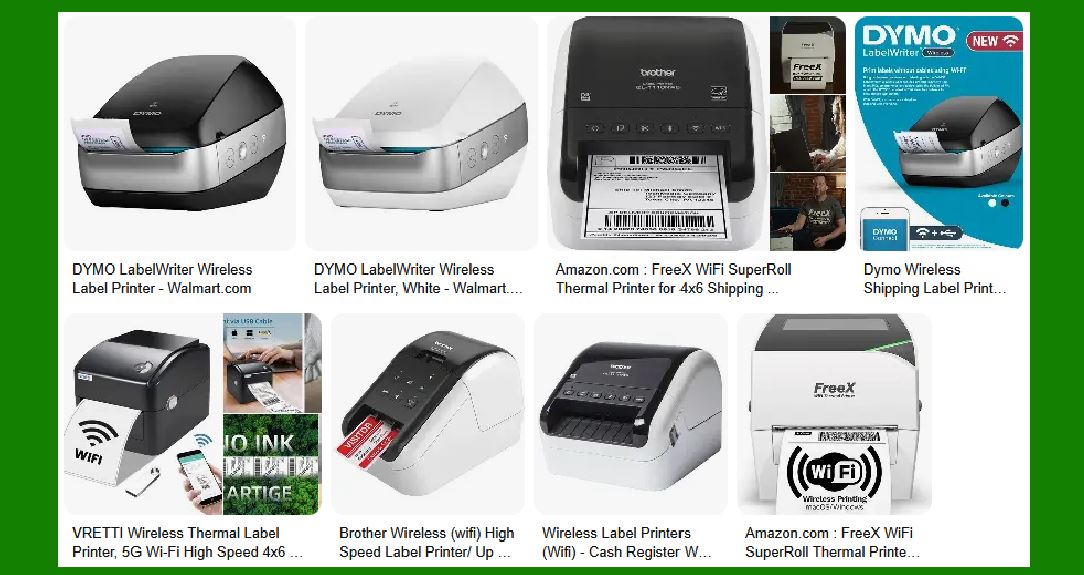
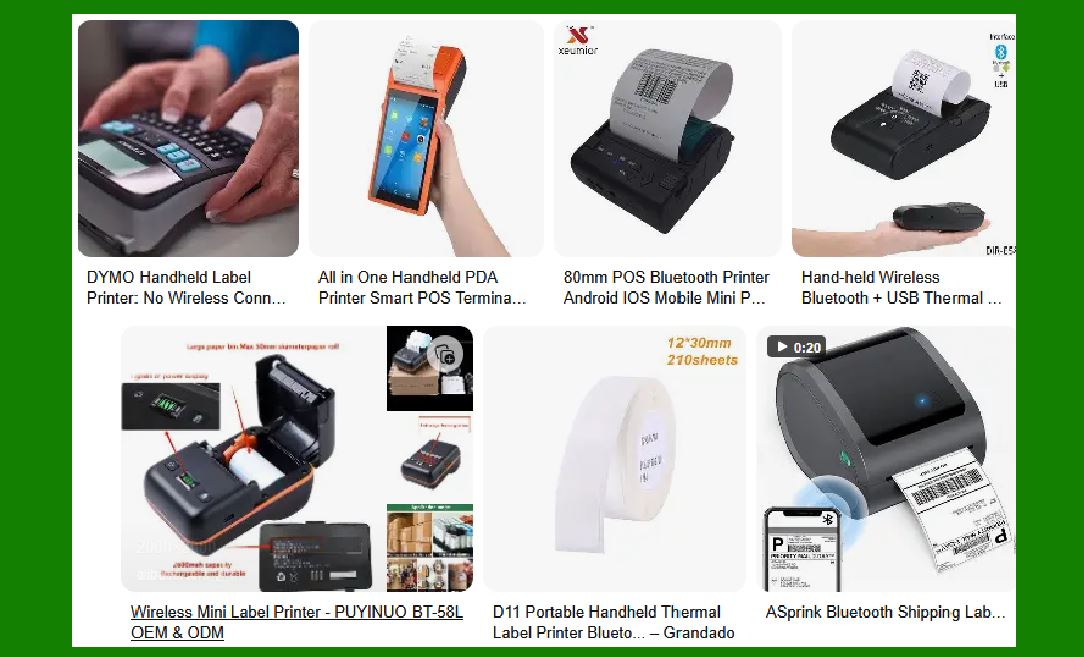
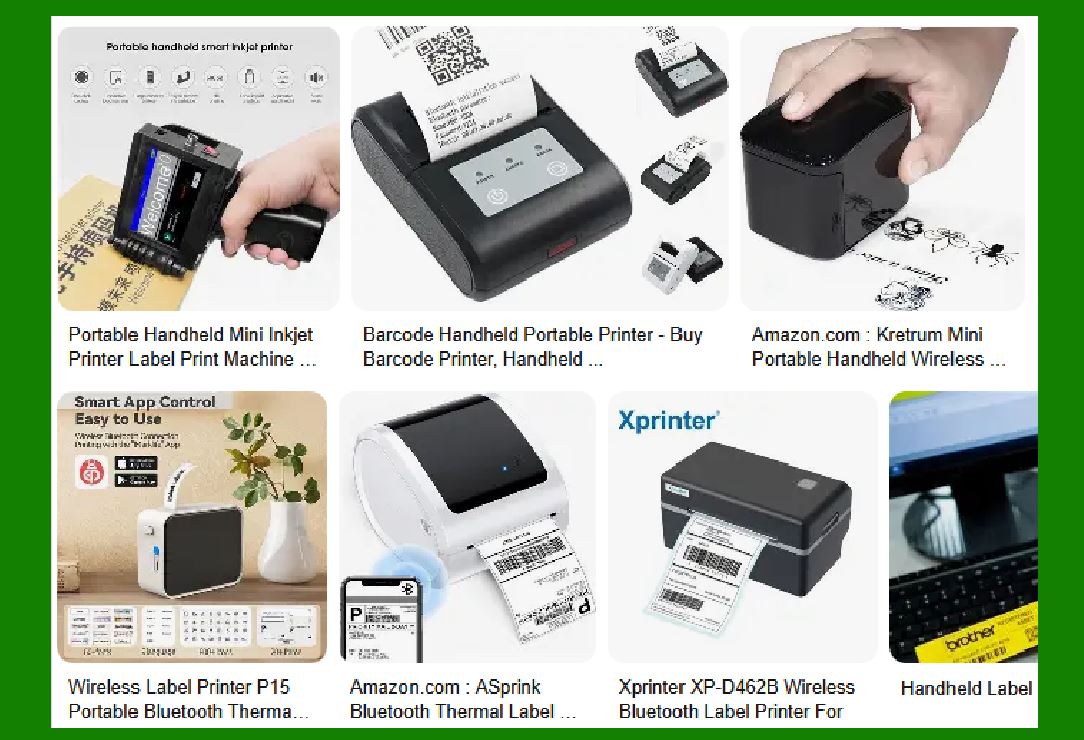
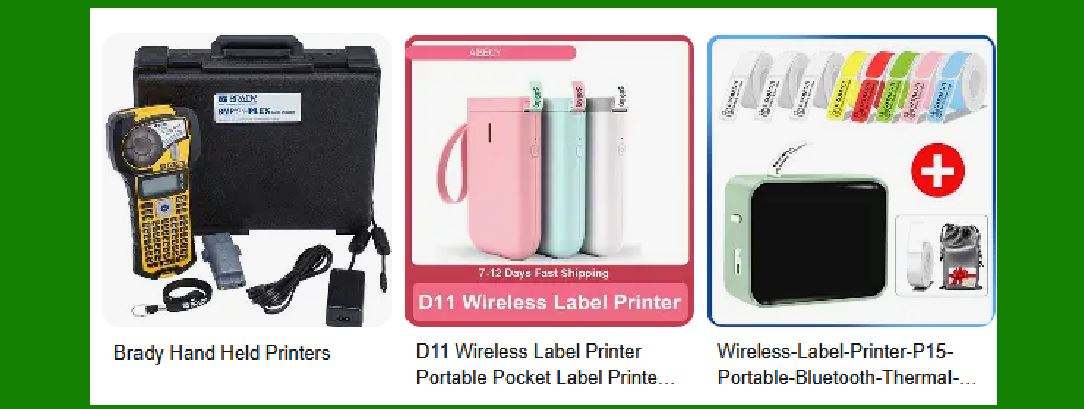
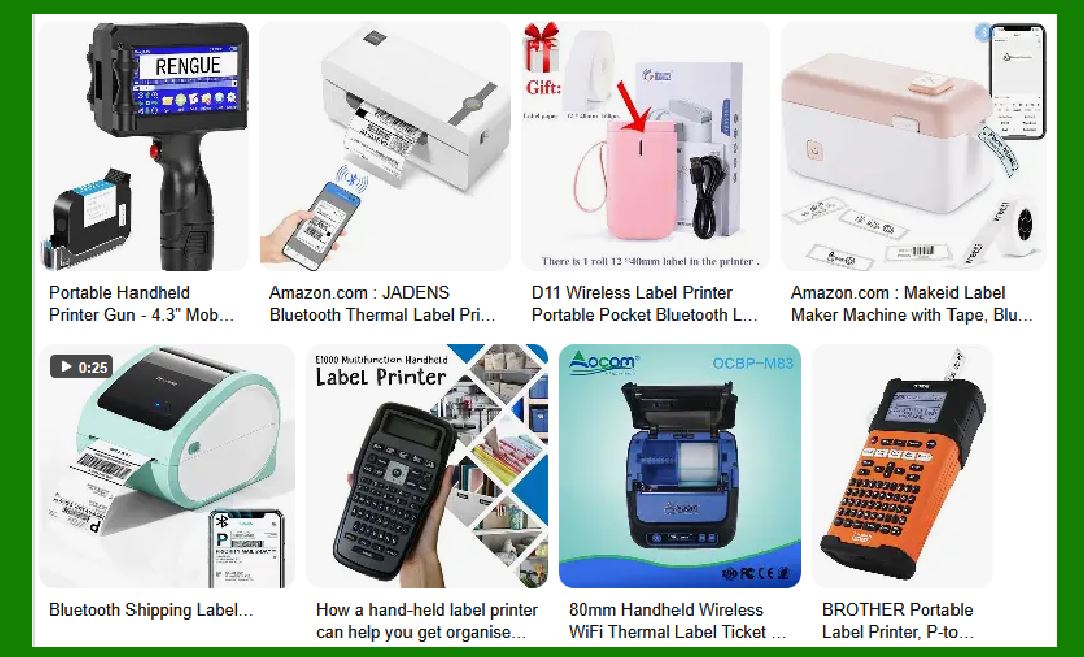
Wireless label printers are specialized devices used to print labels without the need for a physical wired connection to a computer or a network. These printers utilize wireless technologies, such as Bluetooth, Wi-Fi, or NFC, to communicate with mobile devices, tablets, or computers. The primary purpose of wireless label printers is to provide a convenient, portable, and efficient solution for creating labels in various industries, from retail and logistics to healthcare and manufacturing. Their design allows them to be used in mobile environments, providing flexibility and ease of use for on-the-go labeling. |
1.2 Key Characteristics |
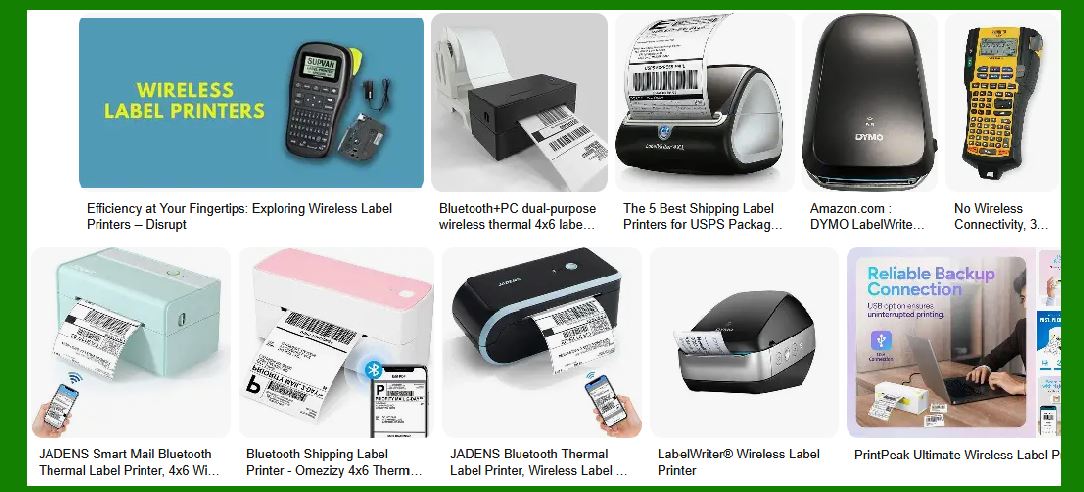
The key characteristics of wireless label printers include portability, connectivity options, compatibility with different media types, and ease of use. They are compact and lightweight, which makes them ideal for environments where space is limited, or mobility is crucial. Wireless label printers are capable of printing on a variety of label materials, including paper, polyester, and synthetic films, which cater to diverse application needs. Additionally, many modern wireless label printers are equipped with high-resolution printing capabilities, ensuring that barcodes, text, and images are printed clearly and legibly. |
1.3 Evolution of Wireless Technology in Label Printing |
The evolution of wireless technology in label printing traces back to the increasing demand for mobility in businesses. Initially, label printers were tethered to computers via USB cables or parallel ports, limiting their flexibility. With the advent of wireless technologies like Bluetooth and Wi-Fi, businesses saw an opportunity to improve workflow efficiency by enabling mobile printing. Wireless label printers have since evolved to include more advanced features like cloud integration, multi-device compatibility, and seamless communication with enterprise resource planning (ERP) systems, which further streamline business operations. |
1.4 Impact on Business Operations |
The introduction of wireless label printers has significantly impacted industries by improving labeling accuracy, increasing productivity, and enhancing operational flexibility. In industries like logistics and retail, workers can print labels directly from mobile devices without returning to a fixed location. This improves speed and reduces errors associated with manual data entry. Furthermore, wireless label printers allow for real-time updates, which is critical in environments where inventory is constantly changing. |
1.5 Advantages of Wireless over Wired Printers |
Wireless label printers offer numerous advantages over their wired counterparts: |
Mobility: Workers are not constrained to a specific location, enabling them to print labels wherever they are needed. |
Flexibility: They can easily integrate into various business systems, whether it's a mobile app or a cloud-based platform. |
Reduced Clutter: With no physical cables, businesses can keep their workspaces neat and organized. |
Scalability: Wireless printers can be easily added to the system, whether through Bluetooth or Wi-Fi, without the need for additional physical wiring infrastructure. |
|
2. Overview of Label Printing Technology |
2.1 Types of Label Printers |
Label printers come in several different types, each suited for specific printing needs and environments: |
Thermal Printers: These are the most common type of label printers, and they work by applying heat to thermal paper, which reacts to the heat by changing color. There are two main types of thermal printers: |
Direct Thermal Printers: These printers use a heat-sensitive paper that darkens when heated by the print head. They don¡¯t require ink, toner, or ribbons, making them cost-effective but limited to short-term applications since the print tends to fade over time. |
Thermal Transfer Printers: These printers use a heated print head to melt ink onto the label from a ribbon. Thermal transfer printers produce durable, long-lasting prints that resist fading, making them ideal for applications in harsh environments. |
Impact Printers: Impact label printers use a hammer mechanism that strikes a ribbon, transferring ink onto paper to form characters. While they are durable and reliable, their print quality is not as high as thermal printers, and they are slower and noisier. |
Inkjet and Laser Printers: These printers use liquid ink or toner to print images and text on labels. They are generally faster and can handle more complex designs than thermal printers but are typically not as efficient for high-volume, long-term label printing. Inkjet printers are versatile, allowing for color prints, while laser printers provide high-quality black-and-white prints. |
2.2 Key Components in Label Printers |
The efficiency of wireless label printers is largely determined by the quality of their components, which include: |
Print Head: The print head is the component that transfers ink or heat onto the label material. In thermal printers, the print head is made up of small heating elements that generate heat to transfer an image onto the label. In inkjet and laser printers, the print head is responsible for applying the ink or toner. |
Paper Feed Mechanism: This is responsible for moving the label material through the printer and ensuring that the correct portion of the material is printed on. Advanced paper feed systems use sensors to detect label positions and prevent errors like misfeeds or blank labels. |
Ink or Thermal Media: Depending on the type of printer, the media could be thermal paper, ink ribbons, or toner cartridges. The choice of media depends on the type of printer and the intended use of the labels (e.g., durability, color). |
2.3 The Role of Firmware and Software in Label Printing |
Printer Drivers: Printer drivers are essential for communication between the printer and the computer or mobile device. They translate the data from the software into a format that the printer can understand. With wireless printers, drivers must be compatible with wireless protocols like Wi-Fi or Bluetooth. |
Customizable Label Design Software: Many wireless label printers are used with specialized software that allows users to design and print labels. These software packages typically include features for designing barcodes, adding logos, and customizing fonts and text. Some printers come with proprietary software, while others are compatible with third-party options like BarTender or NiceLabel. |
2.4 Understanding Label Sizes and Specifications |
Label printers come with the ability to print a range of label sizes. Common label sizes include: |
Address labels: Typically 4' x 6' (for shipping and inventory). |
Barcode labels: Can range from small sizes for retail products to larger sizes for shipping or asset tagging. |
Custom labels: These may include unique sizes or shapes based on specific application needs. |
The printer¡¯s capability to handle a variety of label sizes and types is crucial in ensuring flexibility in operations. |
2.5 Importance of Print Quality and Resolution |
The print quality of a label is determined by its resolution, typically measured in DPI (dots per inch). The higher the DPI, the finer the details that can be printed, which is particularly important for barcodes or images that need to be scanned or read by a machine. For example: |
200-300 DPI: Adequate for most standard labeling applications. |
600 DPI: Necessary for high-resolution images, tiny text, or small barcodes. |
Wireless label printers often feature adjustable print resolutions to accommodate different application needs. The choice of resolution affects both the clarity of the print and the speed of the printing process. |
|
3. Wireless Technology in Label Printing |
3.1 Types of Wireless Connections |
Wireless label printers rely on several wireless technologies to enable communication with computers, mobile devices, and other systems. |
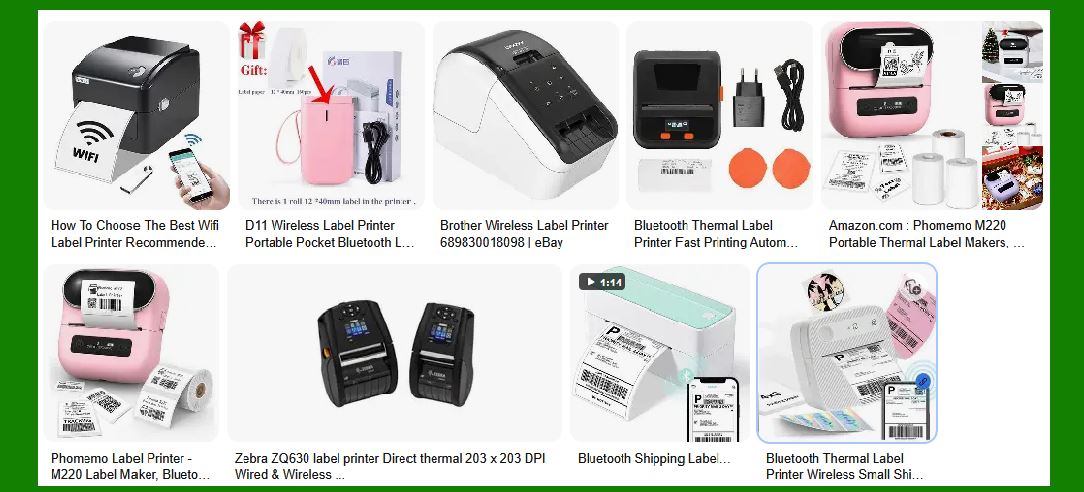
Bluetooth: Bluetooth is a low-power wireless communication protocol that is commonly used in wireless label printers. It allows devices to connect directly to the printer within a certain range (typically up to 100 meters), making it ideal for environments where mobility is needed. Bluetooth is particularly useful for printing labels from mobile devices. |
Wi-Fi: Wi-Fi-enabled printers are designed to connect to a network, which allows multiple devices to print to the same printer. This is useful in office environments or larger warehouses where multiple users need to access the same printer. Wi-Fi networks provide a greater range compared to Bluetooth, making them suitable for larger operations. |
NFC (Near Field Communication): NFC is a short-range wireless technology that allows users to connect to the printer simply by tapping their mobile device against the printer. NFC technology is often used for quick label printing tasks, as it simplifies the connection process. |
3.2 Wireless Standards and Protocols |
Wireless label printers typically adhere to specific standards to ensure reliable connectivity: |
Bluetooth Low Energy (BLE): BLE is a version of Bluetooth designed for low-power consumption, ideal for devices that need to operate for long periods without draining the battery quickly. BLE is becoming increasingly popular in portable wireless label printers due to its efficiency and reliability. |
IEEE 802.11 Standards (Wi-Fi): The IEEE 802.11 standards govern how devices communicate over wireless local area networks (WLANs). Wi-Fi-based wireless label printers are often designed to comply with these standards, ensuring compatibility with various routers and network configurations. |
This is the beginning of a detailed deep dive into wireless label printers. |
Continuing from where we left off, I will dive deeper into the remaining sections to build upon the framework and start expanding on the technology, design, and practical uses of wireless label printers. This will be a continued exploration with further details to reach a highly comprehensive and detailed explanation. |
|
4. Wireless Label Printer Design and Build |
4.1 Physical Design Considerations |
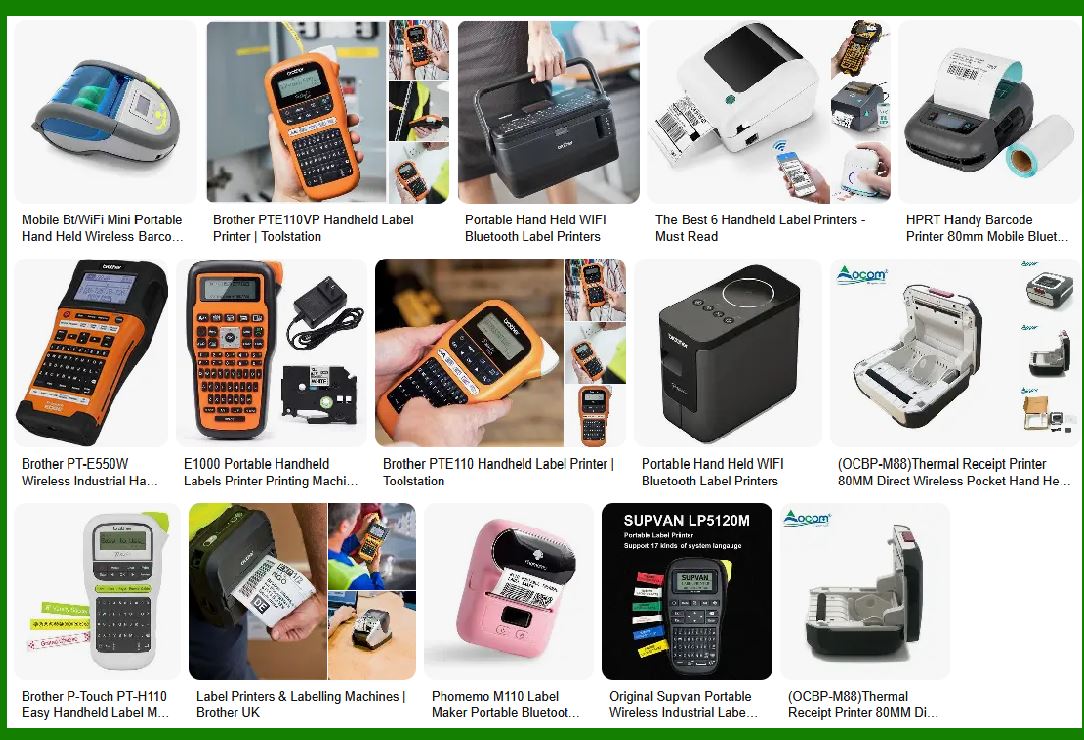
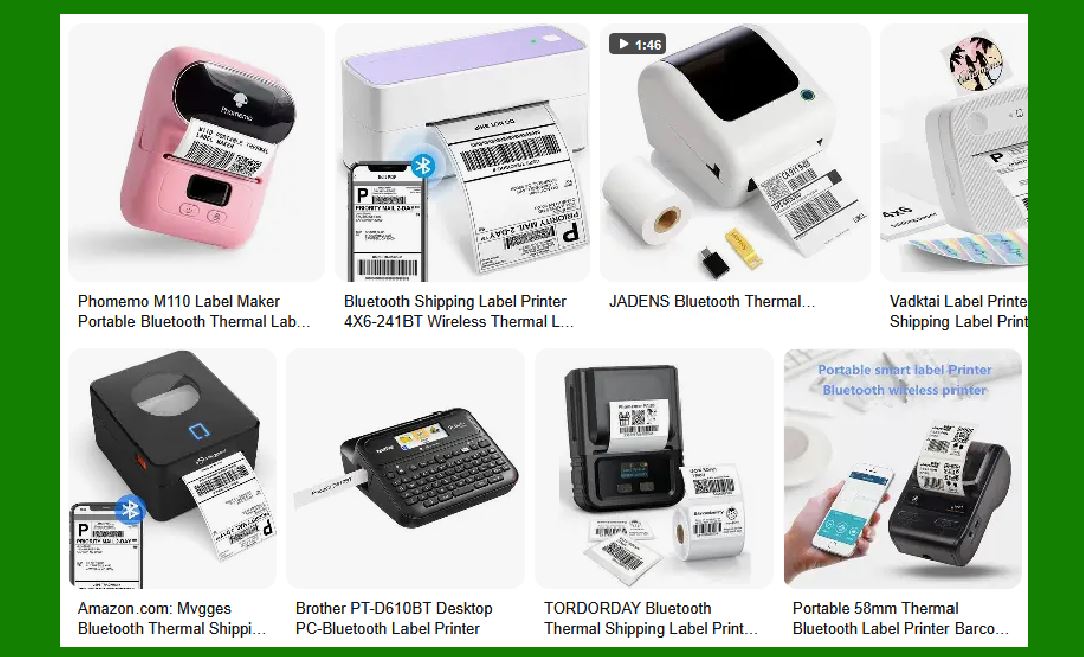
The design of a wireless label printer is a crucial aspect that determines its usability, durability, and overall effectiveness in various environments. Unlike traditional wired printers, wireless label printers are often designed for portability, which requires careful attention to size, weight, and user ergonomics. |
Portability and Compactness: Wireless label printers are typically compact and lightweight, making them ideal for mobile use. They are designed to be carried around in environments such as retail floors, warehouses, and shipping docks. Their small footprint allows them to be used in tight spaces, where a traditional desk-bound printer would be impractical. |
Ergonomics for End Users: The user experience is enhanced by ensuring that the printer is easy to handle and operate. Wireless label printers are often designed with user-friendly controls, such as large buttons, a small display screen, and simplified setup processes. Easy-to-load media trays and clear labels for operation are standard design features to enhance usability in real-world scenarios. |
Durability for Harsh Environments: Many wireless label printers are built to withstand harsh conditions. Industrial and warehouse environments require printers that can endure dust, moisture, and extreme temperatures. Therefore, manufacturers often design printers to be rugged and durable. Some models come with IP-rated enclosures for dust and water resistance, making them suitable for outdoor or industrial use. |
4.2 Materials and Durability |
The materials used in wireless label printers impact their durability, performance, and longevity. Different types of printers are suited to different materials depending on their design and application. |
Industrial vs. Commercial Models: Industrial wireless label printers are designed to handle larger volumes of printing and are made with heavy-duty materials like stainless steel and high-grade plastics. They are typically used in factories, logistics, and distribution centers where robust performance is essential. In contrast, commercial models are lighter and made with materials suitable for smaller businesses or retail environments. |
Weatherproofing and Robustness: Many wireless label printers are engineered to resist environmental elements. For example, a printer used in a shipping dock may need to endure exposure to dust, moisture, and even chemicals. Ruggedized models often feature shock-resistant casings, sealed connectors, and rubberized bumpers that protect them from accidental drops and impacts. Some printers are built with antimicrobial coatings to prevent contamination in medical or food industry environments. |
4.3 Battery Life and Power Management |
Battery life is one of the key concerns when it comes to mobile wireless label printers. Since these printers are often used on the go, long-lasting battery performance is critical for maintaining productivity without frequent recharging. |
Rechargeable Batteries: Many wireless label printers use lithium-ion (Li-ion) or lithium-polymer (LiPo) rechargeable batteries. These batteries offer high energy density, allowing for extended usage times. Depending on the model and usage pattern, wireless label printers can typically run between 8 to 12 hours on a single charge. |
Power Saving Features: To help conserve battery life, many wireless label printers include power-saving features such as automatic sleep modes or low-power printing options. Additionally, some printers offer fast charging options that allow users to quickly recharge their devices during breaks or downtime. |
Battery Monitoring and Alerts: High-end models include battery monitoring features, providing users with real-time information about battery status. Some printers even have low-battery alerts that notify the user when the charge is getting too low to avoid disruptions during operations. |
4.4 User Interface and Controls |
The user interface (UI) of a wireless label printer is integral to ensuring that the device is easy to set up, operate, and troubleshoot. |
Button Layout and Screen Size: Simple control buttons are often used for turning the printer on/off, selecting print jobs, or navigating through settings. Many wireless label printers come with small monochrome or color displays to show printer status, connection information, and print job details. A clear, concise screen interface improves the user's interaction with the device, especially in environments where quick, efficient operation is required. |
User-Friendly Design Considerations: Intuitive user interfaces include visual cues (like LED lights) and easy-to-read menus. Manufacturers also prioritize reducing the learning curve for users by providing clear instructional manuals and easy-to-follow setup wizards, both of which simplify the process for non-technical users. Wireless printers often come with one-click pairing options for Bluetooth, making them simpler to use with mobile devices. |
4.5 Maintenance and Durability |
Maintaining a wireless label printer is essential for its longevity and optimal performance. Wireless printers often require minimal maintenance, but regular care can prevent issues that arise from overuse. |
Preventing Wear and Tear: Wear and tear can occur in high-usage environments, especially in printers that handle large volumes of labels. Regularly cleaning the print head, paper feed mechanisms, and other moving parts can prevent clogs and mechanical failures. Many models feature maintenance reminders to alert users when cleaning or parts replacement is needed. |
Regular Maintenance Practices: Regular checks for ink or thermal media, battery health, and software updates are important to ensure smooth printer operation. Users should also clean the exterior casing to prevent dust accumulation and keep it free from damage. Some wireless label printers come with built-in diagnostics tools that can help users identify issues before they become significant problems. |

|
5. Applications of Wireless Label Printers |
Wireless label printers find application across a wide range of industries, providing practical solutions for printing labels in real-time. Their mobility, flexibility, and efficiency make them essential in modern business operations. Below are some key industries and their uses of wireless label printers. |
5.1 Retail and Consumer Goods |
In retail environments, wireless label printers are commonly used for generating price tags, barcode labels, and product information labels. Their ability to quickly print labels on-demand reduces the need for pre-printed labels and allows retailers to adjust pricing or inventory labeling on the fly. |
Price Tags and Barcodes: Wireless label printers are essential for quickly generating price tags or barcode labels for retail products. They integrate easily with point-of-sale (POS) systems, and their wireless nature allows staff to print labels directly from mobile devices or handheld terminals. |
Mobile POS Systems: In retail settings, wireless label printers are often integrated with mobile POS systems, allowing sales associates to print receipts, price tags, and inventory labels directly from mobile devices. This enhances operational efficiency and provides a seamless customer experience. |
5.2 Logistics and Supply Chain |
Wireless label printers are indispensable tools in the logistics industry. They are used to print shipping labels, tracking codes, and barcodes for goods being sent out for delivery or storage. Their mobile nature is particularly beneficial in large warehouses and shipping centers where operators need to print labels on the spot. |
Shipping Labels and Tracking: In logistics, wireless label printers can be used for creating accurate shipping labels, including barcodes and tracking numbers, that are essential for tracking goods in transit. Wireless connectivity allows real-time updates, ensuring that labels are printed immediately as orders are processed. |
Warehouse Management: In warehouse environments, wireless label printers help streamline inventory management by printing labels for products as they are moved, sorted, or packed. By connecting to warehouse management systems (WMS), printers can automatically generate labels based on real-time inventory data, reducing errors and improving throughput. |
5.3 Healthcare and Pharmaceutical Industry |
In healthcare settings, wireless label printers are crucial for printing medication labels, patient identification wristbands, and laboratory specimen labels. Their portability ensures that healthcare workers can print and apply labels at the point of care, reducing errors and improving patient safety. |
Medication Labeling and Barcode Scanning: Wireless label printers are used to print barcoded labels for medications. These labels ensure that the right medication is administered to the right patient, improving medication tracking and preventing errors. Wireless printers also allow pharmacists to print labels from mobile devices while keeping a safe distance from patients or workstations. |
Compliance and Safety Standards: Healthcare facilities must comply with stringent safety standards, such as the FDA¡¯s Drug Supply Chain Security Act (DSCSA). Wireless label printers help ensure compliance by enabling the printing of FDA-compliant barcodes on drug packaging and other healthcare products. |
5.4 Manufacturing and Industrial Use |
In manufacturing, wireless label printers are used to mark parts, products, and equipment with identification codes, safety labels, and barcodes. Wireless printers offer flexibility by allowing operators to print labels directly at the point of production or assembly. |
Equipment Identification and Tracking: In industrial settings, wireless label printers are used to print asset tags and part numbers for machinery, tools, and components. This allows businesses to track the status and location of assets, improving maintenance and minimizing downtime. |
Inventory and Parts Labeling: In manufacturing plants, wireless label printers help track raw materials, work-in-progress items, and finished goods. By printing labels as components move through the production process, manufacturers can track inventory levels in real-time. |

|
6. Printing Technologies in Wireless Label Printers |
6.1 Thermal Printing Technology |
Thermal printing is the most common printing technology used in wireless label printers. It is highly efficient, cost-effective, and offers high-quality prints for barcode labels, price tags, and shipping labels. |
How Thermal Printing Works: Thermal printing uses a print head with tiny heating elements that apply heat to thermal paper or labels. There are two main types of thermal printing: |
Direct Thermal Printing: This method uses heat-sensitive paper that darkens when exposed to heat. It¡¯s ideal for applications that require temporary labeling since the print can fade over time. |
Thermal Transfer Printing: This method uses a ribbon that transfers ink onto the label surface when heated. It produces more durable prints and is suitable for long-term labeling applications. |
6.2 Inkjet Printing Technology |
Inkjet wireless label printers use liquid ink to print high-quality text and images onto labels. They are typically used for more complex label designs, such as color graphics, logos, and photographs. |
Printing Mechanism: Inkjet printers spray tiny droplets of ink onto the label material. This allows for high-quality prints with vibrant colors, making inkjet printers ideal for applications where aesthetics or branding is important. |
6.3 Laser Printing Technology |
Laser printers use toner, which is a powder-based ink, to produce high-quality prints. These printers are known for their precision, speed, and ability to produce crisp text. |
Precision and Speed of Laser Printers: Laser wireless label printers are capable of printing high volumes of labels quickly and accurately. They are commonly used in environments where large batches of labels need to be produced rapidly, such as in shipping and inventory management. |
This extended content builds on the previous sections and covers the core aspects of wireless label printers in detail. It continues to explore various design considerations, printing technologies, and applications in real-world industries. |

|
Detailed Explanation of Bluetooth Connection Technology Used by Printers |
Bluetooth technology is widely used in wireless label printers, offering a flexible and efficient method for devices to communicate without the need for physical connections. In this section, we will explore the key principles of Bluetooth technology, how it functions within wireless label printers, and its advantages and challenges in real-world applications. |
1. Introduction to Bluetooth Technology |
Bluetooth is a short-range wireless communication technology used for exchanging data between devices over short distances. It was first introduced in 1994 by Ericsson and has since become a ubiquitous standard for wireless communication. Bluetooth operates in the 2.4 GHz ISM (Industrial, Scientific, and Medical) band, which is a globally available frequency band, making it ideal for a wide range of devices, including printers, mobile phones, laptops, tablets, and peripherals. |
Bluetooth Versions: The Bluetooth technology has evolved over the years with various versions, each offering improvements in speed, range, power consumption, and security. The most relevant versions for wireless label printers are: |
Bluetooth 2.0 + EDR (Enhanced Data Rate): Introduced faster data transfer rates and lower power consumption compared to previous versions. |
Bluetooth 4.0 (Bluetooth Low Energy - BLE): A significant improvement that introduced low-energy consumption for battery-powered devices, making it ideal for portable and mobile devices such as label printers. |
Bluetooth 5.0: Enhanced the range (up to 240 meters) and data transfer speeds, providing better connectivity for wireless label printers, especially in larger environments. |
Bluetooth 5.1 and 5.2: Focused on improving location-based services and further enhancing communication efficiency, though for most label printers, Bluetooth 4.0 and 5.0 are sufficient. |

|
2. Bluetooth Connection Process in Wireless Label Printers |
In wireless label printers, Bluetooth connectivity allows for seamless communication between the printer and a variety of devices such as smartphones, tablets, laptops, or POS systems. The process typically involves several steps: |
2.1 Pairing the Printer with a Device |
The first step in Bluetooth communication is the pairing process. Pairing is the process where two Bluetooth-enabled devices establish a trusted connection. This process typically involves: |
Device Discovery: When the printer is powered on and Bluetooth is enabled, it enters discovery mode. This means it broadcasts its Bluetooth address and available services, making it discoverable to nearby devices. |
Initiating Pairing: The user initiates the pairing process by selecting the printer from the list of available devices on their smartphone, tablet, or computer. The user may be prompted to enter a PIN or passkey to confirm the connection. Once paired, devices are typically able to reconnect automatically, provided they are within range. |
Bonding and Authentication: During the pairing process, the printer and the mobile device may exchange keys and other security information to establish a secure and authenticated connection. This ensures that the devices can communicate without interference or unauthorized access. |
2.2 Data Transmission |
Once paired, data transmission between the printer and the device takes place via Bluetooth. The data may include: |
Label Design: The design or content of the label, such as text, barcodes, QR codes, images, etc., is sent from the mobile device or computer to the printer. Label design software or a mobile app typically facilitates this. |
Print Commands: The mobile device sends print commands (such as print start, print size, etc.) to the printer. |
Bluetooth supports both serial communication (for simpler data transfers) and packet-based communication (for more complex data transmission). For wireless label printers, Serial Port Profile (SPP) and Object Push Profile (OPP) are commonly used Bluetooth profiles. |
Error Handling: Bluetooth communication also includes mechanisms for ensuring data integrity during transmission. In case of transmission errors (e.g., packet loss or interference), Bluetooth devices can request retransmission, ensuring reliable communication. |
2.3 End of Transmission and Disconnecting |
After the label data is transmitted and printed, the printer waits for further commands or data. Users can disconnect from the printer manually through the app or device settings, or the devices may disconnect automatically after a period of inactivity to save battery life. |
|
3. Bluetooth Profiles and Protocols Used by Printers |
Bluetooth communication is based on the use of profiles¡ªstandards that define specific communication methods for different types of applications. For wireless label printers, the most relevant Bluetooth profiles are: |
3.1 Serial Port Profile (SPP) |
SPP emulates a traditional serial communication port (like a COM port) over Bluetooth. It allows devices to communicate as if they were connected via a serial cable, even though they are wirelessly connected via Bluetooth. This is the most common profile used for label printing because it provides a simple, reliable means for sending data between the printer and the device. |
Use in Wireless Label Printers: When using Bluetooth for label printing, SPP is commonly used to transmit text and barcode data to the printer from the connected device. This protocol is widely compatible and works across various operating systems and devices. |
3.2 Human Interface Device (HID) Profile |
HID is typically used for devices like keyboards, mice, and other input devices, but some wireless label printers use HID to allow for easier integration with mobile devices, especially in smaller, more portable printers. It provides a standardized way for devices to communicate without requiring specialized drivers. |
3.3 Object Push Profile (OPP) |
OPP allows for the transfer of objects (such as files or images) between devices. While it is less commonly used than SPP in printing applications, it can be used in some wireless label printers to transmit images or non-text elements for label designs. |
3.4 Hands-Free Profile (HFP) |
While HFP is generally used in Bluetooth headsets and hands-free devices, some printers may implement it in specific scenarios where voice commands or hands-free interaction is required (e.g., in environments where hands-on operation is not feasible). |
|
4. Bluetooth Range, Speed, and Interference Considerations |
4.1 Range |
Bluetooth devices generally have a range of about 10 meters (33 feet) for Class 2 devices, which is typical for most wireless label printers. However, the range can vary depending on the Bluetooth version, the environment, and obstacles. |
Bluetooth 4.0 and BLE: Devices using Bluetooth Low Energy (BLE) are particularly designed for power efficiency, which might slightly impact range, but they generally offer a range of up to 100 meters in ideal conditions. |
Bluetooth 5.0: This version increases the range to approximately 240 meters (800 feet), which is advantageous in large warehouse environments or spaces where users need to operate the printer from a distance. |
4.2 Speed |
Bluetooth data transfer speeds can vary depending on the version used: |
Bluetooth 4.0 offers speeds of up to 1 Mbps. |
Bluetooth 5.0 can support speeds of up to 2 Mbps. |
For wireless label printing, these speeds are generally sufficient since label printing doesn¡¯t require the high-speed data transfer associated with other types of wireless communication (like video streaming). |
4.3 Interference |
Bluetooth operates in the crowded 2.4 GHz frequency band, which is shared with many other wireless devices, including Wi-Fi routers, microwaves, and other Bluetooth devices. As a result, wireless label printers can experience interference, especially in environments with many other wireless devices. |
Interference Mitigation: Modern Bluetooth devices (especially those using Bluetooth 5.0) include advanced algorithms to avoid interference by hopping between different frequencies within the 2.4 GHz band. This frequency-hopping technique allows for more reliable communication even in congested environments. |

|
5. Advantages of Bluetooth in Wireless Label Printers |
Bluetooth offers several benefits that make it an ideal choice for wireless label printing: |
5.1 Ease of Use |
Bluetooth is user-friendly, offering simple pairing processes and wide compatibility with mobile devices, tablets, and computers. Most wireless label printers automatically switch to pairing mode when turned on, making it easy for users to connect their devices without requiring complicated setup steps. |
5.2 Cost-Effective |
Bluetooth chips are relatively inexpensive, and Bluetooth-based communication does not require complex hardware or large infrastructure investments. This makes it an affordable option for small businesses and startups that need a reliable wireless printing solution. |
5.3 Low Power Consumption |
Bluetooth Low Energy (BLE) ensures that wireless label printers can operate efficiently without draining battery life. This is especially critical in portable label printers, where long-lasting battery life is essential for extended use in the field. |
5.4 Compatibility |
Bluetooth is a universal wireless communication standard, meaning it works across a wide range of devices, operating systems, and platforms. Whether the user is on iOS, Android, Windows, or Linux, Bluetooth ensures compatibility without requiring additional drivers or configuration. |

|
6. Challenges and Limitations of Bluetooth in Wireless Label Printers |
While Bluetooth technology offers numerous advantages, it also presents certain challenges and limitations that must be addressed: |
6.1 Range Limitations |
The limited range of Bluetooth (typically 10 meters) can be restrictive in larger workspaces or warehouses, where users may need to print labels from a distance. Although newer Bluetooth versions (e.g., Bluetooth 5.0) offer extended range, the coverage area may still be insufficient in some industrial environments. |
6.2 Connection Stability |
Bluetooth connections can be susceptible to interference from other devices operating in the same 2.4 GHz range, such as Wi-Fi routers, microwaves, or cordless phones. In some environments with heavy wireless traffic, this may result in dropped connections or slower data transfer speeds. |
6.3 Security Concerns |
While Bluetooth connections are generally secure, they are still vulnerable to unauthorized access or 'man-in-the-middle' attacks. It's essential for businesses to implement proper security measures, such as using encrypted Bluetooth communications and enforcing strong authentication protocols when pairing devices. |

|
7. Conclusion |
Bluetooth technology has become an integral part of wireless label printers, offering flexibility, cost-effectiveness, and ease of use. It enables seamless communication between the printer and a variety of devices, allowing businesses to improve workflow efficiency, reduce clutter, and streamline operations. While Bluetooth is not without its challenges¡ªsuch as limited range and interference¡ªit remains a reliable and widely adopted solution for many wireless label printing applications. As Bluetooth technology continues to evolve, it is likely that wireless label printers will benefit from even greater range, speed, and security, further enhancing their utility in various industries. |
|
Advantages and Disadvantages of Bluetooth Label Printers |
Bluetooth technology has become an essential feature in many wireless label printers, offering a range of benefits. However, like any technology, it comes with its own set of limitations. Below, we break down the key advantages and disadvantages of using Bluetooth label printers in real-world applications. |
Advantages of Bluetooth Label Printers |
1. Wireless Freedom and Mobility |
Portability: Bluetooth label printers are often compact, lightweight, and designed for mobile use. Users can carry these printers to different locations within the workspace, making them ideal for retail floors, warehouses, logistics, and fieldwork. |
No Cables or Wires: The primary advantage of Bluetooth is the elimination of the need for physical cables. This reduces the clutter in the workspace, improves aesthetics, and provides greater flexibility in printer placement. |
2. Easy Setup and Use |
Quick Pairing: Bluetooth technology offers easy, fast, and hassle-free pairing between the printer and devices. Once paired, devices can automatically reconnect when they are in range. This makes setup simpler compared to other wireless protocols, such as Wi-Fi or Ethernet, which might require more complex configurations. |
Universal Compatibility: Bluetooth is a globally recognized and widely supported wireless standard, ensuring that most mobile devices, tablets, and computers can connect with Bluetooth-enabled printers without additional software or special drivers. Bluetooth label printers can work across different operating systems like iOS, Android, Windows, and macOS. |
|
3. Energy Efficiency |
Low Power Consumption: Bluetooth Low Energy (BLE) allows Bluetooth label printers to be highly energy-efficient, especially in portable devices that need long battery life. BLE uses minimal power, which helps extend the printer¡¯s battery life, making it ideal for field applications where frequent charging is impractical. |
Battery Life: The efficient power consumption of Bluetooth devices typically translates into longer operational hours, enabling users to print large batches of labels without having to recharge frequently. |
4. Cost-Effective |
Affordable Technology: Bluetooth chips and modules are relatively inexpensive compared to other wireless communication technologies like Wi-Fi or cellular. This makes Bluetooth label printers a cost-effective solution for small businesses or those that need an affordable, wireless label printing solution. |
No Need for Additional Network Infrastructure: Unlike Wi-Fi printers, which require access to a wireless network and possibly a router, Bluetooth printers only need the two paired devices to communicate, saving businesses from the cost of additional networking hardware. |
|
5. Secure Communication |
Encryption and Security Features: Bluetooth has evolved to offer secure communication with the introduction of various security protocols, including pairing security, encryption, and authentication. This ensures that sensitive data, such as shipping information or barcode data, is securely transmitted between devices. |
Personal Area Network (PAN): Bluetooth operates on a personal area network (PAN) scale, meaning the connection is typically limited to devices within a short range, which can enhance privacy by reducing the risk of unauthorized access compared to broader Wi-Fi networks. |
6. Flexible Use Cases and Integration |
Cross-Platform Printing: Bluetooth printers can easily integrate with a variety of devices, such as mobile phones, tablets, and POS terminals, without needing specific software. This enables real-time label printing, which is essential for on-the-go operations like shipping, retail, and event management. |
Versatility: Bluetooth printers can be used in a wide range of industries, from logistics and healthcare to retail and manufacturing. The portability and wireless connection enable businesses to print labels wherever needed, whether on the warehouse floor or out in the field. |
|
Disadvantages of Bluetooth Label Printers |
1. Limited Range |
Shorter Range Compared to Wi-Fi: Bluetooth has a limited range, typically around 10 meters (33 feet) for Class 2 devices and up to 240 meters (800 feet) for Bluetooth 5.0 in ideal conditions. This can be restrictive in larger warehouses, distribution centers, or multi-floor environments, where a longer wireless range would be required. |
Interference and Obstructions: The Bluetooth range can also be affected by physical obstructions, such as walls, or interference from other electronic devices operating on the same 2.4 GHz frequency band (e.g., Wi-Fi routers, microwaves, cordless phones). In environments with a lot of wireless traffic, maintaining a stable connection can become a challenge. |
2. Data Transfer Speed |
Slower Speeds Compared to Wi-Fi: Bluetooth generally offers slower data transfer speeds than Wi-Fi, which can be a disadvantage when printing large documents or when a high-speed data link is needed. While Bluetooth 5.0 improves this to some extent, the speed is still not as fast as Wi-Fi, especially when dealing with complex label designs or bulk label printing. |
Potential for Latency: Due to the lower bandwidth and potential for interference, there may be slight delays when sending print jobs from devices to Bluetooth printers, especially in environments with heavy traffic or congested wireless space. |
|
3. Limited Device Connections |
One-to-One Communication: Bluetooth typically supports point-to-point communication, meaning that a Bluetooth printer can only connect to one device at a time. This can limit the flexibility of the printer in environments where multiple users need access to it. In contrast, Wi-Fi-enabled printers can support multiple devices accessing the printer simultaneously. |
Complexity in Multi-Device Environments: While Wi-Fi printers are often configured to allow multiple devices to print simultaneously, Bluetooth printers are better suited for one-to-one connections. This may not be ideal in high-volume settings where numerous workers need to print labels at the same time. |
4. Potential for Connection Instability |
Intermittent Connectivity: Bluetooth connections are prone to intermittent dropouts, especially in environments with many wireless devices. This is a common issue in crowded spaces where multiple Bluetooth devices (headsets, speakers, etc.) are operating in the same area. For critical printing tasks, this instability can be disruptive. |
Range Dependency: The connection is highly dependent on the physical proximity of the devices. If the devices move out of range, or if the connection is interrupted, printing can be delayed, resulting in a loss of productivity. |
|
5. Security Concerns |
Vulnerabilities in Older Bluetooth Versions: While modern Bluetooth versions (4.0 and above) have enhanced security features, older versions or unpatched devices can be vulnerable to security breaches, such as unauthorized access or data interception. If a business relies on Bluetooth for printing sensitive information, it must ensure that all devices are properly updated and protected against potential risks. |
Increased Risk in Public or Unsecured Environments: Since Bluetooth devices are discoverable within their range, there is always a risk of connection attempts by unauthorized users in public or unprotected environments, especially if the device is not properly secured with a PIN or pairing key. |
6. Limited Print Features |
Simpler Print Jobs: Bluetooth printers are typically designed for simpler print jobs, such as barcode labels or basic text. They may not support more complex print tasks, like high-quality graphics or large-format printing, as effectively as Wi-Fi or USB printers. |
Lack of Advanced Printer Management: Bluetooth printers may lack the advanced features and management options that are available with Wi-Fi or Ethernet-connected printers, such as remote configuration, monitoring, or managing multiple printers at once. |
|
7. Conclusion |
Bluetooth label printers provide significant advantages, including mobility, ease of setup, energy efficiency, and cost-effectiveness, making them highly suitable for small businesses and mobile workforces. They allow for quick and convenient printing without the need for cumbersome cables, which is especially valuable in dynamic environments like retail, logistics, and healthcare. |
However, Bluetooth label printers also come with limitations, including a limited communication range, slower data transfer speeds, and potential connection instability, especially in larger or more crowded environments. These factors can affect productivity in high-demand scenarios, particularly when multiple users need to print simultaneously or when the device is subject to interference. |
Ultimately, the decision to use a Bluetooth label printer depends on the specific needs of the business. For applications where mobility, ease of use, and small-to-medium volume printing are prioritized, Bluetooth label printers can be an excellent choice. However, for high-volume or multi-user environments, businesses may need to consider alternatives like Wi-Fi or Ethernet-connected printers for greater performance and scalability. |
 cs@easiersoft.com