1. Company Overview |
1.1 Introduction: Wuhan Leadjet Science and Technology Development Co., Ltd. is a prominent manufacturer specializing in coding and marking equipment. Established over 23 years ago, the company has grown to become a global supplier, exporting products to numerous countries including the USA, Canada, Brazil, Germany, and more. 1.2 Headquarters and Facilities: The company’s headquarters and primary production center are located in Wuhan, China. They also have a second R&D center in Cambridge, UK, and 35 branches and offices across mainland China. 1.3 Product Range: Leadjet offers a wide range of products including small character inkjet printers, large format inkjet printers, laser printers, and various coding devices. These products are widely used in industries such as food and beverages, pharmaceuticals, electronics, automotive parts, and more. |
|
2. Barcode Label Printers |
2.1 Types of Printers: Leadjet’s barcode label printers include Continuous Inkjet (CIJ) printers, Thermal Inkjet (TIJ) printers, and Laser Marking printers. Each type has its own unique features and applications. 2.2 CIJ Printers: These printers are designed for high-speed, high-volume printing. They are capable of printing on various surfaces including plastics, glass, and metals. CIJ printers are commonly used for printing batch numbers, expiry dates, and barcodes. 2.3 TIJ Printers: TIJ printers are known for their high-resolution printing capabilities. They are ideal for printing on porous and semi-porous surfaces such as paper, cardboard, and wood. TIJ printers are often used for packaging and labeling applications. 2.4 Laser Marking Printers: These printers use laser technology to create permanent marks on a variety of materials. They are highly precise and are used for applications that require high durability and resistance to wear and tear. |

|
3. Key Features and Benefits |
3.1 High Precision and Quality: Leadjet’s barcode label printers are known for their high precision and print quality. They can produce clear and accurate barcodes, text, and graphics. 3.2 Versatility: These printers can handle a wide range of materials and surfaces, making them suitable for various industries and applications. 3.3 Durability: Leadjet’s printers are built to last, with robust construction and high-quality components that ensure long-term reliability and performance. 3.4 Ease of Use: The printers are designed with user-friendly interfaces and features that make them easy to operate and maintain. 3.5 Cost-Effectiveness: Leadjet offers competitive pricing and efficient printing solutions that help businesses reduce their operational costs. |
4. Technological Innovations |
4.1 Advanced Inkjet Technology: Leadjet utilizes advanced inkjet technology to achieve high-speed and high-resolution printing. Their CIJ and TIJ printers are equipped with state-of-the-art printheads and ink systems. 4.2 Laser Technology: The company’s laser marking printers use cutting-edge laser technology to create precise and permanent marks. These printers are capable of marking complex designs and fine details. 4.3 Software Integration: Leadjet’s printers come with advanced software that allows for easy integration with existing systems. The software provides features such as remote monitoring, data management, and customization options. |

|
5. Applications and Industries |
5.1 Food and Beverage Industry: Leadjet’s printers are widely used in the food and beverage industry for printing expiration dates, batch numbers, and barcodes on packaging. 5.2 Pharmaceutical Industry: In the pharmaceutical industry, these printers are used for printing labels, barcodes, and other important information on medicine bottles, boxes, and blister packs. 5.3 Electronics Industry: Leadjet’s printers are used for marking electronic components, circuit boards, and other electronic devices with barcodes, serial numbers, and logos. 5.4 Automotive Industry: In the automotive industry, these printers are used for marking parts and components with identification codes, batch numbers, and other relevant information. 5.5 Cosmetics Industry: The cosmetics industry uses Leadjet’s printers for printing labels, barcodes, and batch numbers on packaging and products. |
6. Product Models and Specifications |
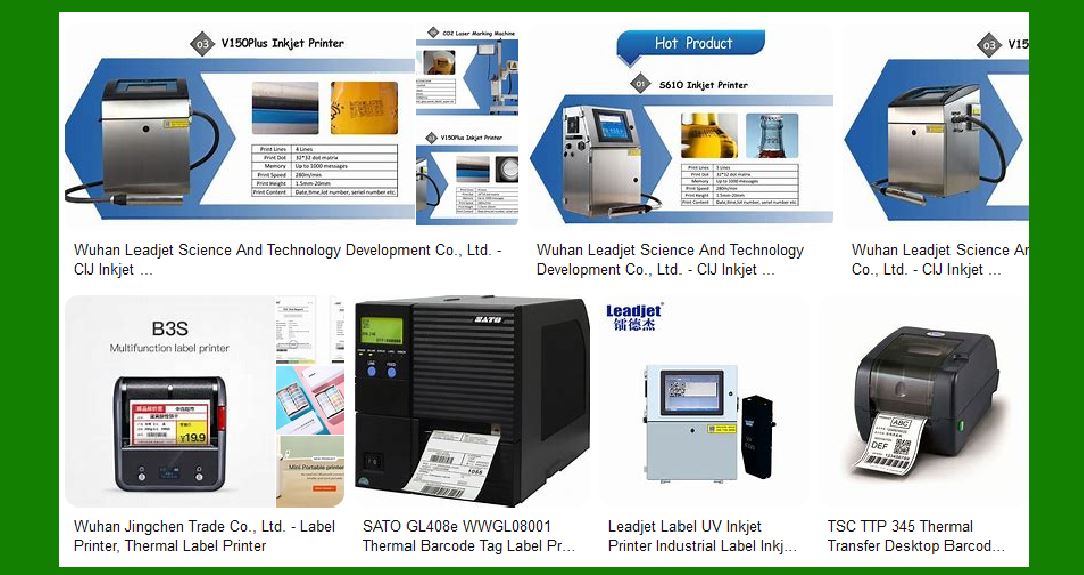
6.1 V Series Small Character Inkjet Printers: These printers are designed for high-speed printing of small characters and barcodes. They are suitable for various materials and surfaces. 6.2 A Series Large Format Inkjet Printers: These printers are ideal for printing large characters and graphics on packaging and products. They offer high resolution and fast printing speeds. 6.3 C Series Laser Printers: These printers use laser technology to create permanent marks on a variety of materials. They are highly precise and durable. 6.4 S Series Thermal Inkjet Printers: These printers are known for their high-resolution printing capabilities and are ideal for packaging and labeling applications. |

|
7. Customer Support and Services |
7.1 Technical Support: Leadjet provides comprehensive technical support to its customers. This includes installation, training, and troubleshooting services. 7.2 After-Sales Service: The company has a dedicated after-sales service team that ensures customers receive timely and effective support. 7.3 Maintenance and Repairs: Leadjet offers maintenance and repair services to keep their printers in optimal condition. They provide regular maintenance checks and quick repairs to minimize downtime. 7.4 Spare Parts and Consumables: The company supplies a wide range of spare parts and consumables for their printers, ensuring customers have easy access to the necessary components. |
8. Environmental and Safety Standards |
8.1 Environmental Responsibility: Leadjet is committed to environmental sustainability. Their printers are designed to minimize waste and reduce energy consumption. 8.2 Safety Standards: The company adheres to strict safety standards in the design and manufacturing of their printers. They ensure that their products are safe to use and comply with relevant regulations. |

|
9. Global Presence and Market Reach |
9.1 International Markets: Leadjet has a strong presence in international markets, with products exported to over 40 countries. They have established a reputation for quality and reliability in the global market. 9.2 Strategic Partnerships: The company has formed strategic partnerships with distributors and resellers around the world to expand their market reach. 9.3 Trade Shows and Exhibitions: Leadjet regularly participates in trade shows and exhibitions to showcase their products and connect with potential customers. |
10. Future Developments and Innovations |
10.1 Research and Development: Leadjet continues to invest in research and development to innovate and improve their products. They focus on developing new technologies and enhancing existing ones. 10.2 Product Expansion: The company plans to expand its product range to include more advanced and versatile printing solutions. They aim to meet the evolving needs of their customers and stay ahead of market trends. 10.3 Sustainability Initiatives: Leadjet is committed to sustainability and plans to introduce more eco-friendly products and practices. They aim to reduce their environmental impact and promote sustainable development. |

|
11. Case Studies and Success Stories |
11.1 Food and Beverage Industry: Leadjet’s printers have been successfully used by major food and beverage companies to improve their packaging and labeling processes. These companies have reported increased efficiency and reduced costs. 11.2 Pharmaceutical Industry: Pharmaceutical companies have benefited from Leadjet’s high-precision printers for labeling and coding their products. This has helped them ensure compliance with regulatory requirements and improve product traceability. 11.3 Electronics Industry: Electronics manufacturers have used Leadjet’s printers to mark their products with barcodes and serial numbers. This has enhanced their inventory management and product identification processes. 11.4 Automotive Industry: Automotive companies have utilized Leadjet’s printers for marking parts and components. This has improved their quality control and traceability systems. 11.5 Cosmetics Industry: Cosmetics companies have used Leadjet’s printers for labeling and coding their products. This has helped them enhance their branding and ensure product authenticity. |

|
12. Customer Testimonials |
12.1 Positive Feedback: Leadjet has received positive feedback from customers across various industries. Customers have praised the quality, reliability, and performance of their printers. 12.2 Customer Satisfaction: The company has a high customer satisfaction rate, with many customers returning for repeat purchases and recommending Leadjet’s products to others. 12.3 Success Stories: Leadjet has numerous success stories from satisfied customers who have achieved significant improvements in their operations using the company’s printers. |

|
13. Awards and Recognitions |
13.1 Industry Awards: Leadjet has received several industry awards for their innovative products and contributions to the coding and marking industry. 13.2 Certifications: The company holds various certifications that attest to the quality and safety of their products. These include ISO certifications and other industry-specific standards. 13.3 Recognition: Leadjet has been recognized by industry associations and organizations for their excellence in manufacturing and customer service. |
 cs@easiersoft.com